> ## Documentation Index
> Fetch the complete documentation index at: https://help.kwentra.com/llms.txt
> Use this file to discover all available pages before exploring further.
# تكامل شموس مع الشرطة السعودية – الإبلاغ عن النزلاء والتحقق
> أبلغ الشرطة السعودية ببيانات النزلاء عبر شموس، مباشرة من Kwentra. أعدّ بيانات دخول الفرع وتابع كل اتصال في السجلات.
أصبح Kwentra متصلاً مباشرة بشموس (Shomoos)، المنصة الرسمية للإبلاغ عن بيانات النزلاء للشرطة السعودية. تُبلغ الفنادق في السعودية عن نشاط النزلاء لحظياً من Kwentra.
### **القيمة العملية**
* تجنّب الغرامات بالإبلاغ عن بيانات النزلاء يومياً، كما يطلب النظام في السعودية.
* أدِر ملفات النزلاء وبلاغات الشرطة في مكان واحد داخل Kwentra.
* أرسل تسجيلات الوصول والمغادرة وبيانات المرافقين تلقائياً. لا رفع يدوي.
### **حالات الاستخدام**
* موظف الاستقبال يحدّث ملف النزيل ويرسله إلى شموس فوراً.
* المدير يراجع شاشة السجلات ليتأكد من الإبلاغ عن كل نزلاء اليوم.
* يرسل الفندق تنبيه "لا معاملات اليوم" تلقائياً لتجنّب الغرامات.
### **كيف يعمل**
| **Where:** Front Office → Settings → Integrations → Shomoos → Integration Setup |
| - |
1. ادخل إلى [manage.kwentra.com](https://manage.kwentra.com/).
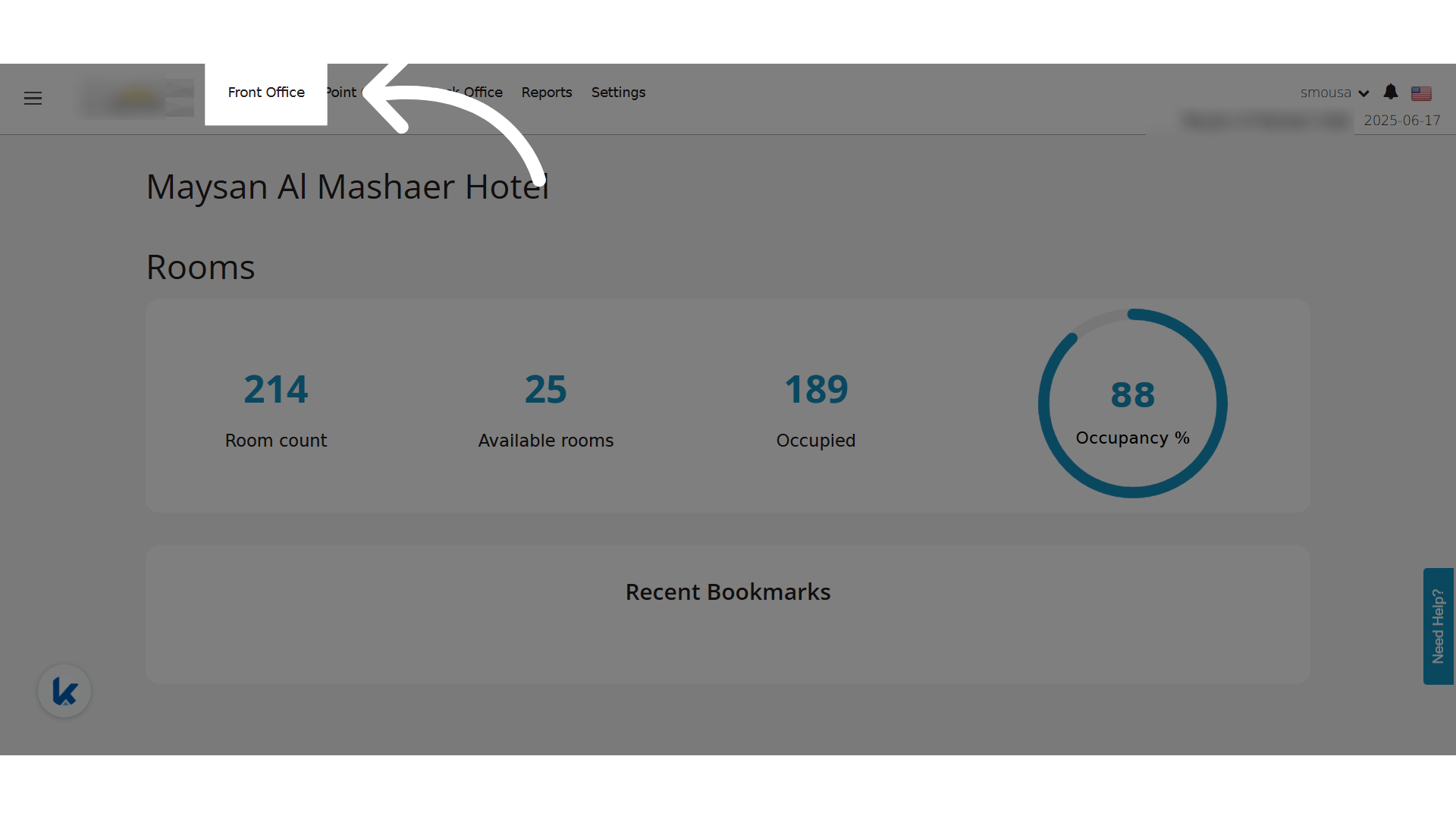
2. اضغط **Front Office**.
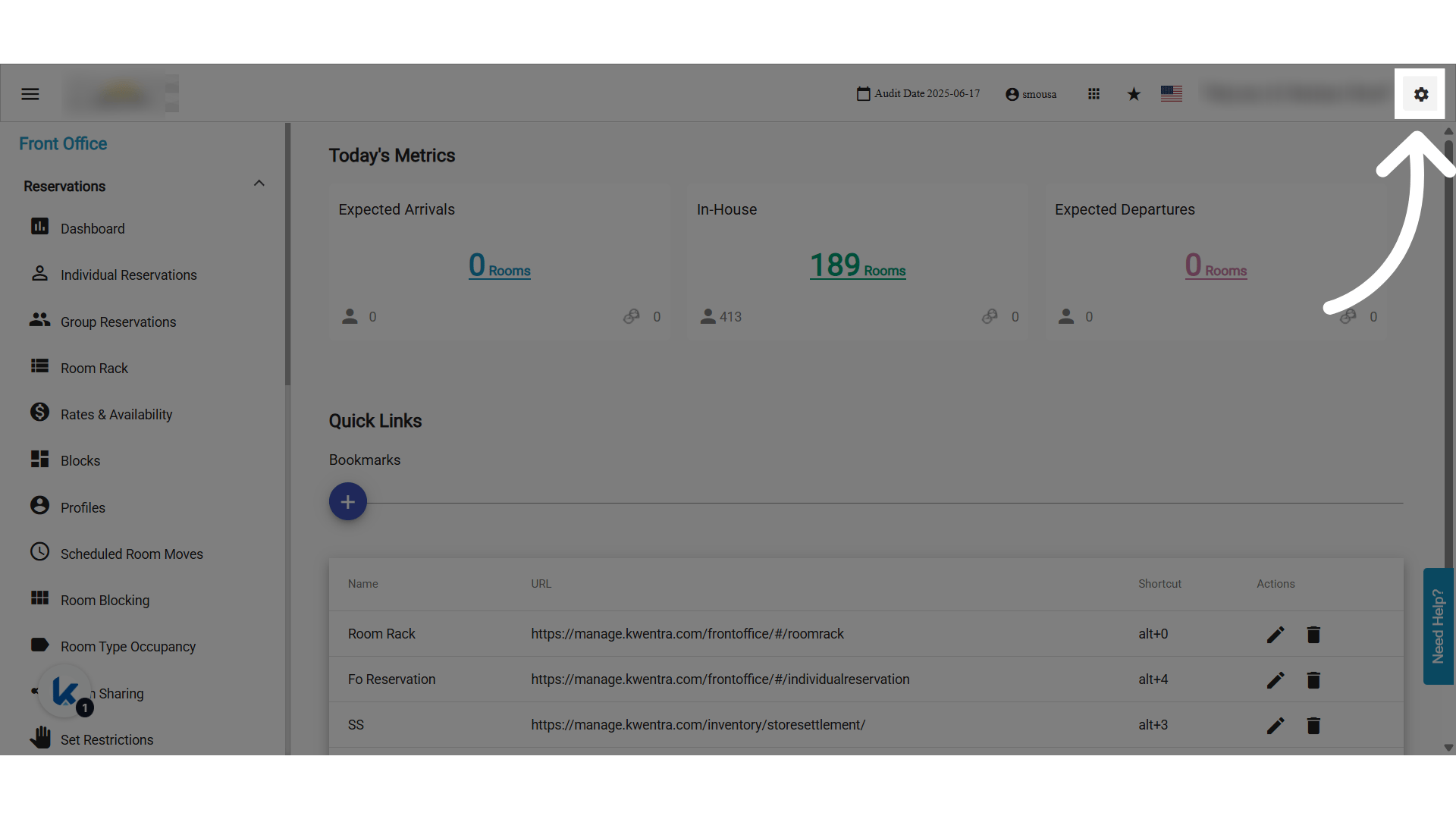
 3. اضغط **Settings**.
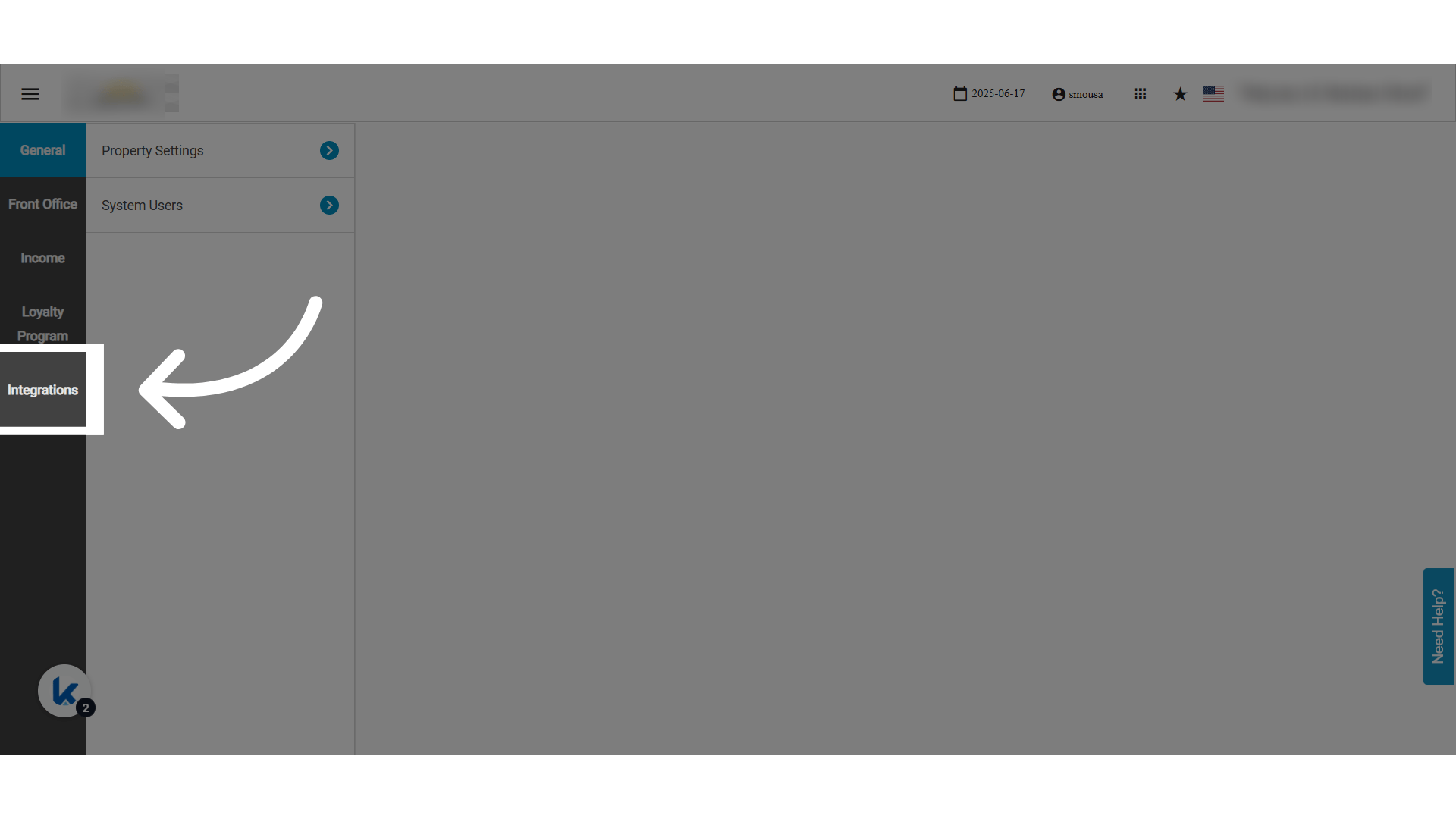
 4. اضغط **Integrations**.
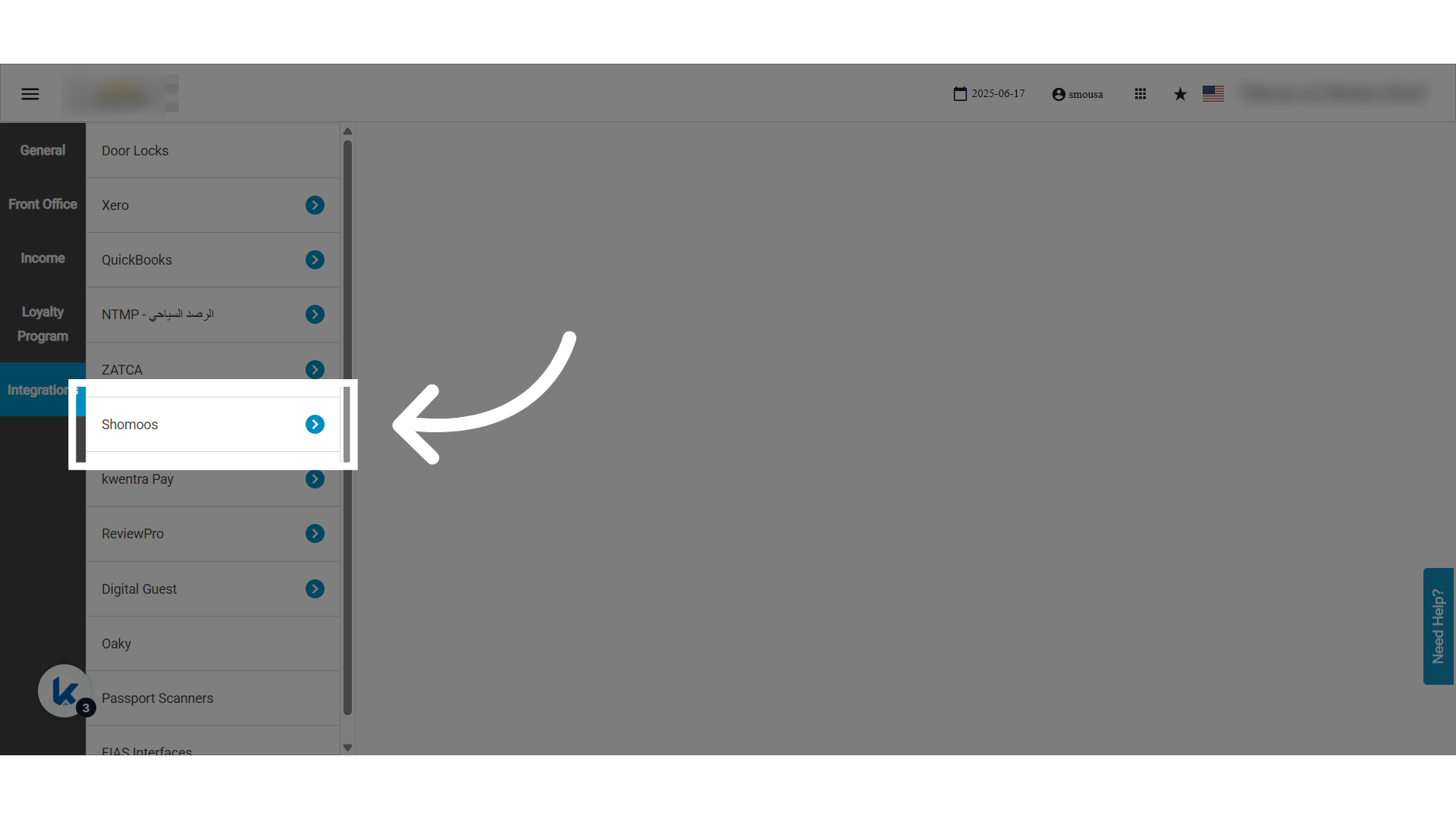
 5. اختر تكامل **Shomoos**.
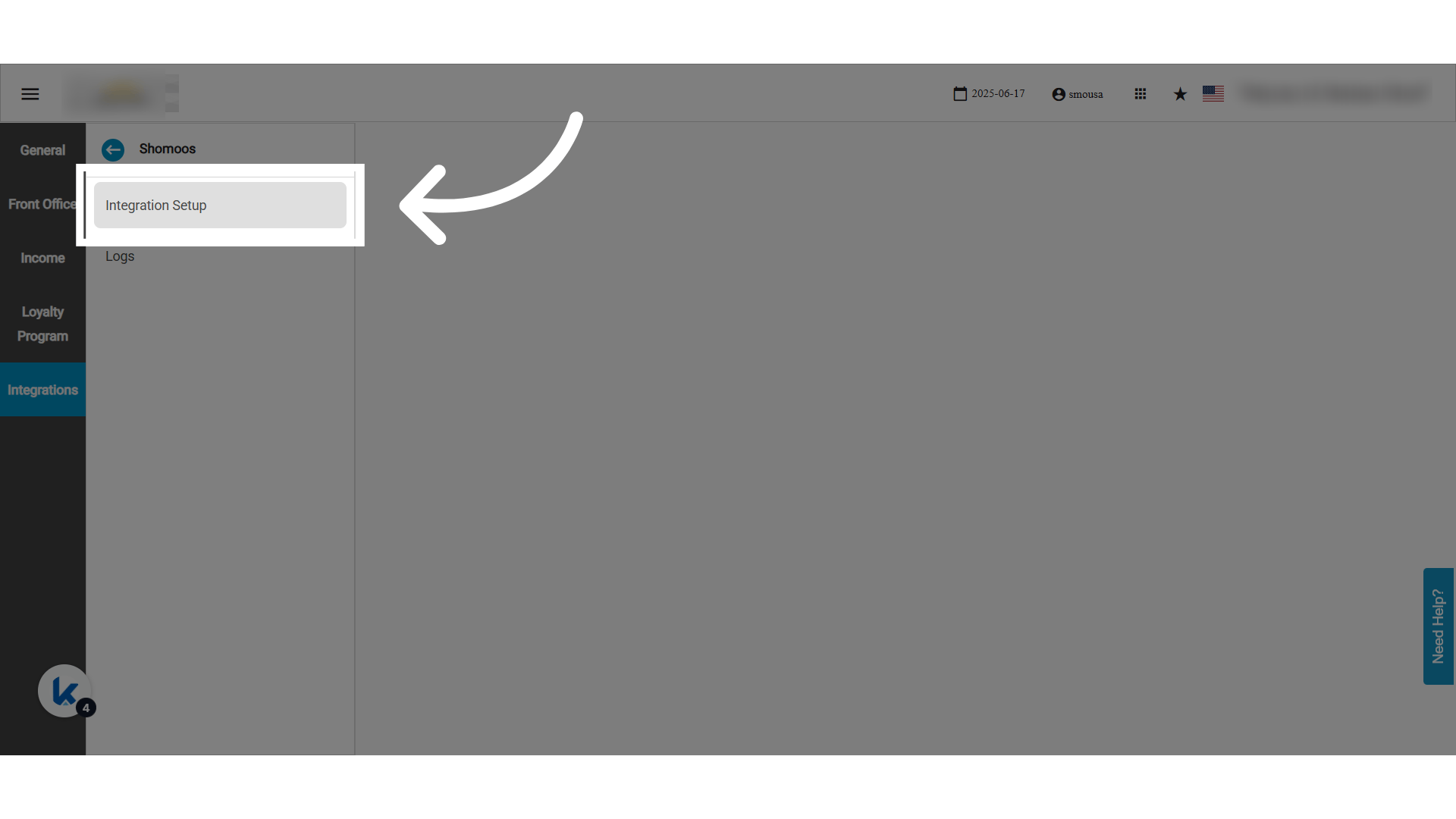
 6. اضغط **Integration Setup**.
 #### **صفحة التحقق (Authentication)**
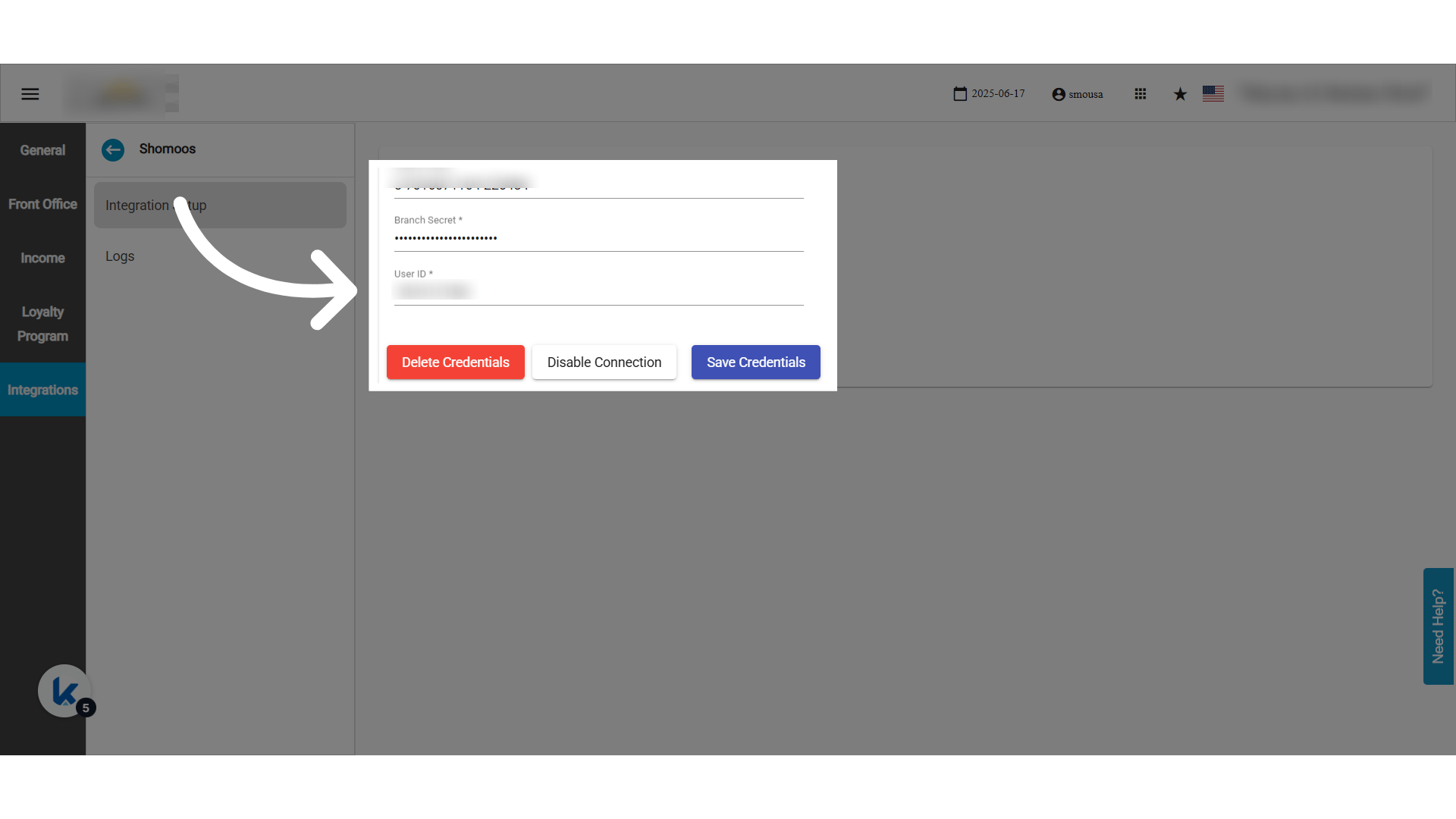
أدخل هذه البيانات من بوابة شموس:
* **Branch Code (رمز الفرع):** رمز الفرع الذي اختاره مدير الفرع في بوابة شموس.
* **User ID (رقم هوية المستخدم على الفرع):** رقم الهوية الوطنية أو الإقامة للشخص المفوَّض في الفرع.
* **Password (الرقم السري):** كلمة مرور الفرع.
* تُنشأ عند اختيار الوسيط في شموس.
* تُدخَل في حقل كلمة مرور الفرع في شموس وتُشارَك مع Kwentra.
* **الإجراءات:** فعّل الاتصال أو أوقفه. احفظ بيانات الدخول أو احذفها.
| **ملاحظة:** فقط المستخدمون الذين لديهم صلاحية **Shomoos Settings** يديرون بيانات الدخول. |
| - |
#### **صفحة التحقق (Authentication)**
أدخل هذه البيانات من بوابة شموس:
* **Branch Code (رمز الفرع):** رمز الفرع الذي اختاره مدير الفرع في بوابة شموس.
* **User ID (رقم هوية المستخدم على الفرع):** رقم الهوية الوطنية أو الإقامة للشخص المفوَّض في الفرع.
* **Password (الرقم السري):** كلمة مرور الفرع.
* تُنشأ عند اختيار الوسيط في شموس.
* تُدخَل في حقل كلمة مرور الفرع في شموس وتُشارَك مع Kwentra.
* **الإجراءات:** فعّل الاتصال أو أوقفه. احفظ بيانات الدخول أو احذفها.
| **ملاحظة:** فقط المستخدمون الذين لديهم صلاحية **Shomoos Settings** يديرون بيانات الدخول. |
| - |
 #### **شاشة السجلات (Logs)**
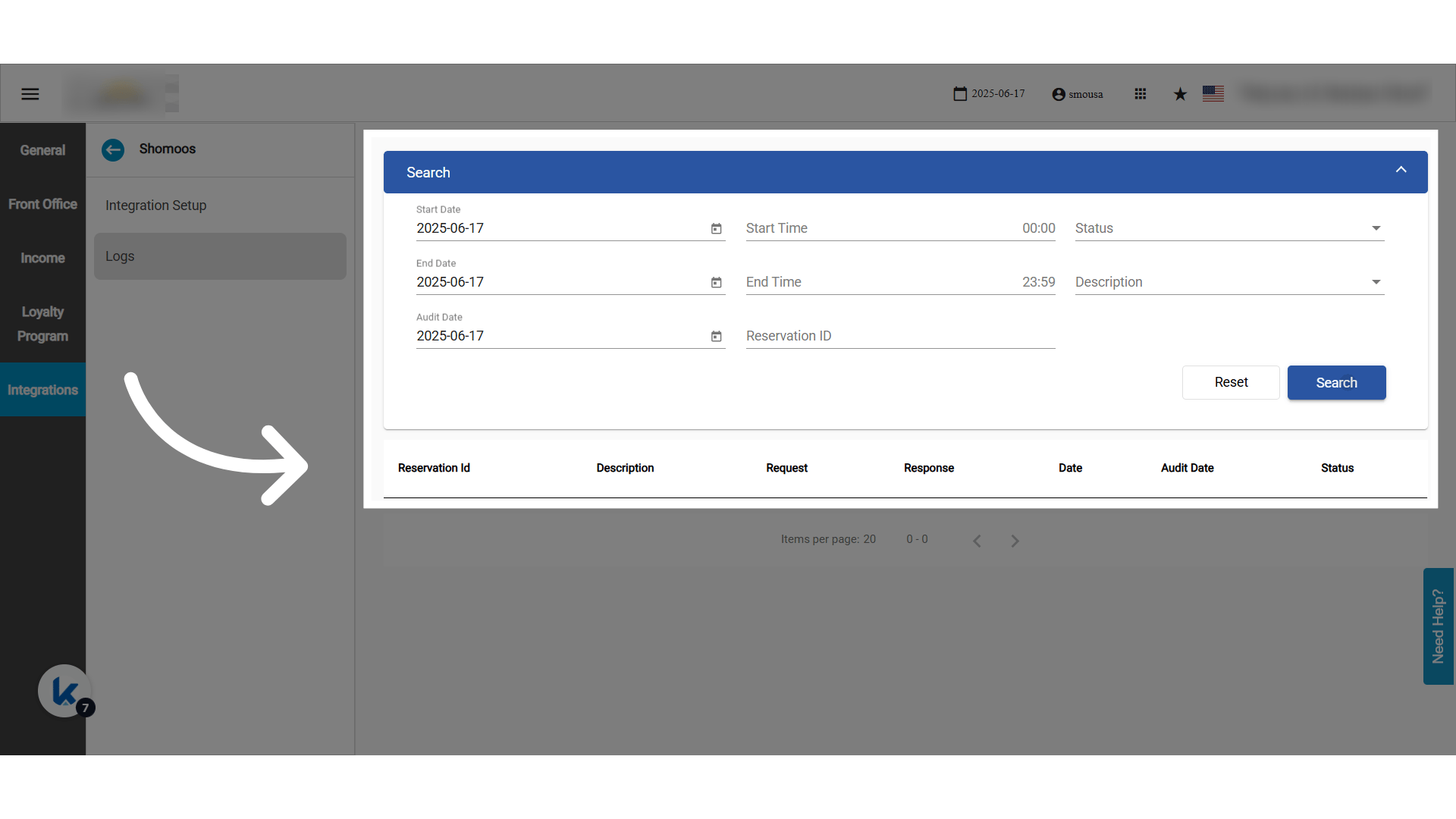
* كل اتصال بواجهة شموس يُسجَّل.
* يمكنك تتبّع كل خطأ وكل رد ناجح.
#### **شاشة السجلات (Logs)**
* كل اتصال بواجهة شموس يُسجَّل.
* يمكنك تتبّع كل خطأ وكل رد ناجح.
 This documentation is built and hosted on [Mintlify](https://mintlify.com), a developer documentation platform.