> ## Documentation Index
> Fetch the complete documentation index at: https://help.kwentra.com/llms.txt
> Use this file to discover all available pages before exploring further.
# تطبيق رسوم يدوية على عدة حجوزات وحسابات PayMaster
> استخدم خيار Bulk Charging من شاشة Cashiering لإضافة رسوم يدوية إلى عدة حجوزات أو حسابات PayMaster دفعة واحدة.
في الحالات التي يحول فيها ضغط العمل دون إضافة الرسوم اليدوية إلى كل حجز على حدة، يمكنك استخدام خيار Bulk Charging من **شاشة Cashiering.**
**Front Office → Income → Bulk Charges / Cashiering**
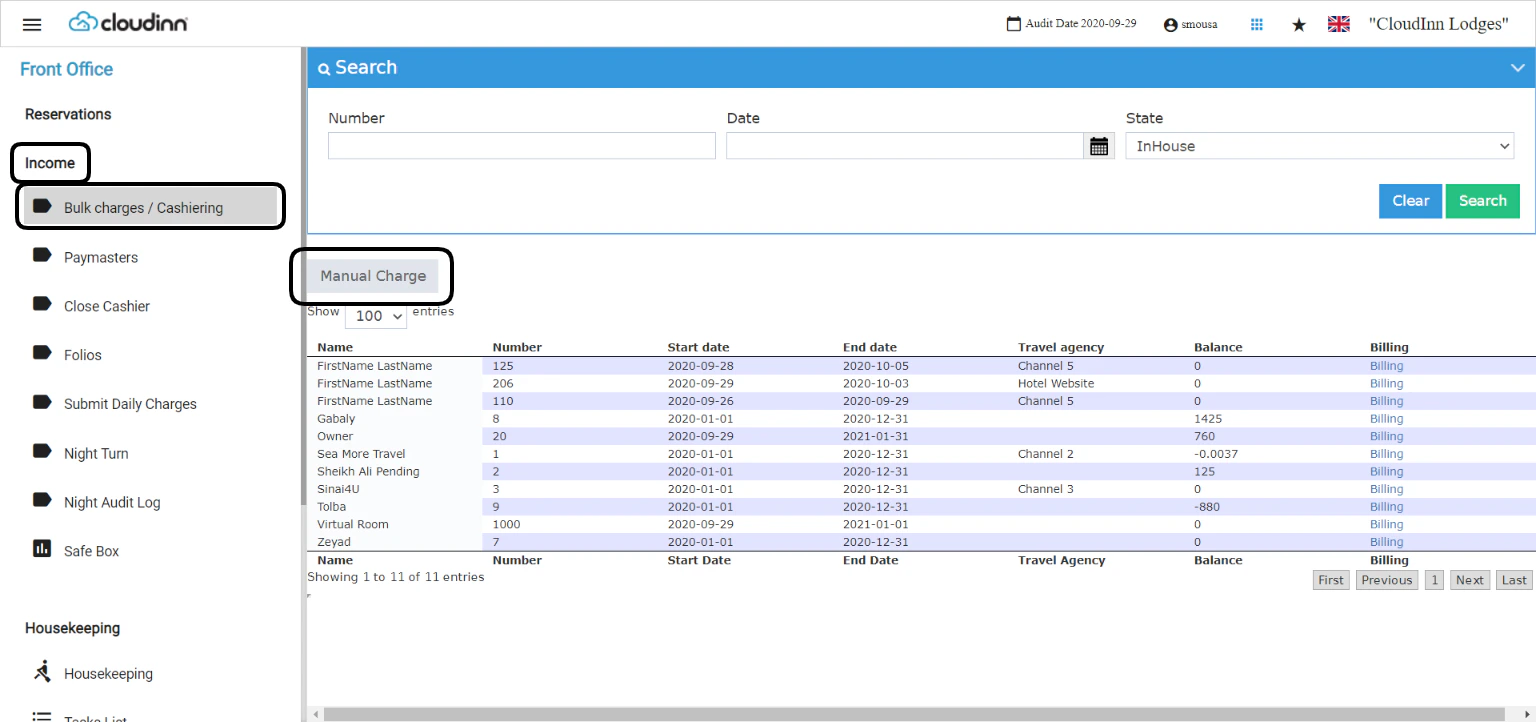 لتطبيق عدة رسوم يدوية على عدة حجوزات أو حسابات PayMaster اضغط على **Manual Charge.**
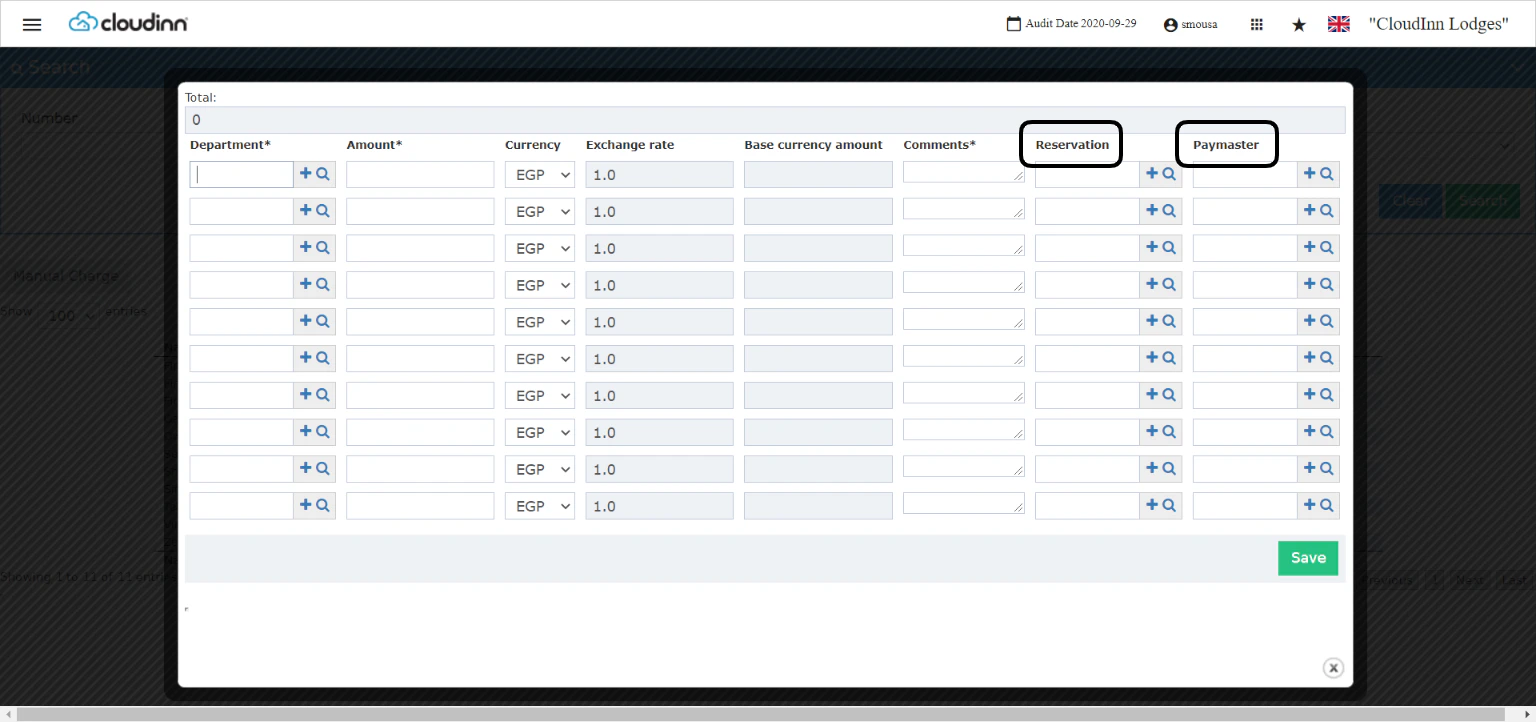 1. اختر الـ **Revenue Department** الذي تريد تطبيق الرسوم عليه، باستخدام خاصية الإكمال التلقائي أو أيقونة البحث (العدسة) للبحث عن قسم الإيرادات المطلوب.
2. أدخل **المبلغ (amount)** و**العملة (currency)** الخاصة بالرسم.
3. إدخال **Comments** إلزامي على الرسم اليدوي، ويمكنك إدخال بيانات مثل الأرقام المرجعية وغيرها.
4. اختر إما رقم غرفة **Reservation** أو **PayMaster** حتى تُرحَّل الرسوم إليه مباشرةً.
5. اضغط **Save** لترحيل الرسوم إلى وجهتها المحددة.
1. اختر الـ **Revenue Department** الذي تريد تطبيق الرسوم عليه، باستخدام خاصية الإكمال التلقائي أو أيقونة البحث (العدسة) للبحث عن قسم الإيرادات المطلوب.
2. أدخل **المبلغ (amount)** و**العملة (currency)** الخاصة بالرسم.
3. إدخال **Comments** إلزامي على الرسم اليدوي، ويمكنك إدخال بيانات مثل الأرقام المرجعية وغيرها.
4. اختر إما رقم غرفة **Reservation** أو **PayMaster** حتى تُرحَّل الرسوم إليه مباشرةً.
5. اضغط **Save** لترحيل الرسوم إلى وجهتها المحددة.
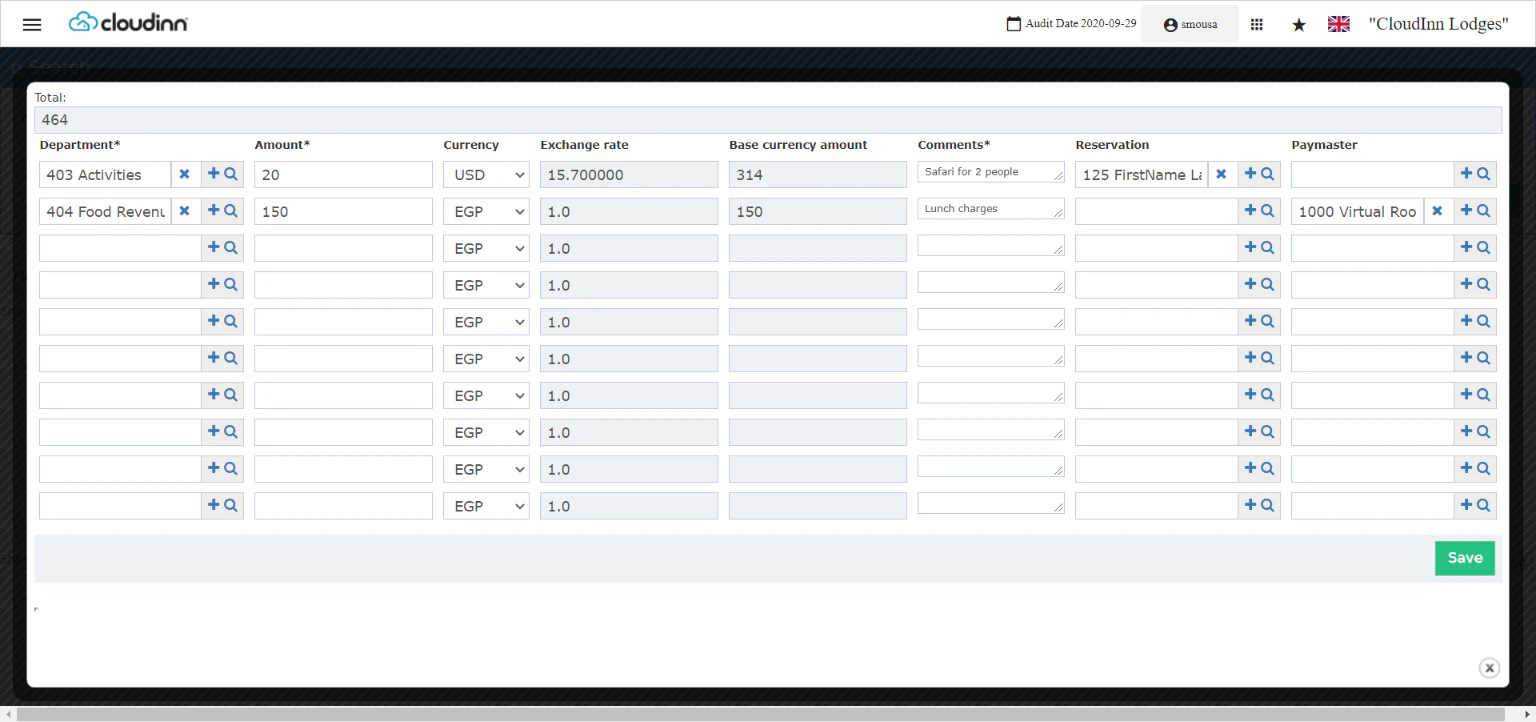 للتأكد من ترحيل الرسوم بشكل صحيح، اتبع الخطوات التالية:
**Front office → Individual Reservations → Search with room number → Billing**
**Front Office → Income → Paymasters → Select Paymaster → Billing**
للتأكد من ترحيل الرسوم بشكل صحيح، اتبع الخطوات التالية:
**Front office → Individual Reservations → Search with room number → Billing**
**Front Office → Income → Paymasters → Select Paymaster → Billing**