> ## Documentation Index
> Fetch the complete documentation index at: https://help.kwentra.com/llms.txt
> Use this file to discover all available pages before exploring further.
# كيف ألغي حجزاً متوقّعاً (Expected)؟
> لأي سبب من الأسباب قد نرغب في إلغاء حجز متوقّع، ويمكننا لاحقاً إعادة تفعيله (Reinstate) للعودة إلى حالة Expected.
لأي سبب من الأسباب قد نرغب في إلغاء حجز متوقّع (Expected)، وعلينا اتباع الخطوات التالية:
1. ابحث عن الحجز.
2. افتح الحجز بالضغط عليه.
3. اضغط **Cancel** من أعلى يمين صفحة الحجز.
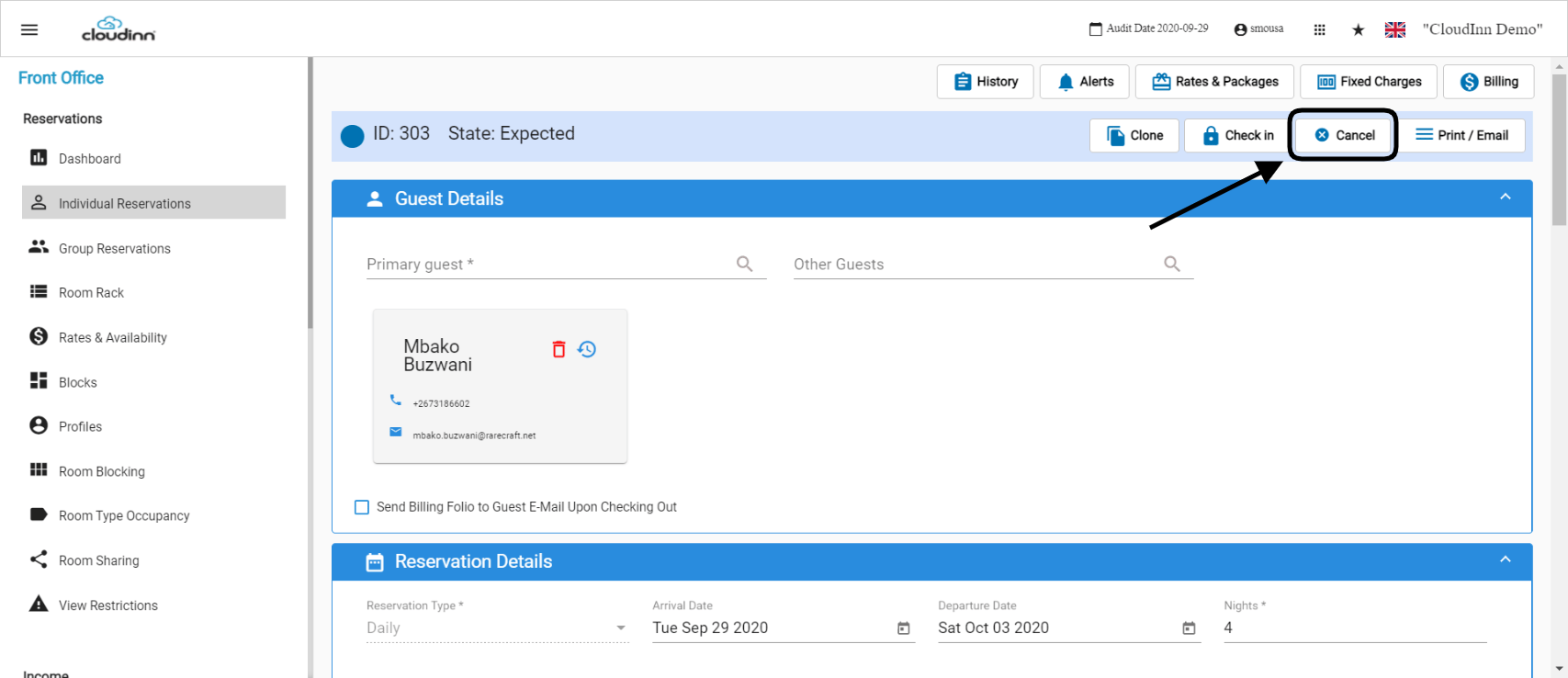 4. أدخِل سبب الإلغاء.
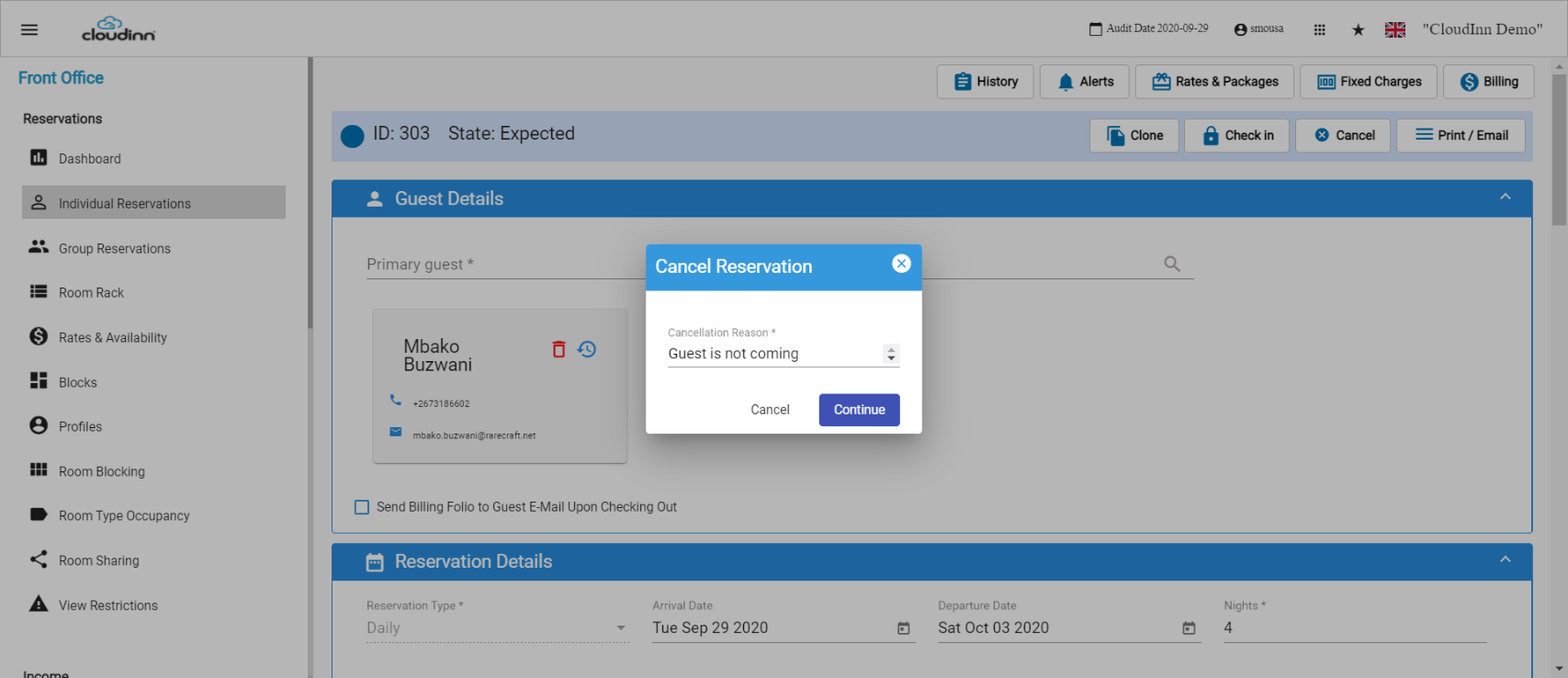 الآن تمّ إلغاء الحجز بنجاح.
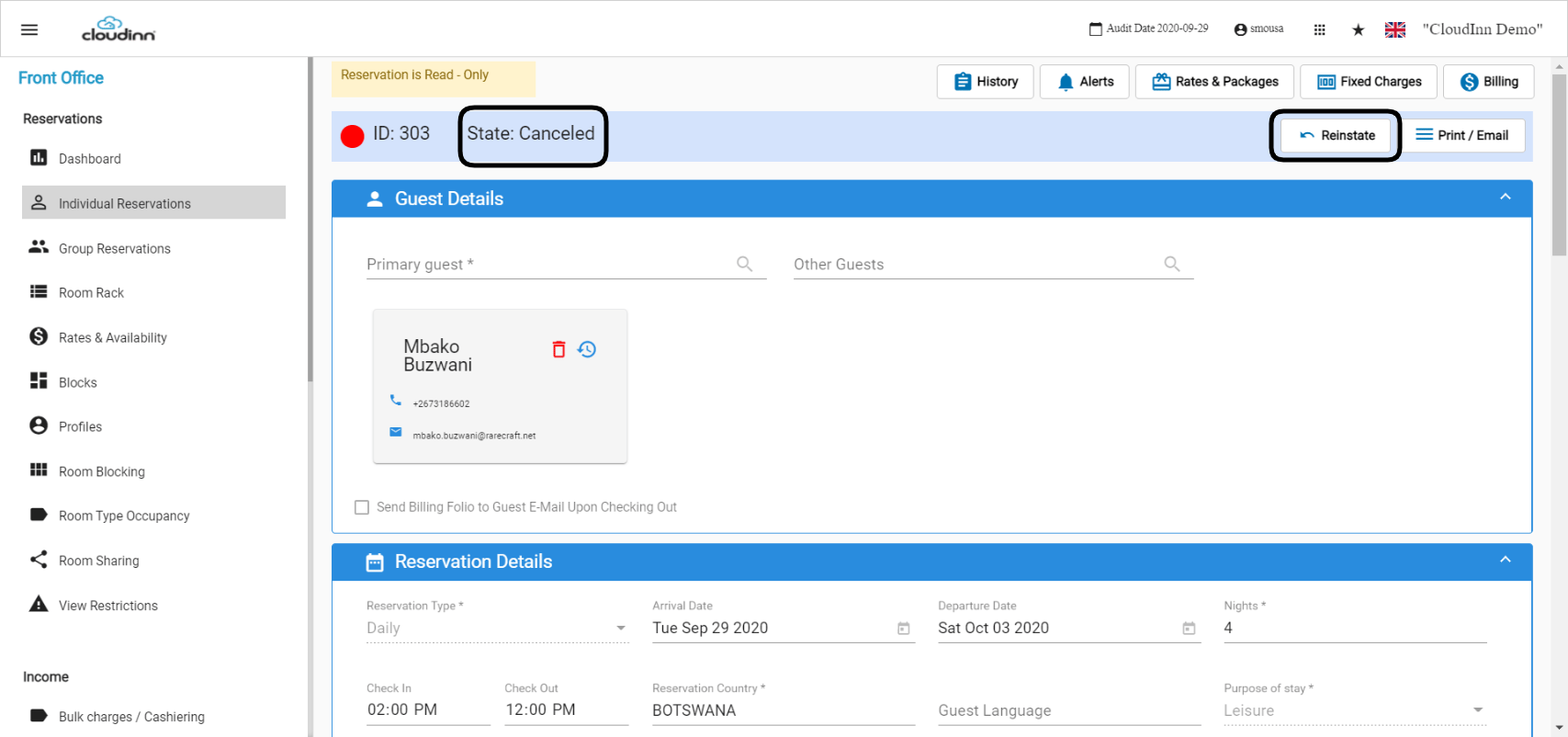 كما هو موضّح أعلاه، وبما أن الحجز أصبح **Canceled** الآن، لدينا خيار **Reinstate** لإعادة الحجز إلى حالة **Expected**:
1. اضغط على **Reinstate**.
2. املأ التعليقات في الصفحة الجديدة التي ستظهر.
3. اضغط **Save**.
كما هو موضّح أعلاه، وبما أن الحجز أصبح **Canceled** الآن، لدينا خيار **Reinstate** لإعادة الحجز إلى حالة **Expected**:
1. اضغط على **Reinstate**.
2. املأ التعليقات في الصفحة الجديدة التي ستظهر.
3. اضغط **Save**.