> ## Documentation Index
> Fetch the complete documentation index at: https://help.kwentra.com/llms.txt
> Use this file to discover all available pages before exploring further.

# كيفية استخدام Accommodation Types في الحجوزات

> عرِّف أنواع إقامة (Accommodation Types) مخصصة، وطبّقها على الحجوزات الفردية، وأدرجها اختيارياً في تقرير Reservation List.

يمكنك تعريف **Accommodation Types** وتعيينها على الحجوزات الفردية، ثم إدراج هذه المعلومة اختيارياً في تقرير **Reservation List**. وهذا يمنح فرق المكاتب الأمامية مرونة أكبر في تصنيف إقامات النزلاء وتخصيص التقارير.

**تساعد هذه التحديثات الفنادق على:**

* تخصيص طريقة تصنيف الإقامات (مثل الإقامة الطويلة، الشركات، سكن الموظفين).
* تتبع غرض النزيل من الإقامة بوضوح أكبر باستخدام Accommodation Type.
* تخصيص تقارير الحجوزات بتفاصيل إضافية اختيارية.
* دعم الاحتياجات التشغيلية والتدقيقية من خلال وضوح أفضل للبيانات.

**أمثلة على استخدام Accommodation Types:**

* ينشئ موظف الاستقبال حجزاً ويختار "Corporate Stay" من أنواع الإقامة.
* يعرّف مدير المكاتب الأمامية تسميات إقامة داخلية مثل "Staff Housing".
* يصدّر فريق المالية أو التدقيق تقارير الحجوزات متضمنةً نوع الإقامة، أو يخفيه عند عدم الحاجة إليه.

## تعريف أنواع الإقامة

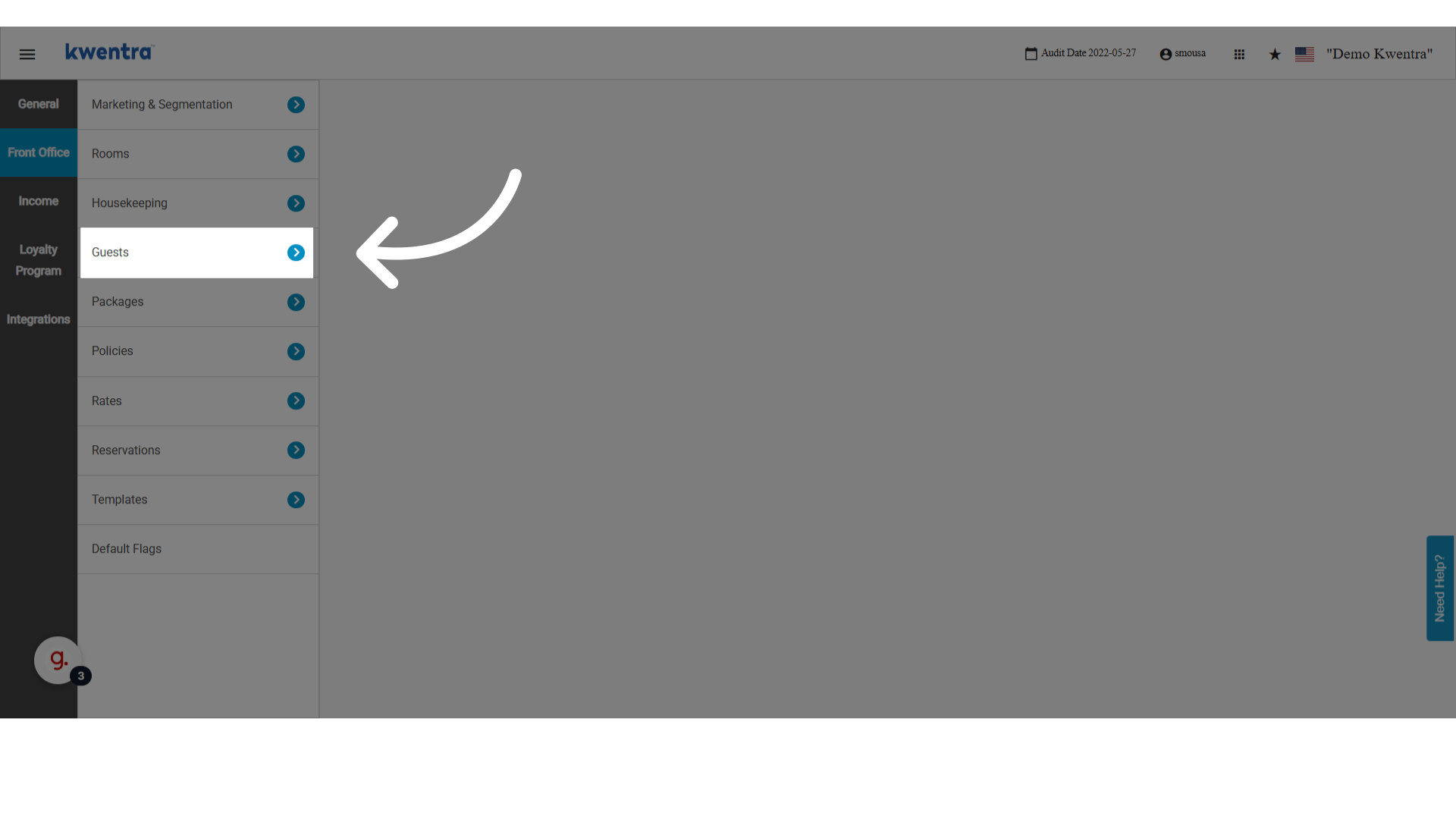
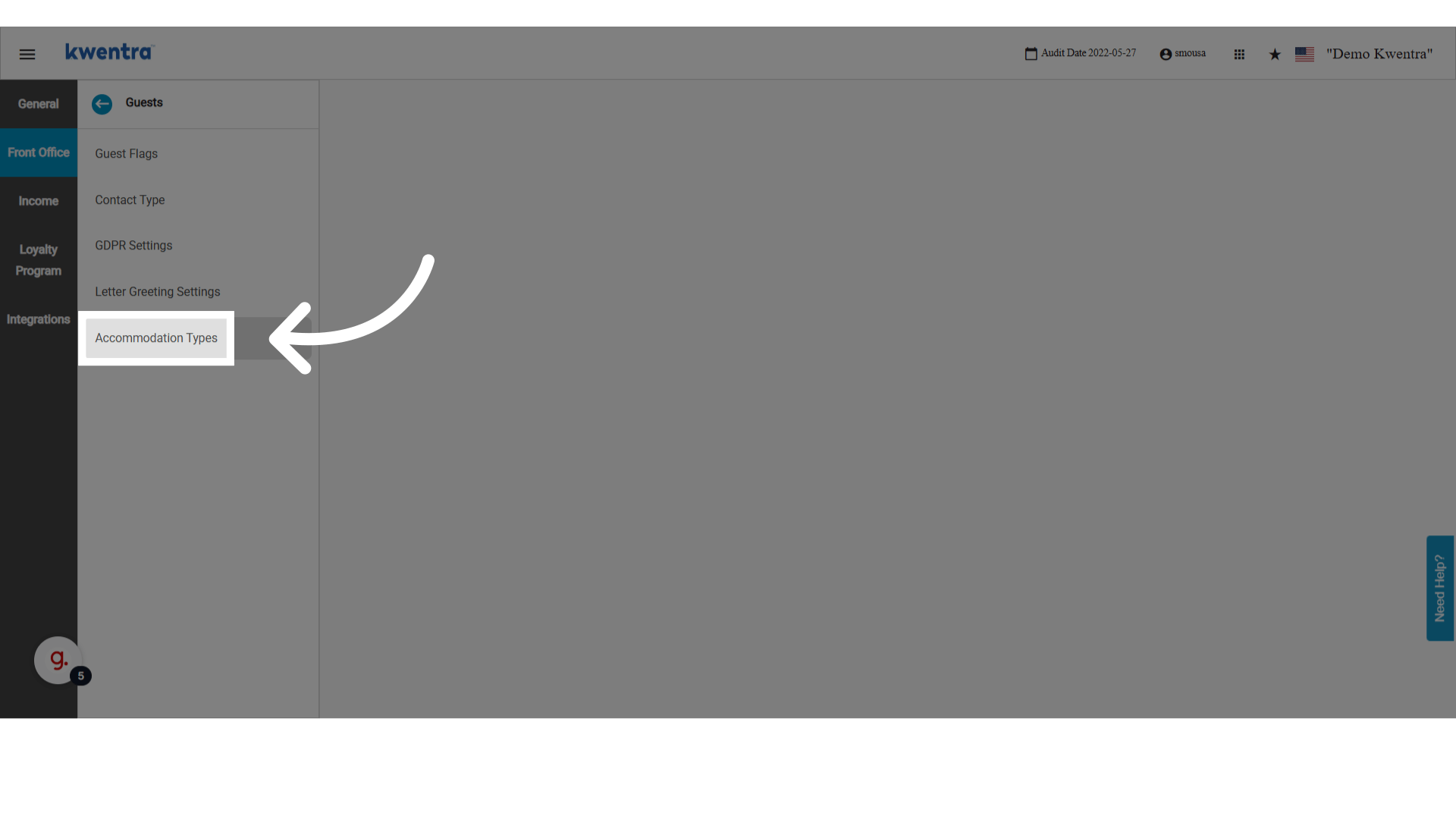
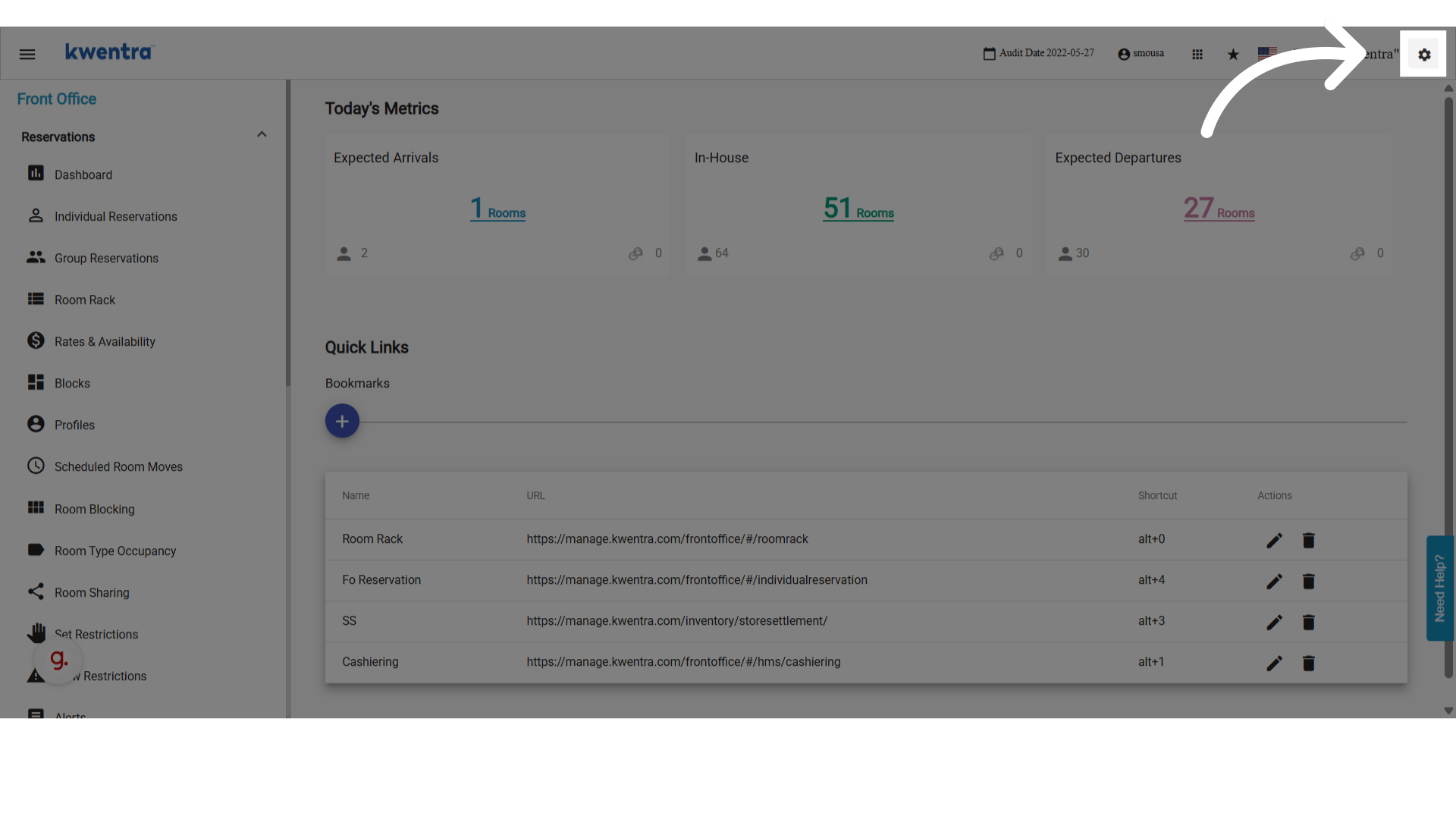
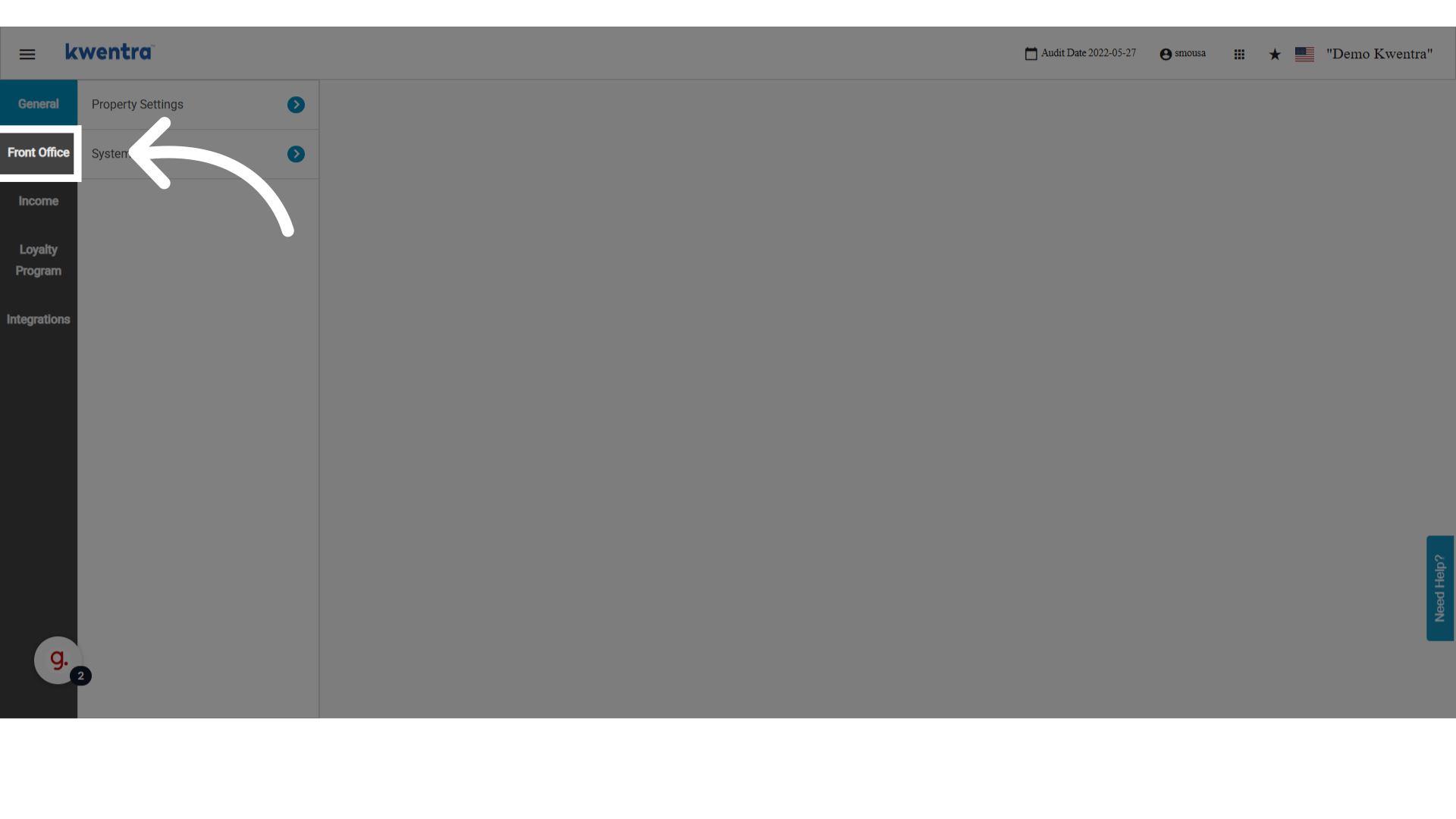
انتقل إلى **Settings → Front Office → Guests Settings → Accommodation Types** على [manage.kwentra.com](https://manage.kwentra.com/frontoffice/#/home).
<img src="https://mintcdn.com/kwentra/eCGOv-HfyhNmBRpw/images/front-office/reservations/how-to-use-accommodation-type-in-reservations/15429218d3.png?fit=max&auto=format&n=eCGOv-HfyhNmBRpw&q=85&s=af4d4df03b679963cfc990792e1c9955" alt="معاينة" width="1920" height="1080" data-path="images/front-office/reservations/how-to-use-accommodation-type-in-reservations/15429218d3.png" />

<img src="https://mintcdn.com/kwentra/eCGOv-HfyhNmBRpw/images/front-office/reservations/how-to-use-accommodation-type-in-reservations/7a606c752f.png?fit=max&auto=format&n=eCGOv-HfyhNmBRpw&q=85&s=a2c7dc430552476eb9887c5ef17f2d26" alt="معاينة" width="1920" height="1080" data-path="images/front-office/reservations/how-to-use-accommodation-type-in-reservations/7a606c752f.png" />

<img src="https://mintcdn.com/kwentra/ZVsgUU0lwuplLEKf/images/front-office/reservations/how-to-use-accommodation-type-in-reservations/b8f1af5658.png?fit=max&auto=format&n=ZVsgUU0lwuplLEKf&q=85&s=dc20a3aaf7317605e423b3481332ba55" alt="معاينة" width="1920" height="1080" data-path="images/front-office/reservations/how-to-use-accommodation-type-in-reservations/b8f1af5658.png" />

<img src="https://mintcdn.com/kwentra/eCGOv-HfyhNmBRpw/images/front-office/reservations/how-to-use-accommodation-type-in-reservations/7deaecd411.png?fit=max&auto=format&n=eCGOv-HfyhNmBRpw&q=85&s=06fe1a8dbd8a891c9a90aaa1f160a35b" alt="معاينة" width="1920" height="1080" data-path="images/front-office/reservations/how-to-use-accommodation-type-in-reservations/7deaecd411.png" />

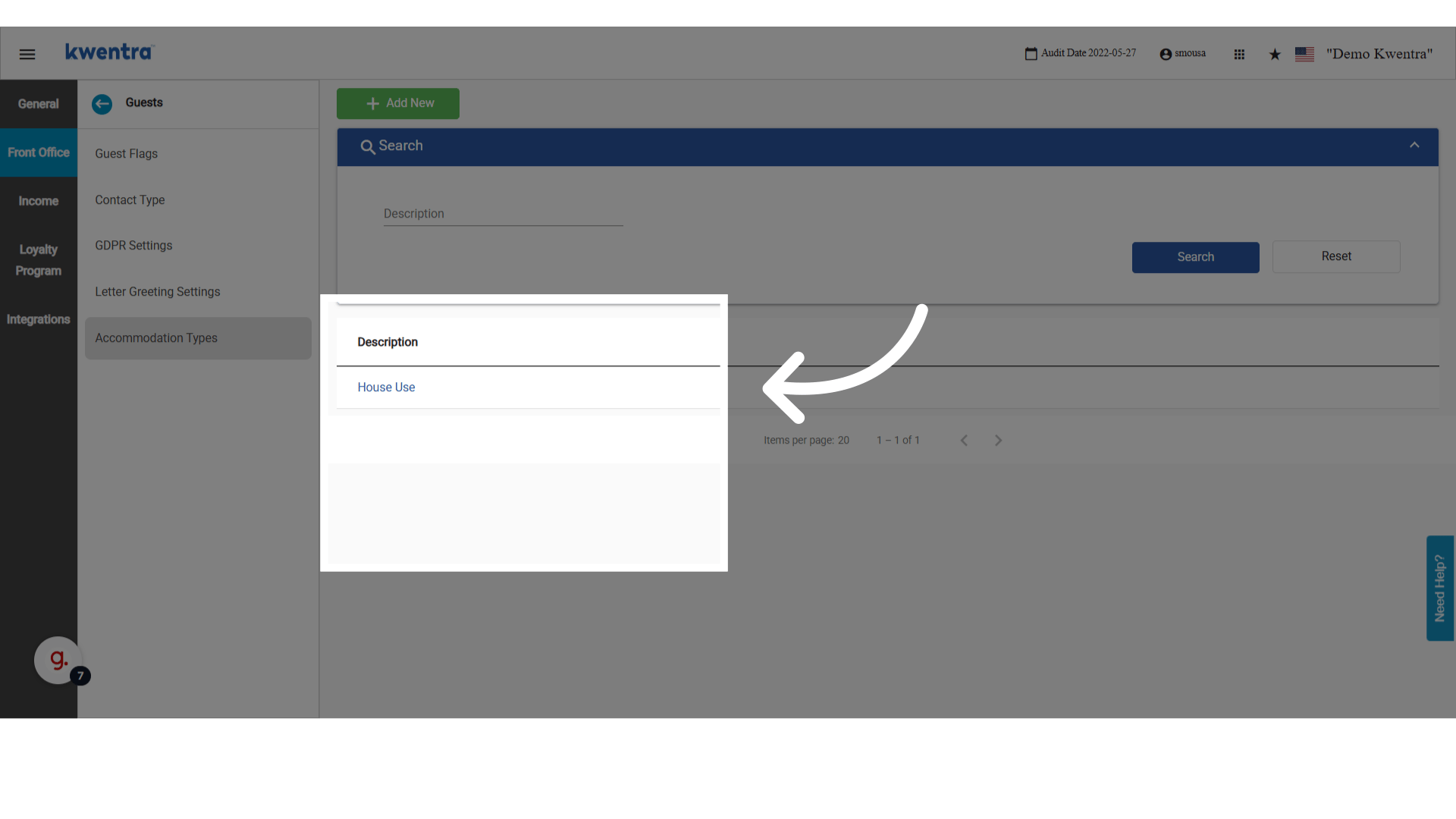
1. راجع أنواع الإقامة المخصصة الحالية — تُعرض هنا أي إدخالات تم إنشاؤها سابقاً.
   <img src="https://mintcdn.com/kwentra/ZVsgUU0lwuplLEKf/images/front-office/reservations/how-to-use-accommodation-type-in-reservations/a6072ac83d.png?fit=max&auto=format&n=ZVsgUU0lwuplLEKf&q=85&s=ab977d671454852d56b74dfd58bd5024" alt="معاينة" width="1920" height="1080" data-path="images/front-office/reservations/how-to-use-accommodation-type-in-reservations/a6072ac83d.png" />

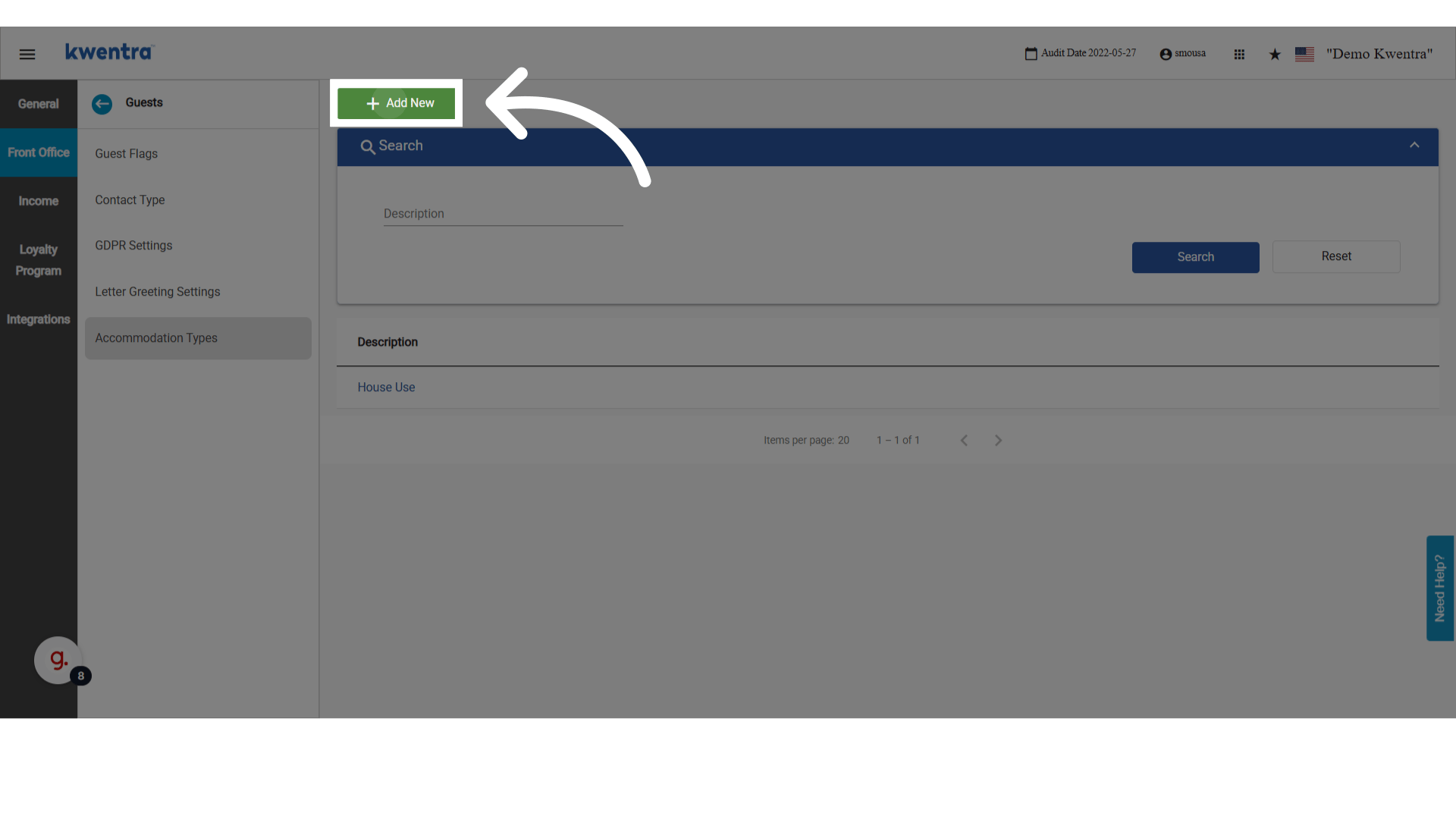
2. اضغط **Add** لإنشاء نوع إقامة جديد.
   <img src="https://mintcdn.com/kwentra/eCGOv-HfyhNmBRpw/images/front-office/reservations/how-to-use-accommodation-type-in-reservations/3f529f4890.png?fit=max&auto=format&n=eCGOv-HfyhNmBRpw&q=85&s=25f194508fa6bb6382fda8c398b08311" alt="معاينة" width="1920" height="1080" data-path="images/front-office/reservations/how-to-use-accommodation-type-in-reservations/3f529f4890.png" />

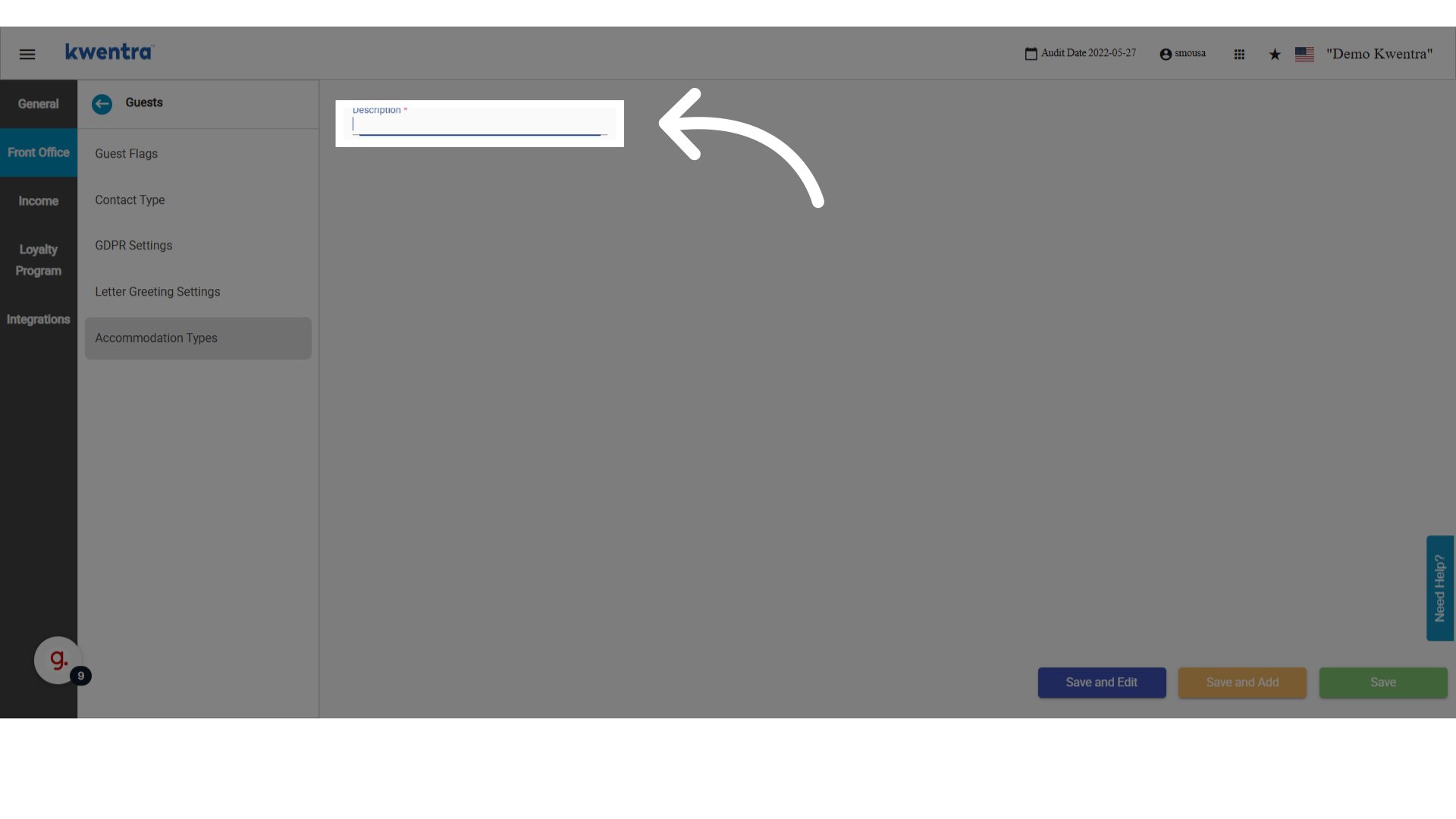
3. أدخل وصفاً للنوع الجديد (مثل "Corporate Stay" أو "Staff Housing").
   <img src="https://mintcdn.com/kwentra/ZVsgUU0lwuplLEKf/images/front-office/reservations/how-to-use-accommodation-type-in-reservations/b576c7f62c.png?fit=max&auto=format&n=ZVsgUU0lwuplLEKf&q=85&s=27464b791d8da220a579083025786a40" alt="معاينة" width="1920" height="1080" data-path="images/front-office/reservations/how-to-use-accommodation-type-in-reservations/b576c7f62c.png" />

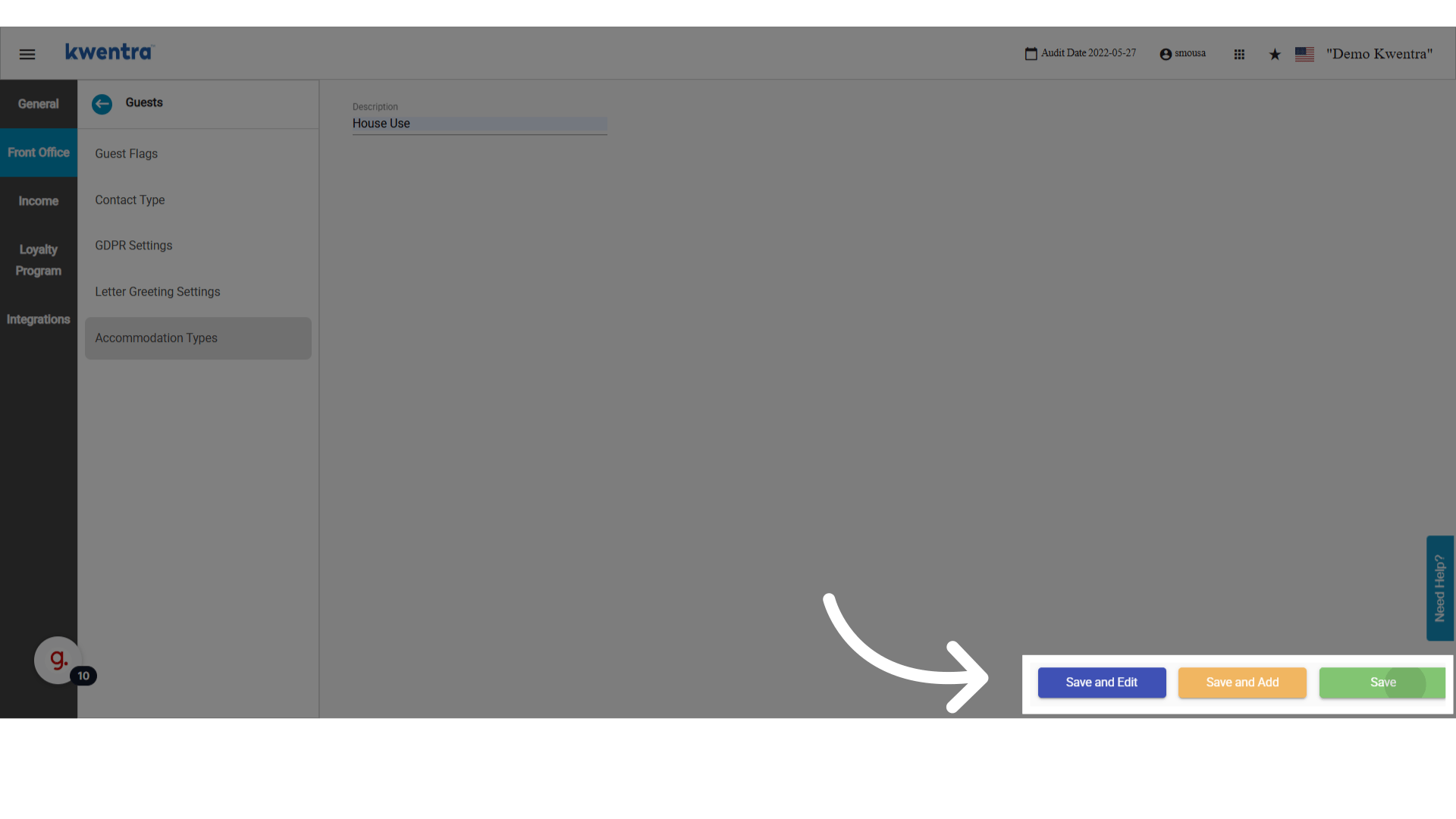
4. احفظ باستخدام أحد خيارات الحفظ المتاحة.
   <img src="https://mintcdn.com/kwentra/ZVsgUU0lwuplLEKf/images/front-office/reservations/how-to-use-accommodation-type-in-reservations/b563b528f1.png?fit=max&auto=format&n=ZVsgUU0lwuplLEKf&q=85&s=7fa85348d2a7f43655e0e762c93b33a0" alt="معاينة" width="1920" height="1080" data-path="images/front-office/reservations/how-to-use-accommodation-type-in-reservations/b563b528f1.png" />

<Note>
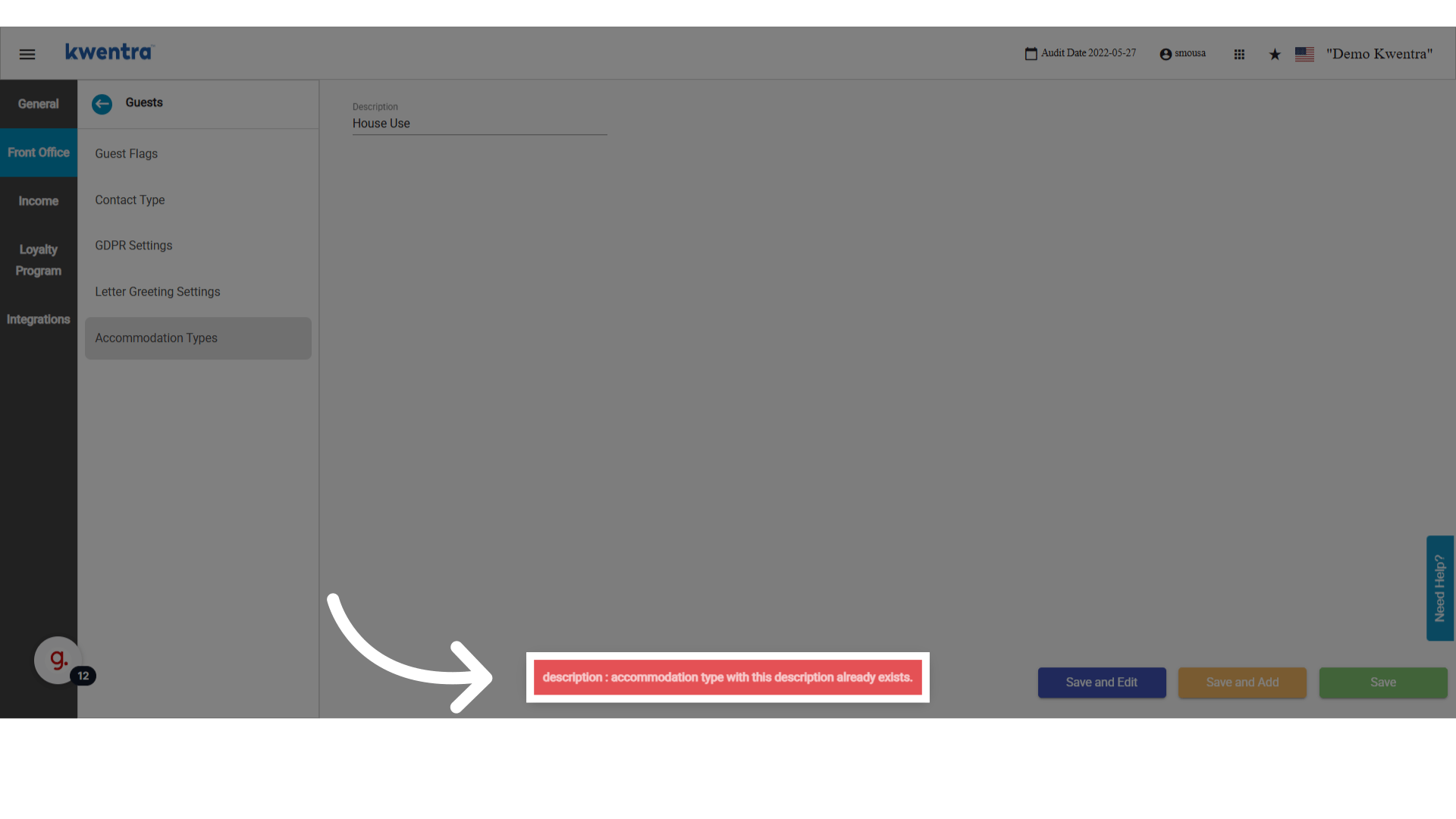
  لا يمكنك إضافة الوصف نفسه مرتين — يتم رفض التكرار عند الحفظ.
</Note>

<img src="https://mintcdn.com/kwentra/eCGOv-HfyhNmBRpw/images/front-office/reservations/how-to-use-accommodation-type-in-reservations/a1a6784e2b.png?fit=max&auto=format&n=eCGOv-HfyhNmBRpw&q=85&s=5162a318a3a9607c655f104f93caa507" alt="معاينة" width="1920" height="1080" data-path="images/front-office/reservations/how-to-use-accommodation-type-in-reservations/a1a6784e2b.png" />

## تطبيق نوع إقامة على حجز

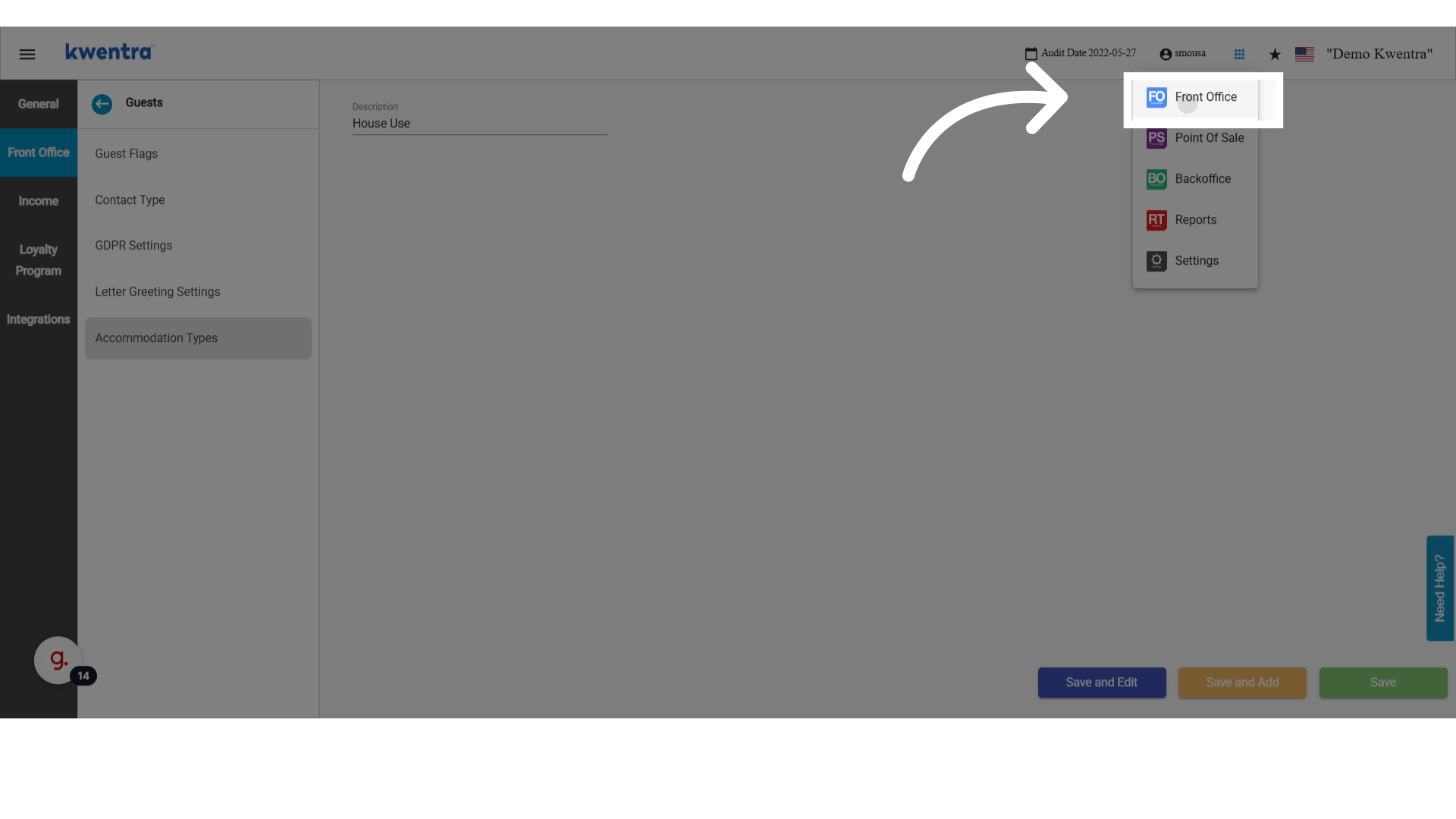
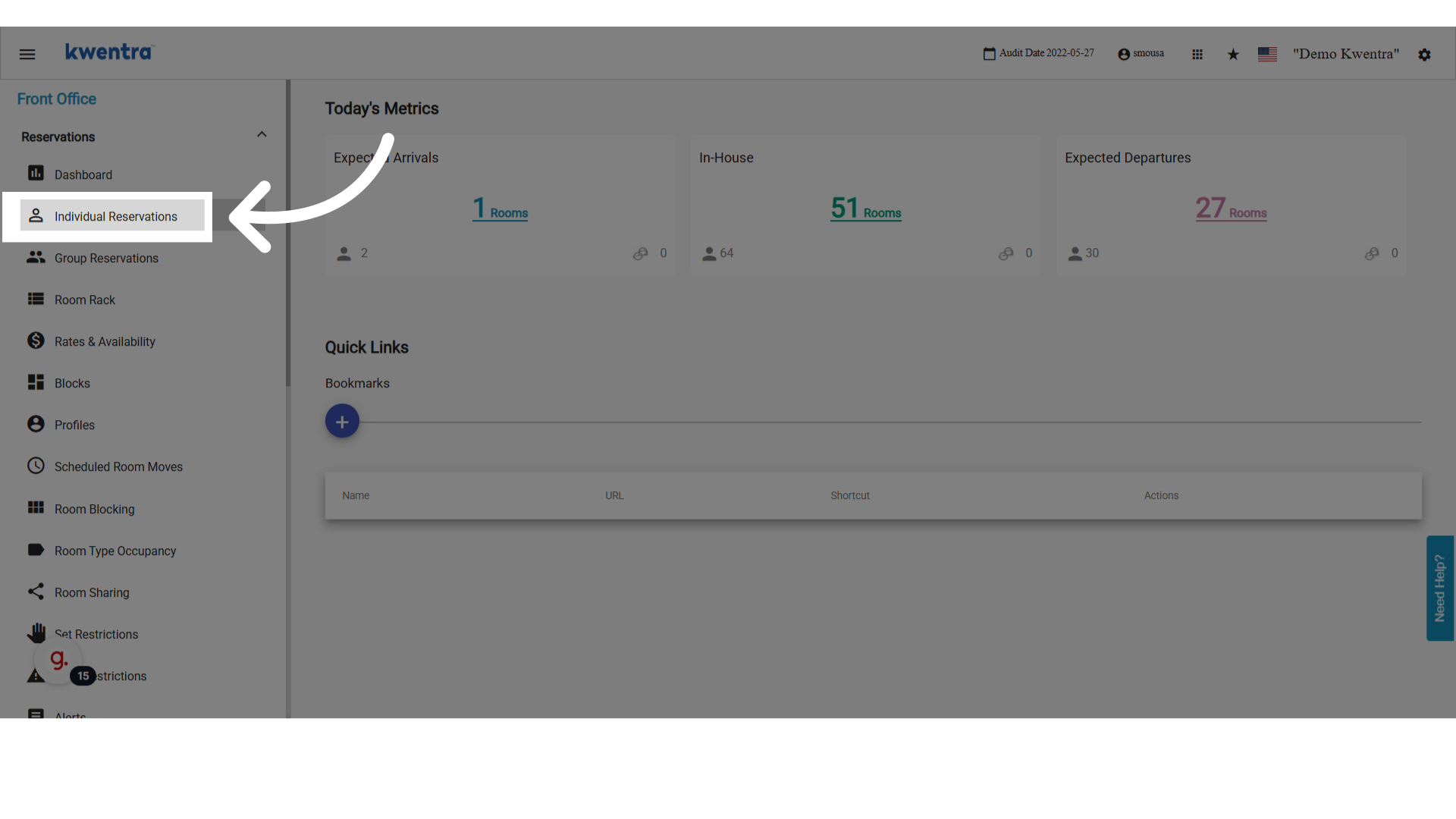
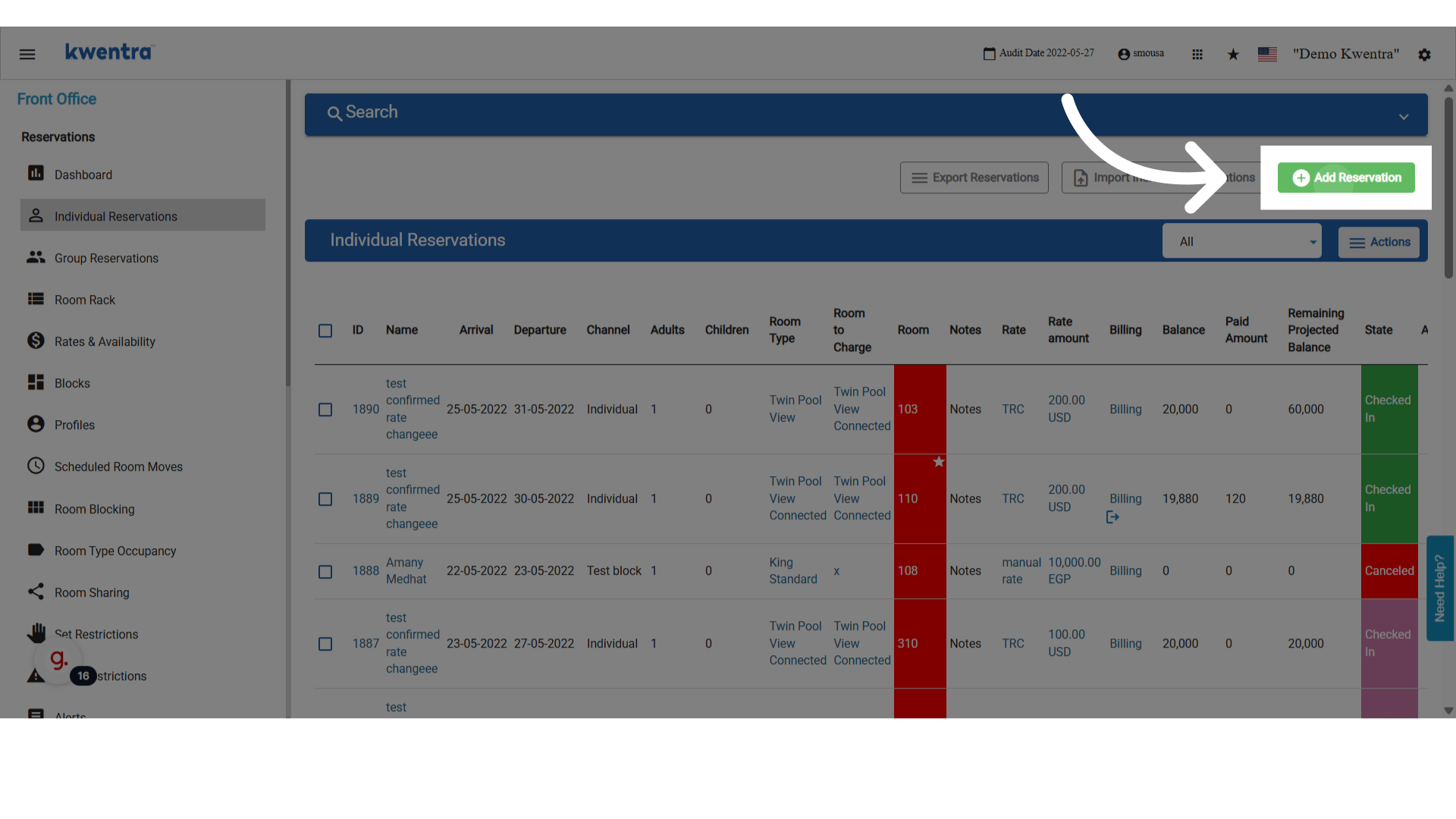
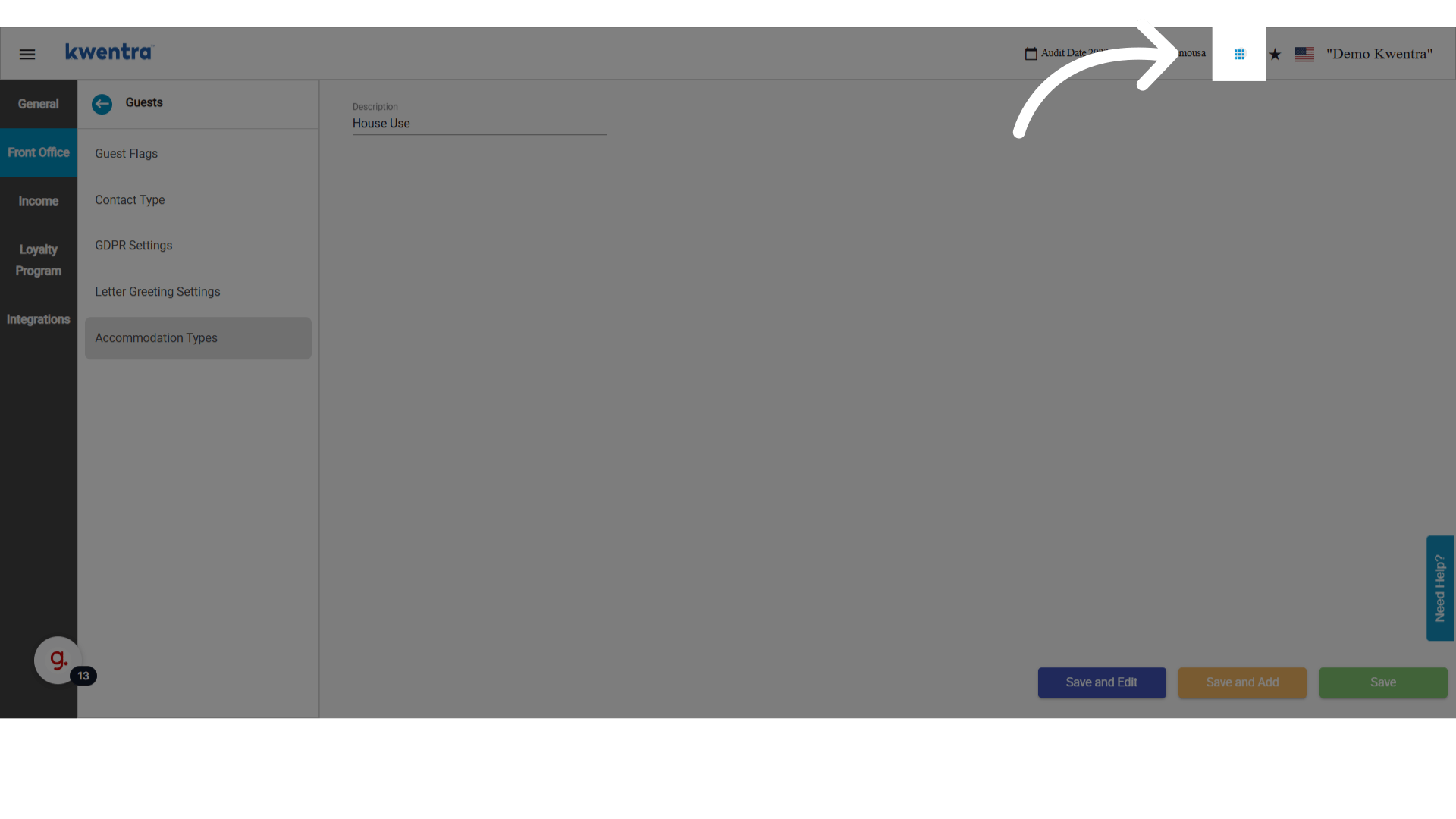
انتقل إلى **Modules → Front Office → Individual Reservations**.
<img src="https://mintcdn.com/kwentra/ZVsgUU0lwuplLEKf/images/front-office/reservations/how-to-use-accommodation-type-in-reservations/c0c6c02c57.png?fit=max&auto=format&n=ZVsgUU0lwuplLEKf&q=85&s=20058c83ed3efc70a72d82322345ef89" alt="معاينة" width="1920" height="1080" data-path="images/front-office/reservations/how-to-use-accommodation-type-in-reservations/c0c6c02c57.png" />

<img src="https://mintcdn.com/kwentra/eCGOv-HfyhNmBRpw/images/front-office/reservations/how-to-use-accommodation-type-in-reservations/0af8f6f55e.png?fit=max&auto=format&n=eCGOv-HfyhNmBRpw&q=85&s=2a962129cfd75f54082de3c2cb0d88b4" alt="معاينة" width="1920" height="1080" data-path="images/front-office/reservations/how-to-use-accommodation-type-in-reservations/0af8f6f55e.png" />

<img src="https://mintcdn.com/kwentra/eCGOv-HfyhNmBRpw/images/front-office/reservations/how-to-use-accommodation-type-in-reservations/2de7896b09.png?fit=max&auto=format&n=eCGOv-HfyhNmBRpw&q=85&s=5647fa158e5dda43119d9235a8c09c26" alt="معاينة" width="1920" height="1080" data-path="images/front-office/reservations/how-to-use-accommodation-type-in-reservations/2de7896b09.png" />

1. اضغط **Add Reservation**.

   <img src="https://mintcdn.com/kwentra/ZVsgUU0lwuplLEKf/images/front-office/reservations/how-to-use-accommodation-type-in-reservations/aa9765a1dd.png?fit=max&auto=format&n=ZVsgUU0lwuplLEKf&q=85&s=35d03b4d7c6759cd4750d5d53712be13" alt="معاينة" width="1920" height="1080" data-path="images/front-office/reservations/how-to-use-accommodation-type-in-reservations/aa9765a1dd.png" />

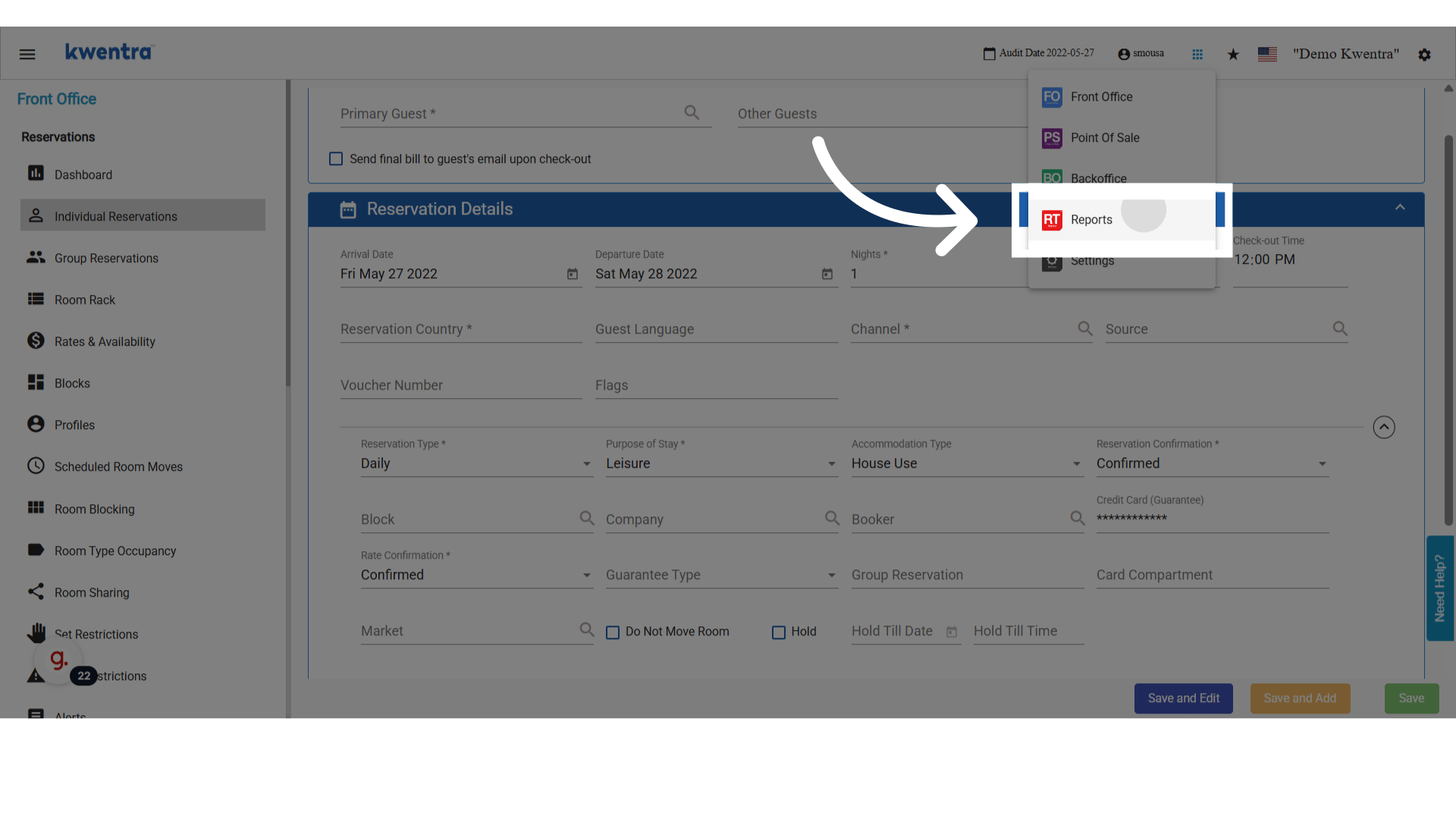
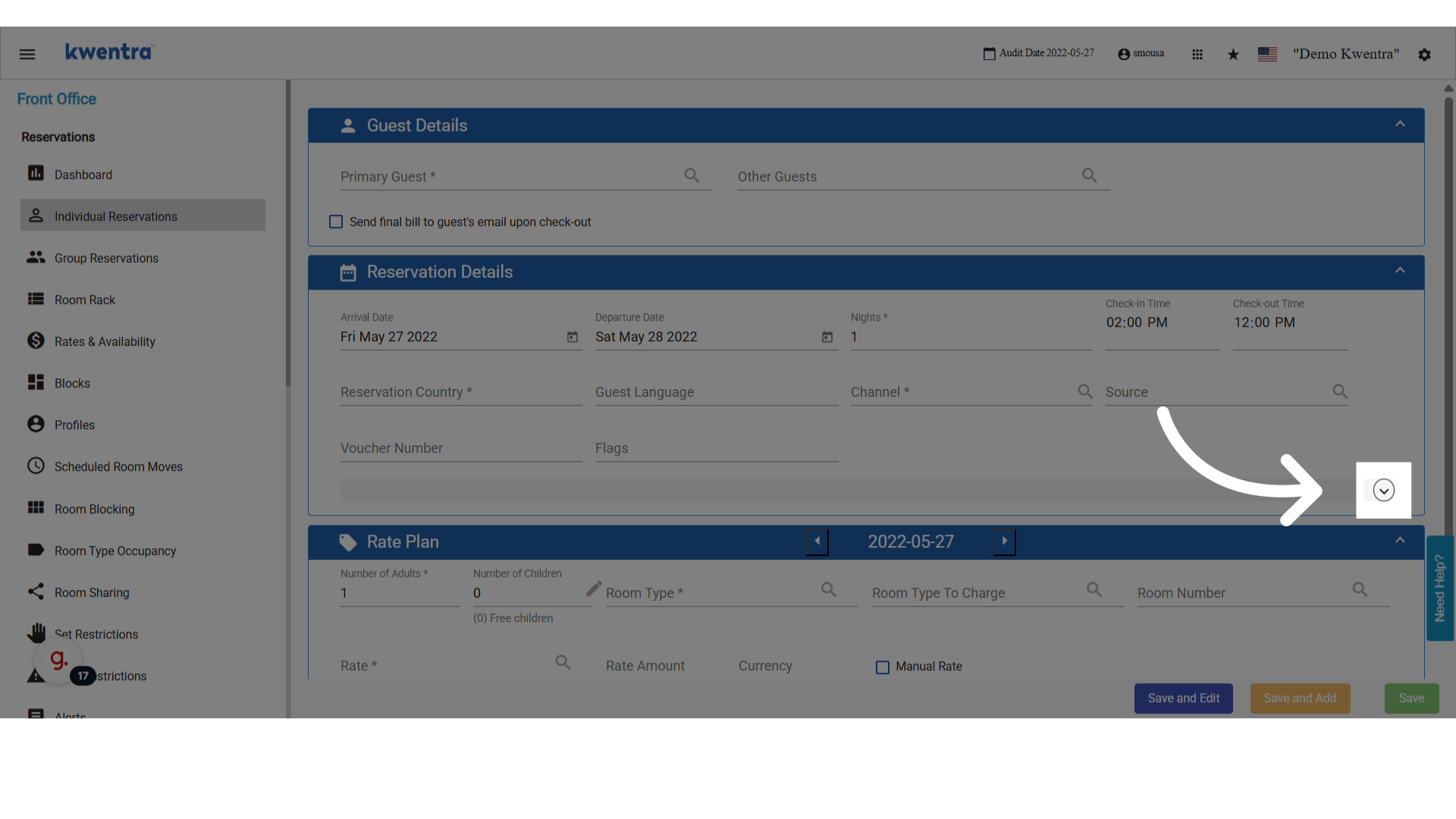
2. أظهِر الحقول الإضافية للكشف عن محدد Accommodation Type.
   <img src="https://mintcdn.com/kwentra/eCGOv-HfyhNmBRpw/images/front-office/reservations/how-to-use-accommodation-type-in-reservations/91cea65b07.png?fit=max&auto=format&n=eCGOv-HfyhNmBRpw&q=85&s=10171e9b2d4e0810a4db9b1e109460e3" alt="معاينة" width="1920" height="1080" data-path="images/front-office/reservations/how-to-use-accommodation-type-in-reservations/91cea65b07.png" />

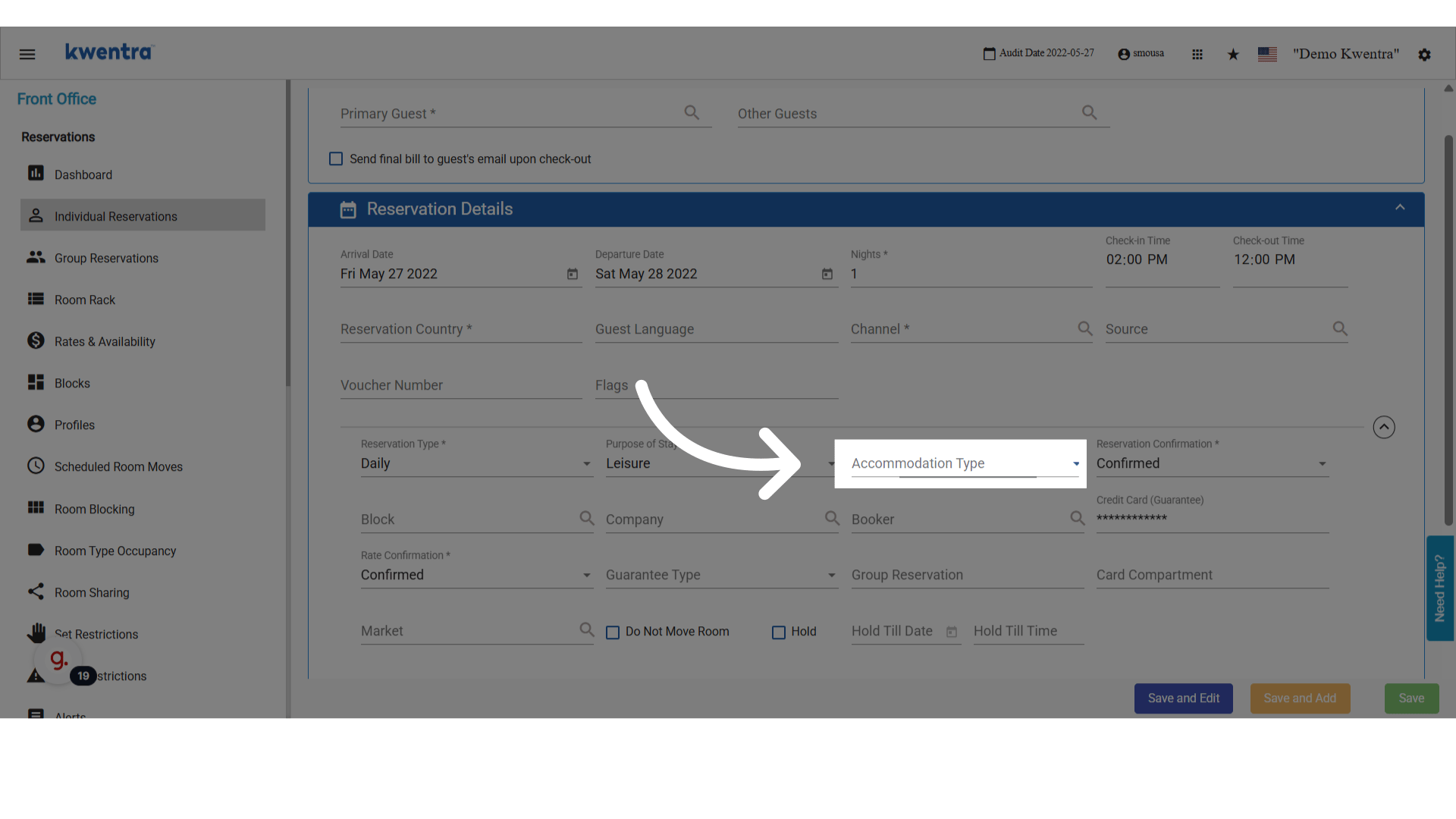
3. اختر أحد أنواع الإقامة المخصصة لديك من القائمة المنسدلة.
   <img src="https://mintcdn.com/kwentra/eCGOv-HfyhNmBRpw/images/front-office/reservations/how-to-use-accommodation-type-in-reservations/53db6d50e3.png?fit=max&auto=format&n=eCGOv-HfyhNmBRpw&q=85&s=46b8274dbdd2d276713dcbb5c2626539" alt="معاينة" width="1920" height="1080" data-path="images/front-office/reservations/how-to-use-accommodation-type-in-reservations/53db6d50e3.png" />

## عرض أنواع الإقامة في تقرير Reservation List

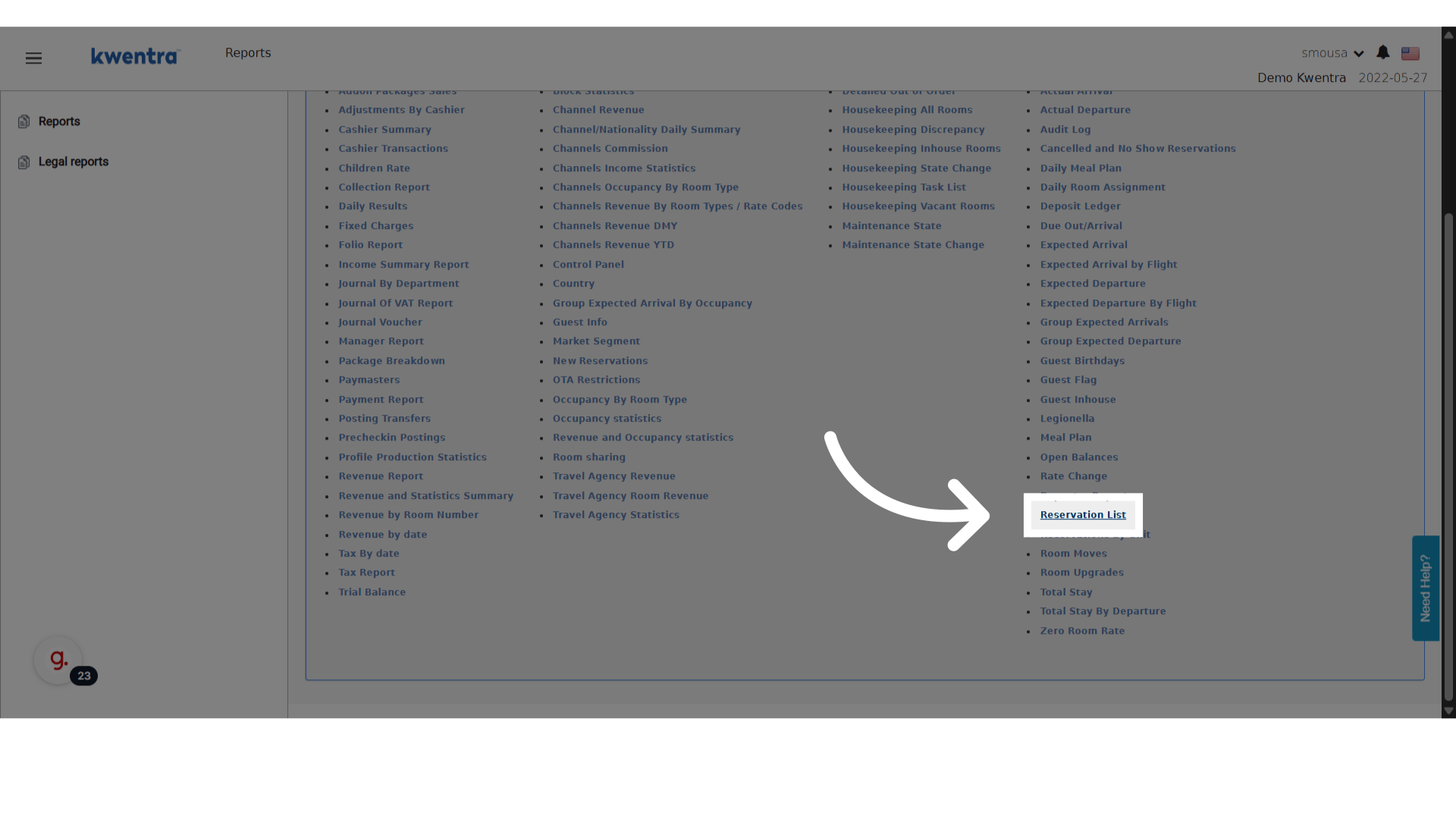
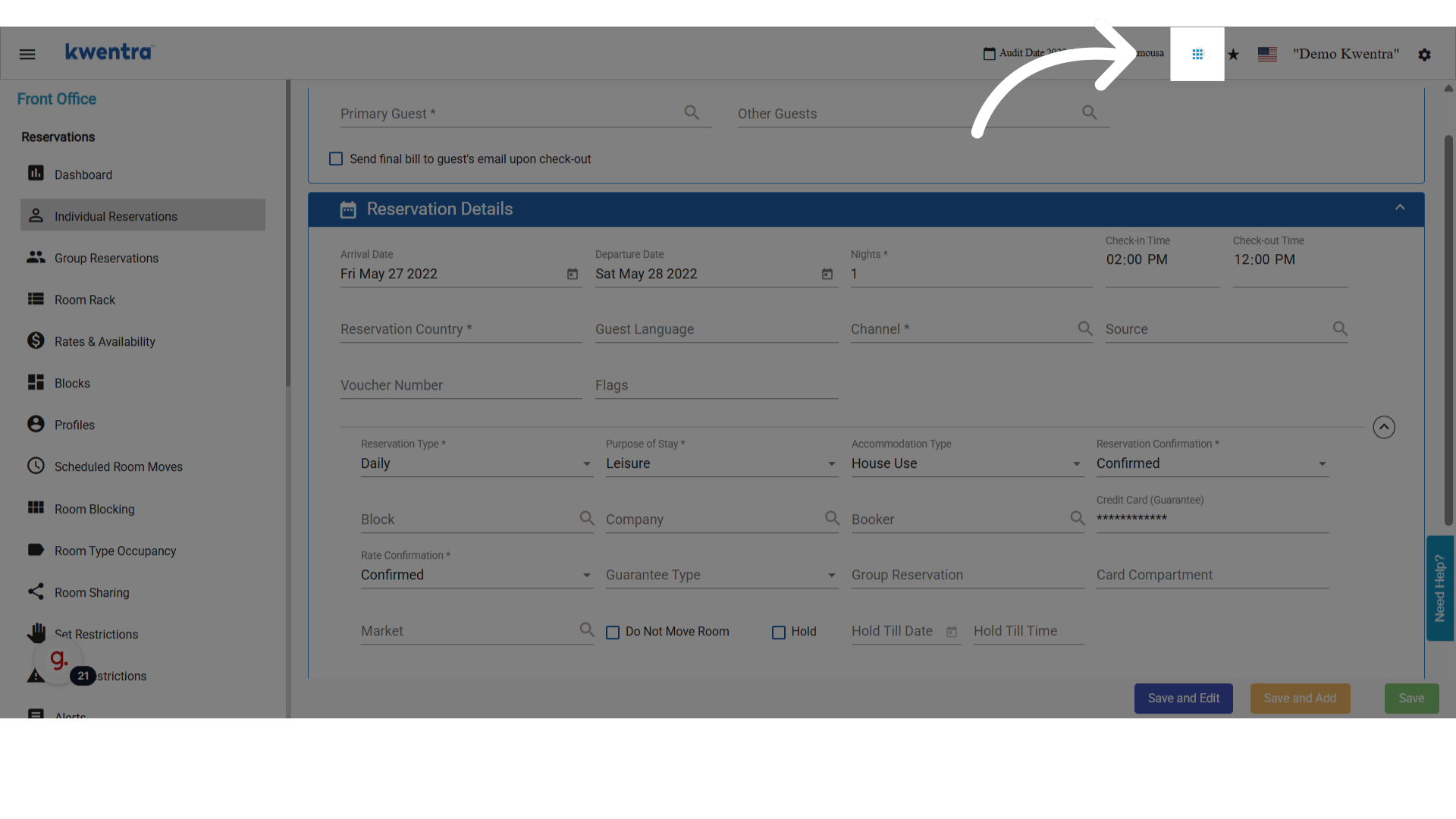
انتقل إلى **Modules → Reports → Reservation List**.
<img src="https://mintcdn.com/kwentra/ZVsgUU0lwuplLEKf/images/front-office/reservations/how-to-use-accommodation-type-in-reservations/edbc009152.png?fit=max&auto=format&n=ZVsgUU0lwuplLEKf&q=85&s=94bd1b249b435d098b745b0401dd9d6b" alt="معاينة" width="1920" height="1080" data-path="images/front-office/reservations/how-to-use-accommodation-type-in-reservations/edbc009152.png" />

<img src="https://mintcdn.com/kwentra/ZVsgUU0lwuplLEKf/images/front-office/reservations/how-to-use-accommodation-type-in-reservations/b4c51befad.png?fit=max&auto=format&n=ZVsgUU0lwuplLEKf&q=85&s=bd5ea381394323cc67481befd050b34f" alt="معاينة" width="1920" height="1080" data-path="images/front-office/reservations/how-to-use-accommodation-type-in-reservations/b4c51befad.png" />

<img src="https://mintcdn.com/kwentra/eCGOv-HfyhNmBRpw/images/front-office/reservations/how-to-use-accommodation-type-in-reservations/329b13d9bd.png?fit=max&auto=format&n=eCGOv-HfyhNmBRpw&q=85&s=7671710a6cf3182782e5063edb2de398" alt="معاينة" width="1920" height="1080" data-path="images/front-office/reservations/how-to-use-accommodation-type-in-reservations/329b13d9bd.png" />

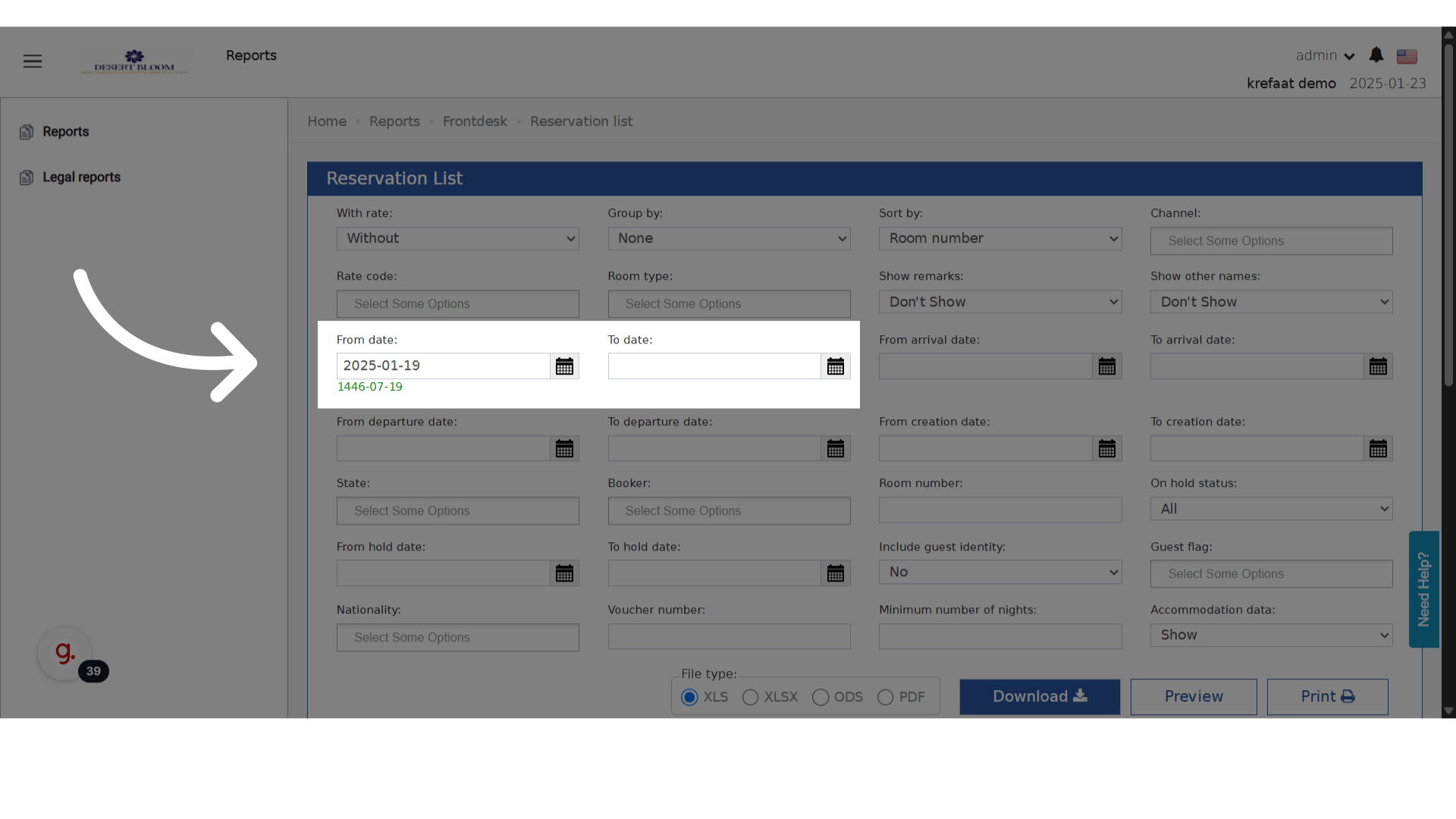
1. اختر النطاق الزمني المطلوب.

   <img src="https://mintcdn.com/kwentra/eCGOv-HfyhNmBRpw/images/front-office/reservations/how-to-use-accommodation-type-in-reservations/1ff445bfb7.png?fit=max&auto=format&n=eCGOv-HfyhNmBRpw&q=85&s=d60123a30d7593896f94655eb3d1dfe3" alt="معاينة" width="1920" height="1080" data-path="images/front-office/reservations/how-to-use-accommodation-type-in-reservations/1ff445bfb7.png" />

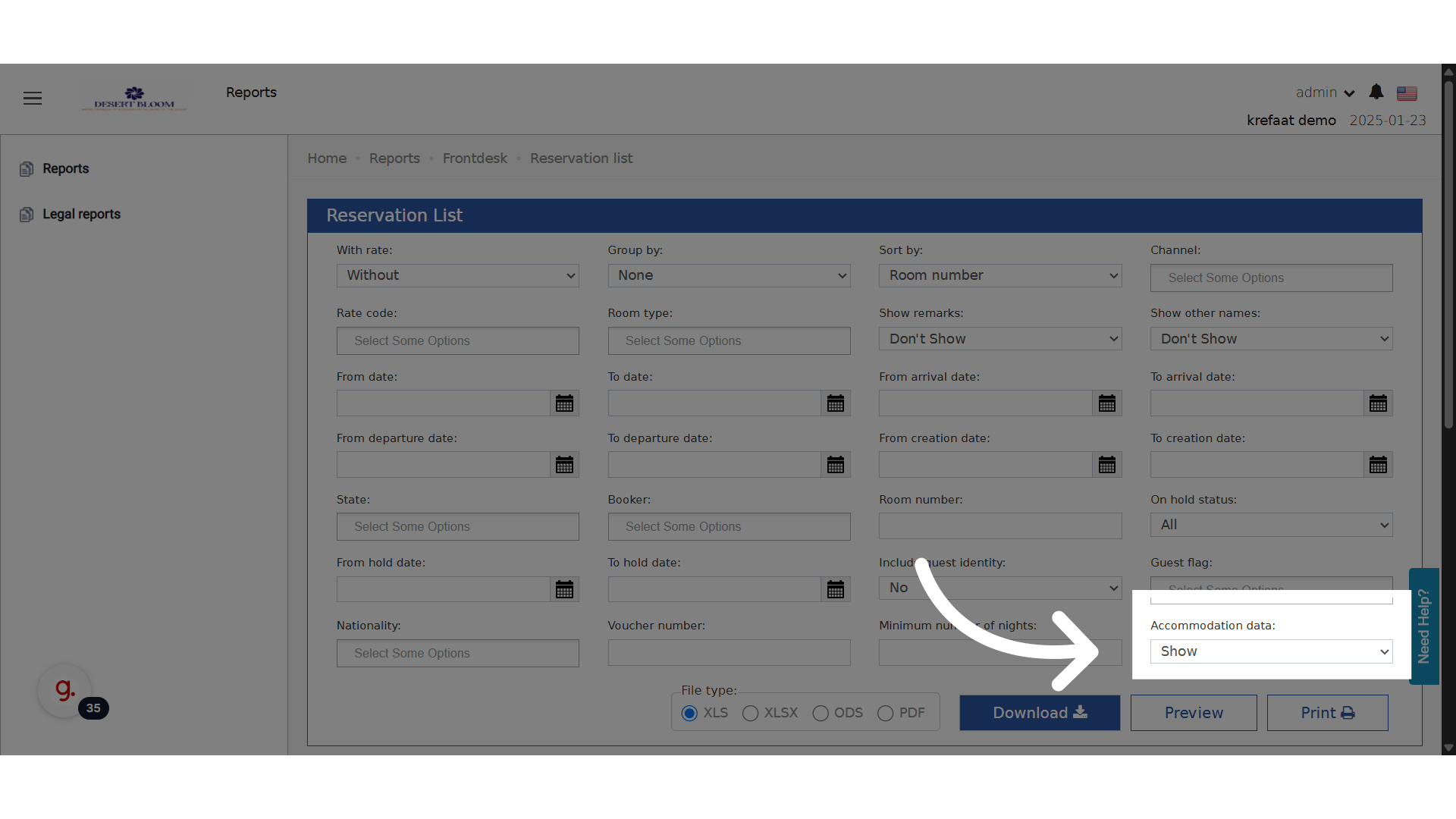
2. فعّل **Show Accommodation Data**.

   <img src="https://mintcdn.com/kwentra/eCGOv-HfyhNmBRpw/images/front-office/reservations/how-to-use-accommodation-type-in-reservations/96f7cffd89.png?fit=max&auto=format&n=eCGOv-HfyhNmBRpw&q=85&s=30fed1eef86264a4f0e309ca0b5e5136" alt="معاينة" width="1920" height="1080" data-path="images/front-office/reservations/how-to-use-accommodation-type-in-reservations/96f7cffd89.png" />

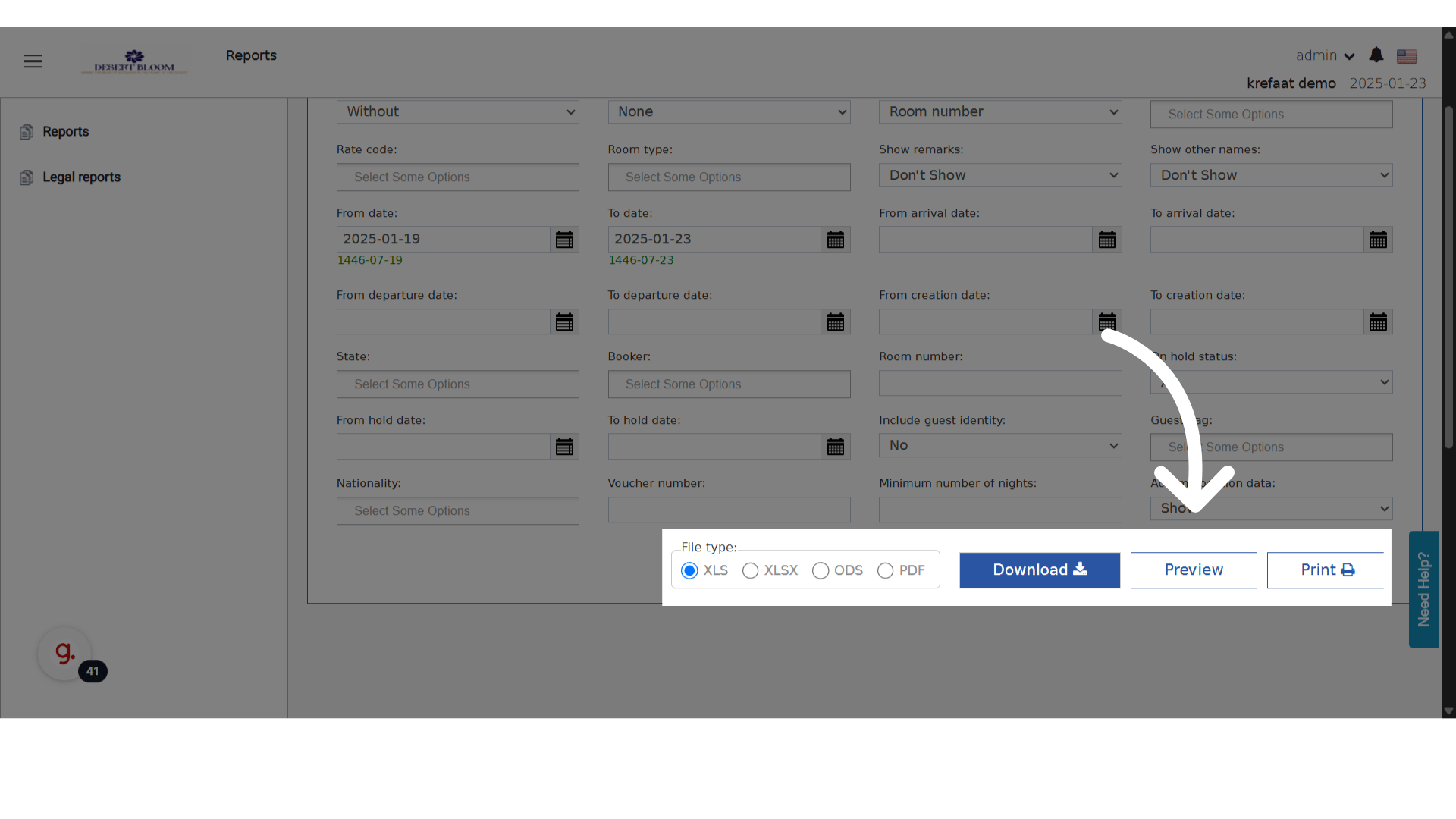
3. أنشئ معاينة التقرير.

   <img src="https://mintcdn.com/kwentra/eCGOv-HfyhNmBRpw/images/front-office/reservations/how-to-use-accommodation-type-in-reservations/59e41ff897.png?fit=max&auto=format&n=eCGOv-HfyhNmBRpw&q=85&s=adadd21c9825fe37e482d71df33eb1f6" alt="معاينة" width="1920" height="1080" data-path="images/front-office/reservations/how-to-use-accommodation-type-in-reservations/59e41ff897.png" />

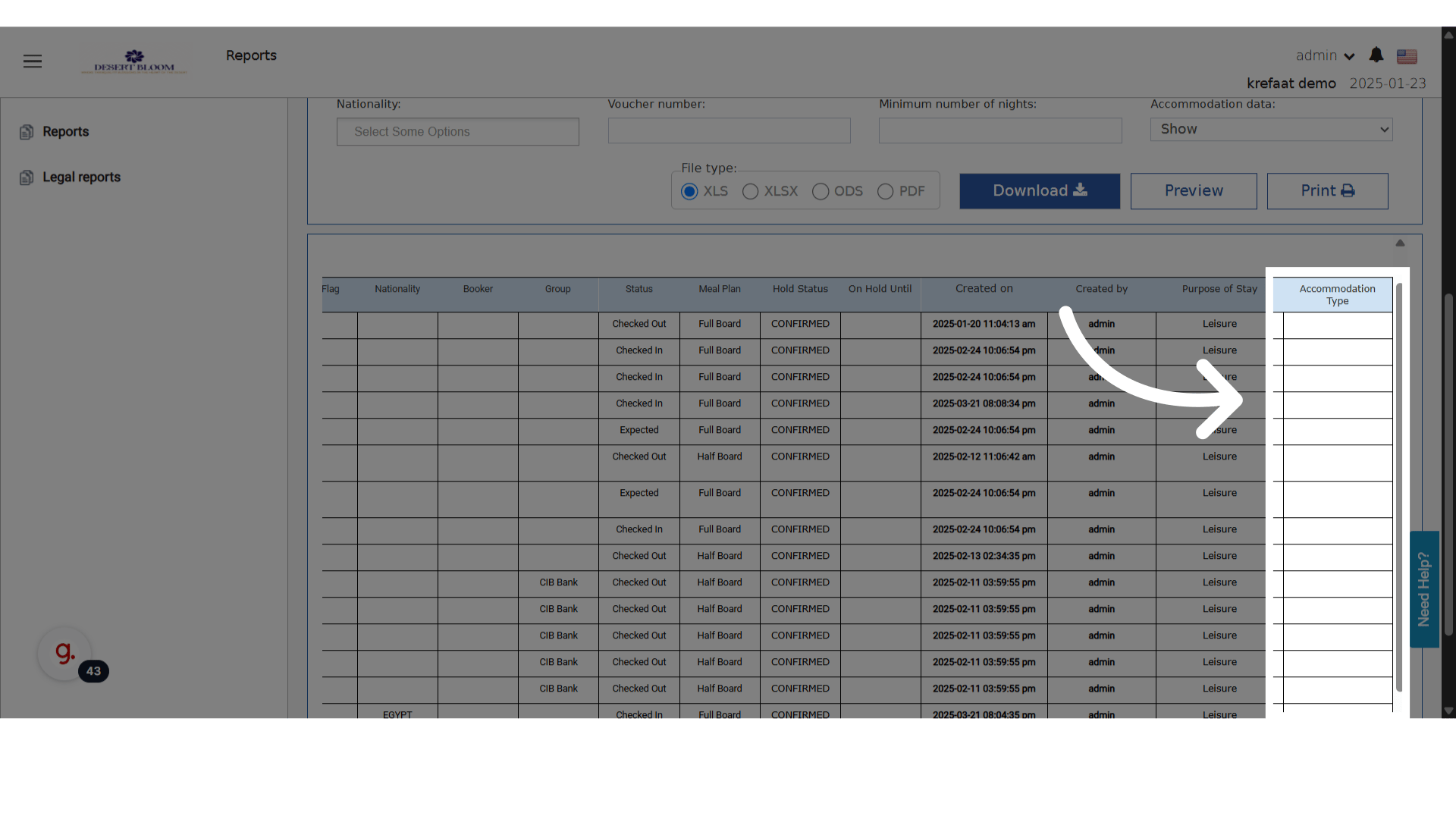
أي حجز مضبوط عليه Accommodation Type سيعرضه في العمود المخصص له في التقرير.
<img src="https://mintcdn.com/kwentra/eCGOv-HfyhNmBRpw/images/front-office/reservations/how-to-use-accommodation-type-in-reservations/83b90b8d45.png?fit=max&auto=format&n=eCGOv-HfyhNmBRpw&q=85&s=fa00ab74a57297d81c7b190b450dad3e" alt="معاينة" width="1920" height="1080" data-path="images/front-office/reservations/how-to-use-accommodation-type-in-reservations/83b90b8d45.png" />