> ## Documentation Index
> Fetch the complete documentation index at: https://help.kwentra.com/llms.txt
> Use this file to discover all available pages before exploring further.

# تحسين البحث عن الغرف – عرض حالة الغرفة في نافذة البحث

> عمود Room Status جديد في نافذة Room Lookup يمنح موظفي الاستقبال رؤية لحظية لحالة الغرف عند تخصيصها.

يعزز هذا التحديث كفاءة الاستقبال بمنح المستخدمين رؤية فورية لحالة الغرف اللحظية، بما يمكّن الموظفين من تخصيص الغرف بدقة وسرعة أكبر — خاصة خلال فترات الذروة في تسجيل الدخول والمغادرة.

### **القيمة والتطبيق**

### 🧩 **حالات الاستخدام:**

* يرغب موظف الاستقبال في تخصيص غرفة نظيفة لنزيل walk-in، ويمكنه على الفور استبعاد الغرف المشغولة أو المتوقع مغادرتها.
* عند تغيير الورديات، يمكن للموظفين الجدد معرفة الغرف المتوقع تسجيل الدخول إليها أو مغادرتها دون الخروج من شاشة الحجز.
* يمكن لمنسقي التدبير الفندقي مراجعة حالات الغرف القادمة أثناء تدقيق الليل أو عمليات تسليم الورديات.

**انتقل إلى [manage.kwentra.com](https://manage.kwentra.com/)**

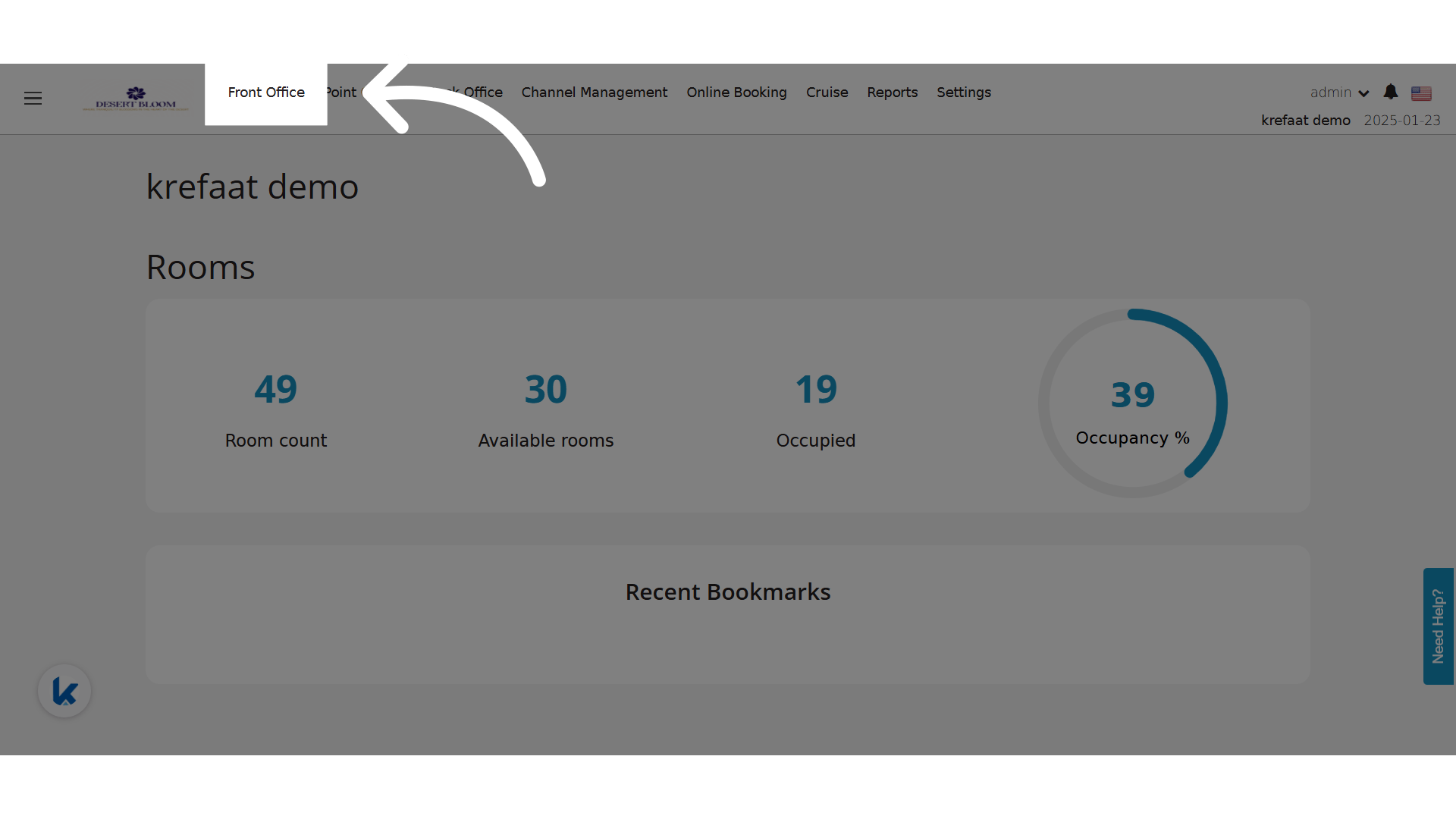
**اضغط "Front Office"**
<img src="https://mintcdn.com/kwentra/NGT4CuxPWU8NDlxU/images/front-office/reservations/individual-reservations/room-lookup-enhancement-display-room-status-in-lookup-popup/ff7f7918fb.png?fit=max&auto=format&n=NGT4CuxPWU8NDlxU&q=85&s=c98e78ea05c53c7c4e55a52d25b67ed0" alt="معاينة" width="1920" height="1080" data-path="images/front-office/reservations/individual-reservations/room-lookup-enhancement-display-room-status-in-lookup-popup/ff7f7918fb.png" />

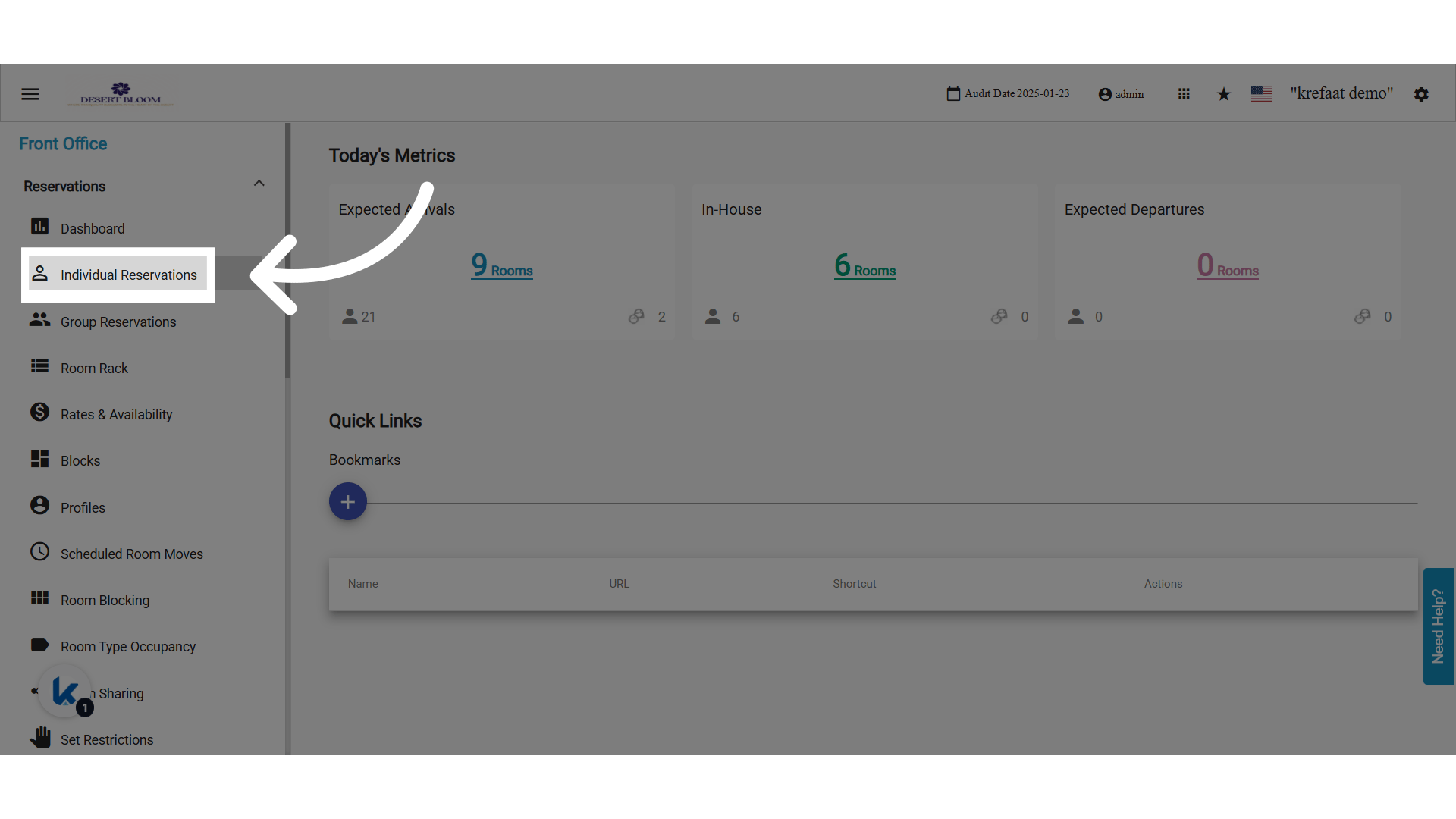
**اضغط "Individual Reservations"**

<img src="https://mintcdn.com/kwentra/NGT4CuxPWU8NDlxU/images/front-office/reservations/individual-reservations/room-lookup-enhancement-display-room-status-in-lookup-popup/de41ff9af2.png?fit=max&auto=format&n=NGT4CuxPWU8NDlxU&q=85&s=0dd246836a4ca17b03ef54dcbda4a174" alt="معاينة" width="1920" height="1080" data-path="images/front-office/reservations/individual-reservations/room-lookup-enhancement-display-room-status-in-lookup-popup/de41ff9af2.png" />

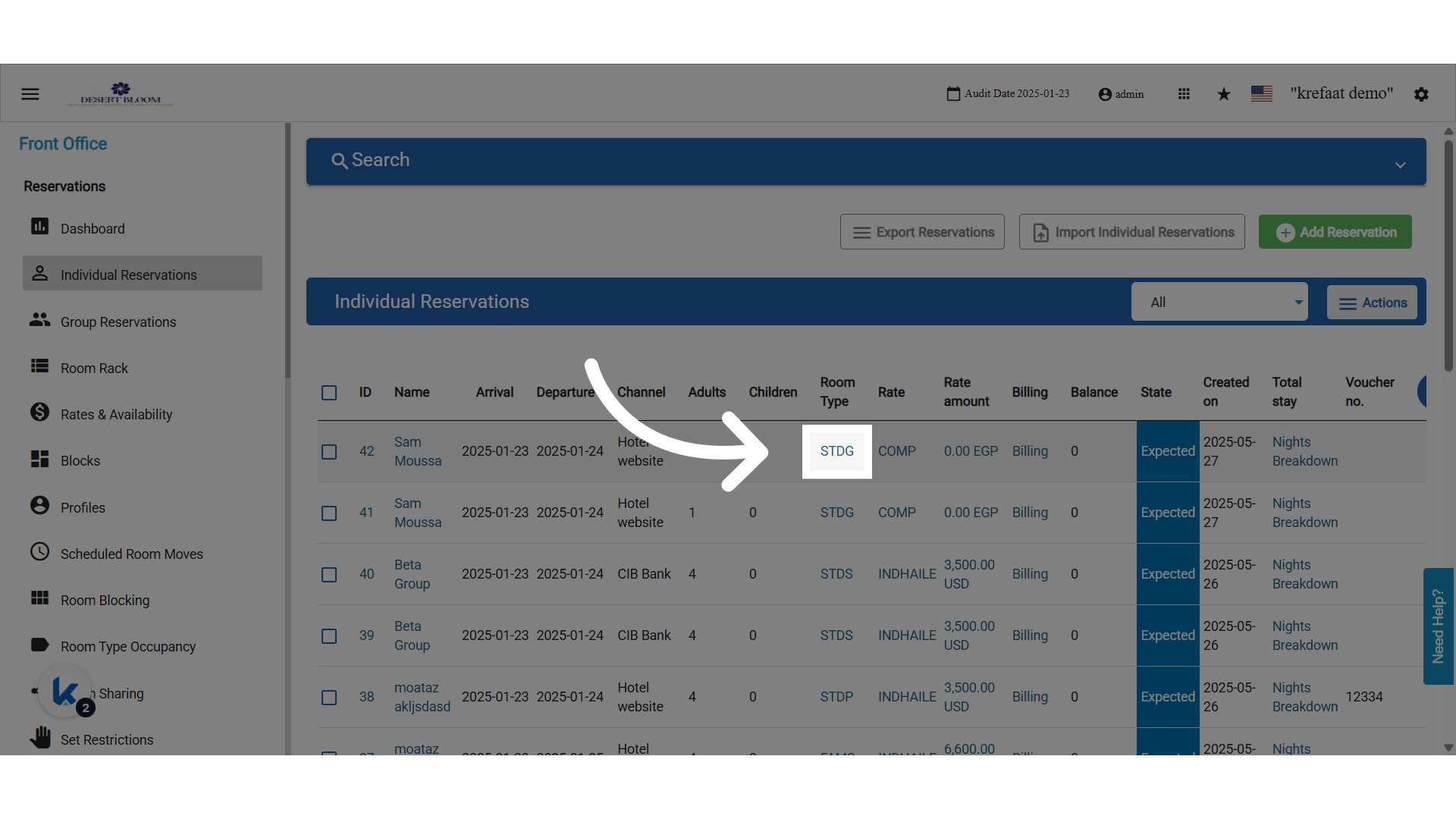
**نافذة التخصيص السريع للغرف**

<img src="https://mintcdn.com/kwentra/NGT4CuxPWU8NDlxU/images/front-office/reservations/individual-reservations/room-lookup-enhancement-display-room-status-in-lookup-popup/70c5de204d.png?fit=max&auto=format&n=NGT4CuxPWU8NDlxU&q=85&s=d9982d531d7c9e937b0ca008636d3547" alt="معاينة" width="1920" height="1080" data-path="images/front-office/reservations/individual-reservations/room-lookup-enhancement-display-room-status-in-lookup-popup/70c5de204d.png" />

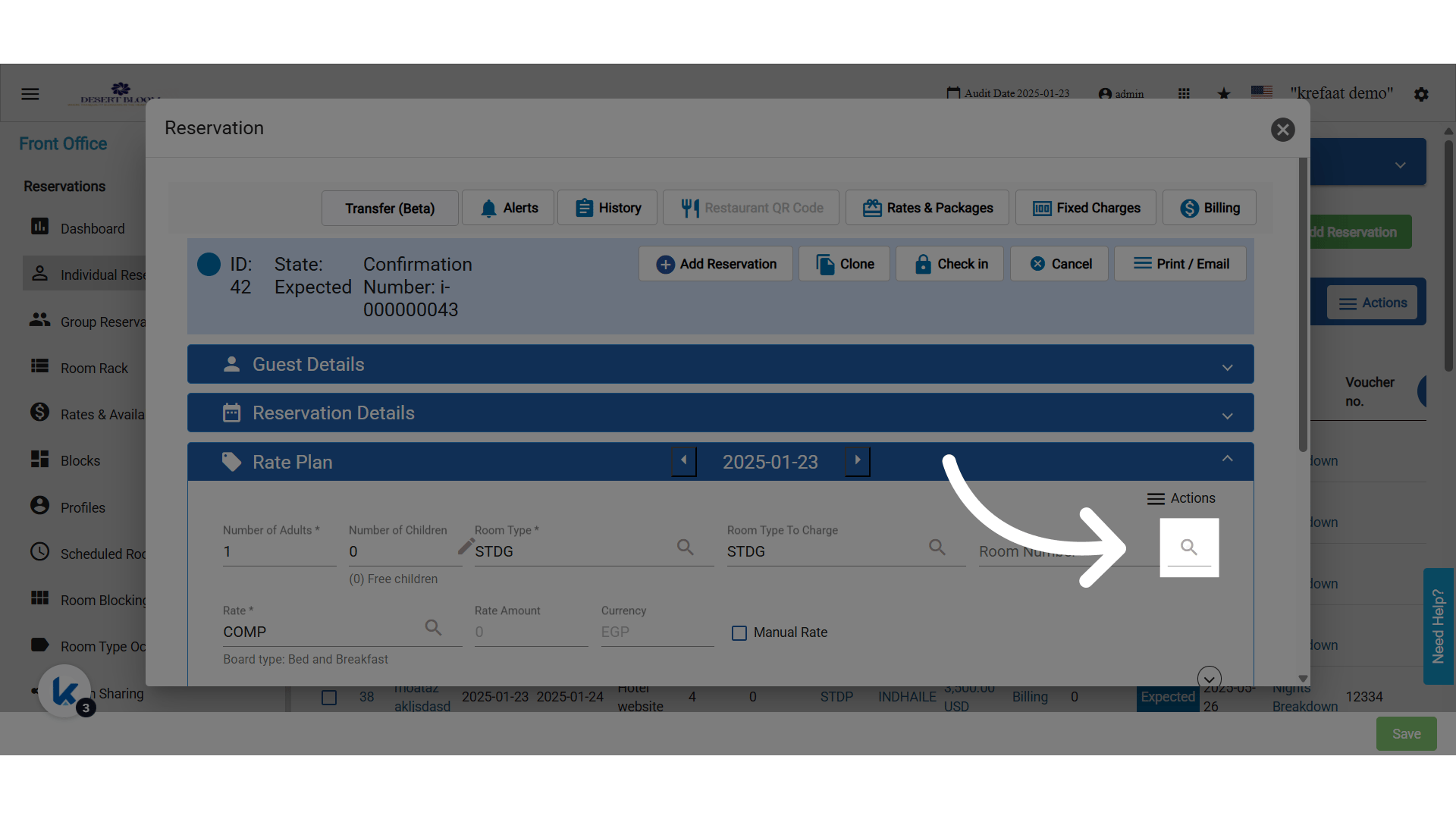
**اضغط على أيقونة البحث عن رقم الغرفة**
<img src="https://mintcdn.com/kwentra/NGT4CuxPWU8NDlxU/images/front-office/reservations/individual-reservations/room-lookup-enhancement-display-room-status-in-lookup-popup/b6396ae448.png?fit=max&auto=format&n=NGT4CuxPWU8NDlxU&q=85&s=0952a7bb8dcfb91e9649aa28c37092e7" alt="معاينة" width="1920" height="1080" data-path="images/front-office/reservations/individual-reservations/room-lookup-enhancement-display-room-status-in-lookup-popup/b6396ae448.png" />

### **🛠 ما الجديد؟**

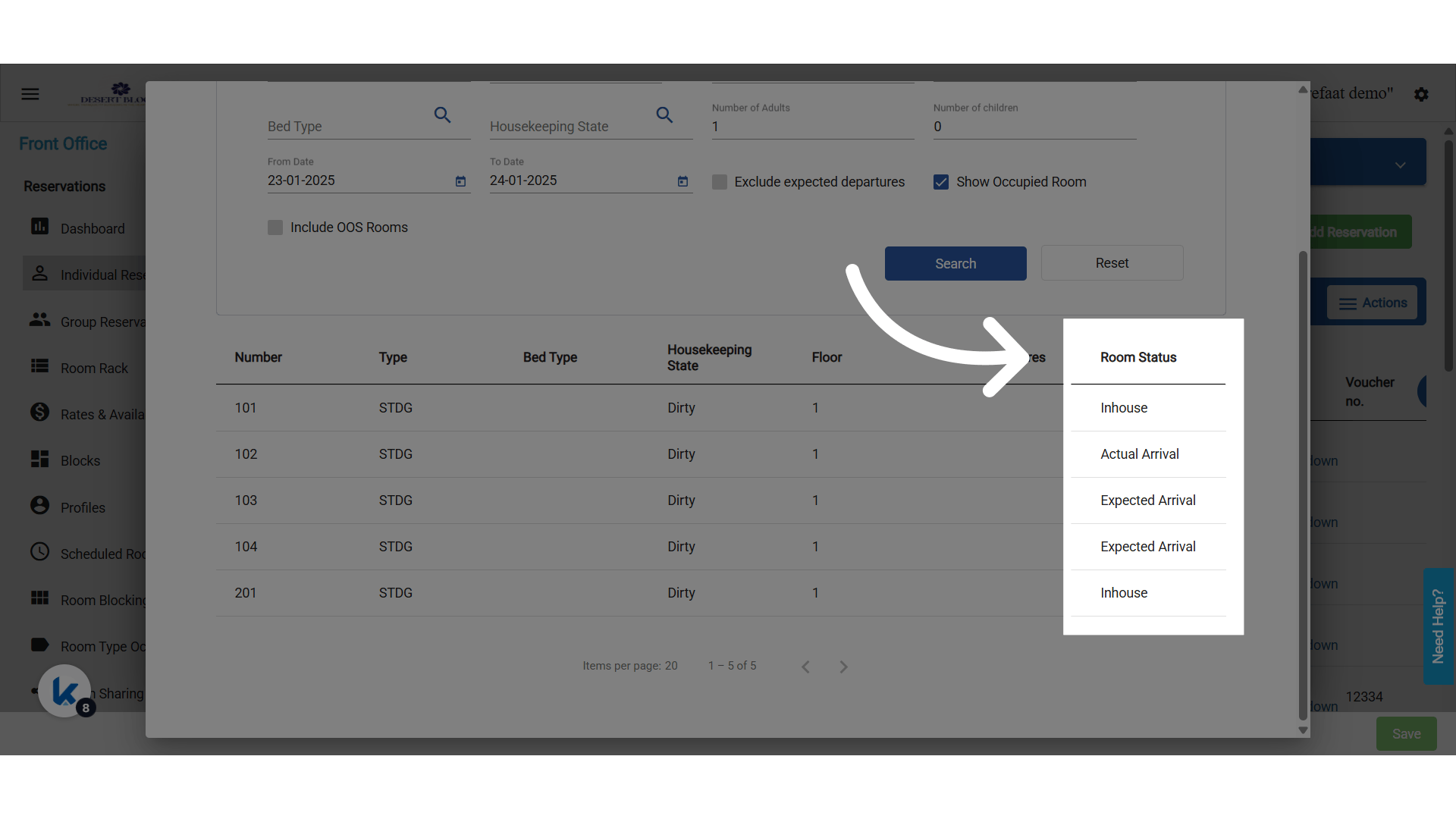
تمت إضافة عمود جديد بعنوان **"Room Status"** إلى نافذة **Room Lookup** عند اختيار رقم غرفة في شاشة Individual Reservation.
<img src="https://mintcdn.com/kwentra/NGT4CuxPWU8NDlxU/images/front-office/reservations/individual-reservations/room-lookup-enhancement-display-room-status-in-lookup-popup/78396e36c1.png?fit=max&auto=format&n=NGT4CuxPWU8NDlxU&q=85&s=10bb73f501277a29627e6e0e95c586e7" alt="معاينة" width="1920" height="1080" data-path="images/front-office/reservations/individual-reservations/room-lookup-enhancement-display-room-status-in-lookup-popup/78396e36c1.png" />

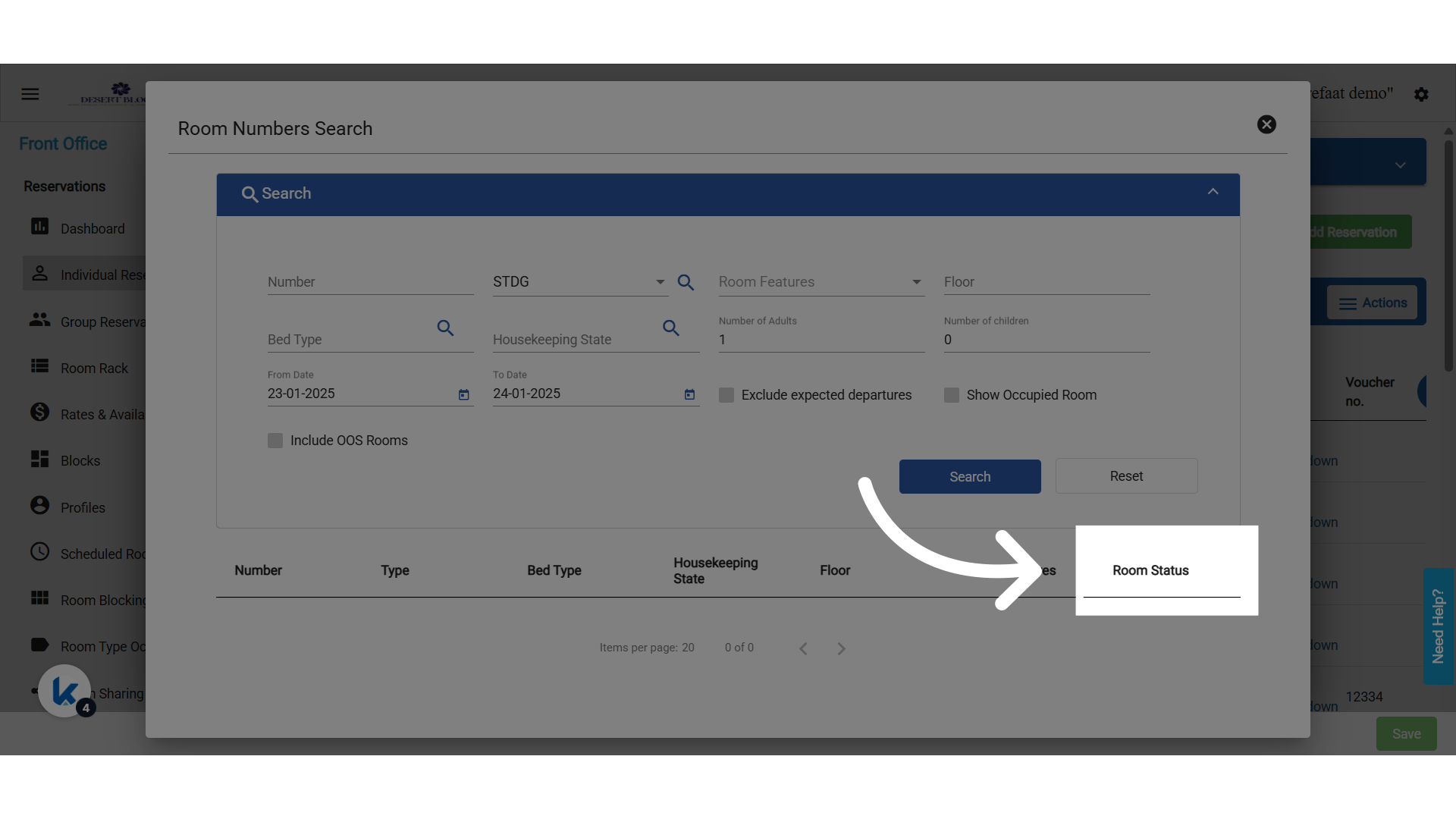
**العمود الجديد "Room Status"**

تُحدَّد حالة الغرفة ديناميكياً بناءً على **"From Date"** المختار في نافذة البحث.
<img src="https://mintcdn.com/kwentra/NGT4CuxPWU8NDlxU/images/front-office/reservations/individual-reservations/room-lookup-enhancement-display-room-status-in-lookup-popup/d14ea5ba98.png?fit=max&auto=format&n=NGT4CuxPWU8NDlxU&q=85&s=025ae32518c02ff85000230cfd9e9491" alt="معاينة" width="1920" height="1080" data-path="images/front-office/reservations/individual-reservations/room-lookup-enhancement-display-room-status-in-lookup-popup/d14ea5ba98.png" />

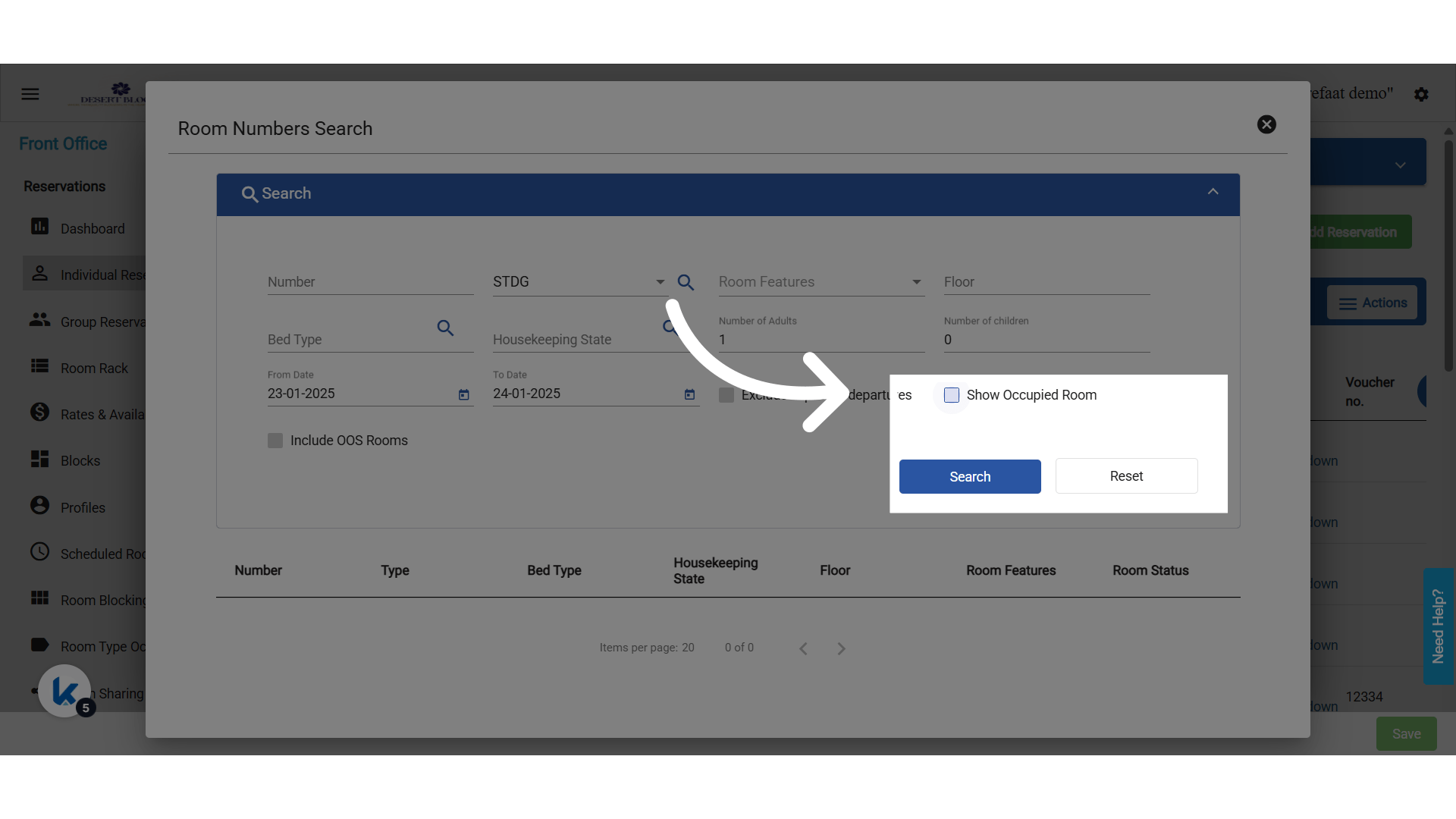
**فعّل Show Occupied Rooms ثم ابحث**

* تُحدَّد حالة الغرفة ديناميكياً بناءً على **"From Date"** المختار في نافذة البحث.
* يجب تفعيل خانة **"Show Occupied Rooms"** حتى تظهر الحالات التالية:
  * Expected Arrival
  * Actual Arrival
  * Inhouse
  * Expected Departure
  * Due Out / Arrival (عند وجود Expected Arrival وExpected Departure للغرفة نفسها)
<img src="https://mintcdn.com/kwentra/NGT4CuxPWU8NDlxU/images/front-office/reservations/individual-reservations/room-lookup-enhancement-display-room-status-in-lookup-popup/30d669850d.png?fit=max&auto=format&n=NGT4CuxPWU8NDlxU&q=85&s=5b439b5aa93acdd7c345e929396a9cbf" alt="معاينة" width="1920" height="1080" data-path="images/front-office/reservations/individual-reservations/room-lookup-enhancement-display-room-status-in-lookup-popup/30d669850d.png" />