> ## Documentation Index
> Fetch the complete documentation index at: https://help.kwentra.com/llms.txt
> Use this file to discover all available pages before exploring further.

# كيف أعدّل حجزاً من Room Rack؟

> تعديل تاريخ الحجز أو نوع الغرفة أو كليهما عن طريق سحب الحجز وإفلاته على شاشة Room Rack.

##### يمكنك سحب الحجز وإفلاته باستخدام room rack باتباع الخطوات التالية:

1- انتقل إلى "Front Office" من الصفحة الرئيسية

2- اختر "Rooms" من القائمة الجانبية

3- اضغط على "Room Rack" لعرض جميع غرف العقار ونسبة الإشغال

4- حدد الحجز الذي تريد تعديله (التاريخ / نوع الغرفة أو كليهما)

5- اضغط مع الاستمرار على الحجز > ثم انقله إلى الموضع الجديد المطلوب على room rack
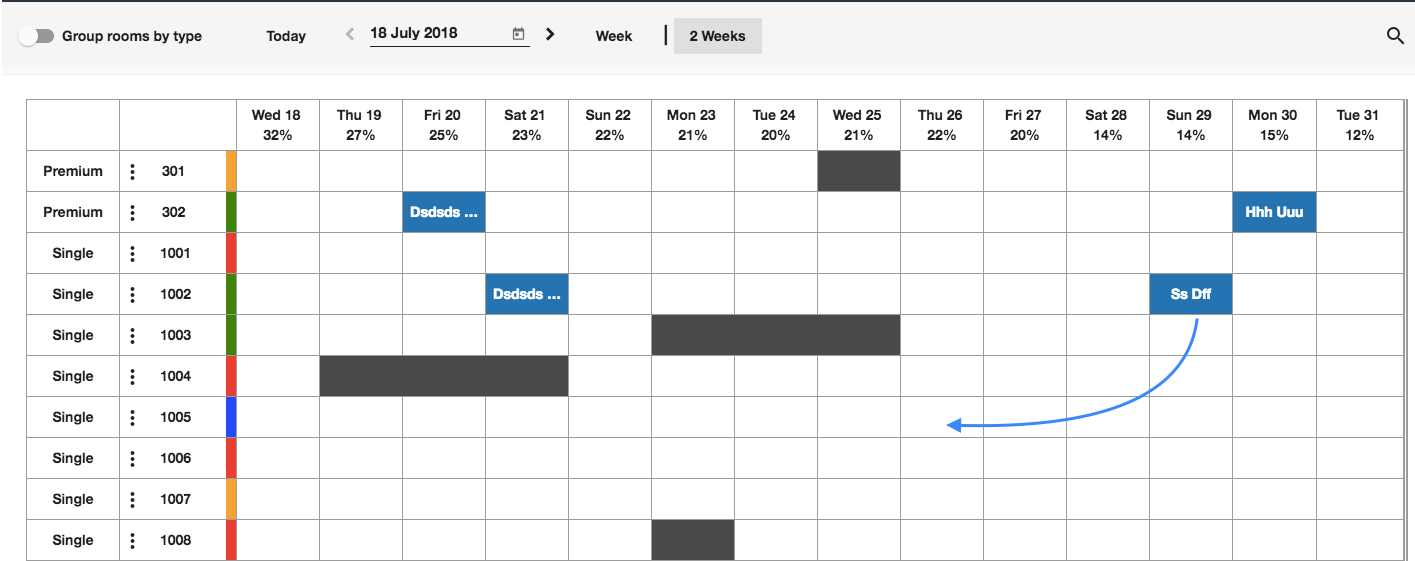
<img src="https://mintcdn.com/kwentra/NGT4CuxPWU8NDlxU/images/front-office/reservations/room-rack/how-to-edit-reservation-on-room-rack/ef41dfd666.png?fit=max&auto=format&n=NGT4CuxPWU8NDlxU&q=85&s=484beef09de590dfe465dc15fa765f1c" alt="سحب الحجز إلى موضع جديد على Room Rack" width="1415" height="561" data-path="images/front-office/reservations/room-rack/how-to-edit-reservation-on-room-rack/ef41dfd666.png" />

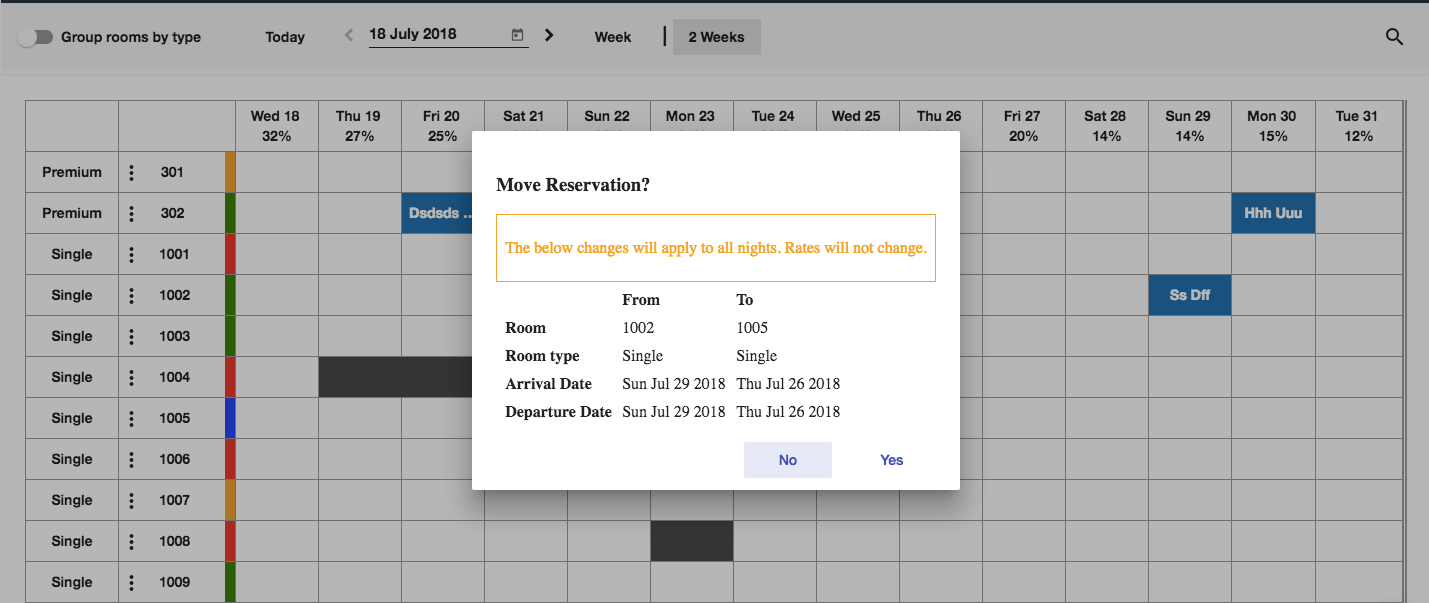
6- أكّد تفاصيل التغيير

<img src="https://mintcdn.com/kwentra/NGT4CuxPWU8NDlxU/images/front-office/reservations/room-rack/how-to-edit-reservation-on-room-rack/f7ad84451b.png?fit=max&auto=format&n=NGT4CuxPWU8NDlxU&q=85&s=4efa8788d81d26d128e6b64863ccb734" alt="نافذة تأكيد تفاصيل التغيير" width="1429" height="603" data-path="images/front-office/reservations/room-rack/how-to-edit-reservation-on-room-rack/f7ad84451b.png" />

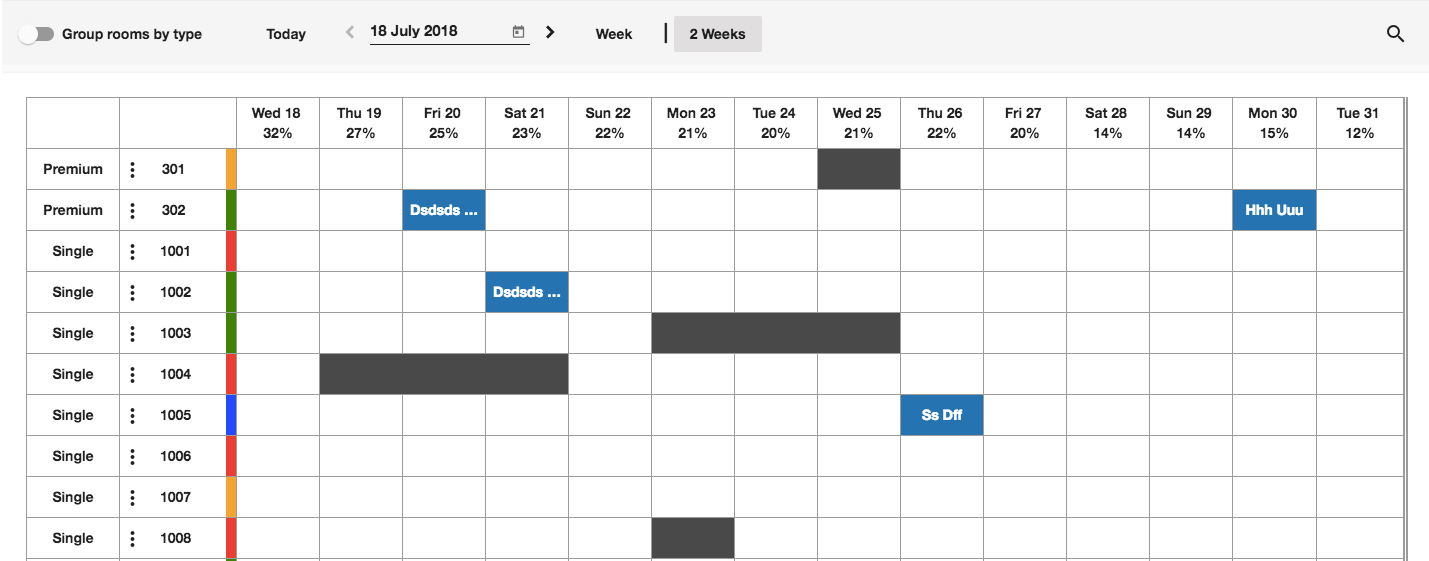
### تم بنجاح!

<img src="https://mintcdn.com/kwentra/NGT4CuxPWU8NDlxU/images/front-office/reservations/room-rack/how-to-edit-reservation-on-room-rack/cf14a1a271.png?fit=max&auto=format&n=NGT4CuxPWU8NDlxU&q=85&s=6d39cb51efb2174c7aa6d252558e3f14" alt="الحجز بعد التعديل على Room Rack" width="1429" height="561" data-path="images/front-office/reservations/room-rack/how-to-edit-reservation-on-room-rack/cf14a1a271.png" />