> ## Documentation Index
> Fetch the complete documentation index at: https://help.kwentra.com/llms.txt
> Use this file to discover all available pages before exploring further.
# استبدال نقاط الولاء من نقاط البيع
> سوِّ فاتورة النزيل مباشرةً من شاشة Redeem الخاصة بنقاط الولاء، عبر نافذة منبثقة تغنيك عن الضغط على No Payment بعد الاستبدال.
صار بإمكان المستخدمين تسوية فاتورة النزيل مباشرةً من **Redeem Screen** الخاصة بـ **نقاط الولاء،** إذ ينشئ النظام نافذة منبثقة تتيح للمستخدم تسوية الفاتورة مباشرةً بدلاً من الضغط على **No Payment** بعد الاستبدال.
Point of Sale => Cashiering => Select an Outlet => Terminal => Table => Redeem
لن تكون خاصية **Redeem** الجديدة متاحة ما لم يتحقق الشرطان التاليان معاً:
* *أن تكون الفاتورة مرتبطة بنزيل قائم (Existing Guest) يملك نقاط ولاء.*
* *أن تكون هناك أصناف متاحة في الإيصال.*
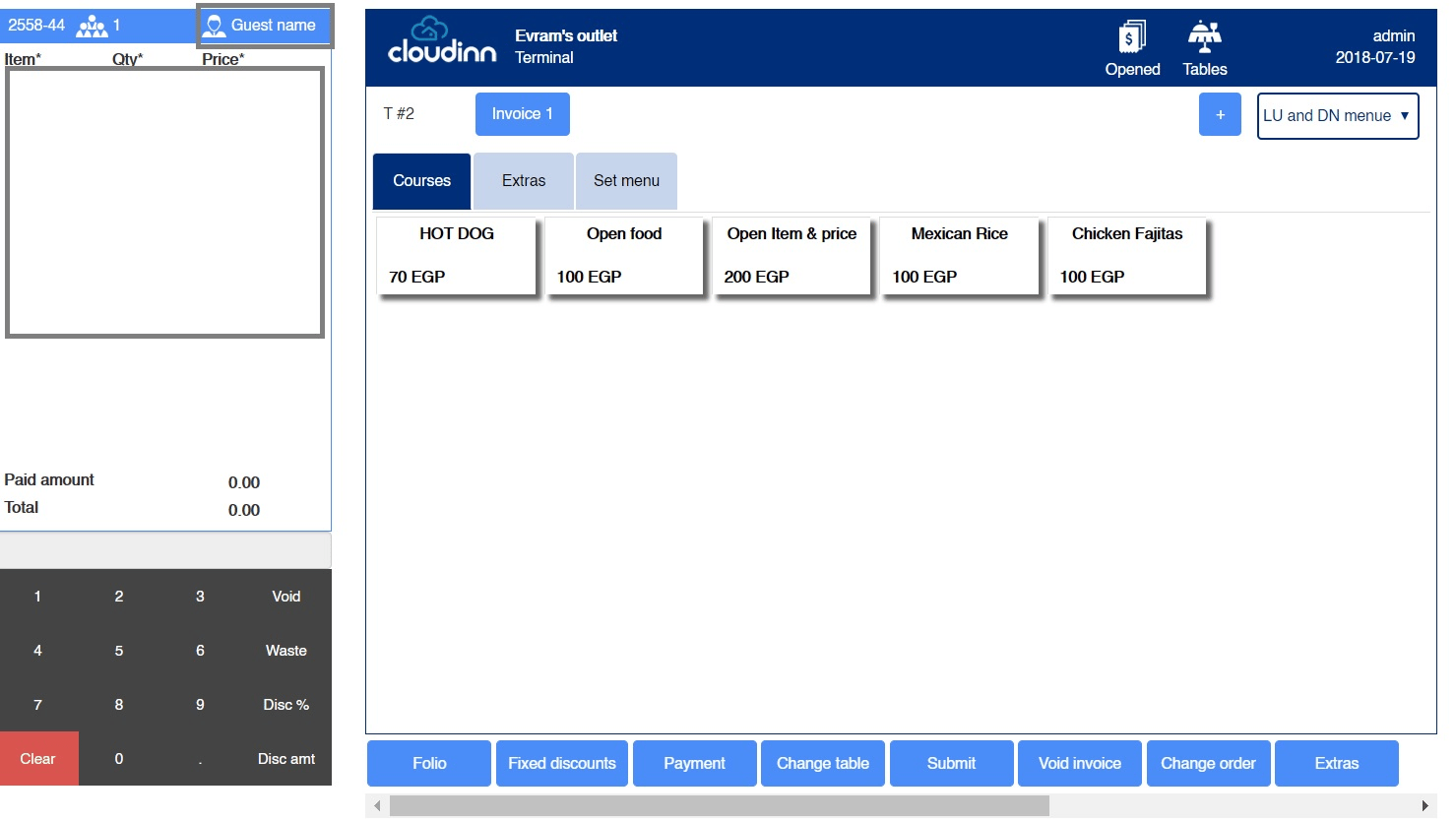 1. اضغط على **Guest Name** من أعلى يسار الصفحة.
* **Room Number:** إضافة الفاتورة إلى غرفة محجوزة في الفندق.
* **Walk-in Name:** إضافة الفاتورة إلى نزيل جديد ليس بالضرورة مقيماً في الفندق.
* **Individual Profile:** ربط الفاتورة بملف نزيل قائم قد يملك نقاط ولاء، وهو يعمل كذلك بالإكمال التلقائي.
1. اضغط على **Guest Name** من أعلى يسار الصفحة.
* **Room Number:** إضافة الفاتورة إلى غرفة محجوزة في الفندق.
* **Walk-in Name:** إضافة الفاتورة إلى نزيل جديد ليس بالضرورة مقيماً في الفندق.
* **Individual Profile:** ربط الفاتورة بملف نزيل قائم قد يملك نقاط ولاء، وهو يعمل كذلك بالإكمال التلقائي.
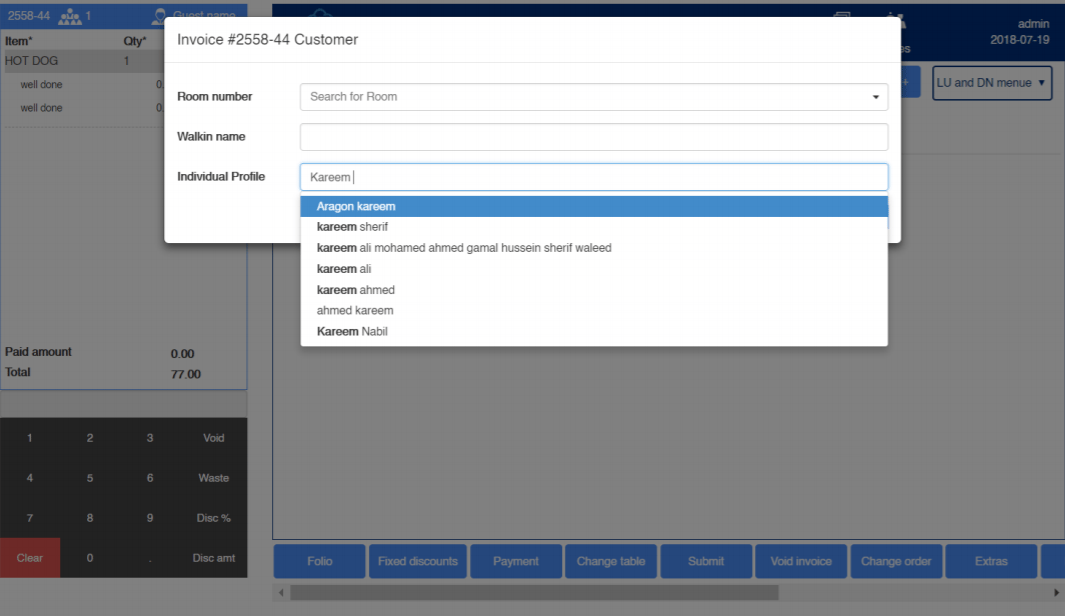 2. بعد اختيار الـ **Individual Profile** المطلوب وإضافة الأصناف إلى الفاتورة كما هو موضّح أدناه، نجد خيار **Redeem** متاحاً.
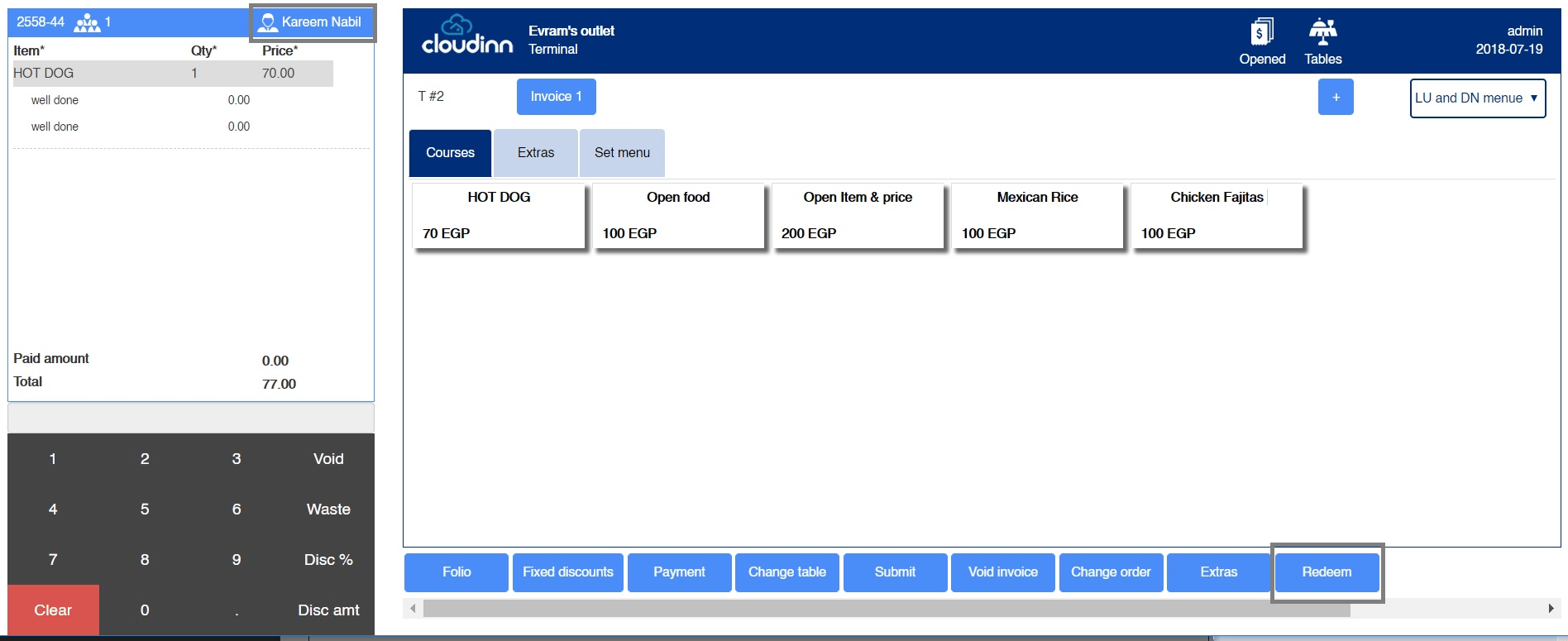 3. وبمجرد الضغط على **Redeem** تظهر النافذة المنبثقة التالية:
* **Remaining Loyalty Points:** النقاط المتاحة للنزيل والتي يمكنه استخدامها.
* **Price:** سعر الصنف بالمبالغ النقدية.
* **Price in points:** ما يعادل سعر الصنف من النقاط.
* **Amount to pay:** المبلغ الذي يرغب النزيل في سداده من نقاط ولائه، وله مطلق الحرية في سداد أي مبلغ منها.
3. وبمجرد الضغط على **Redeem** تظهر النافذة المنبثقة التالية:
* **Remaining Loyalty Points:** النقاط المتاحة للنزيل والتي يمكنه استخدامها.
* **Price:** سعر الصنف بالمبالغ النقدية.
* **Price in points:** ما يعادل سعر الصنف من النقاط.
* **Amount to pay:** المبلغ الذي يرغب النزيل في سداده من نقاط ولائه، وله مطلق الحرية في سداد أي مبلغ منها.
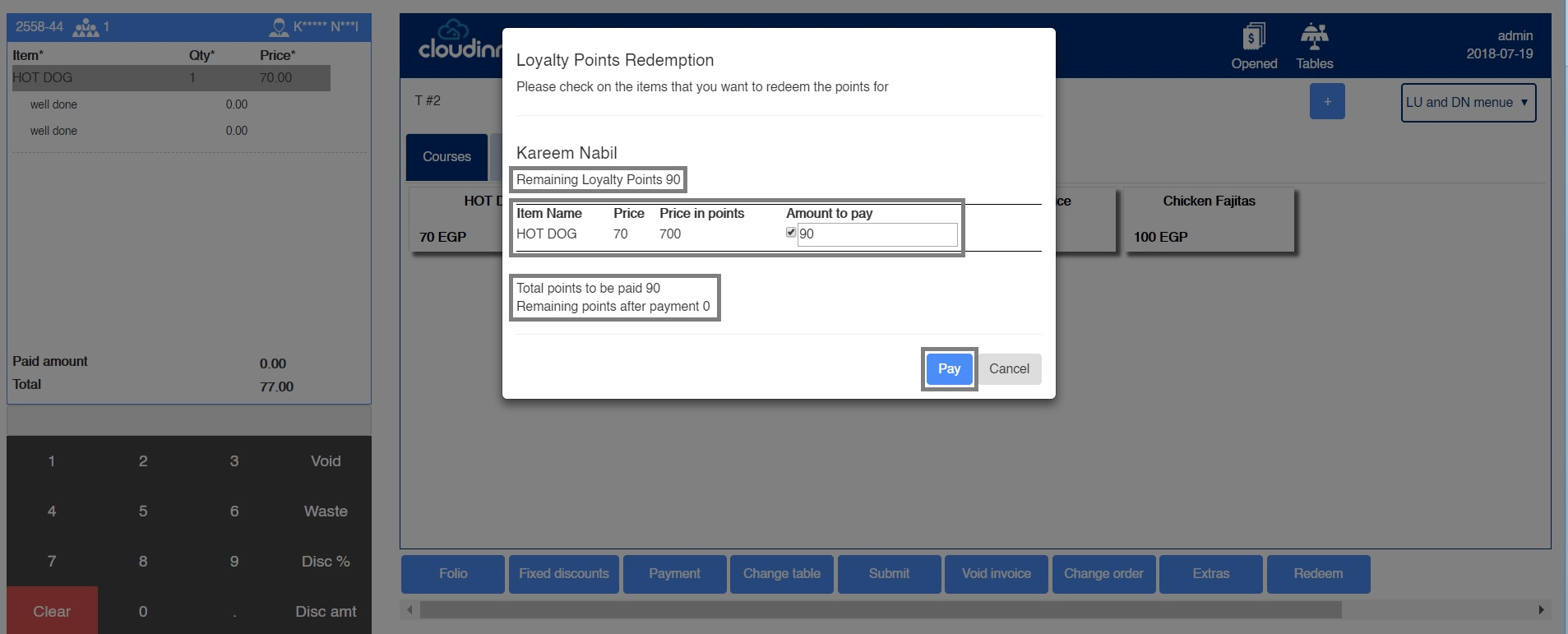 وبمجرد الضغط على **Pay** نرى الخصم وقد وقع على الفاتورة من الجهة اليسرى.
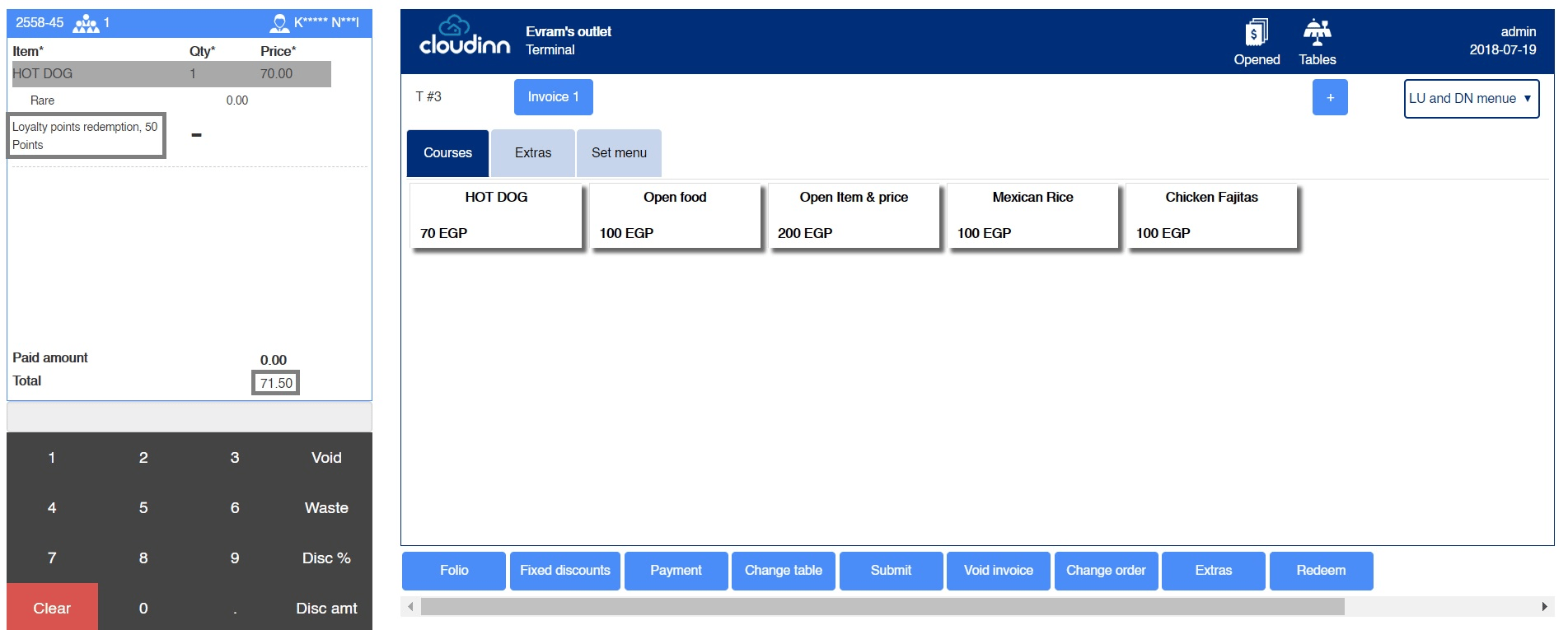 والآن يمكننا تسوية سداد المتبقي من مبلغ الفاتورة بأي صورة سداد أخرى بالضغط على **Payment.**
This documentation is built and hosted on [Mintlify](https://mintlify.com), a developer documentation platform.
والآن يمكننا تسوية سداد المتبقي من مبلغ الفاتورة بأي صورة سداد أخرى بالضغط على **Payment.**
This documentation is built and hosted on [Mintlify](https://mintlify.com), a developer documentation platform.