> ## Documentation Index
> Fetch the complete documentation index at: https://help.kwentra.com/llms.txt
> Use this file to discover all available pages before exploring further.
# Credit Limit for Accounts Receivable
> Set a credit limit per AR account and track whether customers exceed it directly from the AR Aging report. Business Value Strengthen credit control by tracking credit limits per corporate customer....
Set a credit limit per AR account and track whether customers exceed it directly from the AR Aging report.
***
### **Business Value**
* Strengthen credit control by tracking credit limits per corporate customer.
* Prevent overdue or excessive AR balances from going unnoticed.
* Provide finance teams with an instant view of risk exposure through AR Aging.
* Improve auditing with full history logs for all credit limit changes.
***
### **Use Cases**
* Hotels that offer credit to companies or travel agents and need to monitor limits.
* Finance teams verifying customer balances before approving new invoices.
* Auditors reviewing credit control processes during monthly or annual closing.
* AR clerks identifying high-risk customers who exceeded their authorized limits.
***
### **How It Works**
### **Add Credit Limit to AR Accounts**
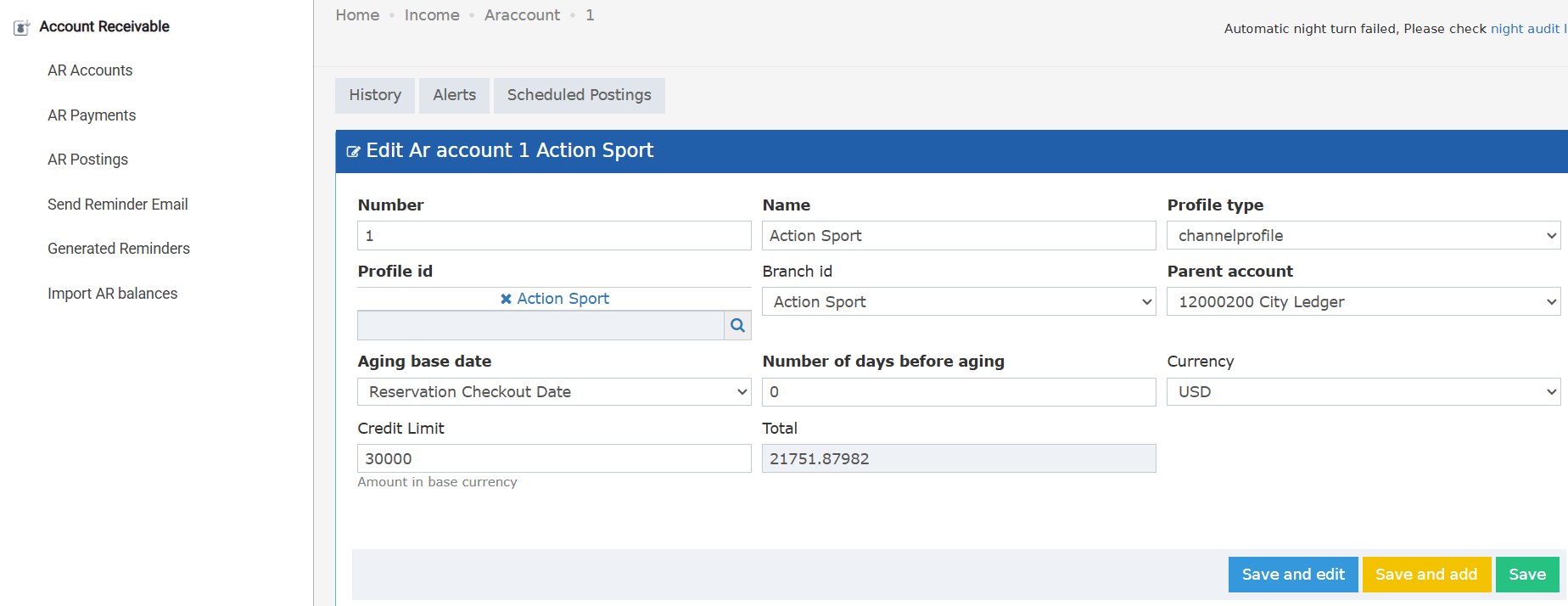
**Where:** Back Office → Accounts Receivable → AR Account → Select AR Account
A new field is added:
### **Credit Limit**
* Number input field
* Help text: **“Amount in base currency”**
* Always editable for users with access to AR accounts
* Every update is logged in AR account history:
> *Credit limit changed from “X” to “Y”.*
If no credit limit is entered, the account has **no restriction**.
 ***
###
***
###
**AR Aging Report Enhancements**
**Where:** Reports → BO → Receivable → AR Aging
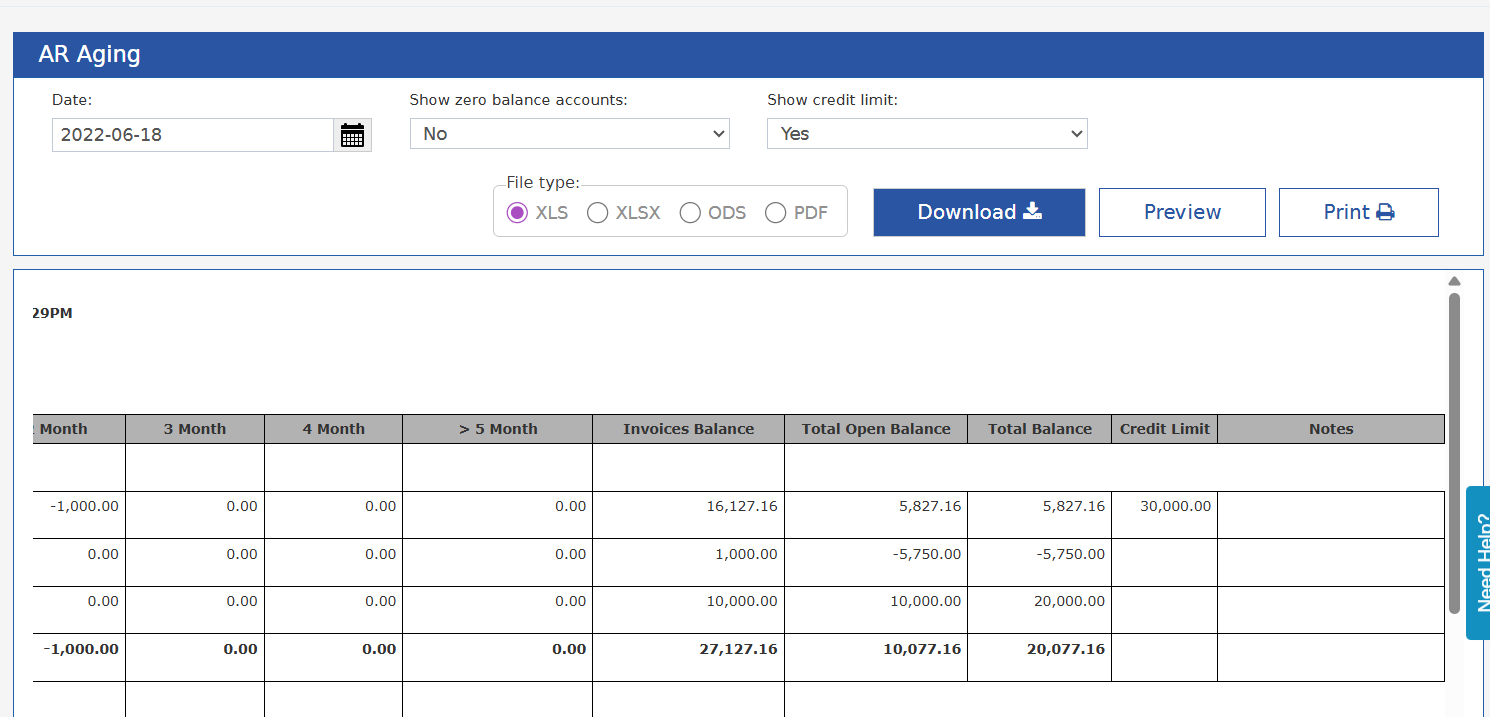
### **New parameter: Show Credit Limit**
* **No (Default)**
* **Yes**
When **Yes** is selected, the report shows two additional columns:
### **Credit Limit**
* Displays the credit limit defined on the AR account
* Displays blank if the AR account has no credit limit set
### **Notes**
* If the total AR balance for the account **exceeds** the credit limit →
**Notes column displays: “Exceeded Credit Limit”**