> ## Documentation Index
> Fetch the complete documentation index at: https://help.kwentra.com/llms.txt
> Use this file to discover all available pages before exploring further.

# Unlink Individual AR Invoices from AR Payment (Without Cancelling)

> You can now unlink individual AR invoices from a payment, making it easier to correct allocations without canceling the entire payment. All changes are fully logged and reflected in balances and re...

You can now unlink individual AR invoices from a payment, making it easier to correct allocations without canceling the entire payment. All changes are fully logged and reflected in balances and reports.

### **Business Value**

* **Greater Flexibility:** Allows finance teams to correct payment allocations without reversing the whole payment.
* **Reduces Manual Errors:** Makes fixing mistakes or changes in invoice settlements easier and faster.
* **Improves Audit Trail:** Every unlinking action is tracked and reflected in account balances and journals.

## **Use Cases**

* **Partial Settlements:** If part of a payment needs to be unlinked from one invoice (e.g., payment applied to wrong invoice).
* **Correction of Allocation:** If an AR payment was split across multiple invoices and one needs to be adjusted or removed.
* **Workflow Efficiency:** No need to fully cancel and re-enter payments for simple unlinking scenarios.

### **New Feature!**

How to Unlink:

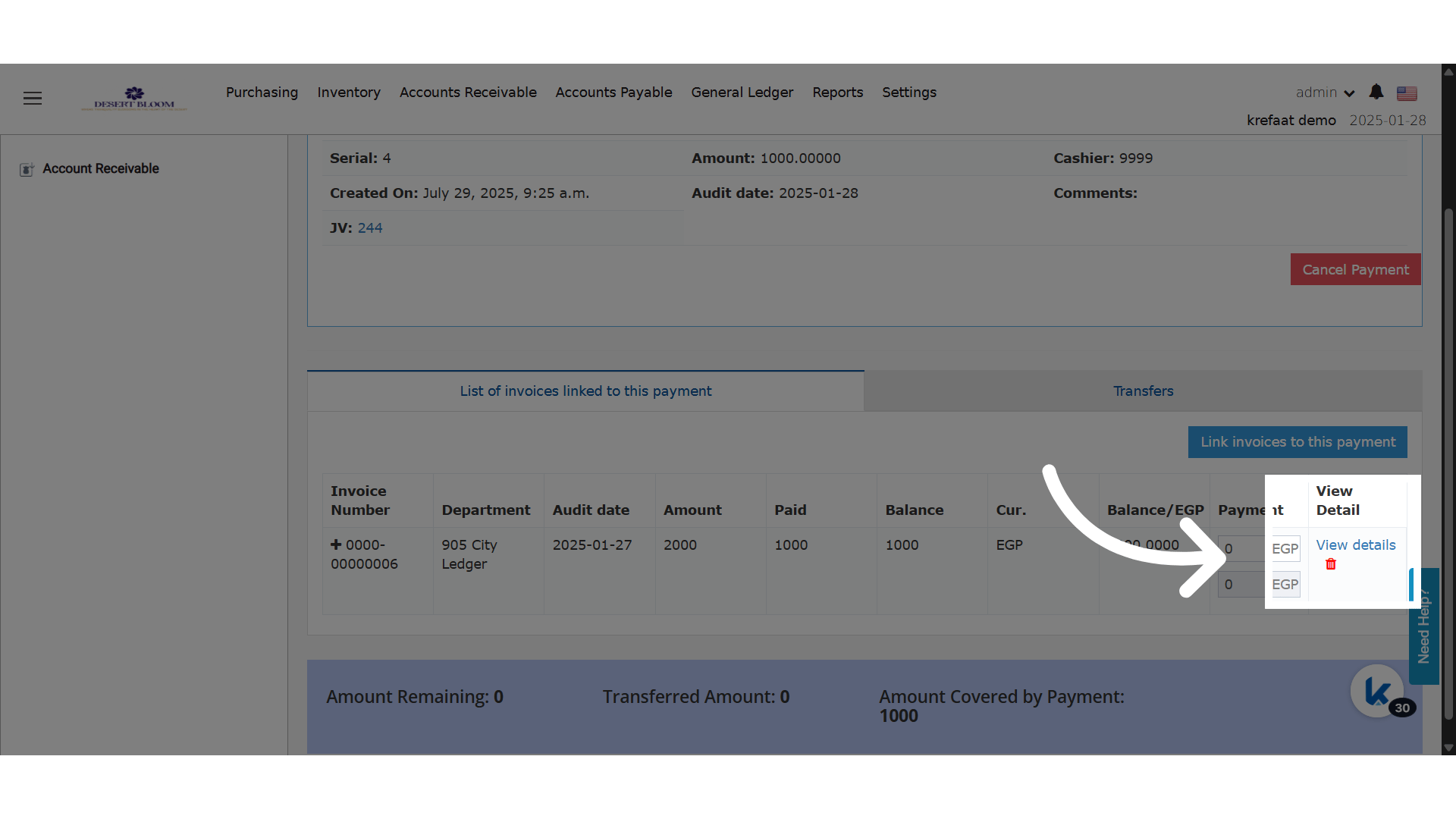
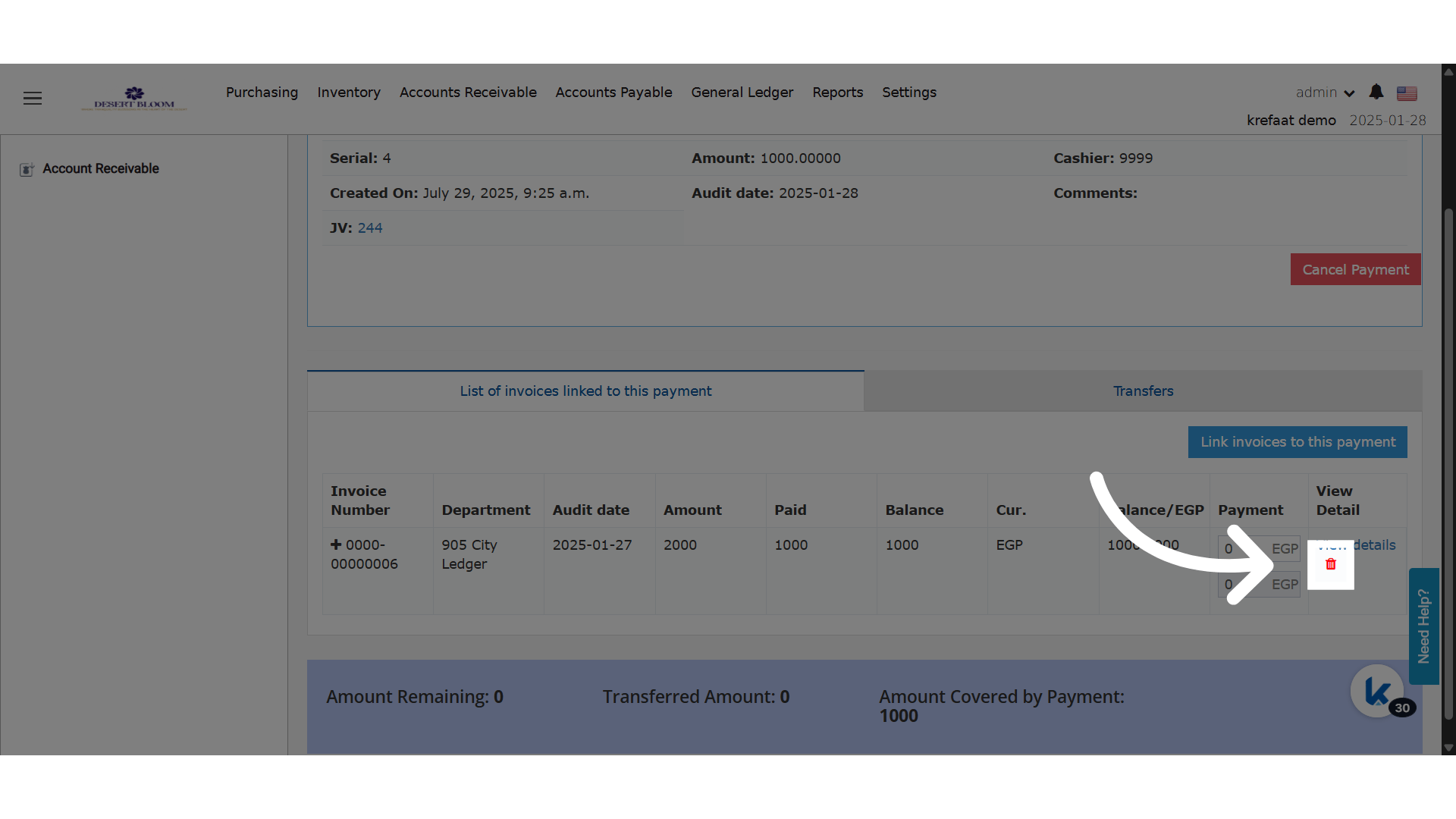
1. Next to each linked invoice, a **delete (unlink) icon** now appears.
2. **Click the icon** to remove that specific invoice from the AR payment.
3. The system will:
   * Remove the invoice from the AR payment screen.
   * Cancel the split posting on the AR invoice.
   * Cancel the journal voucher (JV) linked to the split AR payment posting.
   * Adjust the main AR payment JV by reversing the amount of the canceled split.
   * Update the AR payment's **covered** and **remaining** amounts to reflect the change.
<img src="https://mintcdn.com/kwentra/ihKERj9Iv4_uINTW/images/back-office/accounts-receivable/unlink-individual-ar-invoices-from-ar-payment-without-cancelling/e4de5b9bdb.png?fit=max&auto=format&n=ihKERj9Iv4_uINTW&q=85&s=bf6275620a4347ca4a01e6e135fa9941" alt="preview" width="1920" height="1080" data-path="images/back-office/accounts-receivable/unlink-individual-ar-invoices-from-ar-payment-without-cancelling/e4de5b9bdb.png" />

**Go to [manage.kwentra.com](https://manage.kwentra.com/)**

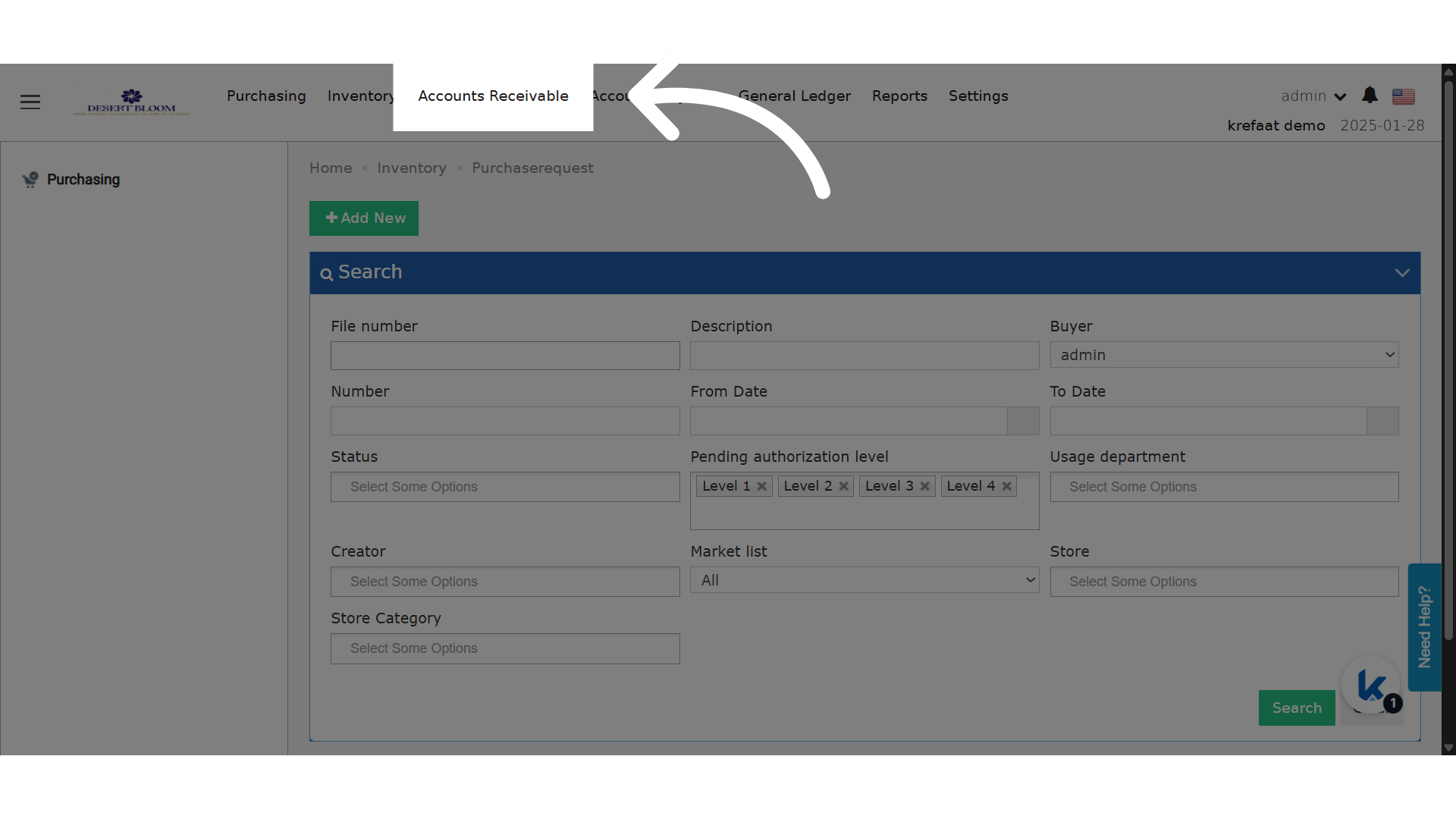
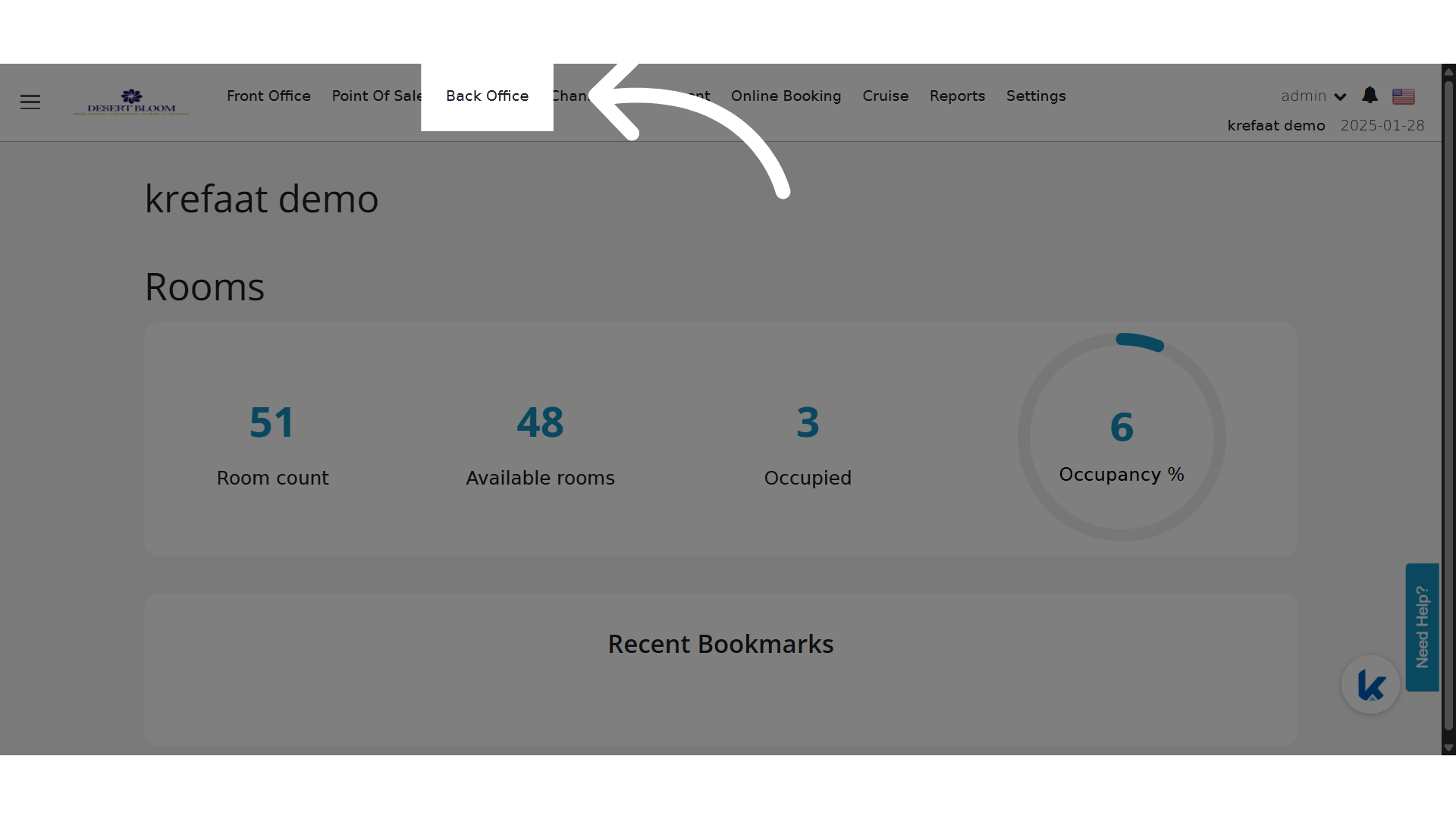
**Click "Back Office"**
<img src="https://mintcdn.com/kwentra/ihKERj9Iv4_uINTW/images/back-office/accounts-receivable/unlink-individual-ar-invoices-from-ar-payment-without-cancelling/e30d66d337.png?fit=max&auto=format&n=ihKERj9Iv4_uINTW&q=85&s=2f40834757c5cf3a105b708b0fe26564" alt="preview" width="1920" height="1080" data-path="images/back-office/accounts-receivable/unlink-individual-ar-invoices-from-ar-payment-without-cancelling/e30d66d337.png" />

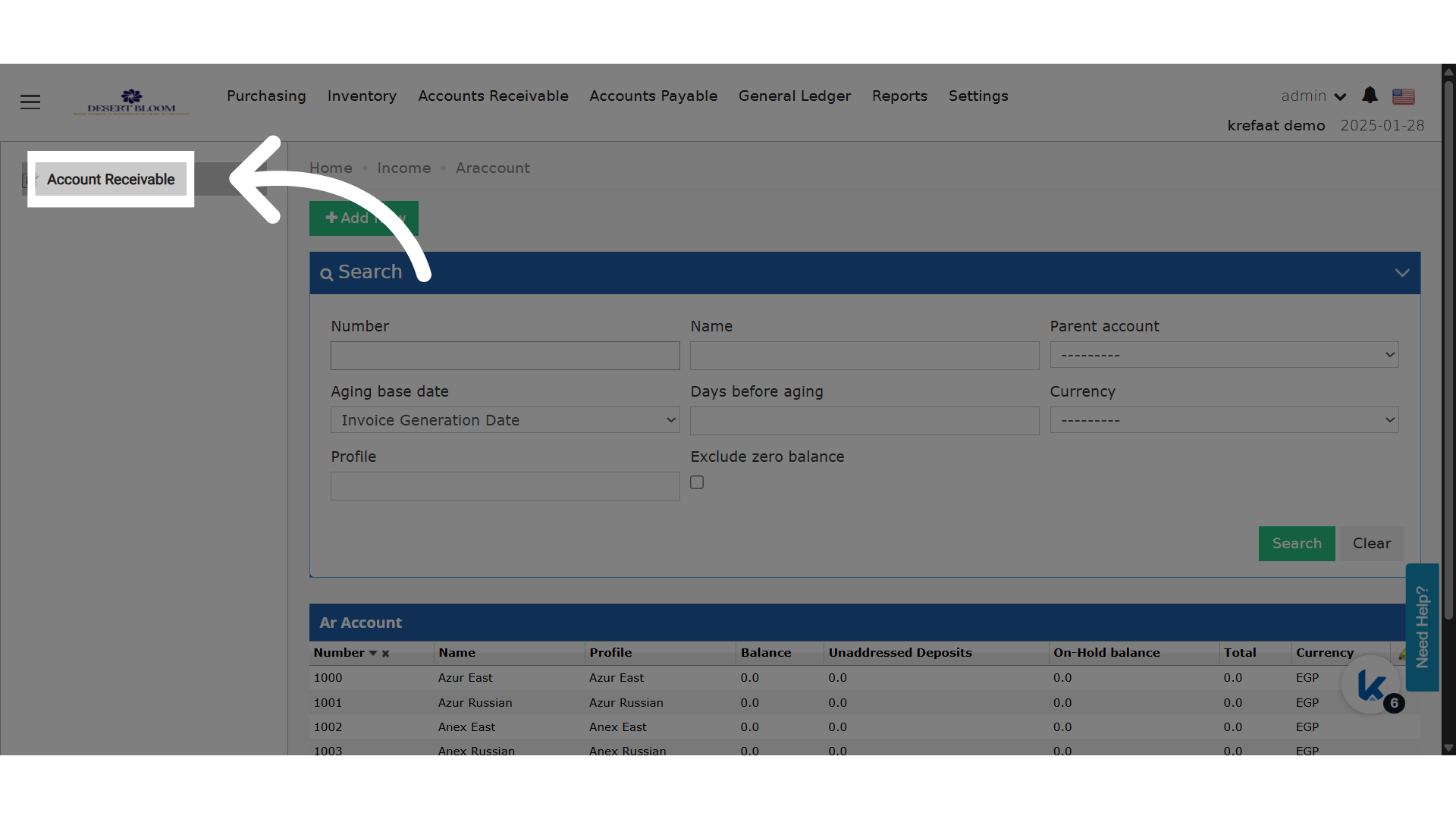
**Click "Accounts Receivable"**

<img src="https://mintcdn.com/kwentra/ihKERj9Iv4_uINTW/images/back-office/accounts-receivable/unlink-individual-ar-invoices-from-ar-payment-without-cancelling/8cf4200459.png?fit=max&auto=format&n=ihKERj9Iv4_uINTW&q=85&s=7734f2bb0e25c2875b3211309d37b46d" alt="preview" width="1920" height="1080" data-path="images/back-office/accounts-receivable/unlink-individual-ar-invoices-from-ar-payment-without-cancelling/8cf4200459.png" />

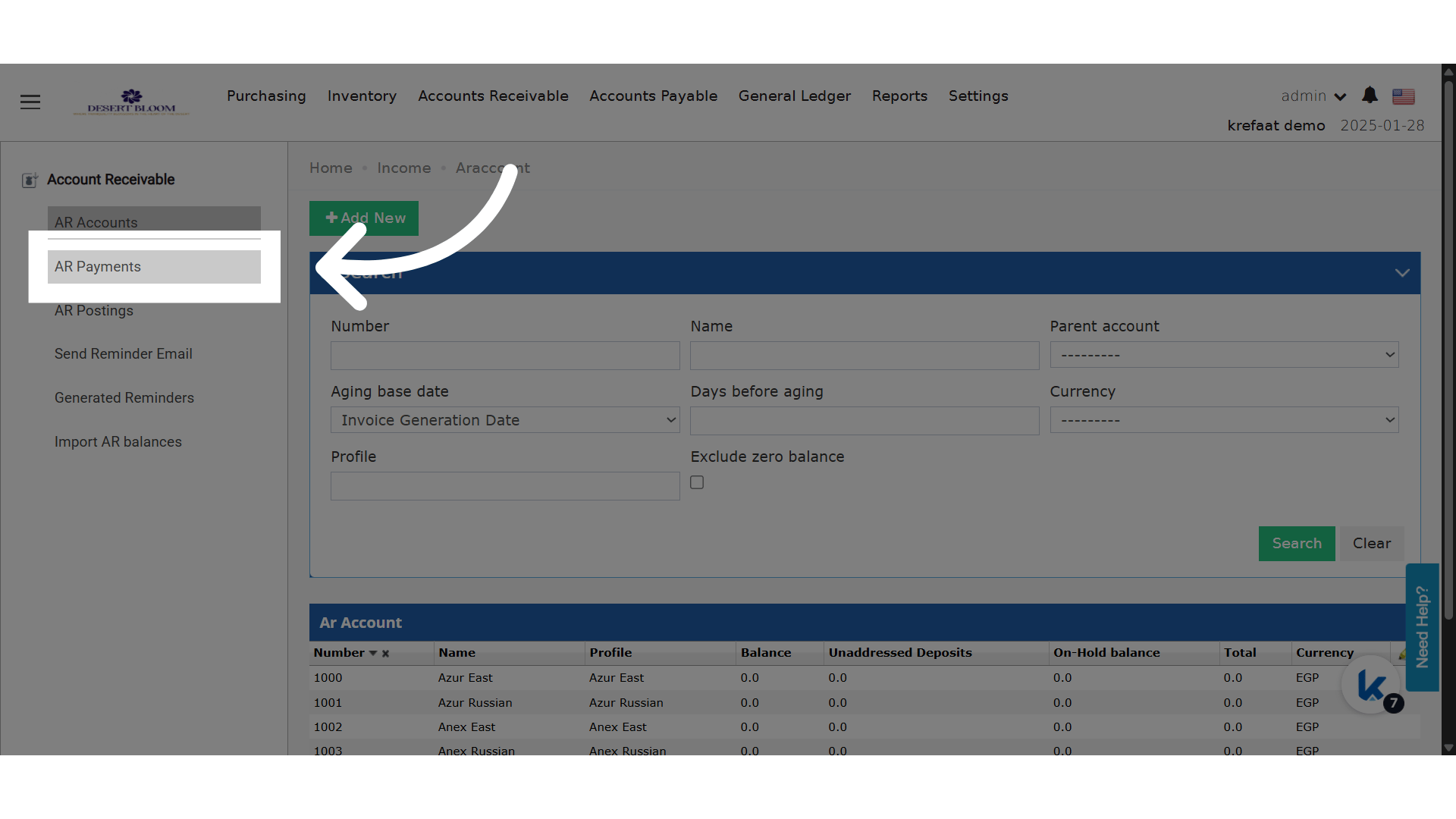
**Click "Account Receivable"**

<img src="https://mintcdn.com/kwentra/ihKERj9Iv4_uINTW/images/back-office/accounts-receivable/unlink-individual-ar-invoices-from-ar-payment-without-cancelling/bc90d174d4.png?fit=max&auto=format&n=ihKERj9Iv4_uINTW&q=85&s=8c2840f3d4492e01347c1b3f89e5c8f4" alt="preview" width="1920" height="1080" data-path="images/back-office/accounts-receivable/unlink-individual-ar-invoices-from-ar-payment-without-cancelling/bc90d174d4.png" />

**Click "AR Payments"**

<img src="https://mintcdn.com/kwentra/ihKERj9Iv4_uINTW/images/back-office/accounts-receivable/unlink-individual-ar-invoices-from-ar-payment-without-cancelling/8003b74865.png?fit=max&auto=format&n=ihKERj9Iv4_uINTW&q=85&s=49fa0e518a6e3cfed64bc3541d869ffb" alt="preview" width="1920" height="1080" data-path="images/back-office/accounts-receivable/unlink-individual-ar-invoices-from-ar-payment-without-cancelling/8003b74865.png" />

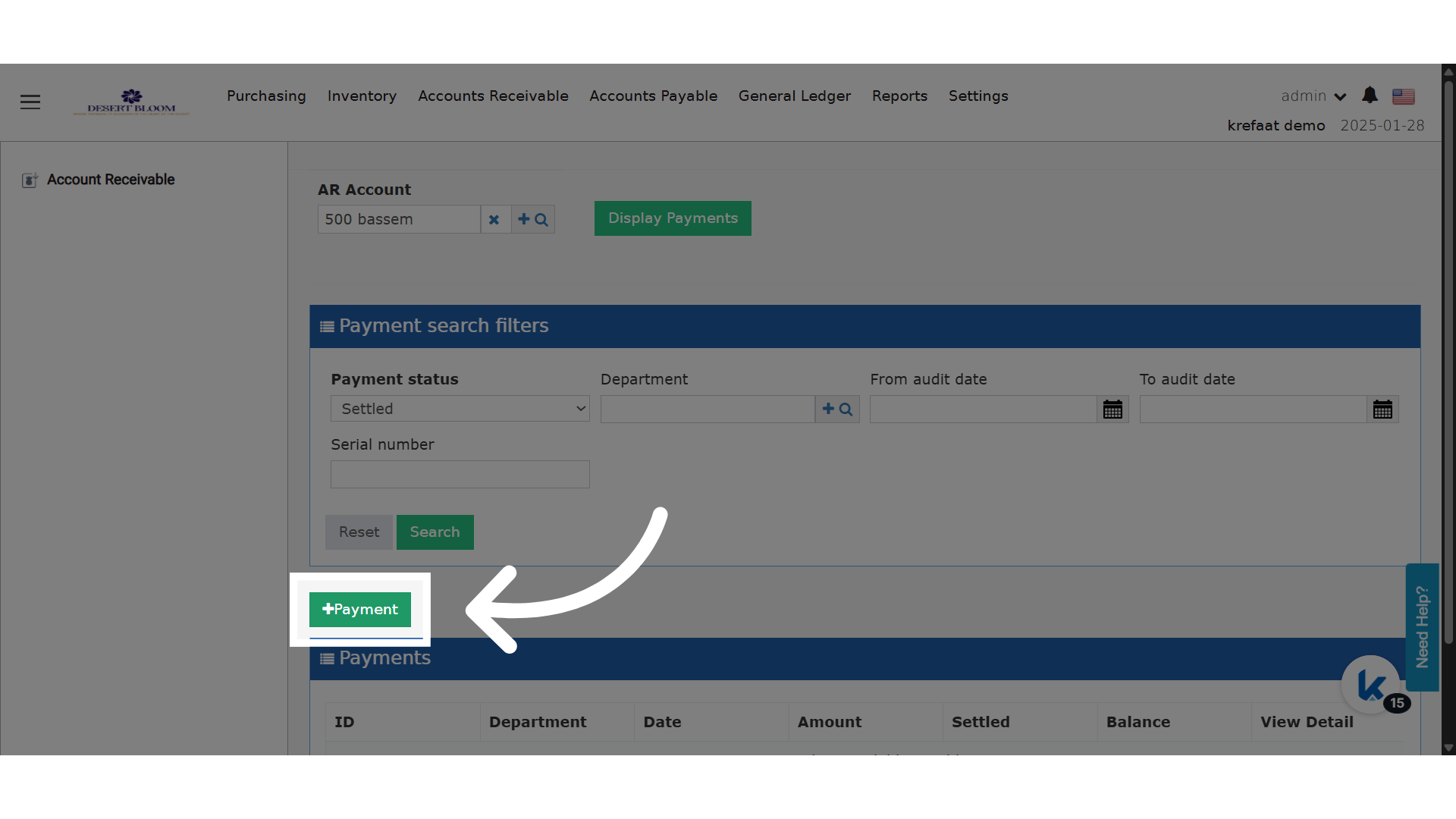
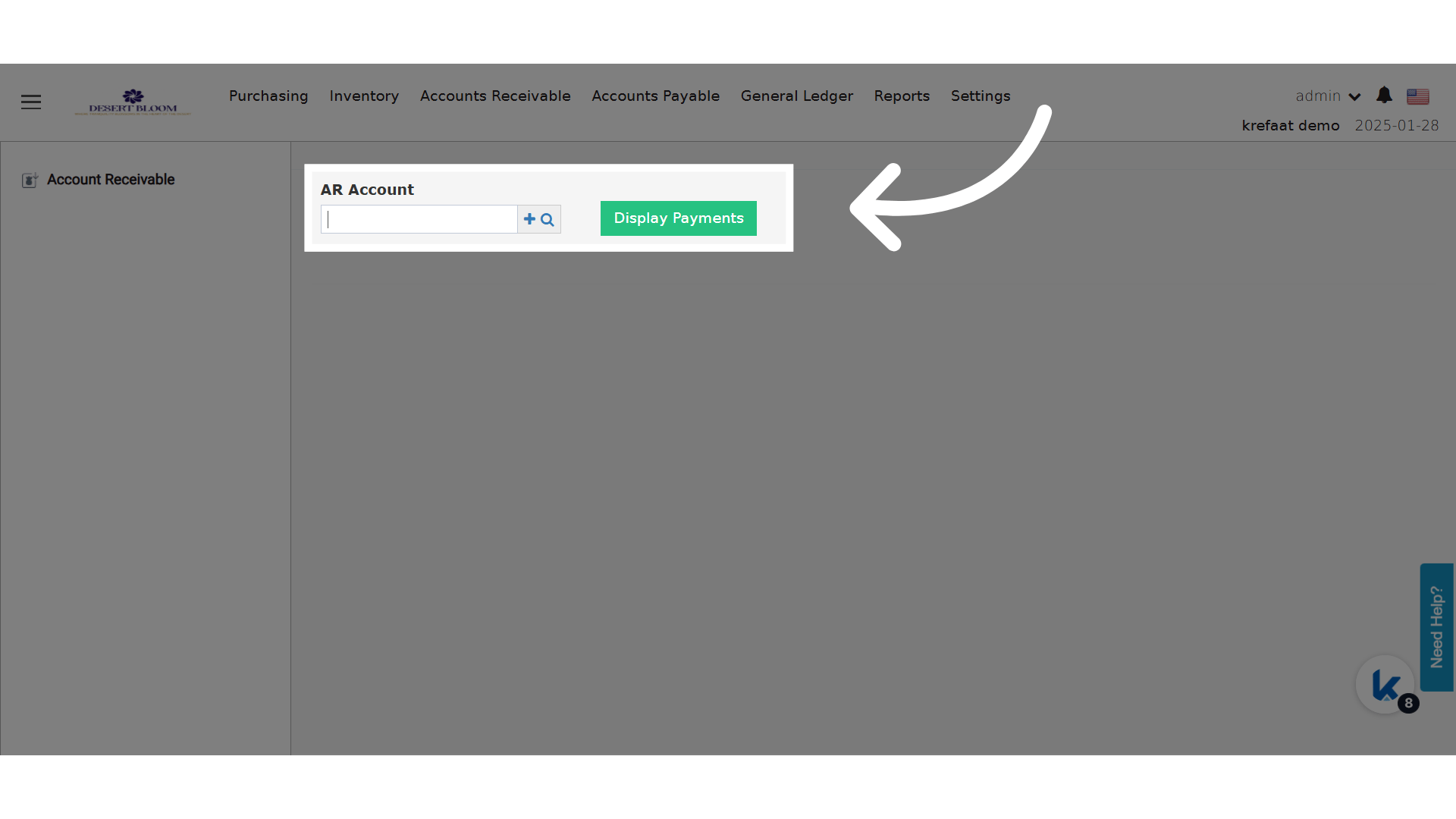
**Search for an AR Account to display their payments**
<img src="https://mintcdn.com/kwentra/ihKERj9Iv4_uINTW/images/back-office/accounts-receivable/unlink-individual-ar-invoices-from-ar-payment-without-cancelling/586298c3e0.png?fit=max&auto=format&n=ihKERj9Iv4_uINTW&q=85&s=d0316898ed61f5fd8b2c3e1da614b9e6" alt="preview" width="1920" height="1080" data-path="images/back-office/accounts-receivable/unlink-individual-ar-invoices-from-ar-payment-without-cancelling/586298c3e0.png" />

**Add a payment**

<img src="https://mintcdn.com/kwentra/ihKERj9Iv4_uINTW/images/back-office/accounts-receivable/unlink-individual-ar-invoices-from-ar-payment-without-cancelling/f7673248ea.png?fit=max&auto=format&n=ihKERj9Iv4_uINTW&q=85&s=b5c0f260241d83ca7209bf07f3bea168" alt="preview" width="1920" height="1080" data-path="images/back-office/accounts-receivable/unlink-individual-ar-invoices-from-ar-payment-without-cancelling/f7673248ea.png" />

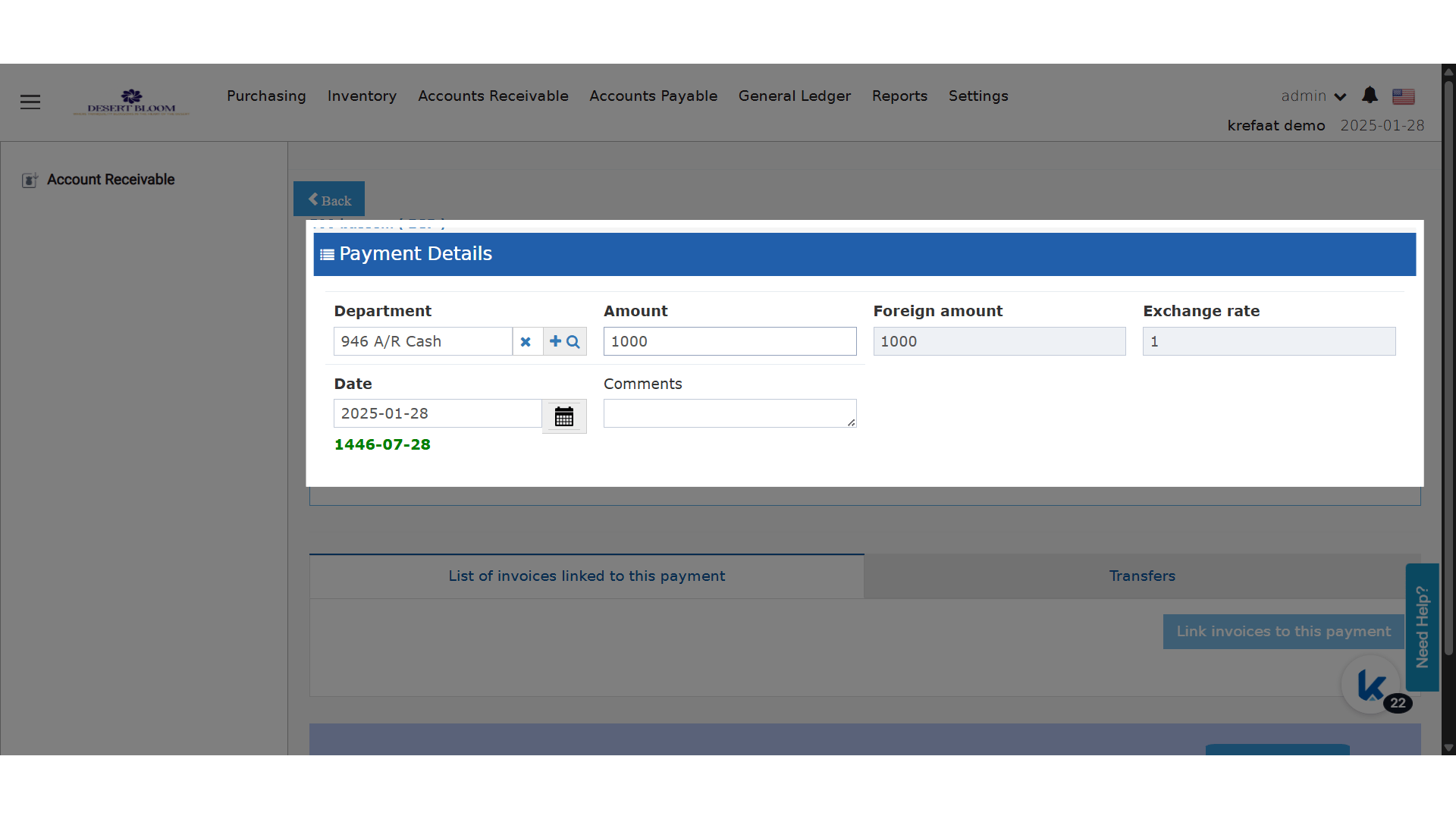
**Payment Department & Details**

<img src="https://mintcdn.com/kwentra/ihKERj9Iv4_uINTW/images/back-office/accounts-receivable/unlink-individual-ar-invoices-from-ar-payment-without-cancelling/9fe5ea11e6.png?fit=max&auto=format&n=ihKERj9Iv4_uINTW&q=85&s=0fff6c6c57526e28e6f0db97f3548b88" alt="preview" width="1920" height="1080" data-path="images/back-office/accounts-receivable/unlink-individual-ar-invoices-from-ar-payment-without-cancelling/9fe5ea11e6.png" />

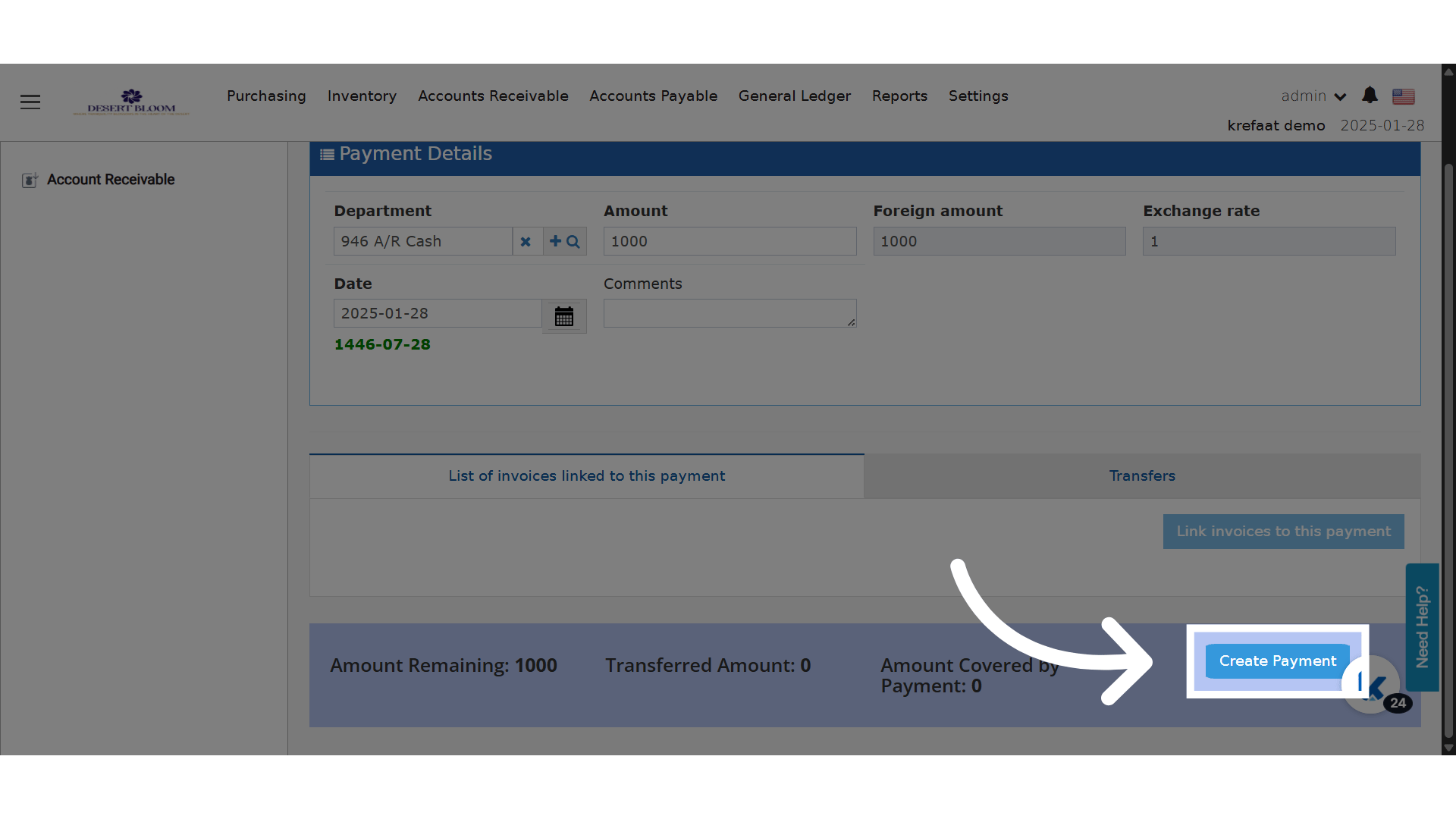
**Click "Create Payment"**

<img src="https://mintcdn.com/kwentra/ihKERj9Iv4_uINTW/images/back-office/accounts-receivable/unlink-individual-ar-invoices-from-ar-payment-without-cancelling/253d2356a5.png?fit=max&auto=format&n=ihKERj9Iv4_uINTW&q=85&s=5032d620ee09b80153b5d5a68698a33a" alt="preview" width="1920" height="1080" data-path="images/back-office/accounts-receivable/unlink-individual-ar-invoices-from-ar-payment-without-cancelling/253d2356a5.png" />

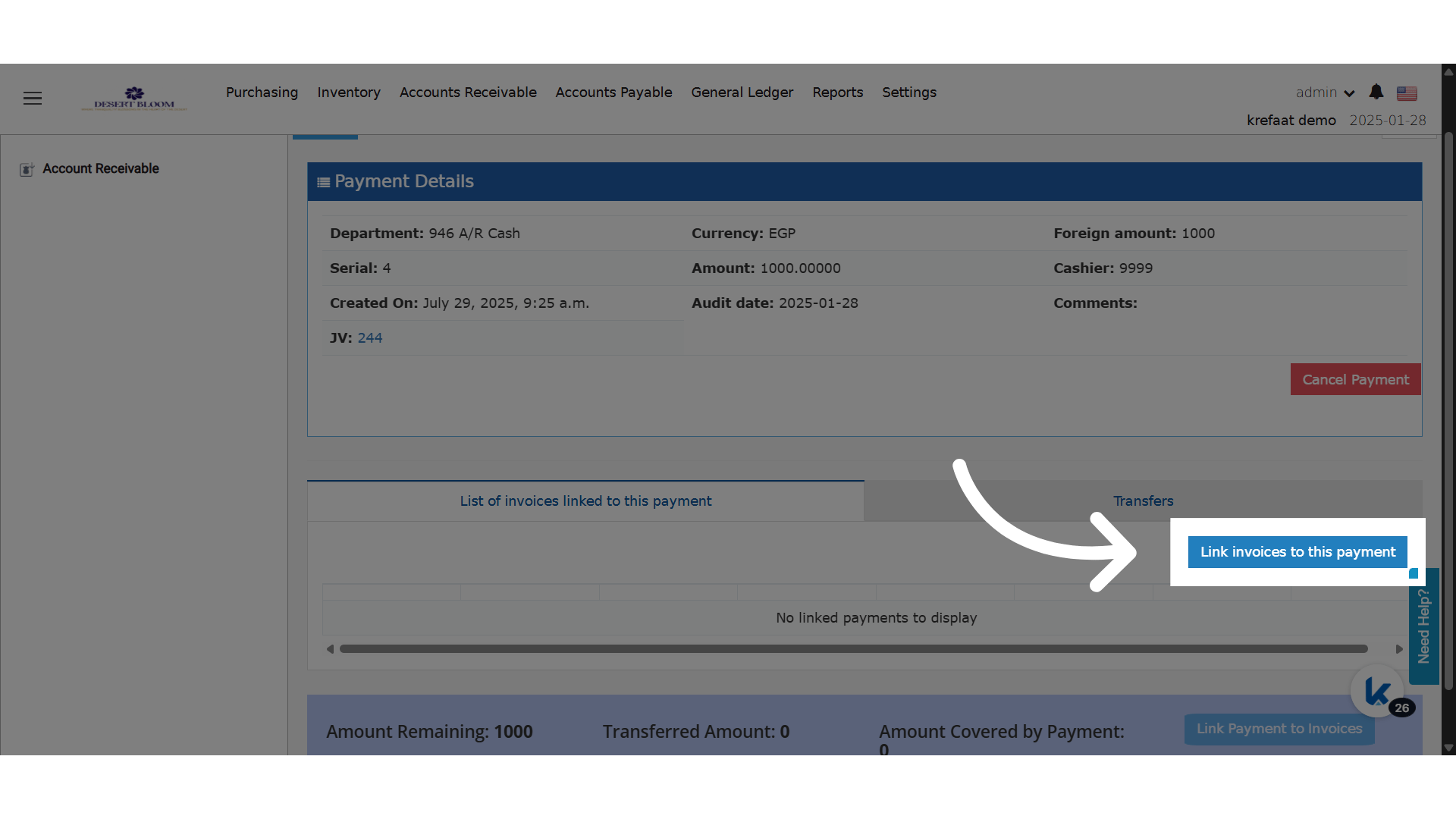
**Link Invoice to Payment**

<img src="https://mintcdn.com/kwentra/ihKERj9Iv4_uINTW/images/back-office/accounts-receivable/unlink-individual-ar-invoices-from-ar-payment-without-cancelling/f2321802ae.png?fit=max&auto=format&n=ihKERj9Iv4_uINTW&q=85&s=0fc859e42e9786e20e6709be0cb17bb8" alt="preview" width="1920" height="1080" data-path="images/back-office/accounts-receivable/unlink-individual-ar-invoices-from-ar-payment-without-cancelling/f2321802ae.png" />

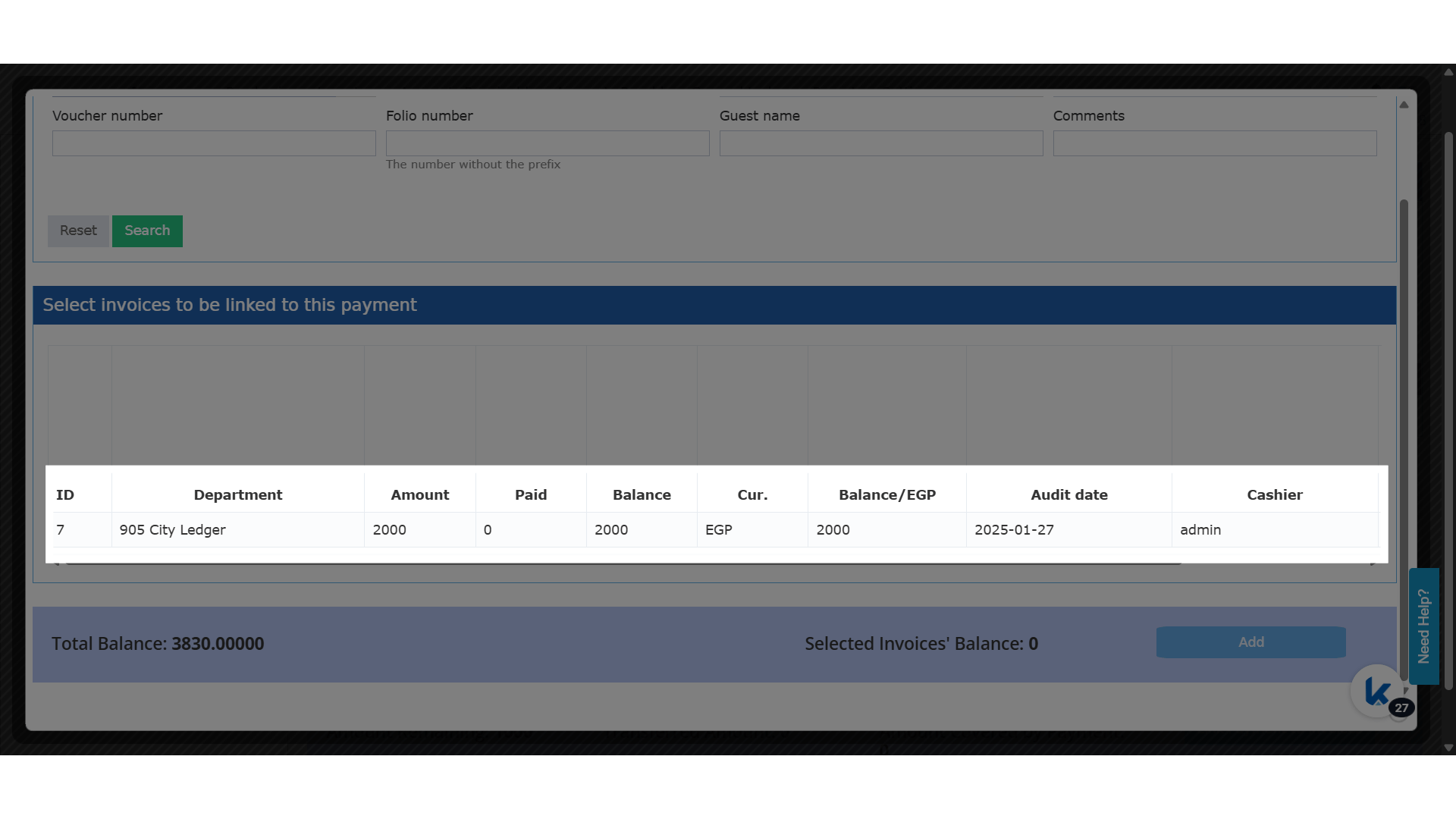
**Select Invoice**

<img src="https://mintcdn.com/kwentra/ihKERj9Iv4_uINTW/images/back-office/accounts-receivable/unlink-individual-ar-invoices-from-ar-payment-without-cancelling/8eac87de5d.png?fit=max&auto=format&n=ihKERj9Iv4_uINTW&q=85&s=bce51b7eb7b90f2b2ebd766fe60b75ff" alt="preview" width="1920" height="1080" data-path="images/back-office/accounts-receivable/unlink-individual-ar-invoices-from-ar-payment-without-cancelling/8eac87de5d.png" />

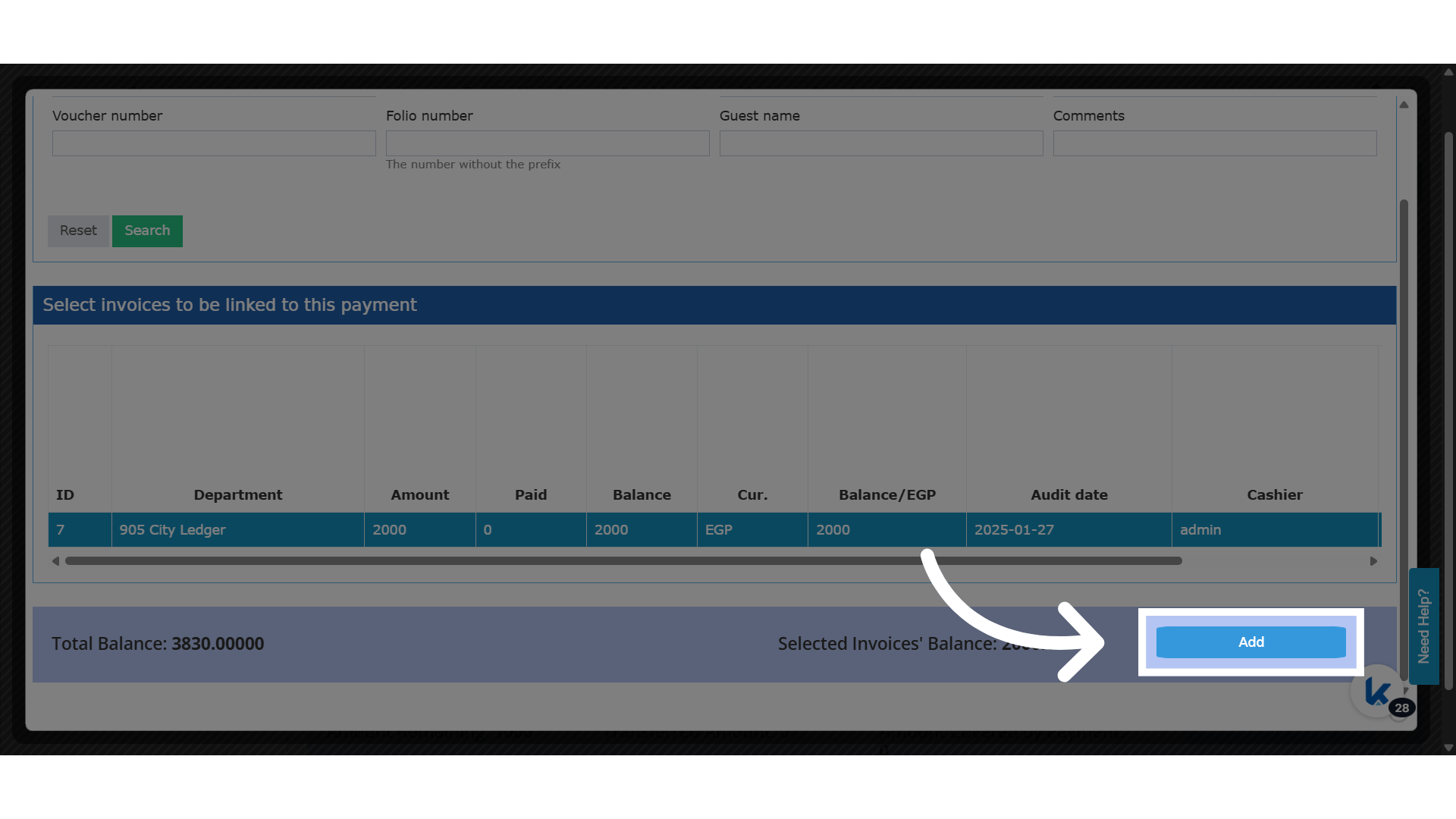
**Click "Add"**

<img src="https://mintcdn.com/kwentra/ihKERj9Iv4_uINTW/images/back-office/accounts-receivable/unlink-individual-ar-invoices-from-ar-payment-without-cancelling/78f1d63a93.png?fit=max&auto=format&n=ihKERj9Iv4_uINTW&q=85&s=66d75b86e2f230fb1eceb4013e7e185e" alt="preview" width="1920" height="1080" data-path="images/back-office/accounts-receivable/unlink-individual-ar-invoices-from-ar-payment-without-cancelling/78f1d63a93.png" />

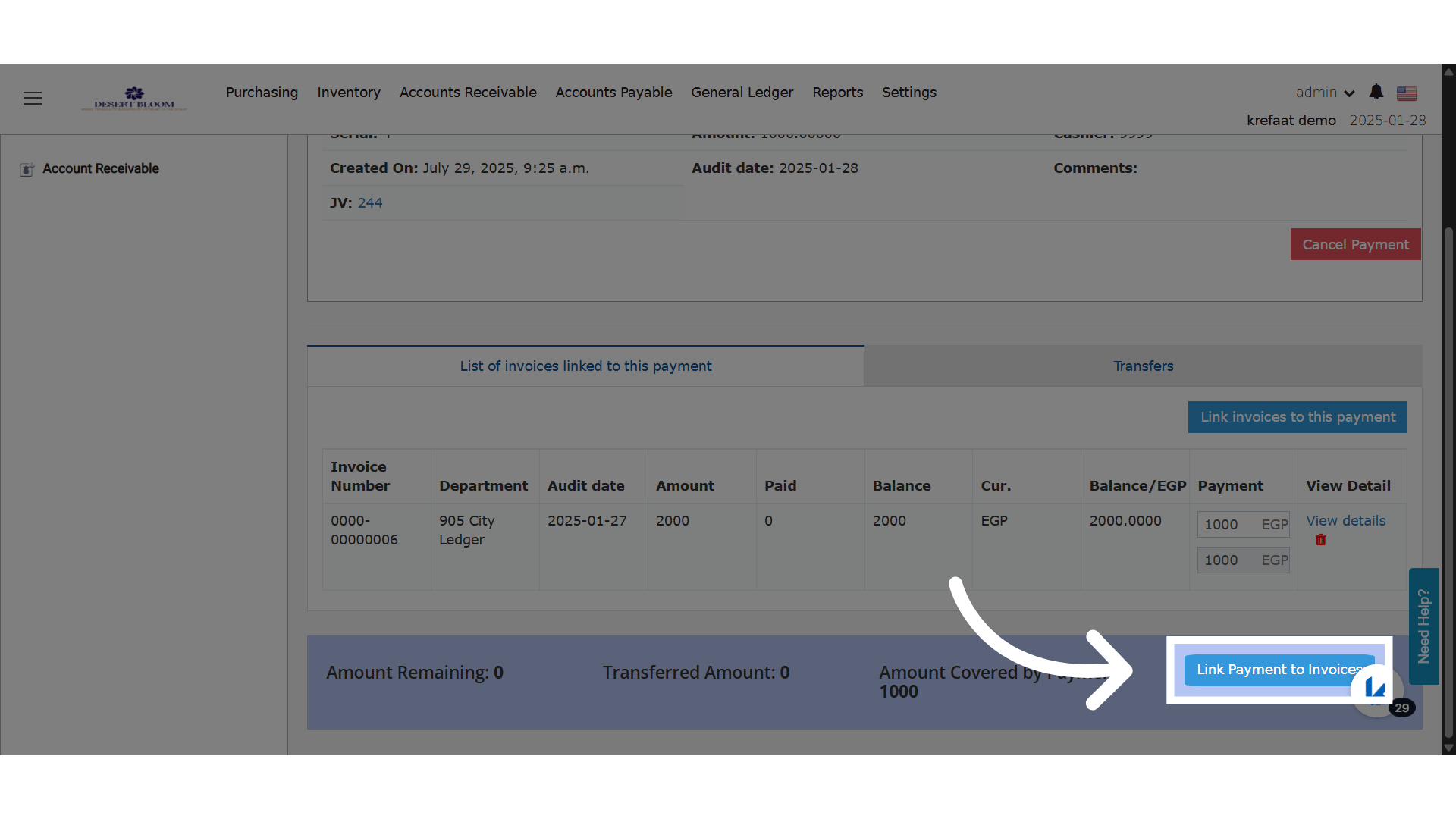
**Click "Link Payment to Invoices"**

<img src="https://mintcdn.com/kwentra/ihKERj9Iv4_uINTW/images/back-office/accounts-receivable/unlink-individual-ar-invoices-from-ar-payment-without-cancelling/9ca161667d.png?fit=max&auto=format&n=ihKERj9Iv4_uINTW&q=85&s=36d02f56d1691000f9b2a69266009a64" alt="preview" width="1920" height="1080" data-path="images/back-office/accounts-receivable/unlink-individual-ar-invoices-from-ar-payment-without-cancelling/9ca161667d.png" />

### **New Feature!**

Now you have the unlink option.
<img src="https://mintcdn.com/kwentra/ihKERj9Iv4_uINTW/images/back-office/accounts-receivable/unlink-individual-ar-invoices-from-ar-payment-without-cancelling/6d8105cfd3.png?fit=max&auto=format&n=ihKERj9Iv4_uINTW&q=85&s=155fc48a1a06d04334136731e73836b0" alt="preview" width="1920" height="1080" data-path="images/back-office/accounts-receivable/unlink-individual-ar-invoices-from-ar-payment-without-cancelling/6d8105cfd3.png" />

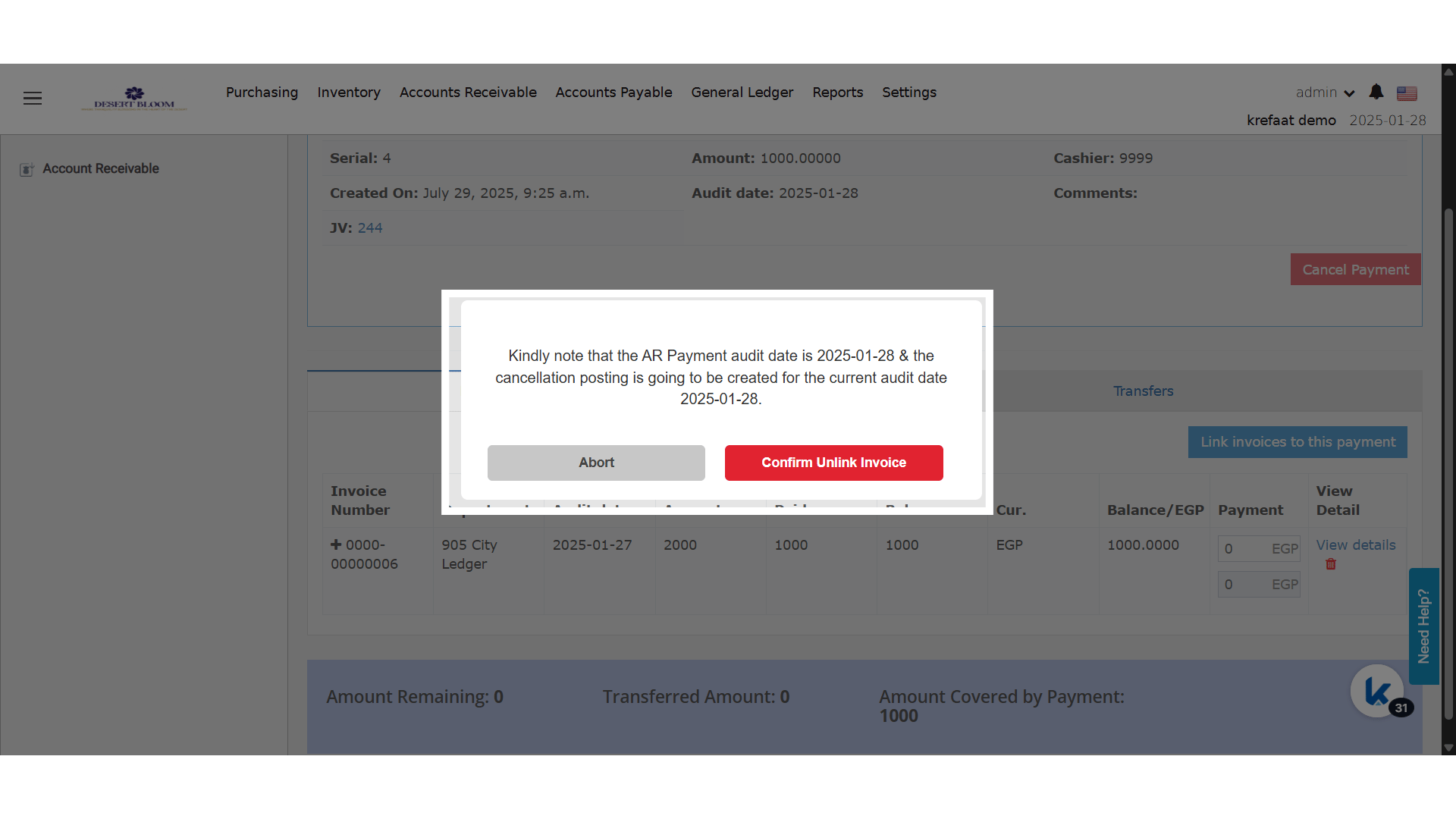
**Unlink Disclaimer**

<img src="https://mintcdn.com/kwentra/ihKERj9Iv4_uINTW/images/back-office/accounts-receivable/unlink-individual-ar-invoices-from-ar-payment-without-cancelling/7df8259461.png?fit=max&auto=format&n=ihKERj9Iv4_uINTW&q=85&s=19c003aa2af5f608e34771426fd56546" alt="preview" width="1920" height="1080" data-path="images/back-office/accounts-receivable/unlink-individual-ar-invoices-from-ar-payment-without-cancelling/7df8259461.png" />