> ## Documentation Index
> Fetch the complete documentation index at: https://help.kwentra.com/llms.txt
> Use this file to discover all available pages before exploring further.
# What is the JV Code?
> The Journal Voucher (JV) code is a serialization Kwentra uses to organize and identify the financial transactions created in the Back Office.
A **JV (Journal Voucher) code** is a label Kwentra uses to organize the financial transactions created in the Back Office, so each one is easy to identify later.
Back Office transactions fall into a few main types:
* Receiving inventory items into your warehouses and outlets.
* Transferring items between warehouses and outlets.
* Using items in the outlets to generate revenue.
* Returning items (return requests).
* Paying vendors.
* Creating manual journal vouchers in the General Ledger.
Giving each transaction type its own JV code keeps your records easy to read — on a report such as the balance sheet you can tell what a transaction is just from its JV code. Using one shared code for everything makes a specific transaction harder to find when you need to review it.
#### **Assign JV codes to transactions**
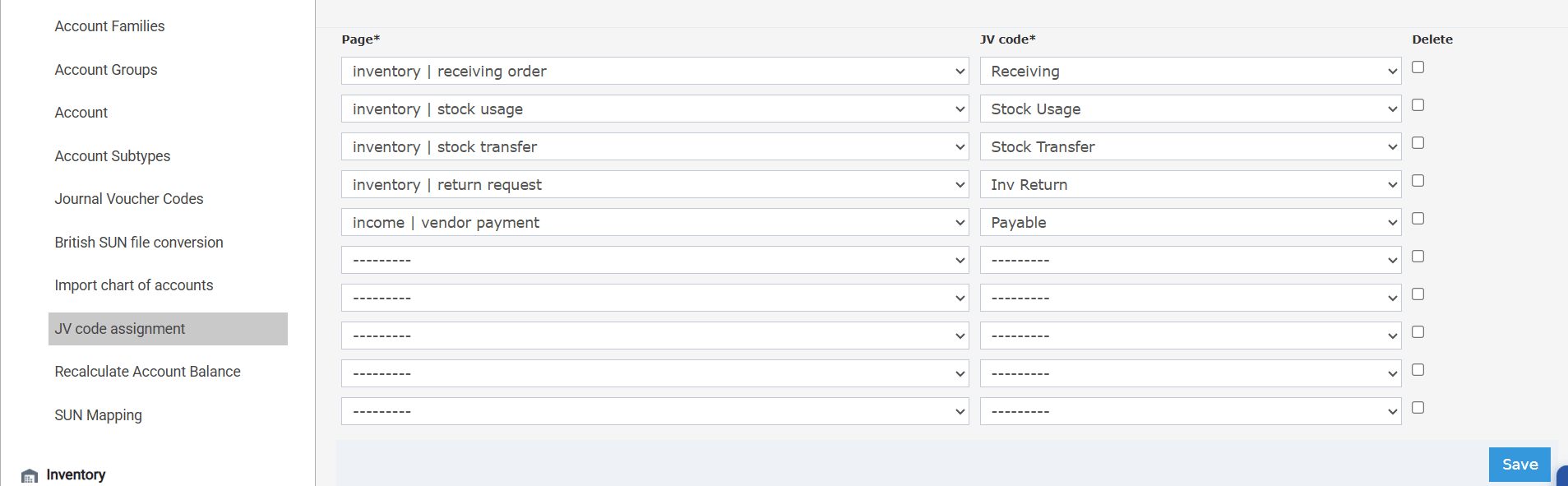
Go to **Back Office → Settings → Accounts → JV code assignment**. Match each **Page** (transaction type) to the **JV code** it should use, then click **Save**.
 #### **Add more JV codes**
Kwentra includes a set of ready-made JV codes, and you can add your own — for example, a dedicated code for the manual journal vouchers you create from the General Ledger.
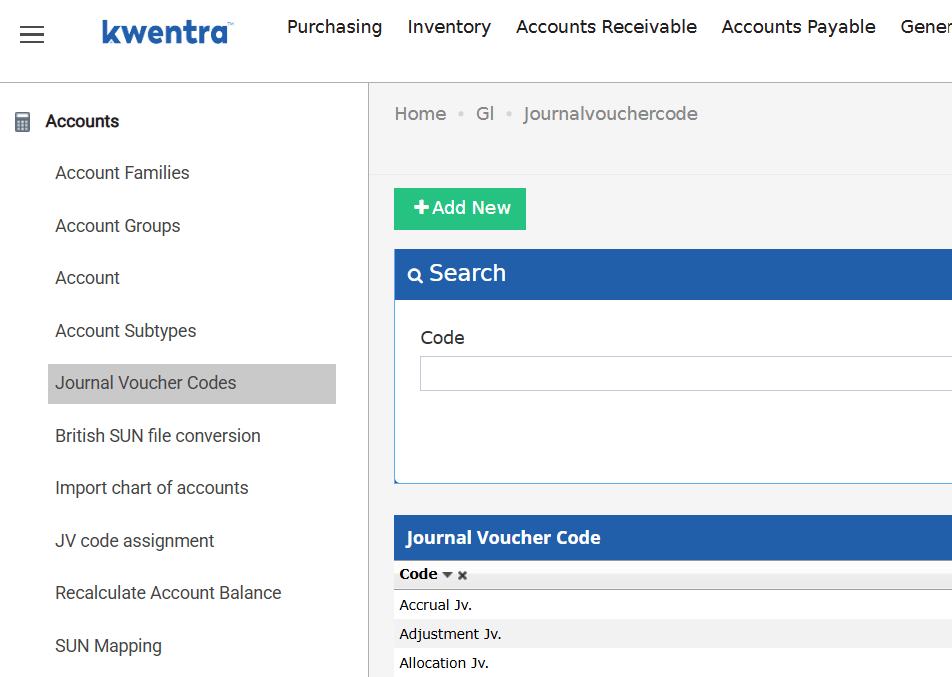
Go to **Back Office → Settings → Accounts → Journal Voucher Codes → Add New**, enter the code, and save. It then becomes available in the **JV code assignment** dropdowns.
#### **Add more JV codes**
Kwentra includes a set of ready-made JV codes, and you can add your own — for example, a dedicated code for the manual journal vouchers you create from the General Ledger.
Go to **Back Office → Settings → Accounts → Journal Voucher Codes → Add New**, enter the code, and save. It then becomes available in the **JV code assignment** dropdowns.