> ## Documentation Index
> Fetch the complete documentation index at: https://help.kwentra.com/llms.txt
> Use this file to discover all available pages before exploring further.
# Journal Voucher Reconciliation & Tracking in General Ledger
> Easily flag, track, and filter reconciled journal vouchers directly from the General Ledger. Business Value Faster Period-End Closing: Instantly identify which JVs are reconciled and ready for repo...
Easily flag, track, and filter reconciled journal vouchers directly from the General Ledger.
***
### **Business Value**
* **Faster Period-End Closing:** Instantly identify which JVs are reconciled and ready for reporting.
* **Better Audit Trail:** Every action—flagging or unflagging—is logged, improving traceability.
* **Enhanced Control:** Only authorized roles can reconcile or unreconcile JVs, protecting data integrity.
* **Streamlined Review:** Quickly filter the JV list to show only reconciled or unreconciled entries.
***
### **Use Cases**
* **Monthly or Year-End Close:** Finance teams mark all reconciled JVs as “Reconciled” to verify completeness before finalizing accounts.
* **Audit Preparation:** Auditors filter to see only unreconciled JVs to focus their review.
* **Error Correction:** If a mistake is found in a reconciled JV, authorized users can unflag it, triggering a warning if the JV is being unposted.
***
### **How to Use the Reconcile Button**
**Where:**
Back Office → General Ledger → Select Journal Voucher (JV)
**What to Do:**
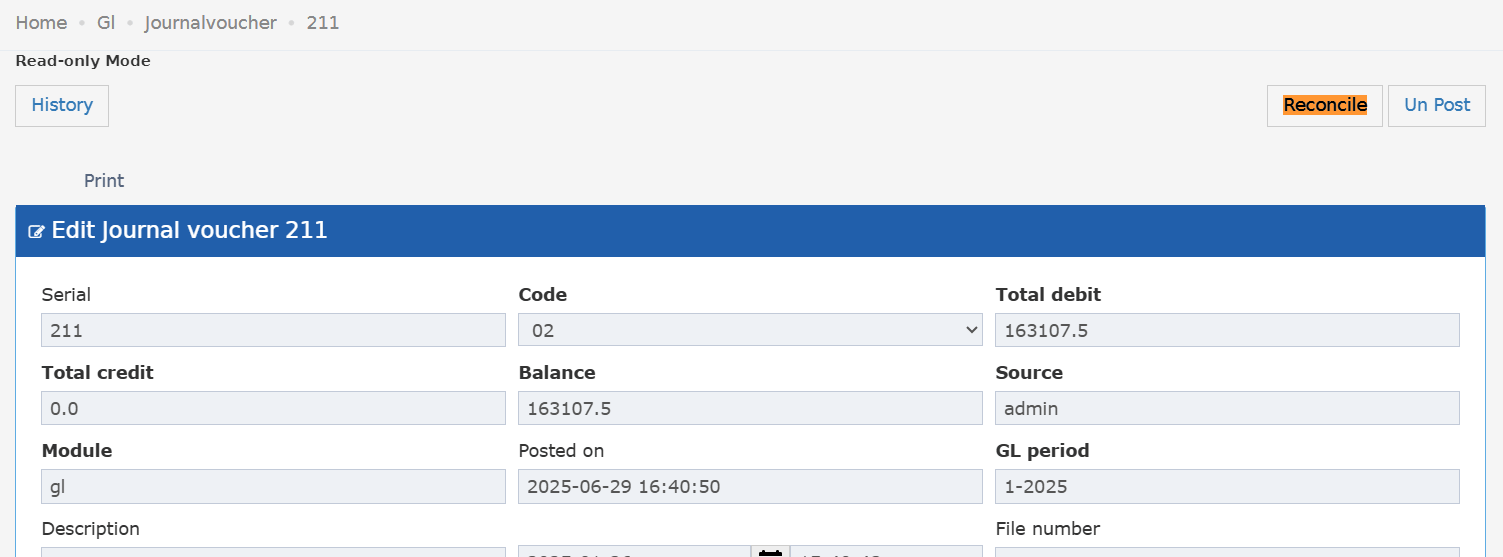
1. On the JV details screen, click the new **“Reconcile”** button.
2. When clicked:
* JV is flagged as “Reconciled”
* Button changes to “Reconciled” and turns green
* Clicking again will **unflag** the JV (back to “Reconcile”, color removed)
3. Every action (flag/unflag) is recorded in the JV history with the user, date, and action.
 **Unposting Warning:**
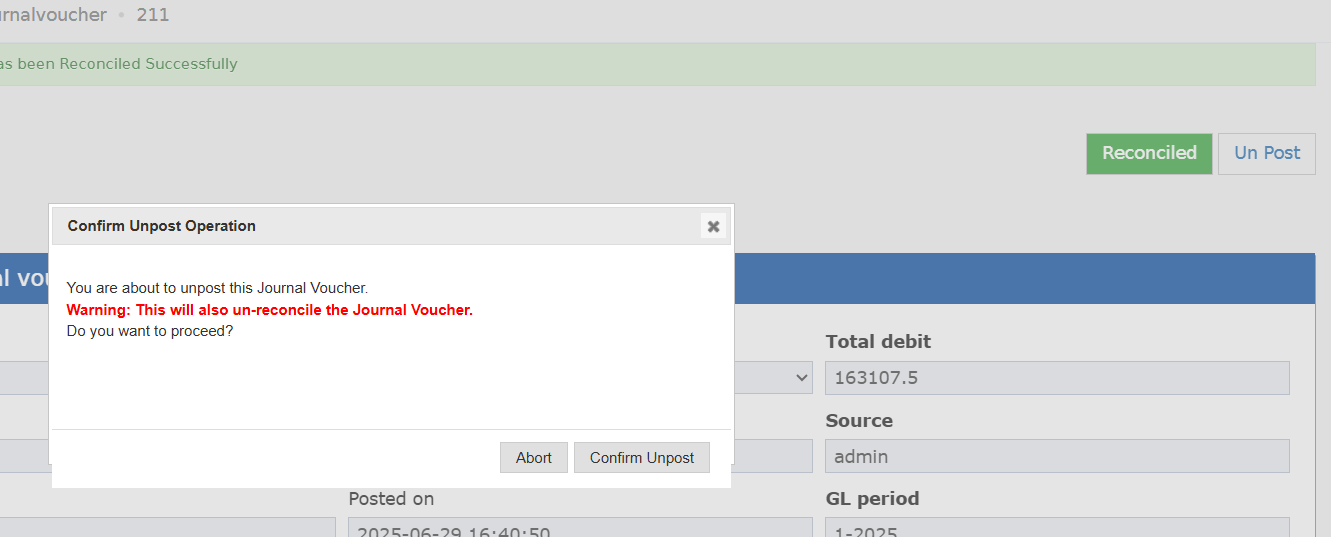
* If you try to unpost a JV that’s currently “Reconciled”, you’ll see a warning:
*“Unposting this JV will set the reconciliation flag to false.”*
**Unposting Warning:**
* If you try to unpost a JV that’s currently “Reconciled”, you’ll see a warning:
*“Unposting this JV will set the reconciliation flag to false.”*
 **Filter and Permissions**
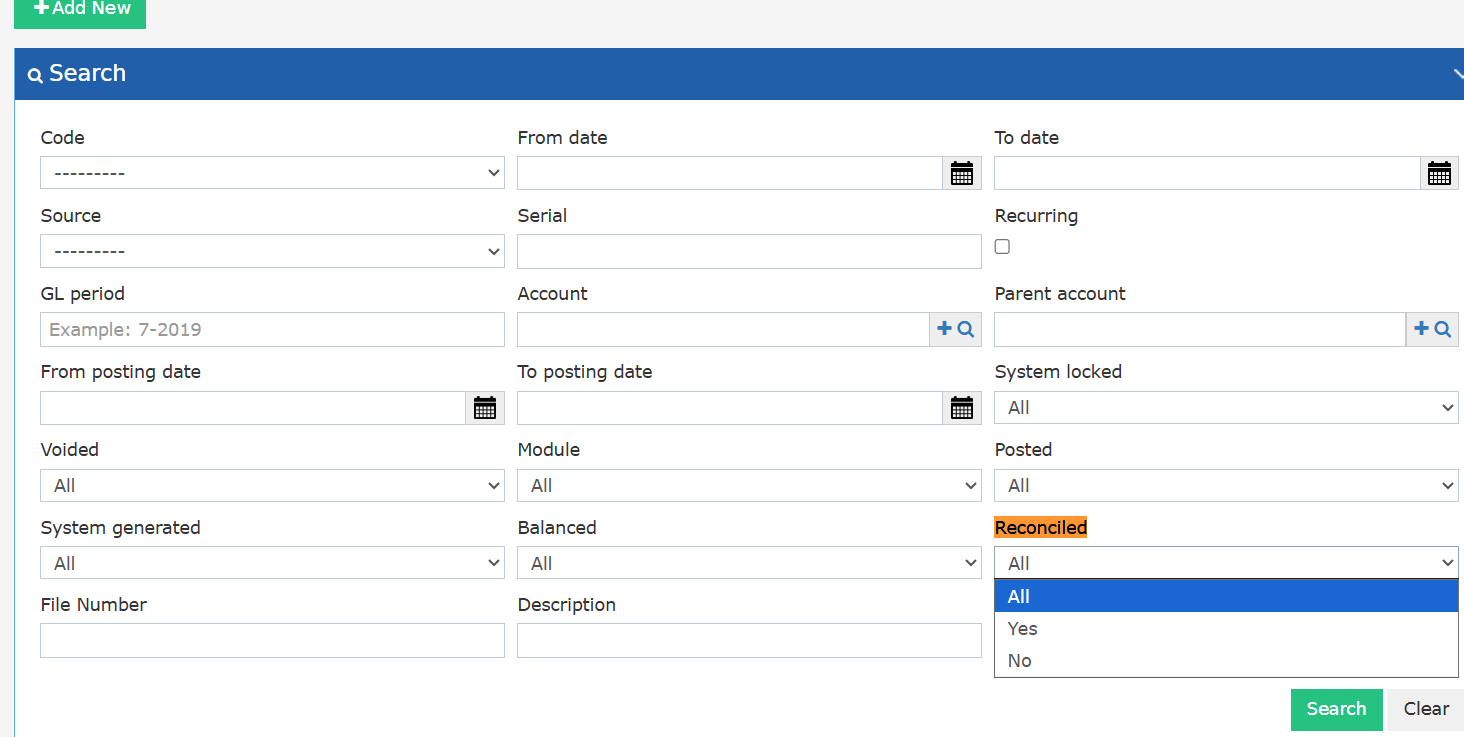
* **Listing Screen Filter:**
* New filter: **Reconciled (All / Yes / No)**
* Default: All JVs
* Yes: Only show “Reconciled” JVs
* No: Only show “Not Reconciled” JVs
* **Permissions:**
* New group permission: **can reconcile jv**
* Only these groups can use the feature:
* BackOffice (and all subtypes)
* Chief Acc, Financial Controller, Financial Manager, General Manager, Income Auditor, Payable, Purchasing Manager (and “No Settings”/“No Reports” variants)
* Other users see the status but **cannot** change it.
**Filter and Permissions**
* **Listing Screen Filter:**
* New filter: **Reconciled (All / Yes / No)**
* Default: All JVs
* Yes: Only show “Reconciled” JVs
* No: Only show “Not Reconciled” JVs
* **Permissions:**
* New group permission: **can reconcile jv**
* Only these groups can use the feature:
* BackOffice (and all subtypes)
* Chief Acc, Financial Controller, Financial Manager, General Manager, Income Auditor, Payable, Purchasing Manager (and “No Settings”/“No Reports” variants)
* Other users see the status but **cannot** change it.
 ## ***Update: 12th of November, 2025***
### **Bulk Reconcile Action for Journal Vouchers**
Instantly reconcile multiple journal vouchers in one step for faster period-end closing and improved audit control.
***
### **Use Cases**
* The finance team reconciles all posted, unreconciled JVs at once after completing the period review.
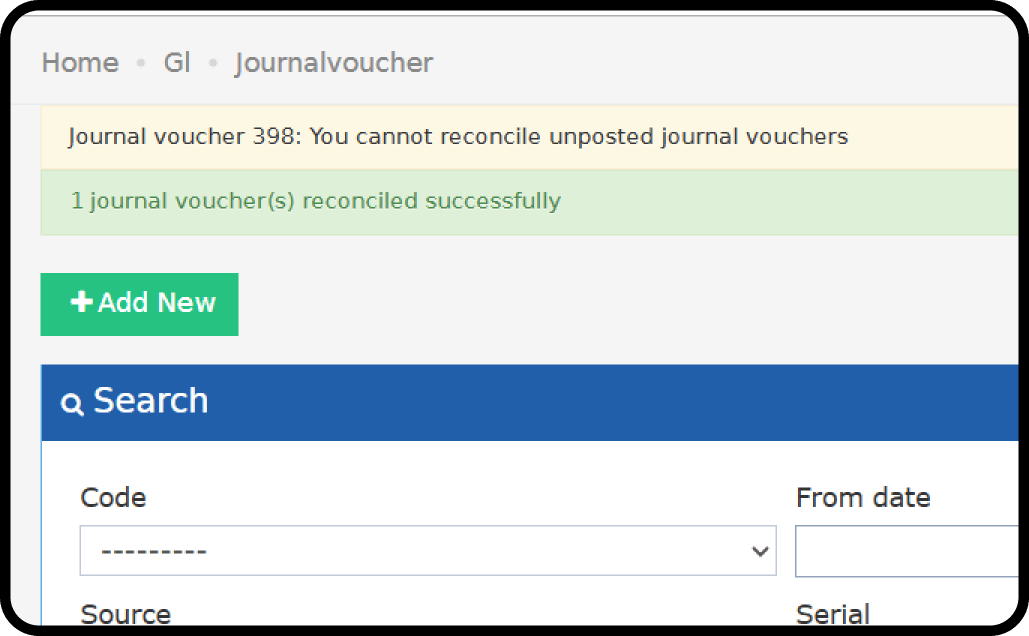
* Users attempt to reconcile; the system notifies them if any JV is unposted or already reconciled.
***
### **How to Use Bulk Reconcile for Journal Vouchers**
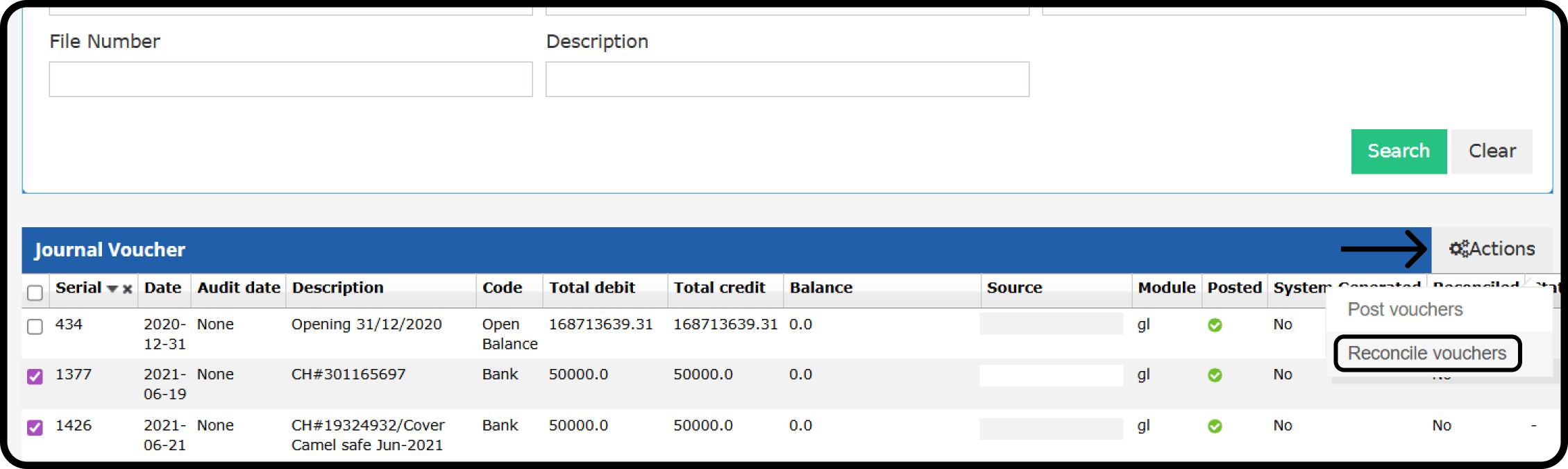
* Back Office → General Ledger → Search for unreconciled JVs
* Mark on the JVs
* Actions → Reconcile Vouchers
## ***Update: 12th of November, 2025***
### **Bulk Reconcile Action for Journal Vouchers**
Instantly reconcile multiple journal vouchers in one step for faster period-end closing and improved audit control.
***
### **Use Cases**
* The finance team reconciles all posted, unreconciled JVs at once after completing the period review.
* Users attempt to reconcile; the system notifies them if any JV is unposted or already reconciled.
***
### **How to Use Bulk Reconcile for Journal Vouchers**
* Back Office → General Ledger → Search for unreconciled JVs
* Mark on the JVs
* Actions → Reconcile Vouchers
 ### **Validation Messages**
* If a selected JV is **unposted**:
*“JV Number: You cannot reconcile unposted journal vouchers.”*
* If a selected JV is **already reconciled**:
*“JV Number: Journal voucher already reconciled”*
* Posted Journal vouchers will update normally; only unposted JVs will remain unreconciled.
### **Validation Messages**
* If a selected JV is **unposted**:
*“JV Number: You cannot reconcile unposted journal vouchers.”*
* If a selected JV is **already reconciled**:
*“JV Number: Journal voucher already reconciled”*
* Posted Journal vouchers will update normally; only unposted JVs will remain unreconciled.