> ## Documentation Index
> Fetch the complete documentation index at: https://help.kwentra.com/llms.txt
> Use this file to discover all available pages before exploring further.

# Display Requested Value in Store Transfers and Store Usages

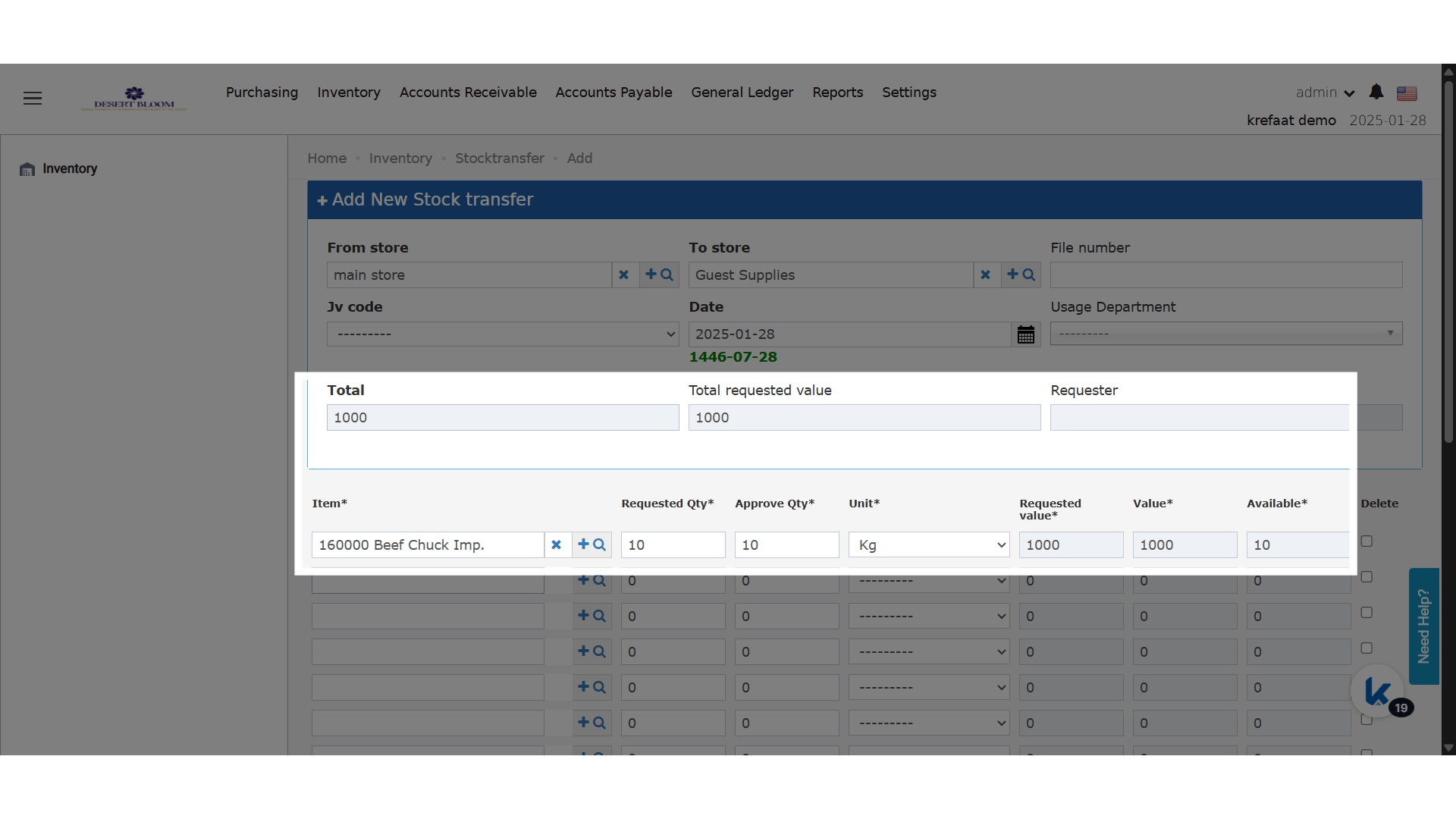
> You can now view a new “Requested Value” column in Store Transfer and Store Usage screens, along with a “Total Requested Value” at the document level. This lets you track the intended cost of your...

You can now view a new “Requested Value” column in Store Transfer and Store Usage screens, along with a “Total Requested Value” at the document level. This lets you track the intended cost of your requests before approval, supporting better budget management and decision making.

### **Business Value**

* **Better Visibility:** Users can easily assess the financial value of their store transfer and usage requests before approval, aiding in budgeting and decision making.
* **Approval Control:** Approvers can quickly see the total potential value of requests, making it easier to approve, reject, or adjust before stock movement.
* **Transparency:** Helps track intended versus approved values, improving accountability and cost control.

## **Use Cases**

* **Pre-Approval Review:** A store manager can check if the total requested value aligns with departmental budgets before submitting for approval.
* **Variance Analysis:** Finance or inventory controllers can compare requested versus approved values for better stock and cost management.
* **Reporting:** Useful for month-end or audit reviews to see both intended and executed inventory movements by value.

### **What’s New?**

* **Requested Value Column**
  * **Appears beside the current “Value” column for each line item.**
  * **Calculation: Item price × requested quantity (per line item).**
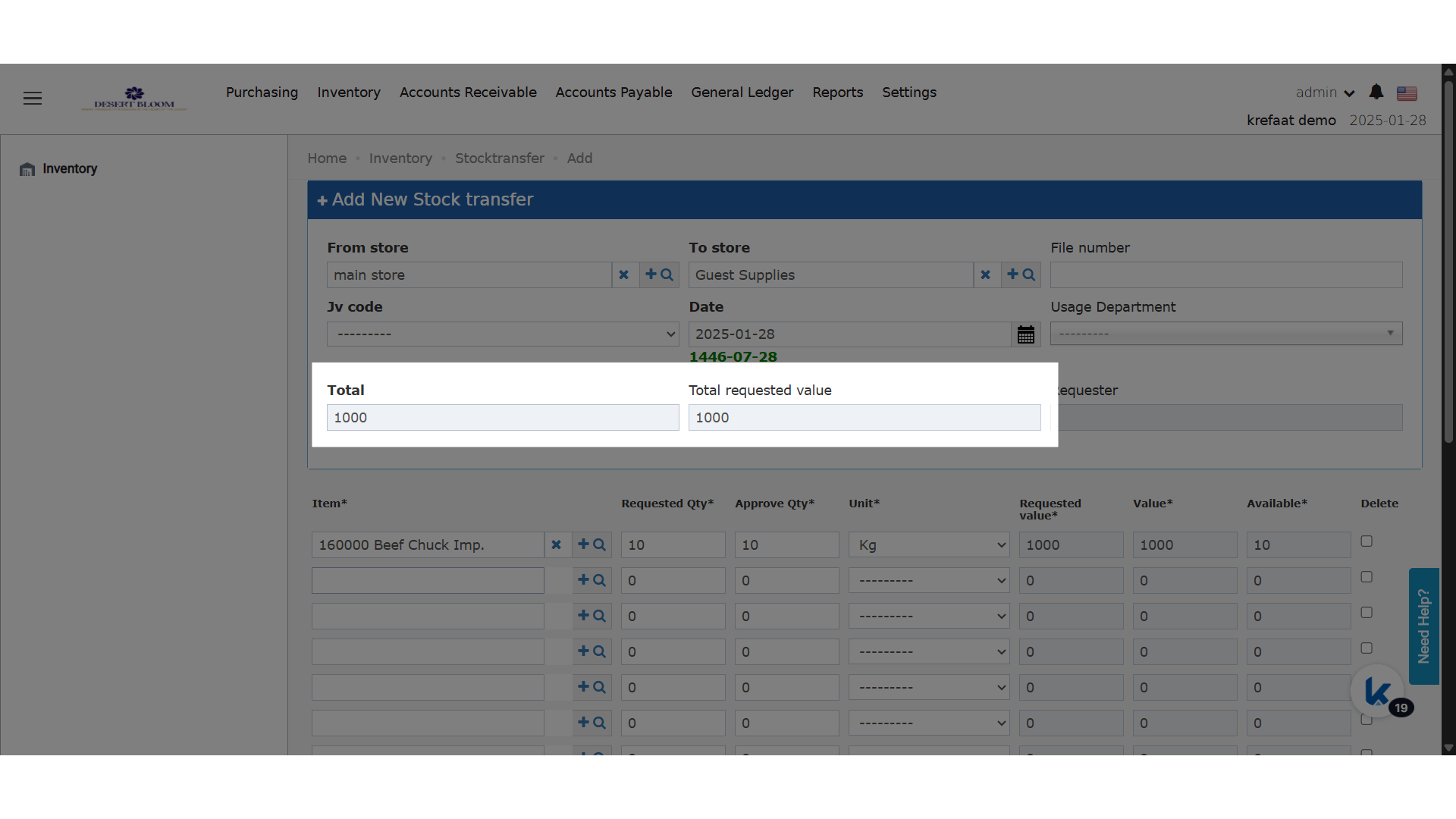
* **Total Requested Value Field**
  * **New field at the transfer/usage level.**
  * **Calculation: Sum of all “Requested Value” entries across line items.**
<img src="https://mintcdn.com/kwentra/3e0d2UvFkkEgL_9Q/images/back-office/inventory/display-requested-value-in-store-transfers-and-store-usages/c7725b1158.png?fit=max&auto=format&n=3e0d2UvFkkEgL_9Q&q=85&s=a7fe856666b8da7704d38e1f51e3f090" alt="preview" width="1920" height="1080" data-path="images/back-office/inventory/display-requested-value-in-store-transfers-and-store-usages/c7725b1158.png" />

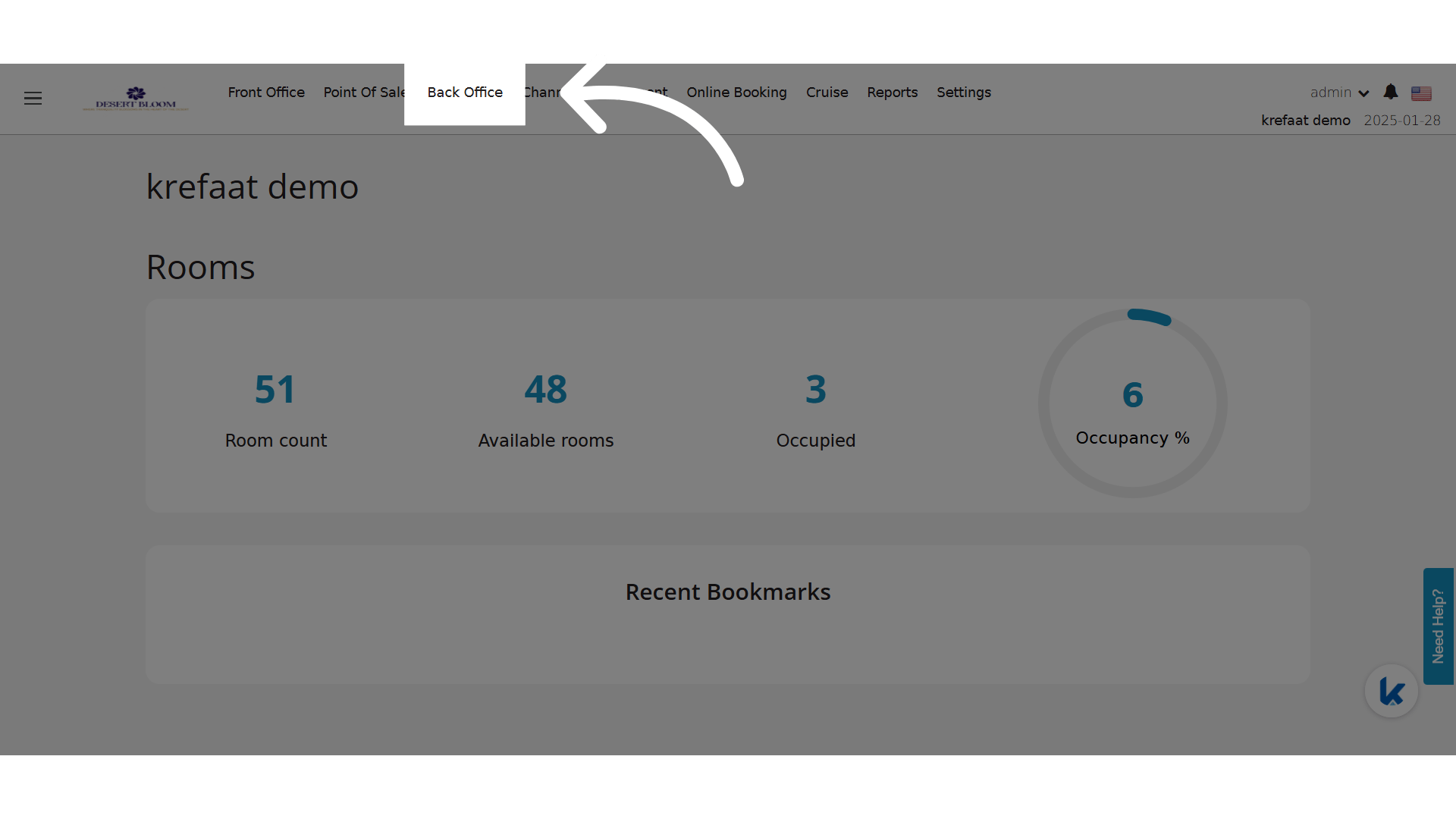
**Go to [manage.kwentra.com](https://manage.kwentra.com/)**

**Click "Back Office"**
<img src="https://mintcdn.com/kwentra/3e0d2UvFkkEgL_9Q/images/back-office/inventory/display-requested-value-in-store-transfers-and-store-usages/6557fd23a4.png?fit=max&auto=format&n=3e0d2UvFkkEgL_9Q&q=85&s=e78045b01303ff30f3665c294fb7137c" alt="preview" width="1920" height="1080" data-path="images/back-office/inventory/display-requested-value-in-store-transfers-and-store-usages/6557fd23a4.png" />

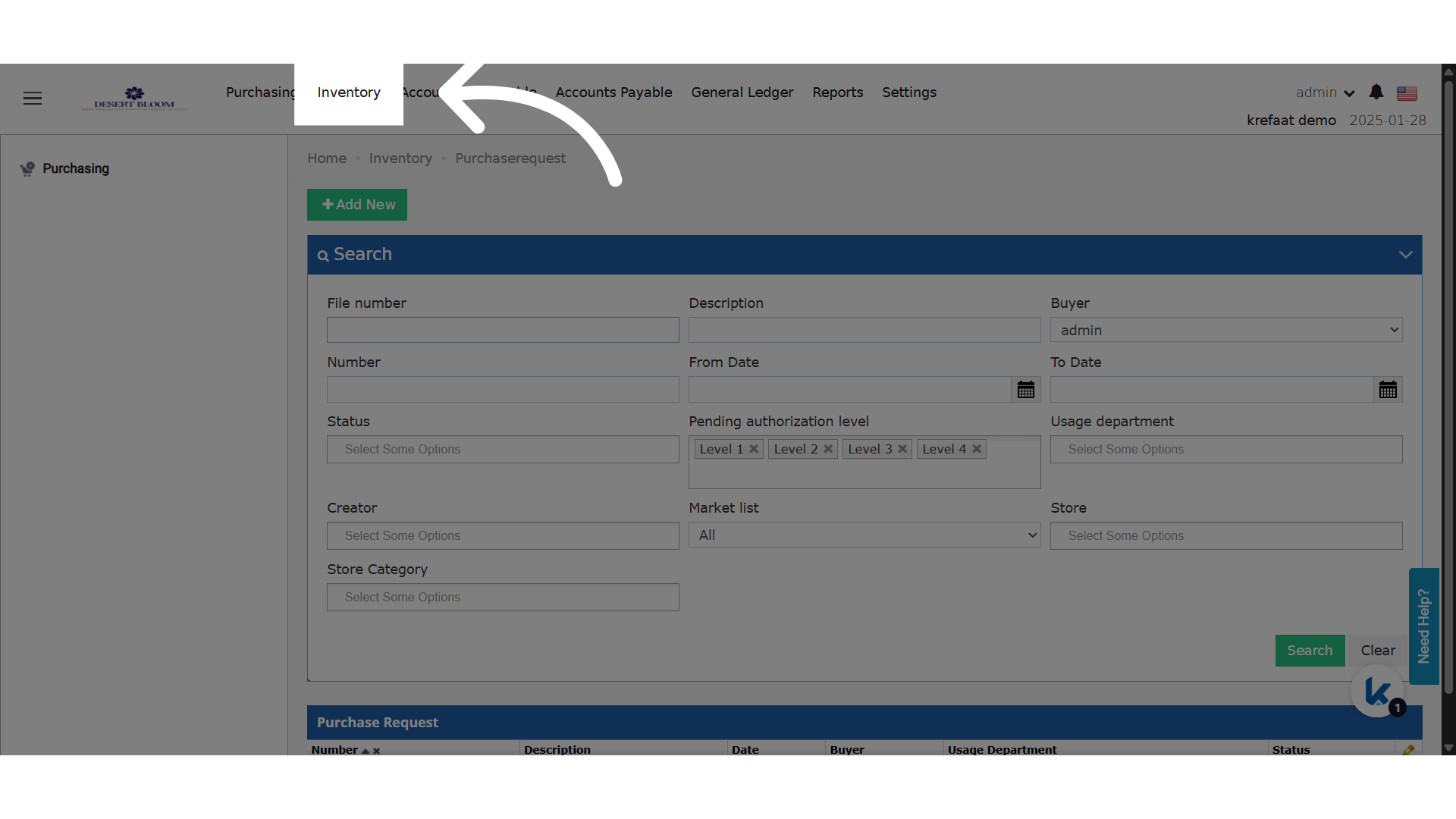
**Click "Inventory"**

<img src="https://mintcdn.com/kwentra/3e0d2UvFkkEgL_9Q/images/back-office/inventory/display-requested-value-in-store-transfers-and-store-usages/e6da7f65cc.png?fit=max&auto=format&n=3e0d2UvFkkEgL_9Q&q=85&s=db6aed6ebfd5eda21ce7a15546137e2b" alt="preview" width="1920" height="1080" data-path="images/back-office/inventory/display-requested-value-in-store-transfers-and-store-usages/e6da7f65cc.png" />

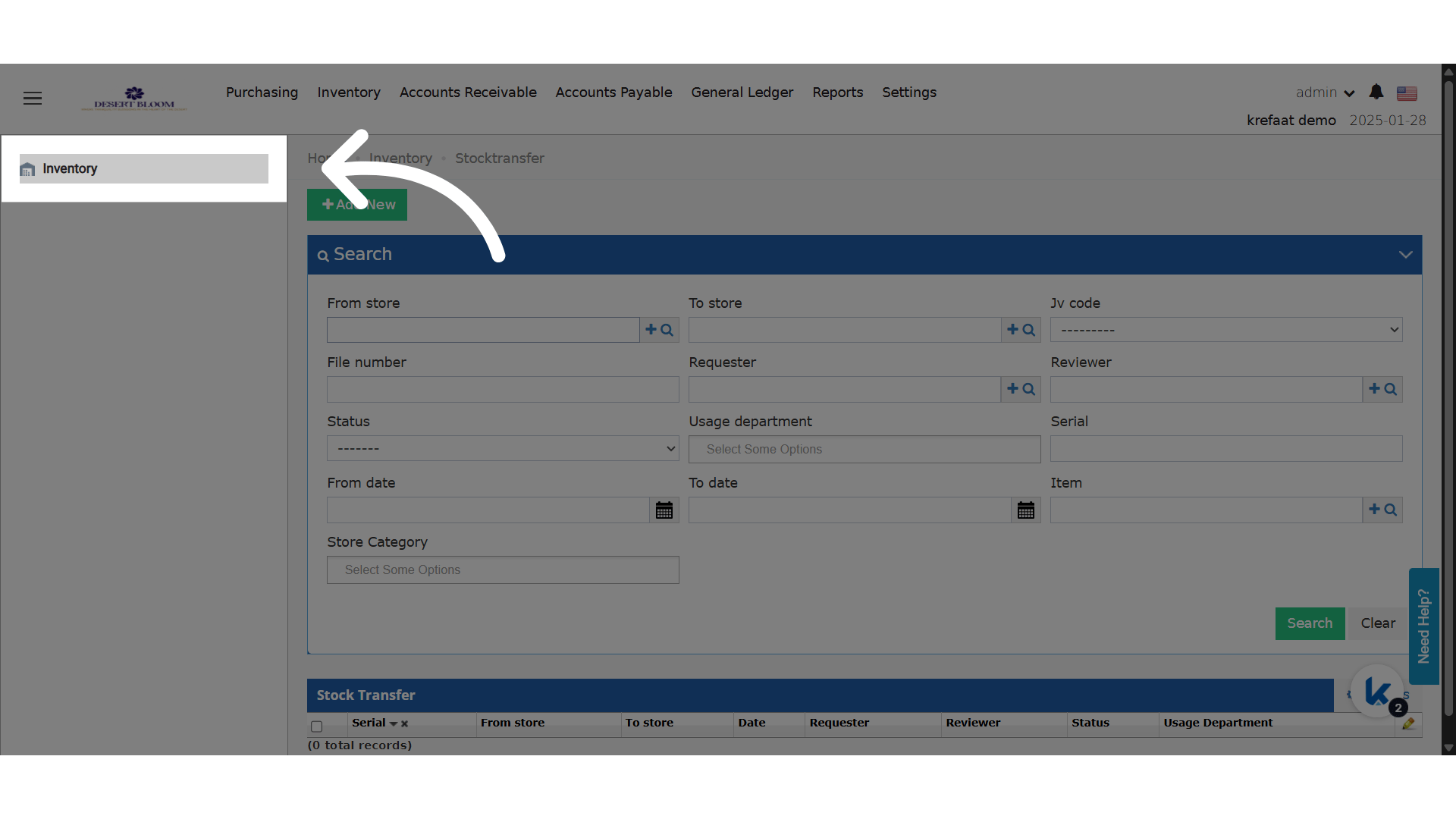
**Click "Inventory"**

<img src="https://mintcdn.com/kwentra/3e0d2UvFkkEgL_9Q/images/back-office/inventory/display-requested-value-in-store-transfers-and-store-usages/1d0a89a4ee.png?fit=max&auto=format&n=3e0d2UvFkkEgL_9Q&q=85&s=752ba03e3ca90bb7c9a53647a56408a8" alt="preview" width="1920" height="1080" data-path="images/back-office/inventory/display-requested-value-in-store-transfers-and-store-usages/1d0a89a4ee.png" />

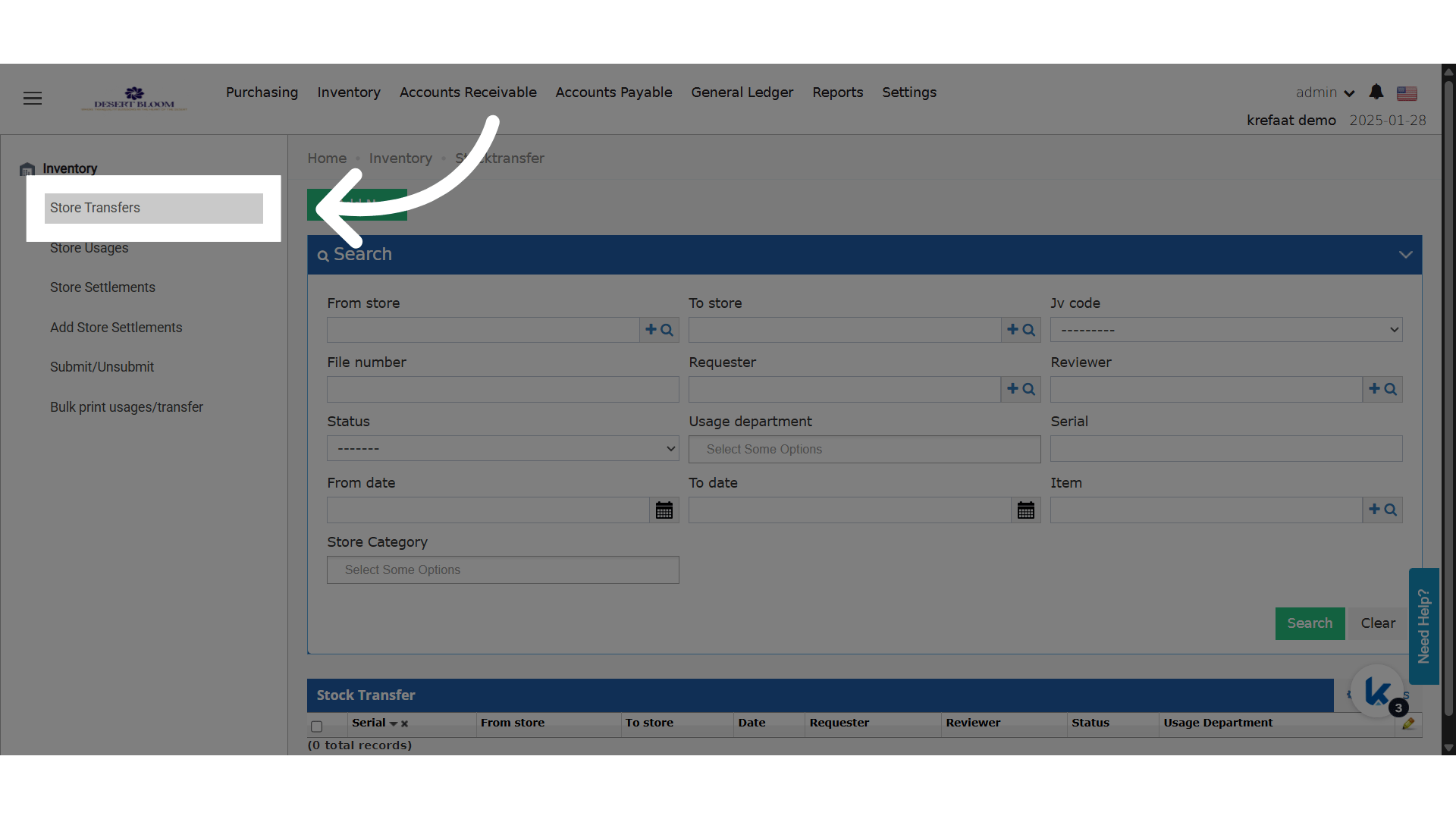
**Click "Store Transfers"**

<img src="https://mintcdn.com/kwentra/3e0d2UvFkkEgL_9Q/images/back-office/inventory/display-requested-value-in-store-transfers-and-store-usages/5270814ab4.png?fit=max&auto=format&n=3e0d2UvFkkEgL_9Q&q=85&s=cd5528eb7a64fc169cf1781e15609600" alt="preview" width="1920" height="1080" data-path="images/back-office/inventory/display-requested-value-in-store-transfers-and-store-usages/5270814ab4.png" />

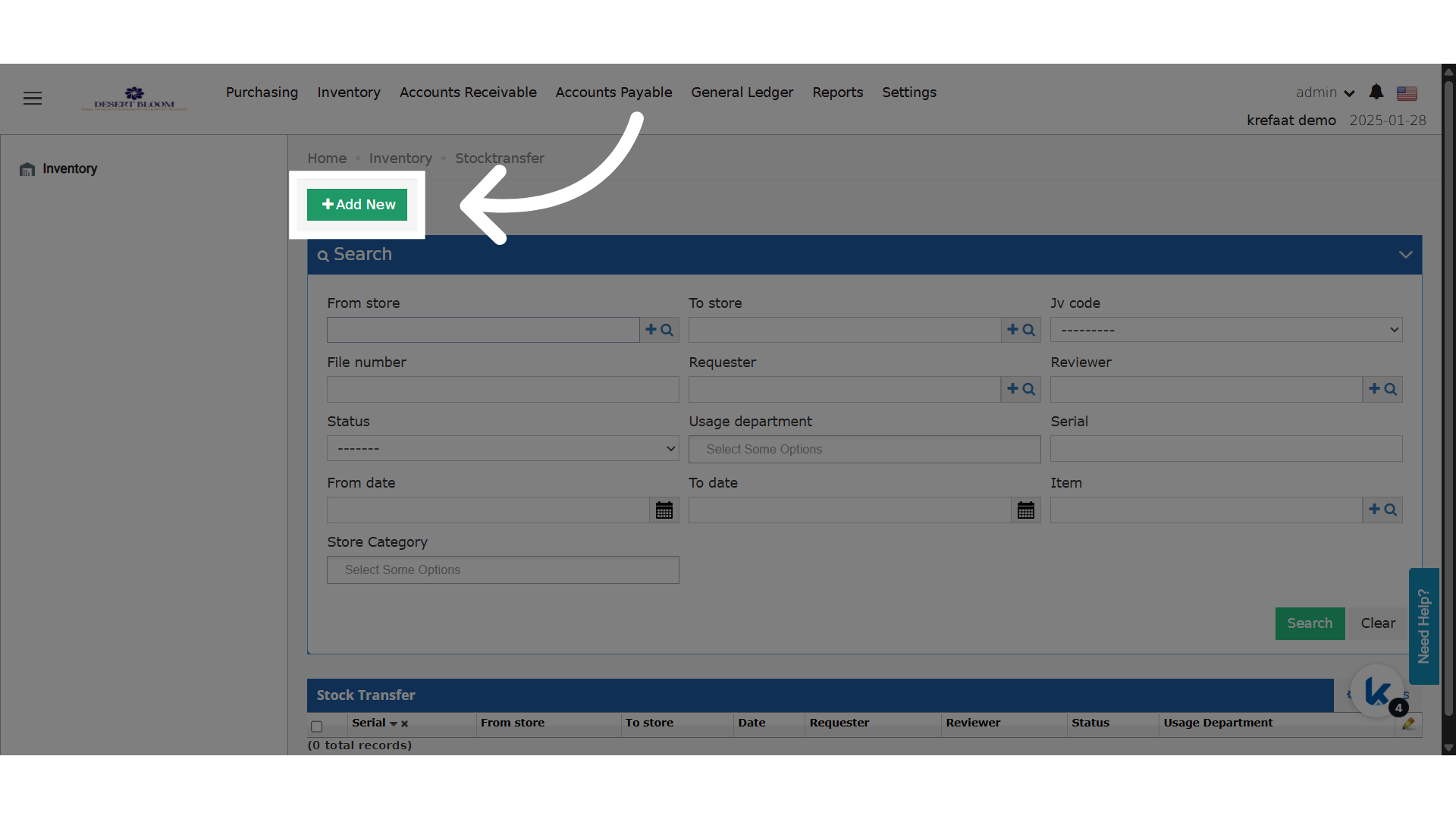
**Click "Add New"**

<img src="https://mintcdn.com/kwentra/3e0d2UvFkkEgL_9Q/images/back-office/inventory/display-requested-value-in-store-transfers-and-store-usages/76abae9af4.png?fit=max&auto=format&n=3e0d2UvFkkEgL_9Q&q=85&s=80196755c0fd0dfed50d23c196925257" alt="preview" width="1920" height="1080" data-path="images/back-office/inventory/display-requested-value-in-store-transfers-and-store-usages/76abae9af4.png" />

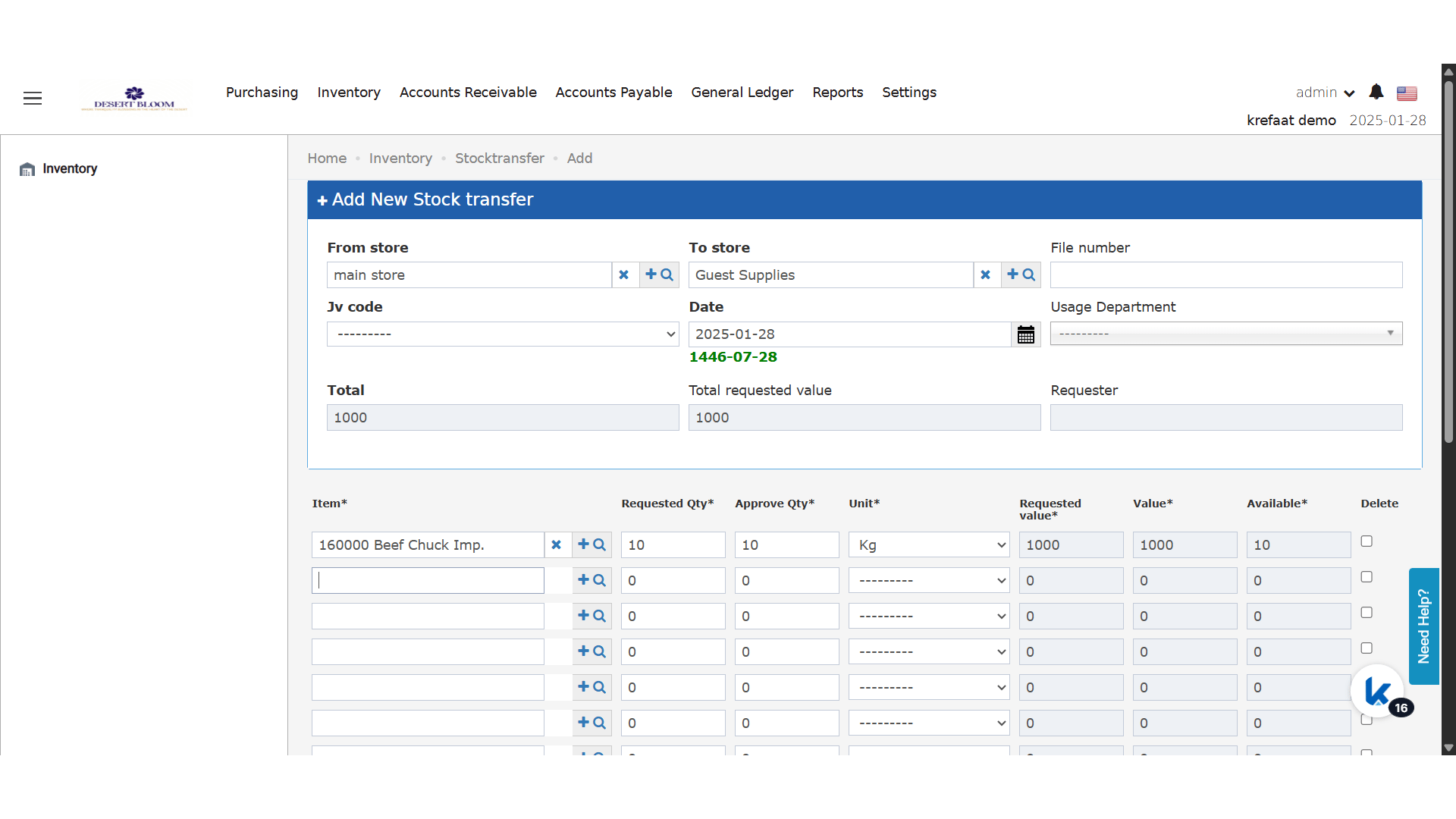
**Fill out your request and select your items**
<img src="https://mintcdn.com/kwentra/3e0d2UvFkkEgL_9Q/images/back-office/inventory/display-requested-value-in-store-transfers-and-store-usages/6c10cca11b.png?fit=max&auto=format&n=3e0d2UvFkkEgL_9Q&q=85&s=034b169a618a9cfd9f672c7539499b12" alt="preview" width="1920" height="1080" data-path="images/back-office/inventory/display-requested-value-in-store-transfers-and-store-usages/6c10cca11b.png" />

**New read fields that gets the total of the transfer or usage**
<img src="https://mintcdn.com/kwentra/3e0d2UvFkkEgL_9Q/images/back-office/inventory/display-requested-value-in-store-transfers-and-store-usages/10f83e8923.png?fit=max&auto=format&n=3e0d2UvFkkEgL_9Q&q=85&s=3dd135f41d6168ec8730d6a466f73351" alt="preview" width="1920" height="1080" data-path="images/back-office/inventory/display-requested-value-in-store-transfers-and-store-usages/10f83e8923.png" />