> ## Documentation Index
> Fetch the complete documentation index at: https://help.kwentra.com/llms.txt
> Use this file to discover all available pages before exploring further.
# Apply Store to All Line Items in Purchase Request
> This enhancement saves time and reduces manual errors during purchase request creation by applying a selected store to all line items automatically, ensuring consistency in store sourcing. ✅ Use Ca...
This enhancement saves time and reduces manual errors during purchase request creation by applying a selected store to all line items automatically, ensuring consistency in store sourcing.
### **✅ Use Cases:**
* When a purchase request is meant for a specific store, and all items should be requested from the same location.
* To avoid accidentally assigning items to the wrong store.
* For centralized control of sourcing in multi-store environments.
**Go to [manage.kwentra.com](https://manage.kwentra.com/)**
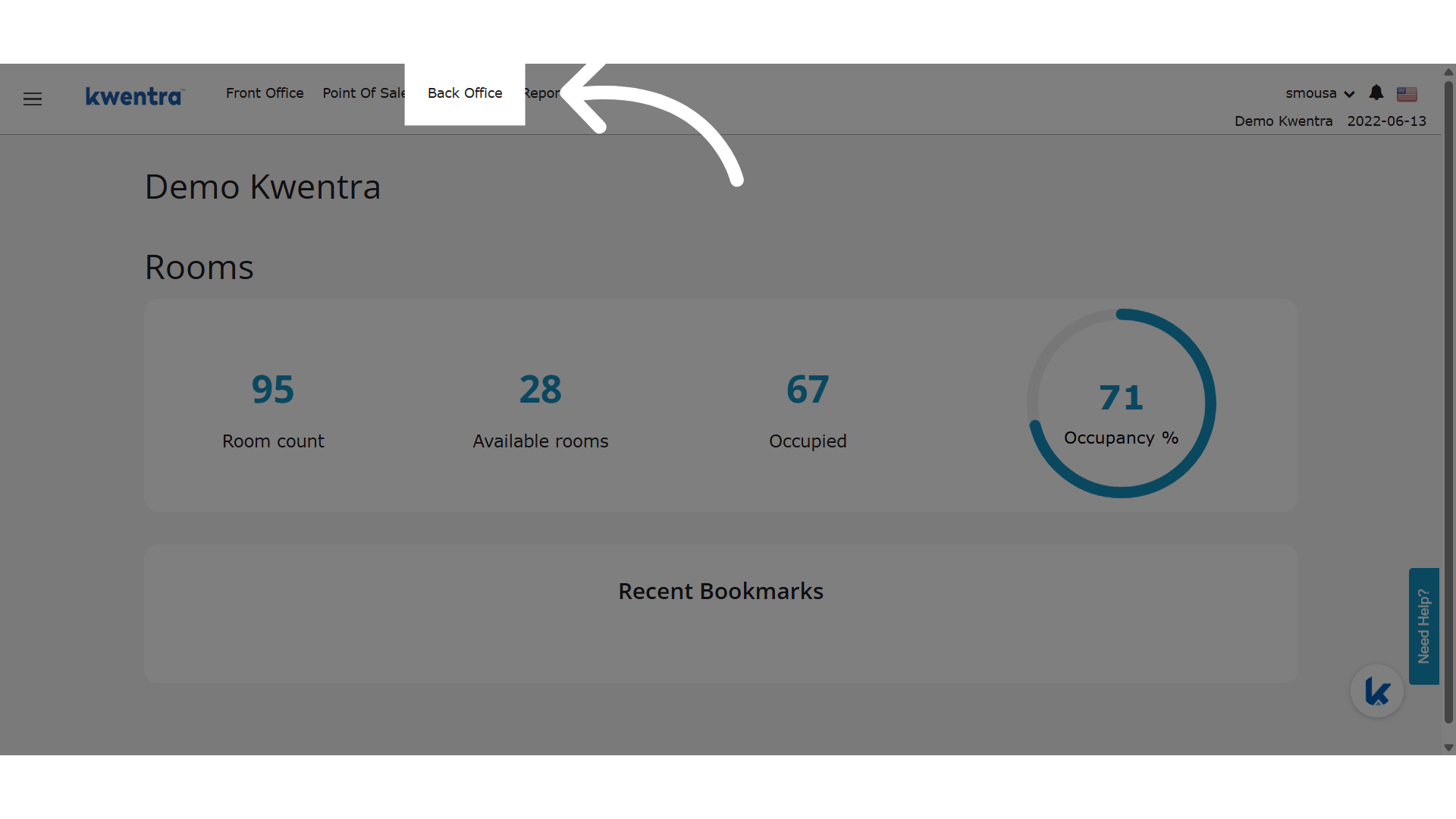
**Click "Back Office"**
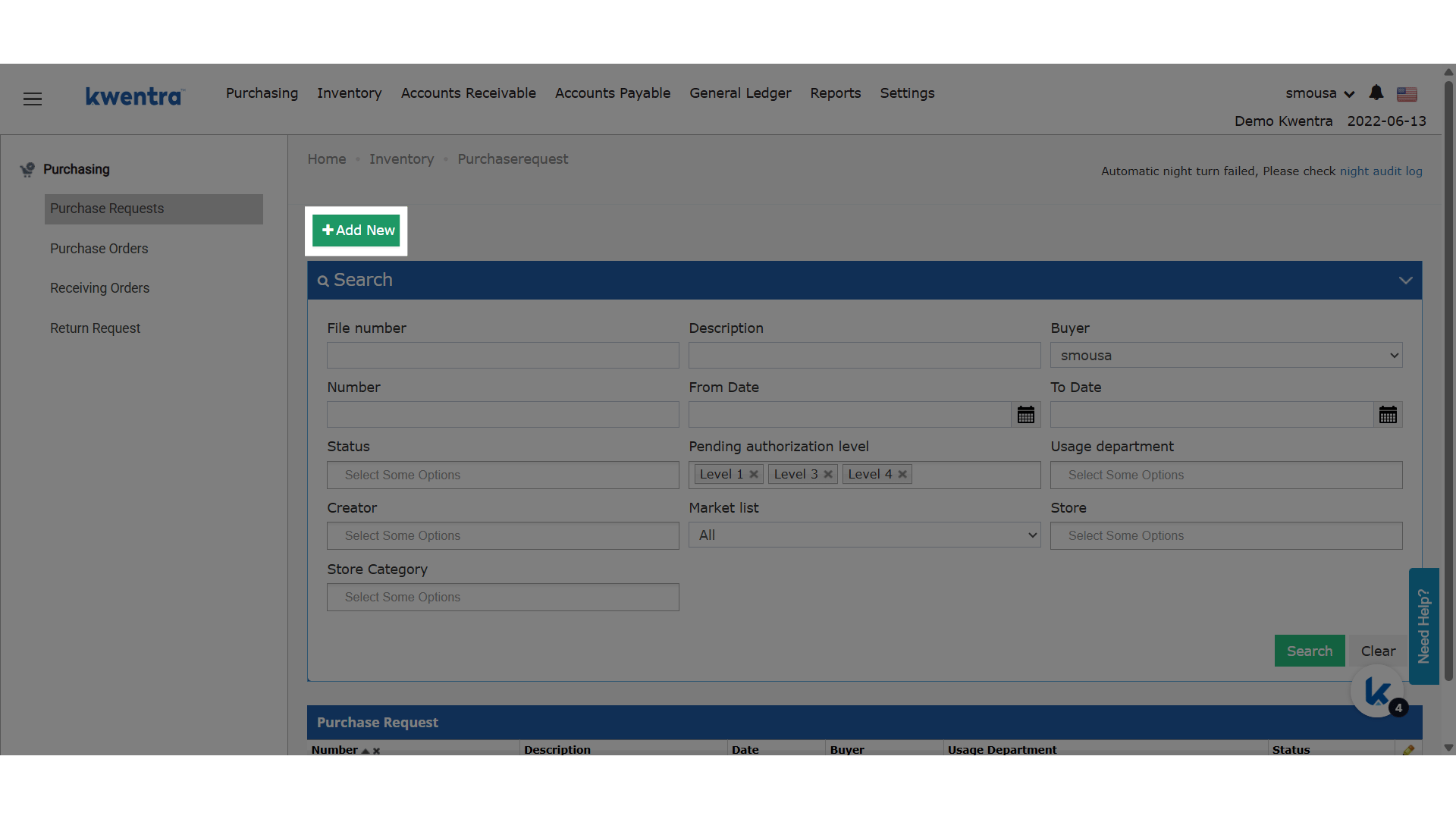
 **Add a new PR**
 ### **New Behavior**
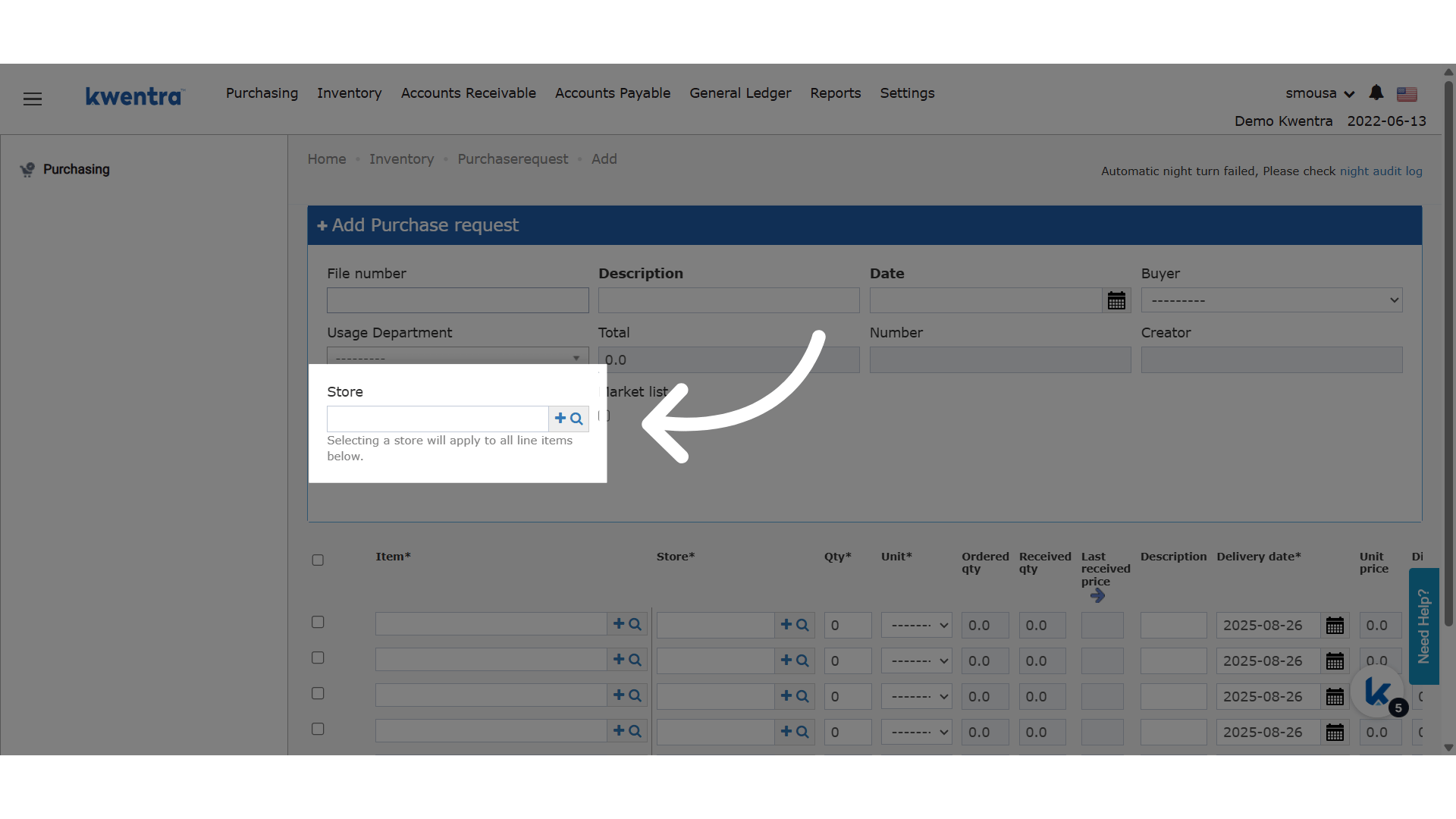
1. A **new “Store” field** is added at the **PR header level**.
2. Once a store is selected:
* It **automatically updates all line items** to use the selected store.
* It **overrides** any store that was previously set on any line item.
3. A **help text** appears below the field:
> "Selecting a store will apply to all line items below."
4. This behavior **matches** the one currently available in the **“From Store”** field in the Store Usage screen.
### **New Behavior**
1. A **new “Store” field** is added at the **PR header level**.
2. Once a store is selected:
* It **automatically updates all line items** to use the selected store.
* It **overrides** any store that was previously set on any line item.
3. A **help text** appears below the field:
> "Selecting a store will apply to all line items below."
4. This behavior **matches** the one currently available in the **“From Store”** field in the Store Usage screen.
 ## ***Update: July 17, 2026***
### **Item Picker Filters by the Applied Store**
When you apply a store to all line items, each line's **Item** picker now lists only items linked to that store — matching how the per-line Store field already behaves.
### **What's New?**
Previously, applying a store from the header updated every line's Store field but left the **Item** picker showing all items, including items not stocked in the selected store. The Item picker now respects the applied store, so buyers pick only items that belong to it.
### **How It Works**
| **Where:** Back Office → Purchasing → Purchase Requests → add or edit a PR → header **Store** field |
| --------------------------------------------------------------------------------------------------- |
* After you select a store on the header, each line's **Item** picker lists only items linked to that store.
* Items that are not linked to any store still appear on every line.
* Lines added later, while the header store is still set, follow the same filtering.
* Items already selected on a line are kept as-is — only the list of available choices is narrowed.
| **Note:** The filtering relies on which stores each item is linked to. See [Link Inventory Stores To Items](/back-office/back-office-settings/link-inventory-stores-to-items) to control which items appear for a given store. |
| ------------------------------------------------------------------------------------------------------------------------------------------------------------------------------------------------------------------------------ |
## ***Update: July 17, 2026***
### **Item Picker Filters by the Applied Store**
When you apply a store to all line items, each line's **Item** picker now lists only items linked to that store — matching how the per-line Store field already behaves.
### **What's New?**
Previously, applying a store from the header updated every line's Store field but left the **Item** picker showing all items, including items not stocked in the selected store. The Item picker now respects the applied store, so buyers pick only items that belong to it.
### **How It Works**
| **Where:** Back Office → Purchasing → Purchase Requests → add or edit a PR → header **Store** field |
| --------------------------------------------------------------------------------------------------- |
* After you select a store on the header, each line's **Item** picker lists only items linked to that store.
* Items that are not linked to any store still appear on every line.
* Lines added later, while the header store is still set, follow the same filtering.
* Items already selected on a line are kept as-is — only the list of available choices is narrowed.
| **Note:** The filtering relies on which stores each item is linked to. See [Link Inventory Stores To Items](/back-office/back-office-settings/link-inventory-stores-to-items) to control which items appear for a given store. |
| ------------------------------------------------------------------------------------------------------------------------------------------------------------------------------------------------------------------------------ |