> ## Documentation Index
> Fetch the complete documentation index at: https://help.kwentra.com/llms.txt
> Use this file to discover all available pages before exploring further.
# Purchasing Market List
> The Market List Feature impacts purchasing positively by: Managing periodic and bulk orders efficiently. Helping in tracking and identifying perishable items. Allowing a +10% flexibility in receivi...
The **Market List Feature** impacts purchasing positively by:
1. Managing periodic and bulk orders efficiently.
2. Helping in tracking and identifying perishable items.
3. Allowing a **+10% flexibility** in receiving items.
This will help your business:
* Reduce stock shortage and minimize waste.
* Improve Compliance and Audit.
* Have a better view of purchasing and supplier performance.
### **How do I use the Market List feature?**
**[Back Office → Purchasing → Purchase Requests → Add/Open PR](https://manage.kwentra.com/inventory/purchaserequest/)**
**[Back Office → Purchasing → Purchase Orders → Open PO](https://manage.kwentra.com/inventory/purchaseorder/)**
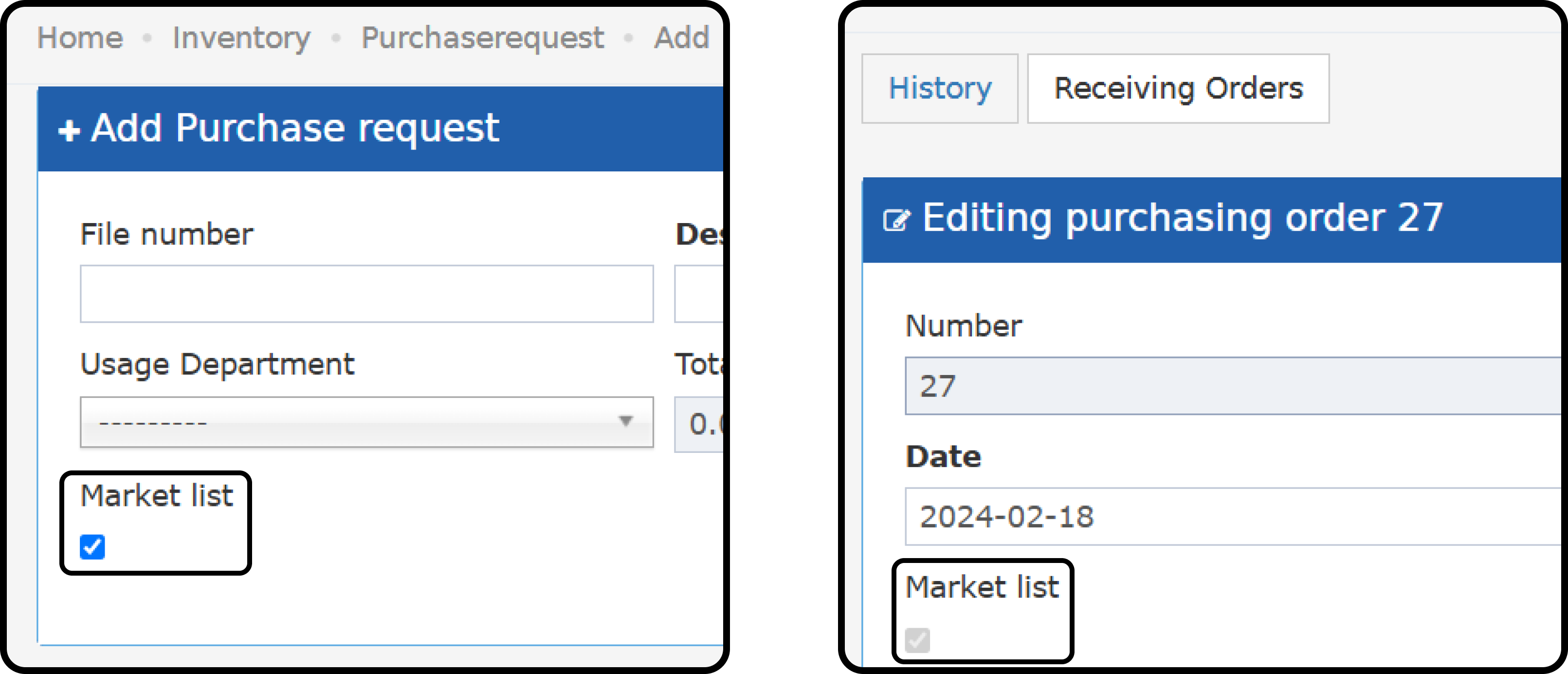
1. Mark the **Market List Flag** on the Purchase Request.
2. You can mark a request as **Market List** until a Purchase Order is created.
3. Once a PO is created, you cannot remove the **Market List Flag** from PR **.**
4. Purchase Orders created with the **Market List Flag** cannot be removed.
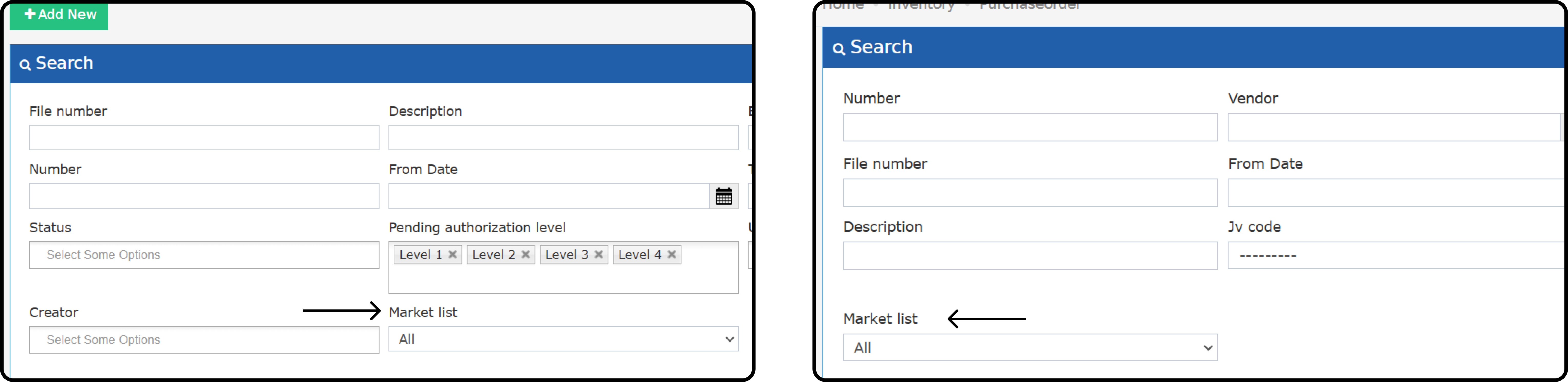
 5. Search for Market List PRs and POs from the Listing Screens.
 ### **Market List Items Receiving:**
* For regular items, you cannot receive a higher quantity than what is requested.
* For Market List items, you can **receive up to 10%** more quantity than requested.
*Example 1: PR and PO requesting to purchase 10 KG of meat, you will only be able to receive 10% more than the 10 KG = 1 KG.*
*This will only apply if the PR was marked as***Market List.**
*Example 2: The meat order was partially received when receiving the 10 KG. The total quantity of this market list item should not exceed 11 KG = 10 KG + 10% increase.*
### **Clone PR:**
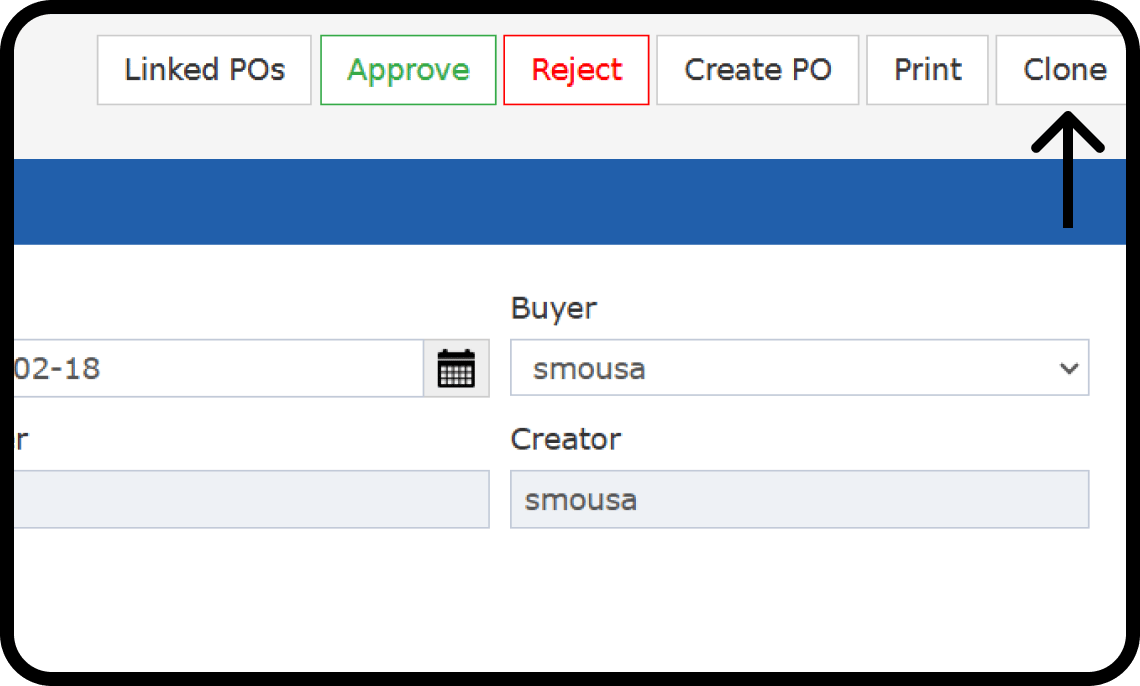
Requesters can **clone** purchase requests at any status; cloning a Market List PR facilitates ordering regular orders.
The below fields will be included in the new copy:
* Description
* Buyer (if exists)
* Items
* Store
* Quantity
* Unit Price
* Discount
* Vendor (if exists)
* Market List checkbox (if exists)
[
### **Market List Items Receiving:**
* For regular items, you cannot receive a higher quantity than what is requested.
* For Market List items, you can **receive up to 10%** more quantity than requested.
*Example 1: PR and PO requesting to purchase 10 KG of meat, you will only be able to receive 10% more than the 10 KG = 1 KG.*
*This will only apply if the PR was marked as***Market List.**
*Example 2: The meat order was partially received when receiving the 10 KG. The total quantity of this market list item should not exceed 11 KG = 10 KG + 10% increase.*
### **Clone PR:**
Requesters can **clone** purchase requests at any status; cloning a Market List PR facilitates ordering regular orders.
The below fields will be included in the new copy:
* Description
* Buyer (if exists)
* Items
* Store
* Quantity
* Unit Price
* Discount
* Vendor (if exists)
* Market List checkbox (if exists)
[
](/images/back-office/purchasing/purchasing-market-list/899263f43d.png)
[T](/images/back-office/purchasing/purchasing-market-list/899263f43d.png)he below fields will not be included in the new copy:
* File Number
* Date
* Usage Department
* Number (ID)
* Approval Levels
* Description (Line Item)