> ## Documentation Index
> Fetch the complete documentation index at: https://help.kwentra.com/llms.txt
> Use this file to discover all available pages before exploring further.
# Receiving Orders: Last Received Item Data
> Easily view the latest received price, quantity, vendor, and date for each item—right from the Receiving Orders screen. Business Value Instant Reference: Users can see recent item details (price, q...
Easily view the latest received price, quantity, vendor, and date for each item—right from the Receiving Orders screen.
***
### **Business Value**
* **Instant Reference:** Users can see recent item details (price, quantity, vendor, date) without leaving the RO screen.
* **Consistency:** Standardizes item data display across Purchase Requests, Purchase Orders, and now Receiving Orders.
* **Decision Support:** Helps teams make quick, informed decisions based on real, recent receiving data.
* **Error Reduction:** Minimizes manual lookups and potential mistakes during the receiving process.
***
### **Use Cases**
* **Warehouse/Receiving Teams:** Confirm if items are delivered at expected prices and quantities, based on previous receipts.
* **Purchasing Staff:** Quickly validate vendor consistency and delivery timelines for each item.
* **Audit & Control:** Easily compare the latest receiving info with purchasing documents for compliance checks.
***
### **Technical Know-How**
#### **Where to Find**
* **Back Office → Purchasing → Receiving Orders**
#### **What’s New?**
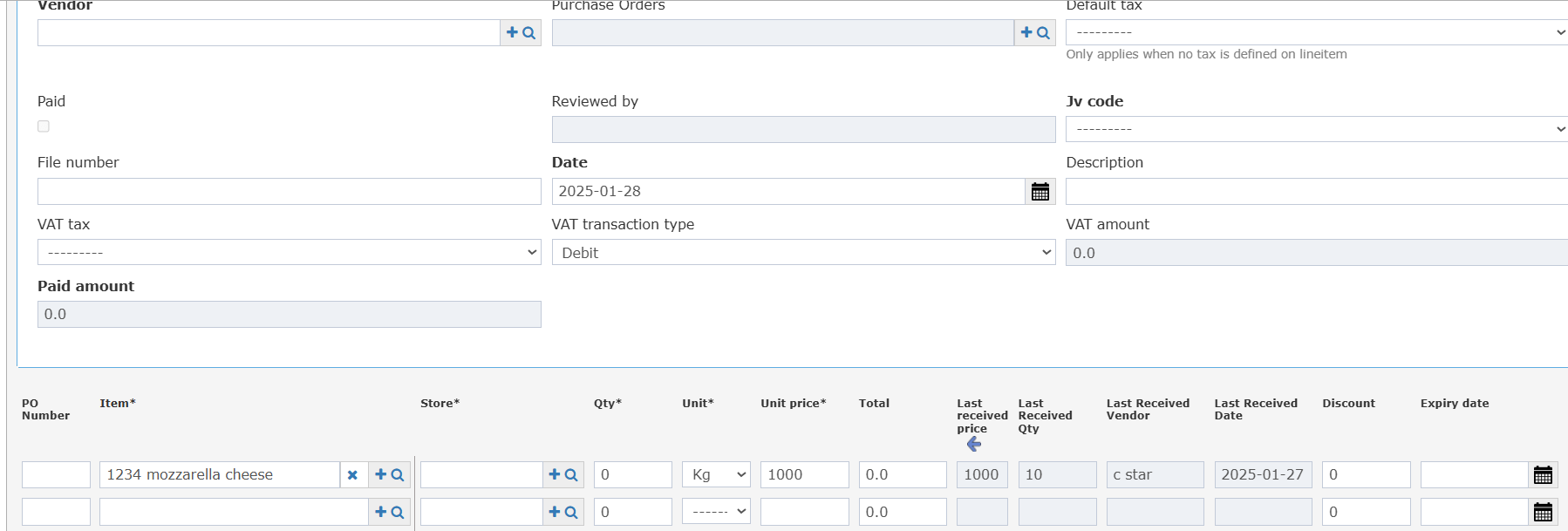
Four new columns are now available for each item in the Receiving Order:
* **Last Received Price**
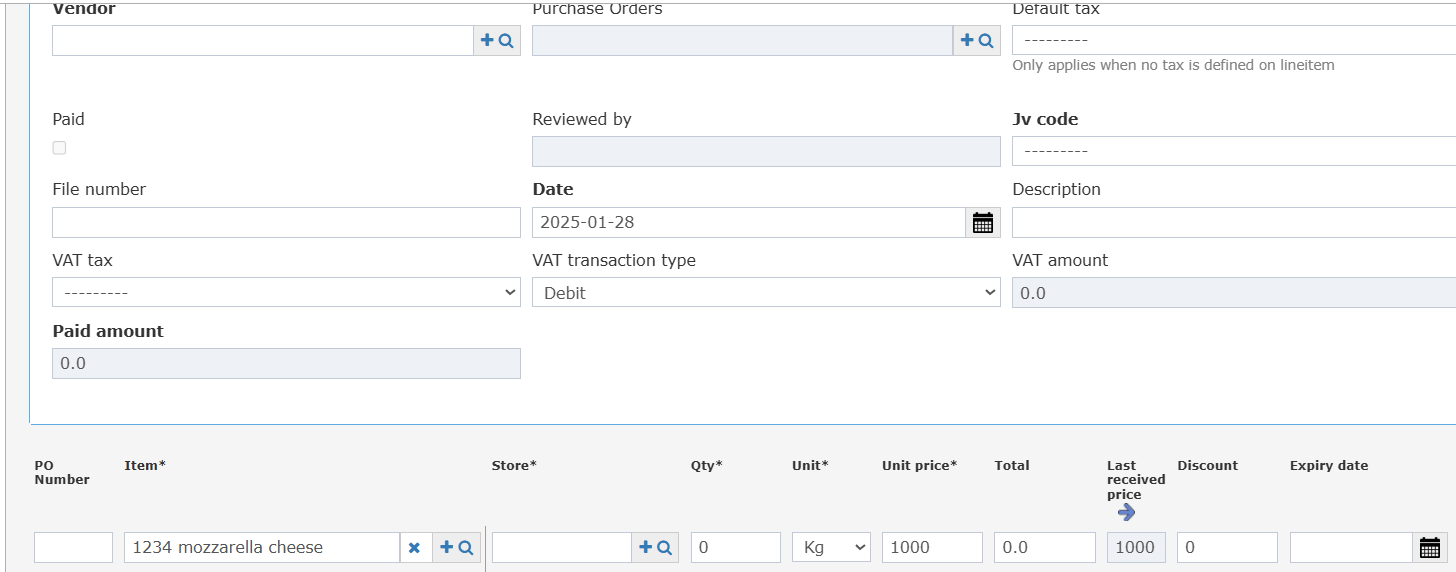 * **Last Received Qty (Collapsed)**
* **Last Received Vendor (Collapsed)**
* **Last Received Date (Collapsed)**
These columns fetch data from the most recent Receiving Order for the same item, based on the RO date (just as is done in Purchase Requests and Purchase Orders).
* **Last Received Qty (Collapsed)**
* **Last Received Vendor (Collapsed)**
* **Last Received Date (Collapsed)**
These columns fetch data from the most recent Receiving Order for the same item, based on the RO date (just as is done in Purchase Requests and Purchase Orders).
 #### **How It Works**
1. For each line item in the Receiving Order, the system automatically pulls the last received data (price, qty, vendor, date) from the latest RO record for that item before the current document date.
2. These fields appear directly in the Receiving Order line items table, just after the standard item info columns.
3. If there is no previous receiving record, the fields will remain blank.
#### **How It Works**
1. For each line item in the Receiving Order, the system automatically pulls the last received data (price, qty, vendor, date) from the latest RO record for that item before the current document date.
2. These fields appear directly in the Receiving Order line items table, just after the standard item info columns.
3. If there is no previous receiving record, the fields will remain blank.