> ## Documentation Index
> Fetch the complete documentation index at: https://help.kwentra.com/llms.txt
> Use this file to discover all available pages before exploring further.
# Usage Department In Receiving Orders
> Usage Department field links received goods to the consuming department and its expense account for cost tracking. Business Value Clear traceability of goods to consuming department for cost-centre...
Usage Department field links received goods to the consuming department and its expense account for cost tracking.
**Business Value**
* Clear traceability of goods to consuming department for cost-centre reporting.
* Auto-fills Usage Department in direct receiving, reducing manual entry.
* Enforces consistency across purchase requests and orders.
* Restricts access to authorized departments only.
**Use Cases**
* Food manager selects Kitchen and cost is attributed automatically.
* Purchasing officer finds Usage Department pre-filled from purchase order.
* Store manager filters orders by department for efficiency.
**How It Works**
**Accessing Receiving Orders**
| Back Office → Purchasing → Receiving Orders |
| ------------------------------------------- |
 **Usage Department Field Behaviour**
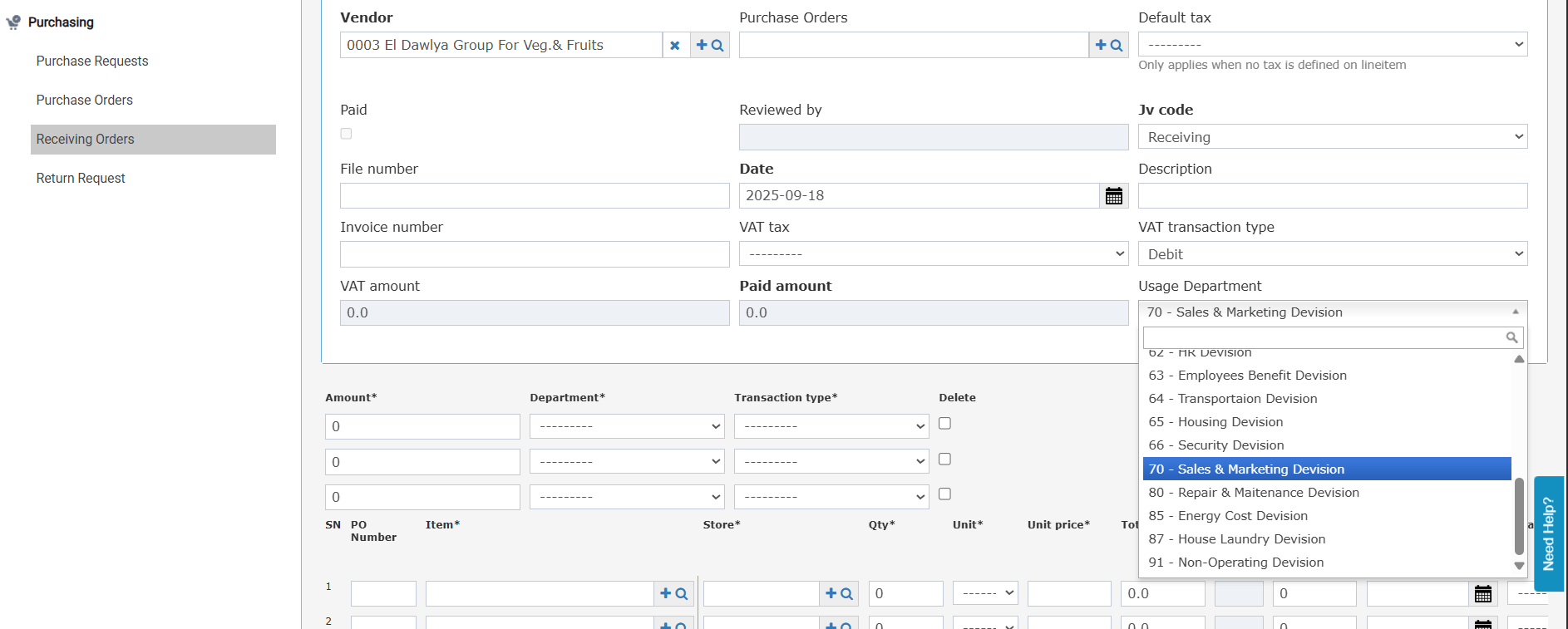
* Direct Receiving (no purchasing cycle): The Usage Department field is editable. Select from the list of usage departments linked to your user account.
* Receive from PO: The field is auto-filled from the Usage Department set on the linked Purchase Order and is read-only.
* Add Receiving Order (single PO): Auto-filled from the linked PO Usage Department; read-only.
* Add Receiving Order (multiple POs, same vendor): If all selected POs share the same Usage Department, the field is auto-filled. If POs have different Usage Departments, saving is blocked with the message: "Linked POs need to have the same Usage Department."
**Direct Receiving — Store Usage Integration**
* When submitting a direct receiving order that has a Usage Department, the field is automatically carried over to the Store Usage screen.
* The expense account is also auto-filled based on the item expense account configuration if available.
**Receiving Order List Screen**
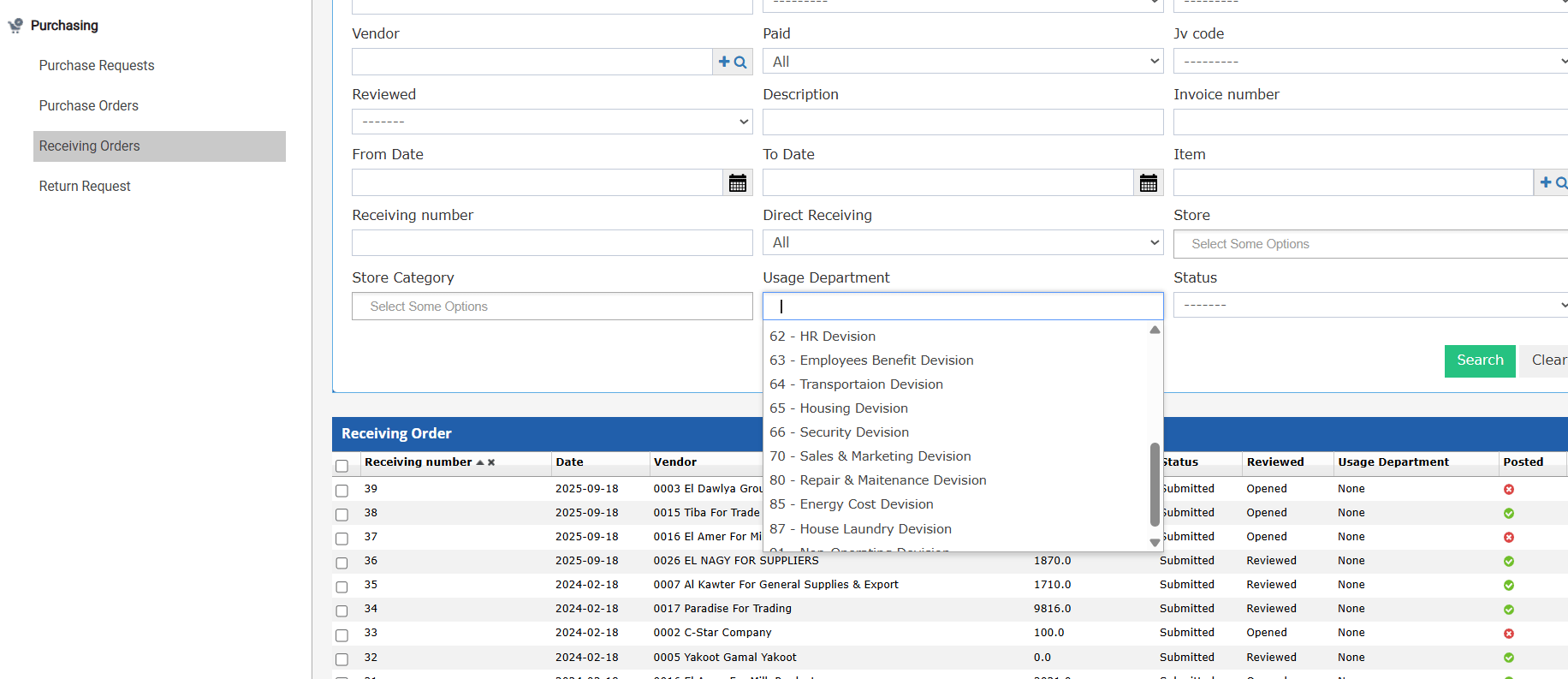
* A new "Usage Department" multi-select autocomplete search field appears on the list screen.
* Defaults to the usage departments linked to the logged-in user.
* If a user resets the search filter and opens a receiving order with a usage department not linked to them, a validation message restricts access.
* The Usage Department field is also shown on the receiving order print output.
**Usage Department Field Behaviour**
* Direct Receiving (no purchasing cycle): The Usage Department field is editable. Select from the list of usage departments linked to your user account.
* Receive from PO: The field is auto-filled from the Usage Department set on the linked Purchase Order and is read-only.
* Add Receiving Order (single PO): Auto-filled from the linked PO Usage Department; read-only.
* Add Receiving Order (multiple POs, same vendor): If all selected POs share the same Usage Department, the field is auto-filled. If POs have different Usage Departments, saving is blocked with the message: "Linked POs need to have the same Usage Department."
**Direct Receiving — Store Usage Integration**
* When submitting a direct receiving order that has a Usage Department, the field is automatically carried over to the Store Usage screen.
* The expense account is also auto-filled based on the item expense account configuration if available.
**Receiving Order List Screen**
* A new "Usage Department" multi-select autocomplete search field appears on the list screen.
* Defaults to the usage departments linked to the logged-in user.
* If a user resets the search filter and opens a receiving order with a usage department not linked to them, a validation message restricts access.
* The Usage Department field is also shown on the receiving order print output.