> ## Documentation Index
> Fetch the complete documentation index at: https://help.kwentra.com/llms.txt
> Use this file to discover all available pages before exploring further.
# Home Screen — Integrations Indicators
> The Home page shows status indicators for country-specific compliance integrations — green when enabled, grey when not — so anyone can confirm at a glance whether each integration is active.
The Home page shows status indicators for country-specific compliance integrations, green when enabled and grey when not.
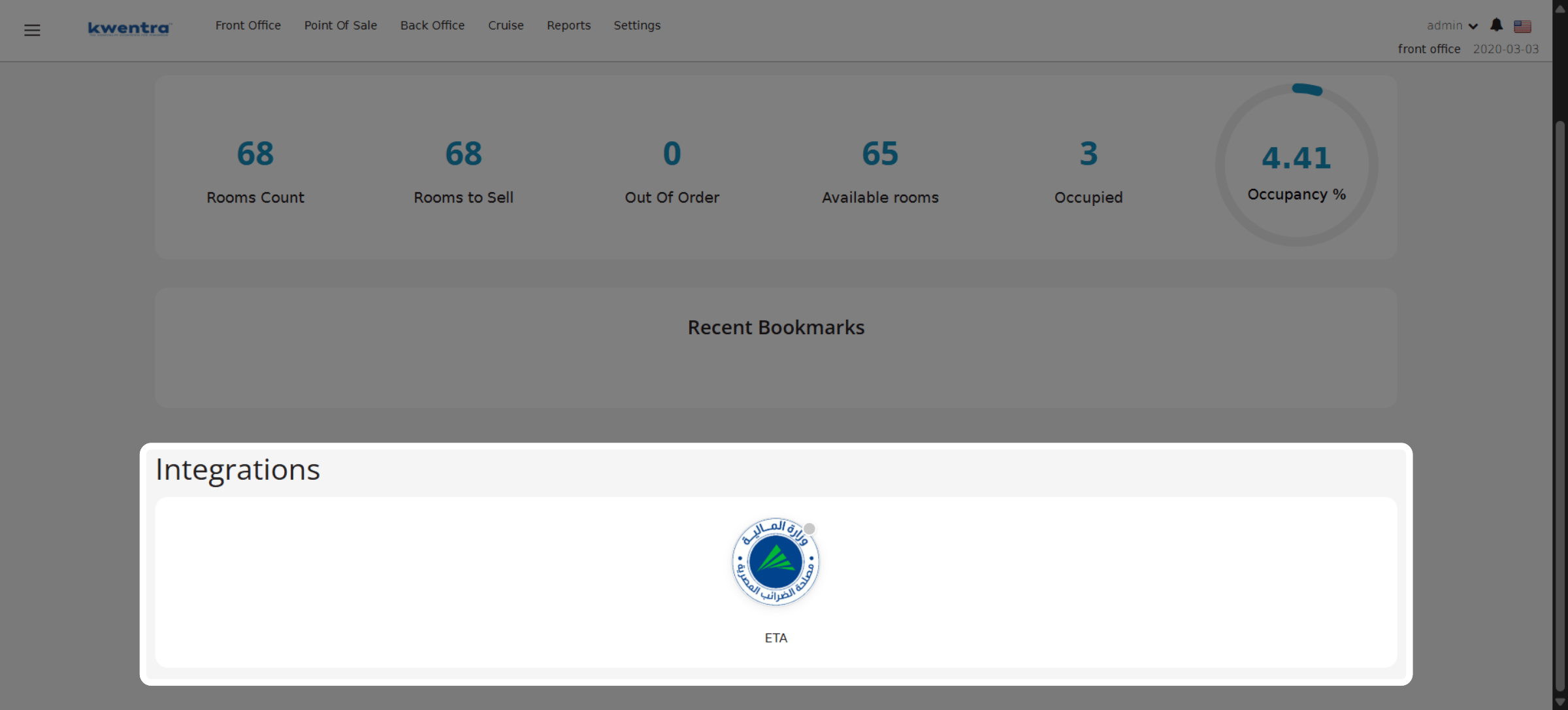
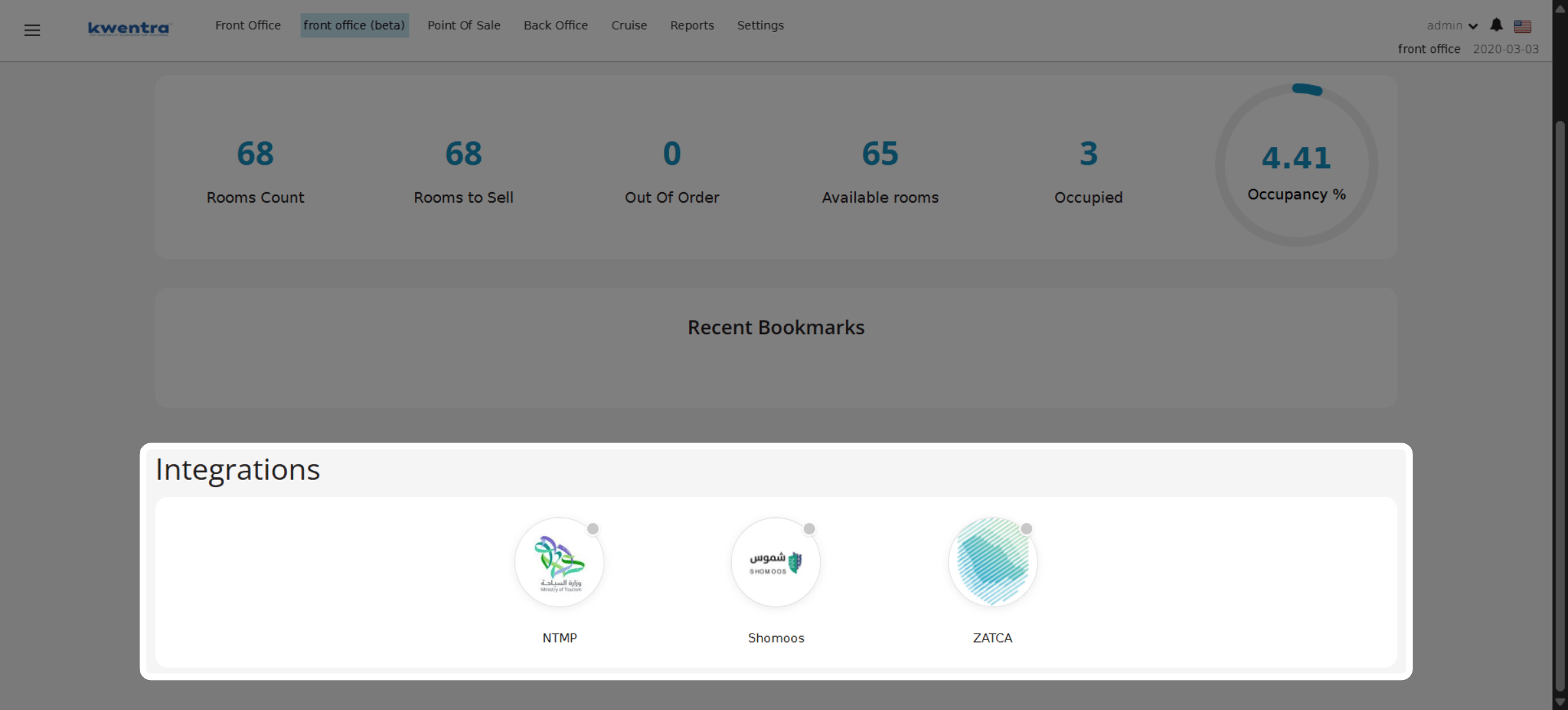
The Integrations block shows only the integrations relevant to the instance's country. For example:
**Egypt instance — the ETA integration indicator:**
 **KSA instance — the NTMP, Shomoos, and ZATCA integration indicators:**
 ### **Business Value**
* View integration status at a glance from the Home page.
* Confirms which compliance integrations are enabled without opening Settings.
* Speeds up compliance checks for governmental reviewers and auditors.
* Shows only the integrations relevant to the instance's country.
* Reduces uncertainty about whether tax and authority integrations are active.
### **Use Cases**
* Front office manager opens the Home page and confirms ZATCA is enabled before invoicing.
* Governmental reviewer verifies Shomoos and NTMP are active during an on-site audit.
* Egypt-based hotel checks the ETA integration is connected before submitting e-invoices.
### **How It Works**
| **Where:** Front Office → Home page (after selecting an instance) |
| ----------------------------------------------------------------- |
* A dedicated Integrations block appears on the Home page once you select an instance.
* Each supported integration shows a status indicator:
* **Green** — the integration is set up and enabled.
* **Grey** — the integration is not enabled.
* Only the integrations relevant to the instance's country are shown.
#### **Integrations Shown by Country**
| Integration | Availability |
| ----------- | -------------------- |
| NTMP | KSA instances only |
| Shomoos | KSA instances only |
| ZATCA | KSA instances only |
| ETA | Egypt instances only |
| iBorders | Qatar instances only |
| Note: A grey indicator means the integration has not been set up or enabled in Settings. Indicators are read-only — they reflect status only and do not change any configuration. |
| --------------------------------------------------------------------------------------------------------------------------------------------------------------------------------- |
### **Business Value**
* View integration status at a glance from the Home page.
* Confirms which compliance integrations are enabled without opening Settings.
* Speeds up compliance checks for governmental reviewers and auditors.
* Shows only the integrations relevant to the instance's country.
* Reduces uncertainty about whether tax and authority integrations are active.
### **Use Cases**
* Front office manager opens the Home page and confirms ZATCA is enabled before invoicing.
* Governmental reviewer verifies Shomoos and NTMP are active during an on-site audit.
* Egypt-based hotel checks the ETA integration is connected before submitting e-invoices.
### **How It Works**
| **Where:** Front Office → Home page (after selecting an instance) |
| ----------------------------------------------------------------- |
* A dedicated Integrations block appears on the Home page once you select an instance.
* Each supported integration shows a status indicator:
* **Green** — the integration is set up and enabled.
* **Grey** — the integration is not enabled.
* Only the integrations relevant to the instance's country are shown.
#### **Integrations Shown by Country**
| Integration | Availability |
| ----------- | -------------------- |
| NTMP | KSA instances only |
| Shomoos | KSA instances only |
| ZATCA | KSA instances only |
| ETA | Egypt instances only |
| iBorders | Qatar instances only |
| Note: A grey indicator means the integration has not been set up or enabled in Settings. Indicators are read-only — they reflect status only and do not change any configuration. |
| --------------------------------------------------------------------------------------------------------------------------------------------------------------------------------- |