> ## Documentation Index
> Fetch the complete documentation index at: https://help.kwentra.com/llms.txt
> Use this file to discover all available pages before exploring further.
# kwentra and SITA Egypt integration
> We are proudly announcing that kwentra is now fully integrated with SITA Egypt to facilitate the communication of tax reports from your hotel to the Egyptian Government through reports generated fr...
We are proudly announcing that kwentra is now fully integrated with SITA Egypt to facilitate the communication of tax reports from your hotel to the Egyptian Government through reports generated from kwentra system.
SITA EG is a software development company for many services, the service they provide to kwentra is the facilitation of sending taxes reports to the government.
You need to [get in touch with SITA Egypt](https://sita-eg.com/get-started/) first to initiate the integration.
**How does the integration work?**
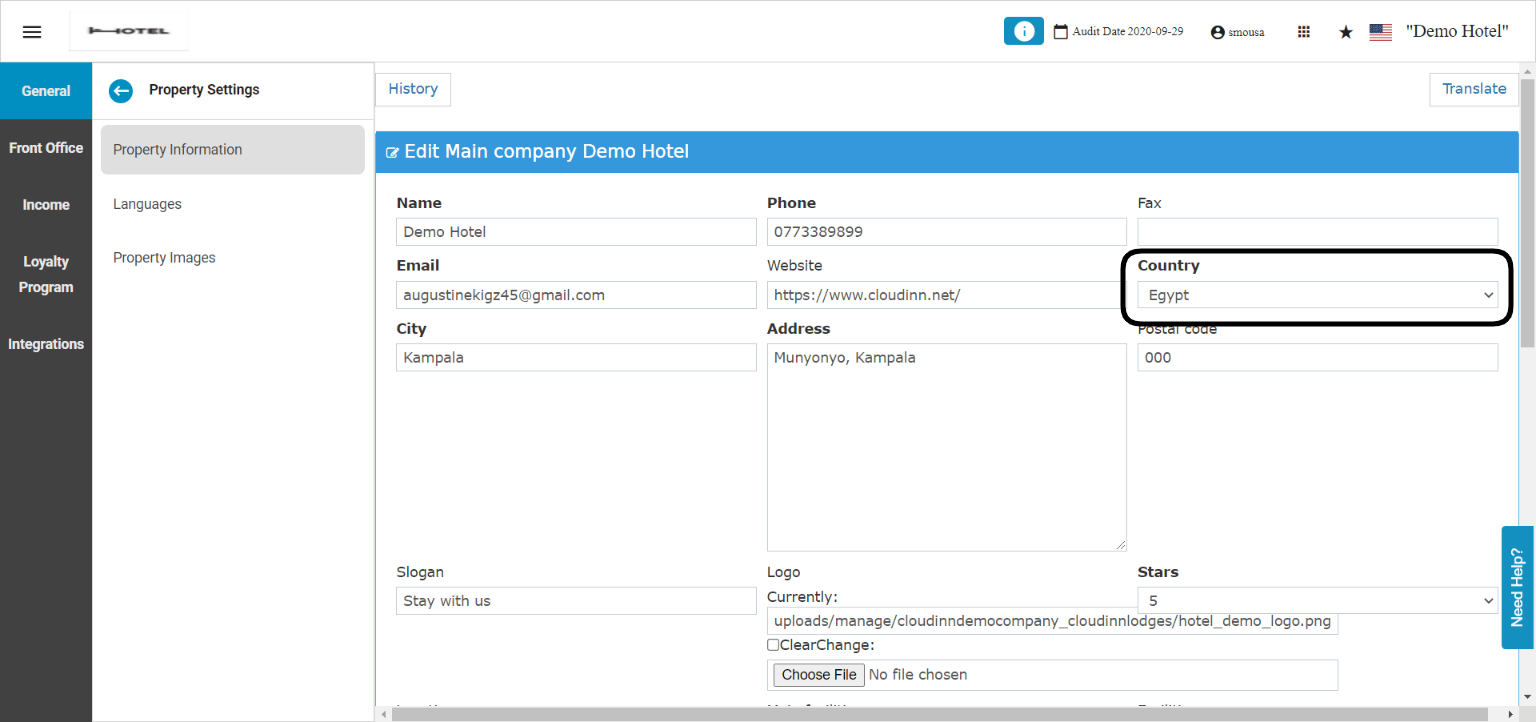
First, your system's country should be **Egypt** just like the below screenshot:
**[Front Office → Settings → General → Property Settings → Property information](https://manage.kwentra.com/settings/#/hms/propertyinformation)**
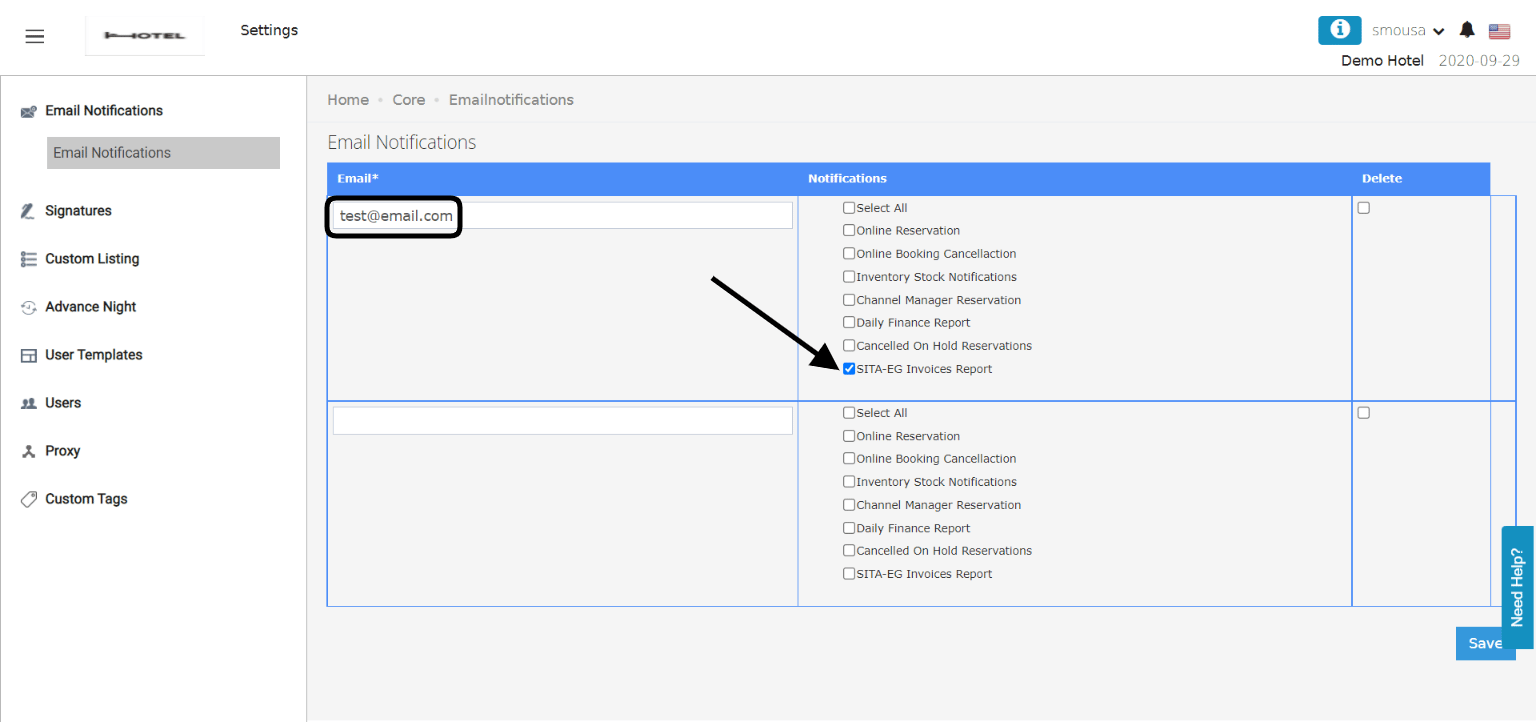
 Second, you need to make sure that there's an email to receive the daily tax report so that you can upload it on SITA's System.
**[General Settings → Email Notifications](https://manage.kwentra.com/core/emailnotifications/)**
Second, you need to make sure that there's an email to receive the daily tax report so that you can upload it on SITA's System.
**[General Settings → Email Notifications](https://manage.kwentra.com/core/emailnotifications/)**
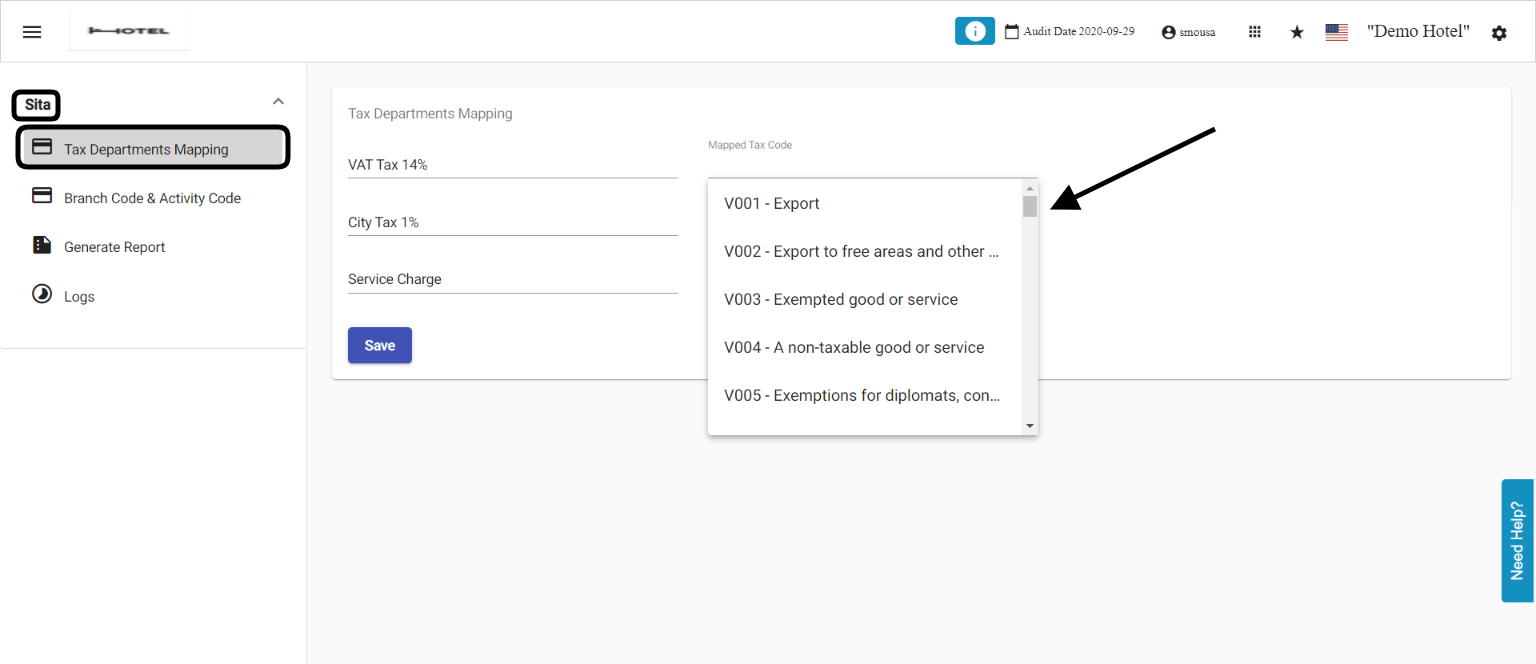
 The last thing is to get in touch with SITA EG in order to know which tax codes to map between kwentra and SITA.
**[Front Office → Settings → Governmental Integrations](https://manage.kwentra.com/governmentalintegrations/#/)**
The left hand side are your taxes you apply on your revenue in the hotel, the right hand side are the tax transaction codes from SITA's side.
The last thing is to get in touch with SITA EG in order to know which tax codes to map between kwentra and SITA.
**[Front Office → Settings → Governmental Integrations](https://manage.kwentra.com/governmentalintegrations/#/)**
The left hand side are your taxes you apply on your revenue in the hotel, the right hand side are the tax transaction codes from SITA's side.
 In that way, with every successful **Night Turn** your email will receive the tax report for the day to import on SITA's system to communicate it directly to the Egyptian Tax Authority.