> ## Documentation Index
> Fetch the complete documentation index at: https://help.kwentra.com/llms.txt
> Use this file to discover all available pages before exploring further.
# ZATCA Export Report (Multi-Property View)
> View all invoice submission data across properties in one place, helping you track ZATCA status, gross/net values, and reporting completeness. Where to Find the Report? Go to manage.kwentra.com Cli...
View all invoice submission data across properties in one place, helping you track ZATCA status, gross/net values, and reporting completeness.
### **Where to Find the Report?**
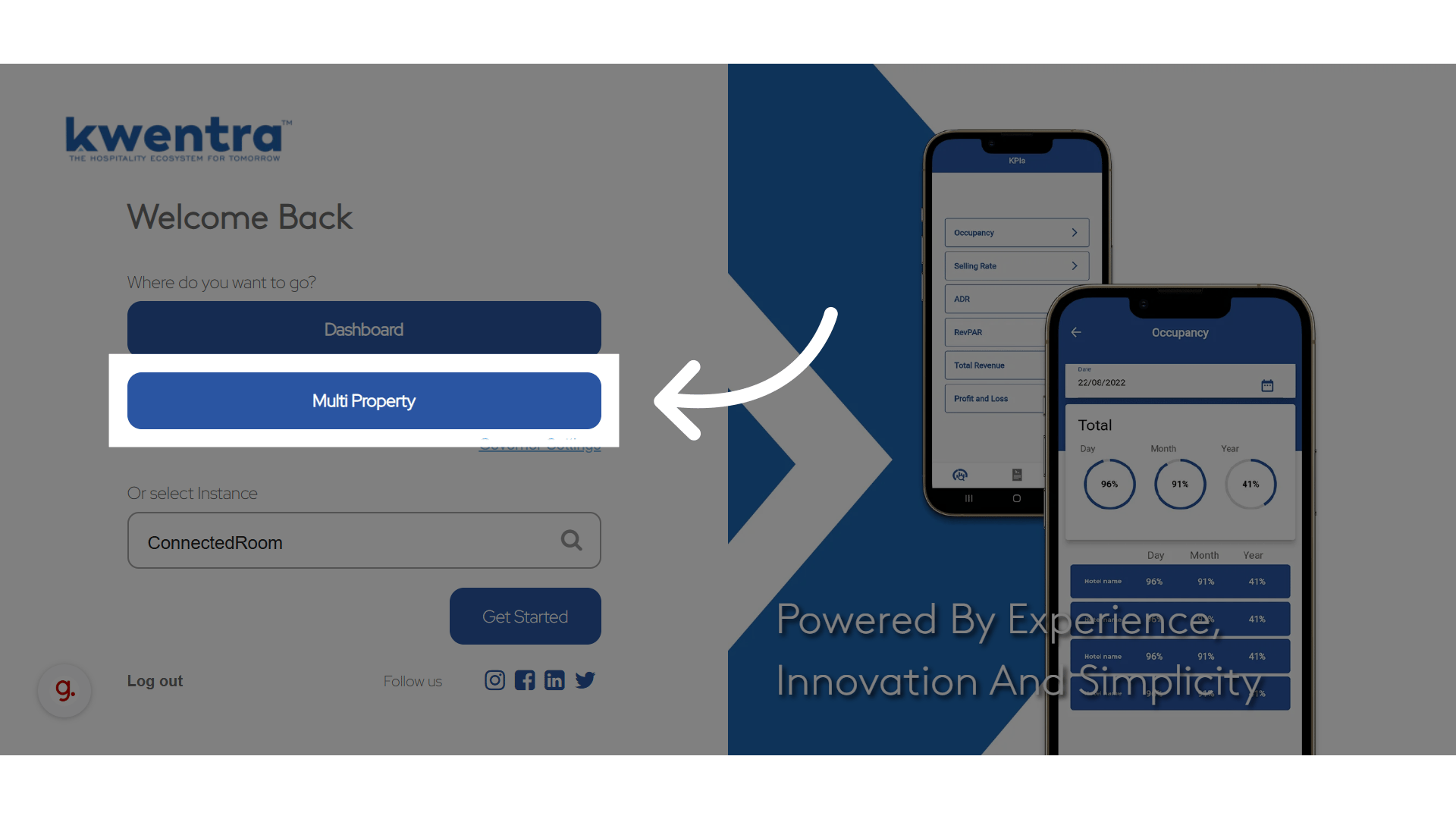
**Go to [manage.kwentra.com](https://manage.kwentra.com/instance/)**
**Click "Multi Property"**
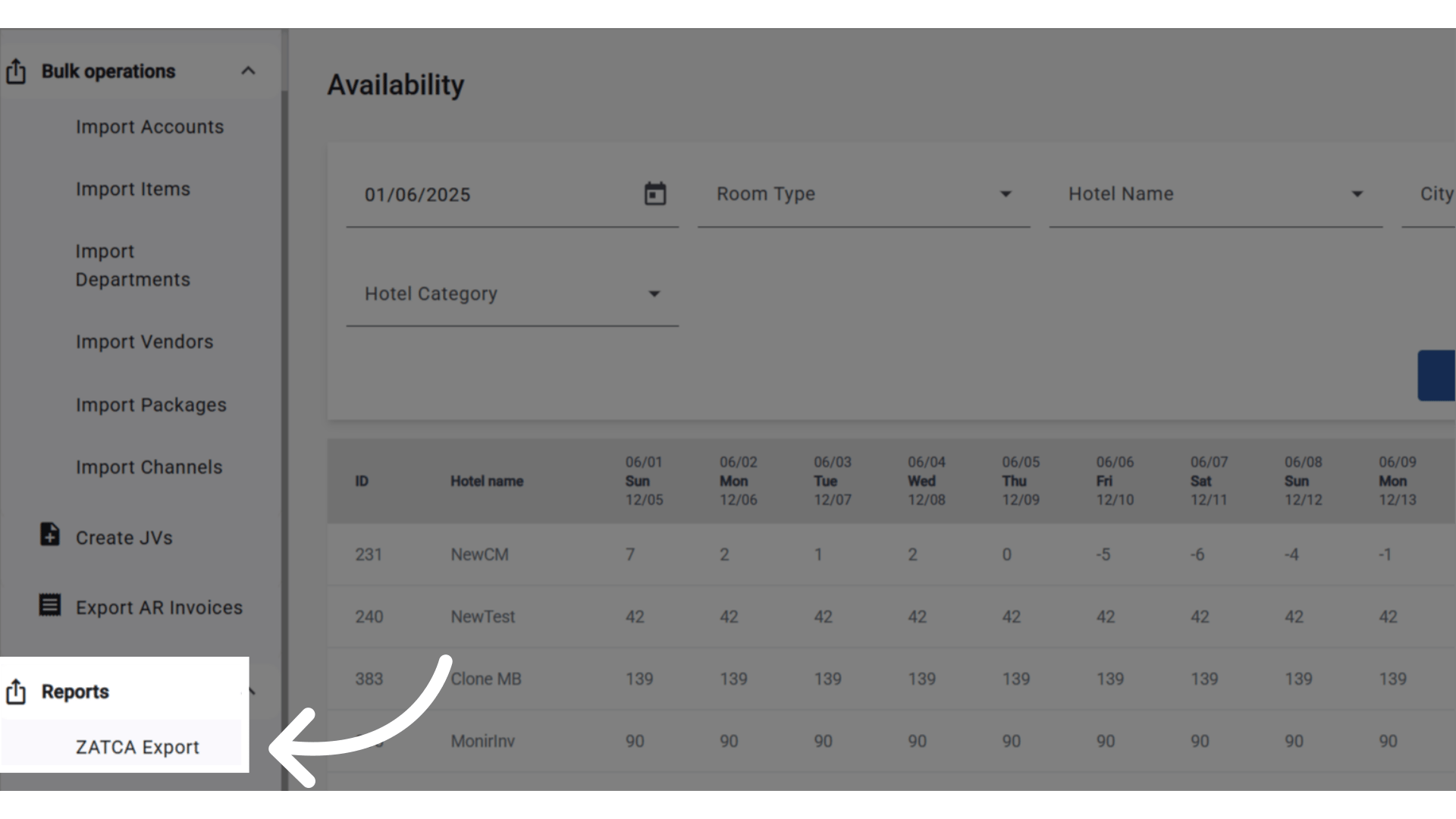
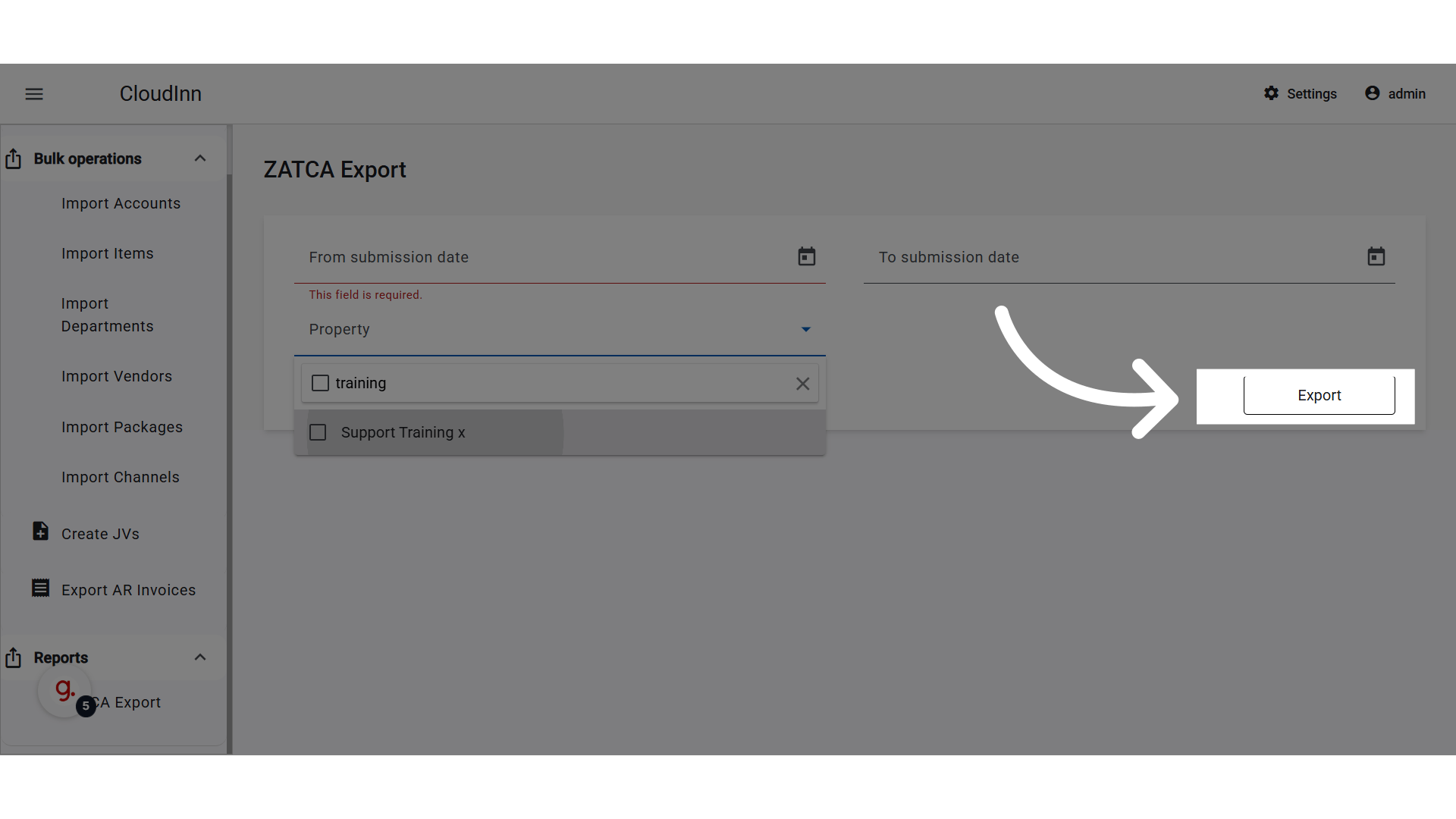
 **ZATCA Export Across all properties under the same Company**
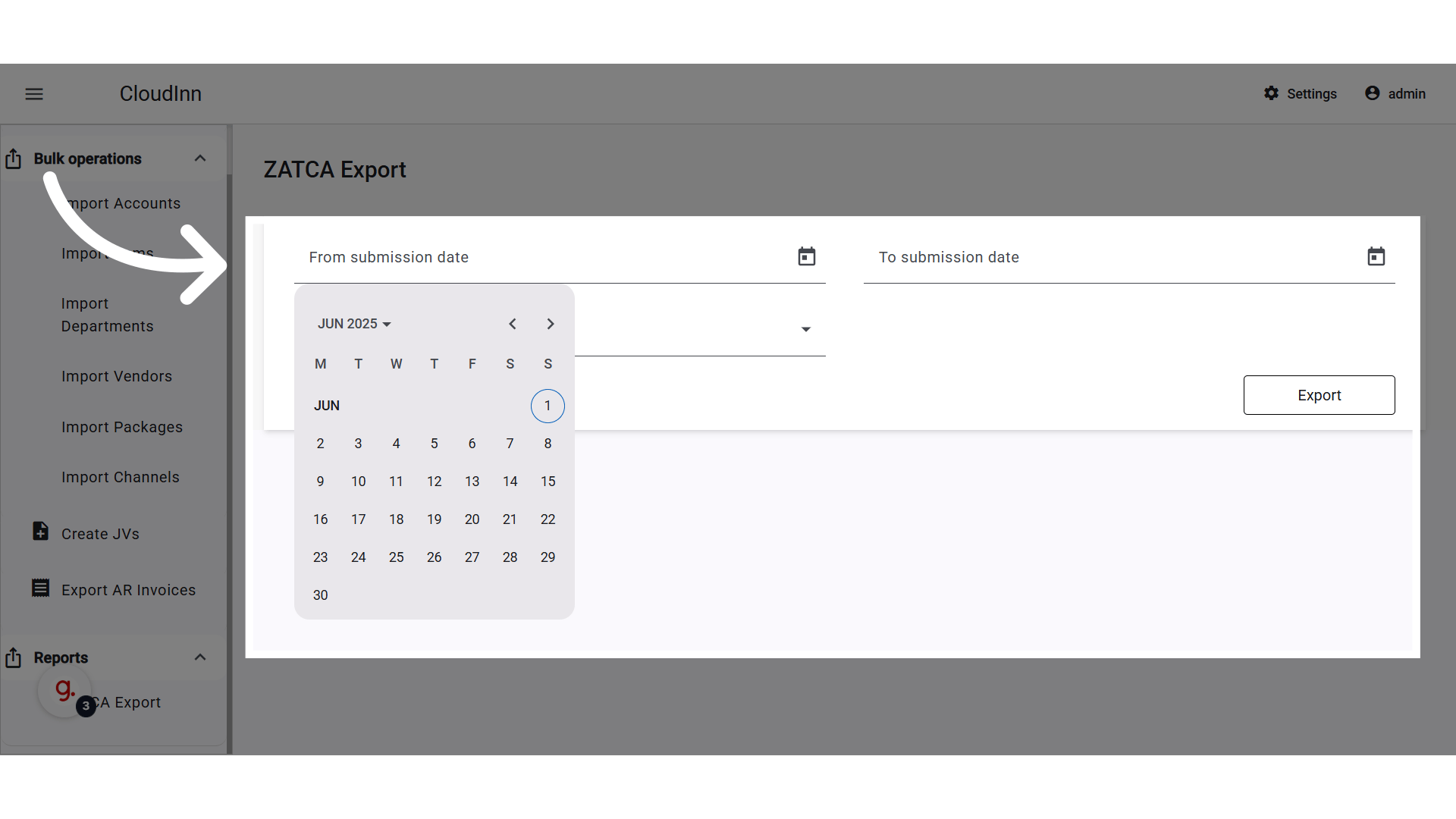
 **Select dates**
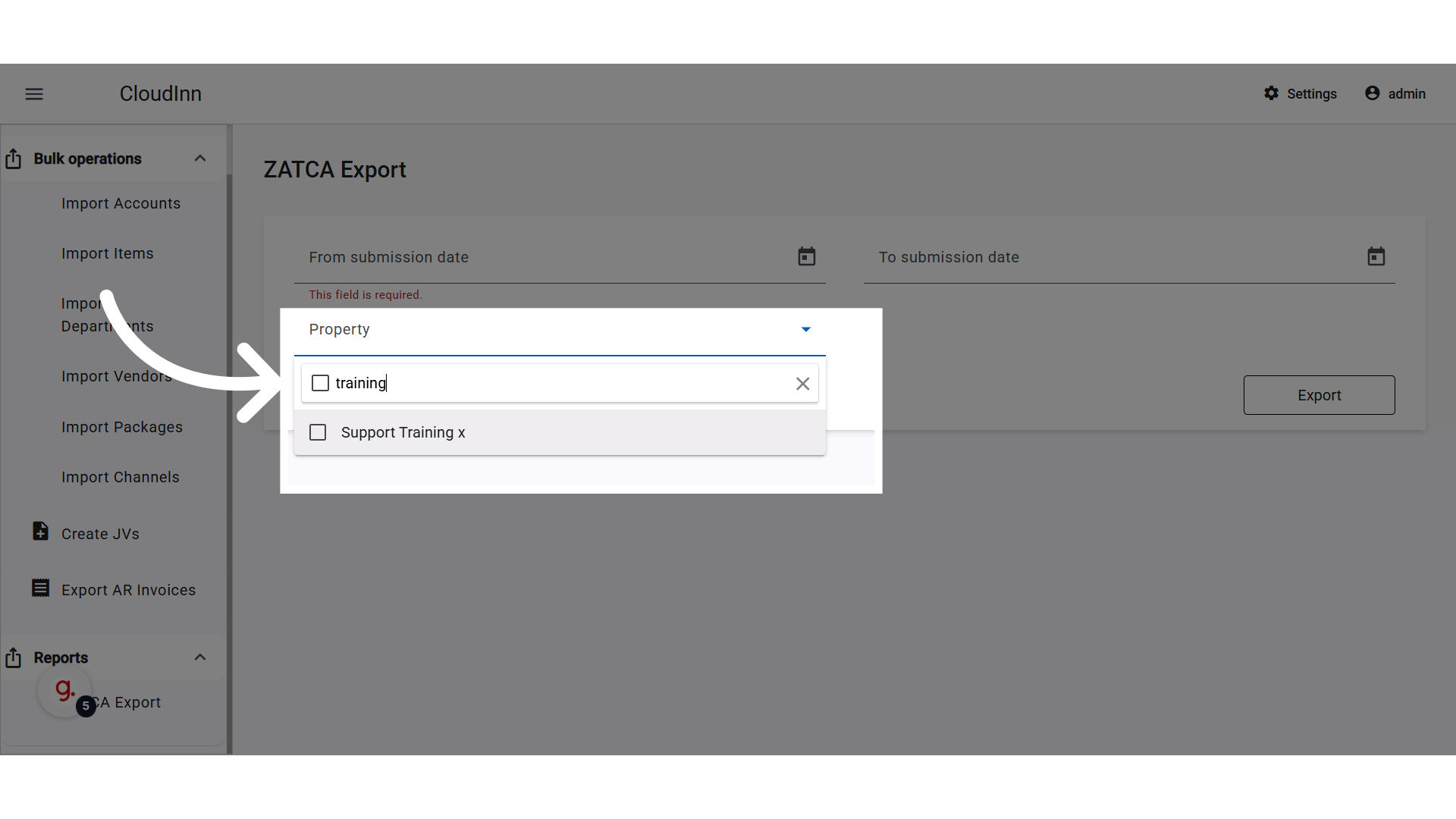
 **Search and select the properties under your company**
 **Click "Export"**
 ### **📊 Displayed Columns**
| Column Name (EN) | Column Name (AR) | Notes |
| ---------------------- | ---------------- | ------------------------------------------------------- |
| **Reservation Number** | رقم الحجز | From PMS |
| Folio Number | رقم الفاتورة | Internal folio number |
| Folio Date | تاريخ الفاتورة | Date folio was generated |
| Submission Date | تاريخ الإرسال | |
| Arrival Date | تاريخ الوصول | |
| Recipient Name | اسم المستلم | |
| Property Name | اسم المنشأة | |
| Total Gross | المجموع الإجمالي | |
| Total Net | المجموع الصافي | |
| Total VAT | إجمالي الضريبة | |
| Status | الحالة | Values: Reported / Not Reported / Cleared / Not Cleared |
### 📦 **Data Scope & Behavior**
* Includes all properties the logged-in user has access to.
* Only includes instances where **ZATCA integration is enabled**.
* Displays both **successfully reported** and **pending/failed submissions**.
* All data is pulled directly from Folio XML messages submitted to ZATCA.
### 👥 **Permissions**
Users must belong to one of the following roles to access the report:
* Multi-Property Financial Controller
* Multi-Property Night Auditor
### **📊 Displayed Columns**
| Column Name (EN) | Column Name (AR) | Notes |
| ---------------------- | ---------------- | ------------------------------------------------------- |
| **Reservation Number** | رقم الحجز | From PMS |
| Folio Number | رقم الفاتورة | Internal folio number |
| Folio Date | تاريخ الفاتورة | Date folio was generated |
| Submission Date | تاريخ الإرسال | |
| Arrival Date | تاريخ الوصول | |
| Recipient Name | اسم المستلم | |
| Property Name | اسم المنشأة | |
| Total Gross | المجموع الإجمالي | |
| Total Net | المجموع الصافي | |
| Total VAT | إجمالي الضريبة | |
| Status | الحالة | Values: Reported / Not Reported / Cleared / Not Cleared |
### 📦 **Data Scope & Behavior**
* Includes all properties the logged-in user has access to.
* Only includes instances where **ZATCA integration is enabled**.
* Displays both **successfully reported** and **pending/failed submissions**.
* All data is pulled directly from Folio XML messages submitted to ZATCA.
### 👥 **Permissions**
Users must belong to one of the following roles to access the report:
* Multi-Property Financial Controller
* Multi-Property Night Auditor