> ## Documentation Index
> Fetch the complete documentation index at: https://help.kwentra.com/llms.txt
> Use this file to discover all available pages before exploring further.
# Housekeeping State Change
> The Housekeeping Screen allows you to see the current status of your rooms, it gives information about each room that includes the below: * Current Housekeeping state i.e Dirty or Clean etc. * Curr...
The Housekeeping Screen allows you to see the current status of your rooms, it gives information about each room that includes the below:
* Current Housekeeping state i.e Dirty or Clean etc.
* Current occupation and whether there's an expected arrival/departure on a specific room.
* Housekeeping assigned tasks and which housekeeping staff is assigned for the room.
**How to reach Housekeeping?**
**[Front Office (beta) → Housekeeping](https://manage.kwentra.com/frontoffice/#/home)**
**[Front Office → Housekeeping](https://manage.kwentra.com/reservation/housekeeping/)**
Using the housekeeping search forms you can search using the below inputs:
* Specific Room Type(s)
* Room Number(s)
* Room Condition "Vacant, Inhouse"
* Room Status "Expected Arrival/Departure, Actual Arrival/Departure"
* Housekeeping State "Dirty, Clean etc"
* Houskeeping Blocks
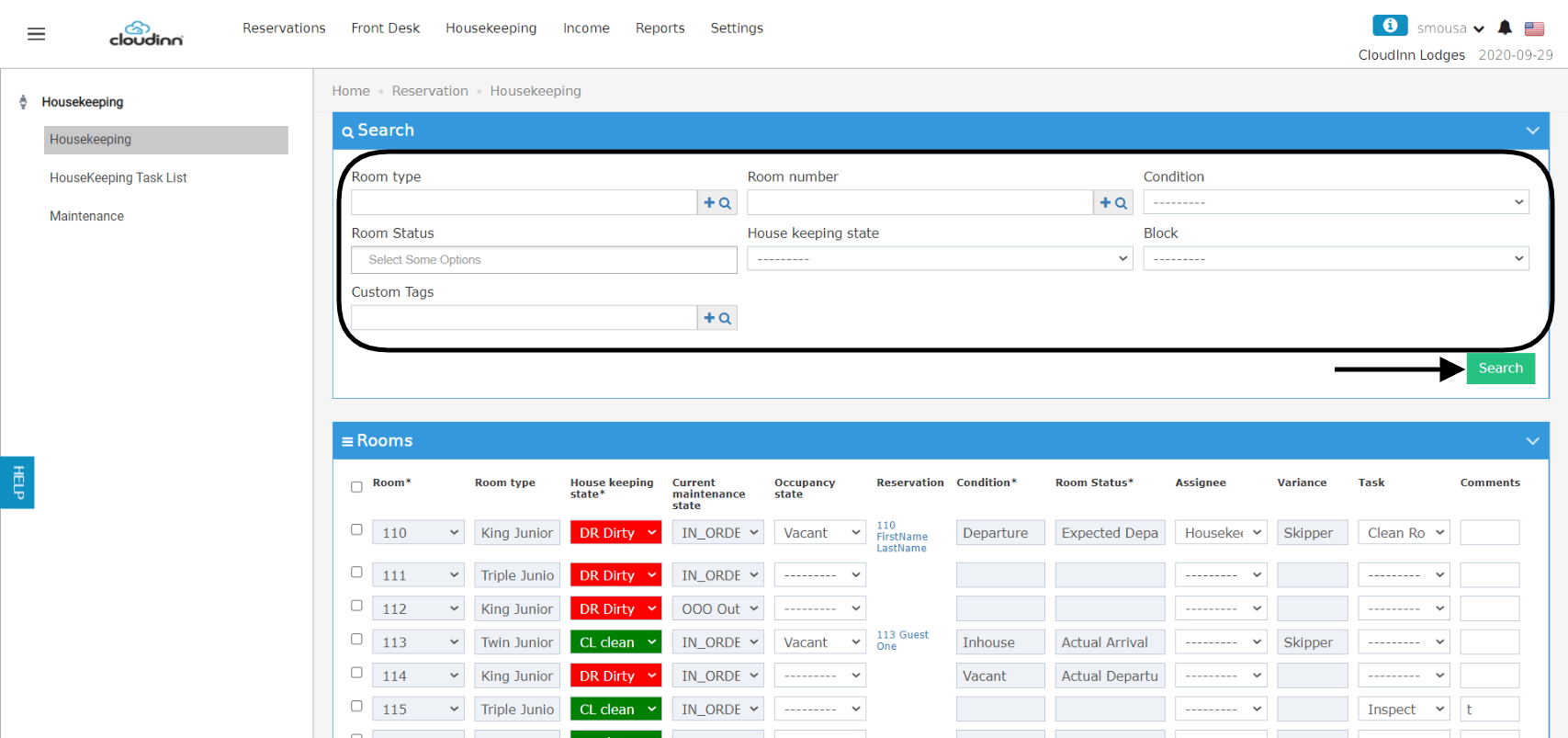 After you search for the group of rooms you desire, follow the below steps to change the housekeeping states individually.
**Individual Housekeeping State Change:**
In the scenario where you have a lot of rooms to change the state for and you want to do them all at once, follow the below steps:
**Bulk Housekeeping State Change:**
*It is important to remember to click update before saving for the state change to reflect on the rooms you selected.*
After you search for the group of rooms you desire, follow the below steps to change the housekeeping states individually.
**Individual Housekeeping State Change:**
In the scenario where you have a lot of rooms to change the state for and you want to do them all at once, follow the below steps:
**Bulk Housekeeping State Change:**
*It is important to remember to click update before saving for the state change to reflect on the rooms you selected.*