> ## Documentation Index
> Fetch the complete documentation index at: https://help.kwentra.com/llms.txt
> Use this file to discover all available pages before exploring further.
# How to Generate and E-mail a Paymaster Billing Folio?
> Create a paymaster account, link it to a channel with an updated email, then generate its billing folio and email it directly from the billing screen.
#### First, we need to understand how to create a paymaster account.
1. Front Office
2. Income
3. Cashiering
4. Paymasters
5. Add New
We would add a new paymaster account and link it to **CH Orbitz Channel.**
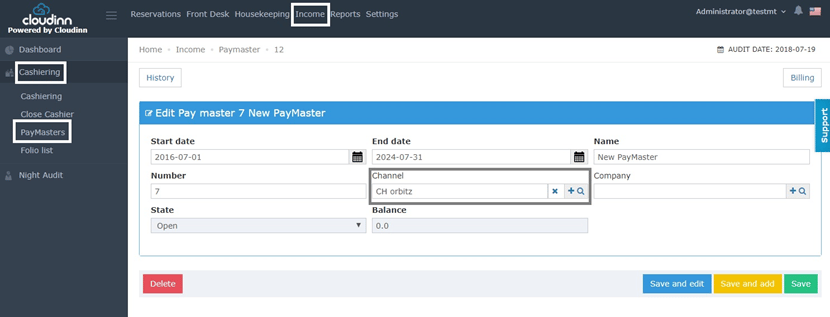 Now we just need to make sure that **CH Orbitz** has an email updated in it.
1. Front Office
2. Settings
3. Markets
4. Channels
5. Search for Channel
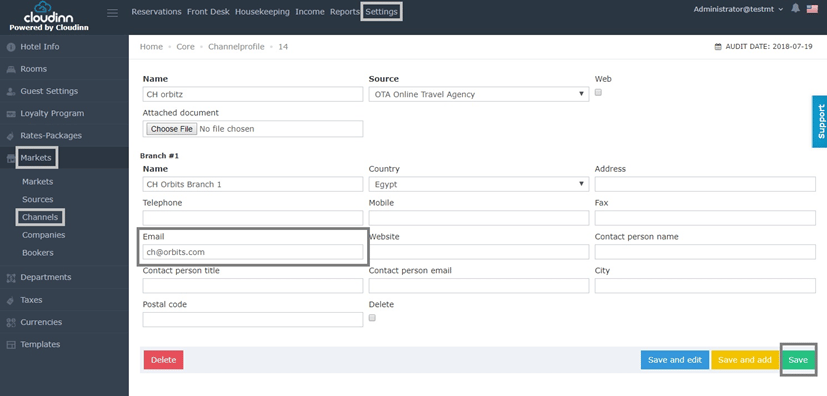
Once we find the channel we want to update an email in, we should update all channel’s branch info alongside the email as below:
Now we just need to make sure that **CH Orbitz** has an email updated in it.
1. Front Office
2. Settings
3. Markets
4. Channels
5. Search for Channel
Once we find the channel we want to update an email in, we should update all channel’s branch info alongside the email as below:
 ##### **Generate Paymaster’s Folio:**
1. Front Office
2. Income
3. Cashiering
4. Paymasters
5. Search for Paymaster
6. Billing
7. Tools
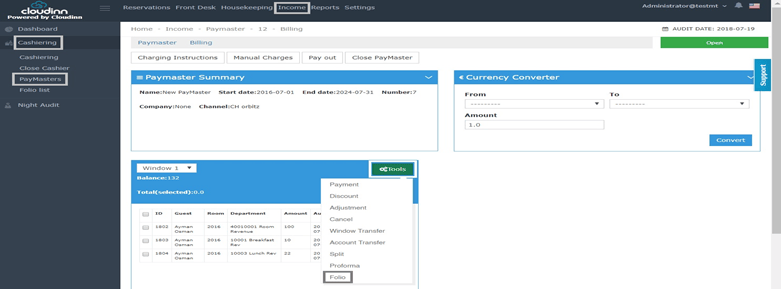
8. Folio
##### **Generate Paymaster’s Folio:**
1. Front Office
2. Income
3. Cashiering
4. Paymasters
5. Search for Paymaster
6. Billing
7. Tools
8. Folio
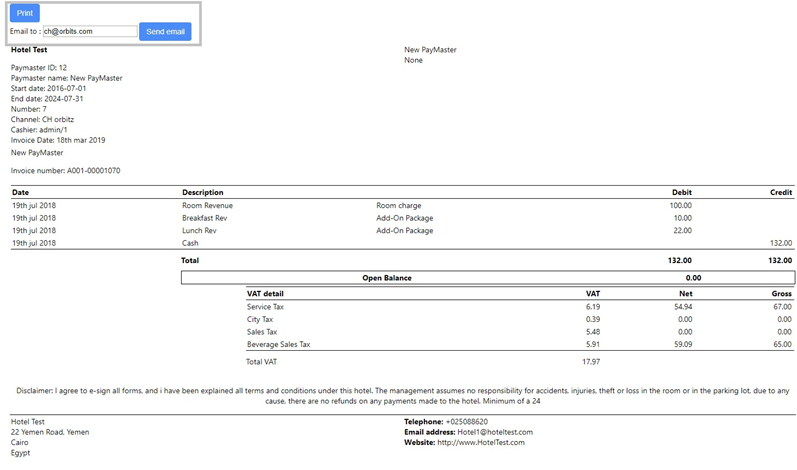
 Now that we have generated the Folio successfully, we can see the email we updated, user can simply now **Email** the Folio to the pre-selected email or change it to their convenience.