> ## Documentation Index
> Fetch the complete documentation index at: https://help.kwentra.com/llms.txt
> Use this file to discover all available pages before exploring further.
# Safe Box
> Link an asset account to the Front Office Safe Box, then deposit end-of-shift cash and record Petty Cash payments against your chart of accounts.
Kwentra Front Office Safe Box helps you in your daily finances by creating a **Deposit and Petty Cash** mechanism.
**How?**
First, you need to assign an asset account from Back Office to be used as the safe box account.
**Back Office → Settings → Accounts → Account → Select Asset Account → Mark on Safe Box**
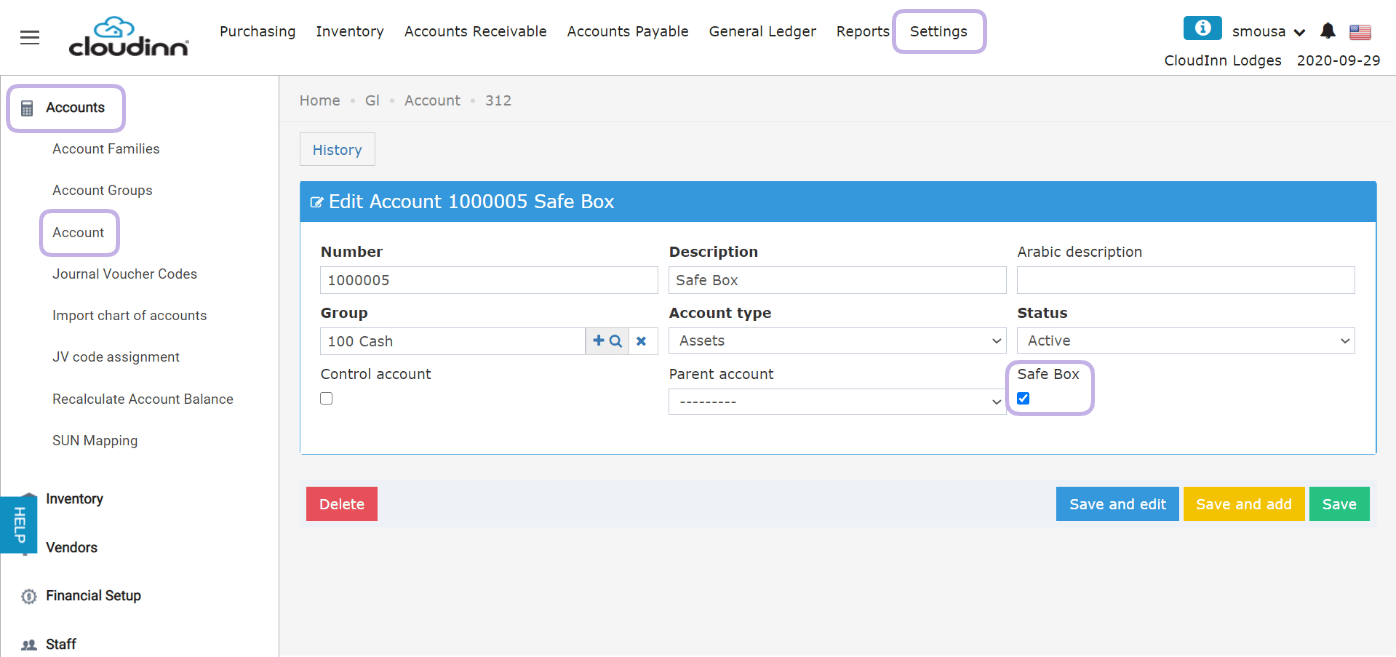 Now that you linked your safebox with an asset account, let's learn what are the operational application to it.
**1. Deposit daily Front Desk envelopes at end of shift "Close Cashier":**
When your staff are at the end of their shift and they close their cashier drawer and handover their envolope that has all the money they collected throughout the shift, a deposit to the safe box can be made from their end.
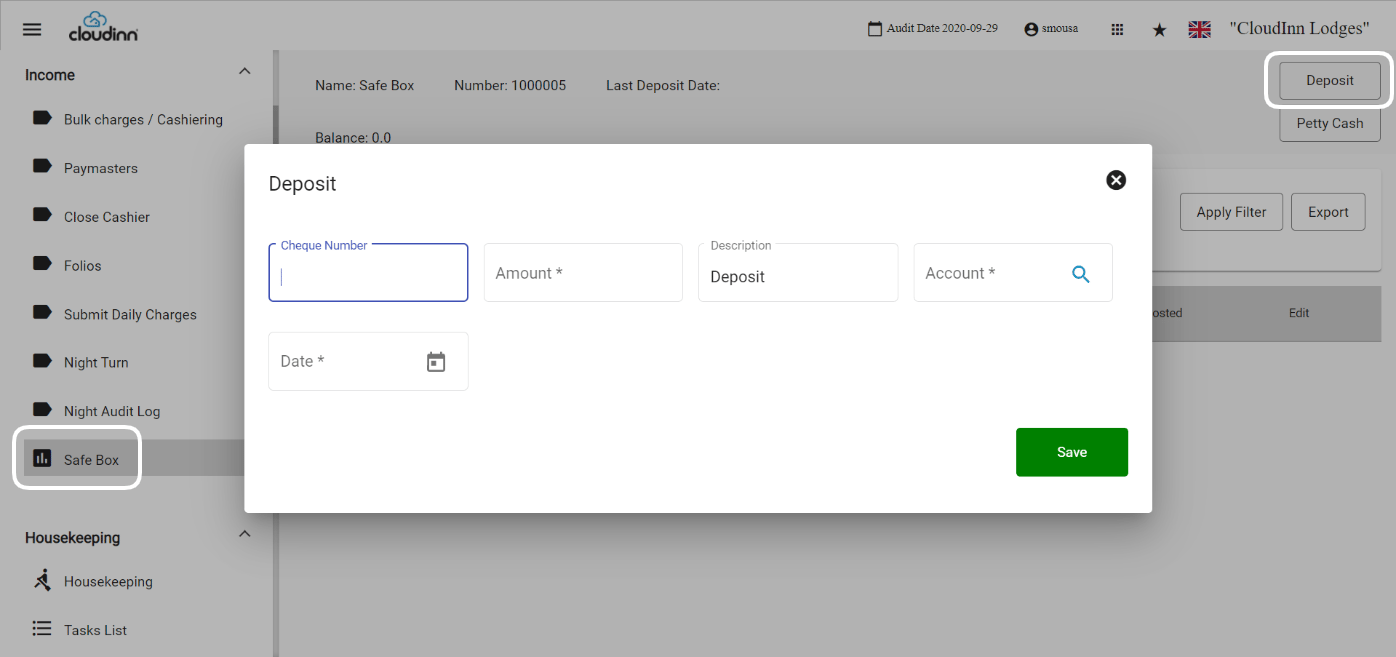
**New Front Office → Income → Safe Box → Deposit**
1. Enter the amount you would like to deposit
2. Usually **Deposit** is to deposit the amount to the safe box "front office" from another asset account, select the account you desire i.e from Cash on Hand account to Safe box
3. Select Deposit Date
4. Click **Save**
Now that you linked your safebox with an asset account, let's learn what are the operational application to it.
**1. Deposit daily Front Desk envelopes at end of shift "Close Cashier":**
When your staff are at the end of their shift and they close their cashier drawer and handover their envolope that has all the money they collected throughout the shift, a deposit to the safe box can be made from their end.
**New Front Office → Income → Safe Box → Deposit**
1. Enter the amount you would like to deposit
2. Usually **Deposit** is to deposit the amount to the safe box "front office" from another asset account, select the account you desire i.e from Cash on Hand account to Safe box
3. Select Deposit Date
4. Click **Save**
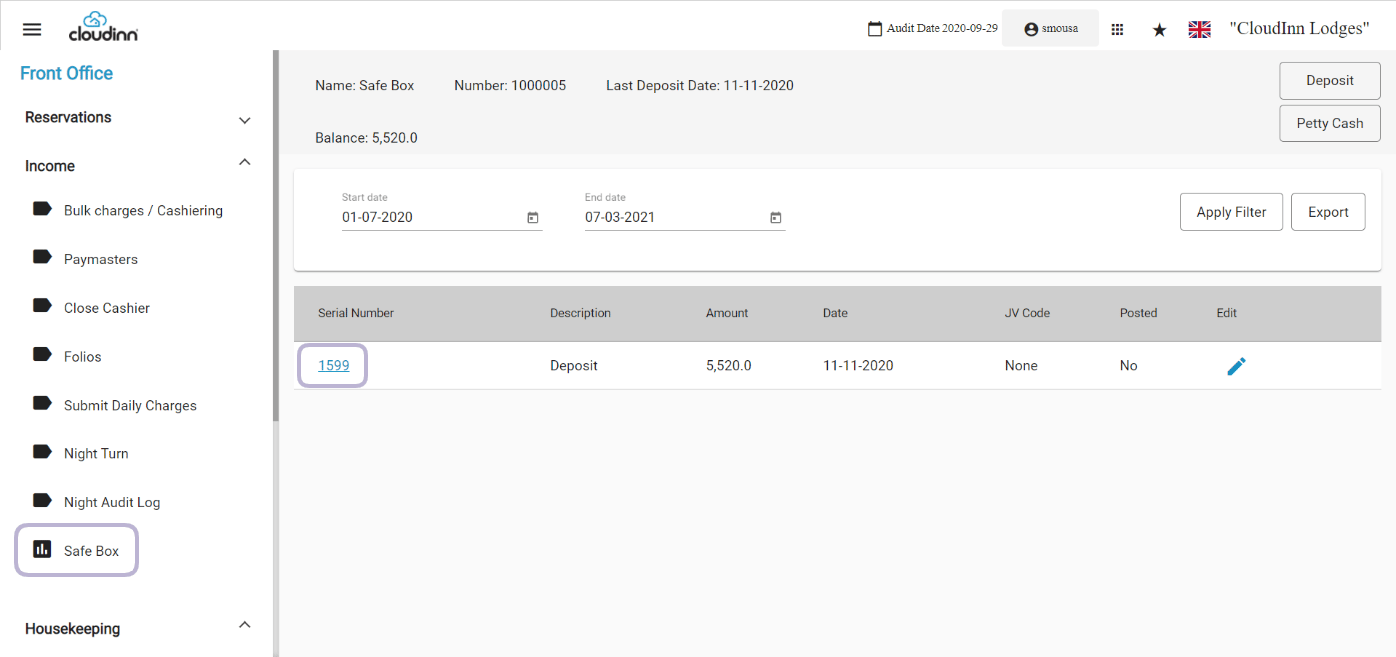
 In that way you are passing on "transferring" the money collected from the front desk to your asset account in the chart of accounts.
In order to post the Journal Voucher to your statements, click on the code which will lead you to verify and post the JV.
In that way you are passing on "transferring" the money collected from the front desk to your asset account in the chart of accounts.
In order to post the Journal Voucher to your statements, click on the code which will lead you to verify and post the JV.
 **2. Make payments from Front Office Safe Box "Petty Cash":**
When you have an invoice or an important charge to be paid as part of your daily expenses, you can withdraw money from the front office safe box under **Petty Cash Payment.**
**New Front Office → Income → Safe Box → Petty Cash**
1. Enter the amount you want to spend
2. Select the **Expense Account** you want to load the cost on
3. Click **Save**
You can add multiple lines of charges if you need to.
**2. Make payments from Front Office Safe Box "Petty Cash":**
When you have an invoice or an important charge to be paid as part of your daily expenses, you can withdraw money from the front office safe box under **Petty Cash Payment.**
**New Front Office → Income → Safe Box → Petty Cash**
1. Enter the amount you want to spend
2. Select the **Expense Account** you want to load the cost on
3. Click **Save**
You can add multiple lines of charges if you need to.
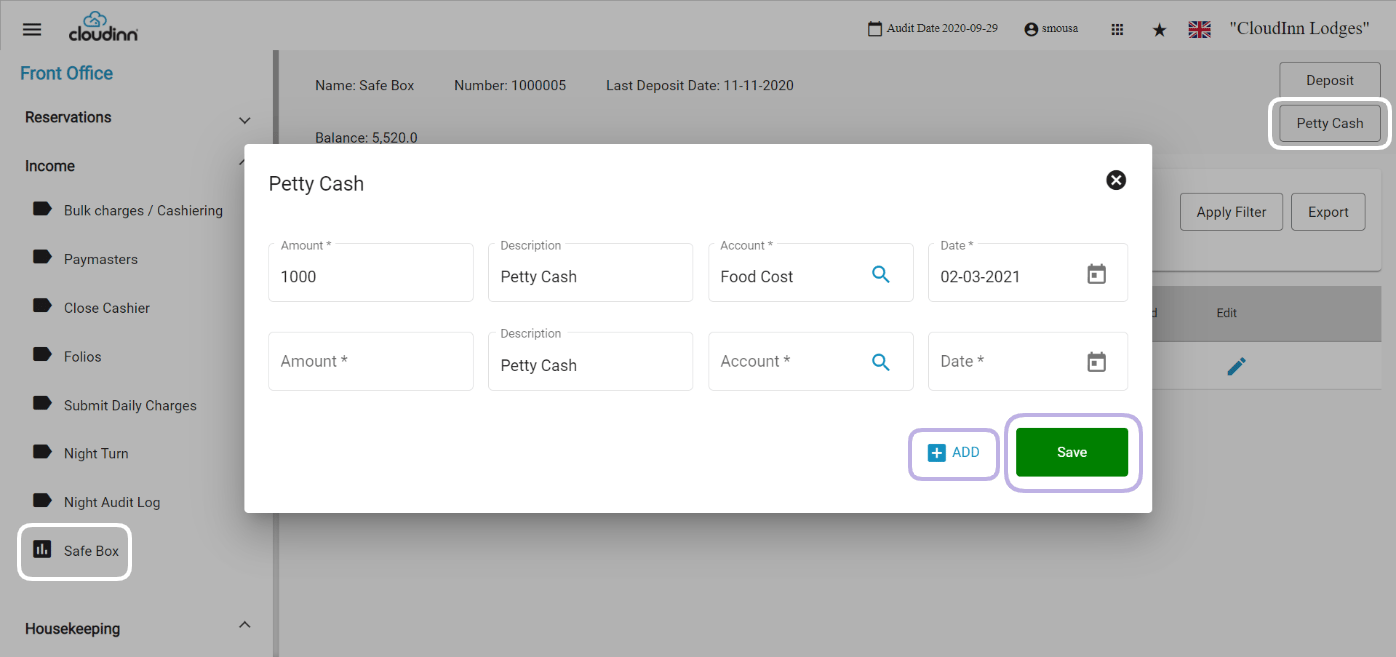 In that way you're recording the charges you make from the safe box and for which purpose these charges are for.
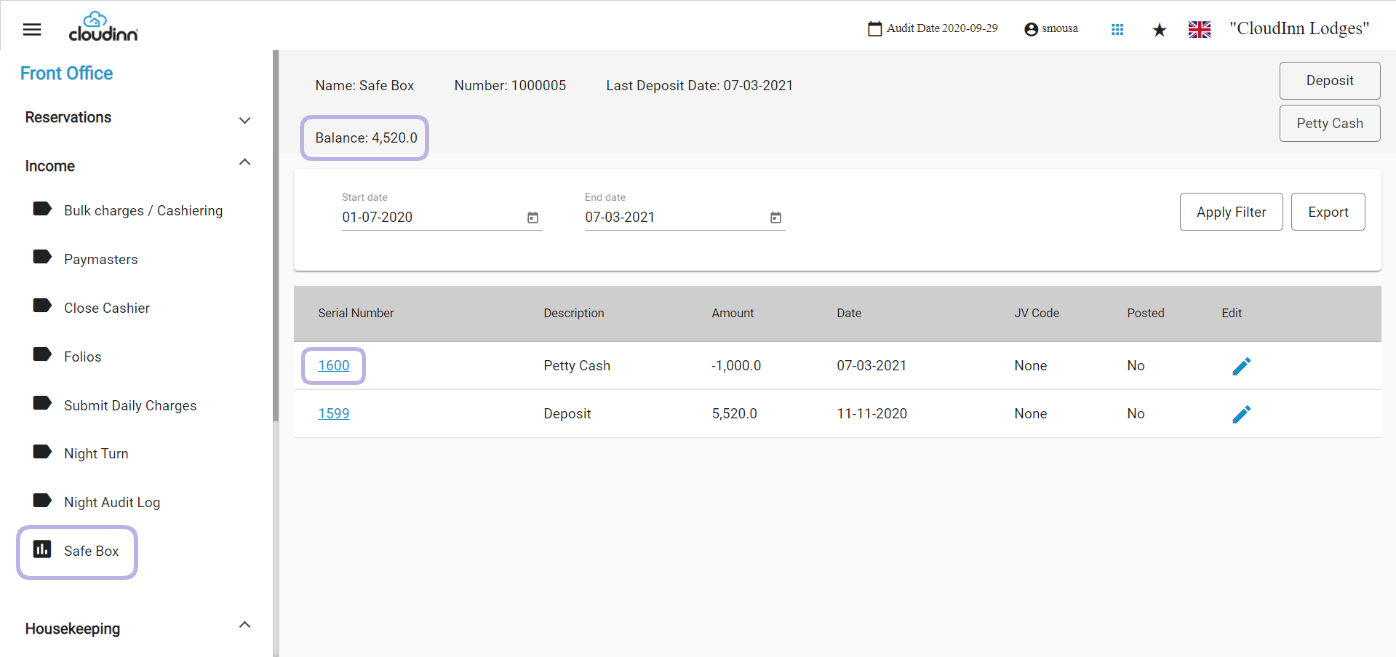
In this example a deposit has been made for 5520 and then a charge of 1000 under petty cash payment so the remaining balance is 4520.
In that way you're recording the charges you make from the safe box and for which purpose these charges are for.
In this example a deposit has been made for 5520 and then a charge of 1000 under petty cash payment so the remaining balance is 4520.