> ## Documentation Index
> Fetch the complete documentation index at: https://help.kwentra.com/llms.txt
> Use this file to discover all available pages before exploring further.
# How to Add "Paid Amount" and "Remaining Projected Balance" to Your Reservation List
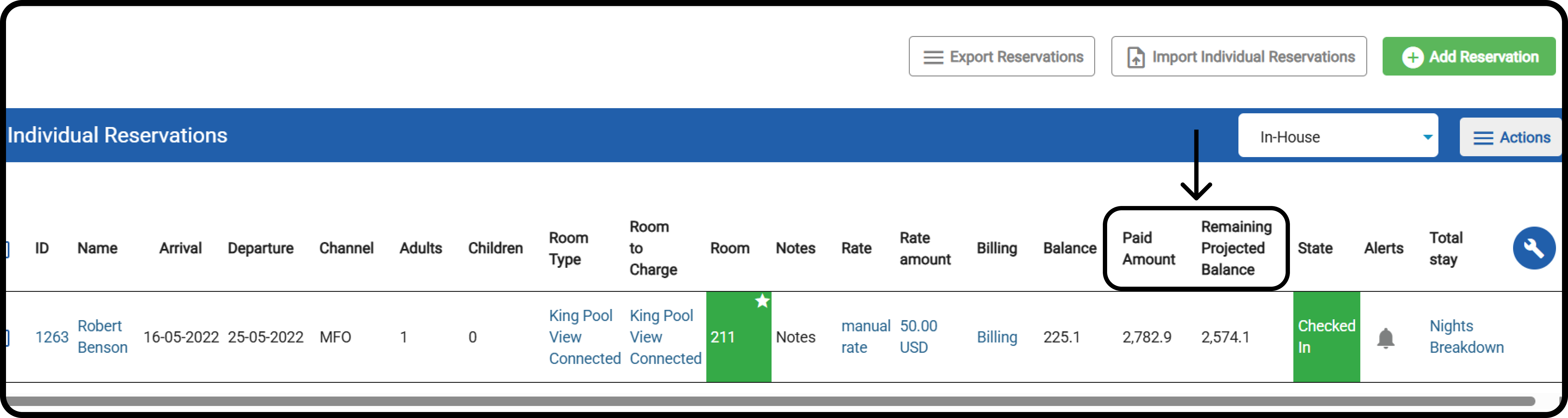
> You can now customize your Reservation List by adding two new financial columns: Paid Amount and Remaining Projected Balance . These additions help you monitor payments and outstanding balances acr...
You can now customize your Reservation List by adding two new financial columns: **Paid Amount** and **Remaining Projected Balance**. These additions help you monitor payments and outstanding balances across reservations without opening each one individually.
#### **When to use this feature?**
✅ Front Office Agents reviewing payment status before check-in.
✅ Accountants auditing open balances from group bookings.
✅ Reservation Managers tracking payment progress on long-stay guests.
#### **What Do These Columns Show?**
* **Paid Amount**
* Shows the total credit transactions posted on the reservation.
* **Remaining Projected Balance**
* Calculated as:
* *(All projected debit postings from this reservation and related reservations via billing instructions, excluding duplicates) + Manual charges – Paid Amount*
#### **How To Add The Columns?**
**[Front Office > Individual Reservations](https://manage.kwentra.com/frontoffice/#/individualreservation)**
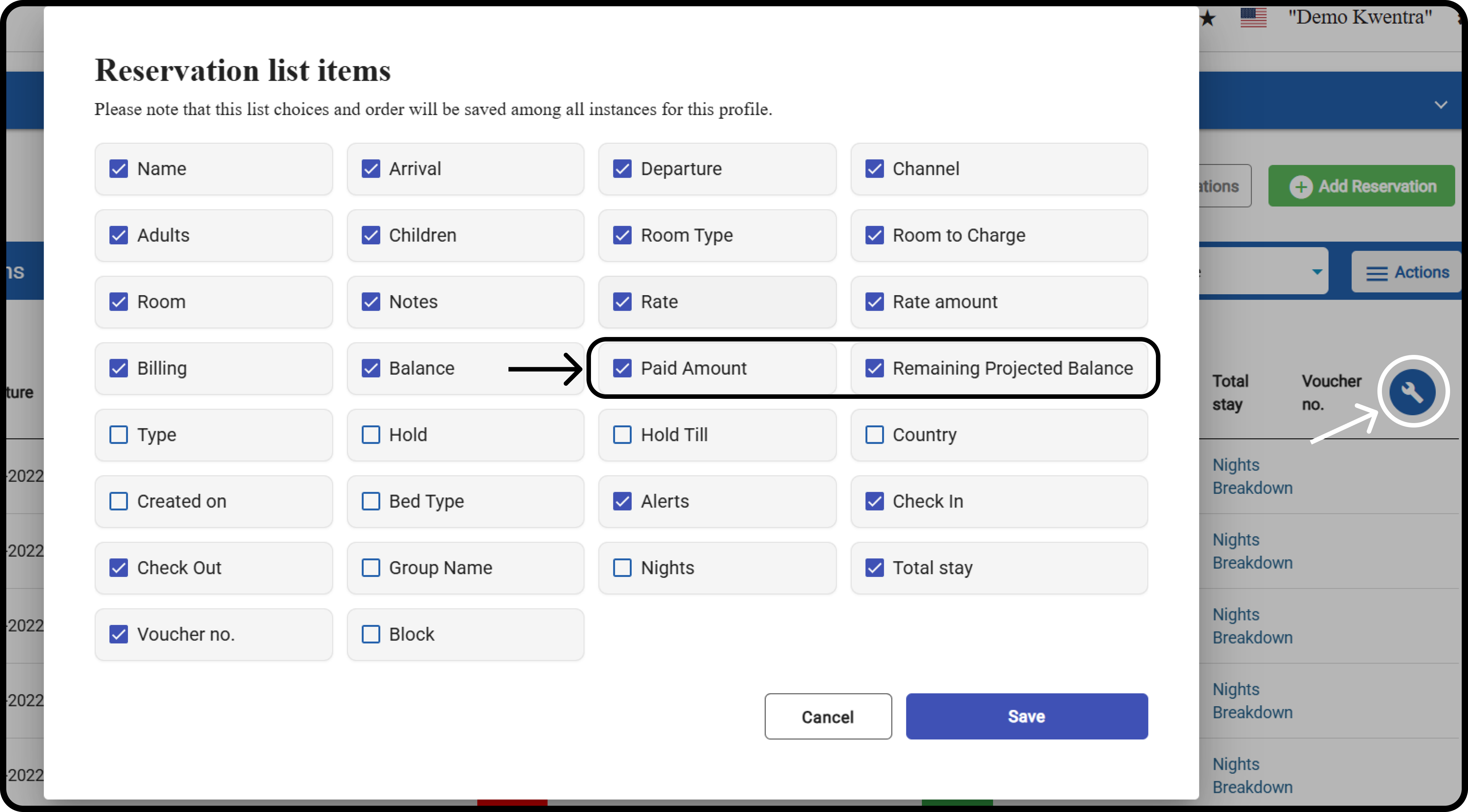
Click on the **tool icon,** and mark the **Paid Amount** and **Remaining Projected Balance** boxes **.**
Click **Save.**
 You can and it will reflect on all the properties you manage.