> ## Documentation Index
> Fetch the complete documentation index at: https://help.kwentra.com/llms.txt
> Use this file to discover all available pages before exploring further.
# Rates & Availability
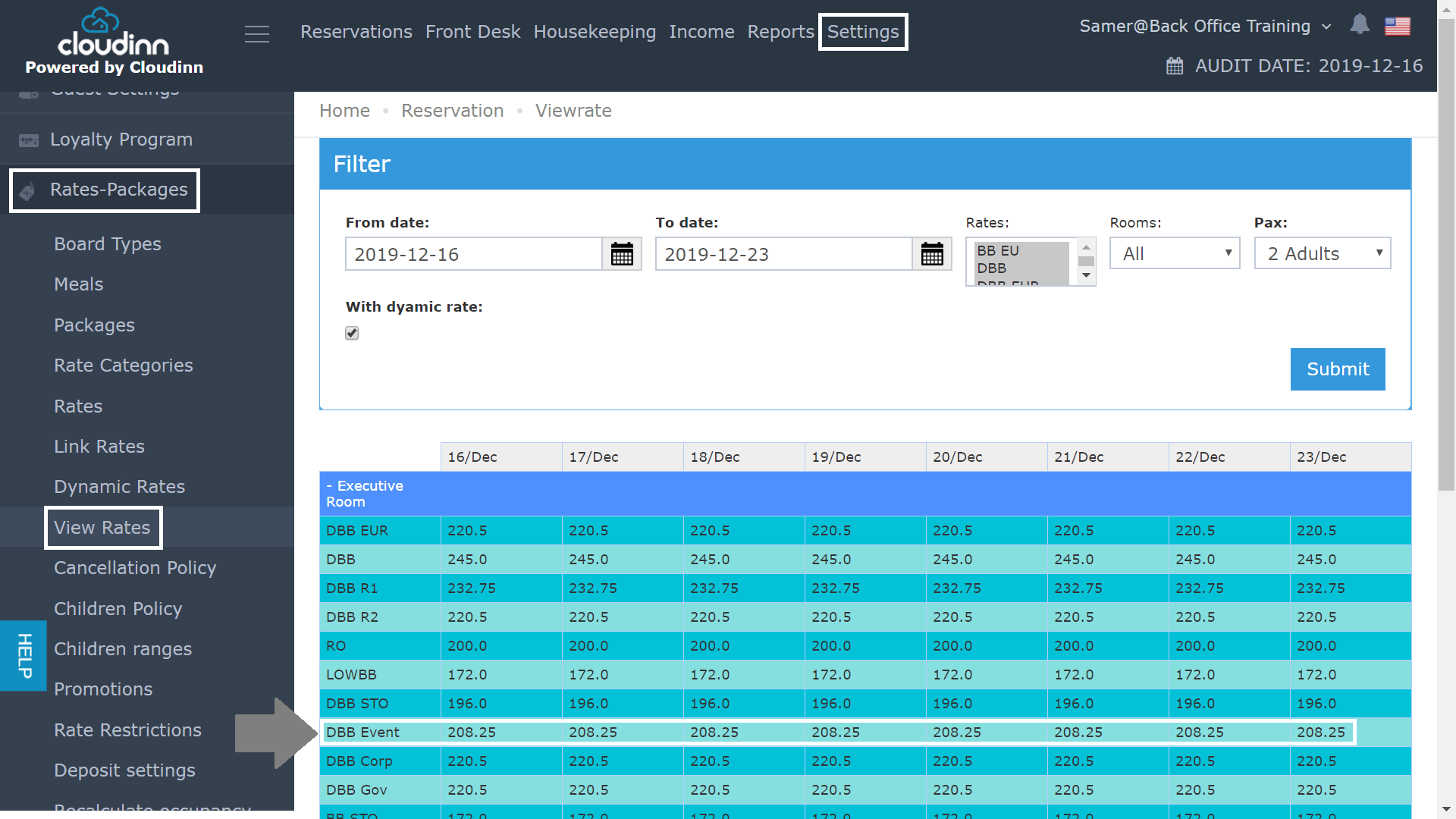
> Through the previous Front Office Navigation, you used to follow the below steps in order to view your rates for a specific period of time: Click on Front Office after login. Click on Settings from...
Through the previous Front Office Navigation, you used to follow the below steps in order to view your rates for a specific period of time:
* Click on **Front Office** after login.
* Click on **Settings** from the top.
* Click on **Rates & Packages** from the left side menu **.**
* Select **View Rates.**
We used this screen to know how much are specific rates for specific room types during a specific period of time.
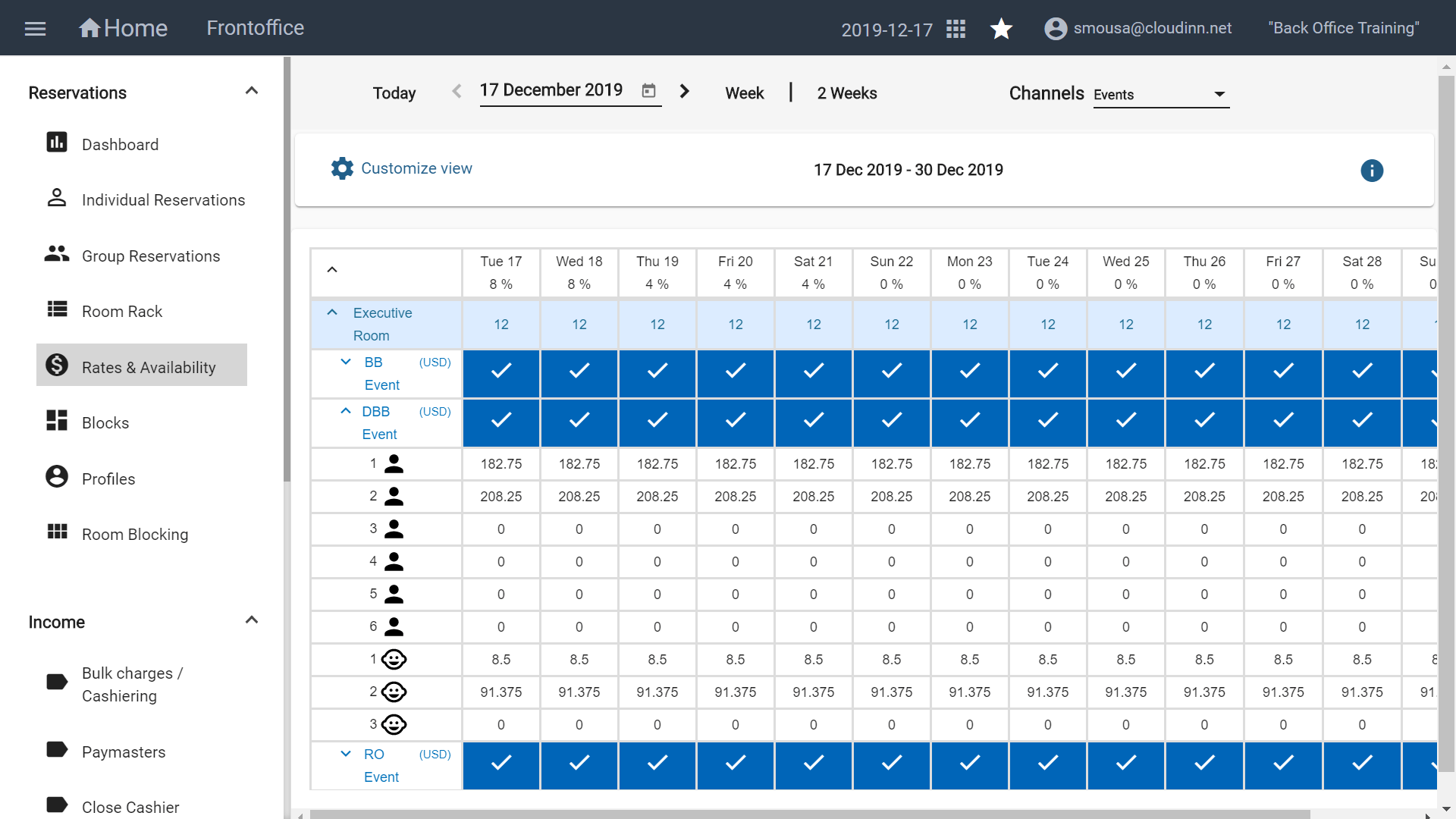
 It used to take numerous clicks to reach your destination, with the new FO navigation you can reach the same screen with less clicks as below:
Once you open the Front Office Module and select **Rates & Availability** you would be able to view your rates easily using new filters and editable views.
From the new FO Menu you can also check the current available rooms per day and the occupancy percentage for the period you're searching for.
[
It used to take numerous clicks to reach your destination, with the new FO navigation you can reach the same screen with less clicks as below:
Once you open the Front Office Module and select **Rates & Availability** you would be able to view your rates easily using new filters and editable views.
From the new FO Menu you can also check the current available rooms per day and the occupancy percentage for the period you're searching for.
[ ](/images/front-office/new-front-office-navigation-menu/rates-availability/4ca5eb2669.jpg)