> ## Documentation Index
> Fetch the complete documentation index at: https://help.kwentra.com/llms.txt
> Use this file to discover all available pages before exploring further.
# Group Reservations — Rooming List Header and Print
> Rooming list now displays header summary and Print button for formatted documents. Business Value Saves time displaying group summary without navigating away. Print button generates professional ro...
Rooming list now displays header summary and Print button for formatted documents.
**Business Value**
* Saves time displaying group summary without navigating away.
* Print button generates professional rooming list documents.
* Header adapts to multi-group scenarios automatically.
* Printed list includes color header and complete guest details.
**Use Cases**
* Front office agent sees group summary (name, dates, rooms) instantly.
* Reservations manager prints formatted list to hand to event planner.
* Group coordinator sees consolidated header data from primary group.
**How It Works**
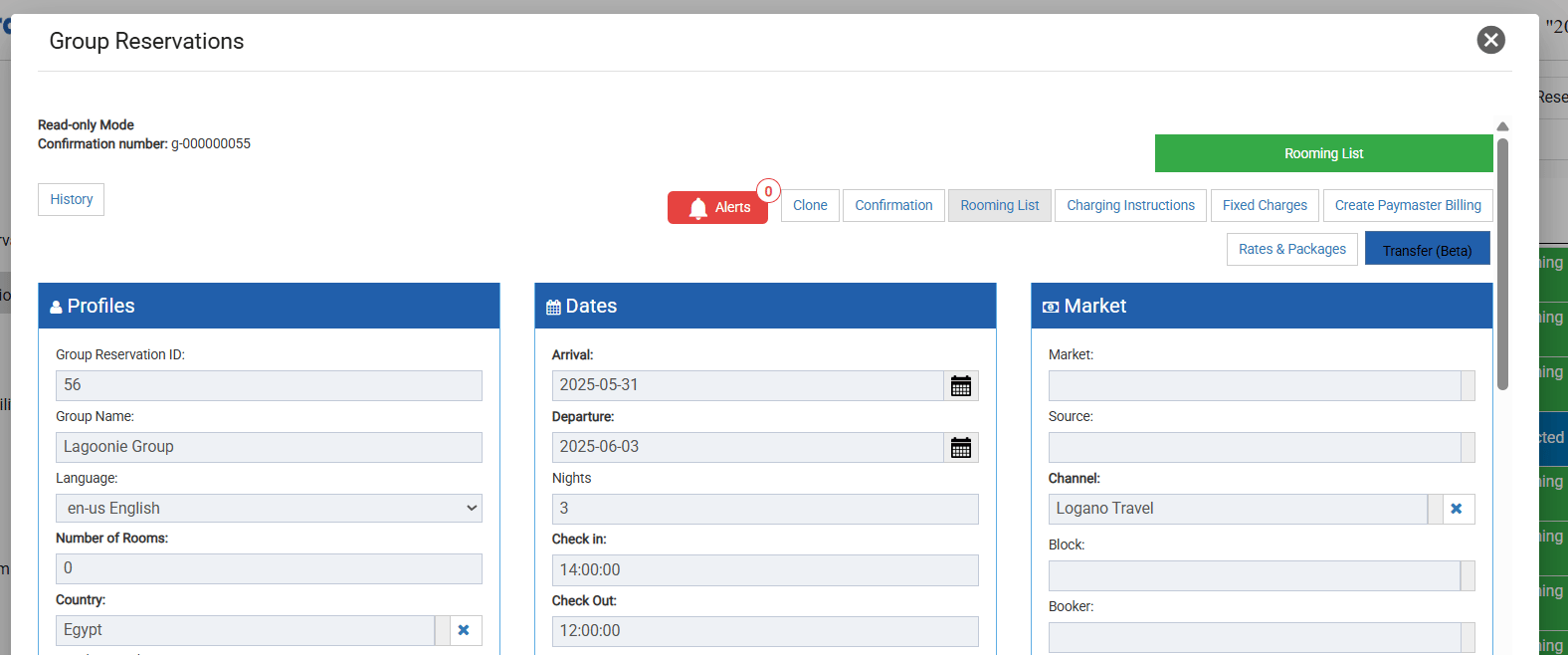
**Where to Find It**
| Front Office → Group Reservations → \[Open a Group] → Rooming List |
| ------------------------------------------------------------------ |
 **Rooming List Header**
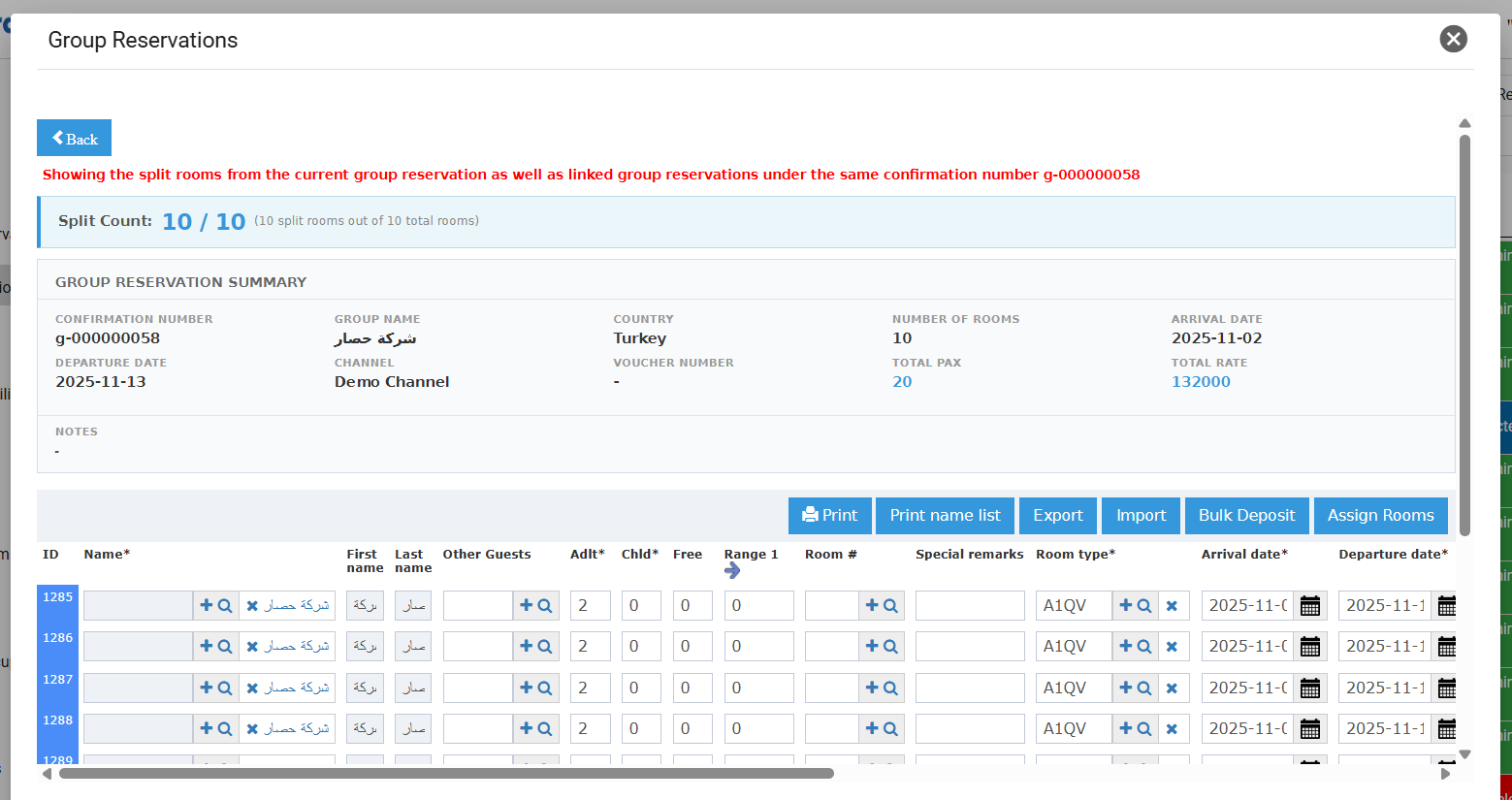
The rooming list screen now displays a summary header showing the following details from the group reservation:
* Split Count — number of split rooms / total number of rooms in the group reservation (shown above the summary).
* Confirmation Number, Group Name, Country, Number of Rooms
* Arrival Date, Departure Date, Channel, Voucher Number
* Total Pax — total adults + children across all split reservations linked to the group.
* Total Rate — total stay rate of all split reservations.
* Notes — Internal, Billing, and External notes.
For groups with multiple sub-groups under the same confirmation number (same rooming list), header data is pulled from the original/first group reservation.
**Rooming List Header**
The rooming list screen now displays a summary header showing the following details from the group reservation:
* Split Count — number of split rooms / total number of rooms in the group reservation (shown above the summary).
* Confirmation Number, Group Name, Country, Number of Rooms
* Arrival Date, Departure Date, Channel, Voucher Number
* Total Pax — total adults + children across all split reservations linked to the group.
* Total Rate — total stay rate of all split reservations.
* Notes — Internal, Billing, and External notes.
For groups with multiple sub-groups under the same confirmation number (same rooming list), header data is pulled from the original/first group reservation.
 **Print Button**
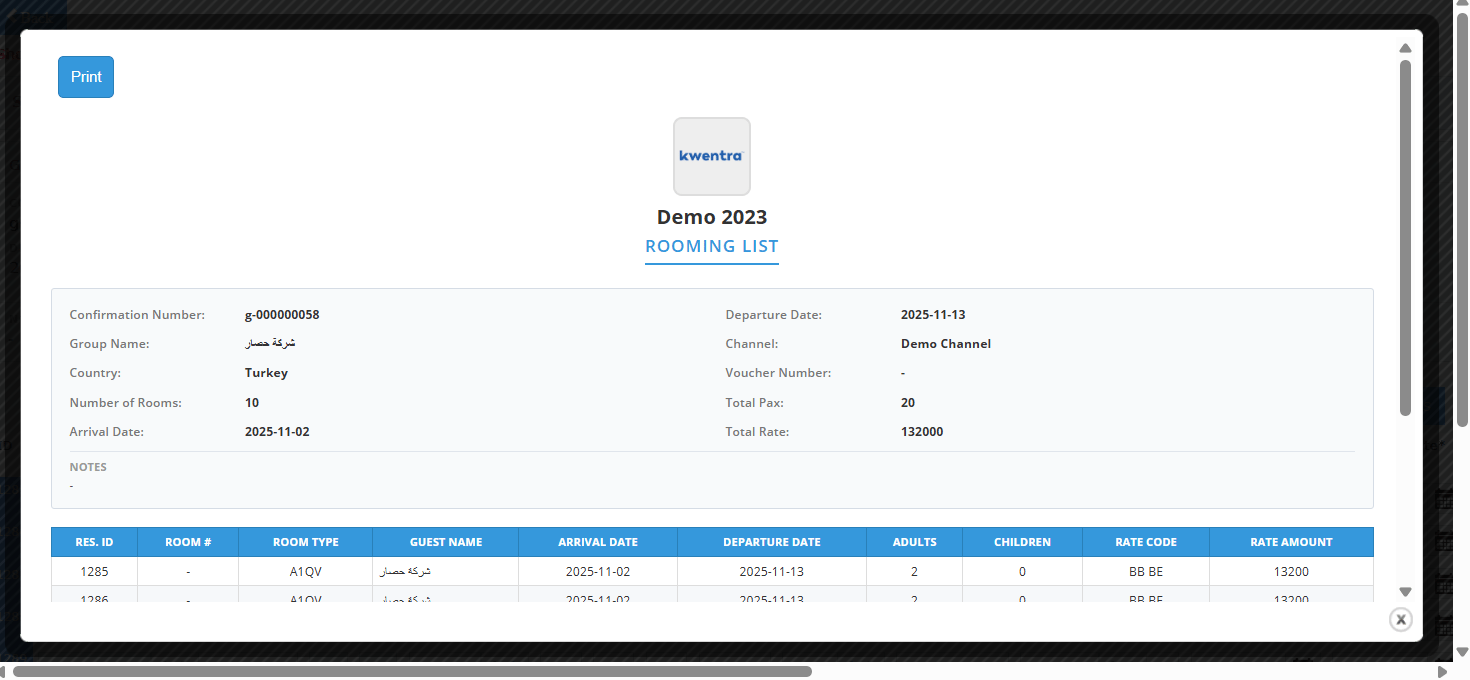
A Print button on the rooming list screen generates a formatted document containing:
* Hotel Logo and Hotel Name
* "Rooming List" header title
* Group reservation summary (same fields as the on-screen header)
* A table of all split individual reservations with columns: Reservation ID, Room Number, Room Type, Guest Name, Arrival Date, Departure Date, Adults, Children, Rate Code, Rate Amount.
**Print Button**
A Print button on the rooming list screen generates a formatted document containing:
* Hotel Logo and Hotel Name
* "Rooming List" header title
* Group reservation summary (same fields as the on-screen header)
* A table of all split individual reservations with columns: Reservation ID, Room Number, Room Type, Guest Name, Arrival Date, Departure Date, Adults, Children, Rate Code, Rate Amount.