> ## Documentation Index
> Fetch the complete documentation index at: https://help.kwentra.com/llms.txt
> Use this file to discover all available pages before exploring further.
# How do I cancel the reservation's No Show Status?
> In the scenario wherein your guest arrives later than the system's Night Turn Time and you would like to utilize the guest's same reservation without the need of creating a new one for them. To Rei...
In the scenario wherein your guest arrives later than the system's **Night Turn Time** and you would like to utilize the guest's same reservation without the need of creating a new one for them.
To **Reinstate** the guest's reservation from **No Show to Checked In** you need to do the following:
First, you need to find the No Show Reservation.
**[Front Office → Individual Reservations → Find No Show Reservation](https://manage.kwentra.com/frontoffice/#/individualreservation/)**
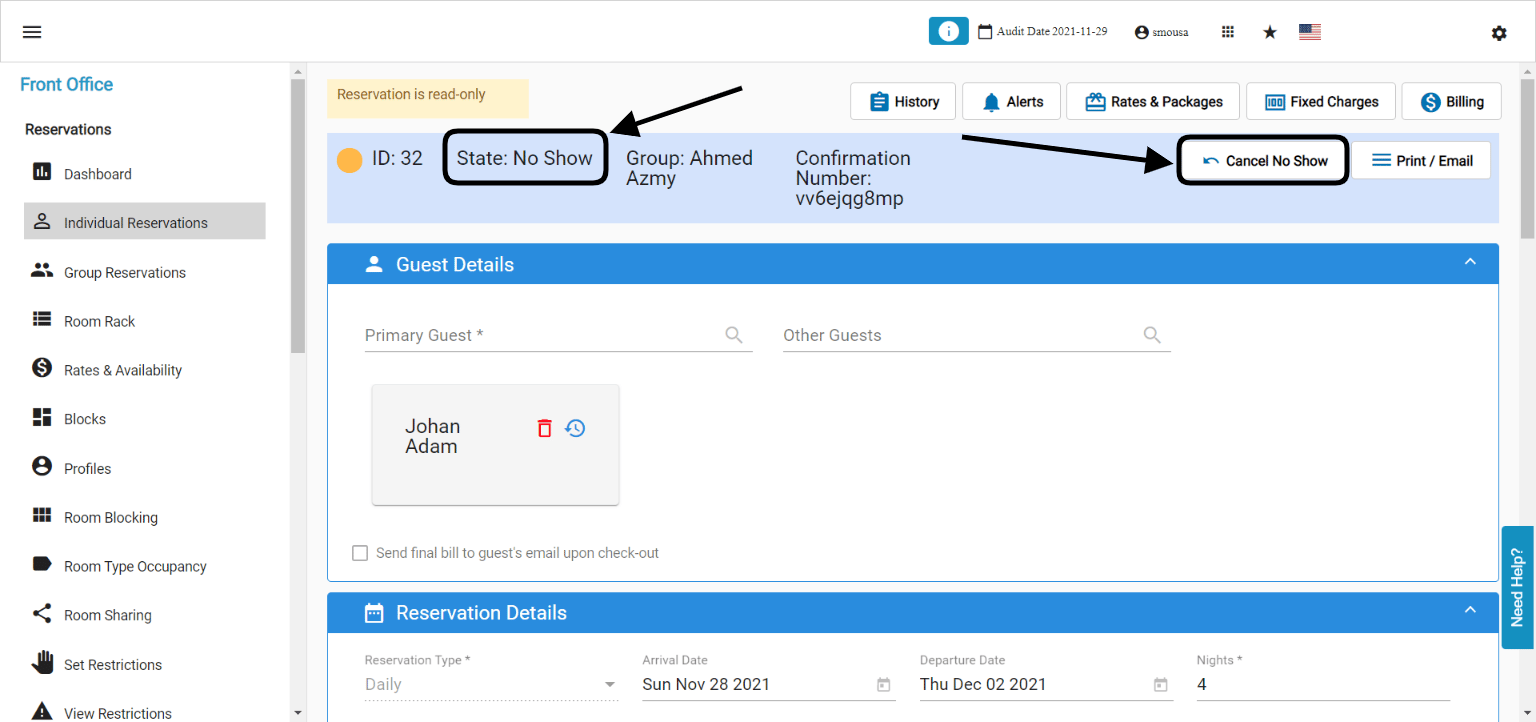
Once you find the reservation and open it, it will look like the below screenshot:
* Reservation is marked as **No Show with a yellow color code.**
* Reservation has the option to **Cancel No Show.**
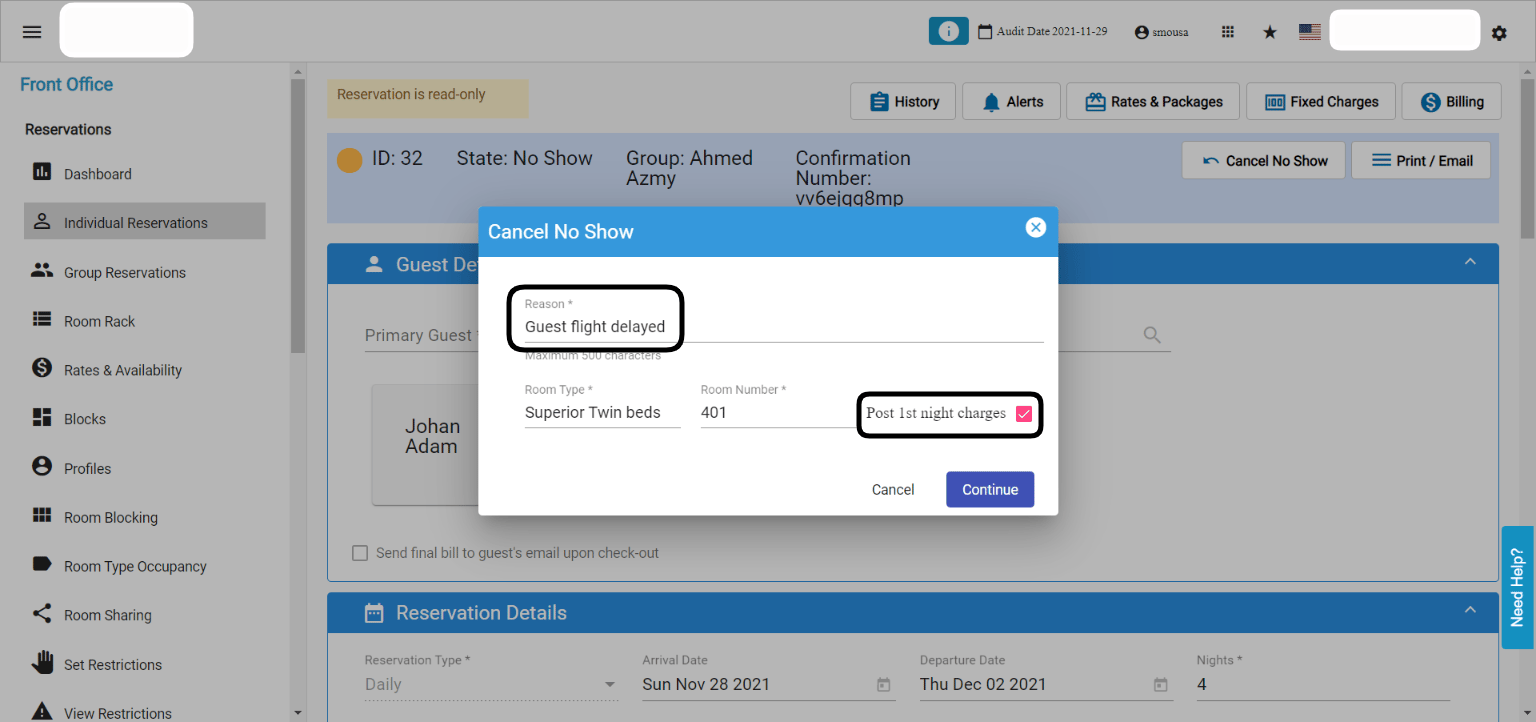
 Once you click on **Cancel No Show,** the system will ask you if you would like to charge the guest for the 1st night they missed or not:
1. Enter a reason for cancelling the No Show.
2. Check the box for **Post 1st night charges** ONLY if you would like to charge the guest for the 1st night missed from the reservation, if not don't mark the checkbox.
3. Click **Continue.**
Once you click on **Cancel No Show,** the system will ask you if you would like to charge the guest for the 1st night they missed or not:
1. Enter a reason for cancelling the No Show.
2. Check the box for **Post 1st night charges** ONLY if you would like to charge the guest for the 1st night missed from the reservation, if not don't mark the checkbox.
3. Click **Continue.**
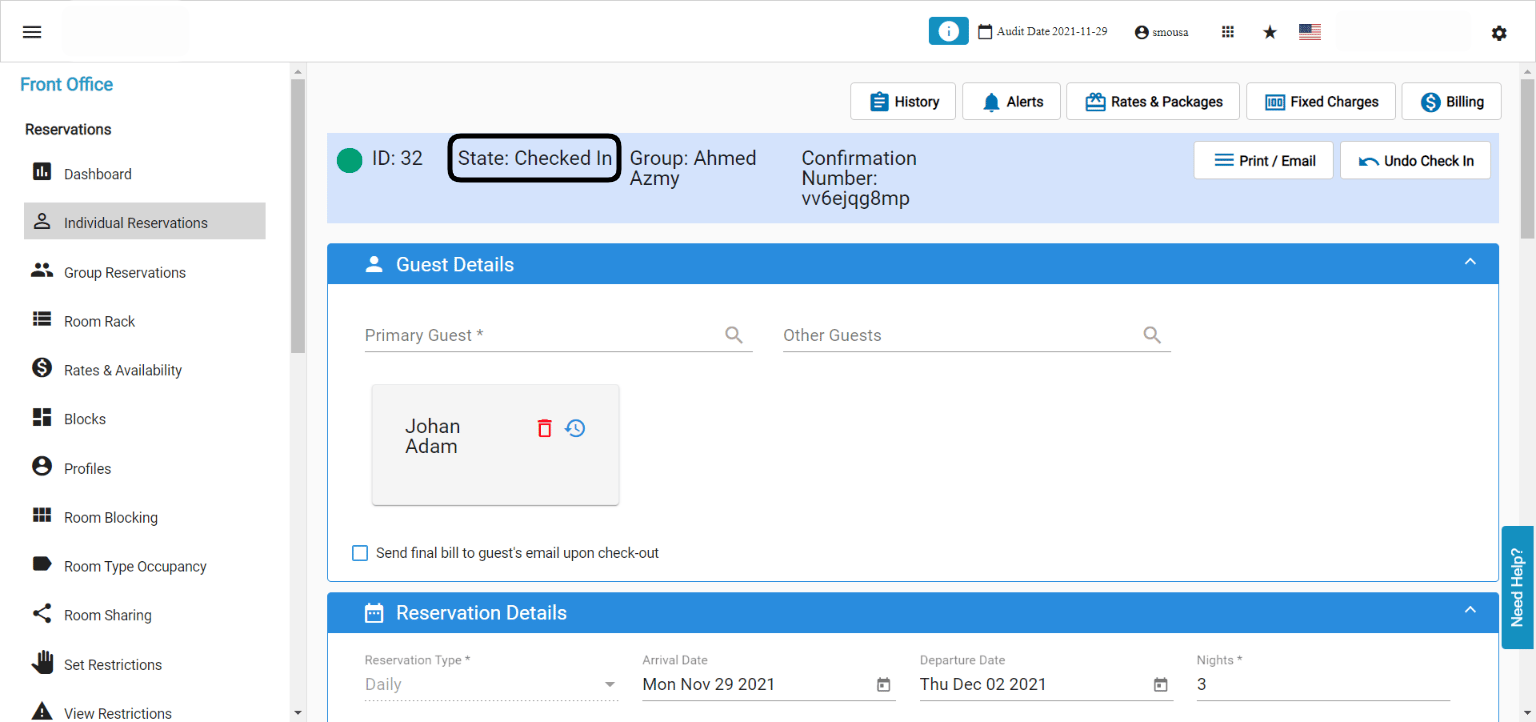
 This is how the reservation would look like after canceling the No Show Status, the reservation will automatically be **Checked In.**
 **Know before you go:**
* Not all staff members have the access to cancel the No Show Status, if you need to have access please contact [support@kwentra.com](mailto:support@kwentra.com).
* This feature is only applicable for the 1st No Show Night only, if a guest arrived after 2 days from his No Show reservation you won't have the option to cancel the No Show and you will create a new reservation for them.
**Know before you go:**
* Not all staff members have the access to cancel the No Show Status, if you need to have access please contact [support@kwentra.com](mailto:support@kwentra.com).
* This feature is only applicable for the 1st No Show Night only, if a guest arrived after 2 days from his No Show reservation you won't have the option to cancel the No Show and you will create a new reservation for them.