> ## Documentation Index
> Fetch the complete documentation index at: https://help.kwentra.com/llms.txt
> Use this file to discover all available pages before exploring further.
# How to cancel an expected reservation?
> For any given reason we would like to cancel an expected reservation we should follow the below steps: 1. Search for the reservation. Read more about how to find a reservation 2. Open the reservati...
For any given reason we would like to cancel an expected reservation we should follow the below steps:
1. Search for the reservation.
2. Open the reservation by clicking on it.
3. Click **Cancel** from the top right side of the reservations page.
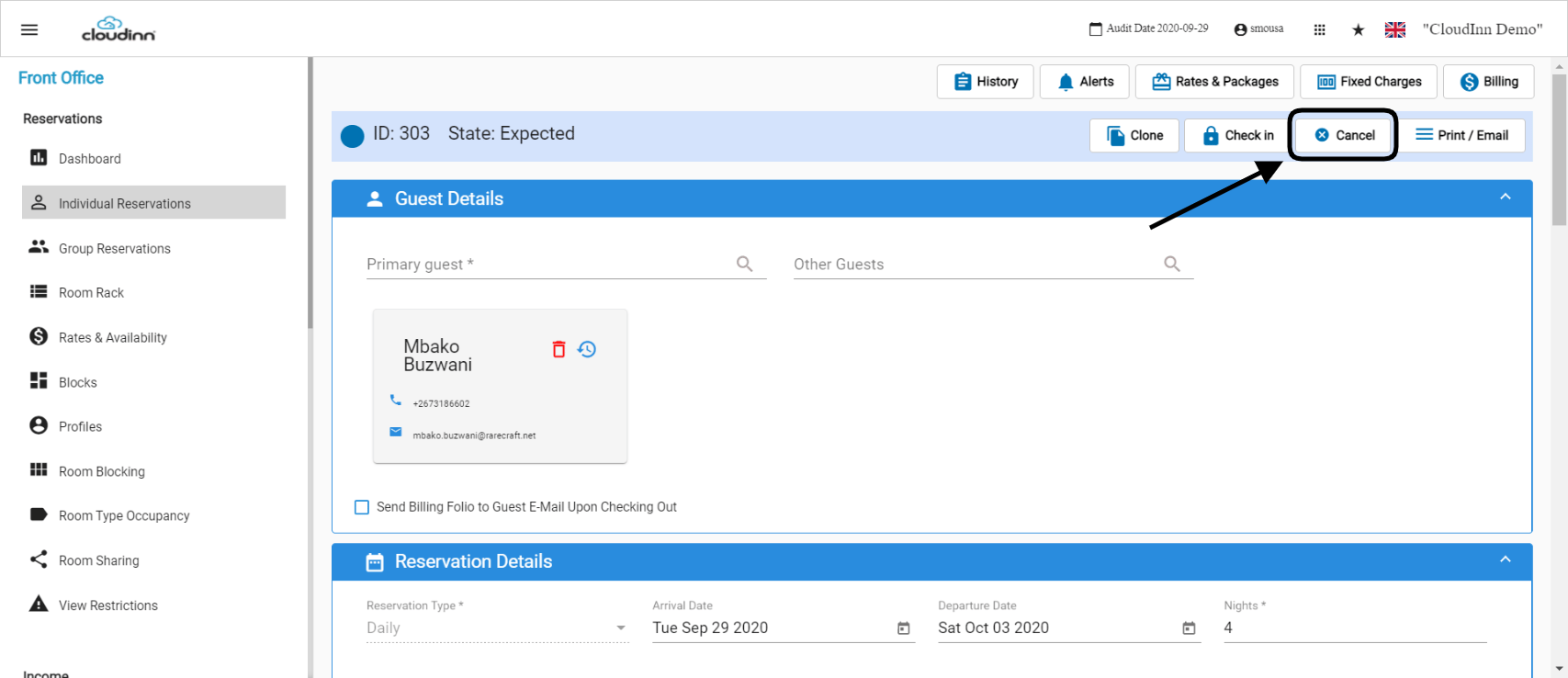 4. Insert the cancellation reason.
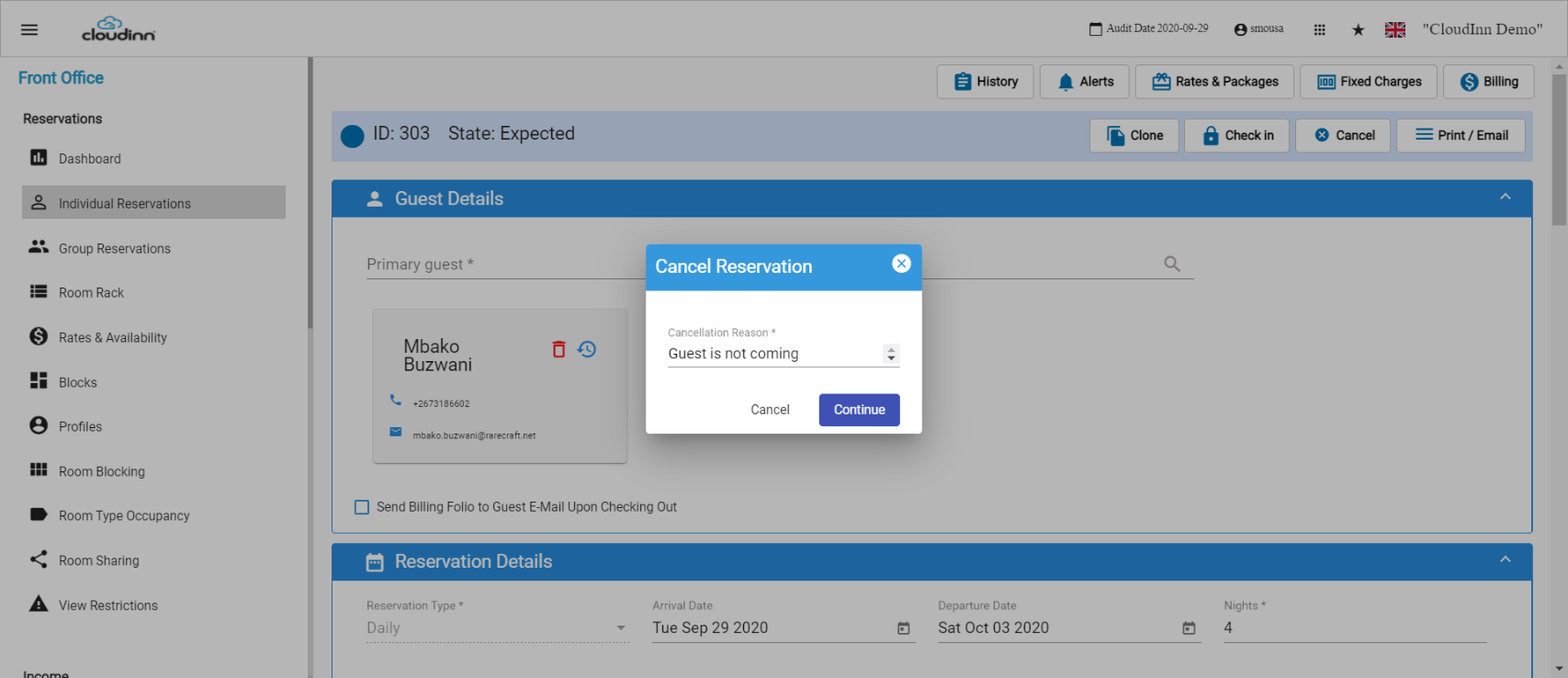 Now the reservation is successfully cancelled.
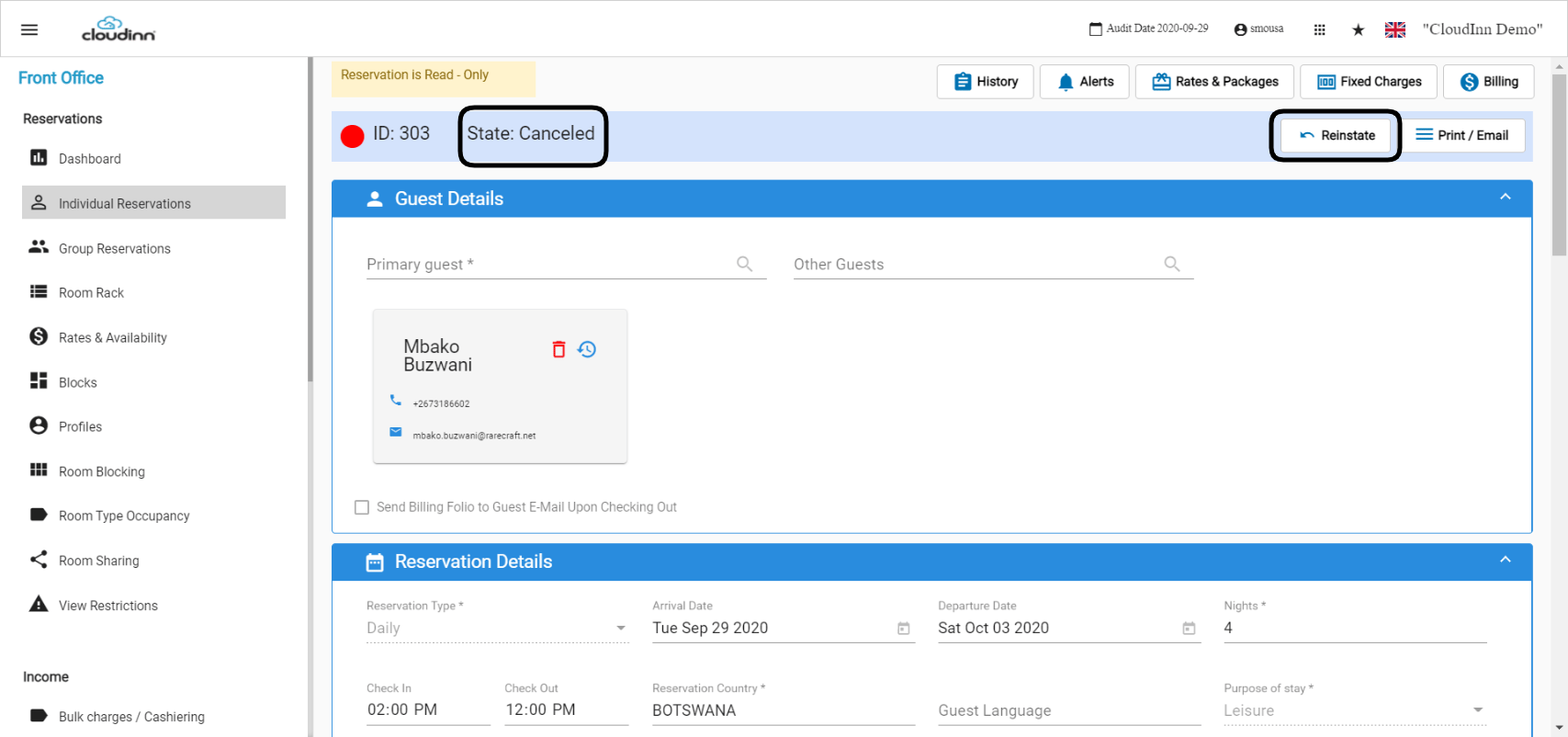 As shown above, since that the reservation is **Canceled** now we have the option to **Reinstate** the reservation to go back to the **Expected** Status:
1. Click on **Reinstate.**
2. Fill in the comments in the new page that will appear.
3. Click **Save.**
As shown above, since that the reservation is **Canceled** now we have the option to **Reinstate** the reservation to go back to the **Expected** Status:
1. Click on **Reinstate.**
2. Fill in the comments in the new page that will appear.
3. Click **Save.**