> ## Documentation Index
> Fetch the complete documentation index at: https://help.kwentra.com/llms.txt
> Use this file to discover all available pages before exploring further.
# How to generate guests registration cards and email confirmations?
> Registration Cards: The Guest Registration Card is an important step in the check-in process where you print out the guest information with your policies so the guest can review them and sign it. G...
**Registration Cards:**
The Guest Registration Card is an important step in the check-in process where you print out the guest information with your policies so the guest can review them and sign it.
Guest RC is a document that is used to track all the reservations that checked in on a certain date.
**[Front Office (beta) → Individual Reservations → Find a Reservation](https://manage.kwentra.com/frontoffice/#/individualreservation)**
From the Reservation screen you get the option as shown below to generate the RC.
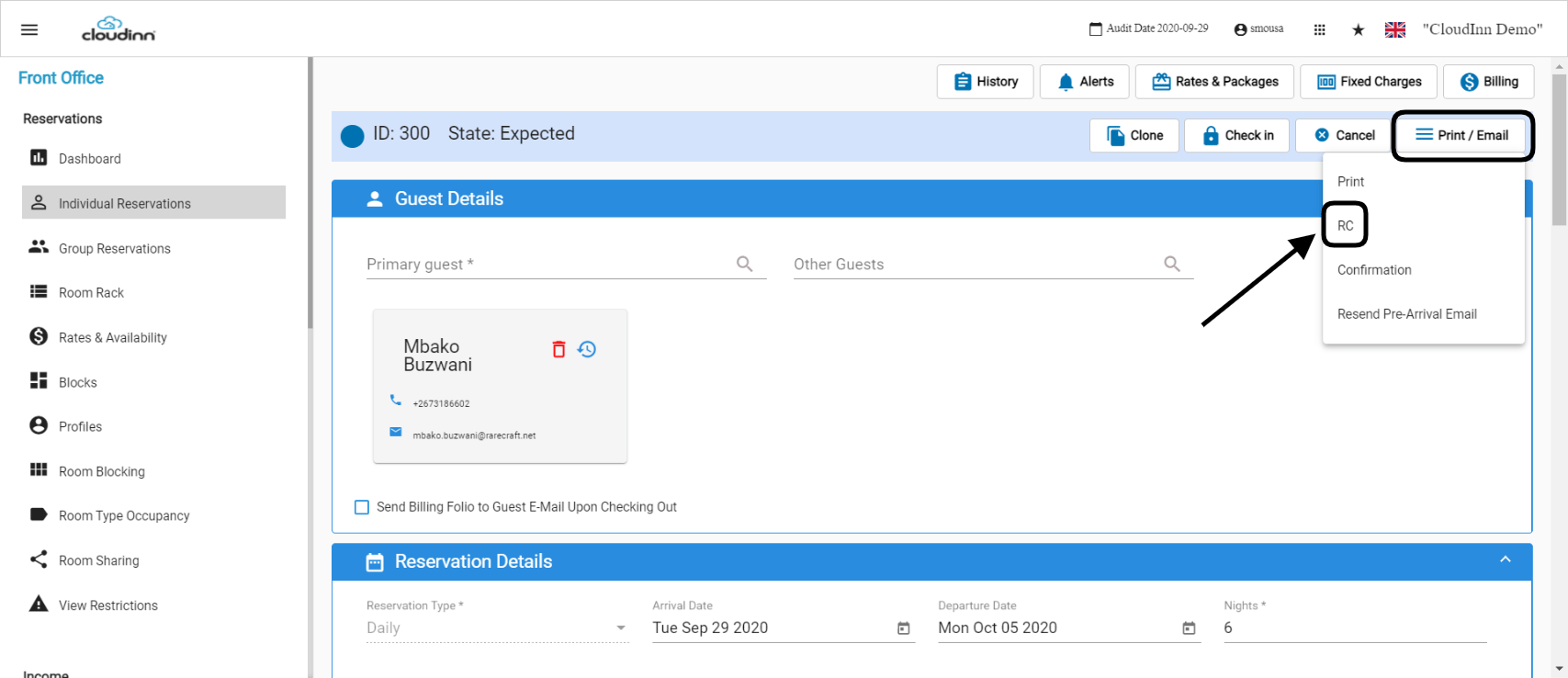 Once generated you will get the option to print it out and hand it over to your guest.
**Email Confirmation:**
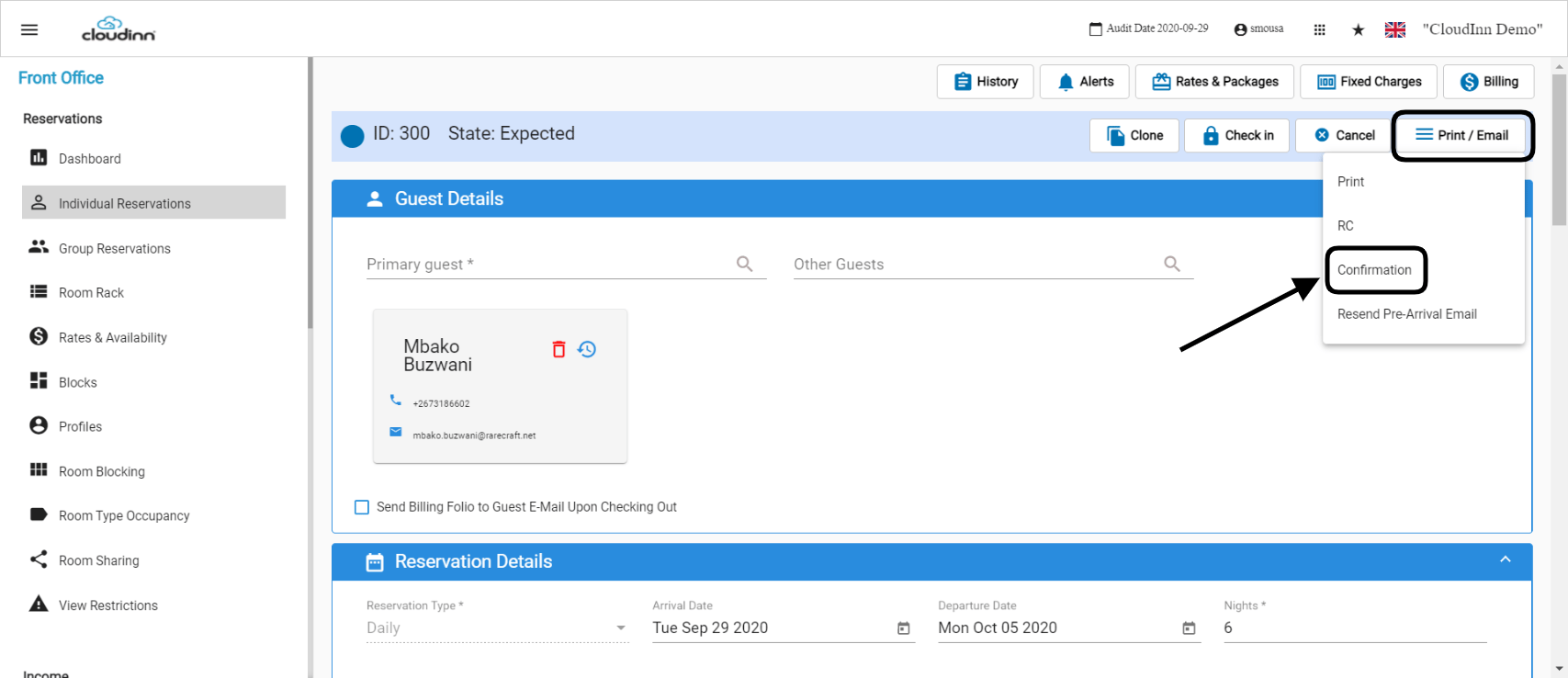
Using the same steps you would get the option to generate the email confirmation with all the reservation details.
Once generated you will get the option to print it out and hand it over to your guest.
**Email Confirmation:**
Using the same steps you would get the option to generate the email confirmation with all the reservation details.
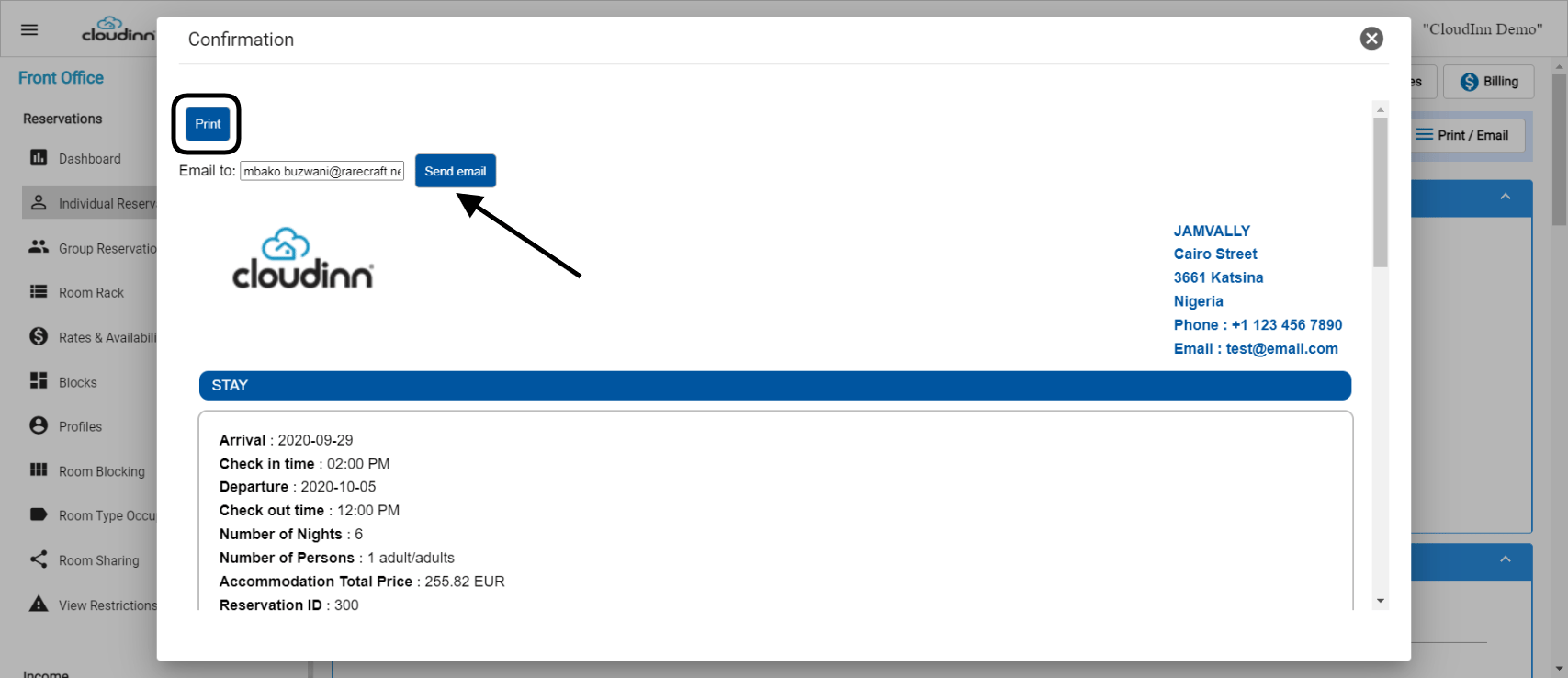
 Once generated, you get the option to either send it to your guest's email or print it out from your printer.
 ***Update: 10th of March, 2022***
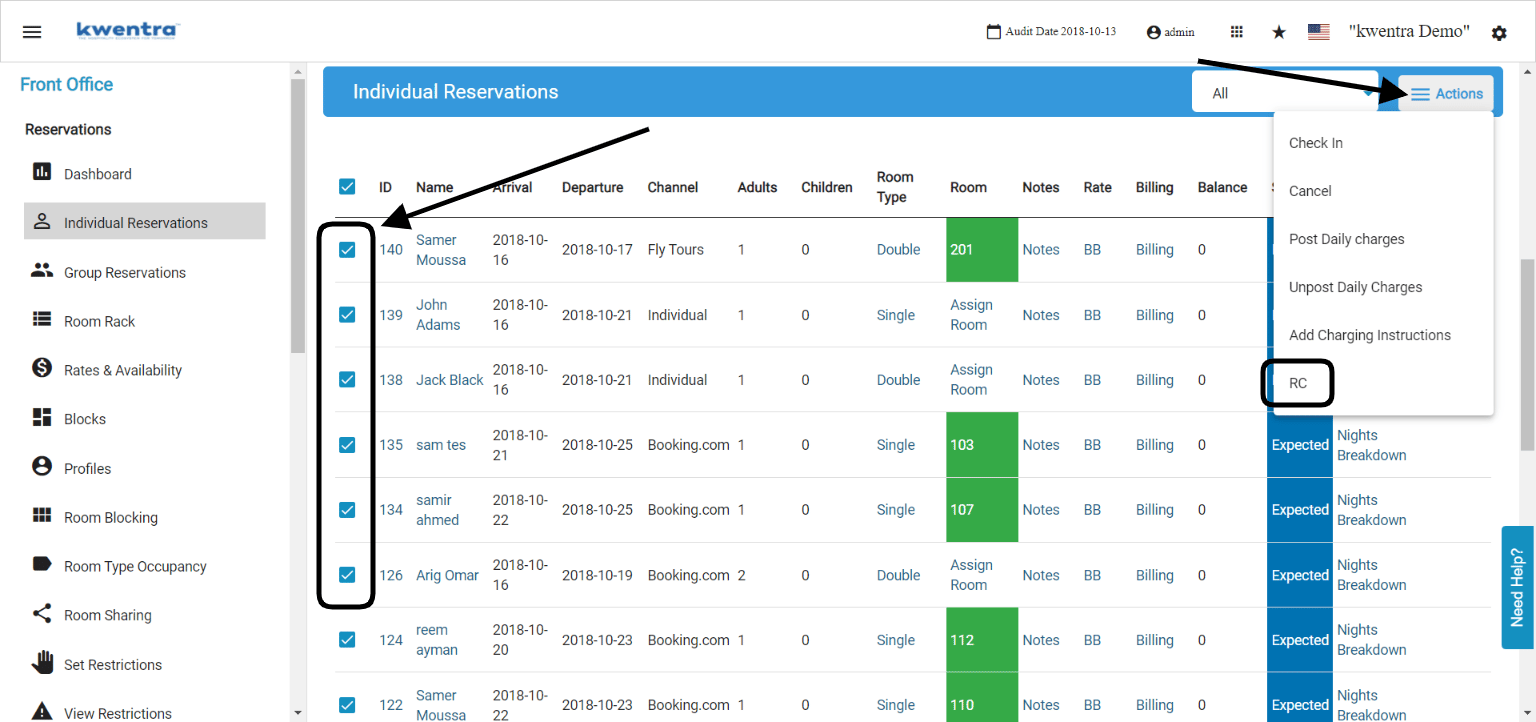
You can now print multiple Registration Cards for multiple reservations to save time from the individual reservations screen.
**[Front Office → Individual Reservations → Mark on Reservations → Actions → RC](https://manage.kwentra.com/frontoffice/#/individualreservation)**
1. Highlight the reservations you would like to print the RC for.
2. Click on **Actions.**
3. Select **RC** from the dropdown menu.
This will trigger your computer's print dialogue to print all Registration Cards for the selected reservations.
***Update: 10th of March, 2022***
You can now print multiple Registration Cards for multiple reservations to save time from the individual reservations screen.
**[Front Office → Individual Reservations → Mark on Reservations → Actions → RC](https://manage.kwentra.com/frontoffice/#/individualreservation)**
1. Highlight the reservations you would like to print the RC for.
2. Click on **Actions.**
3. Select **RC** from the dropdown menu.
This will trigger your computer's print dialogue to print all Registration Cards for the selected reservations.