> ## Documentation Index
> Fetch the complete documentation index at: https://help.kwentra.com/llms.txt
> Use this file to discover all available pages before exploring further.
# Make a Payment
> How can you make a payment for a reservation? When you want to Check-out a reservation all payments that are due on the guest should be settled i.e balance should be Zero. 1- Once you reach the res...
#### **How can you make a payment for a reservation?**
When you want to **Check-out** a reservation all payments that are due on the guest should be settled *i.e balance should be Zero.*
1- Once you reach the reservation page click on **Billing.**
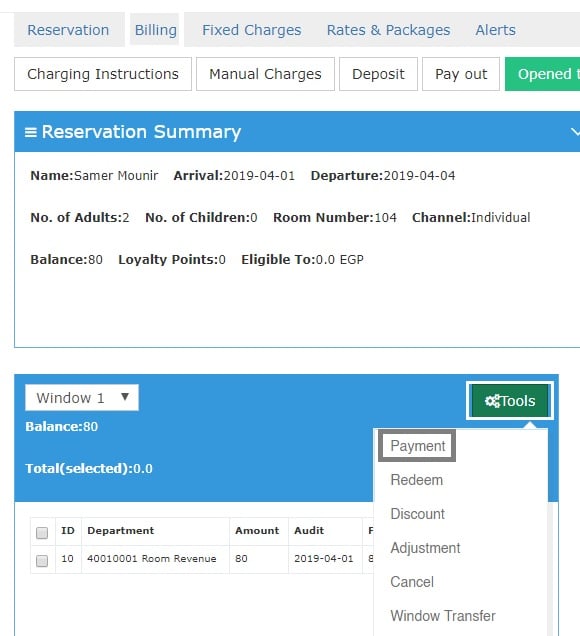
2- Click on **Tools** and then choose **Payment.**
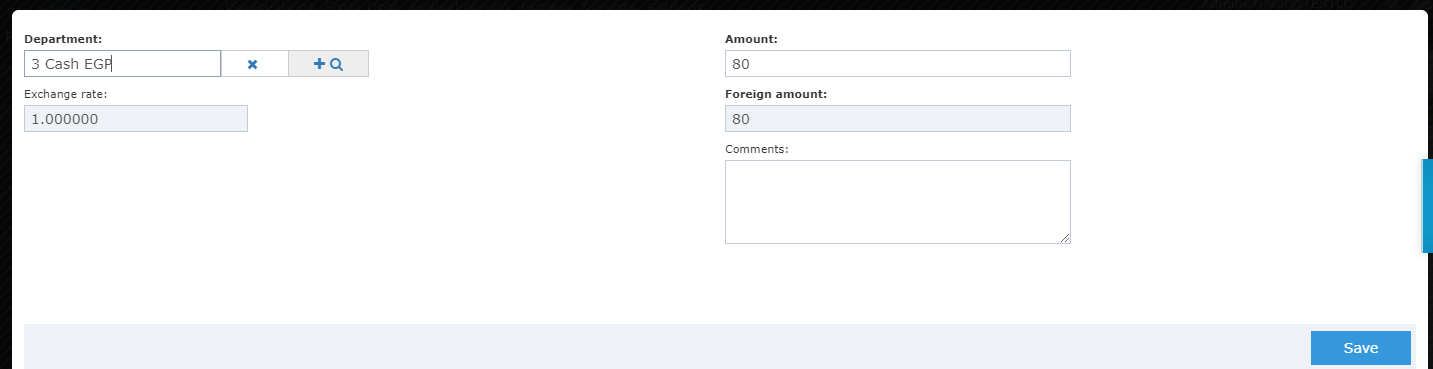
 3- Select the **Credit Department** you wish this amount to go to.
4- click on **Save.**
3- Select the **Credit Department** you wish this amount to go to.
4- click on **Save.**
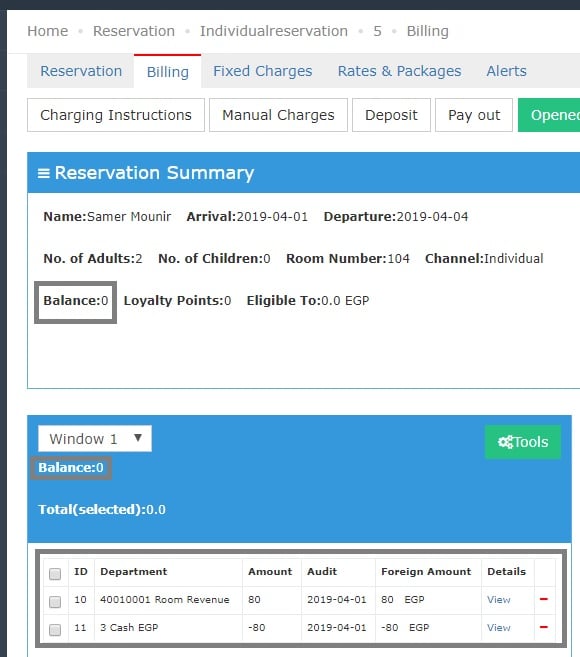
 Getting back to **Billing Screen** we can see the balance now is **Zero** and the **Room Revenue Posting** is met with a negative posting going to **Cash EGP** confirming that the guest has already settled this charge using **Cash.**