> ## Documentation Index
> Fetch the complete documentation index at: https://help.kwentra.com/llms.txt
> Use this file to discover all available pages before exploring further.
# Manually Add Charges to a Reservation
> How to add Manual Charges on a reservation? In any scenario you would like to add Manual Charges on any reservation for using extra services in your hotel. 1- Once you reach the reservation page cl...
#### **How to add Manual Charges on a reservation?**
In any scenario you would like to add **Manual Charges** on any reservation for using extra services in your hotel.
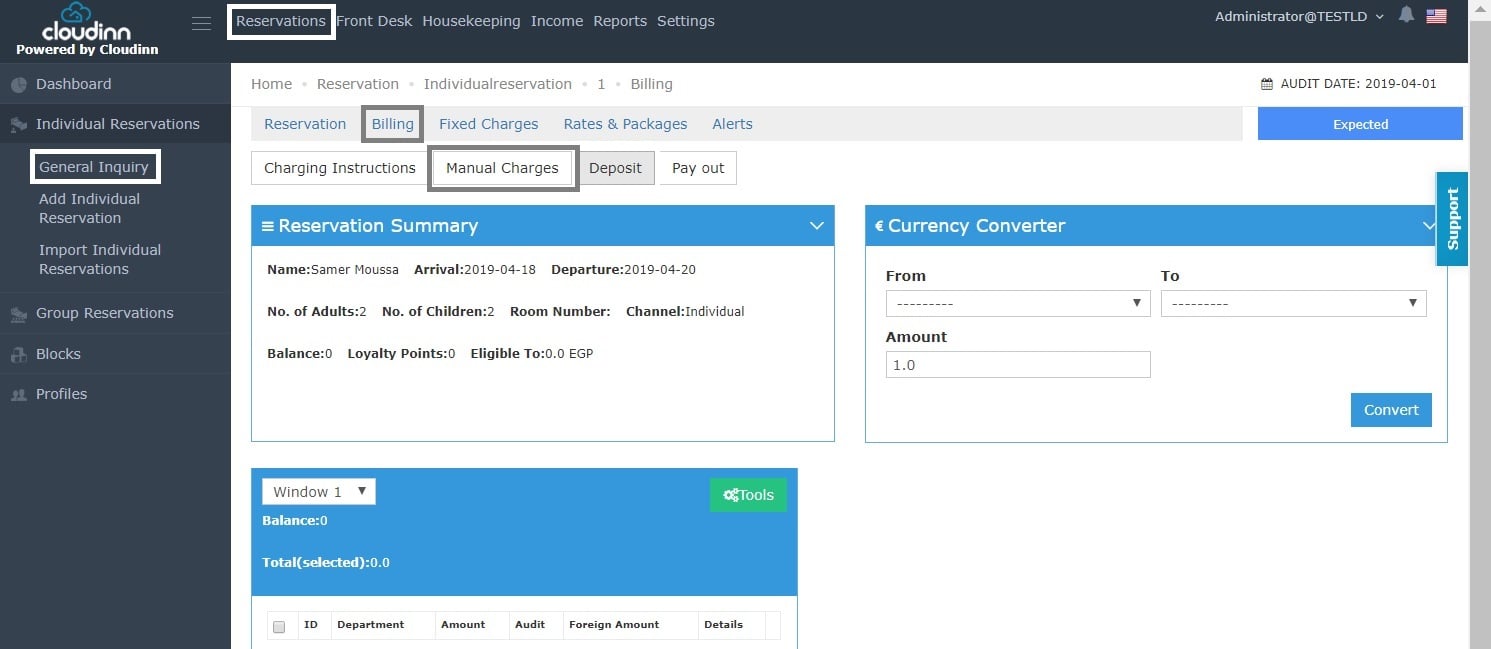
1- Once you reach the reservation page click on **Billing.**
2- Click on **Manual Charges.**
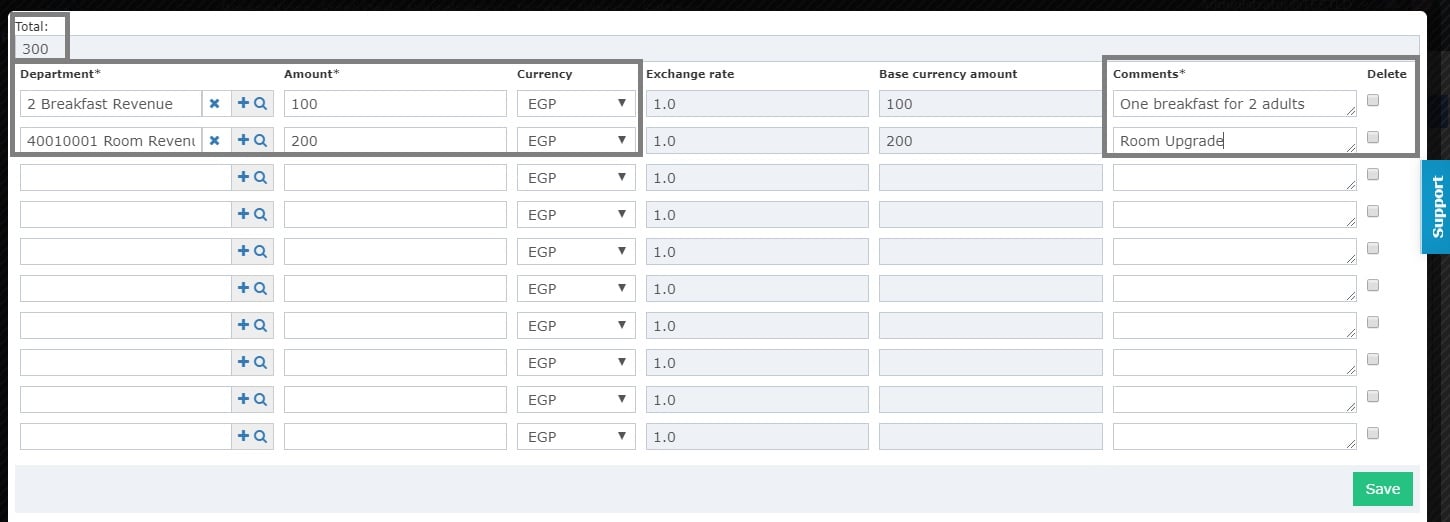
 3- Select the **Debit Departments** you would like this revenue to go to.
4- Add the amounts manually.
5- Click \*\*Save.\*\**check the total from the top calculating the sum of all manual charges you will add to this reservation.*
3- Select the **Debit Departments** you would like this revenue to go to.
4- Add the amounts manually.
5- Click \*\*Save.\*\**check the total from the top calculating the sum of all manual charges you will add to this reservation.*
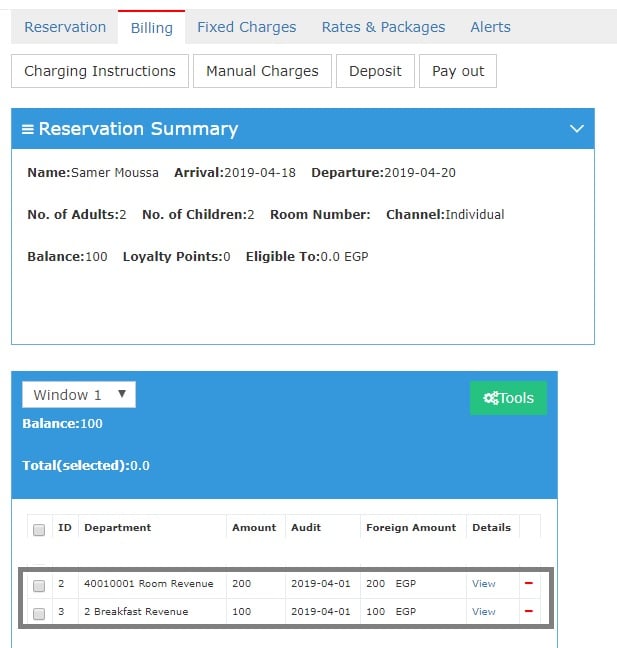
 Once you're done with the above steps you can see the postings for the **Manual Charges** you added for the **Debit Departments Mentioned.**