> ## Documentation Index
> Fetch the complete documentation index at: https://help.kwentra.com/llms.txt
> Use this file to discover all available pages before exploring further.
# Restaurant QR Code for Meal Authentication – Reservation and Per-Pax Options
> Guests can now use a unique QR code from their reservation (or for each guest) as meal authentication at the restaurant. Business Value Contactless Meal Pickup: Streamlines restaurant entry and mea...
Guests can now use a unique QR code from their reservation (or for each guest) as meal authentication at the restaurant.
### **Business Value**
* **Contactless Meal Pickup:** Streamlines restaurant entry and meal pickup by using digital QR codes, improving guest experience and reducing fraud or manual errors.
* **Flexible Configuration:** Hotels can choose between one QR per reservation or a unique QR per guest (per pax), depending on policy or setup.
* **Efficient Tracking:** Ensures meal eligibility is enforced by time, package, and guest, giving precise logs and preventing misuse.
* **Operational Control:** Reduces front desk or restaurant disputes and supports smooth restaurant flow, especially during peak hours.
## **Use Cases**
* **Hotels with Inclusive Meal Packages:** Automatically control access to breakfast, lunch, or dinner for guests with eligible meal plans.
* **Resorts or Family Hotels:** Where multiple adults per room may have different meal entitlements—each gets their own QR code!
* **Audit & Reporting:** Track exactly which guest/pax picked up meals, at what time, and who has remaining entitlements.
* **Self-service and Contactless Operations:** Useful for properties promoting digital and contactless experiences.
**Go to [manage.kwentra.com](https://manage.kwentra.com/)**
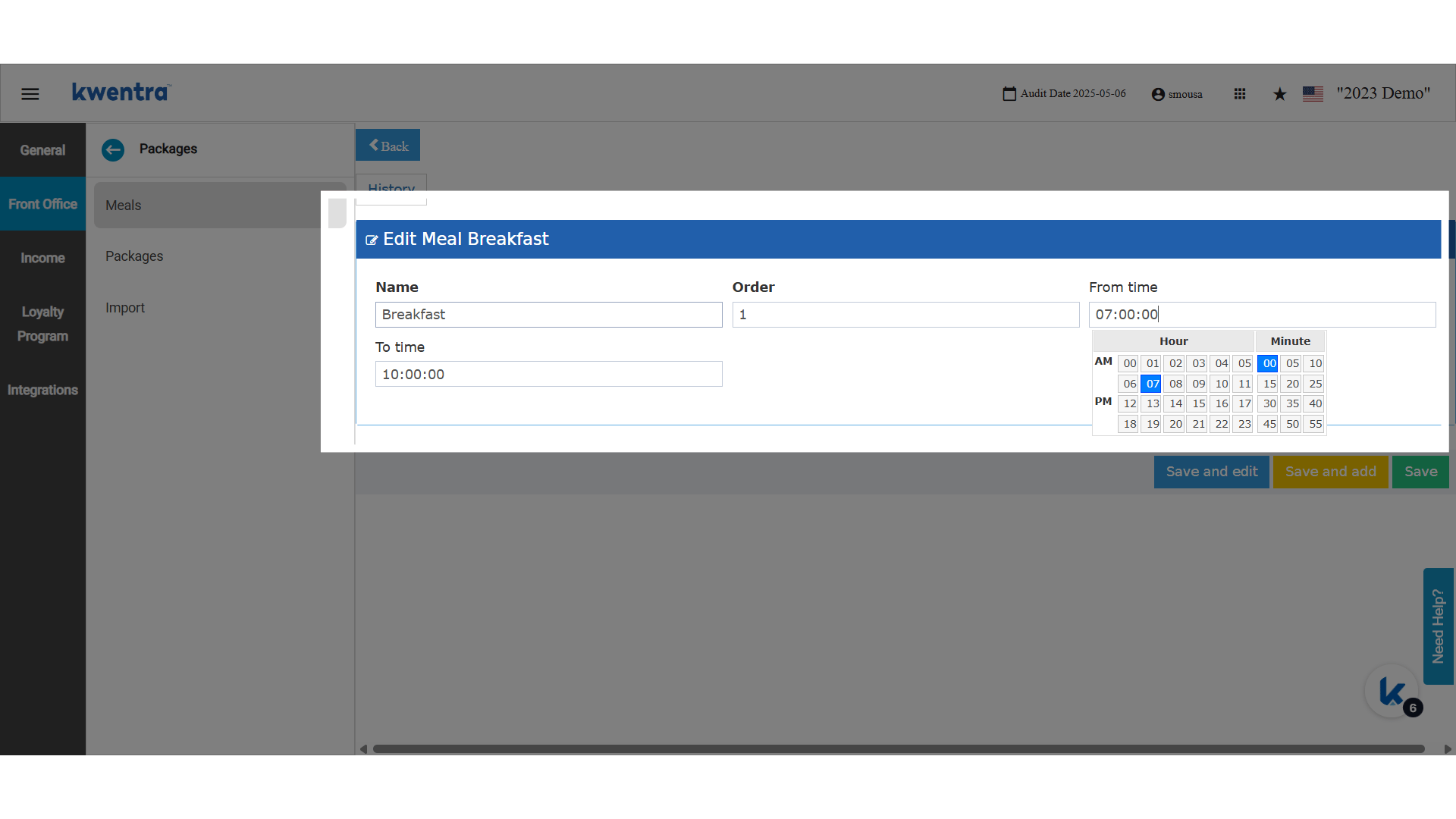
**Meal times are a must to add for the QR to generate and track properly.**
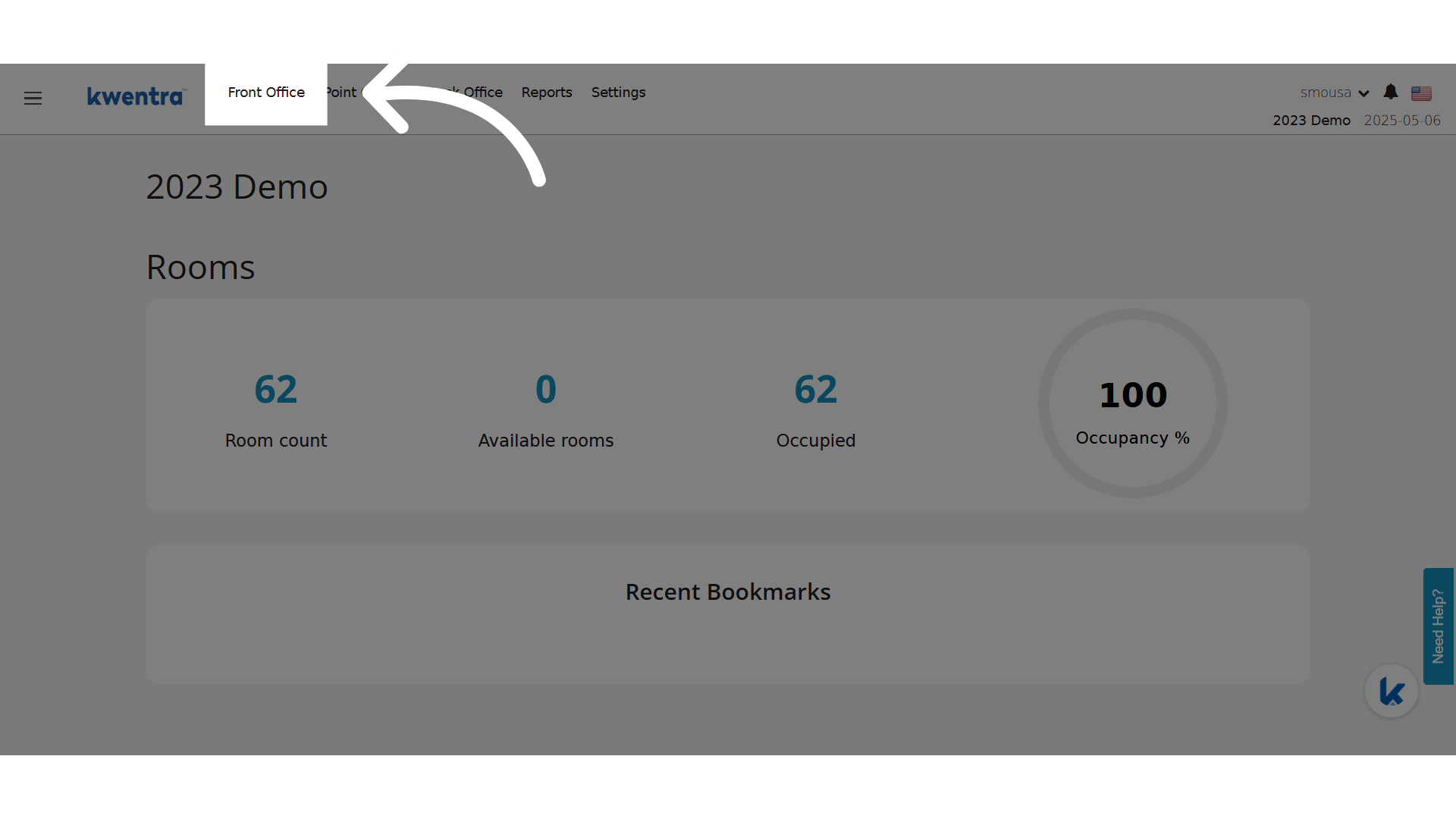
 **Click "Front Office"**
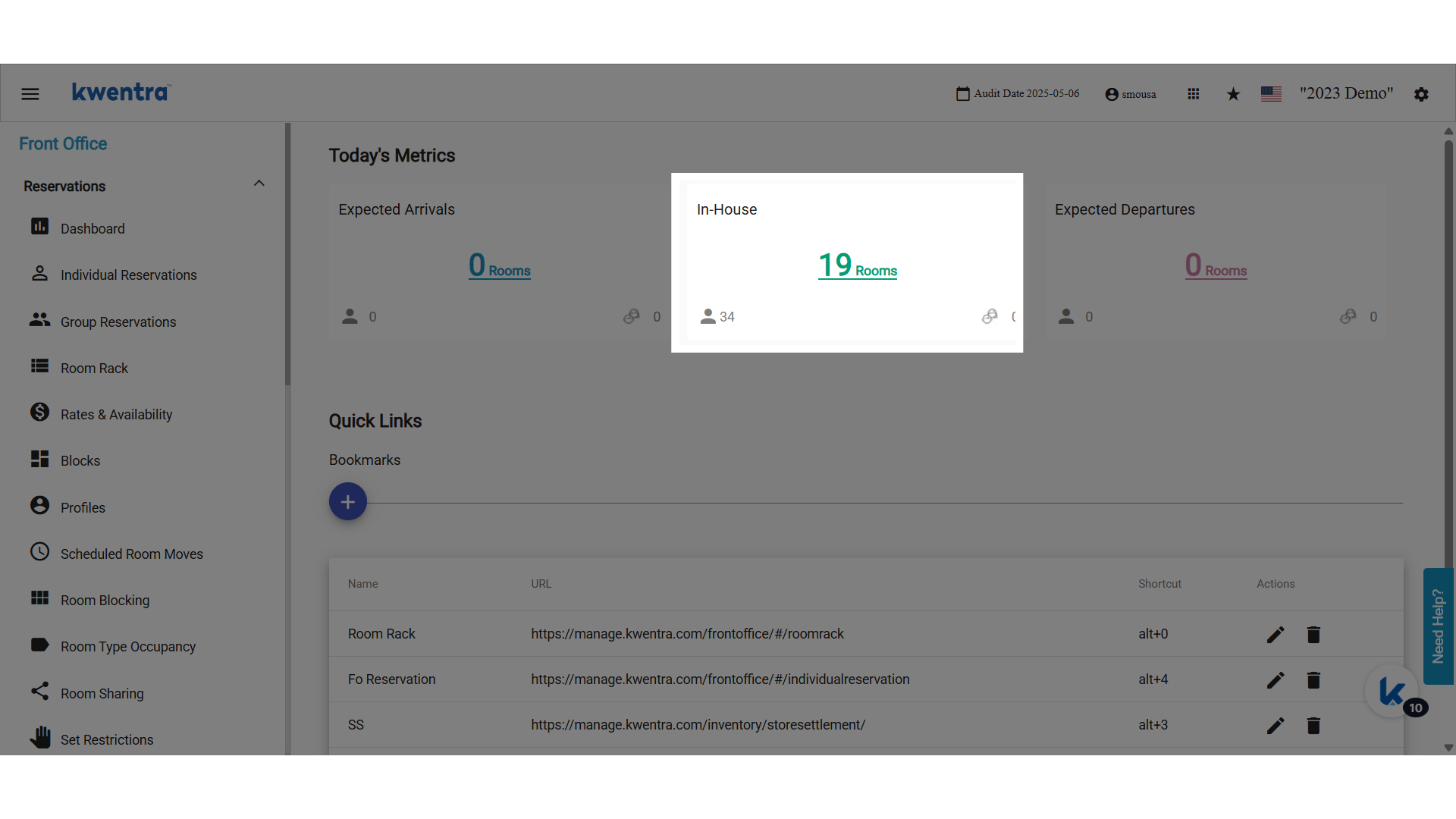
 **QR Codes can only be generated for Checked In Reservations**
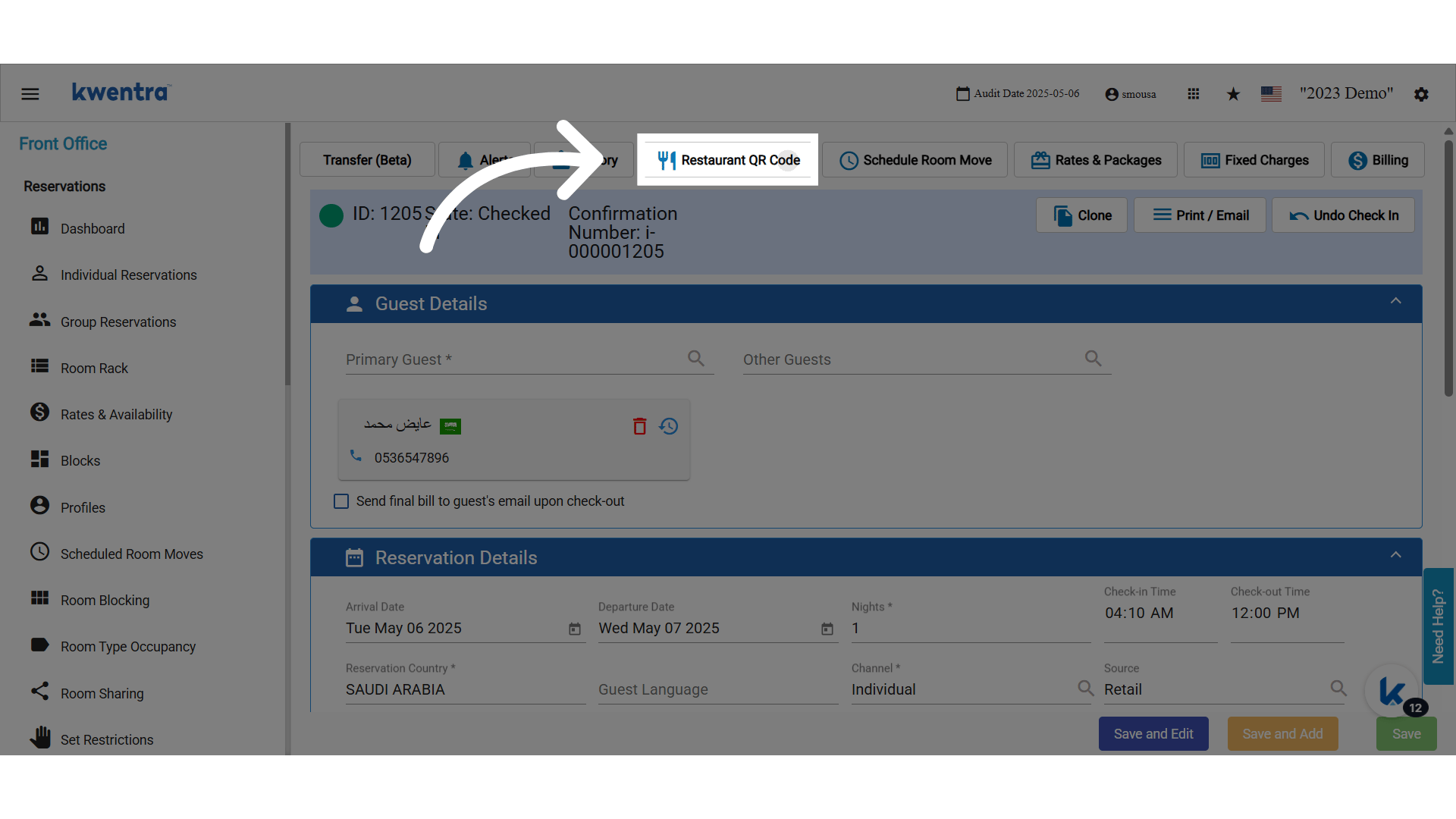
 **Open any checked-in reservation and click "Restaurant QR Code"**
### **For Reservations (Per-Reservation QR):**
* In **Front Office → Individual Reservations**, a new button “Restaurant QR Code” appears if the feature flag is enabled.
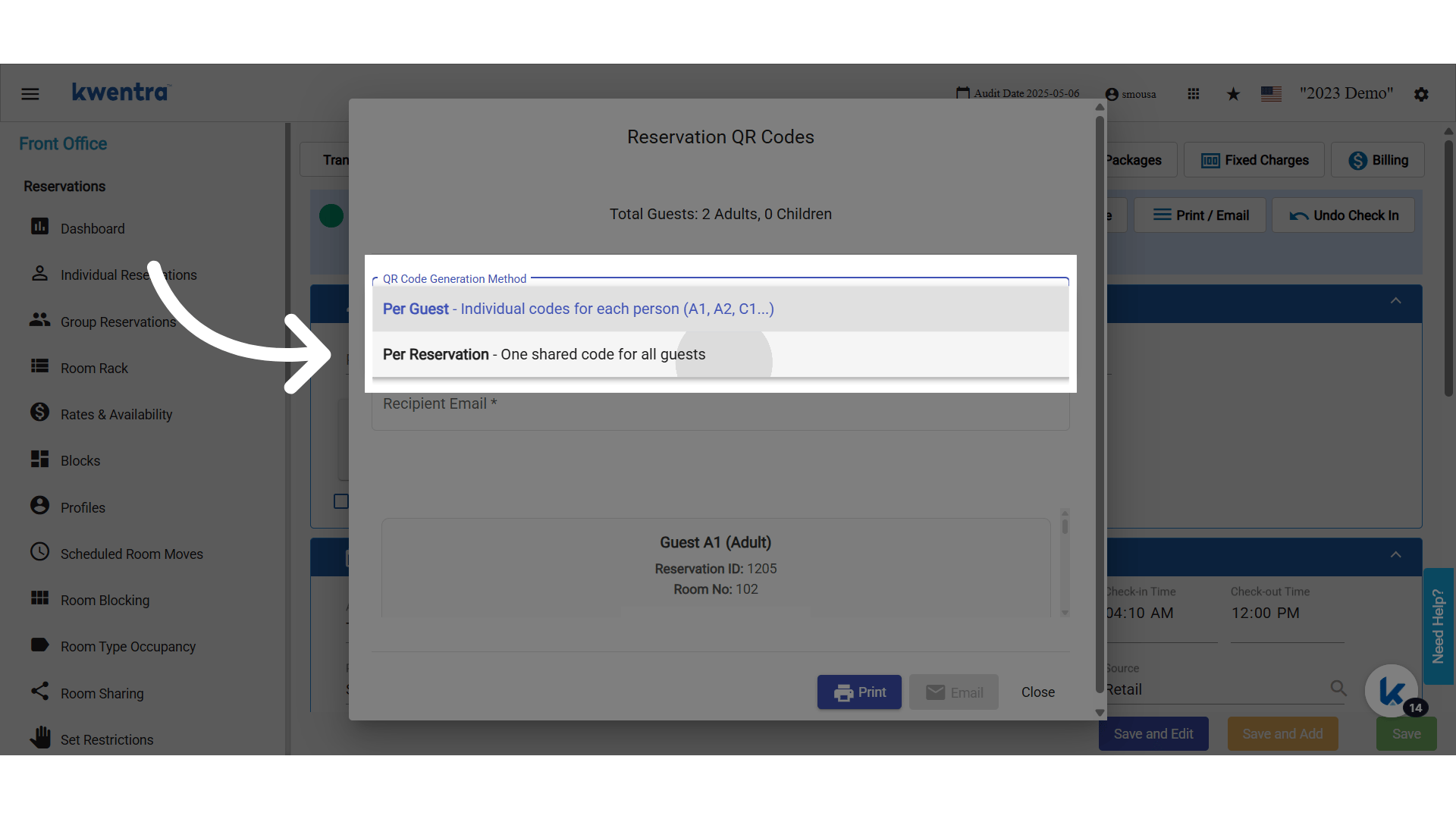
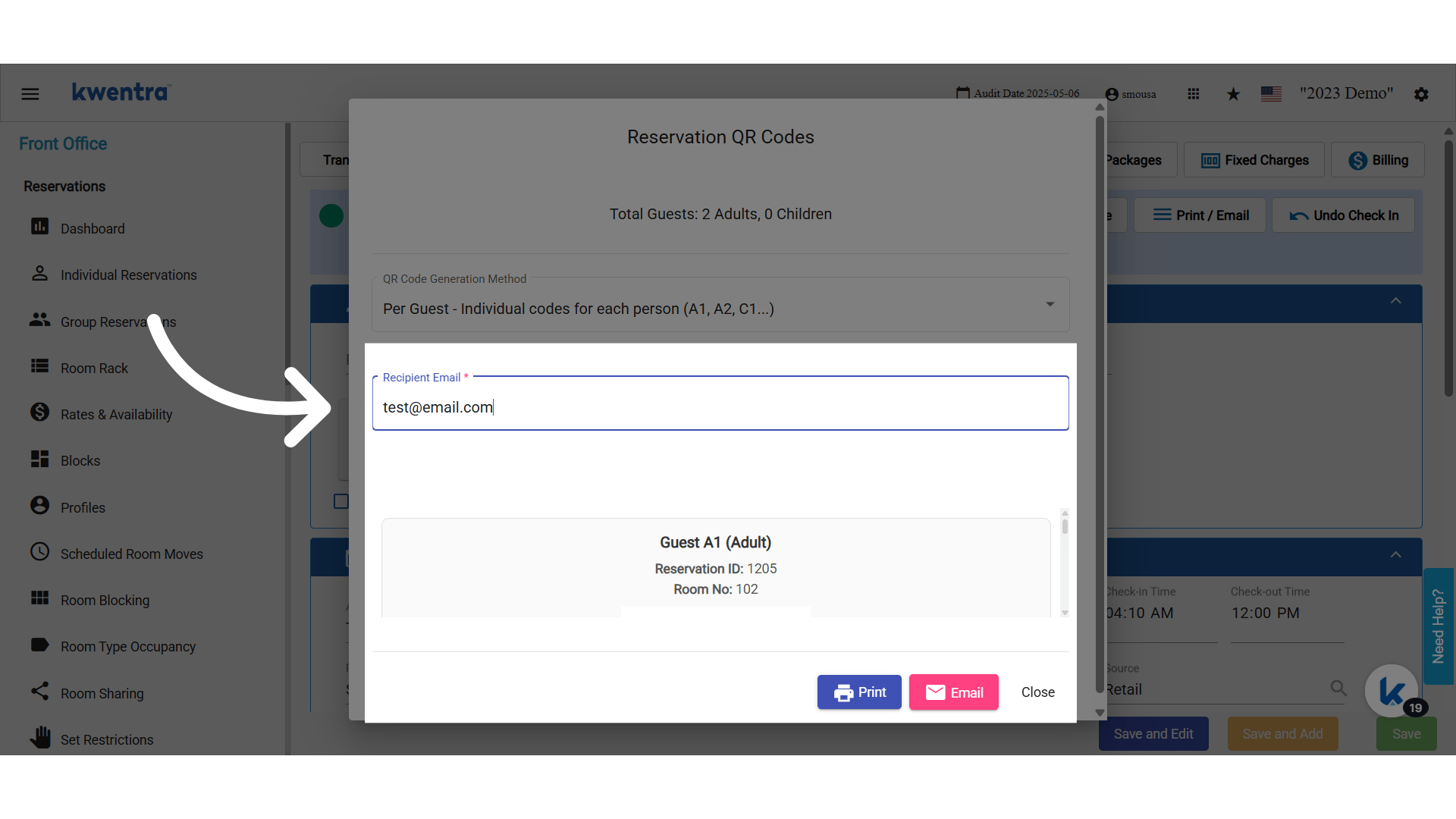
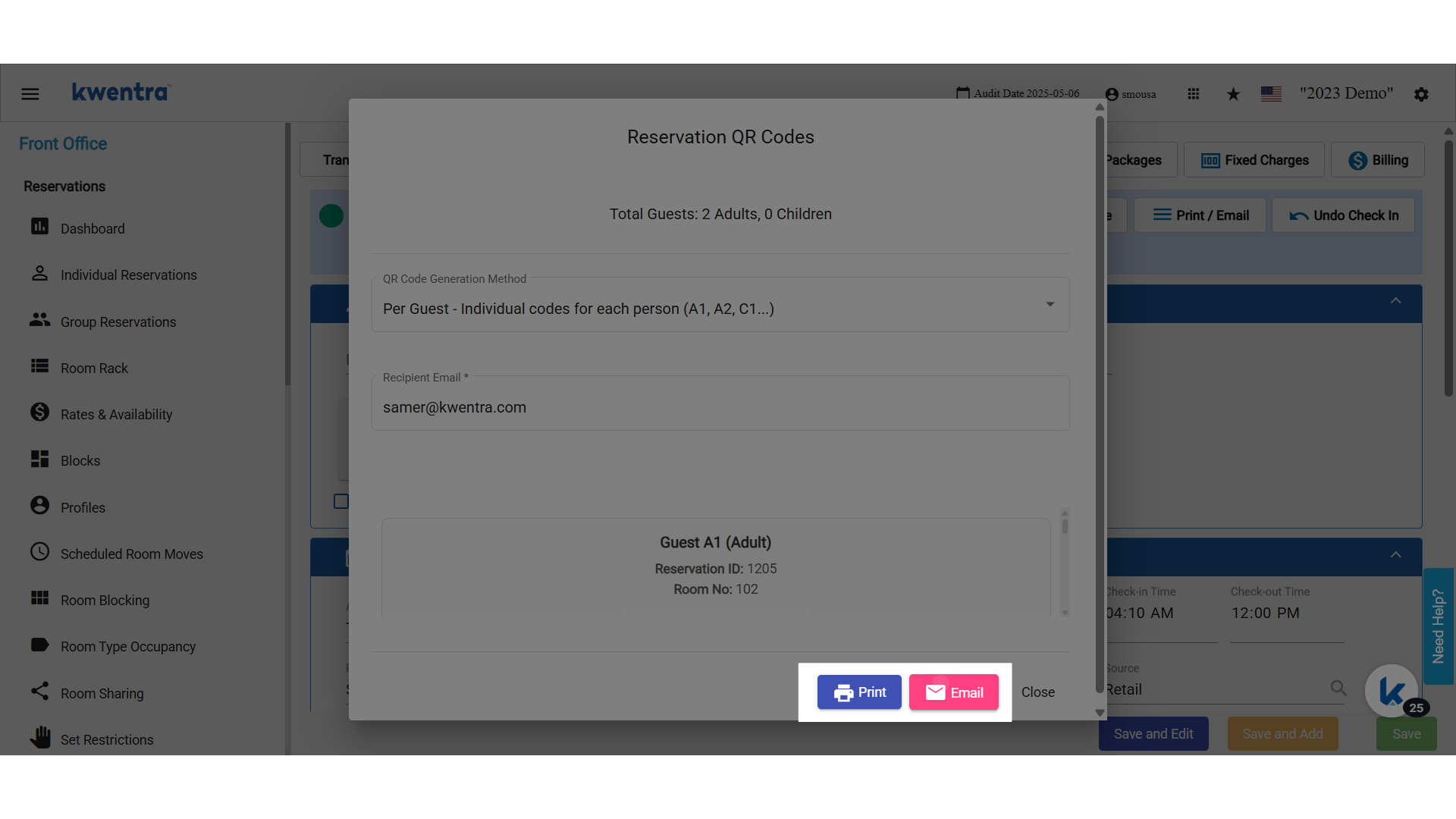
* Clicking the button brings up a popup with the option to **Print** (prints QR + reservation info) or **Send Email** (sends QR to the guest’s email).
* The QR code is valid for authentication at the restaurant, tied to the reservation ID and room.
### **For Per-Pax (Per Guest) QR Codes:**
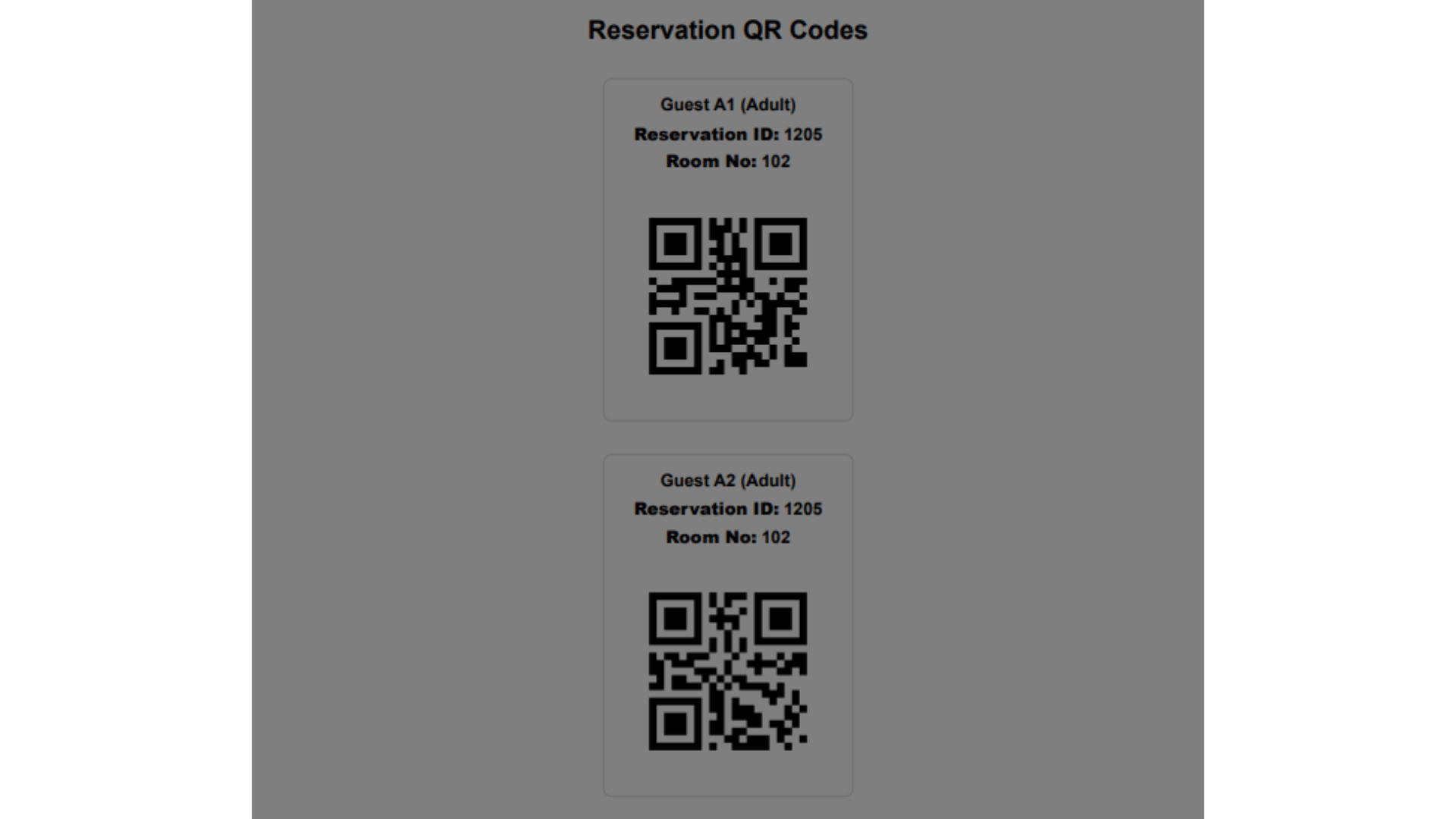
* When enabled, the reservation screen will generate one QR code per adult in the reservation (e.g., for 4 adults, 4 unique QR codes: 46586-1, 46586-2, 46586-3, 46586-4).
* Each QR is printed vertically, suitable for a POS-style printer.
* At the restaurant, the QR is scanned. The system tracks which pax ID was used, meal eligibility, and logs the action at guest level.
**Open any checked-in reservation and click "Restaurant QR Code"**
### **For Reservations (Per-Reservation QR):**
* In **Front Office → Individual Reservations**, a new button “Restaurant QR Code” appears if the feature flag is enabled.
* Clicking the button brings up a popup with the option to **Print** (prints QR + reservation info) or **Send Email** (sends QR to the guest’s email).
* The QR code is valid for authentication at the restaurant, tied to the reservation ID and room.
### **For Per-Pax (Per Guest) QR Codes:**
* When enabled, the reservation screen will generate one QR code per adult in the reservation (e.g., for 4 adults, 4 unique QR codes: 46586-1, 46586-2, 46586-3, 46586-4).
* Each QR is printed vertically, suitable for a POS-style printer.
* At the restaurant, the QR is scanned. The system tracks which pax ID was used, meal eligibility, and logs the action at guest level.
 **Eligibility & Logging**
* Meal eligibility is checked **in real time** based on the guest’s package, assigned meals, and the configured meal times.
* Each scan checks:
* Is the guest entitled to a meal now?
* Has the guest already used their meal for today?
* If all meals are used, **the** system shows "You don’t have any remaining meals."
* All actions are logged, showing who, when, and for which pax the meal was picked up.
**Eligibility & Logging**
* Meal eligibility is checked **in real time** based on the guest’s package, assigned meals, and the configured meal times.
* Each scan checks:
* Is the guest entitled to a meal now?
* Has the guest already used their meal for today?
* If all meals are used, **the** system shows "You don’t have any remaining meals."
* All actions are logged, showing who, when, and for which pax the meal was picked up.
 **You can print or email the QR codes**
 **Example Scenarios**
1. **Breakfast Pickup for Family Room:**
* 4 adults, 1 reservation → 4 QR codes (e.g., 46586-1, 46586-2…)
* Each QR can be scanned once for breakfast; logs are kept for each.
2. **Guest Scans QR Early:**
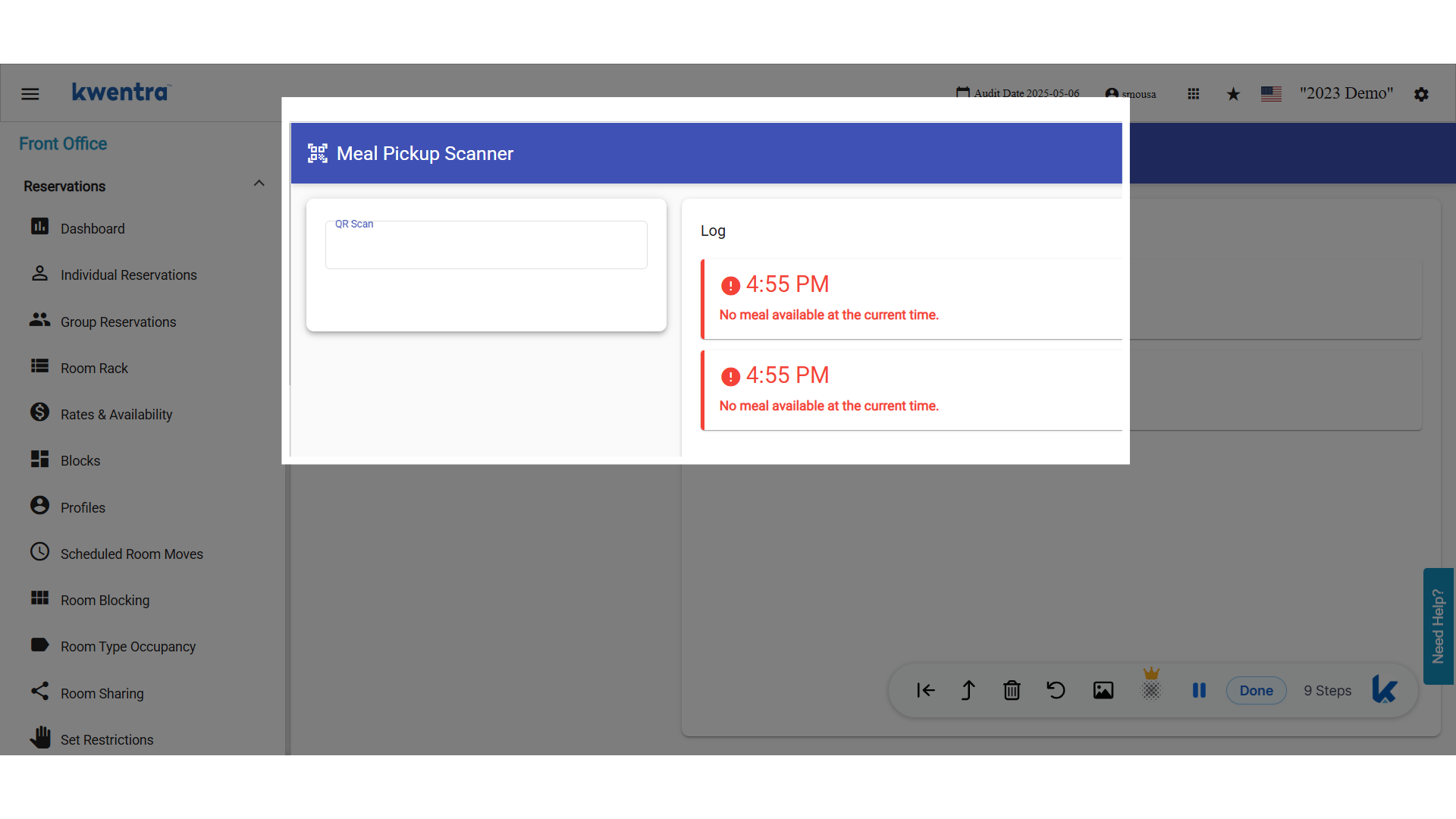
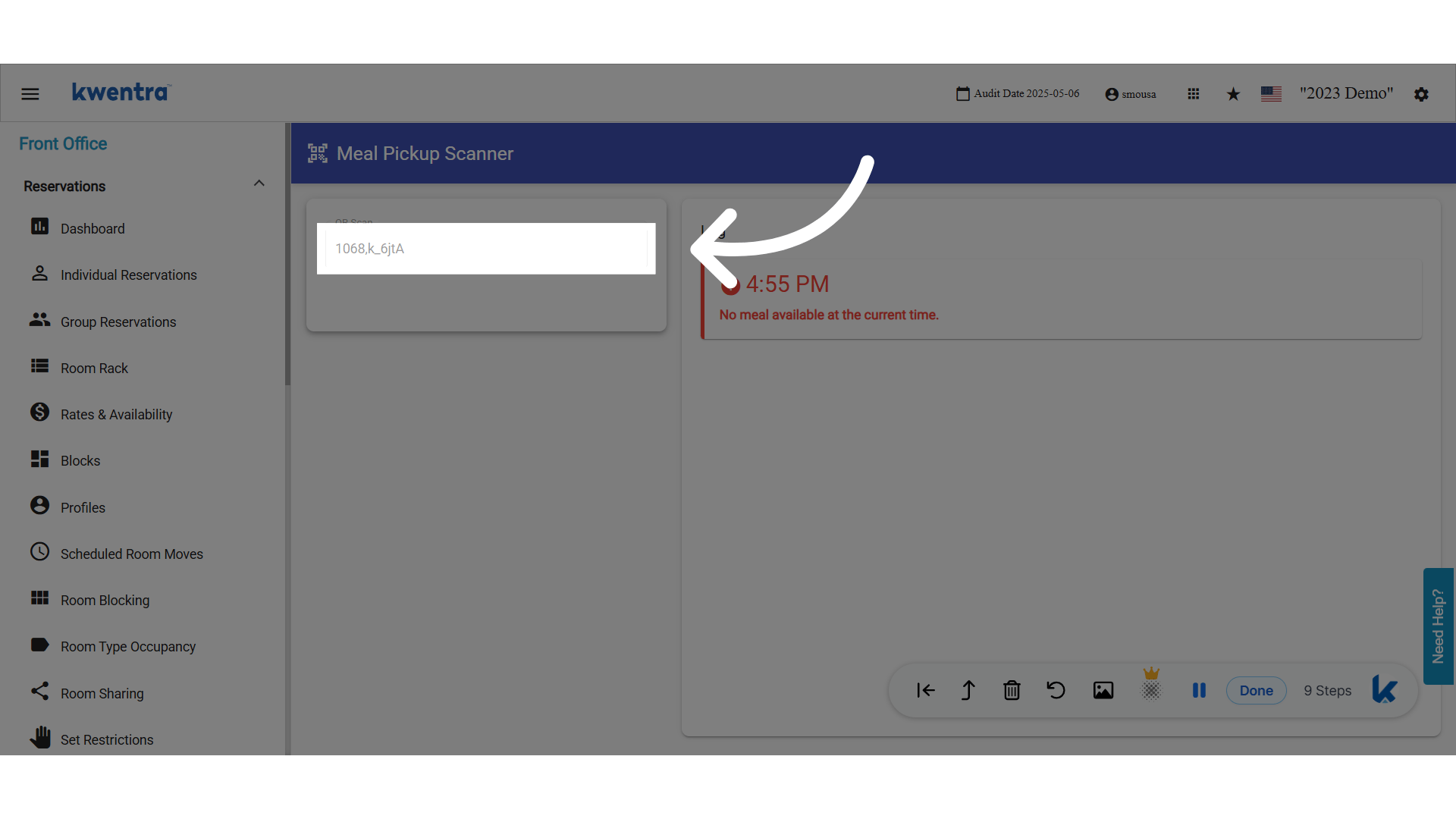
* Scans at 06:00, but meal time starts at 07:00 → “No meal available at the current time.”
3. **Guest Scans Twice:**
* First scan at 08:00, gets breakfast. Second scan at 10:00 → “You don’t have any remaining meals.”
**Example Scenarios**
1. **Breakfast Pickup for Family Room:**
* 4 adults, 1 reservation → 4 QR codes (e.g., 46586-1, 46586-2…)
* Each QR can be scanned once for breakfast; logs are kept for each.
2. **Guest Scans QR Early:**
* Scans at 06:00, but meal time starts at 07:00 → “No meal available at the current time.”
3. **Guest Scans Twice:**
* First scan at 08:00, gets breakfast. Second scan at 10:00 → “You don’t have any remaining meals.”
 **QR Sample**
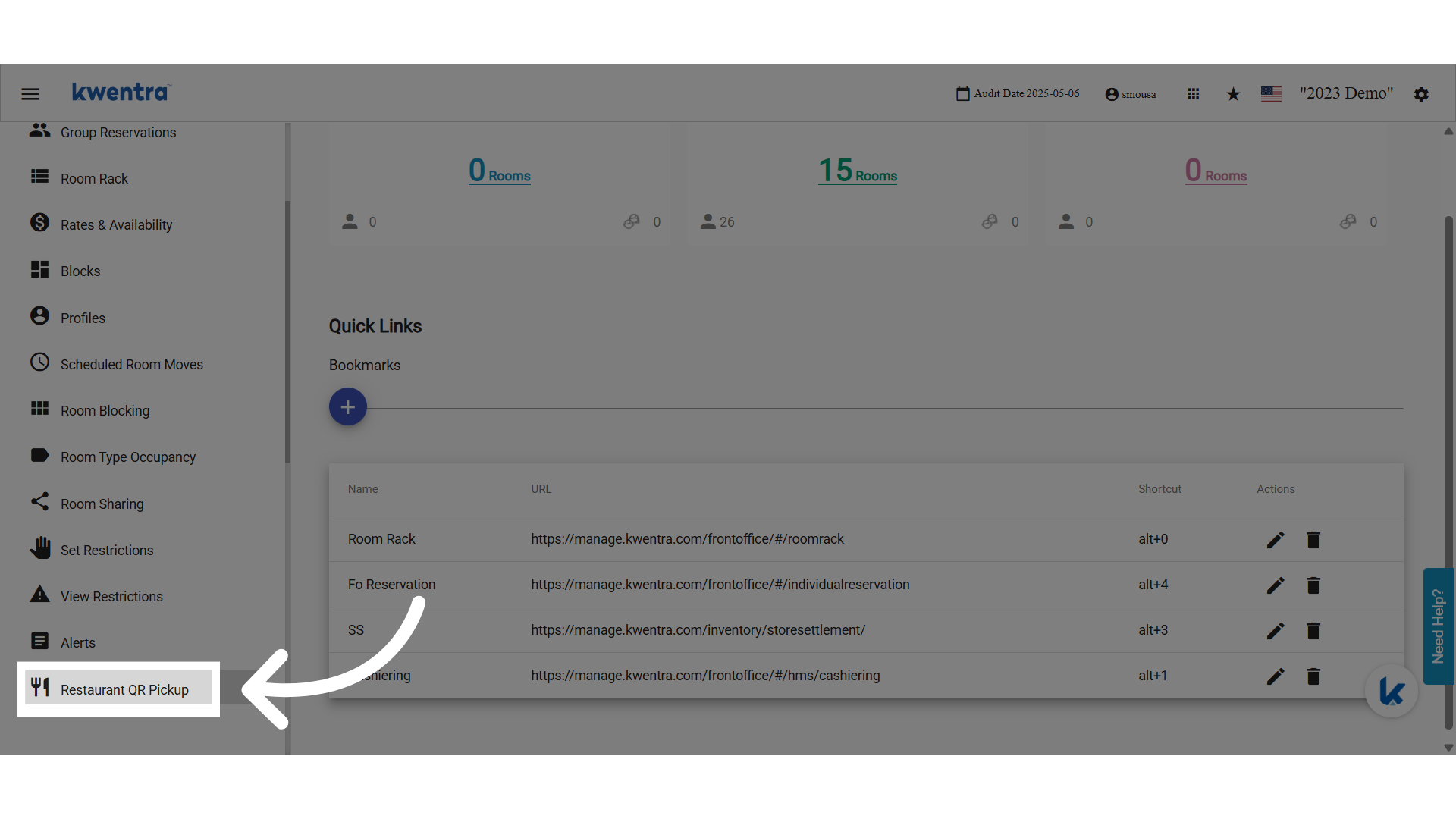
 **Click Restaurant QR Pickup**
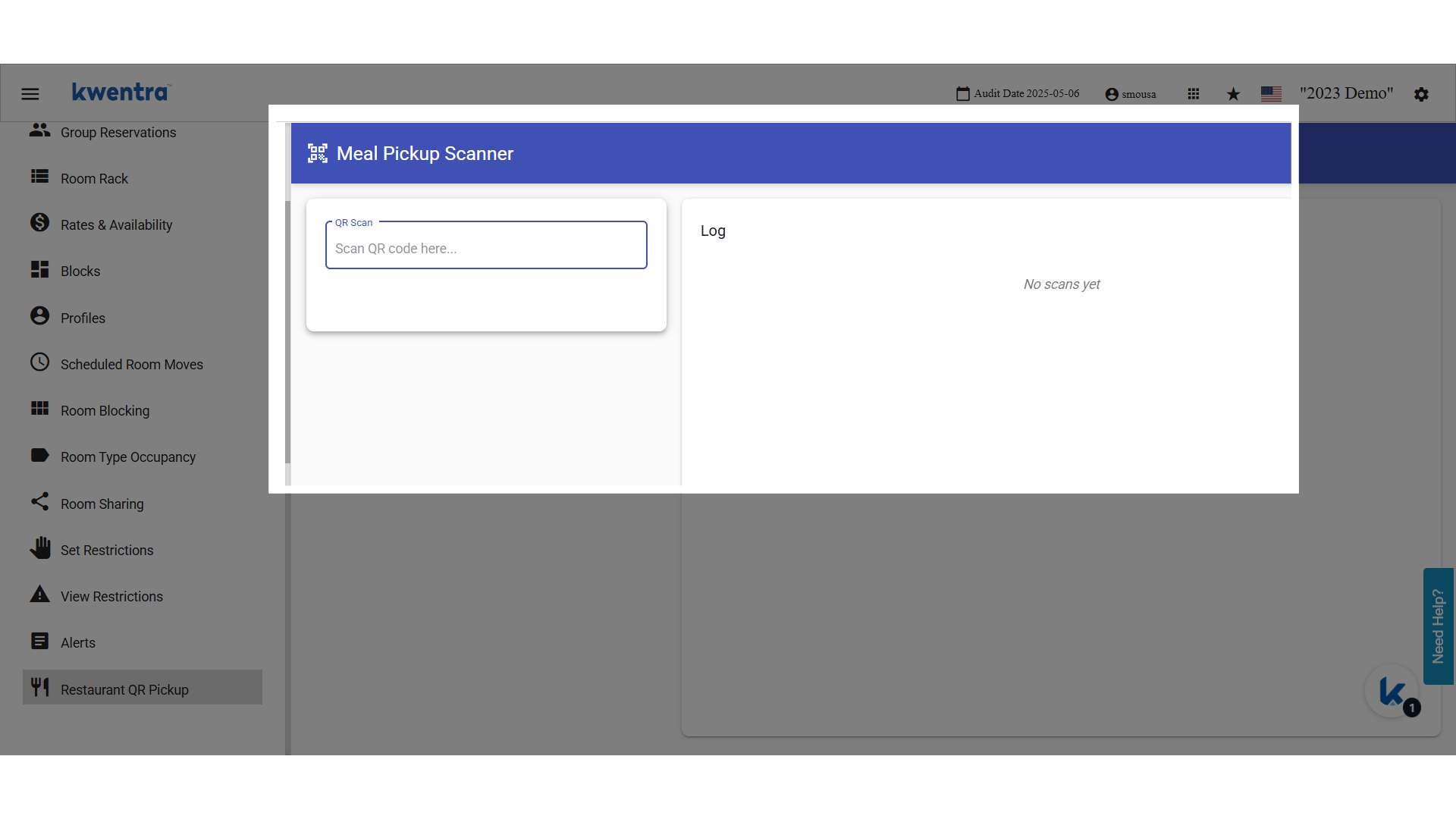
 **Scan QR Code**
A QR Reader that acts like a keyboard is used to read the QR code, convert it to text, and scans on kwentra screen.
**Scan QR Code**
A QR Reader that acts like a keyboard is used to read the QR code, convert it to text, and scans on kwentra screen.
 **QR Code Text Value**
 ### **Examples**
1. **Breakfast Pickup for Family Room:**
* 4 adults, 1 reservation → 4 QR codes (e.g., 46586-1, 46586-2…)
* Each QR can be scanned once for breakfast; logs are kept for each.
2. **Guest Scans QR Early:**
* Scans at 06:00, but meal time starts at 07:00 → “No meal available at the current time.”
3. **Guest Scans Twice:**
* First scan at 08:00, gets breakfast. Second scan at 10:00 → “You don’t have any remaining meals.”
### **Examples**
1. **Breakfast Pickup for Family Room:**
* 4 adults, 1 reservation → 4 QR codes (e.g., 46586-1, 46586-2…)
* Each QR can be scanned once for breakfast; logs are kept for each.
2. **Guest Scans QR Early:**
* Scans at 06:00, but meal time starts at 07:00 → “No meal available at the current time.”
3. **Guest Scans Twice:**
* First scan at 08:00, gets breakfast. Second scan at 10:00 → “You don’t have any remaining meals.”