> ## Documentation Index
> Fetch the complete documentation index at: https://help.kwentra.com/llms.txt
> Use this file to discover all available pages before exploring further.
# Share Registration Card via WhatsApp
> Easily send the Registration Card link to guests on WhatsApp for online signature and instant confirmation. Business Value Share system-generated documents (like Registration Cards) instantly with...
Easily send the Registration Card link to guests on WhatsApp for online signature and instant confirmation.
***
### **Business Value**
* Share system-generated documents (like Registration Cards) instantly with guests through WhatsApp.
* Simplify guest check-in by collecting signatures and confirmations online.
* Reduce manual steps and ensure documentation is stored and traceable.
***
### **Use Cases**
* **Front Desk** sends the RC link for guest e-signature before or upon arrival.
* **Night Audit** confirms the RC was accepted with a timestamp.
* **Managers** print, copy, or WhatsApp the RC link directly to guests.
* **Compliance** teams access the signed RC PDF in the reservation at any time.
***
### **Technical Know-How**
#### **Navigation**
* **Front Office → Individual Reservations → Select Reservation → Print → RC → Share via WhatsApp**
* **Front Office → Group Reservations → Select Reservation → RC → Share via WhatsApp**
#### **WhatsApp Share Button**
* Opens a pop-up for **Mobile Number** entry when clicked.
* The mobile number field:
* **Mandatory** (digits and “+” only, max 30 characters).
* Must include **country code** (e.g., +20, +966).
* **Auto-filled** from the guest profile’s Mobile; if empty, from Telephone; if both are empty, the user enters it manually.
* “Save & Send” button:
* Validates and, if permitted, updates the guest profile’s Mobile number.
* If the user has no edit permission, it skips the update and continues the flow.
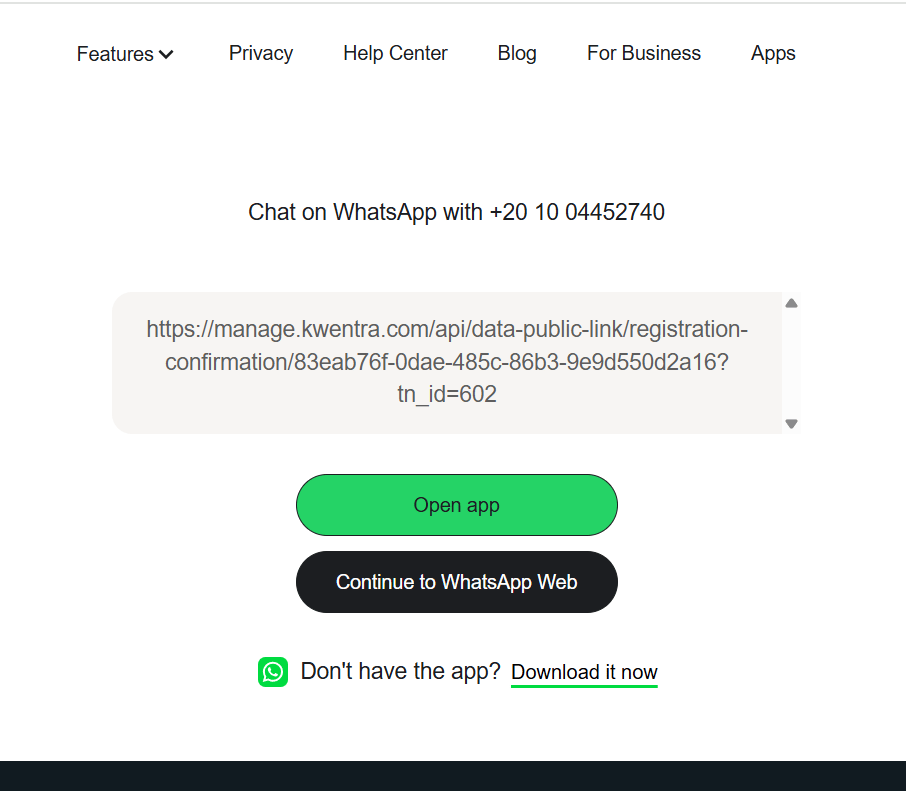
* Opens WhatsApp link in a new browser tab.
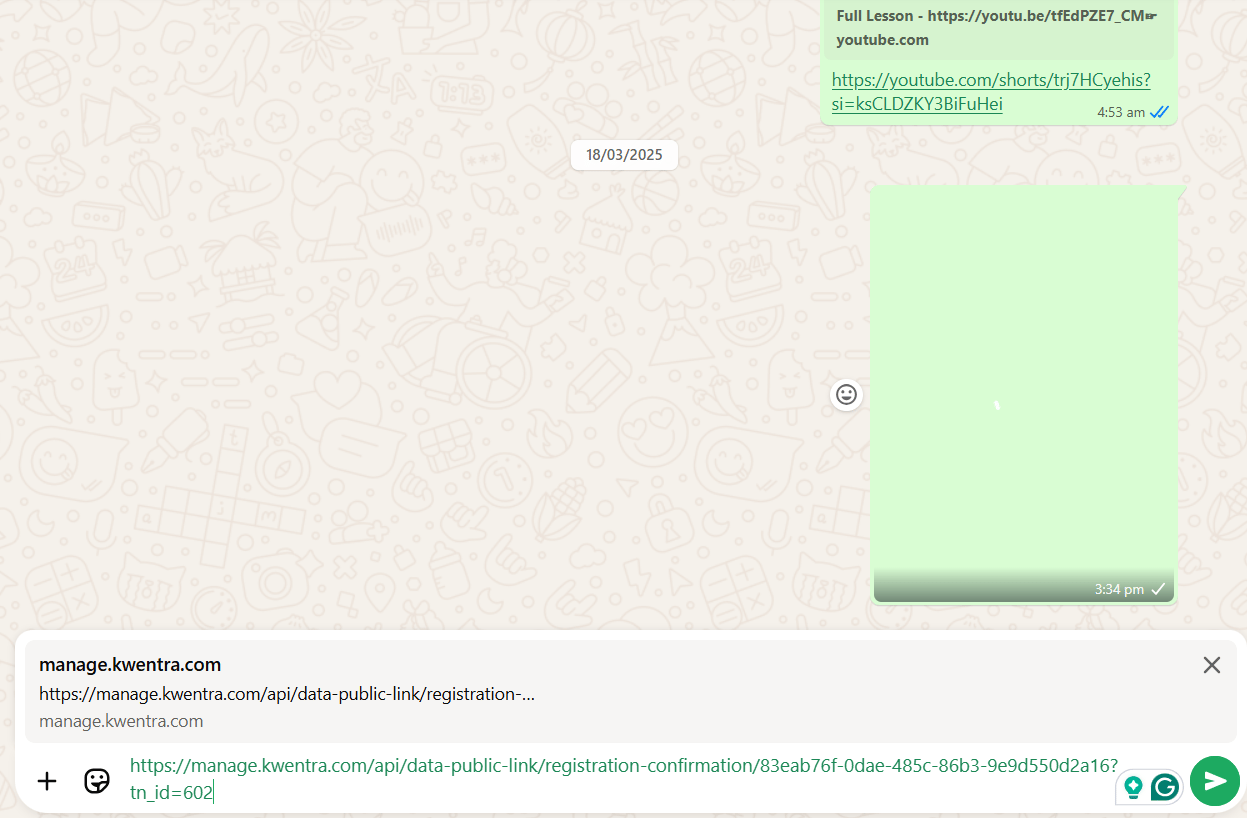
Once WhatsApp opens "web or app", you get to directly send the link to the guest.
 Once the guest clicks on the link, the RC opens in a new tab.
 ### **Accept & Confirm**
* Guests can click “Accept & Confirm” on the RC page.
* After clicking, the button is hidden from further public views.
* System stamps a read-only **RC Confirmation Date** (with instance time zone) on the reservation.
* PDF copy attached to reservation, named:
* If RC Confirmation Date exists, “Accept & Confirm” will **not** appear.
### **Technical/Storage Specs**
* The PDF RC file is created and saved in storage **the first time “Share WhatsApp” is used**.
* If the reservation changes, the old file is deleted.
* Reservation stores a **UUID** to identify and manage the file.
* Each RC link access checks for file existence:
* If file exists, display it; if not, generate and display a new RC.
* **Accept button** shows only if “rc sign date” is null.
### **Accept & Confirm**
* Guests can click “Accept & Confirm” on the RC page.
* After clicking, the button is hidden from further public views.
* System stamps a read-only **RC Confirmation Date** (with instance time zone) on the reservation.
* PDF copy attached to reservation, named:
* If RC Confirmation Date exists, “Accept & Confirm” will **not** appear.
### **Technical/Storage Specs**
* The PDF RC file is created and saved in storage **the first time “Share WhatsApp” is used**.
* If the reservation changes, the old file is deleted.
* Reservation stores a **UUID** to identify and manage the file.
* Each RC link access checks for file existence:
* If file exists, display it; if not, generate and display a new RC.
* **Accept button** shows only if “rc sign date” is null.