> ## Documentation Index
> Fetch the complete documentation index at: https://help.kwentra.com/llms.txt
> Use this file to discover all available pages before exploring further.
# Split Billing Posting
> When you need to split a billing posting to transfer a portion to a Paymaster/another reservation or to a different window on the same reservation. Individual Reservations → Find/Add a reservation...
When you need to split a billing posting to transfer a portion to a Paymaster/another reservation or to a different window on the same reservation.
**Individual Reservations → Find/Add a reservation → Billing → Select Posting →Tools → Split**
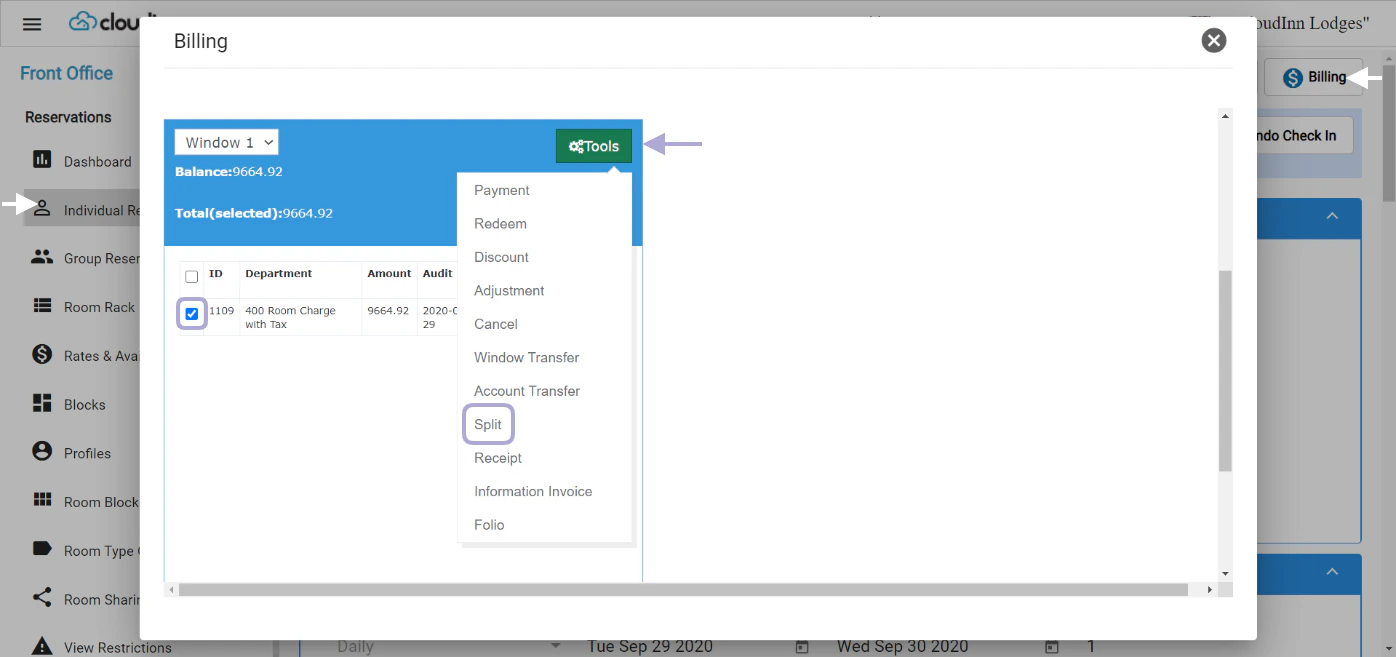 You get to choose whether to split an amount or a percentage.
 In this scenario 400 USD where split from the original billing posting, now the new posting is ready for Account/Window Transfer.
