> ## Documentation Index
> Fetch the complete documentation index at: https://help.kwentra.com/llms.txt
> Use this file to discover all available pages before exploring further.

# How to edit Reservation on Room Rack?

> How to edit reservation on Room Rack? You can drag and drop the reservation using the room rack by following the below steps: 1- Go to "Front Office" from the home page 2- Select "Rooms" from the l...

##### You can drag and drop the reservation using the room rack by following the below steps:

1- Go to "Front Office" from the home page

2- Select "Rooms" from the left side menu

3- Click on "Room Rack" to display all the property rooms and occupancy

4- Determine the reservation you want to edit (Date / room type or both)

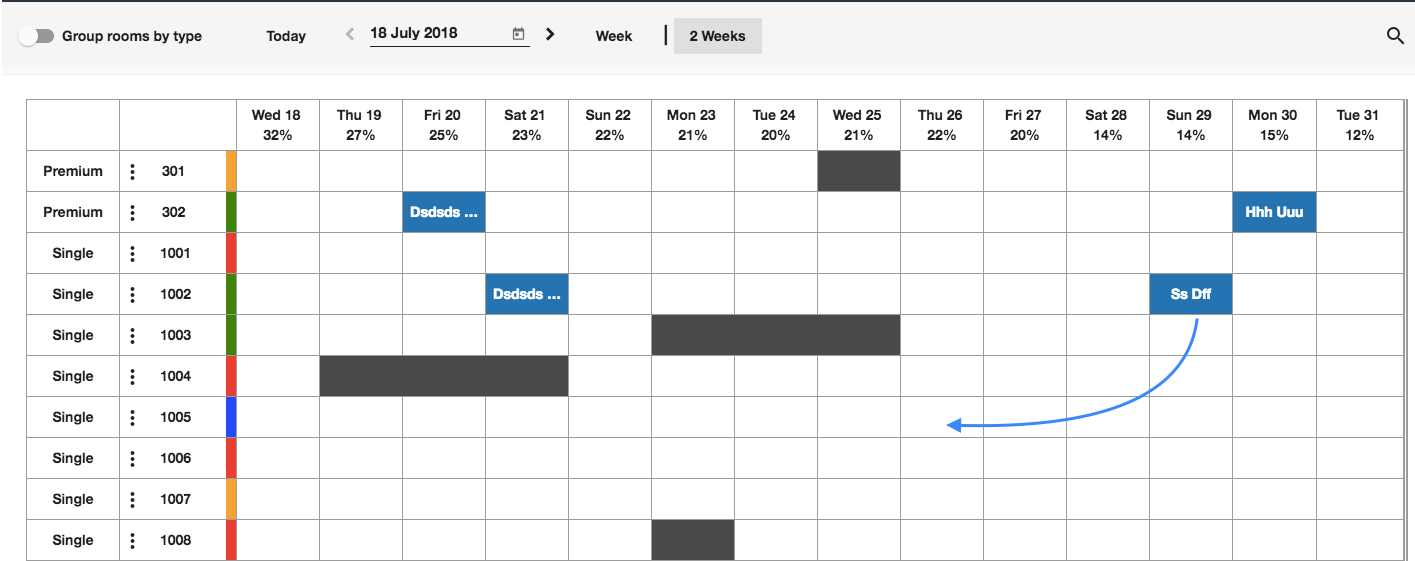
5- Simply click and hold the reservation > move it the new desired location on the room rack
<img src="https://mintcdn.com/kwentra/NGT4CuxPWU8NDlxU/images/front-office/reservations/room-rack/how-to-edit-reservation-on-room-rack/ef41dfd666.png?fit=max&auto=format&n=NGT4CuxPWU8NDlxU&q=85&s=484beef09de590dfe465dc15fa765f1c" alt="" width="1415" height="561" data-path="images/front-office/reservations/room-rack/how-to-edit-reservation-on-room-rack/ef41dfd666.png" />

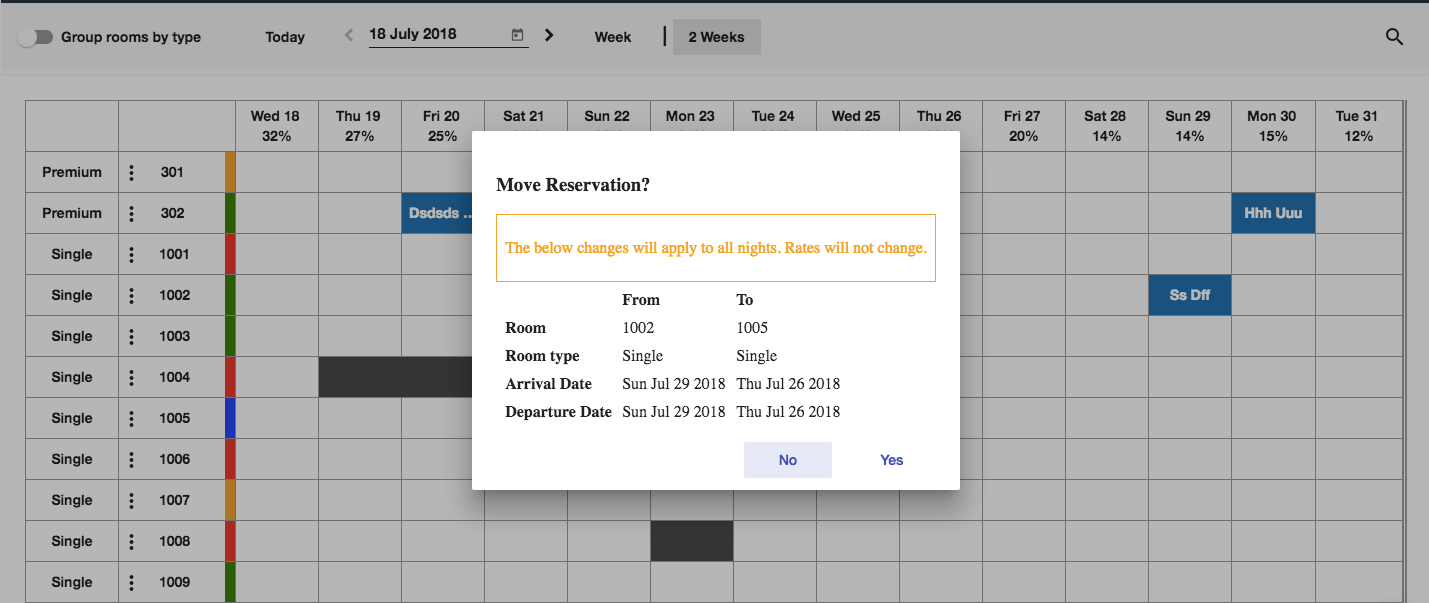
6- Confirm the change details

<img src="https://mintcdn.com/kwentra/NGT4CuxPWU8NDlxU/images/front-office/reservations/room-rack/how-to-edit-reservation-on-room-rack/f7ad84451b.png?fit=max&auto=format&n=NGT4CuxPWU8NDlxU&q=85&s=4efa8788d81d26d128e6b64863ccb734" alt="" width="1429" height="603" data-path="images/front-office/reservations/room-rack/how-to-edit-reservation-on-room-rack/f7ad84451b.png" />

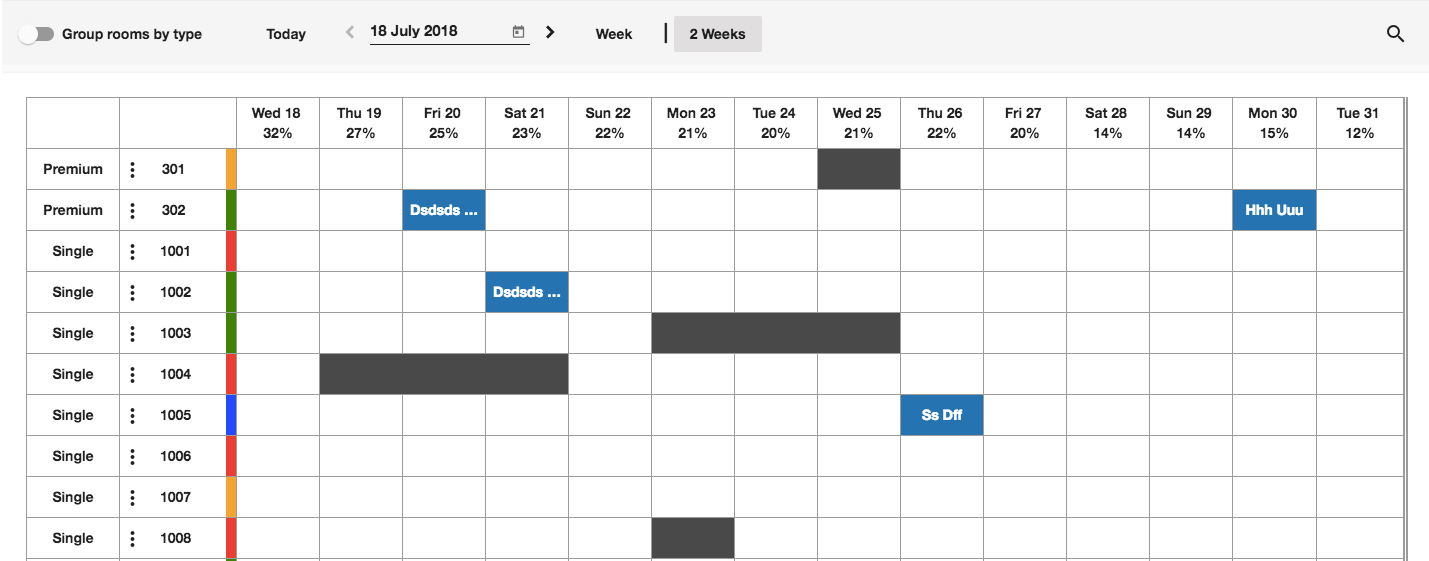
### You did it!

<img src="https://mintcdn.com/kwentra/NGT4CuxPWU8NDlxU/images/front-office/reservations/room-rack/how-to-edit-reservation-on-room-rack/cf14a1a271.png?fit=max&auto=format&n=NGT4CuxPWU8NDlxU&q=85&s=6d39cb51efb2174c7aa6d252558e3f14" alt="" width="1429" height="561" data-path="images/front-office/reservations/room-rack/how-to-edit-reservation-on-room-rack/cf14a1a271.png" />