> ## Documentation Index
> Fetch the complete documentation index at: https://help.kwentra.com/llms.txt
> Use this file to discover all available pages before exploring further.

# Export AR Invoices from Multiple Properties

> You can now export Accounts Receivable (AR) invoices from multiple hotel instances in a single CSV file — using the AR Import Balances format . This allows finance teams to consolidate postings and...

You can now export **Accounts Receivable (AR) invoices** from multiple hotel instances in a single CSV file — using the **AR Import Balances format**. This allows finance teams to consolidate postings and align them with **head office AR accounts** for clean reconciliation.

### **Value & Application**

### **💡 Business Value**

This export helps:

* Central finance teams **gather invoice data from all properties** on a specific audit date.
* Standardize the export format to match **AR import requirements** at the head office.
* Ensure all data is correctly **mapped to the right AR account and department.**
* Prevent manual re-entry of information.

### **✅ Use Cases**

* A group accountant exports all property-level AR postings for March 15.
* The head office needs AR data structured by mapped channels and departments.
* A user wants to pull AR invoices for a selected date and work on all the company's invoices collectively.

**Go to [manage.kwentra.com](https://manage.kwentra.com/instance/)**

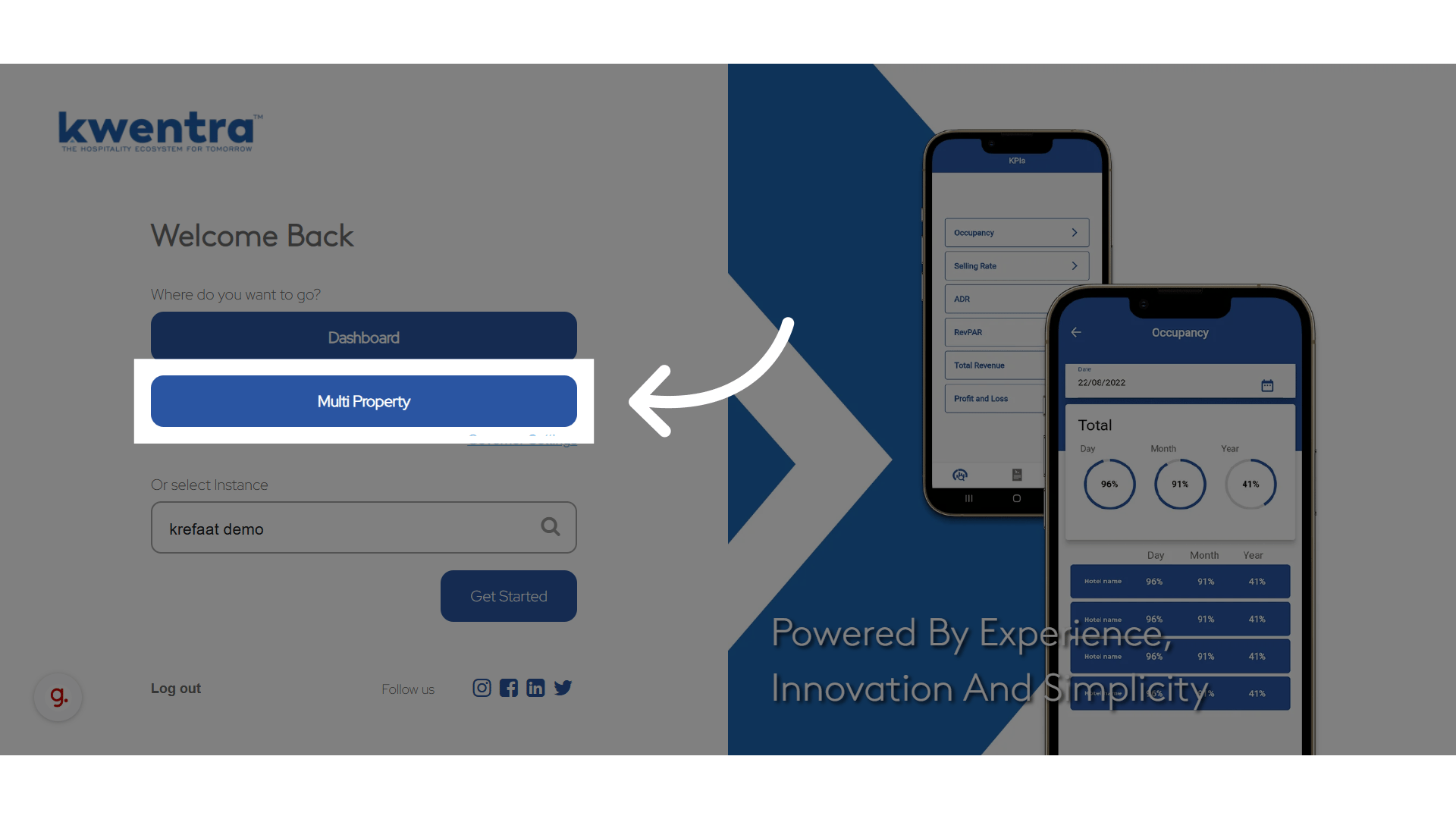
**Click "Multi Property"**
<img src="https://mintcdn.com/kwentra/XUk2EhGuU_wWztTZ/images/multi-property/export-ar-invoices-from-multiple-properties/e358e673d6.png?fit=max&auto=format&n=XUk2EhGuU_wWztTZ&q=85&s=04c67347ab1c61dcf06229071916430d" alt="preview" width="1920" height="1080" data-path="images/multi-property/export-ar-invoices-from-multiple-properties/e358e673d6.png" />

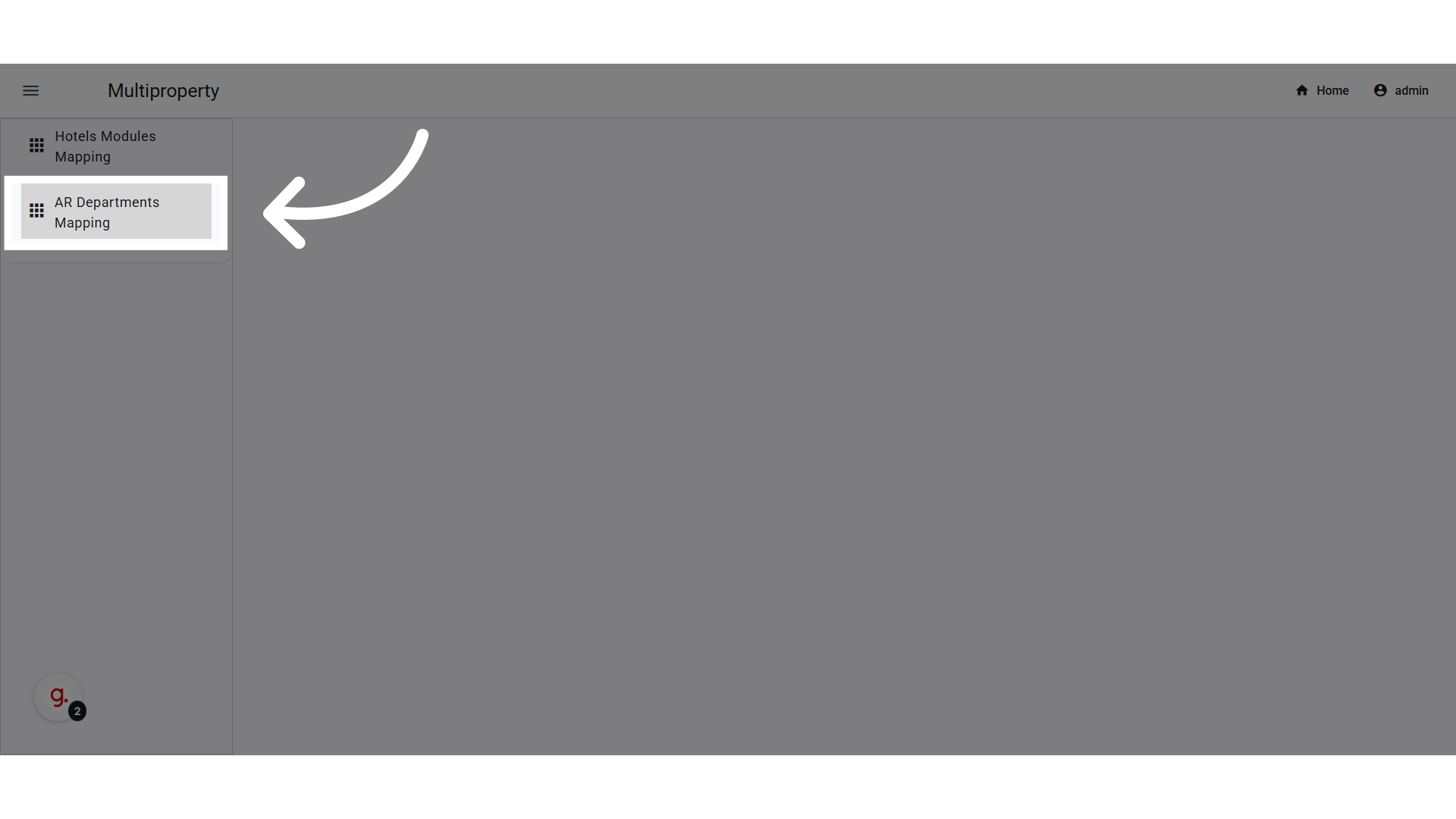
**Go to AR Departments Mapping**

<img src="https://mintcdn.com/kwentra/XUk2EhGuU_wWztTZ/images/multi-property/export-ar-invoices-from-multiple-properties/91ece7ead7.png?fit=max&auto=format&n=XUk2EhGuU_wWztTZ&q=85&s=75fc3bc41697cd7782659c7190859935" alt="preview" width="1920" height="1080" data-path="images/multi-property/export-ar-invoices-from-multiple-properties/91ece7ead7.png" />

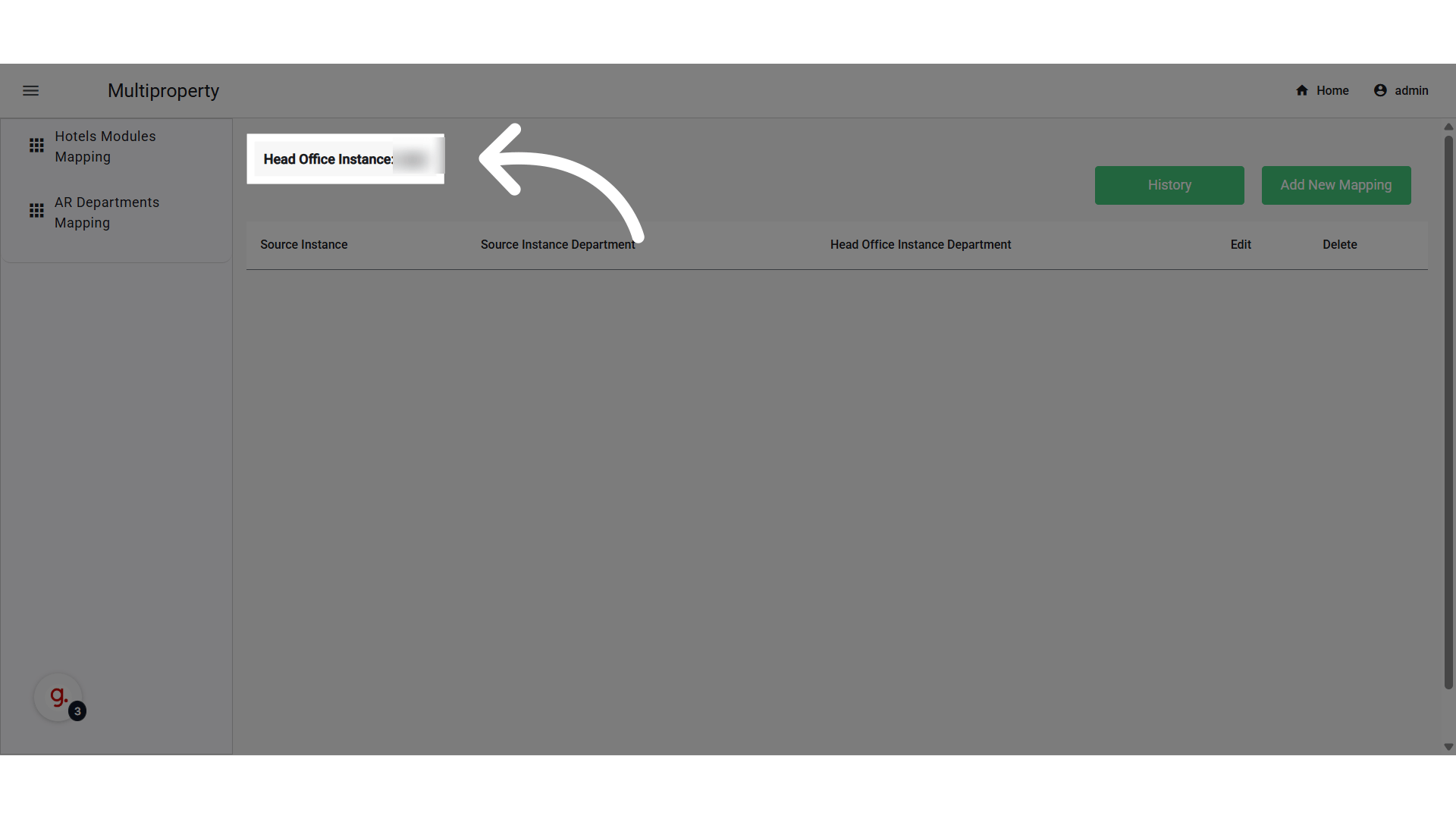
**Confirm Head Office Property**

<img src="https://mintcdn.com/kwentra/XUk2EhGuU_wWztTZ/images/multi-property/export-ar-invoices-from-multiple-properties/61b40e73dc.png?fit=max&auto=format&n=XUk2EhGuU_wWztTZ&q=85&s=fe1753828a46b537968fa50995c64300" alt="preview" width="1920" height="1080" data-path="images/multi-property/export-ar-invoices-from-multiple-properties/61b40e73dc.png" />

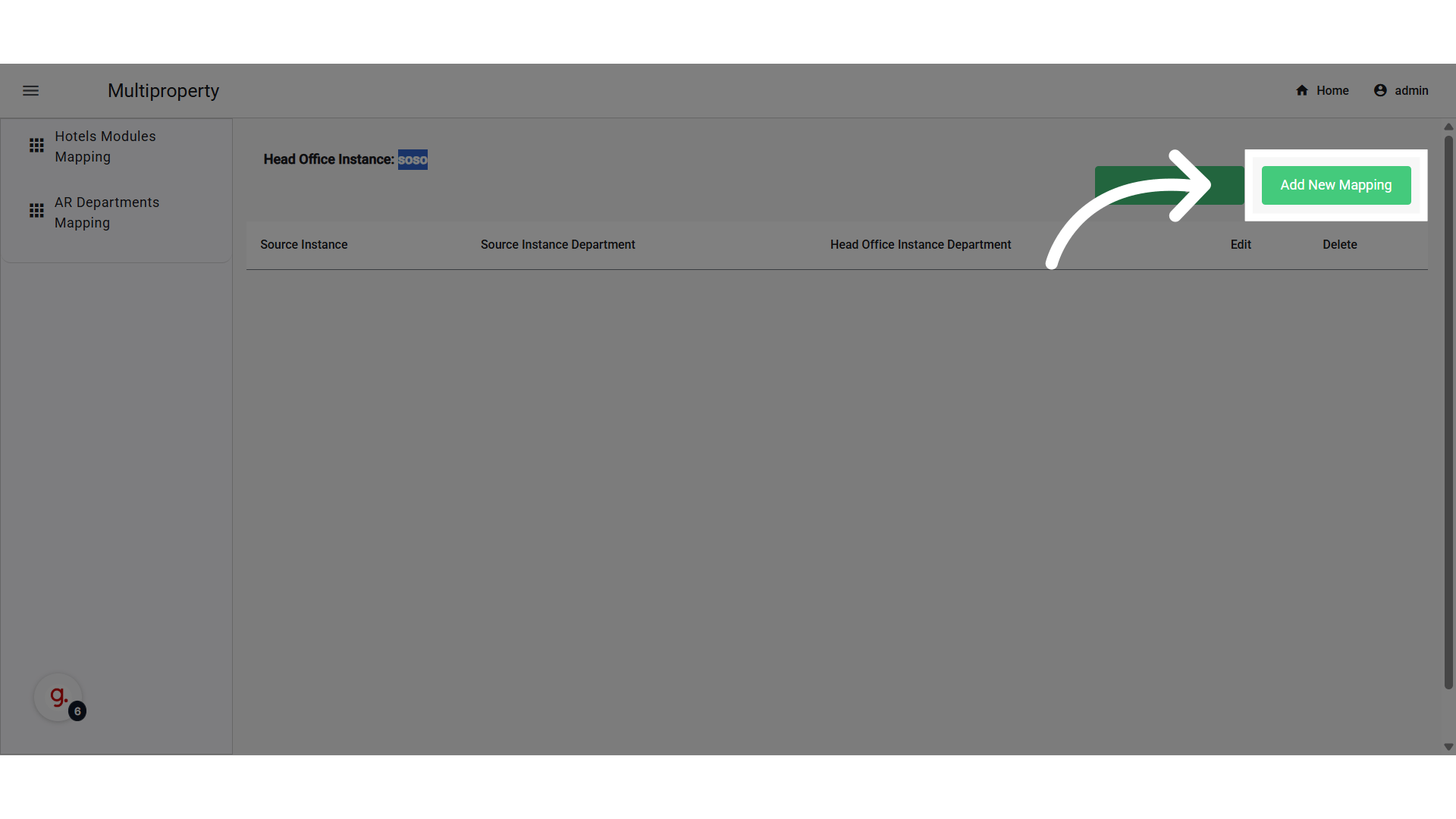
**Click "Add New Mapping"**

<img src="https://mintcdn.com/kwentra/XUk2EhGuU_wWztTZ/images/multi-property/export-ar-invoices-from-multiple-properties/cf0759aa63.png?fit=max&auto=format&n=XUk2EhGuU_wWztTZ&q=85&s=78bbba59b09009f8fea59442b826f0a7" alt="preview" width="1920" height="1080" data-path="images/multi-property/export-ar-invoices-from-multiple-properties/cf0759aa63.png" />

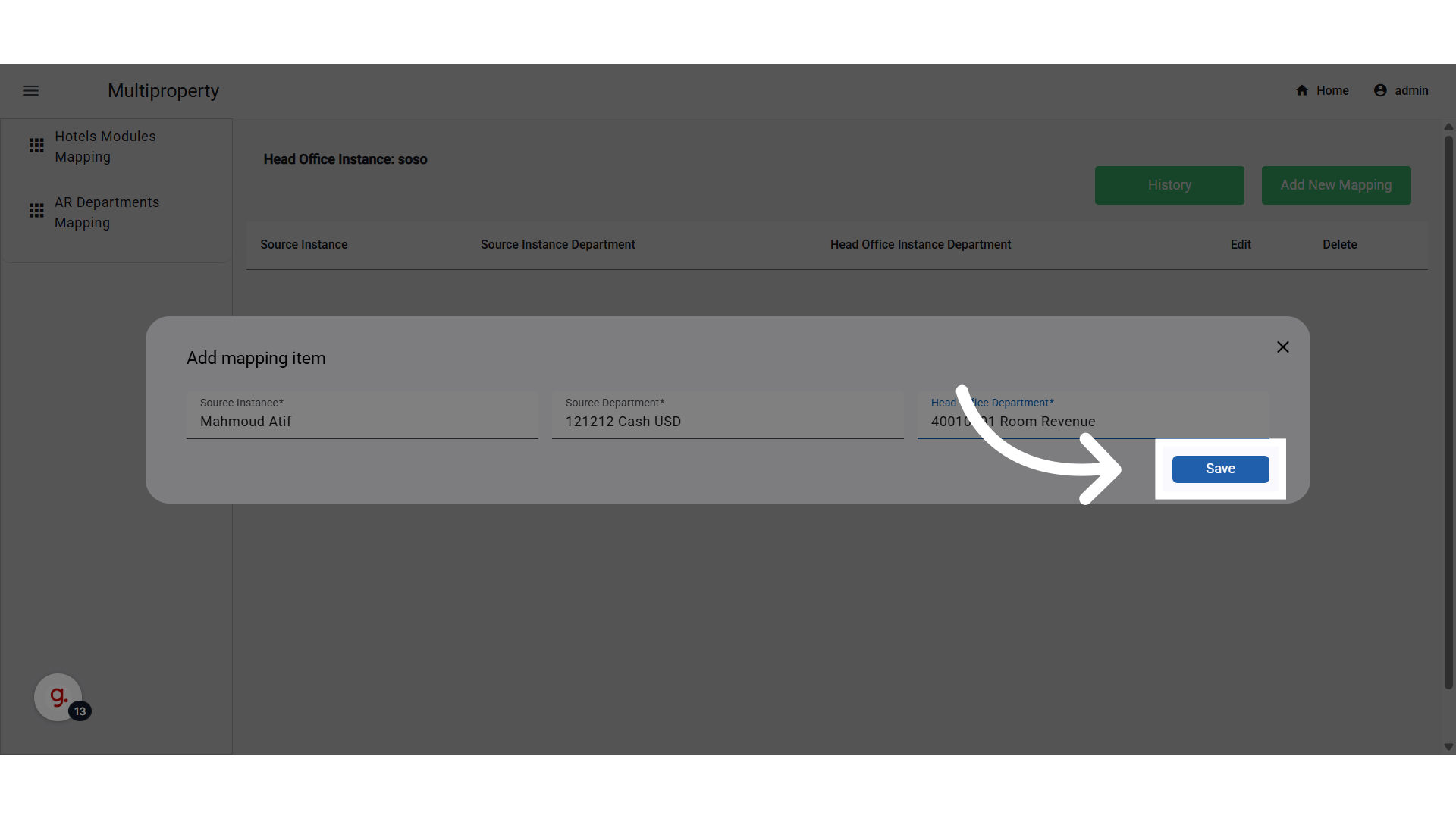
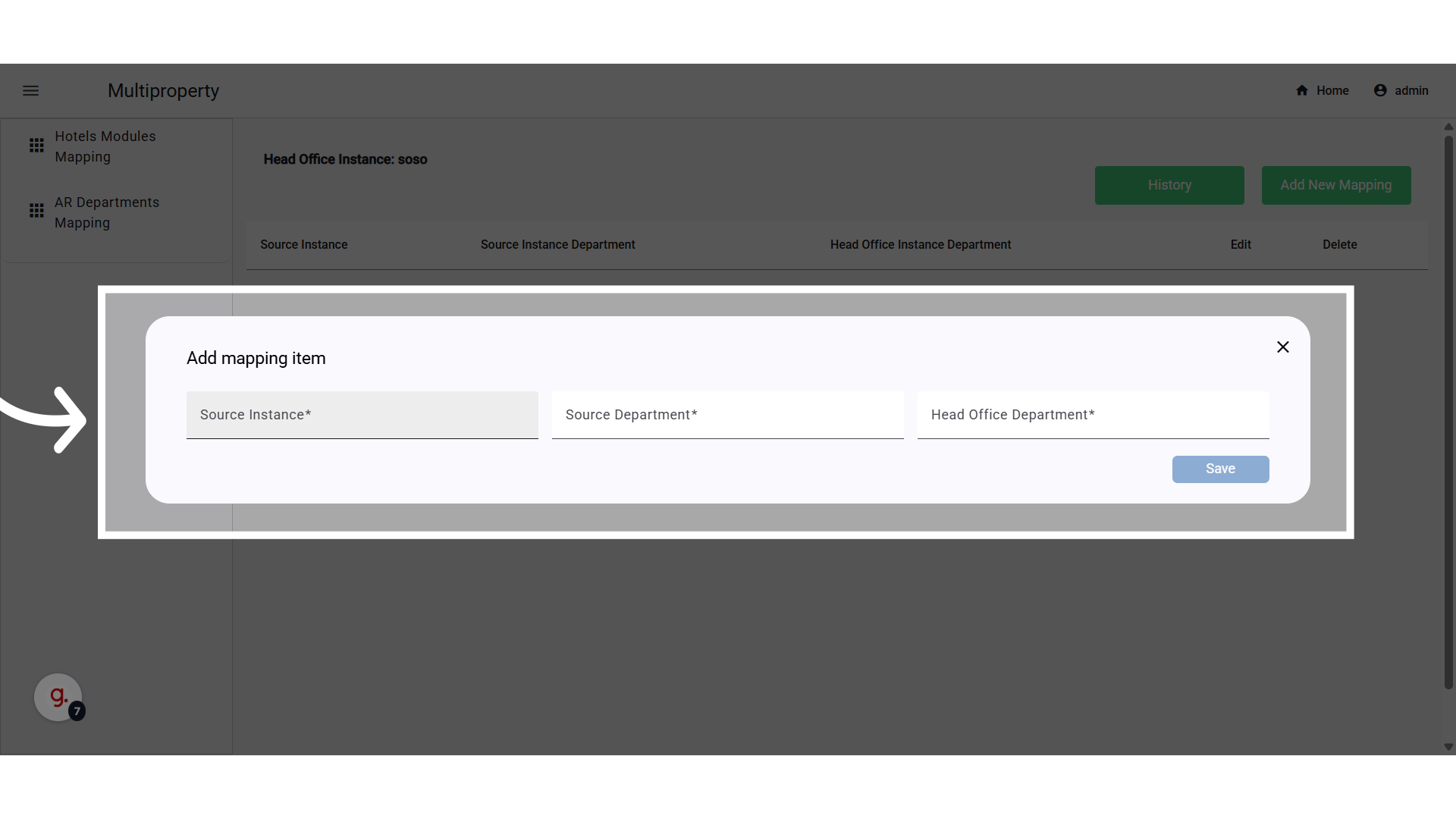
**Setup Fields**

* **Hotel (Source):** All instances in the company except the Head Office.
* **Credit Department:** A Dropdown of all payment departments in the source property (excludes: City Ledger, Credit Card, Loyalty)
* **Debit Department (Head Office):** A Dropdown of debit departments in the Head Office property.

*Use case: You do not need to select a City Ledger Payment Department anymore, as this automation centralizes AR operations to the Head Office Property.*

*Use*
<img src="https://mintcdn.com/kwentra/XUk2EhGuU_wWztTZ/images/multi-property/export-ar-invoices-from-multiple-properties/7f9b1751ce.png?fit=max&auto=format&n=XUk2EhGuU_wWztTZ&q=85&s=8a468322f6a3aec21e2e2fa3d86a4afe" alt="preview" width="1920" height="1080" data-path="images/multi-property/export-ar-invoices-from-multiple-properties/7f9b1751ce.png" />

**Click "Save"**

<img src="https://mintcdn.com/kwentra/XUk2EhGuU_wWztTZ/images/multi-property/export-ar-invoices-from-multiple-properties/3c23130b39.png?fit=max&auto=format&n=XUk2EhGuU_wWztTZ&q=85&s=daa163e2523801ec57aa7375d5a710dd" alt="preview" width="1920" height="1080" data-path="images/multi-property/export-ar-invoices-from-multiple-properties/3c23130b39.png" />

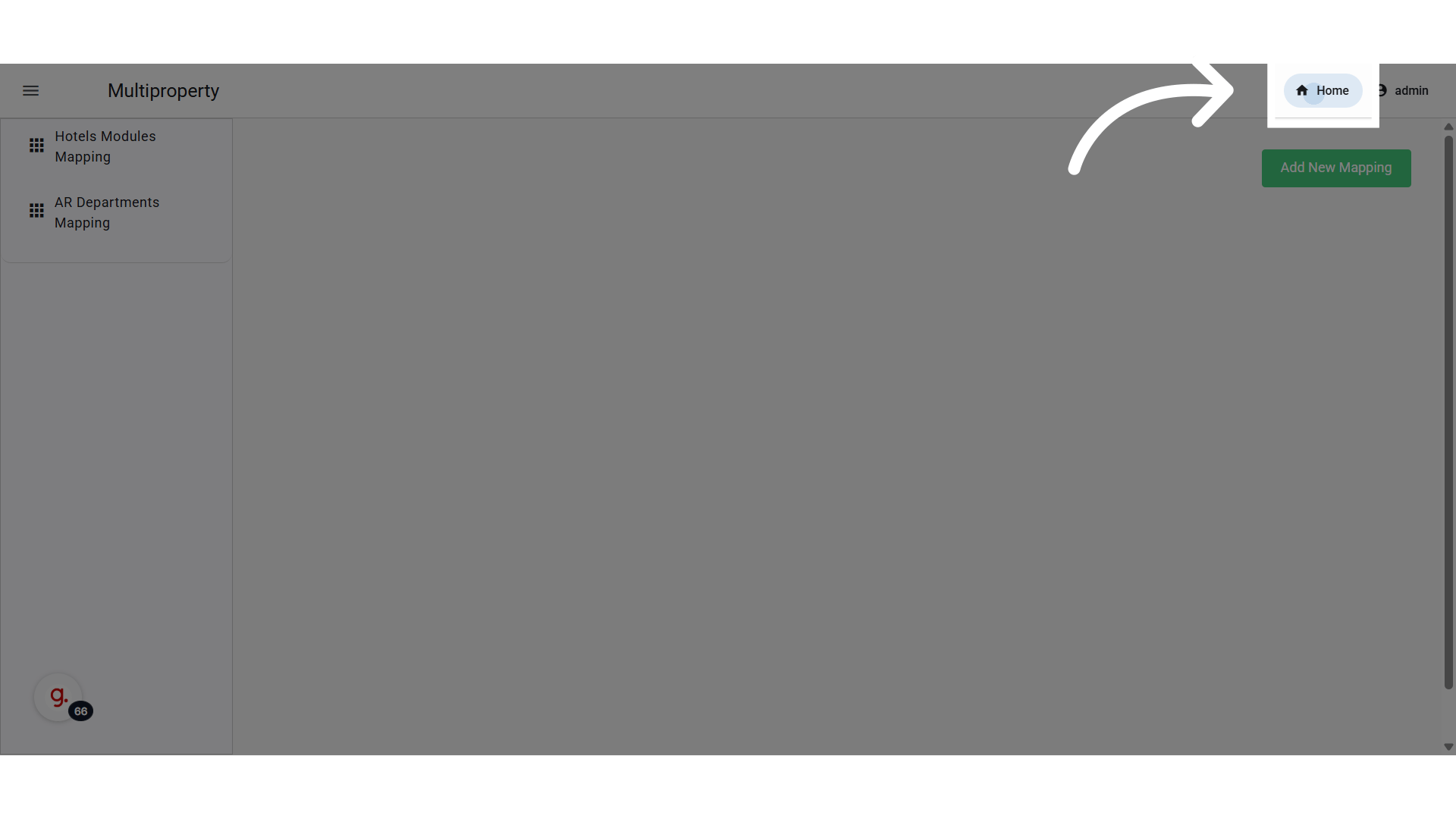
Go back to Home Page

<img src="https://mintcdn.com/kwentra/XUk2EhGuU_wWztTZ/images/multi-property/export-ar-invoices-from-multiple-properties/dab194d152.png?fit=max&auto=format&n=XUk2EhGuU_wWztTZ&q=85&s=2b5224052b417ca60d42a8d0ba0263a9" alt="preview" width="1920" height="1080" data-path="images/multi-property/export-ar-invoices-from-multiple-properties/dab194d152.png" />

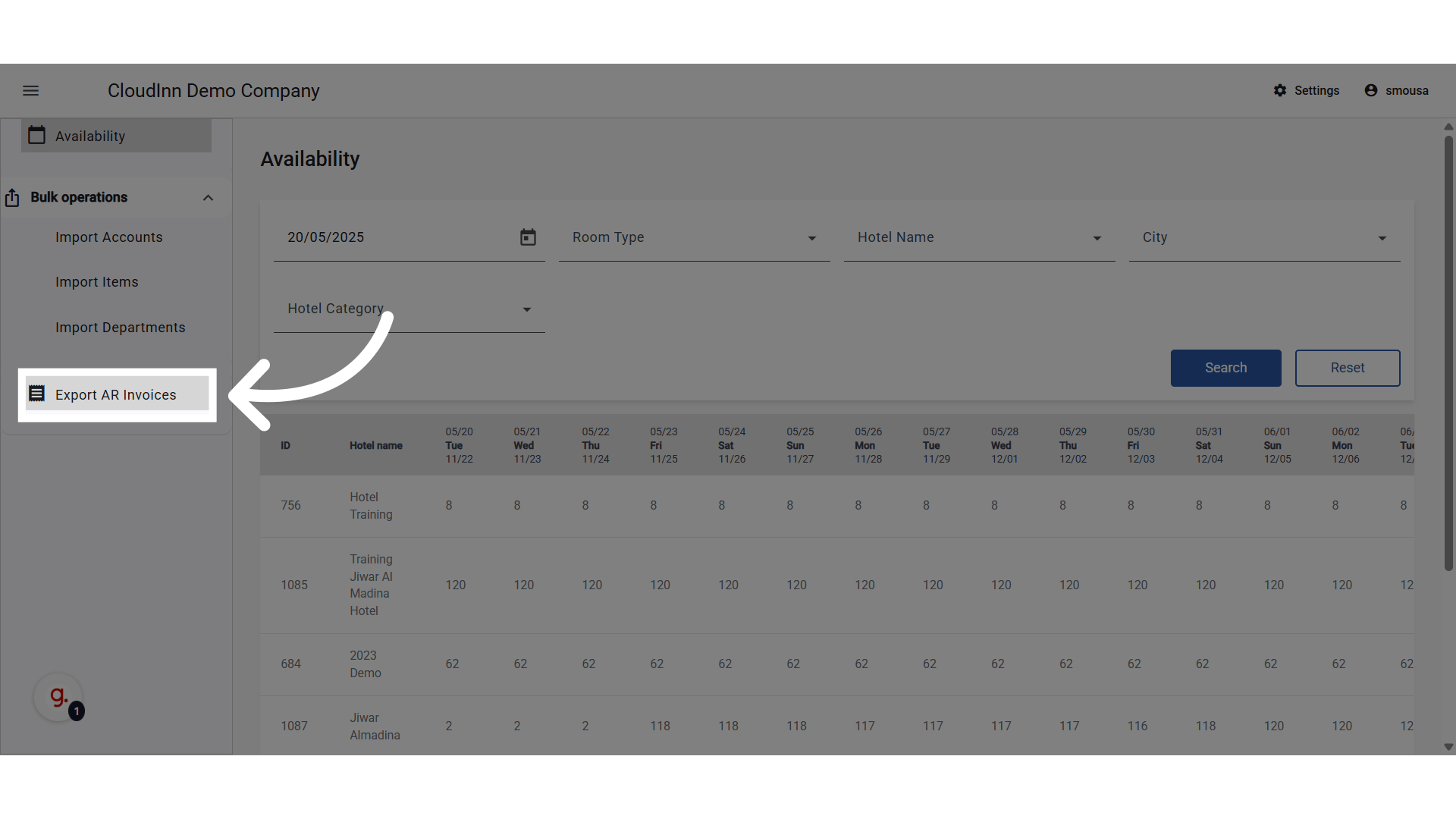
**Click "Export AR Invoices"**

<img src="https://mintcdn.com/kwentra/XUk2EhGuU_wWztTZ/images/multi-property/export-ar-invoices-from-multiple-properties/309b0d91b9.png?fit=max&auto=format&n=XUk2EhGuU_wWztTZ&q=85&s=45e4dc6b98b9adeb2bac7affaa76c18c" alt="preview" width="1920" height="1080" data-path="images/multi-property/export-ar-invoices-from-multiple-properties/309b0d91b9.png" />

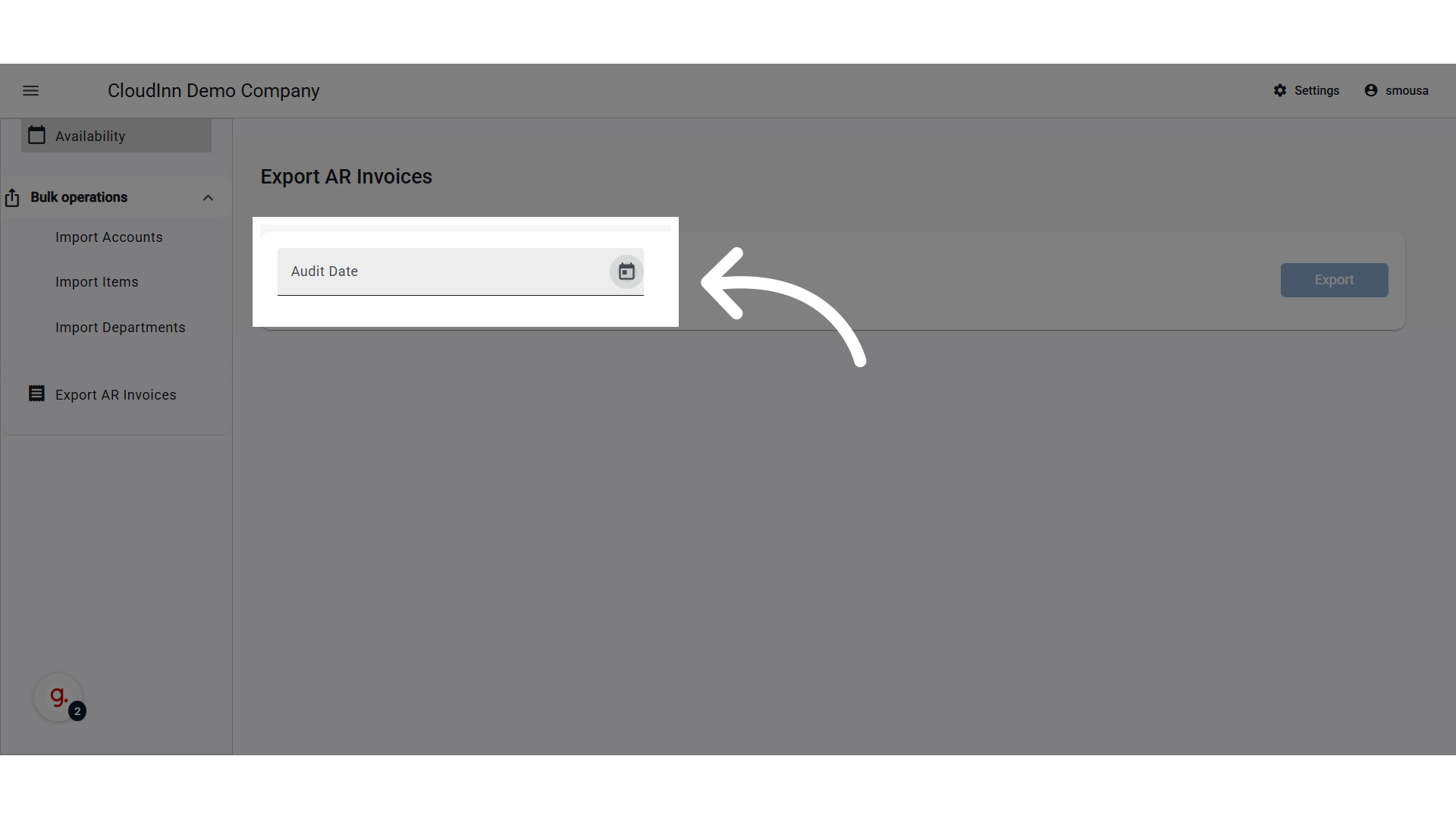
**Select Audit Date**

<img src="https://mintcdn.com/kwentra/XUk2EhGuU_wWztTZ/images/multi-property/export-ar-invoices-from-multiple-properties/3879d9b3a8.png?fit=max&auto=format&n=XUk2EhGuU_wWztTZ&q=85&s=a6cdd706104e8b2321833553a4249dc1" alt="preview" width="1920" height="1080" data-path="images/multi-property/export-ar-invoices-from-multiple-properties/3879d9b3a8.png" />

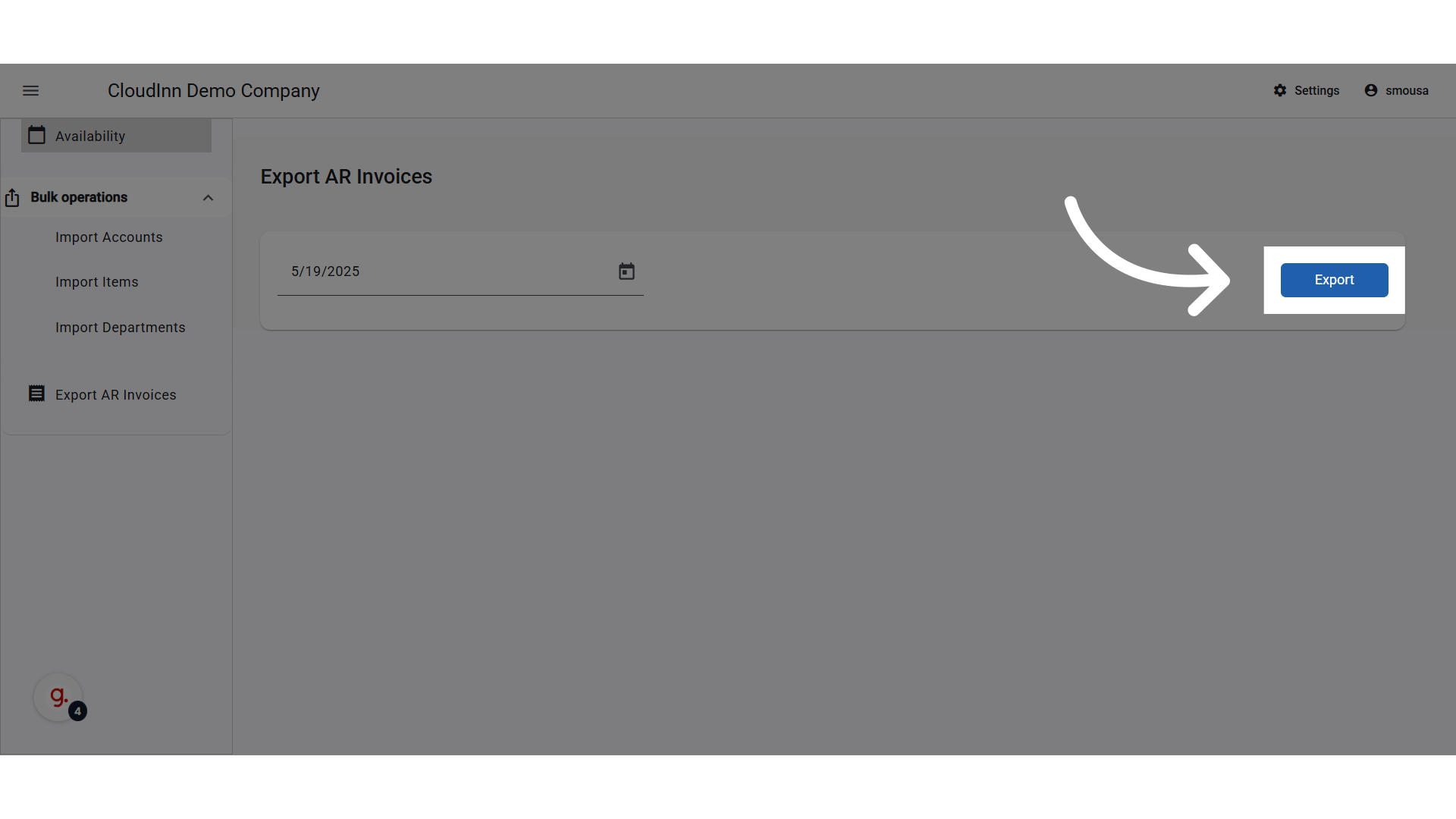
**Click "Export"**

<img src="https://mintcdn.com/kwentra/XUk2EhGuU_wWztTZ/images/multi-property/export-ar-invoices-from-multiple-properties/e7bd874694.png?fit=max&auto=format&n=XUk2EhGuU_wWztTZ&q=85&s=11ff4c7f1037b8778dd3f25f9402b805" alt="preview" width="1920" height="1080" data-path="images/multi-property/export-ar-invoices-from-multiple-properties/e7bd874694.png" />