> ## Documentation Index
> Fetch the complete documentation index at: https://help.kwentra.com/llms.txt
> Use this file to discover all available pages before exploring further.
# Transfer An Individual Reservation To Another Property
> The Reservation Transfer feature allows hotels within the same group to move individual bookings between properties. This improves reservation flexibility , supports central management , and helps...
The **Reservation Transfer** feature allows hotels within the same group to move individual bookings between properties. This improves **reservation flexibility**, supports **central management**, and helps balance **room availability**. It also reduces manual effort and ensures **data accuracy** across multi-property operations.
#### **How This Helps Your Business:**
* **Better Flexibility** – Easily move reservations when availability or guest needs change.
* **Centralized Control** – Allow central reservation teams to manage bookings across properties.
* **Error Reduction** – Automates the transfer, avoiding manual data entry mistakes.
* **Optimized Operations** – Supports business continuity in case of maintenance or overbooking.
#### **When to Use the Reservation Transfer Feature:**
* ✅ **To reassign guests** from one hotel to another if a hotel is full or unavailable.
* ✅ **To correct booking errors** without canceling and re-entering data manually.
* ✅ **To accommodate changes** requested by a guest or the booking source.
#### **How do you transfer an individual reservation?**
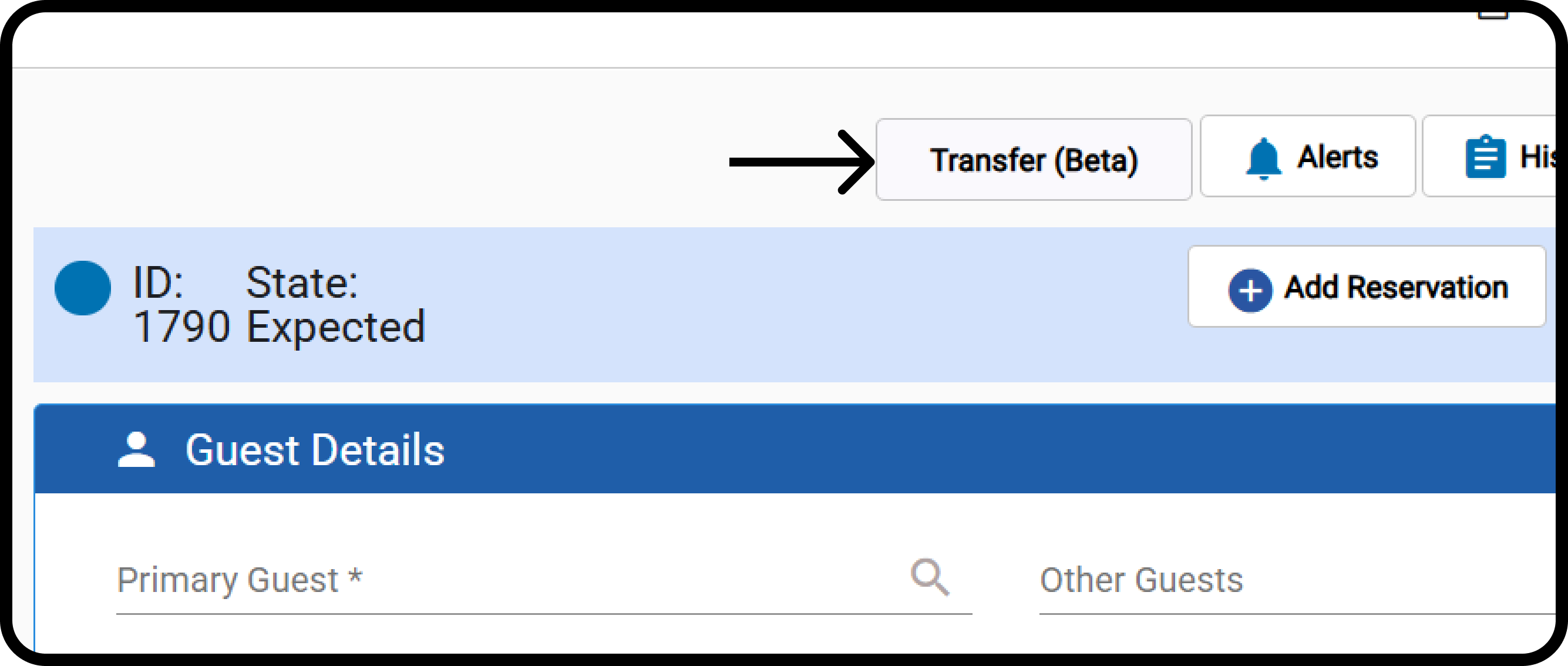
**[Front Office → Individual Reservations → Select Expected Reservation](https://manage.kwentra.com/frontoffice/#/individualreservation)**
The button is **enabled only if**:
* The user has **"Transfer Group Reservation"** permission.
* The user has access to **multiple properties**.
* The reservation status is **"Expected".**
* The reservation has **no financial postings** in any window.
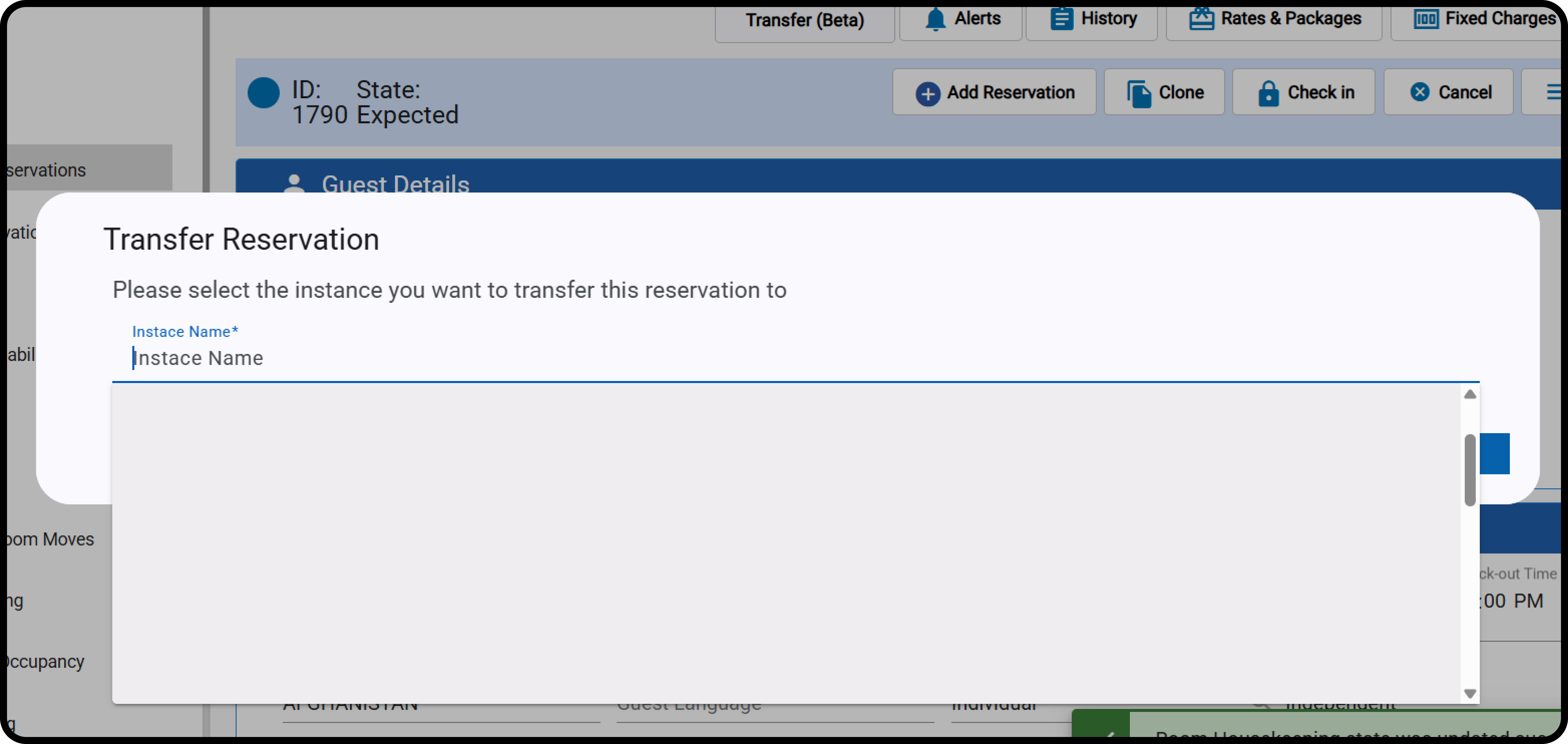
 Select the destination property and click **Next.**
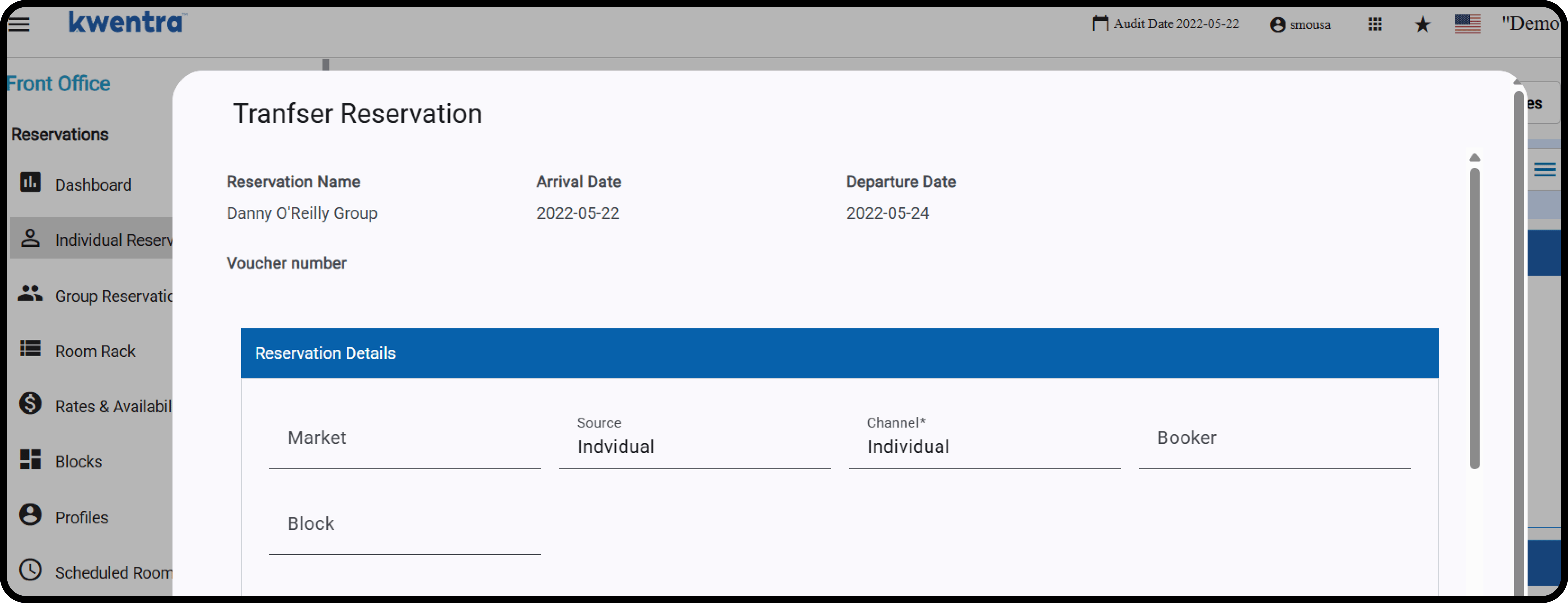
 The below reservation details are read-only:
* Guest name.
* Arrival & Departure Dates.
* Voucher number
Selecting the channel is mandatory.
The below reservation details are read-only:
* Guest name.
* Arrival & Departure Dates.
* Voucher number
Selecting the channel is mandatory.
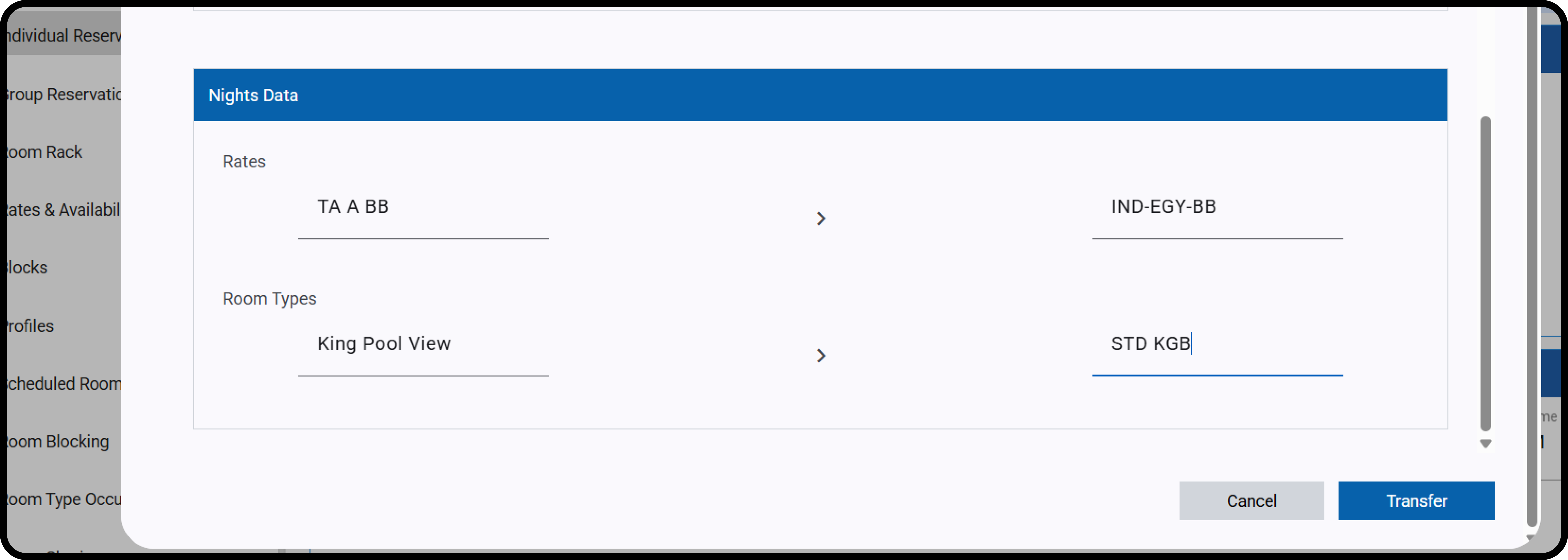
 Select the Rate Code and Room Type from the destination property.
Click **Transfer.**
Select the Rate Code and Room Type from the destination property.
Click **Transfer.**
 You must acknowledge that **fixed charges, add-ons, documents, and payments will not be transferred**.
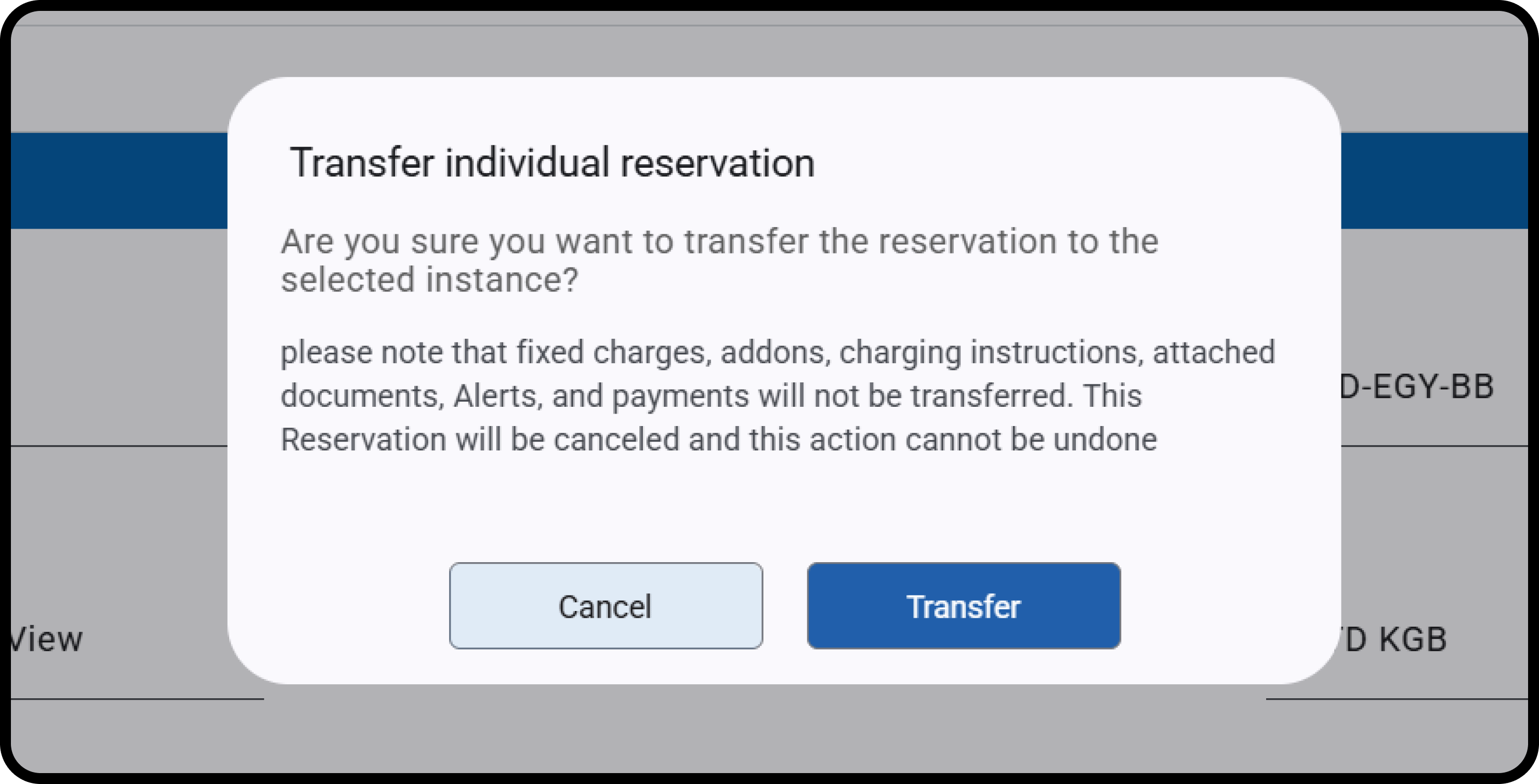 On success:
* A **new reservation is created** in the target instance (without a room number).
* The original reservation is **automatically canceled**.
* **History log entries** showing transfer details.
Billing notes added to the new reservation:
* “Original reservation had fixed charges”
اشتمَل الحجز الأصلي على رسوم ثابتة
* “Original reservation had billing instructions”
اشتمَل الحجز الأصلي على تعليمات فوترة
* “Original reservation had add-on packages”
اشتمَل الحجز الأصلي على باقات إضافية
Arabic version of the transfer log note is also included:
بتاريخ 2020-03-01 central-reservation عن طريق Hotel 2 إلى Hotel 1تم النقل من
The above operation won't apply unless the below conditions are met:
* **Source and destination property dates:** Both properties should be following the same audit date
* **Rate Coverage**: Ensures the selected rate has rate details in the destination property that covers the reservation dates.
* **Occupancy Check**: Confirms the number of guests and matches the room type occupancy for adults/children.
* **Overbooking Warning**: Allows transfer with a notification.
On success:
* A **new reservation is created** in the target instance (without a room number).
* The original reservation is **automatically canceled**.
* **History log entries** showing transfer details.
Billing notes added to the new reservation:
* “Original reservation had fixed charges”
اشتمَل الحجز الأصلي على رسوم ثابتة
* “Original reservation had billing instructions”
اشتمَل الحجز الأصلي على تعليمات فوترة
* “Original reservation had add-on packages”
اشتمَل الحجز الأصلي على باقات إضافية
Arabic version of the transfer log note is also included:
بتاريخ 2020-03-01 central-reservation عن طريق Hotel 2 إلى Hotel 1تم النقل من
The above operation won't apply unless the below conditions are met:
* **Source and destination property dates:** Both properties should be following the same audit date
* **Rate Coverage**: Ensures the selected rate has rate details in the destination property that covers the reservation dates.
* **Occupancy Check**: Confirms the number of guests and matches the room type occupancy for adults/children.
* **Overbooking Warning**: Allows transfer with a notification.