> ## Documentation Index
> Fetch the complete documentation index at: https://help.kwentra.com/llms.txt
> Use this file to discover all available pages before exploring further.
# Add a Terminal to POS Outlets
> Adding a terminal to your outlet allows your waiters and cashiers to gain access and serve your guests. Having multiple outlets help you run a faster operation and have you waiters/cashiers work si...
Adding a terminal to your outlet allows your waiters and cashiers to gain access and serve your guests.
Having multiple outlets help you run a faster operation and have you waiters/cashiers work simultaneously.
[**Point of Sale → Settings → Terminal**](https://manage.kwentra.com/pos/settings/listing/terminal)
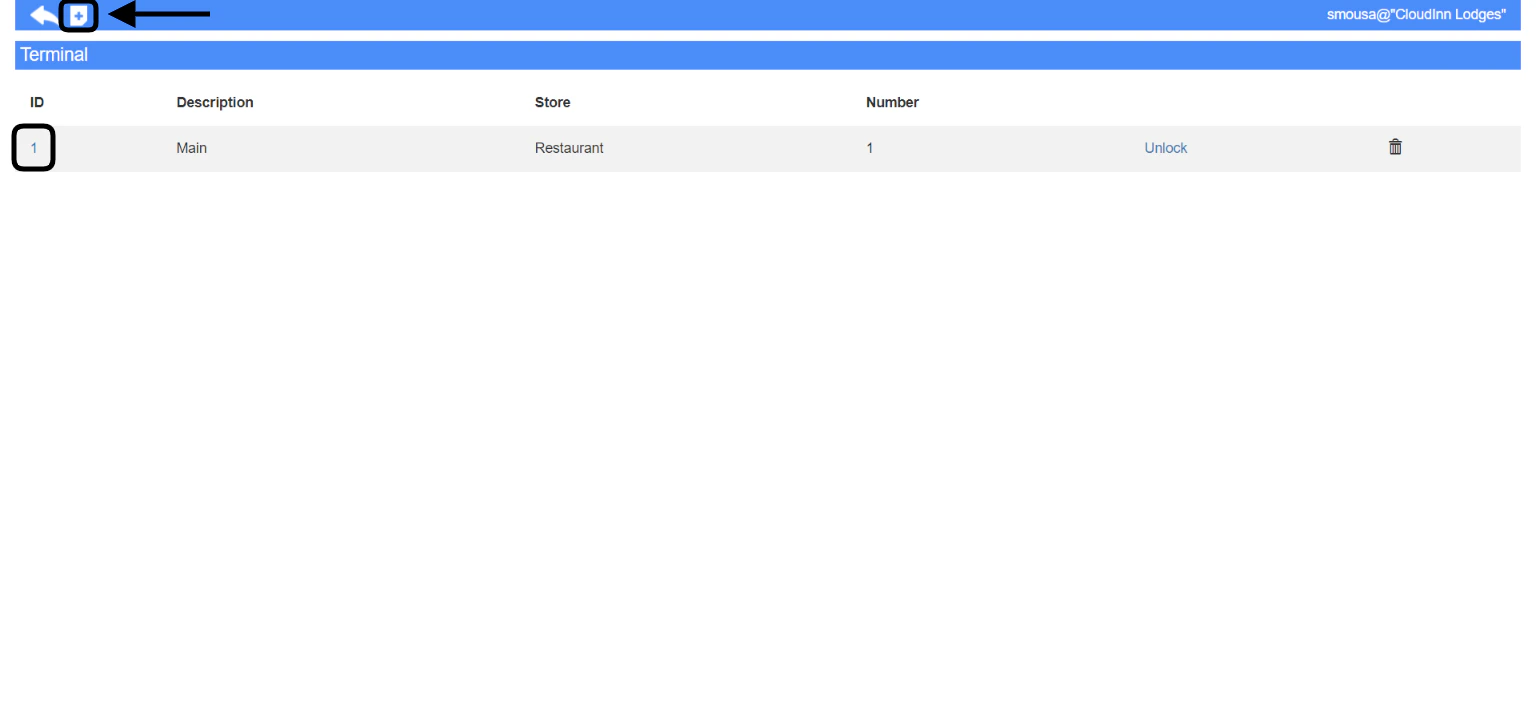
You can edit the settings for any terminal by clicking on its ID as below.
Click on the + sign to add a new terminal.
 You need to fill the below inputs in order to add a new terminal:
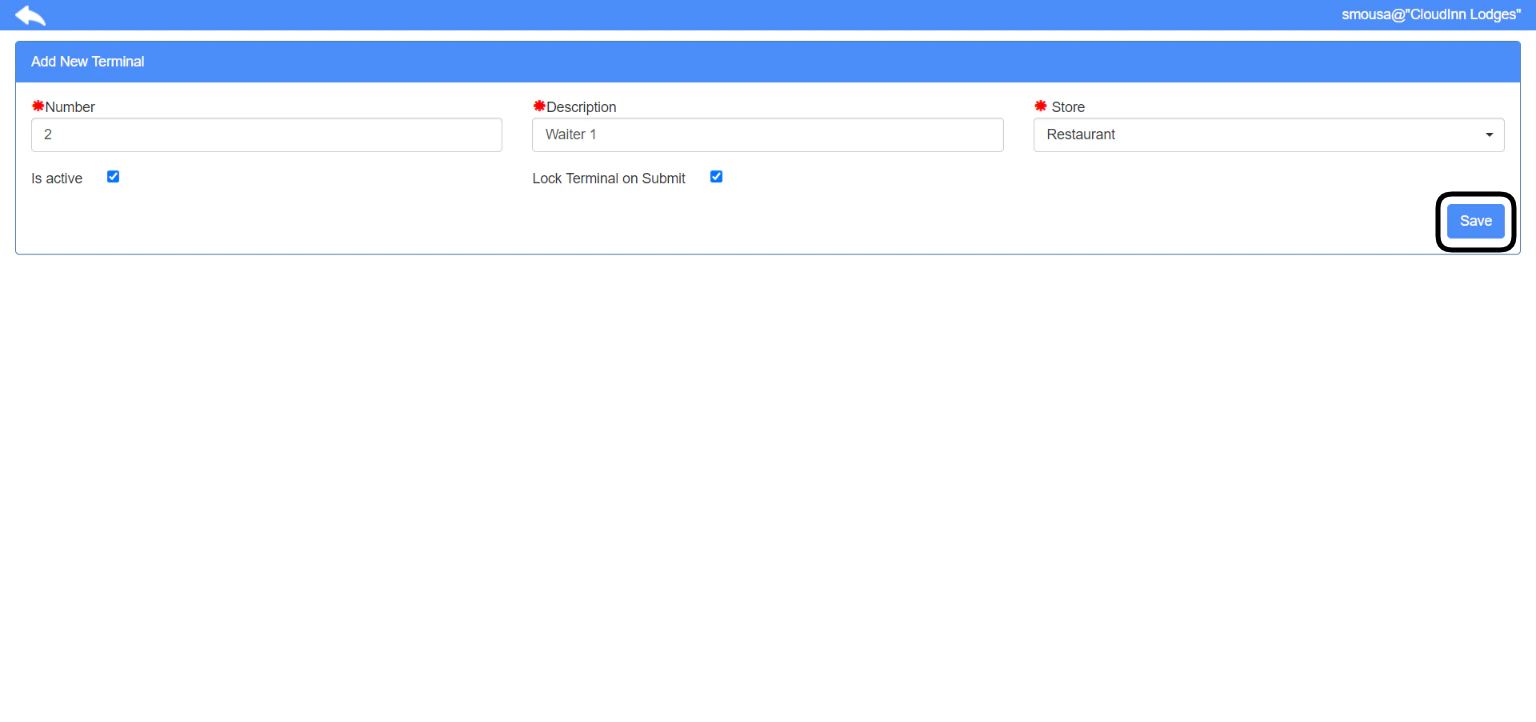
1. **Number:** a serial number for your terminal, it also defines the first digit prefix on your POS invoices I.e **0**-0000
2. **Description:** a name to give to your new terminal.
3. **Store:** which outlet you would like this terminal to be linked to.
4. **Is active:** used when you would like to deactivate/delete a terminal.
5. **Lock Terminal on Submit:** this option locks the terminal after every order that's gets submitted to your kitchen from your waiters for security.
Using the **Lock Terminal on Submit** feature will drive your waiters to use the terminal with their own pin only to easily track their transactions.
Click **Save** to add your terminal.
You need to fill the below inputs in order to add a new terminal:
1. **Number:** a serial number for your terminal, it also defines the first digit prefix on your POS invoices I.e **0**-0000
2. **Description:** a name to give to your new terminal.
3. **Store:** which outlet you would like this terminal to be linked to.
4. **Is active:** used when you would like to deactivate/delete a terminal.
5. **Lock Terminal on Submit:** this option locks the terminal after every order that's gets submitted to your kitchen from your waiters for security.
Using the **Lock Terminal on Submit** feature will drive your waiters to use the terminal with their own pin only to easily track their transactions.
Click **Save** to add your terminal.