> ## Documentation Index
> Fetch the complete documentation index at: https://help.kwentra.com/llms.txt
> Use this file to discover all available pages before exploring further.
# Outlet's Revenue by Country Report
> Analyze your outlet revenue by guest nationality to optimize business strategies and understand your customer base. Business Value Provides key insights into outlet/store performance by guest natio...
Analyze your outlet revenue by guest nationality to optimize business strategies and understand your customer base.
***
### **Business Value**
* Provides key insights into outlet/store performance by guest nationality.
* Helps tailor marketing, promotions, and services for top nationalities.
* Supports management with actionable data for optimizing operations and staffing.
* Enables better forecasting and business planning based on real guest segments.
***
### **Use Cases**
* Hotel F\&B Manager wants to see which outlets are most popular among certain nationalities.
* Sales/Marketing team targets offers to guests from countries with higher outlet spending.
* Operations adjusts menus or staff languages based on top guest demographics.
* Finance reviews outlet performance by nationality for annual planning.
***
### **How to Use the Report**
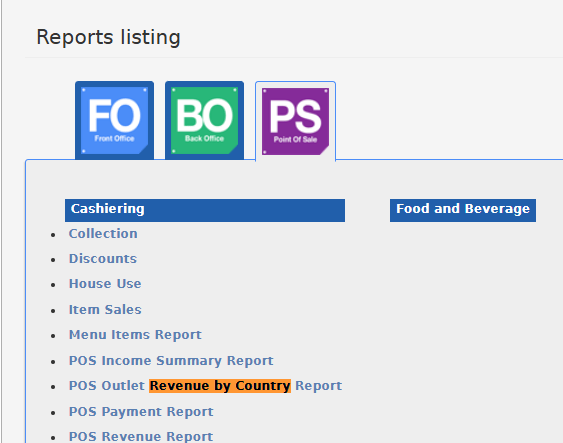
* Go to **Reports → POS →Outlet's Revenue by Country**.
 1. Choose a date range (**From Date** and **To Date**) using the date pickers.
2. (Optional) Select specific outlets/stores using the multi-select autocomplete filter. If no stores are selected, all outlets will appear.
3. **File type:** Select your preferred export format:
* XLS
* XLSX
* ODS
* PDF
4. Click **Download** to export the report, **Preview** to view results in the system, or **Print** for a hard copy.
1. Choose a date range (**From Date** and **To Date**) using the date pickers.
2. (Optional) Select specific outlets/stores using the multi-select autocomplete filter. If no stores are selected, all outlets will appear.
3. **File type:** Select your preferred export format:
* XLS
* XLSX
* ODS
* PDF
4. Click **Download** to export the report, **Preview** to view results in the system, or **Print** for a hard copy.
 ### **Report Output**
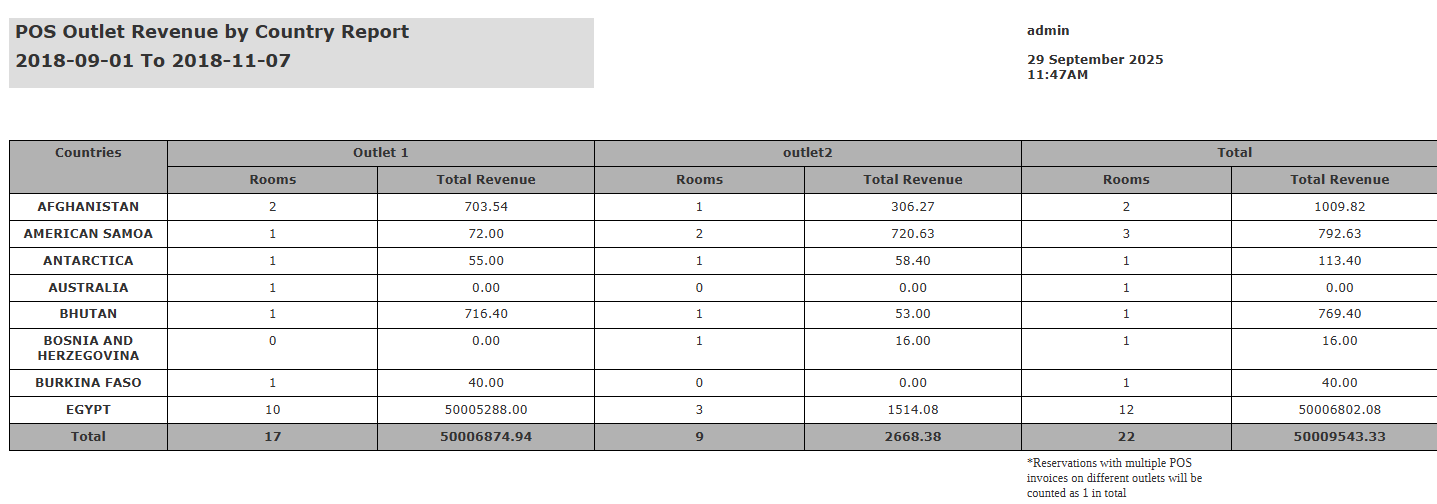
* **Countries:** Nationality from reservation
* **Outlet N (Rooms):** Number of unique reservations (by nationality, by outlet)
* **Outlet N (Total Revenue):** Gross POS revenue (by nationality, by outlet)
* **Total (Rooms):** Sum of unique reservations per nationality (across all outlets)
* **Total (Total Revenue):** Grand total revenue per nationality (across all outlets)
**Note:**
Reservations with multiple POS invoices on different outlets will be counted as 1 in **total rooms**.as it is 1 room generating revenue on 2 outlets.
*Reservations with multiple POS invoices on different outlets will be counted as 1 in total.*
### **Report Output**
* **Countries:** Nationality from reservation
* **Outlet N (Rooms):** Number of unique reservations (by nationality, by outlet)
* **Outlet N (Total Revenue):** Gross POS revenue (by nationality, by outlet)
* **Total (Rooms):** Sum of unique reservations per nationality (across all outlets)
* **Total (Total Revenue):** Grand total revenue per nationality (across all outlets)
**Note:**
Reservations with multiple POS invoices on different outlets will be counted as 1 in **total rooms**.as it is 1 room generating revenue on 2 outlets.
*Reservations with multiple POS invoices on different outlets will be counted as 1 in total.*