> ## Documentation Index
> Fetch the complete documentation index at: https://help.kwentra.com/llms.txt
> Use this file to discover all available pages before exploring further.
# 2025 Release Notes
> All Kwentra product updates released in 2025.
## Currency Deactivation Enhancement
Deactivated currencies are now fully removed from all operational, financial, and import screens across Kwentra.
## Year View Rooms Forecast Report
Visualize 12 Months of Daily Occupancy Trends in One View.
[Read more](/front-office/reports/reservation-reports/year-view-rooms-forecast-report)
## Consolidated Revenue and Statistics Summary Report
View aggregated revenue and occupancy KPIs across all selected hotels in a single consolidated report.
[Read more](/multi-property/consolidated-revenue-and-statistics-summary-report)
## Bulk Reconcile Action for Journal Vouchers
Instantly reconcile multiple journal vouchers in one step for faster period-end closing and improved audit control.
## Capture Visas for Group Reservations
Quickly upload and link guest visas to group reservations, ensuring all profiles are accurate and compliant.
[Read more](/front-office/reservations/group-reservations/capture-visas-for-group-reservations)
## Guest Birthdays filter updates
A new report filter and column for reservation status for a more personalized service.
## Supplier Receiving Report Enhancements
Now you can filter supplier receipts by **payment status** and sort the report by **Receiving Number** or **Date**.
[Read more](/back-office/bo-reports/supplier-receiving-report)
## Share Registration Card via Whatsapp
Easily send the Registration Card link to guests on WhatsApp for online signature and instant confirmation.
[Read more](/front-office/reservations/individual-reservations/share-registration-card-via-whatsapp)
## Store Usage Report Update
Quickly see your stock usage totals by both department and expense account in the summary report.
## Profit and Loss Tab – British System (Head Office Consolidation)
From kwentra Insights Dashboard or kwentra Insights App; you can now view consolidated P\&L for British-system clients, fully based on Head Office financial data.
[Read more](/multi-property/profit-and-loss-tab-british-system-head-office-consolidation)
## Inhouse Guest Info Status Report
New Report: Track how complete your inhouse guest profiles are at any given date.
[Read more](/front-office/reports/reservation-reports/inhouse-guest-info-status-report)
## PO Status Visibility Enhancement
Instantly view PO status in key Inventory screens to streamline operations.
[Read more](/back-office/purchasing/po-status-visibility-enhancement)
## Free Room Upgrade from Room Blocking Screen
Enable instant free room upgrades directly from the Room Blocking screen, reducing operational steps and improving guest experience.
[Read more](/front-office/reservations/room-blocking/free-room-upgrade-from-room-blocking-screen)
## Maintenance State Filter in Room Blocking
Quickly filter and control room selection in the Room Blocking screen by maintenance status, reducing operational mistakes.
[Read more](/front-office/reservations/room-blocking/maintenance-state-filter-in-room-blocking)
## Meal Plan Report: Paymaster Packages Support
Now all meal packages posted on paymasters (e.g., group/company bookings) are clearly reflected in the report.
[Read more](/front-office/reports/front-desk-reports/meal-plan-report)
## Usage Department Field in Purchase Orders
Easily track and control the intended usage department for each Purchase Order—improving accuracy, transparency, and user access rights.
[Read more](/back-office/purchasing/usage-department-field-in-purchase-orders)
## kwentra Pay: Share Payment Link via WhatsApp
Integrate Paymob with Kwentra PMS to enable seamless online and front desk payments, now with instant payment link sharing via WhatsApp.
## Outlet's Revenue by Country Report
Analyze your outlet revenue by guest nationality to optimize business strategies and understand your customer base.
[Read more](/point-of-sale/reports/outlet-s-revenue-by-country-report)
## Actual Arrival Report Update
Review all reservations that actually arrived on a selected date, including guest, booking, and revenue details to support front desk operations, reconciliation, and revenue tracking.
[Read more](/front-office/reports/reservation-reports/actual-arrival-report)
## Exchange Rate Report
\[NEW] Easily track all currency exchange rate changes, with full audit history and user tracking, across active and inactive currencies.
[Read more](/front-office/reports/income-reports/exchange-rate-report)
## Receiving Orders: Last Received Item Data
Easily view the latest received price, quantity, vendor, and date for each item—right from the Receiving Orders screen.
[Read more](/back-office/purchasing/receiving-orders-last-received-item-data)
## Sales Analysis by Voucher Number Report Update
Now you can view all charges—including Paymaster postings—that share the same voucher number, providing a comprehensive financial overview by voucher.
[Read more](/multi-property/sales-analysis-by-voucher-number-report)
## Tourist Accommodation Report — Exclude Packages
Add an “Exclude Packages” checkbox to let users report room-only net revenue without package amounts.
[Read more](/front-office/reports/reservation-reports/tourist-accommodation-report)
## Add Notes in Bulk to Individual Reservations
Easily add notes of any type to multiple individual reservations at once with the bulk edit feature.
[Read more](/front-office/reservations/individual-reservations/bulk-add-notes-to-individual-reservations)
## Bulk Reinstate & Cancel No Show for Reservations
Quickly reinstate cancelled or no-show reservations in bulk, with a single reason entry and clear validation for each case.
[Read more](/front-office/reservations/individual-reservations/bulk-reinstate-cancel-no-show-for-reservations)
## New Filter & Status for Purchase Order Authorization
Easily filter and track purchase orders by their authorization status in the PO list, making approvals clearer for finance and purchasing teams.
[Read more](/back-office/purchasing/purchase-orders-authorization-status-filter-column)
## Restaurant QR Code Pickup Report
Track and analyze all restaurant QR code pickups by reservation, paymaster, package, meal, and user, with full filtering and totals.
[Read more](/front-office/reservations/individual-reservations/restaurant-qr-code-pickup-report)
## New Status “Partially Received” on Purchase Orders
A new PO status, Partially Received, is now available. This status will be displayed automatically when some items in your Purchase Order have been received, but at least one item remains pending (even if others have been closed).
## Group Reservation Pricing Visibility
View room rates directly in the group reservation list for quick pricing checks.
[Read more](/front-office/reservations/group-reservations/group-reservation-pricing-visibility)
## Rate Relations: Base & Derived Room Type Configuration
Configure rate relations and occupancy pricing for both base and derived room types—including new flexible child pricing for derived rooms.
[Read more](/front-office/front-office-settings/front-office/rate-relations-base-derived-room-type-configuration)
## Consolidated Main Account Listing Details Report
Get a full, multi-property view of all main account transactions and balances—grouped, filtered, and ready for audit.
[Read more](/back-office/bo-reports/account-listing-details-report)
## Add "House Use Officer" Flag to Individual Profile
Identify House Use Officers for advanced filtering and reporting in House Use operations.
[Read more](/front-office/reservations/profiles/add-house-use-officer-flag-to-individual-profile)
## House Use Report Update
Quickly analyze complimentary hotel consumption with advanced filters and officer-level item summaries.
[Read more](/point-of-sale/reports/house-use-report)
## Purchase Order: Display Available Quantity Per Item
Instantly see the available stock for each item in its store directly from the Purchase Order line items.
[Read more](/back-office/purchasing/purchase-order-display-available-quantity-per-item)
## Market Segment Report Enhancements
The **Market Segment Report** provides detailed performance metrics for your hotel, broken down by sales market segments, including Channel, Source, and Market. The report enables you to track revenue, occupancy, and guest statistics for each segment, providing support for informed sales and marketing decisions.
### **What’s Different from Before?**
* **Two Reports:**
* **Market Segment DMY** = old, day/month/year-based.
* **Market Segment (New):** Date range-based, with “Include Paymaster Charges” toggle.
* **Paymaster Logic:**
* Only paymasters linked to channels are considered when enabled.
* Charges on paymasters with no channel are ignored.
[Read more](/front-office/reports/reservation-reports/market-segment-report)
## Purchase Request Approval Workflow Enhancement
Approvals for items remain and don't reset when the vendor or unit price is changed by the creator or buyer.
## Voucher Number Field Added To Cashier Transactions Report
Easily track and reconcile transactions by viewing the voucher number directly in the Cashier Transactions Report.
## Purchase Order Validity Field
Easily add and track the validity period for each Purchase Order, with clear print and audit logging.
## Enhancing "Item Type" Selection in Purchasing & Inventory Screens
Quickly select and filter multiple item types in all relevant screens for more accurate purchasing and inventory management.
## Auto-Generate Folios for Checked Out Reservations during Night Turn
Automatically generate folios for checked-out reservations at night audit, with instant failure alerts.
[Read more](/front-office/income/night-audit/auto-generate-folios-for-checked-out-reservations-during-night-turn)
## Bulk Generate Restaurant QR Codes for Individual Reservations
Quickly generate restaurant QR codes for multiple reservations in one step, with options for per-reservation or per-person QR creation.
[Read more](/front-office/reservations/individual-reservations/bulk-generate-restaurant-qr-codes-for-individual-reservations)
## Change in Department Percentage Calculation For The British P\&L Detailed Report
Department totals in the British P\&L Detailed Report now use department revenue for more accurate percentages.
### **Business Value**
* **More Accurate Financial Ratios:** Department percentages now truly reflect departmental performance by dividing totals over department-specific revenue.
* **Improved Financial Analysis:** Better comparison between departments and a clearer understanding of cost/revenue relationships.
* **Aligned with Best Practices:** Matches modern accounting standards for departmental performance reporting.
### **Use Cases**
* **Scenario 1:** The finance team wants to compare the food & beverage department’s expenses as a share of only F\&B revenue (not total hotel revenue).
* **Scenario 2:** Hotel managers can identify which departments are over- or under-performing based on their actual contribution to the hotel.
* **Scenario 3:** Auditors and accountants require department percentages based on direct departmental revenue for regulatory or internal reporting.
### **Where to Find It:**
Reports → Back Office → British Profit & Loss Detailed
* **What’s Changed:**
* Previously, the formula was:
`Total Dep. % = Total Dep. / Total Revenue`
* **New Formula:**
`Total Dep. % = Total Dep. / Dep. Revenue`
* **Special Case:**
If a department has *only* expenses and **no revenue**, the system will keep using the old formula:
`Total Dep. % = Total Dep. / Total Revenue`
* **Who Is Affected:**
* Any user running the British P\&L Detailed report will now see percentages based on each department’s revenue, except for departments with no revenue.
### **Notes & Tips**
* This change does **not** affect summary or other non-British P\&L reports.
* If you notice a department with an unexpectedly high percentage, check if the department is missing revenue.
## Easier AR Account Search When Transferring Balances
Quickly search for AR accounts by number or description when transferring balances.
[Read more](/back-office/accounts-receivable/easier-ar-account-search-when-transferring-balances)
## Hijri Calendar Support in Balance Sheet Report
View your balance sheet using either the Georgian or Hijri calendar, with date and period calculations fully aligned.
[Read more](/back-office/bo-reports/balance-sheet-report)
## Journal Voucher Reconciliation & Tracking in General Ledger
Easily flag, track, and filter reconciled journal vouchers directly from the General Ledger.
[Read more](/back-office/general-ledger/journal-voucher-reconciliation-tracking-in-general-ledger)
## Restaurant QR Code For Paymaster
Generate a restaurant QR code for paymasters to enable meal pickups linked to addon packages.
[Read more](/front-office/income/paymasters/restaurant-qr-code-for-paymasters)
## Arab African International Bank (AAIB) Integration Settings with kwentra Pay
Configure secure payment integration with AAIB to accept credit card transactions in Kwentra Pay with multiple currencies.
[Read more](/compliance-integrations/arab-african-international-bank-aaib-integration-settings-kwentra-pay)
## Add Packages to Paymaster Profiles
Enable applying public addon packages to paymaster profiles for non-reservation guest charges.
[Read more](/front-office/income/paymasters/add-packages-to-paymaster-profiles)
## Apply Store to All Line Items in Purchase Request
This enhancement saves time and reduces manual errors during purchase request creation by applying a selected store to all line items automatically, ensuring consistency in store sourcing.
[Read more](/back-office/purchasing/apply-store-to-all-line-items-in-purchase-request)
## Filter by Item in Purchase Orders & Requests
Search and filter purchase orders or purchase requests by item name using a multi-select item filter.
## Improved PR History Logging
View clearer, item-based history logs in Purchase Requests with readable entries and detailed approval tracking.
[Read more](/back-office/purchasing/improved-pr-history-logging)
## Apply Store to All Line Items in Purchase Request
Easily set a single store for all items in your purchase request by selecting it at the PR header level.
[Read more](/back-office/purchasing/apply-store-to-all-line-items-in-purchase-request)
## Bulk Edit Enhancements for Checked-In Reservations
You can now perform bulk edits on checked-in reservations, including adult count, room type, rate, and channel — for unposted nights only.
## Multi-Property Consolidated Channel Summary Report
The **Consolidated Channel Summary Report** gives you a complete financial picture of all charges and payments related to your **group and individual reservations**, even if they’ve been split or posted to paymasters. It includes both **actual postings** and **predicted charges**, grouped by confirmation number.
[Read more](/multi-property/consolidated-channel-summary-report)
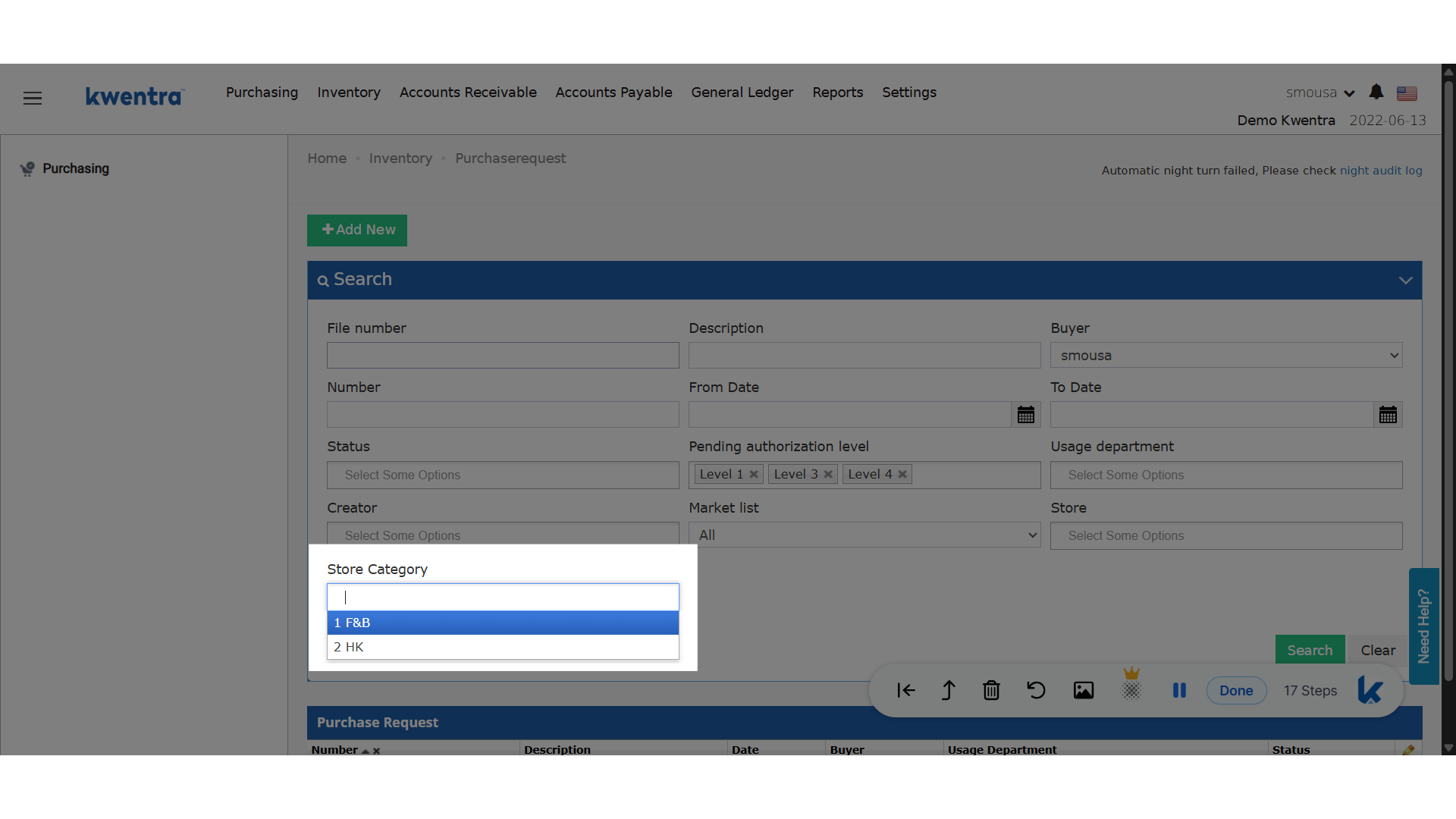
## Store Category Filter in Inventory & Purchasing Screens
Quickly filter inventory and purchasing records by store category with the new multiselect filter.
## **Business Value**
* **Enhanced Efficiency:** Find relevant transactions faster by narrowing down lists to specific store categories.
* **Streamlined Reporting:** Quickly generate reports filtered by category, saving time for audits and analysis.
* **Reduced Errors:** Prevents oversight when searching or reviewing transactions across large volumes of records.
## **Use Cases**
* **Inventory Controllers**: Can instantly filter store transfers and usages for only “Food & Beverage” or “Housekeeping” categories during audits.
* **Purchasing Managers**: Need to review all purchase requests, orders, or returns related to “Maintenance Supplies” across multiple months.
* **Finance Teams**: Preparing end-of-month reconciliations or compliance reviews can focus on transactions associated with specific store categories.
**Store Category Filter**
**Where does the filter appear?**
* **Inventory:**
* Store Transfer listing screen
* Store Usage listing screen
* **Purchasing:**
* Purchase Requests
* Purchase Orders
* Receiving Orders
* Return Requests
 **Go to [manage.kwentra.com](https://manage.kwentra.com/inventory/purchaserequest/?buyer=2822\&pending_authorization_level=1\&pending_authorization_level=3\&pending_authorization_level=4)**
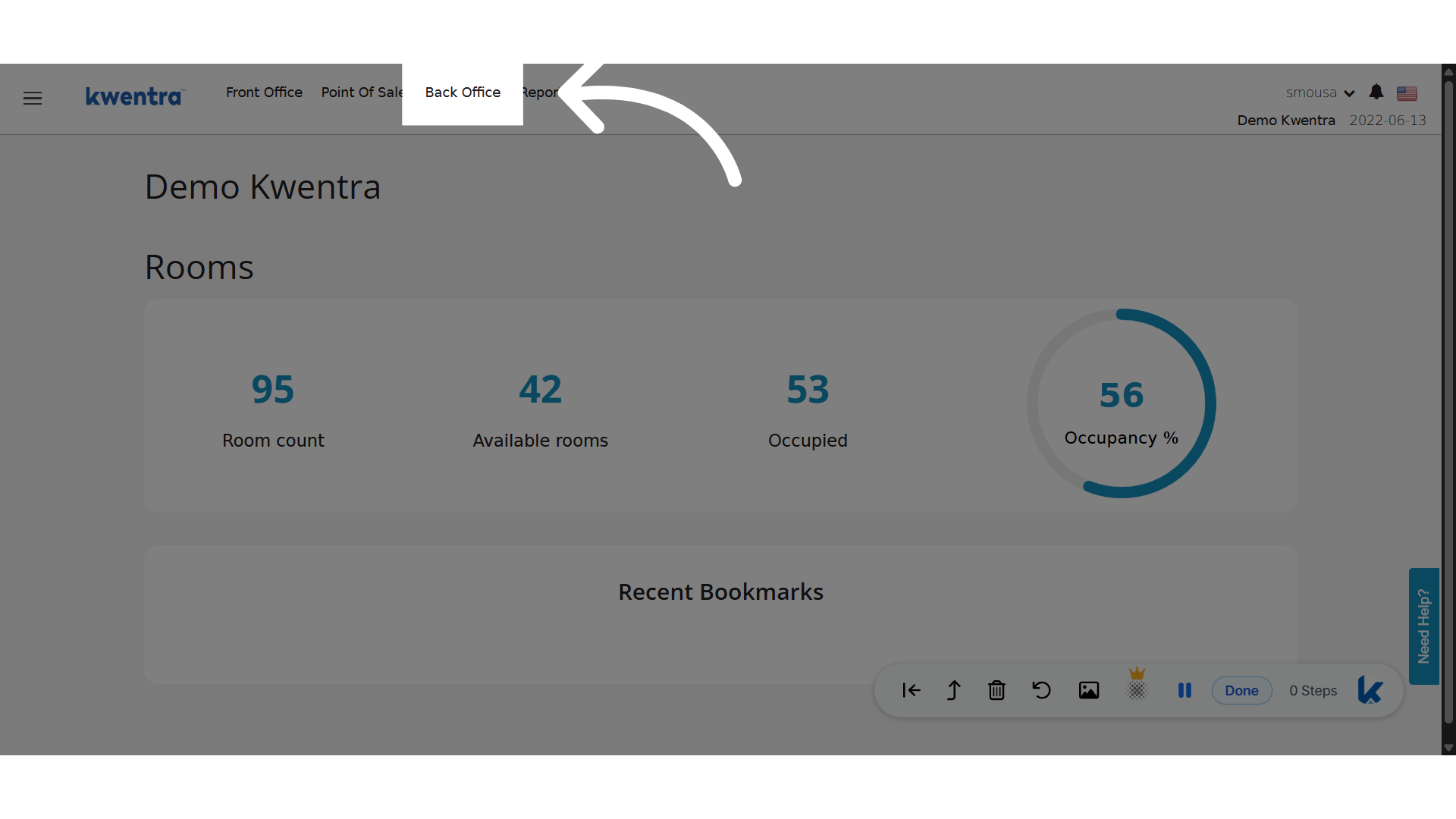
**Click "Back Office"**
Steps to set up Store Categories
**Go to [manage.kwentra.com](https://manage.kwentra.com/inventory/purchaserequest/?buyer=2822\&pending_authorization_level=1\&pending_authorization_level=3\&pending_authorization_level=4)**
**Click "Back Office"**
Steps to set up Store Categories
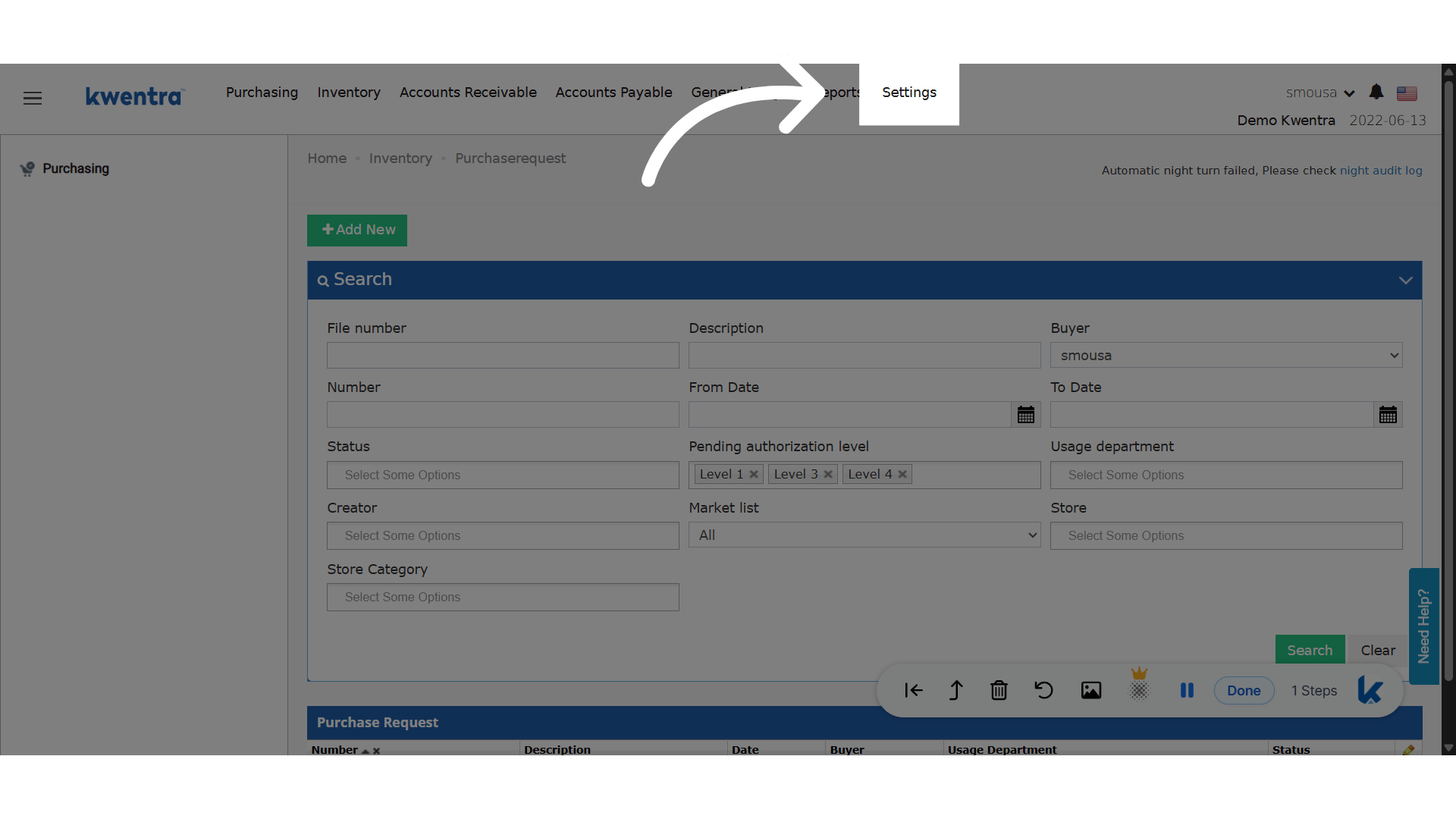
 **Click "Settings"**
 **Click "Inventory"**
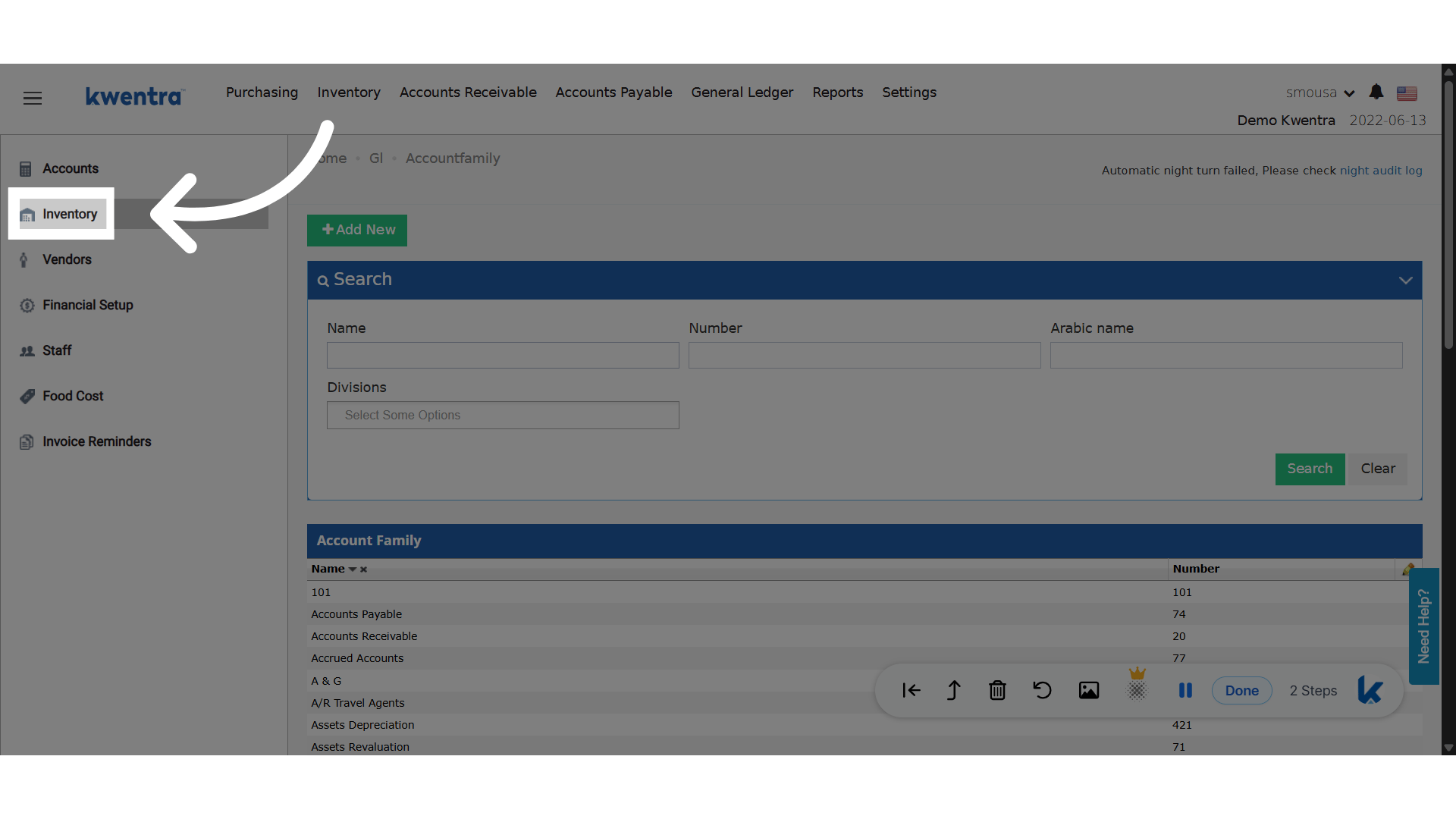 **New Setting!**
Select Store Categories.
**New Setting!**
Select Store Categories.
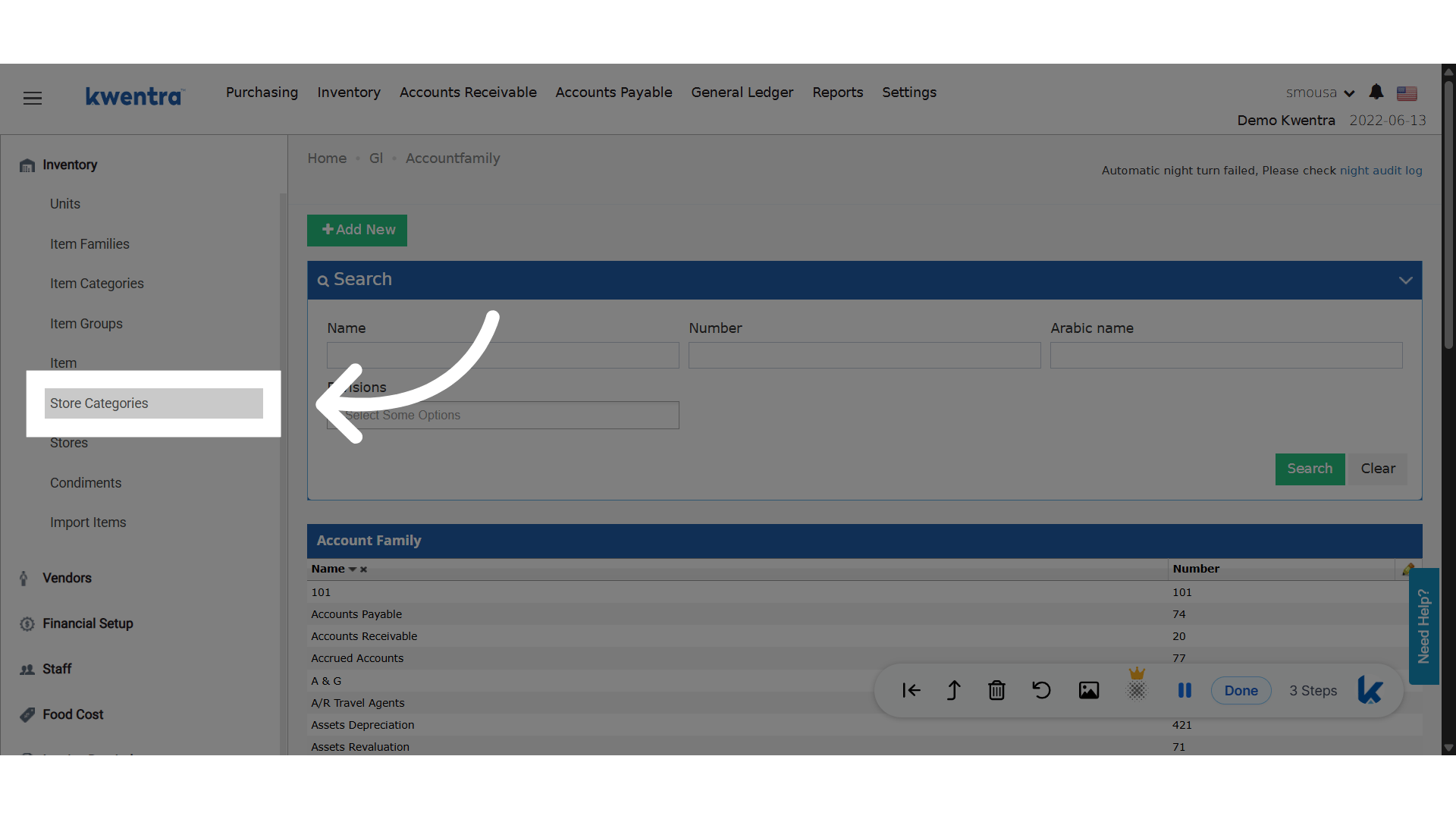 **Previously added Store Categories**
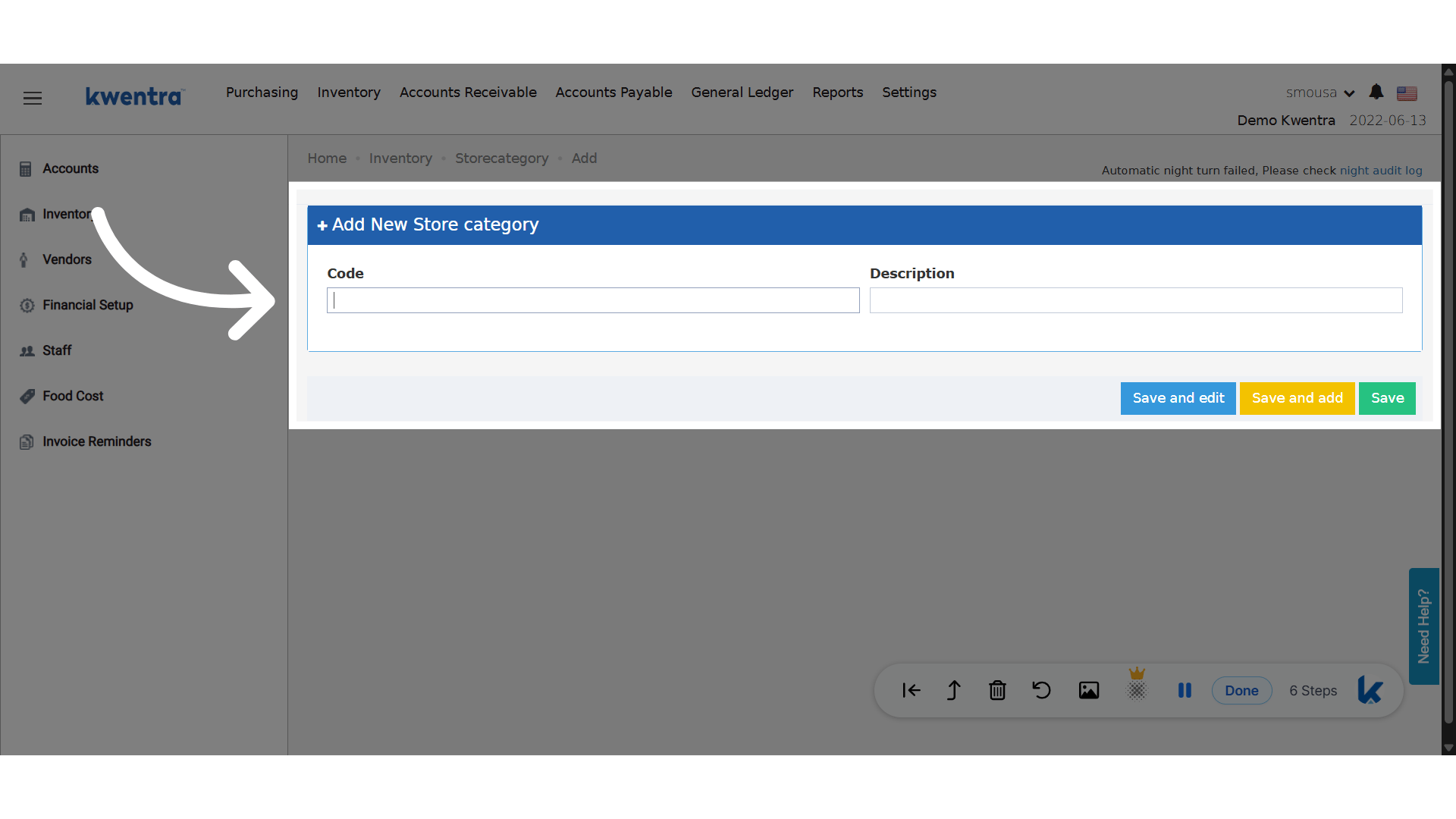
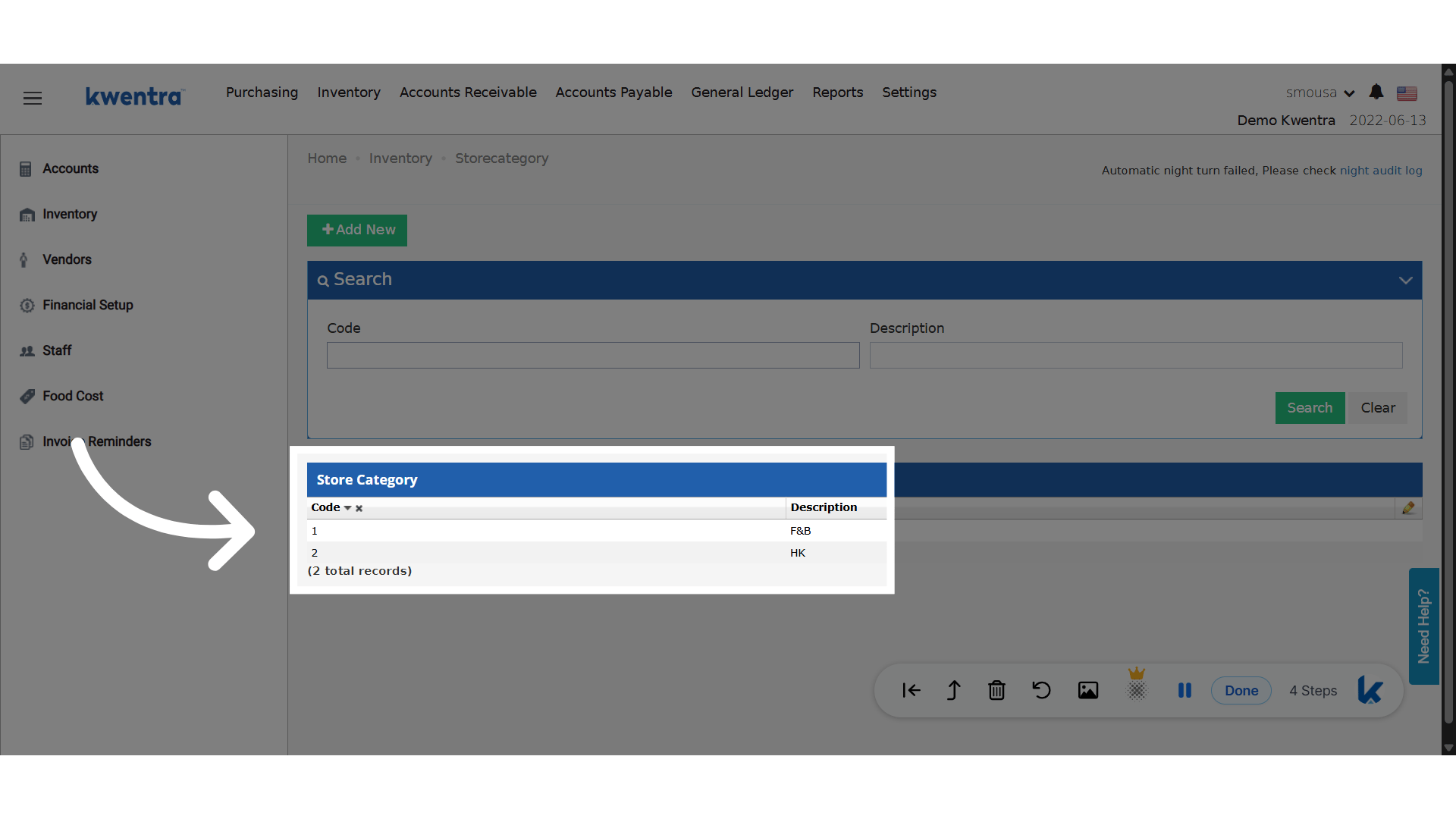 **Click "Add New"**
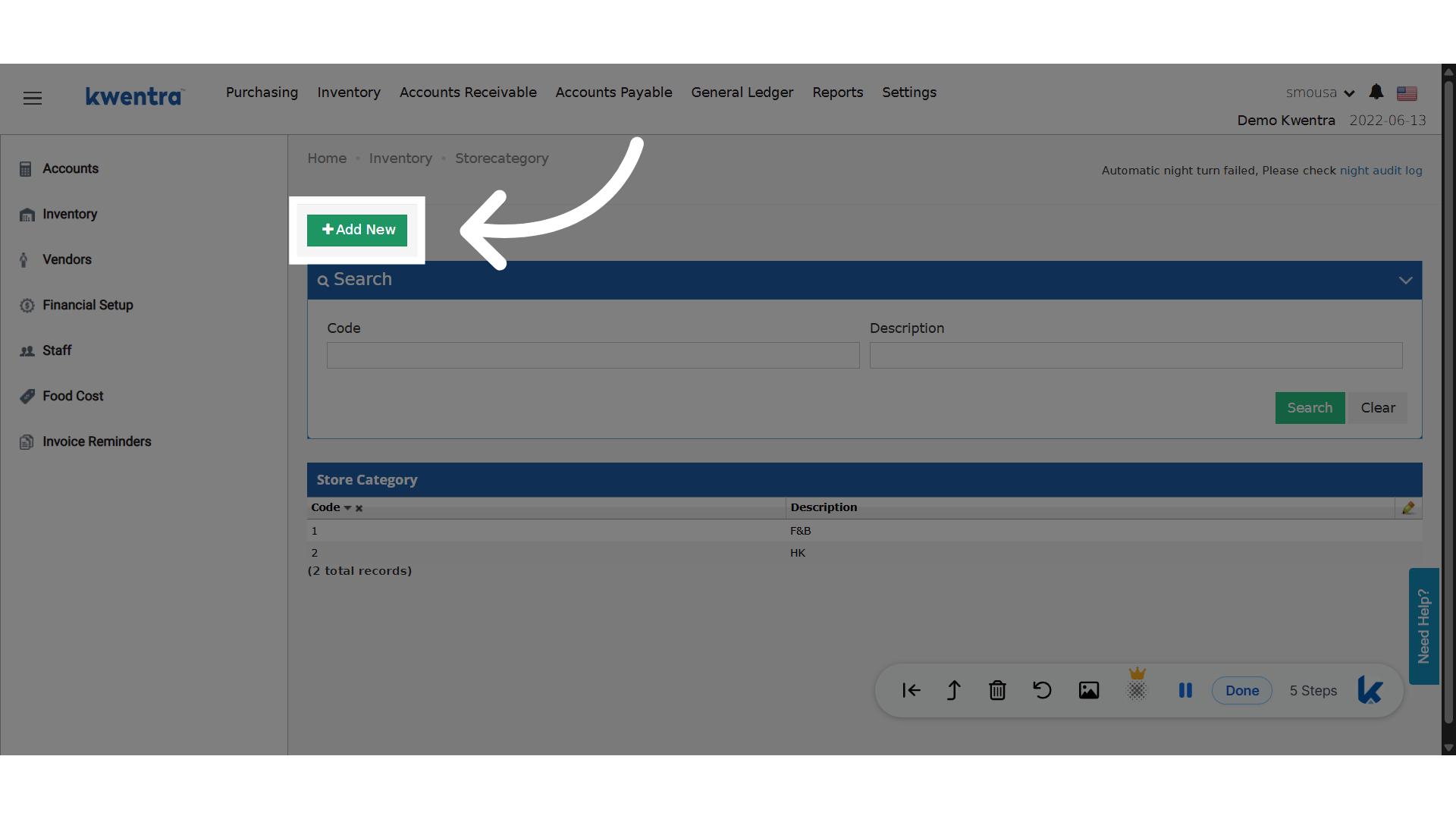 **Add Code and Description**
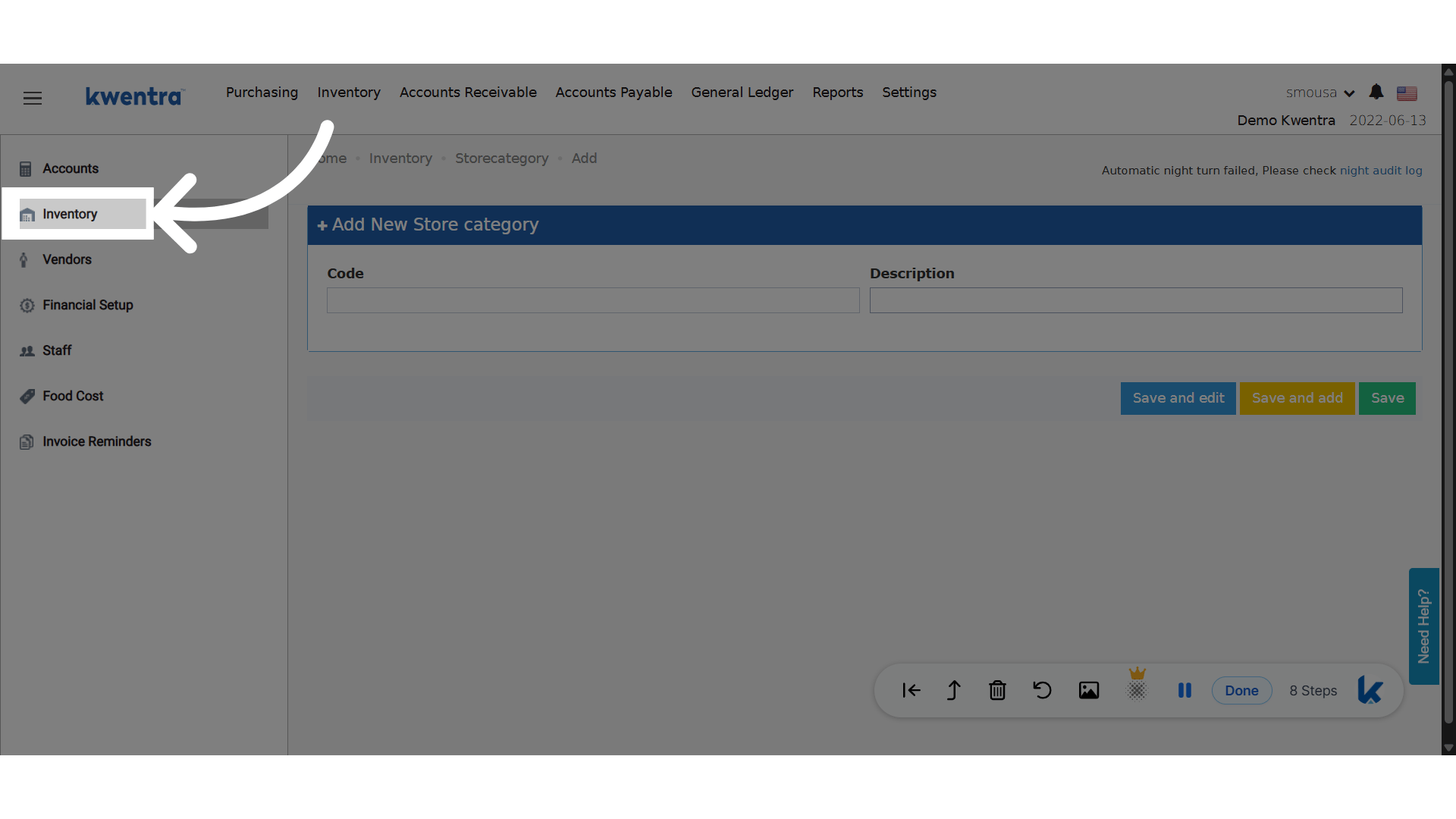
 **Click "Inventory"**
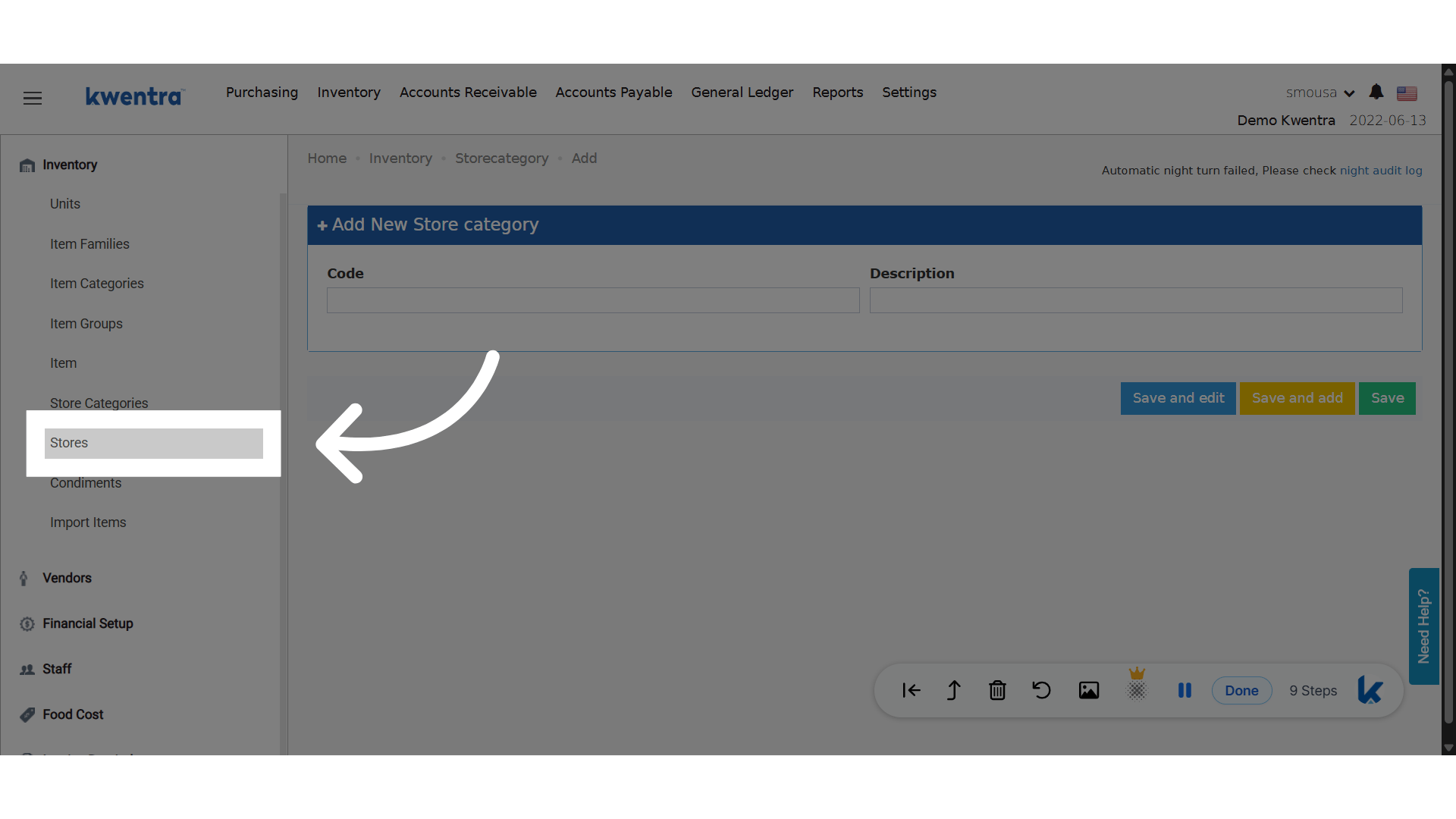
 **Click "Stores"**
 **Choose a store**
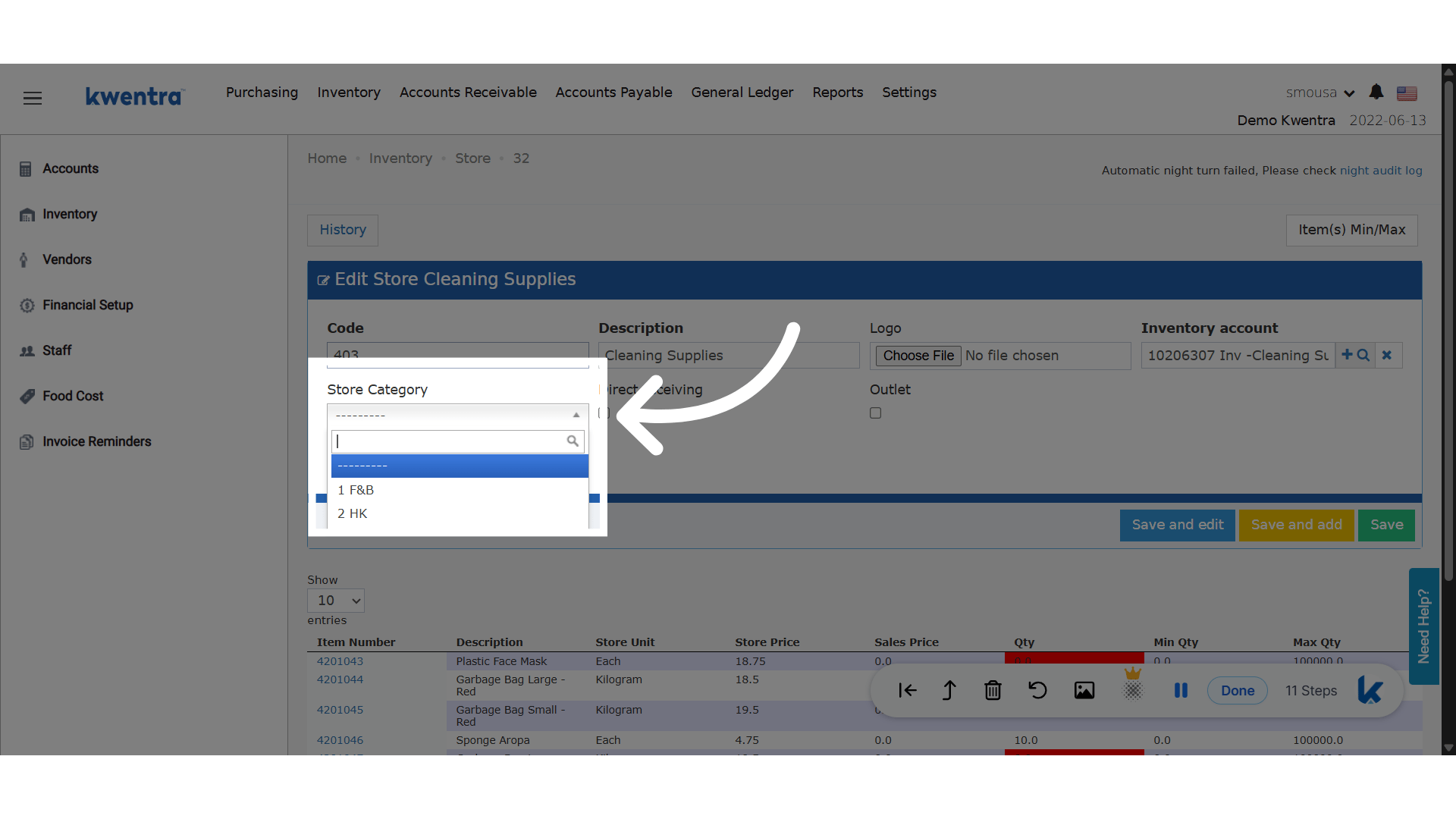
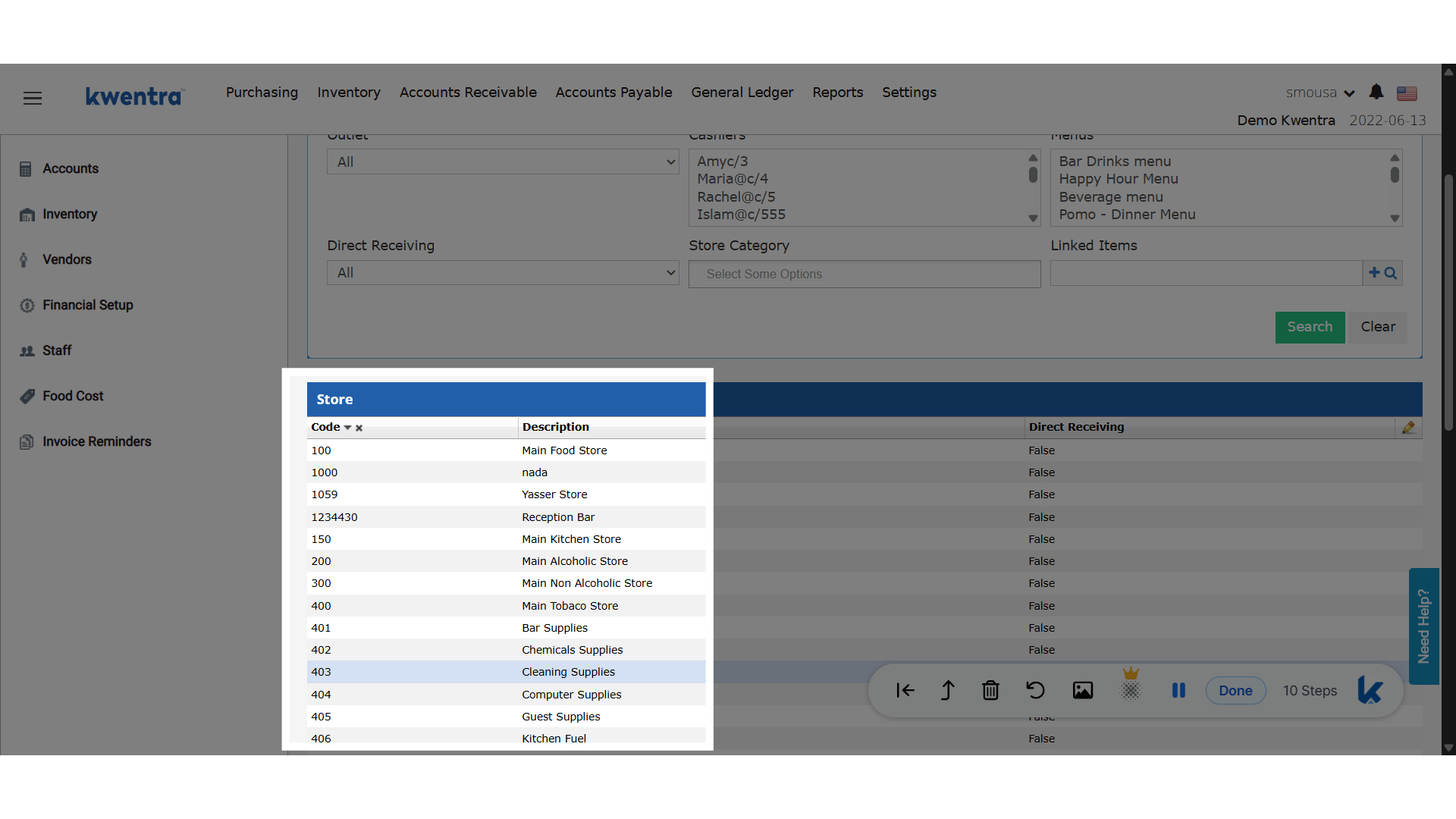 **Add a Category to the store**
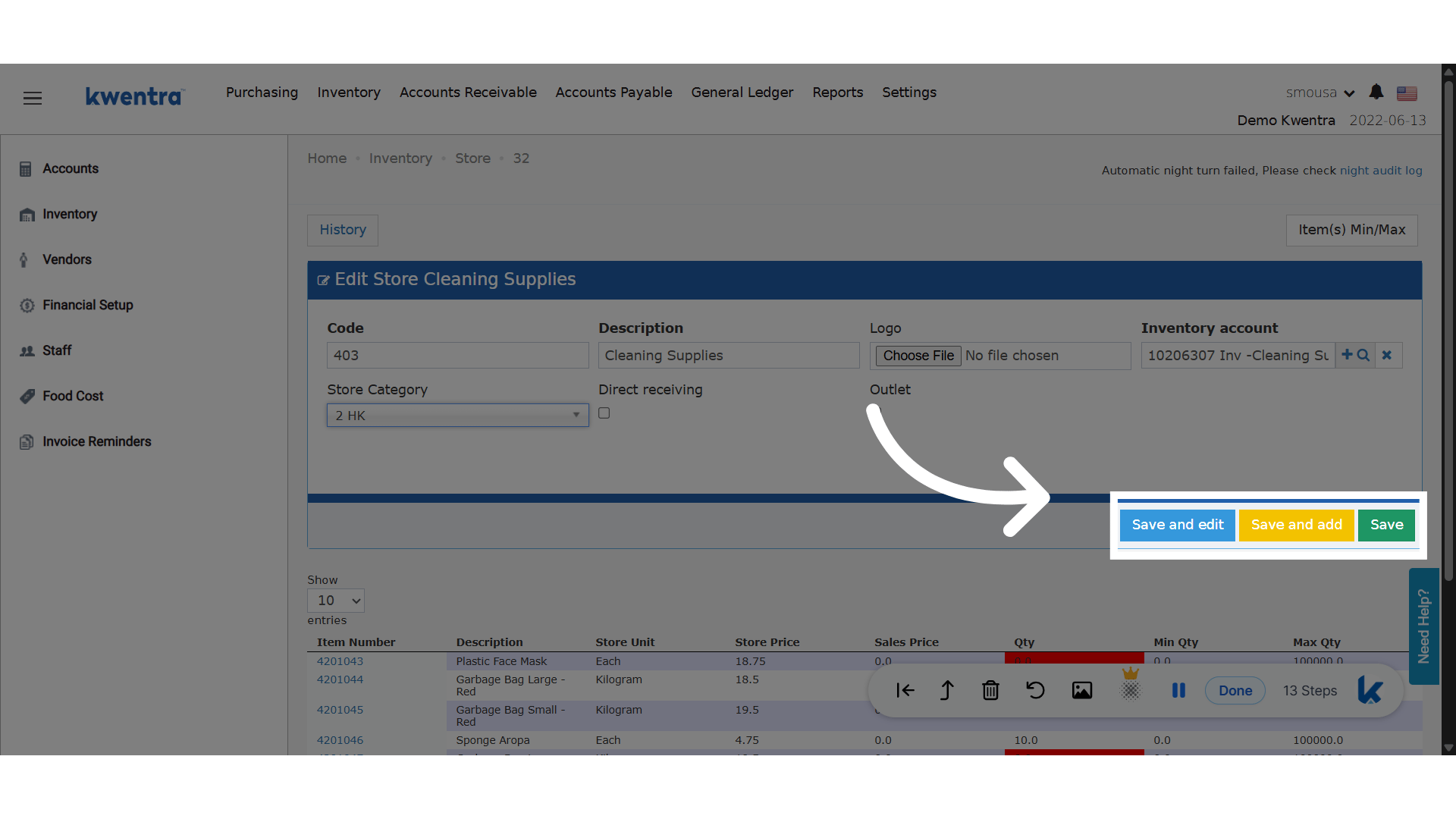
 **Choose your saving option**
Save the changes made.
**Choose your saving option**
Save the changes made.
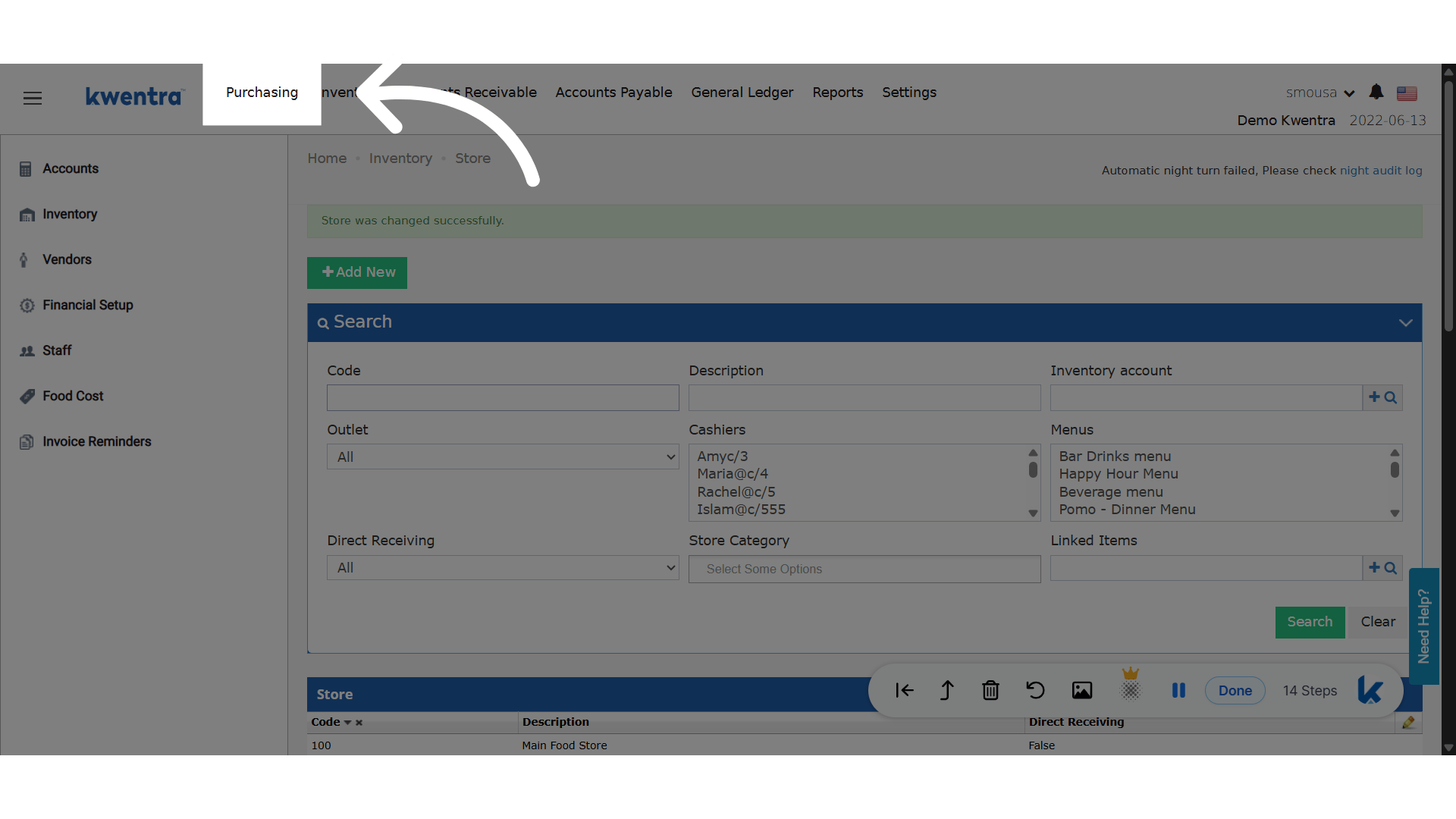
 **Click "Purchasing"**
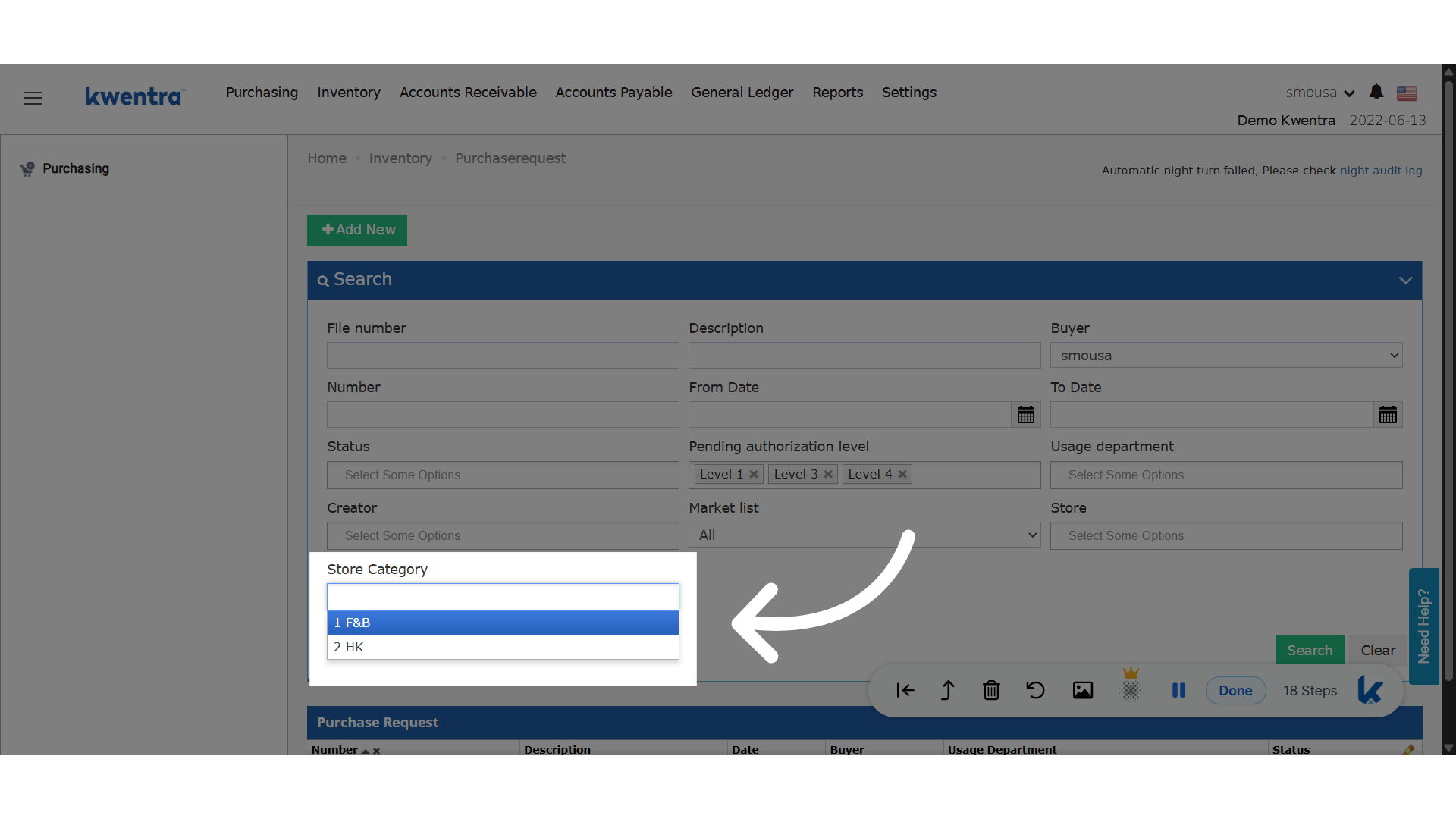
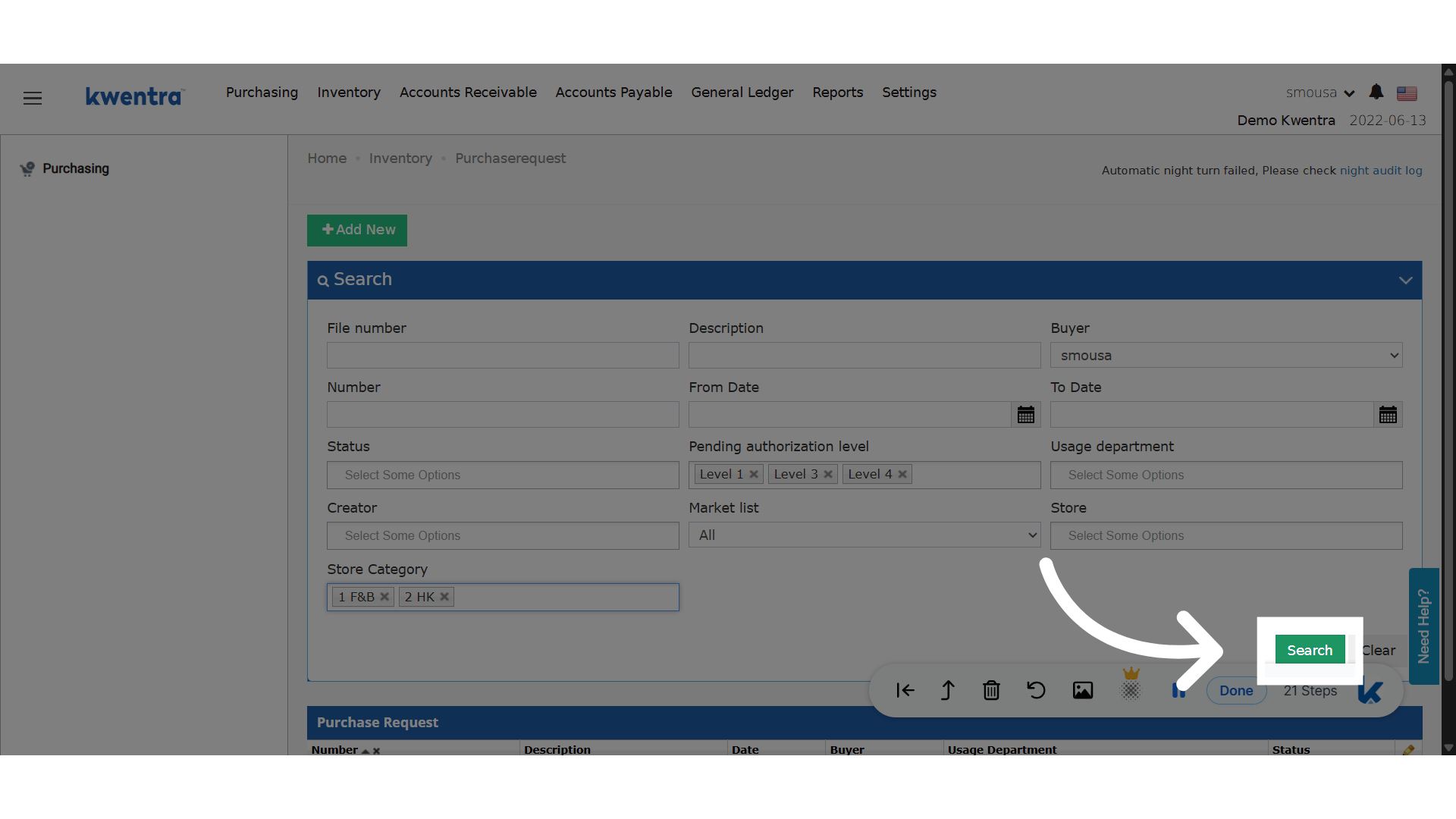
 **Filter with multiple store categories**
 **Click "Search"**
 ## Display Requested Value in Store Transfers and Store Usages
Now see the total value of requested quantities before approval in store transfers and usages.
[Read more](/back-office/inventory/display-requested-value-in-store-transfers-and-store-usages)
## Multi-Property Consolidated Expected Arrival Report
View all expected arrivals across multiple properties in one consolidated, filterable report.
[Read more](/multi-property/multi-property-consolidated-expected-arrival-report)
## Unlink Individual AR Invoices from AR Payment
You can now unlink individual AR invoices from an AR payment without canceling the entire payment.
[Read more](/back-office/accounts-receivable/unlink-individual-ar-invoices-from-ar-payment-without-cancelling)
## Print Manual Receiving Records with Signature Lines
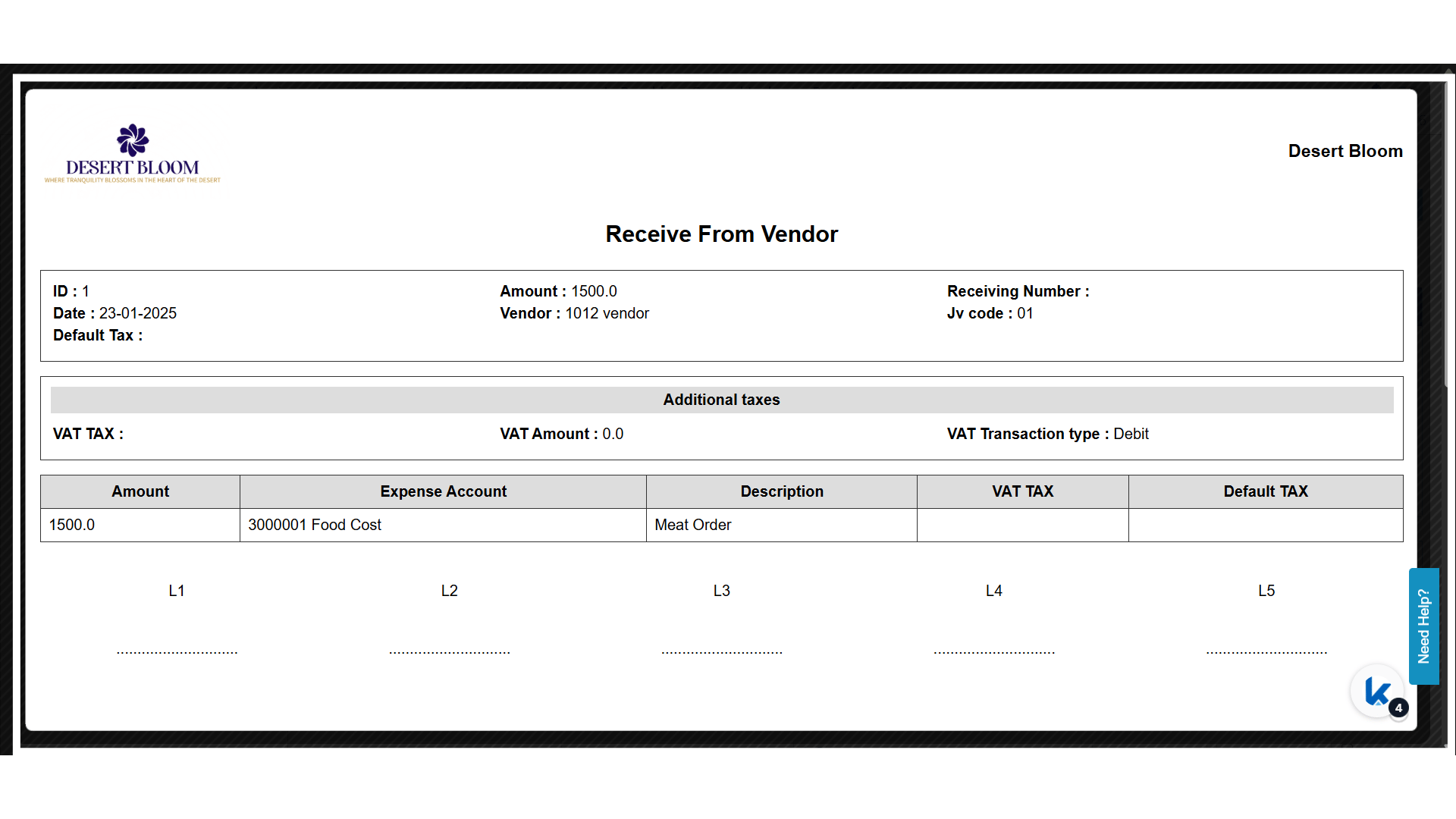
This enhancement provides **consistency** and **professional documentation** by allowing teams to **print Manual Receiving entries** with all necessary details and signature fields—ensuring better tracking and verification for receiving activities outside the PO cycle.
**[manage.kwentra.com](https://manage.kwentra.com)**
**Click "Settings"**
These steps are to set up the signature lines on the manual receiving document.
## Display Requested Value in Store Transfers and Store Usages
Now see the total value of requested quantities before approval in store transfers and usages.
[Read more](/back-office/inventory/display-requested-value-in-store-transfers-and-store-usages)
## Multi-Property Consolidated Expected Arrival Report
View all expected arrivals across multiple properties in one consolidated, filterable report.
[Read more](/multi-property/multi-property-consolidated-expected-arrival-report)
## Unlink Individual AR Invoices from AR Payment
You can now unlink individual AR invoices from an AR payment without canceling the entire payment.
[Read more](/back-office/accounts-receivable/unlink-individual-ar-invoices-from-ar-payment-without-cancelling)
## Print Manual Receiving Records with Signature Lines
This enhancement provides **consistency** and **professional documentation** by allowing teams to **print Manual Receiving entries** with all necessary details and signature fields—ensuring better tracking and verification for receiving activities outside the PO cycle.
**[manage.kwentra.com](https://manage.kwentra.com)**
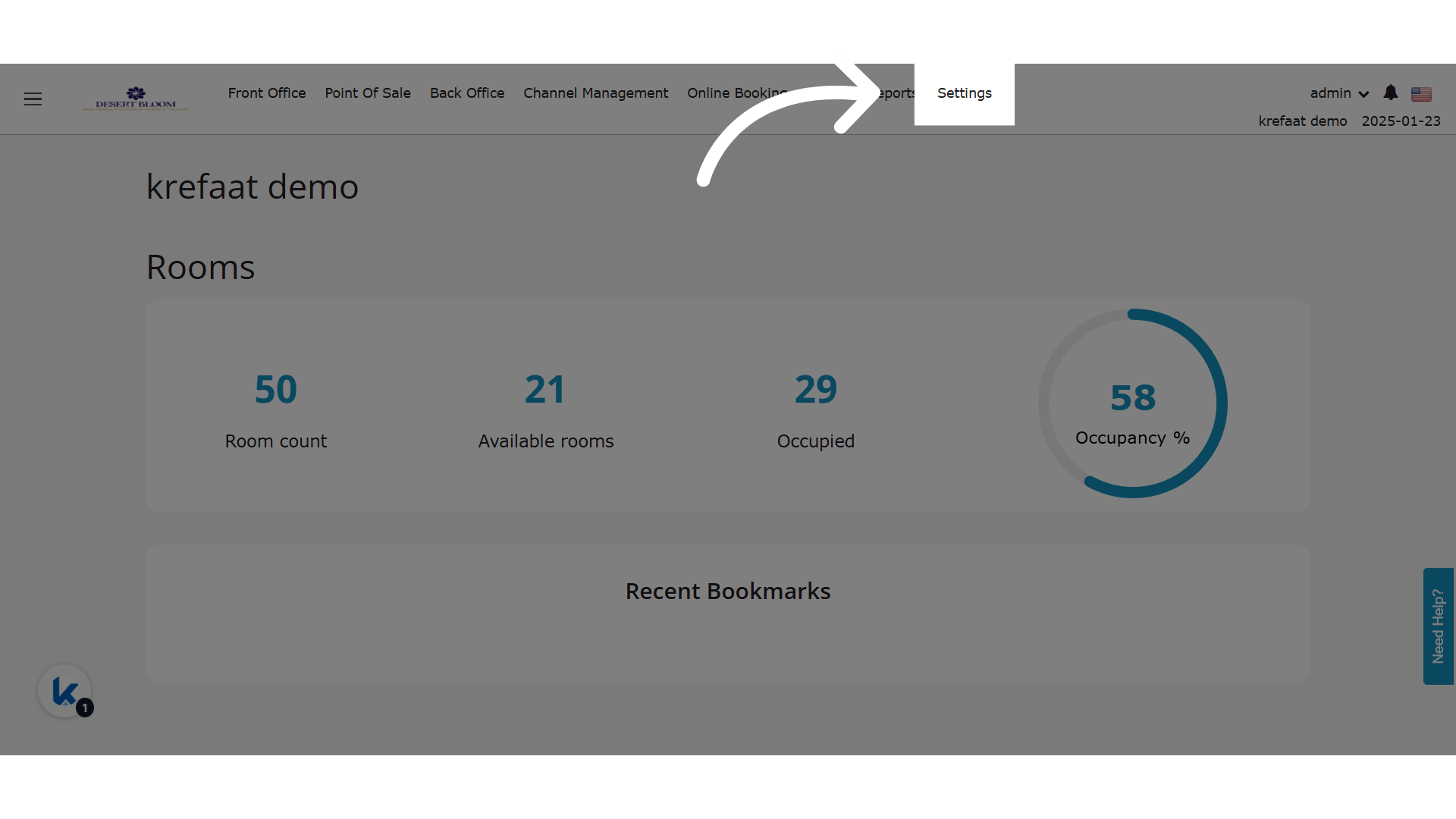
**Click "Settings"**
These steps are to set up the signature lines on the manual receiving document.
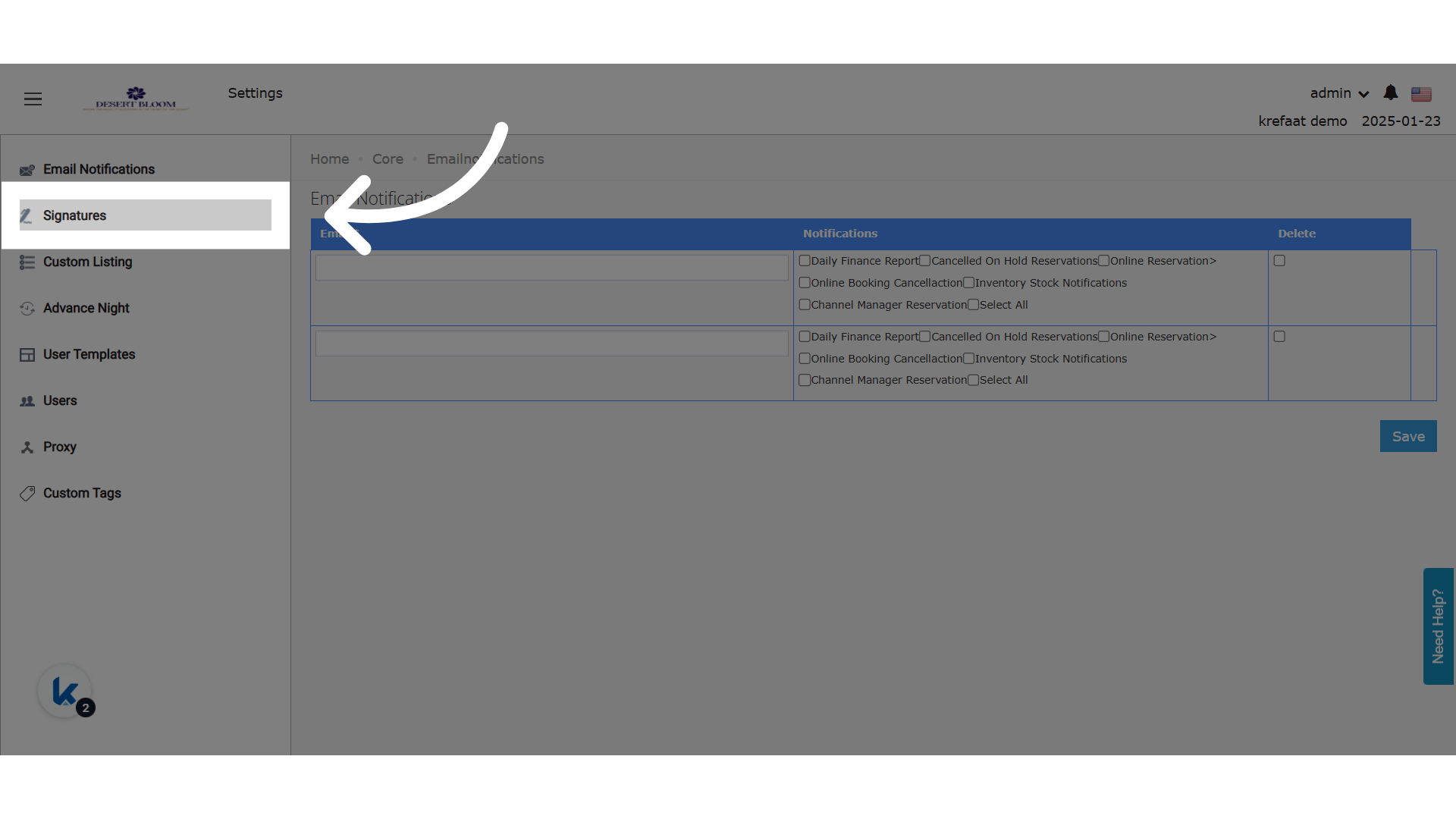
 **Click "Signatures"**
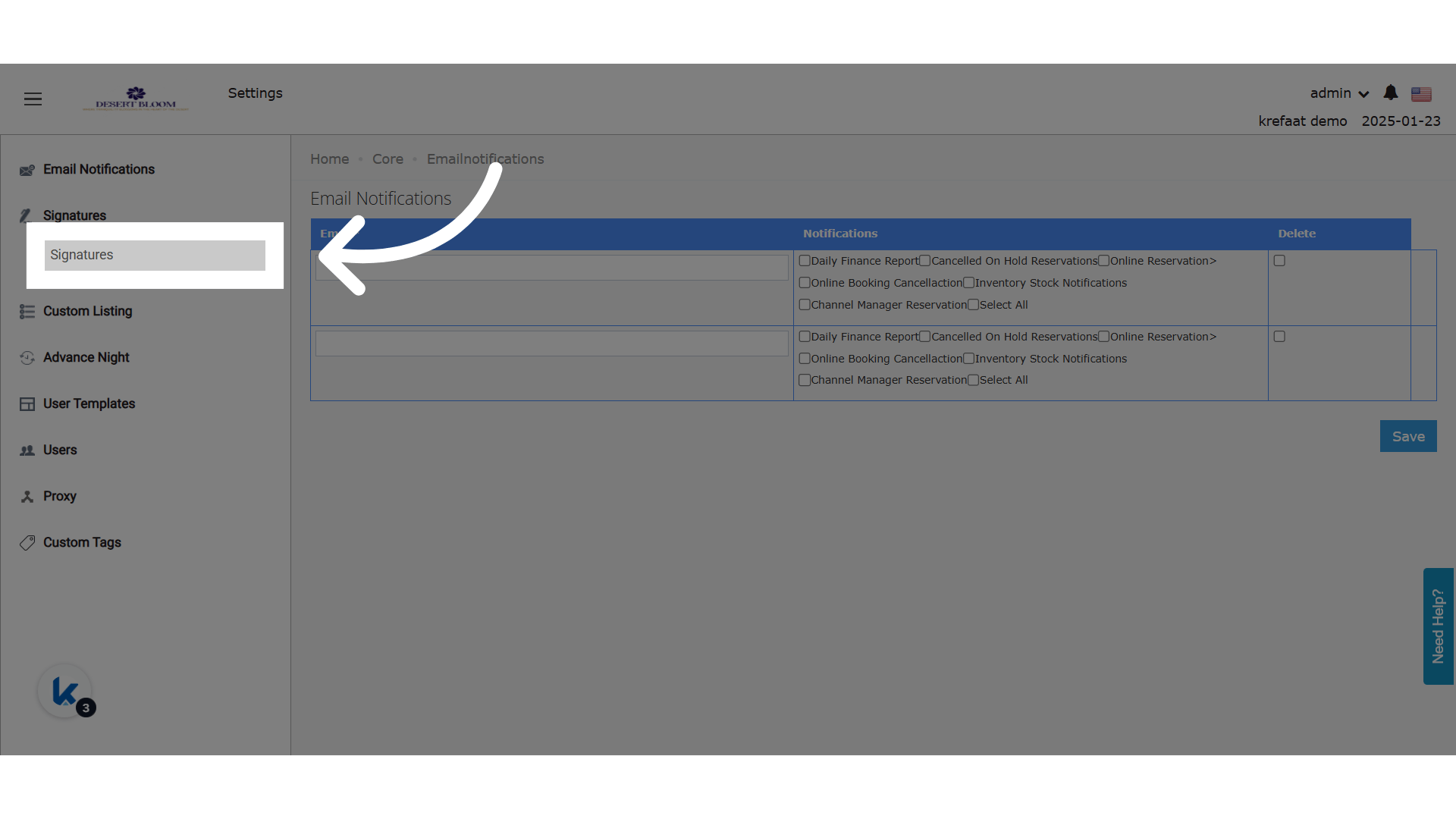
 **Click "Signatures"**
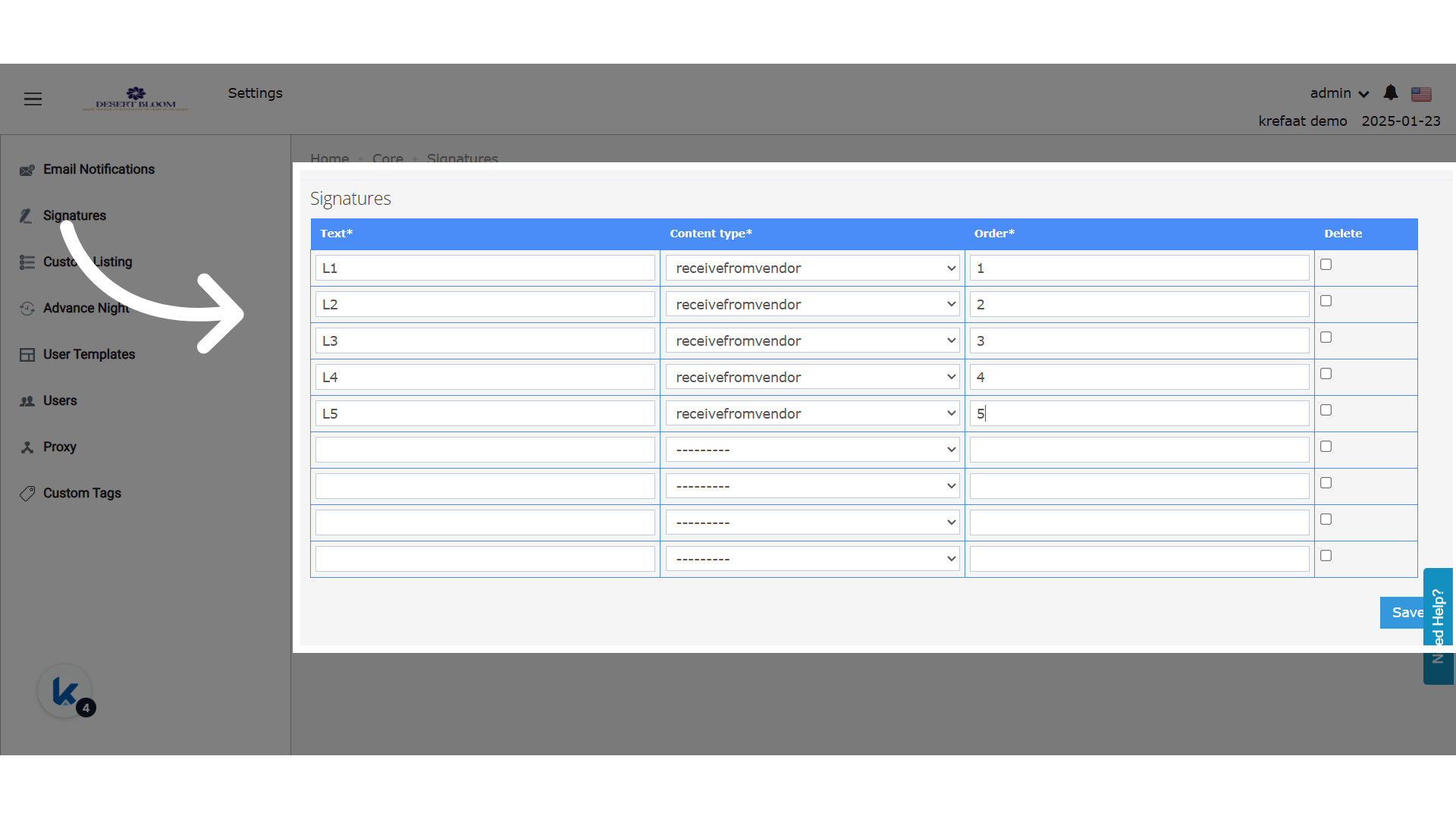
 **Set Up Signature Lines**
Don't forget to save your changes.
**Set Up Signature Lines**
Don't forget to save your changes.
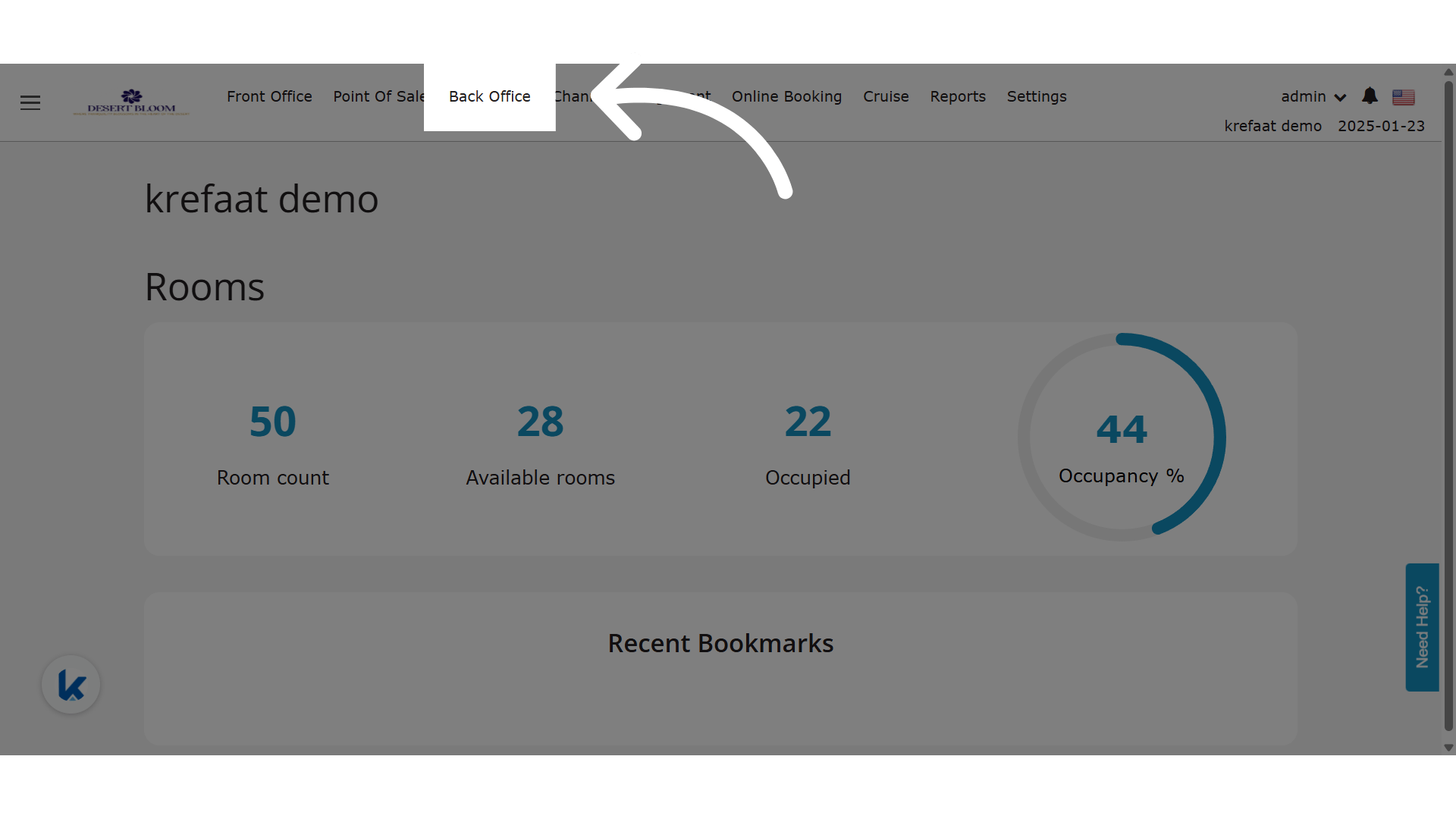
 **Click "Back Office"**
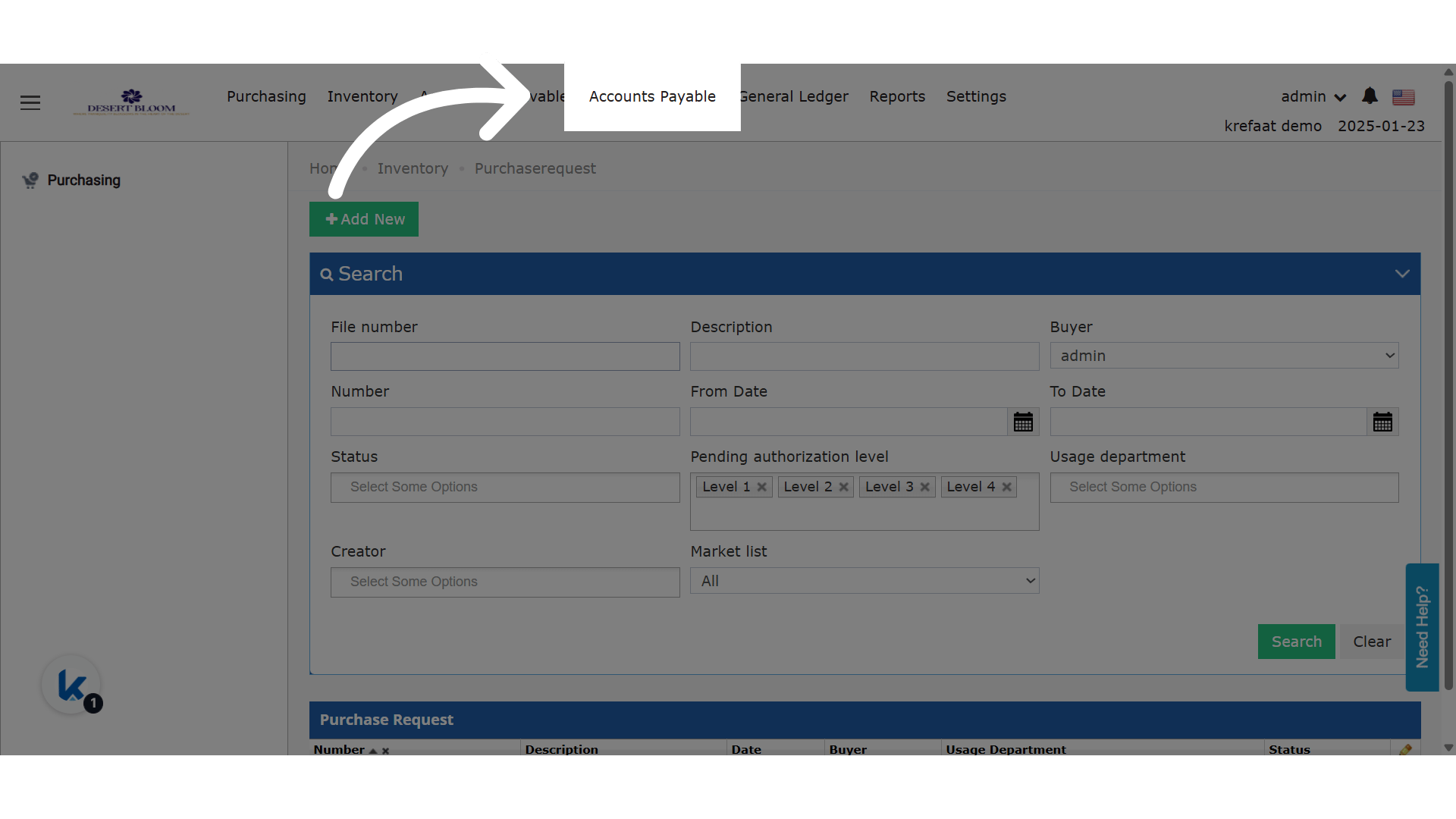
 **Click "Accounts Payable"**
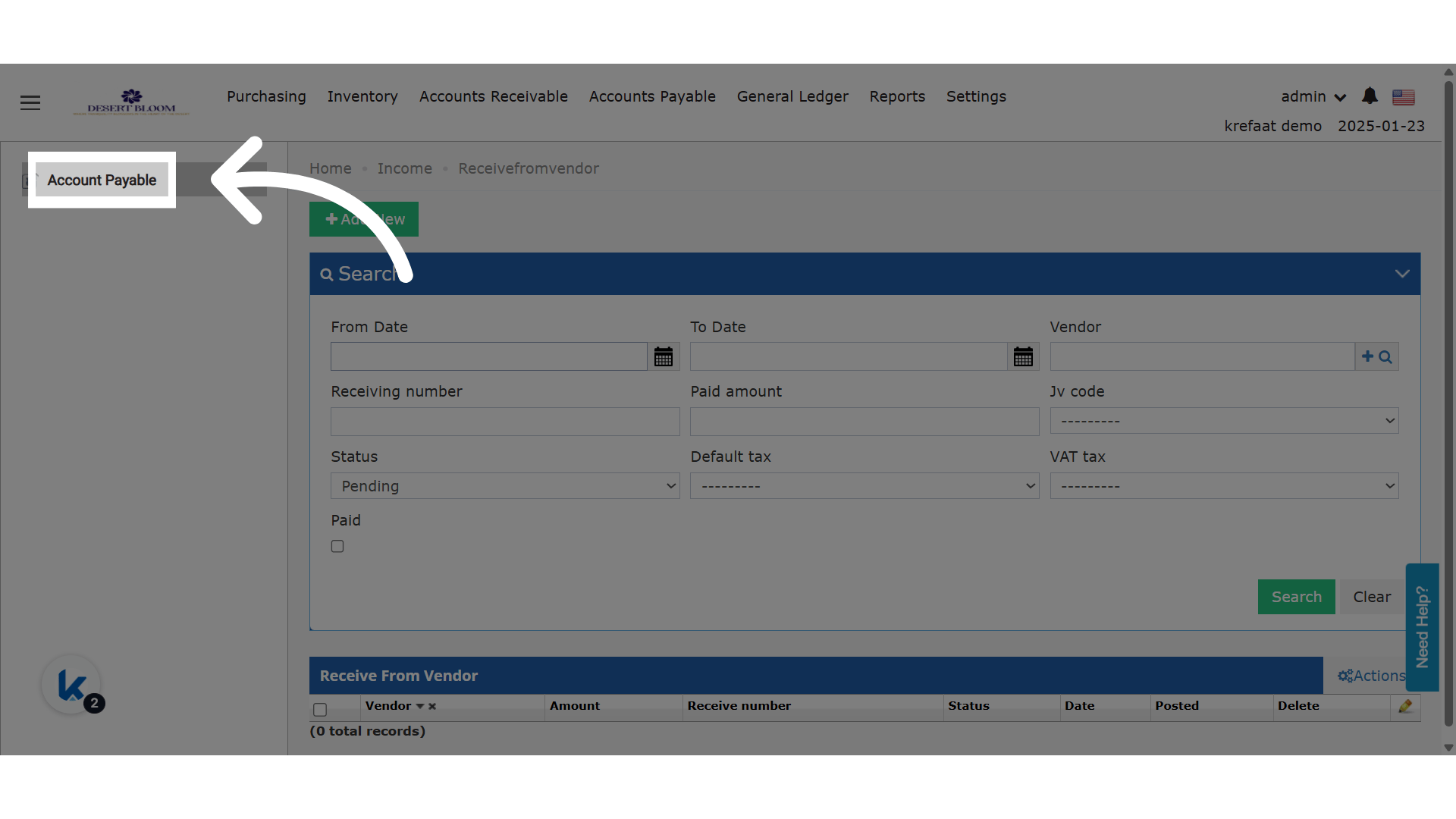
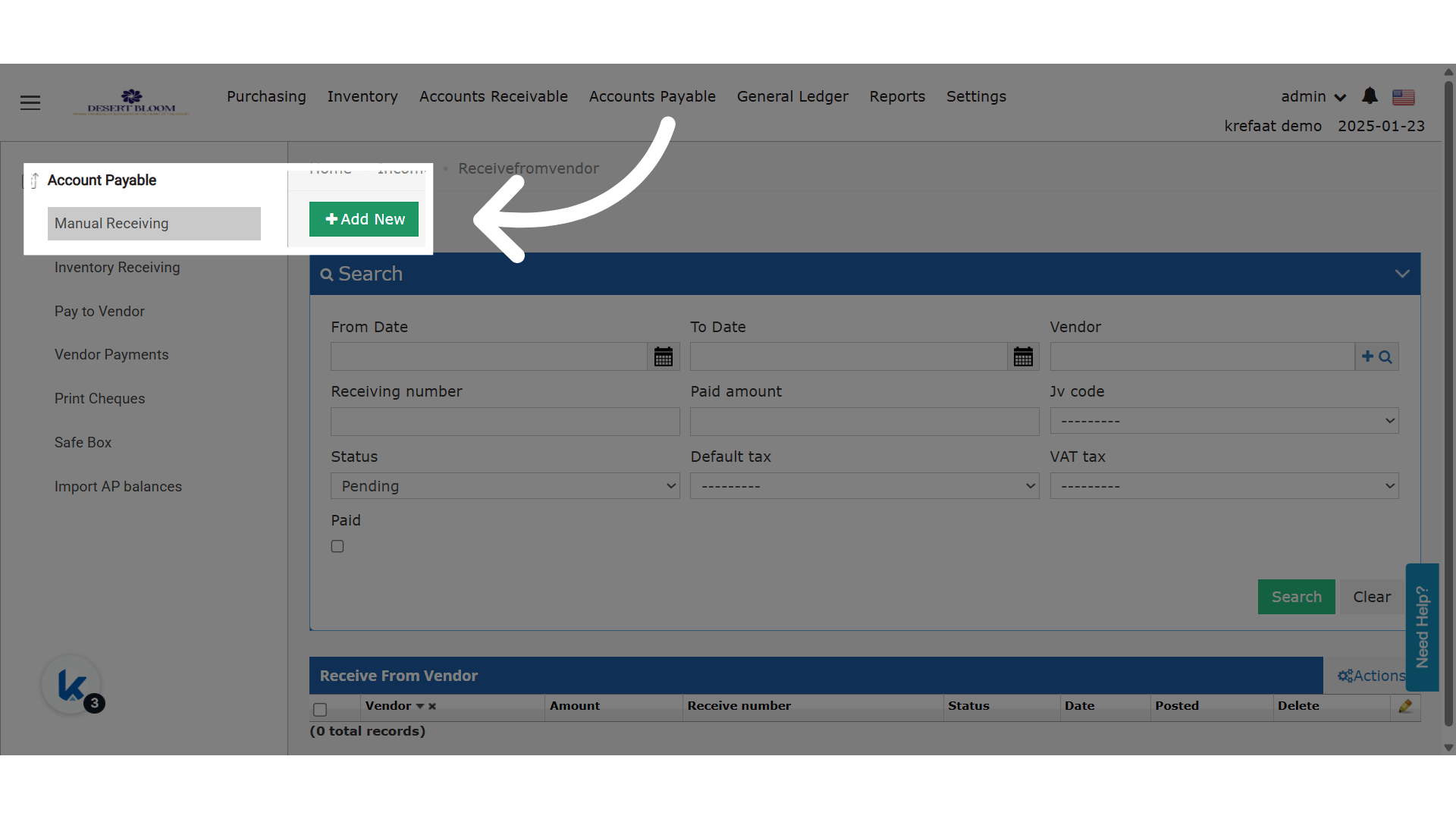
 **Click "Account Payable"**
 **Click "Add New"**
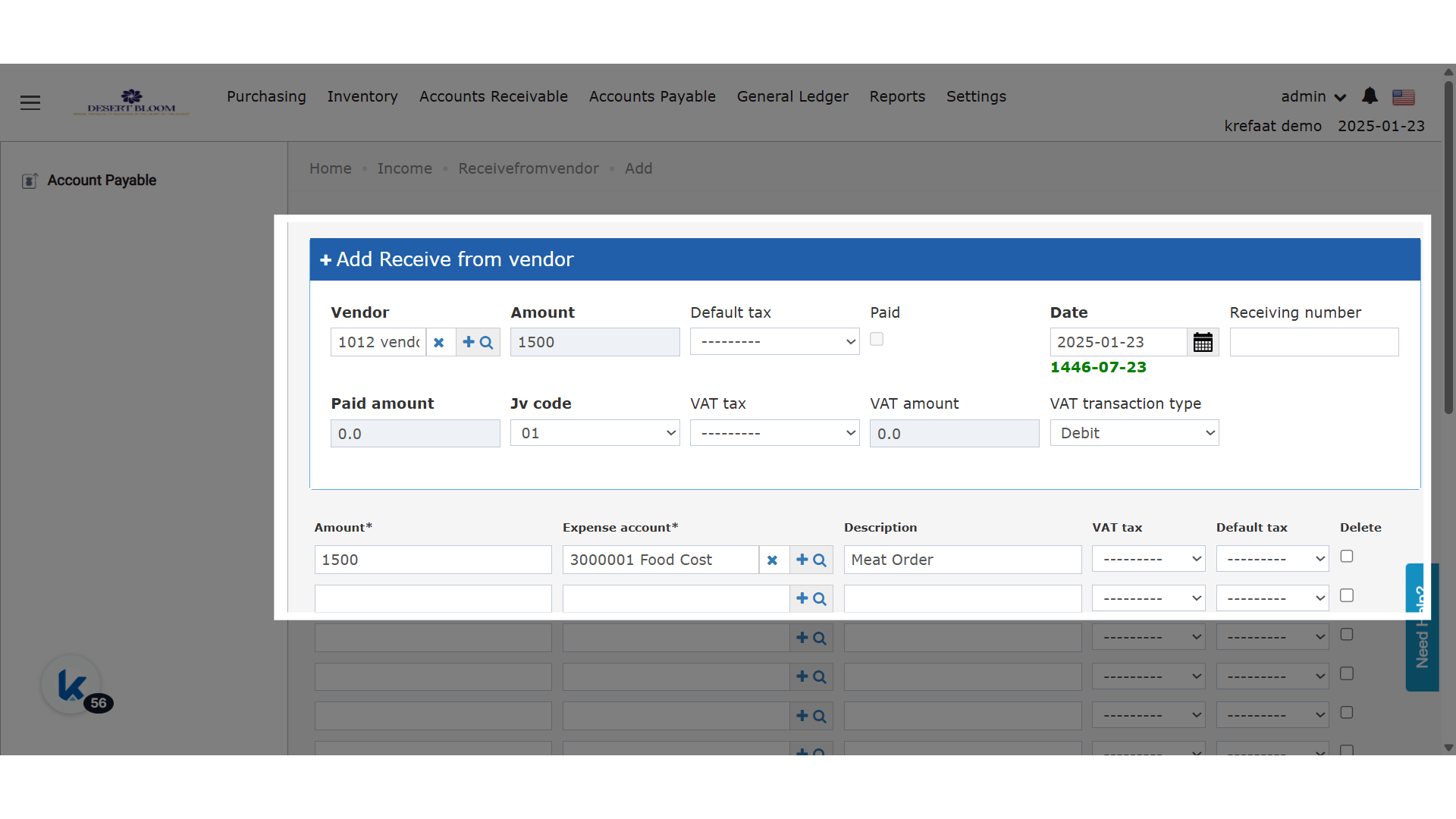
 **Fill In You Manual Receiving Details**
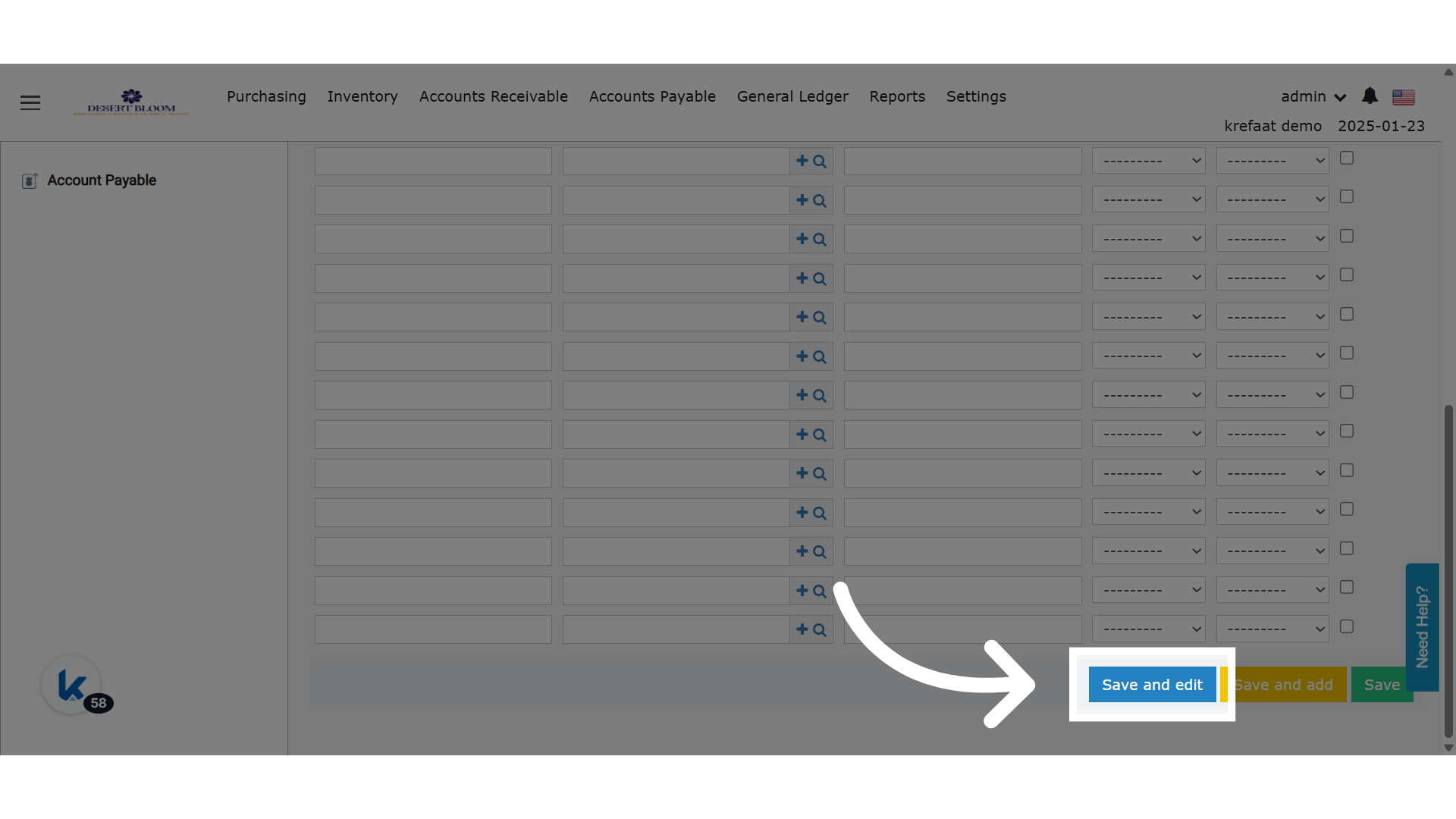
 **Click "Save and edit"**
 **Click "Print"**
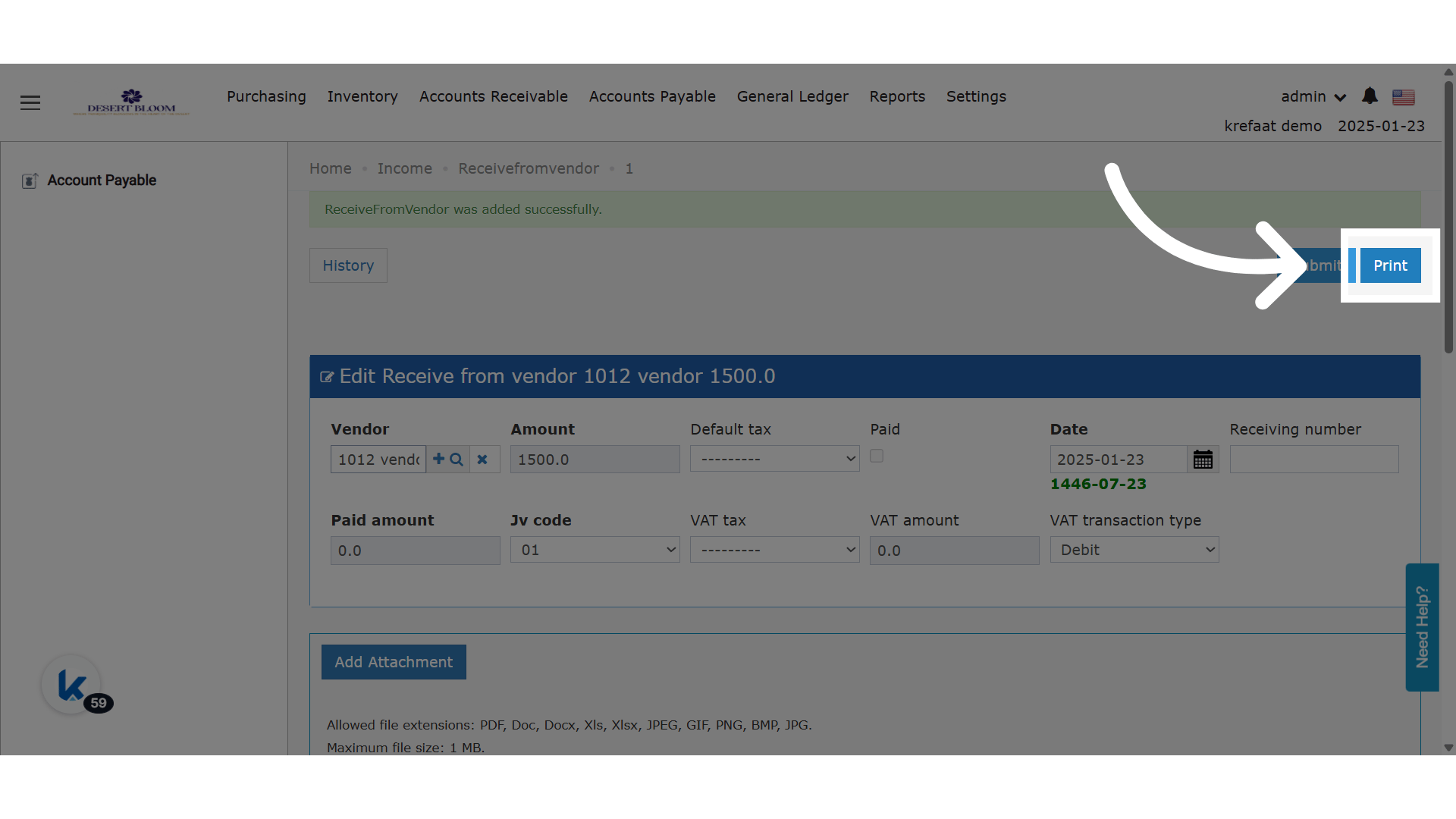 **Print Out**