🎯 Business Value
- Extend the utility of paymaster profiles to support non-reservation guest services (e.g., spa, meals).
- Allow scheduled charge automation via addon packages without requiring a reservation.
- Improve transparency and auditability of non-room revenue postings.
- Align addon package usage with standard guest flows through a consistent interface.
💡 Use Cases
- A guest walks in for a spa session without having a room reservation — the front office can charge them through a paymaster and apply a spa package with a daily rhythm.
- A facility manager wants to sell weekly gym access as a predefined package — it can now be added to the paymaster and charged nightly.
- A restaurant offers a weekend buffet pass for non-resident visitors — the charge can be configured as a package and applied to a dedicated paymaster.
 Click “Paymasters”
 Choose a Paymaster
 Click “Packages”
 Add-on Packages Screen
 Choose any public package
🔹 Package Selection Constraints
Choose any public package
🔹 Package Selection Constraints
- Only packages marked with
Public = truecan be selected. - For “Per Person” packages: Default to
1 Adult,0 Children. - For “Per Reservation” packages: Default to
1 package.
 Click “Add”
Stay Dates Logic
Click “Add”
Stay Dates Logic
- Auto-list nights from Paymaster Start Date → End Date.
- Auto-select posting dates starting from current Audit Date onward only.
- Respect package’s posting rhythm (daily, once, etc.) to preselect nights.
- Do not auto-select past nights, even if within stay period.
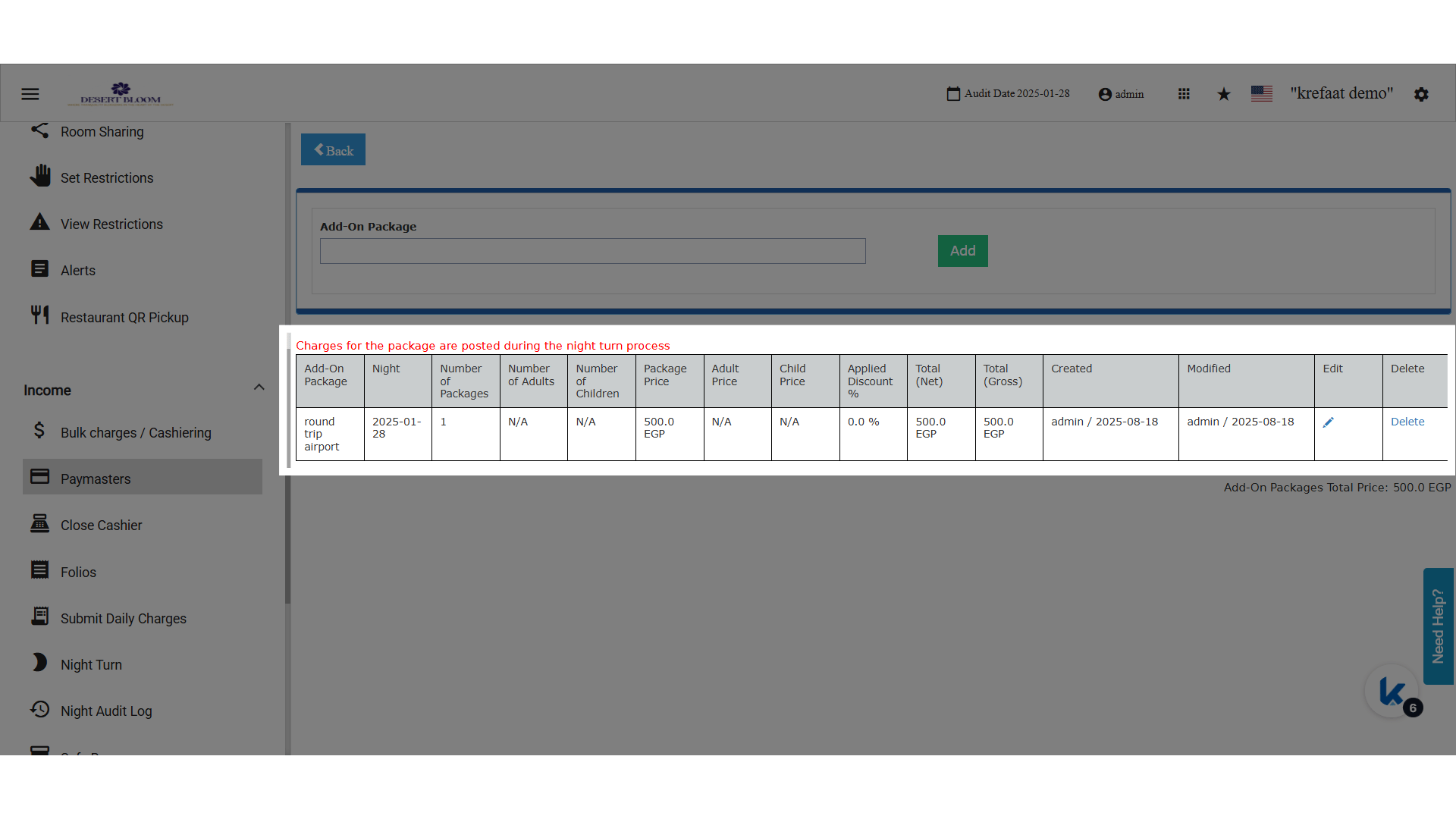
 Add-on Package Added
🔹 Posting Logic
Add-on Package Added
🔹 Posting Logic
- Charges are automatically posted during Night Turn based on the selected nights.
- Applies only to Open Paymasters.
-
Visual note shown in the pop-up:
“Charges for the package are posted during the night turn process.”