Guests can use their earned loyalty points from previous stays to discount their current stay’s bill. In order to achieve that you need to apply the below on your front office settings:Documentation Index
Fetch the complete documentation index at: https://help.kwentra.com/llms.txt
Use this file to discover all available pages before exploring further.
- Create a Points Redemption Rule.
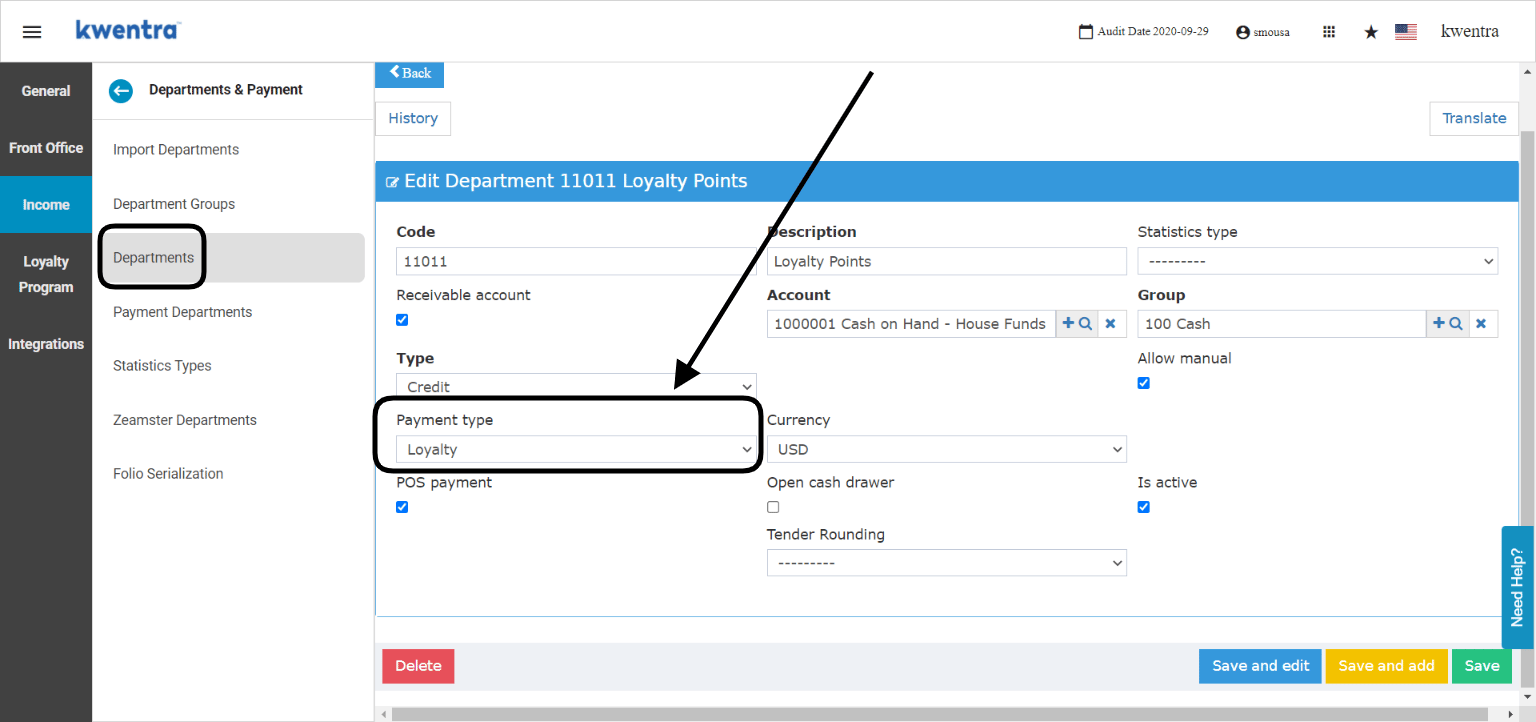
- Create a loyalty payment method.
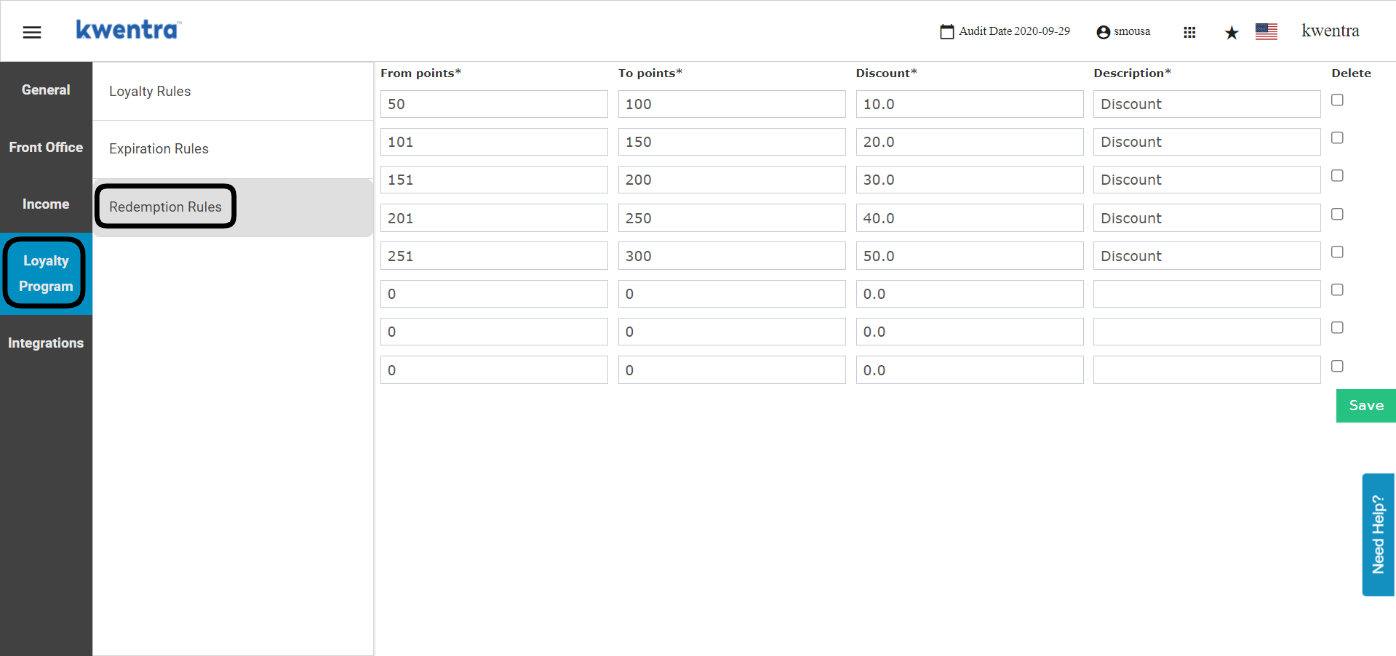
- How to create my points redemption rules?
- Enter the from and to points.
- Enter the discount percentage to apply based on the increment.
- Add a description.
- Click save so as not to lose your settings.
- How to add a special payment method for loyalty points redemption?
Now that you have finished all the settings, lets se how this applies on the guest’s billing screen.
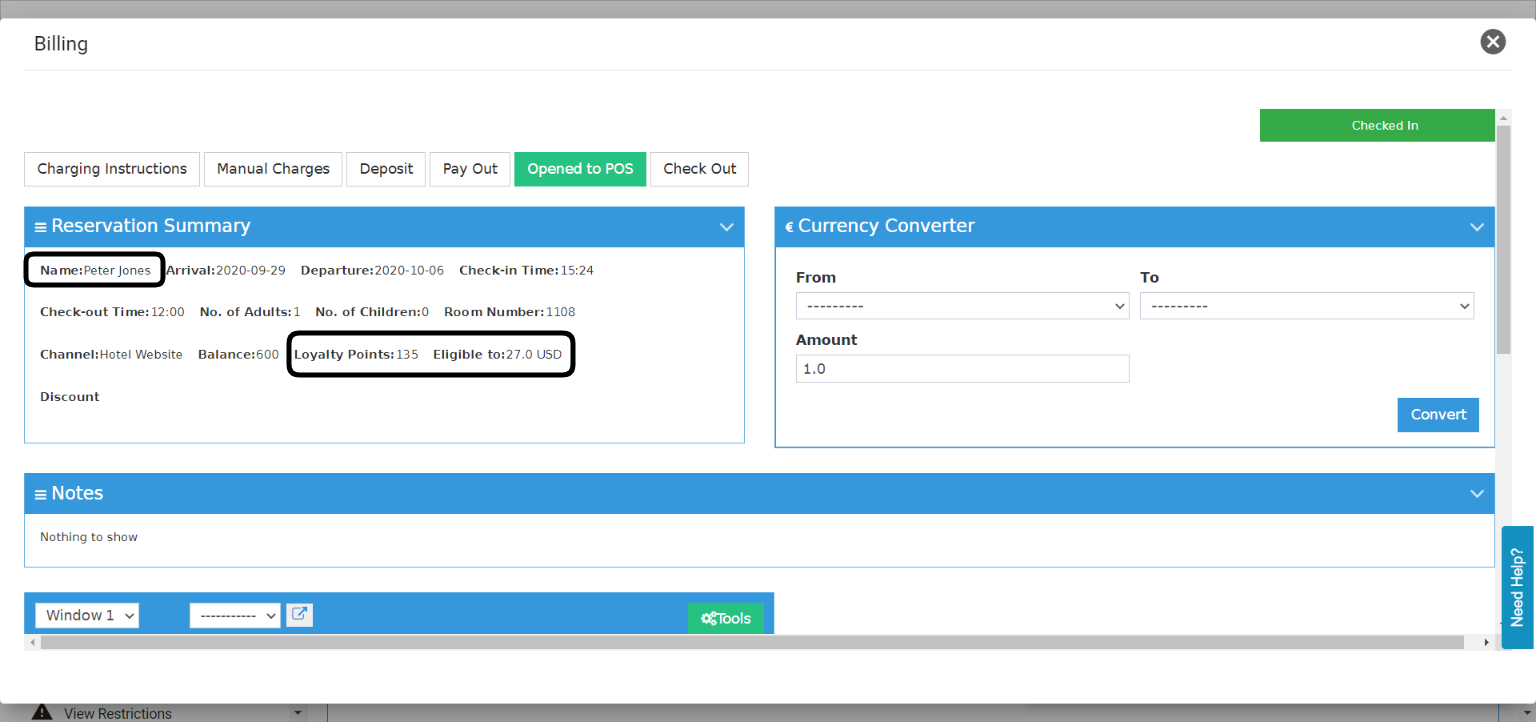
Peter Jones has 135 loyalty points which makes him eligible for 27 USD worth of discount “135 * 20%”
- Highlight the billing entry you would like to discount.
- Click on Tools.
- Select Redeem.
- Use the special loyalty payment method you created.
- Click Save.
What if the guest does not have enough points to cover the service he enjoyed?
We should always take note of the amount they’re eligible for to discount based on the points they have, when we would like to redeem we will use the amount written on the billing screen to discount the charges.
What if the guest does not want to redeem all his points on the service?
In the scenario where the guest has 135 points and he only wants to use 100 points only, they have 135 points which makes them eligible for 20% discount equals to 27 USD.
Therefore 100 points * 20% = 20 USD worth of discount to be used and the guest will have 35 points remaining.