Business Value
- Runs the night turn at a set time every day, with no one at the desk.
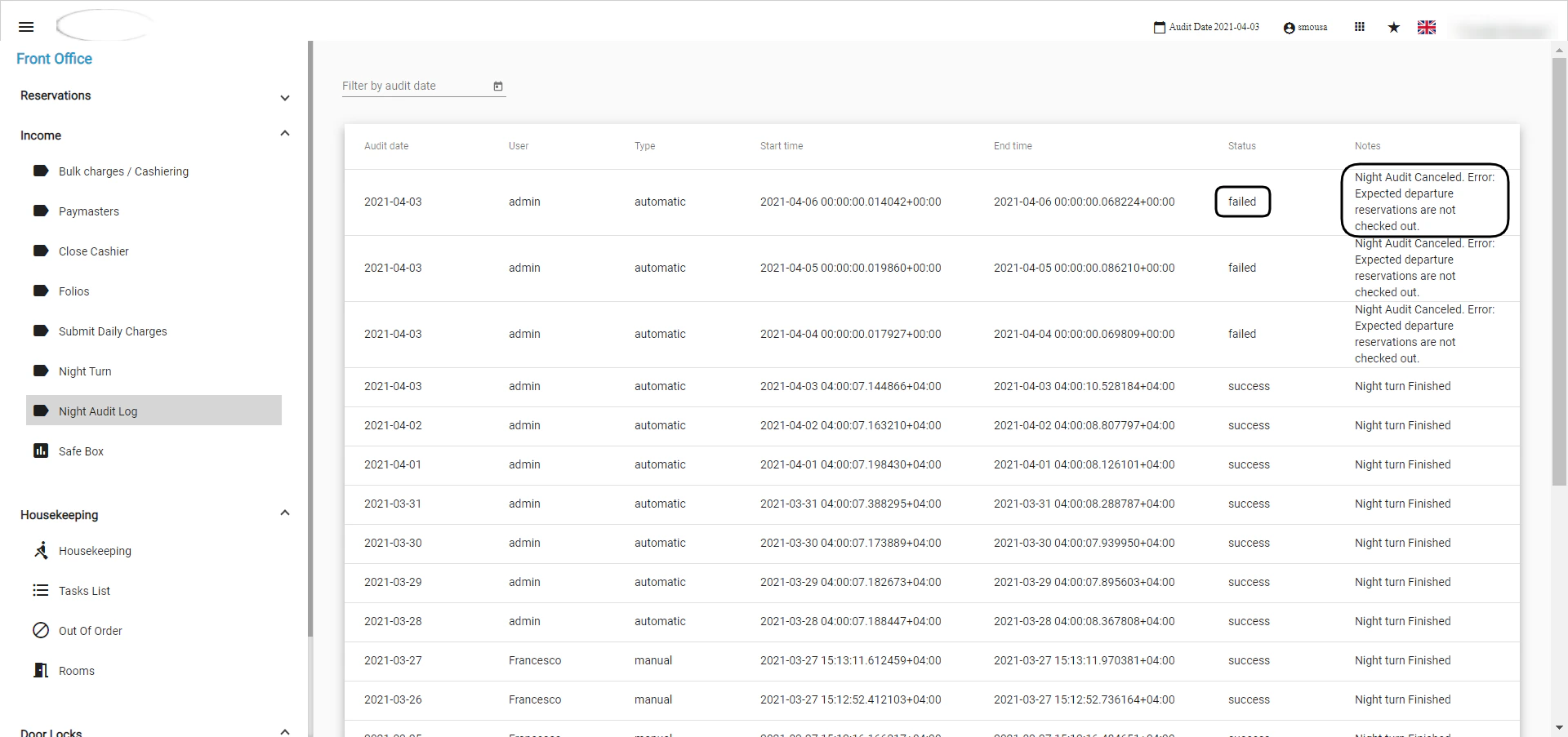
- Shows why an automatic night turn failed.
- Lets you run the night turn yourself once the issue is cleared.
Use Cases
- A front office manager sets the night turn to run at 03:00.
- A night auditor finds the system stuck on yesterday and checks the Night Audit Log.
- A night auditor checks out a forgotten departure, then runs the night turn manually.
How It Works
The night turn runs automatically at the time you set. If it fails, clear the cause, then run it manually.Automatic Night Turn Settings
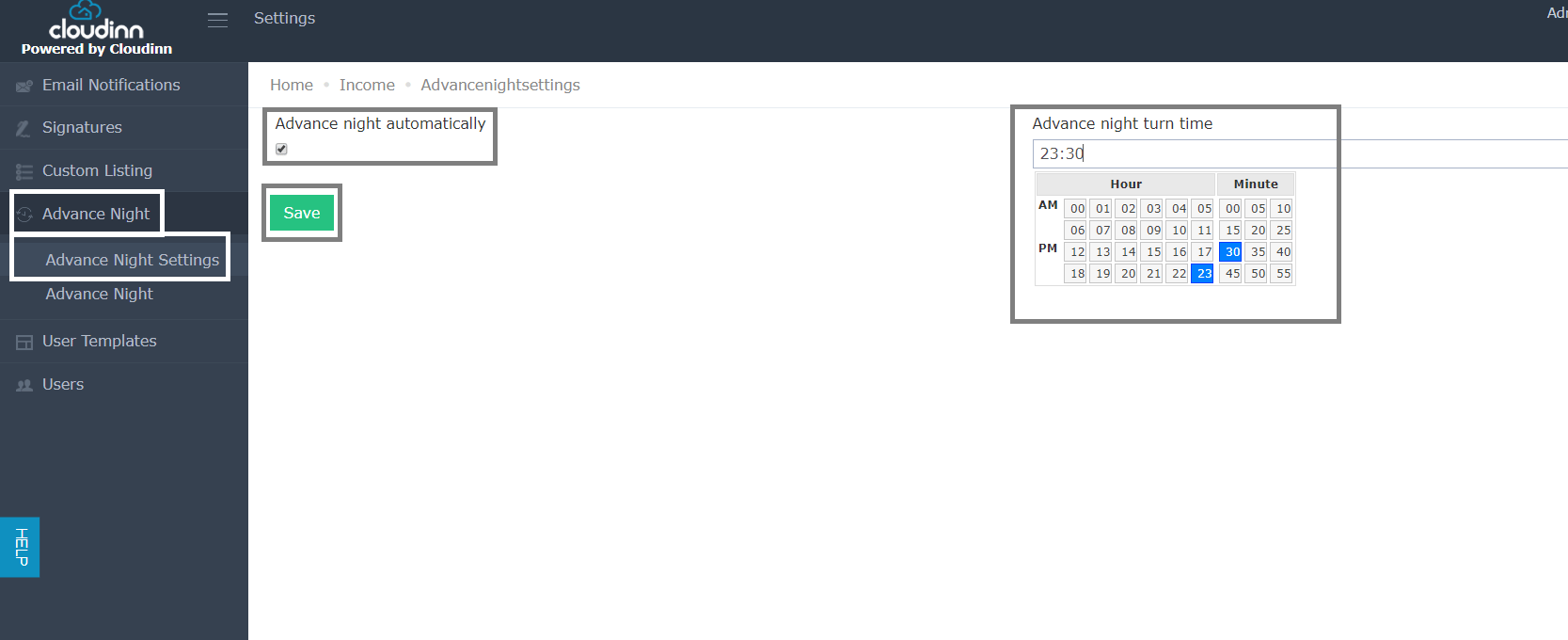
- Click Settings on the Home page.
- Click Advance Night on the left.
- Select Advance Night Settings.
- Tick Advance Night Automatically.
- Choose the time of day.
- Click Save.
Automatic Night Turn Failure
You may find the system stuck on the previous day. Or you may see: Automatic Night Turn Failed, please check Night Audit Log.
The most common causes are:
- Expected Departure reservations that are not checked out.
- An open POS invoice in your restaurant or bar.