Documentation Index

Fetch the complete documentation index at: https://help.kwentra.com/llms.txt

Use this file to discover all available pages before exploring further.

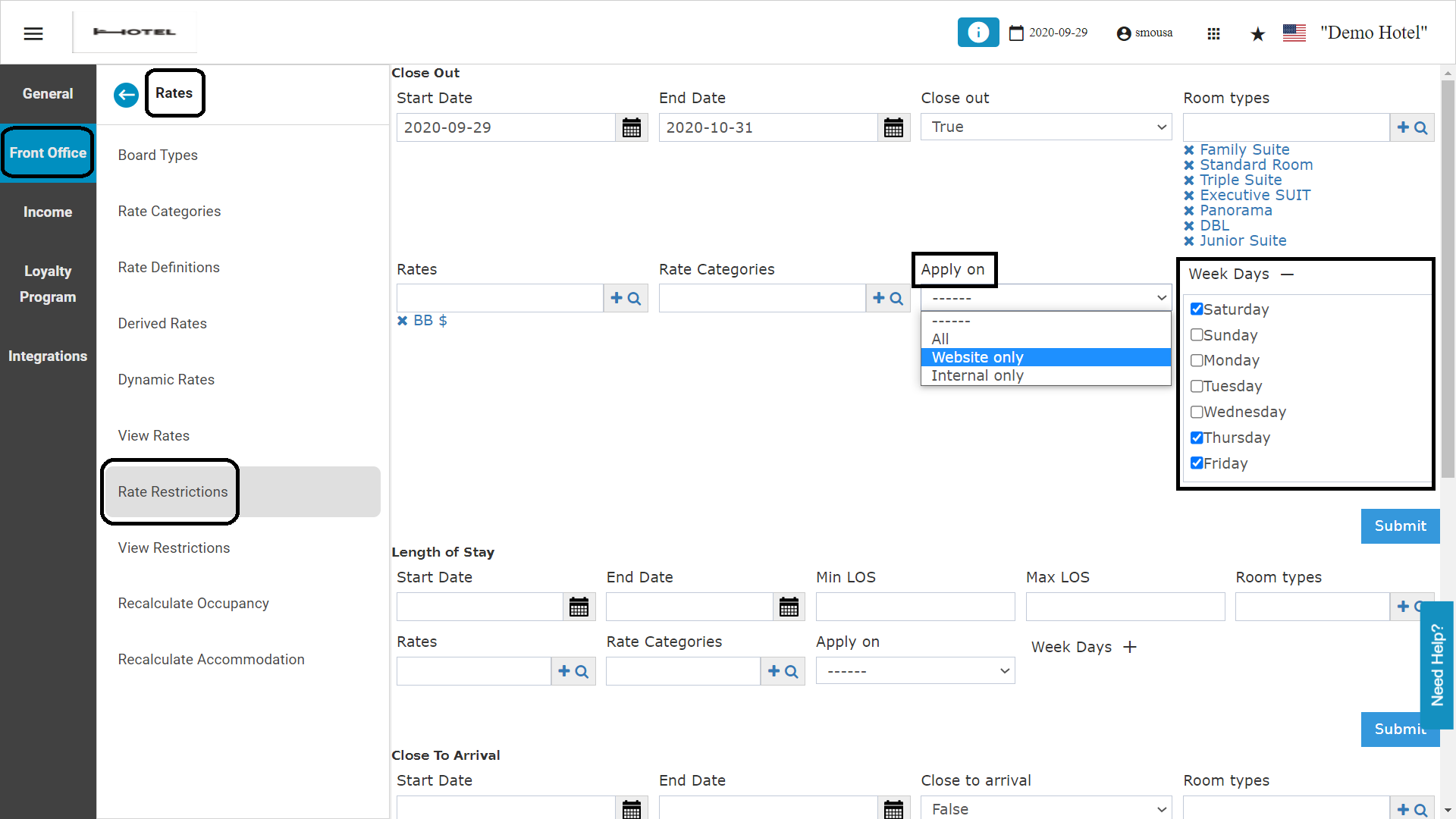
When applying any rate restriction for Front Office / Online Booking Rates you can easily apply a specific restriction on certain days of the week. In that way you can control to close out certain room types for either weekends or weekdays depending on your needs. Front Office → Settings Gear Sign → Front Office → Rates → Rate Restrictions
  1. Select the type of restriction you would like to apply.
  2. Select the date range you would like this restriction to apply on.
  3. Select the room types you want to apply the restrictions on
  4. Salect the rate plan you would like the restriction to apply on.
  5. From the apply on dropdown menu, select whether to apply on internal reservations only, website only or to apply to both.
  6. Select specific days of the week you would like to apply the restrictions on.