Documentation Index
Fetch the complete documentation index at: https://help.kwentra.com/llms.txt
Use this file to discover all available pages before exploring further.
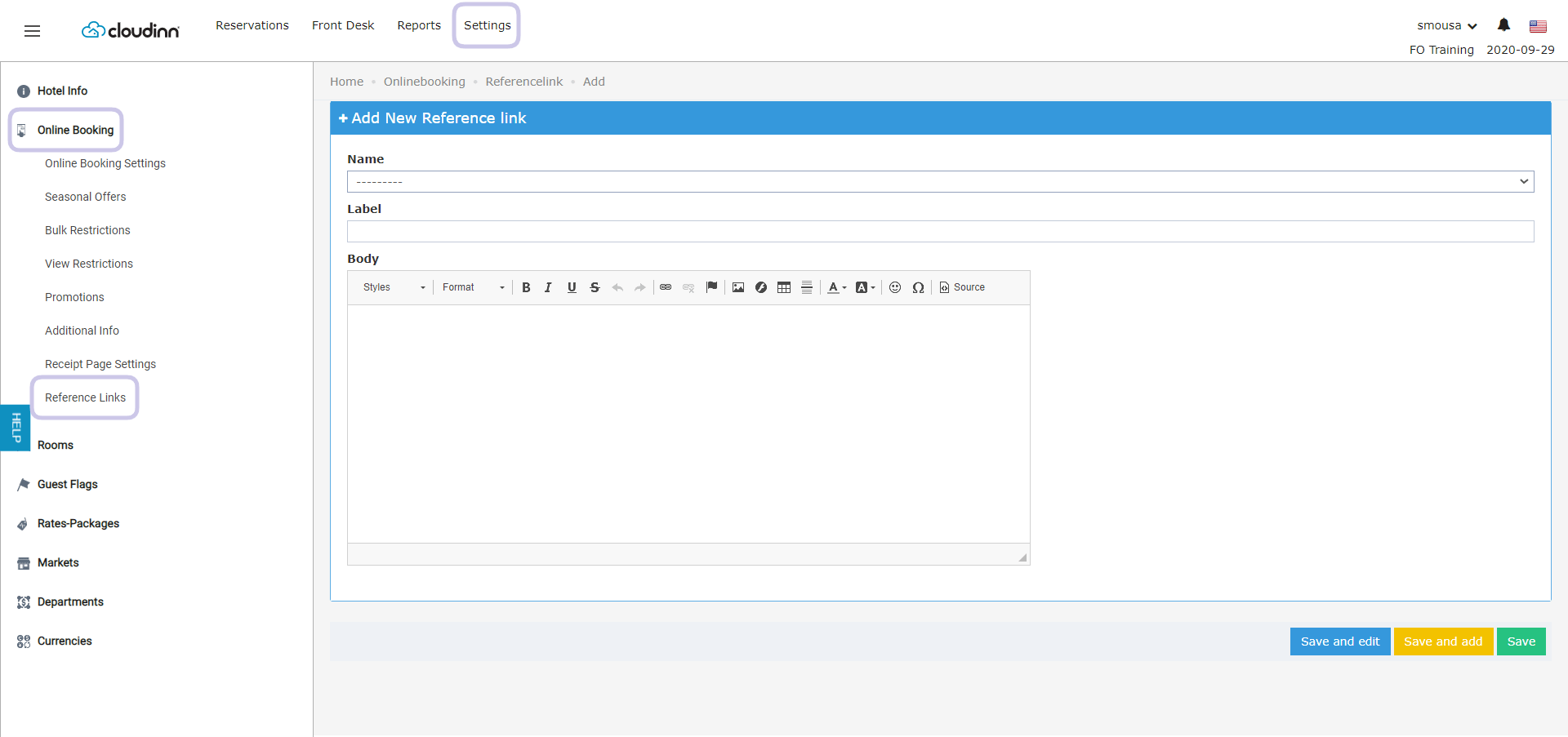
In order to customize your online booking widget to include general policies, disclaimers etc, you would need to understand the Reference Links and where exactly they affect your system.
Online Booking → Settings → Online Booking → Reference Links
Lets explain each reference link we have in the drop down and where does the information take effect.
- Terms & Conditions
- Personal Data Disclaimer
- Legal Notes
- General Conditions of use
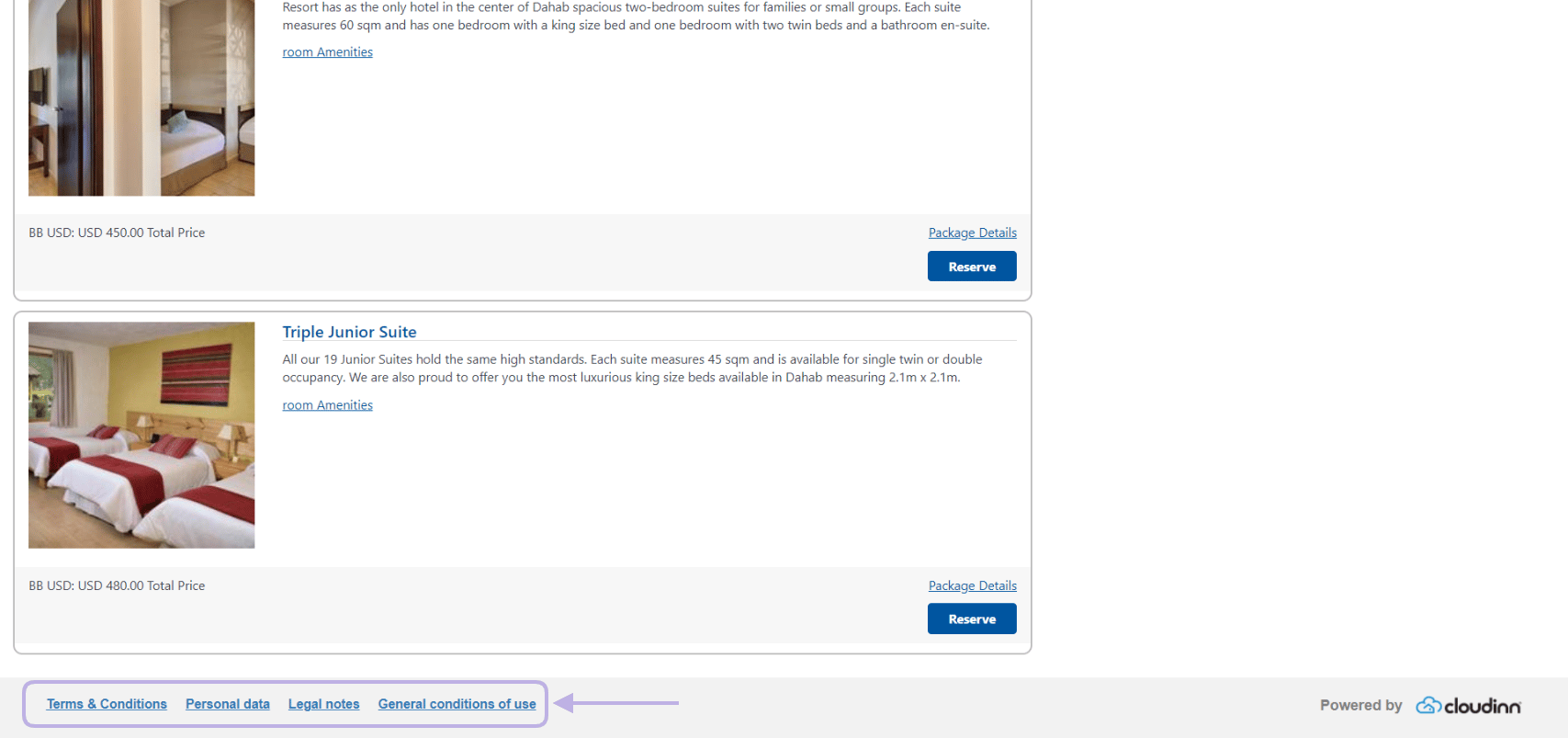
The above Reference Links affect your online booking widget’s footer with the information you want to present to your guests.
The clickable Labels from the online booking are customizeable and can show the text you desire.
Once your guest clicks on any of the labels they will be presented with the text you have added in settings.
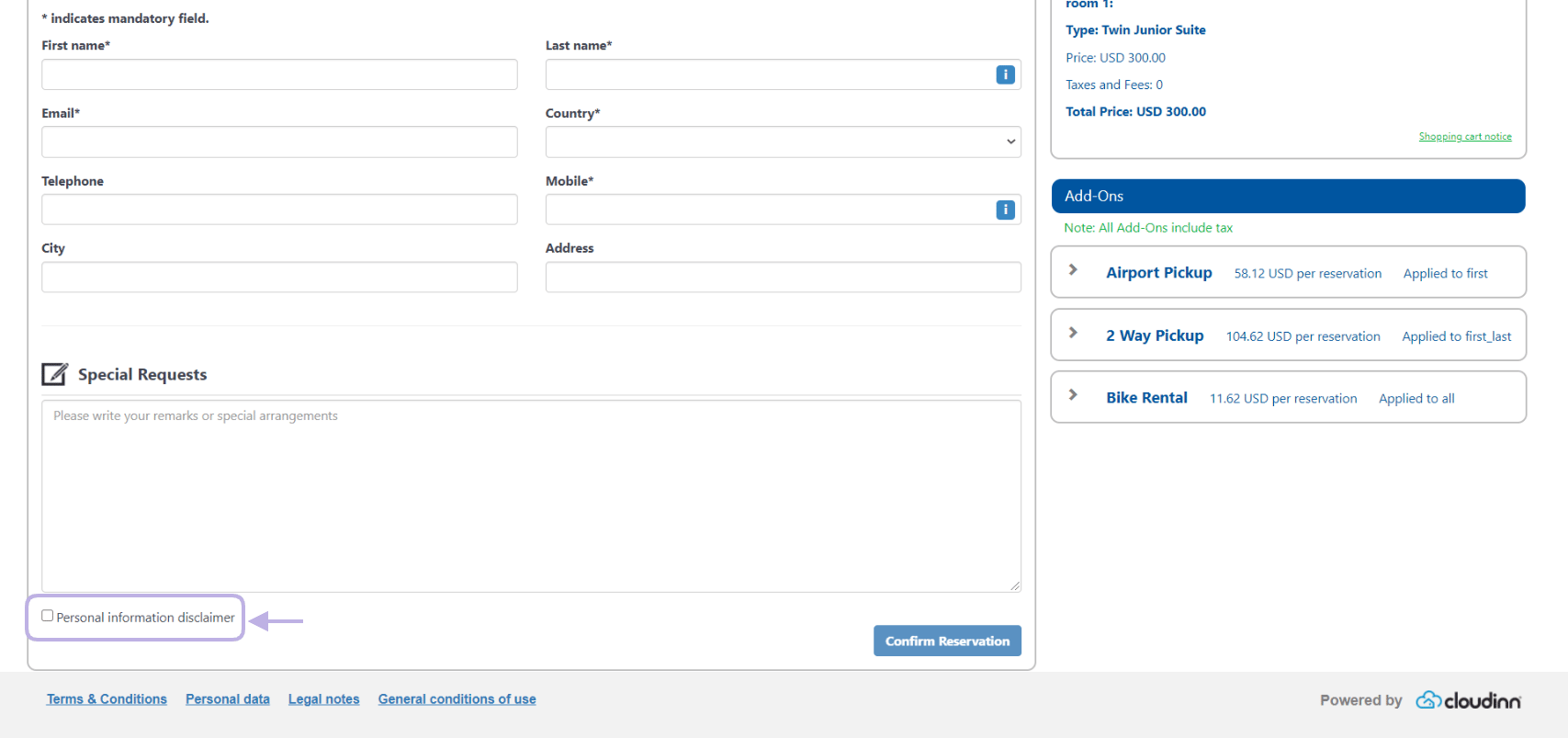
- Personal Information Disclaimer
This Reference Link allows you to add a checkbox with the label you want and the diclaimer text you desire.
After your guest chooses their room and continues they would find the disclaimer label, once they click on it they get to read the text you added from settings.
They won’t be able to complete the reservation unless they check that box and proceed.
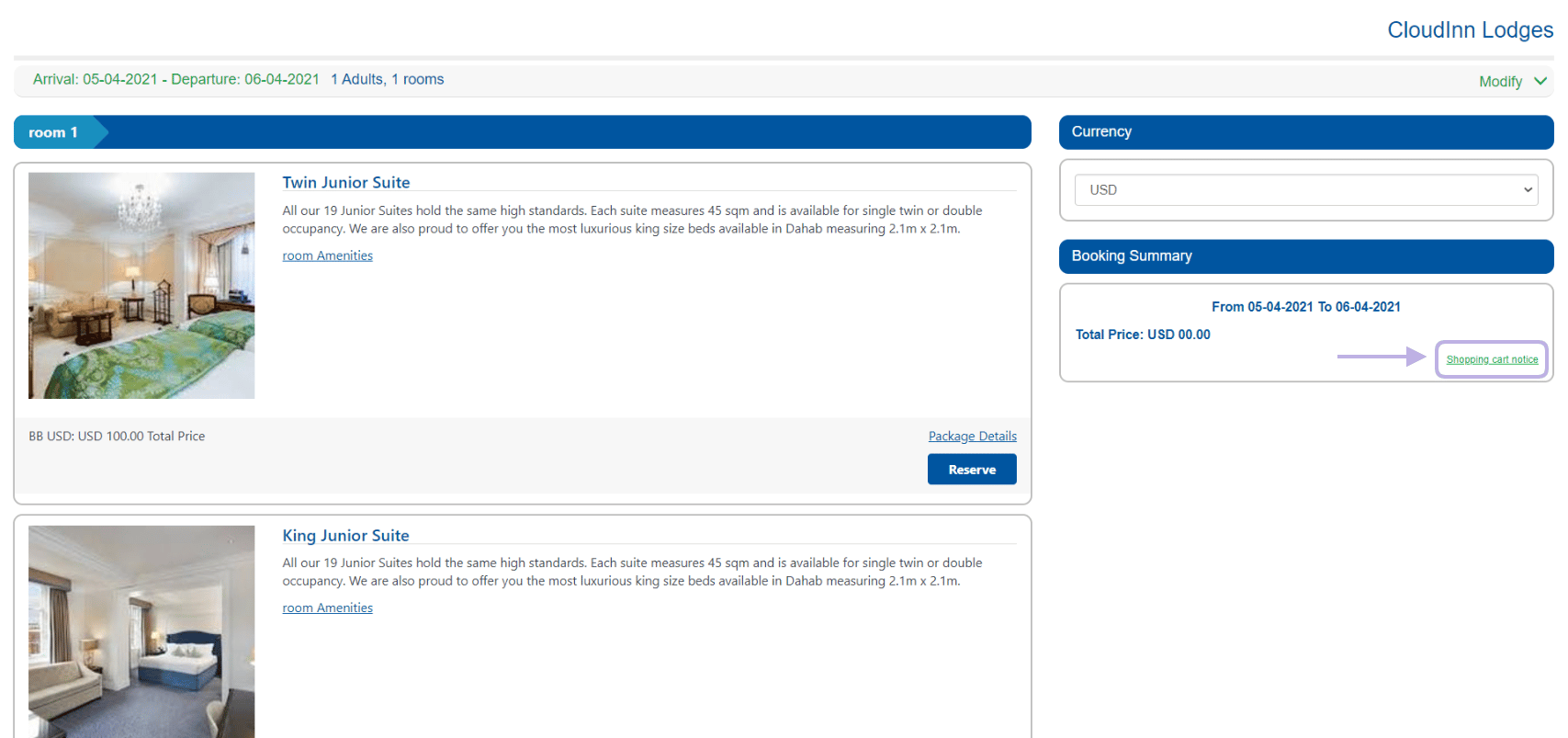
This reference link provides additional information for your guests in a hyperlink, this hyperlink is available when they’re building their cart and when they’re filling their personal information.
The link label can say anything you desire to your guests, clicking on the link will present the text you added from settings.
- Personal Data Treatment
- Mobile Phone Information
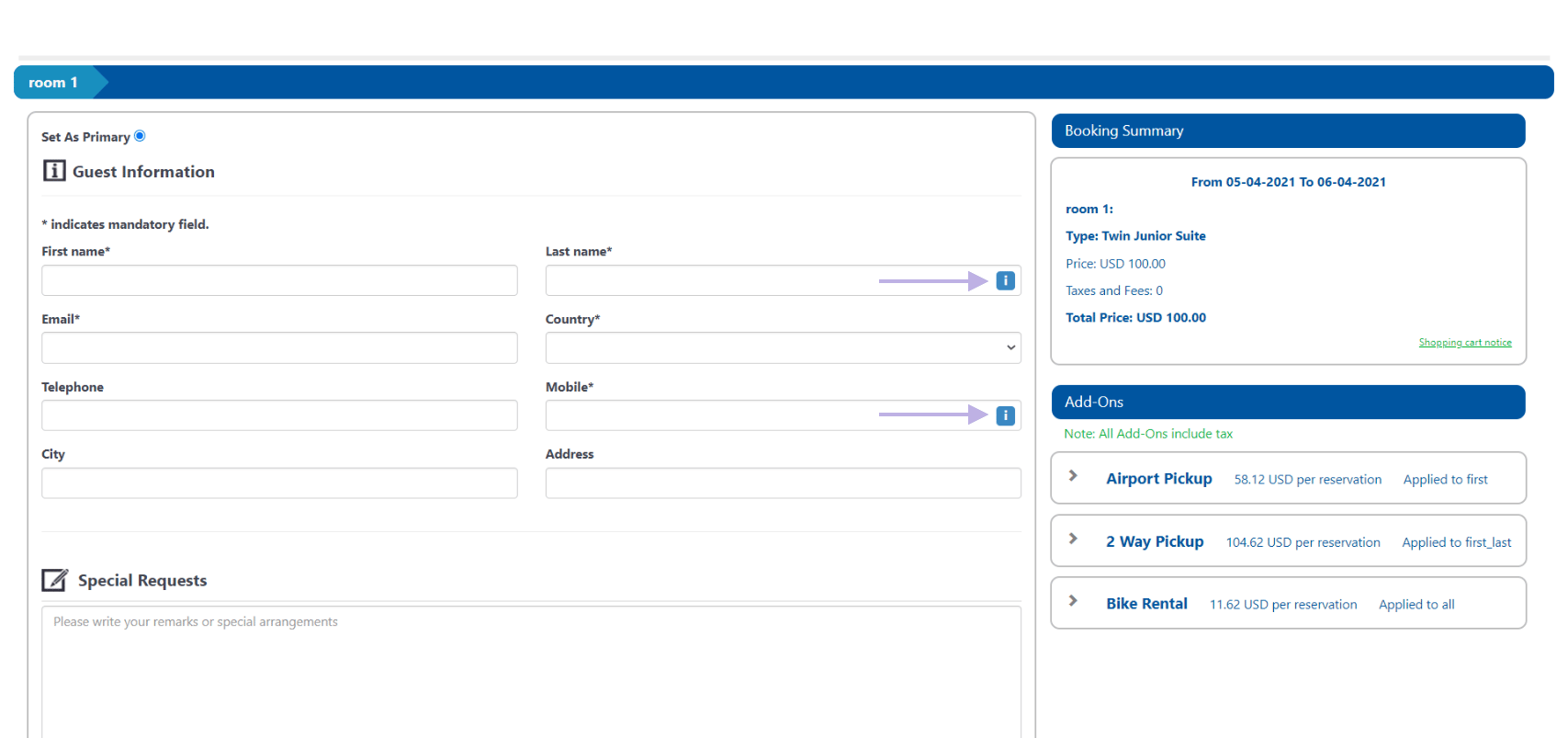
Those Reference Links trigger an information icon next to the last name and phone number that could contain information on how you handle your guests’ information.
Clicking on the icon presents the text you added in the body for the reference links, no need to add a label for this.
- Terms of Payment
- Additional information
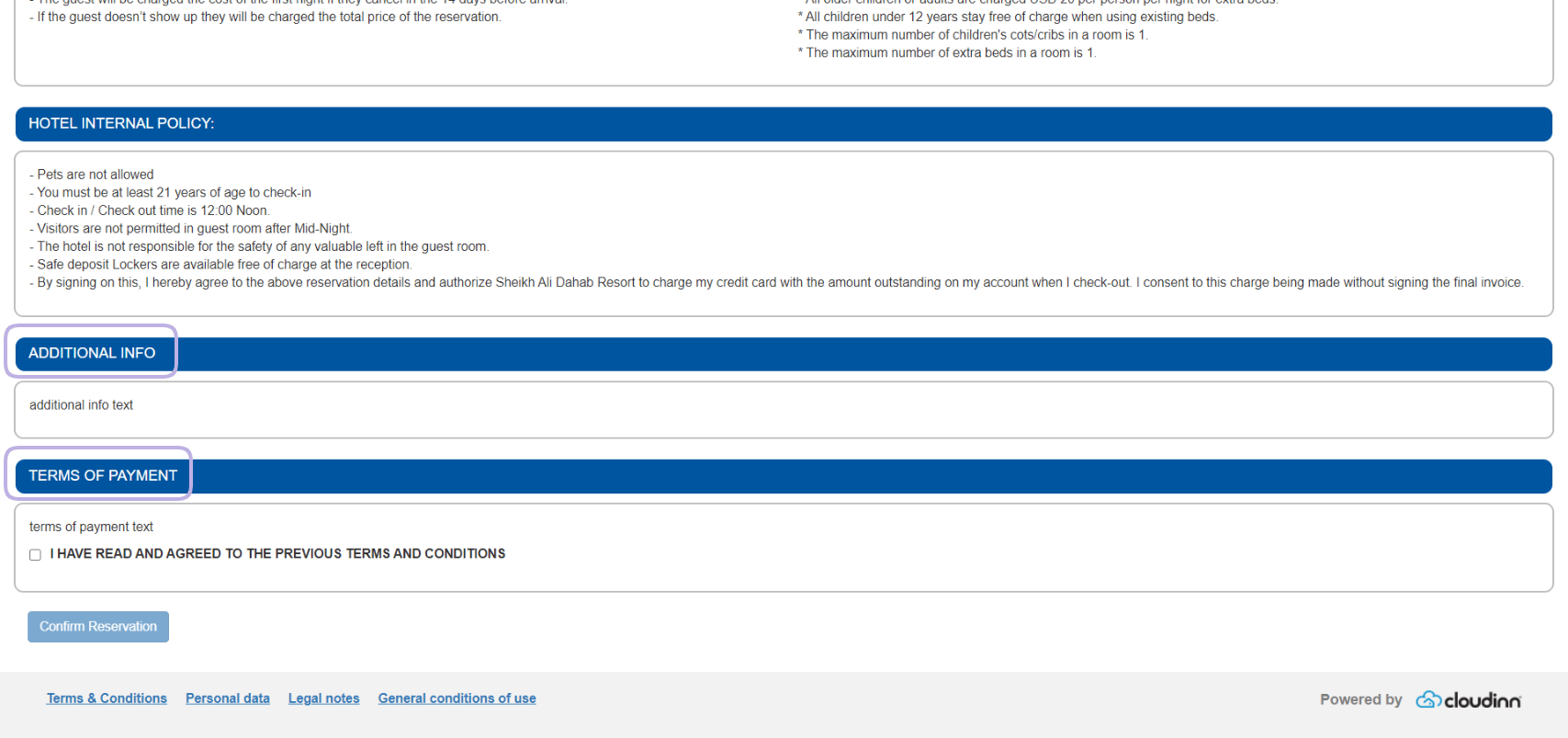
Adding those reference links trigger having extra sections in the pre-confirmation page where the guests are confirming everything prior to checkout.
Adding the labels will update the header of the section, whatever text you add on those reference links will reflect under their designated labels.
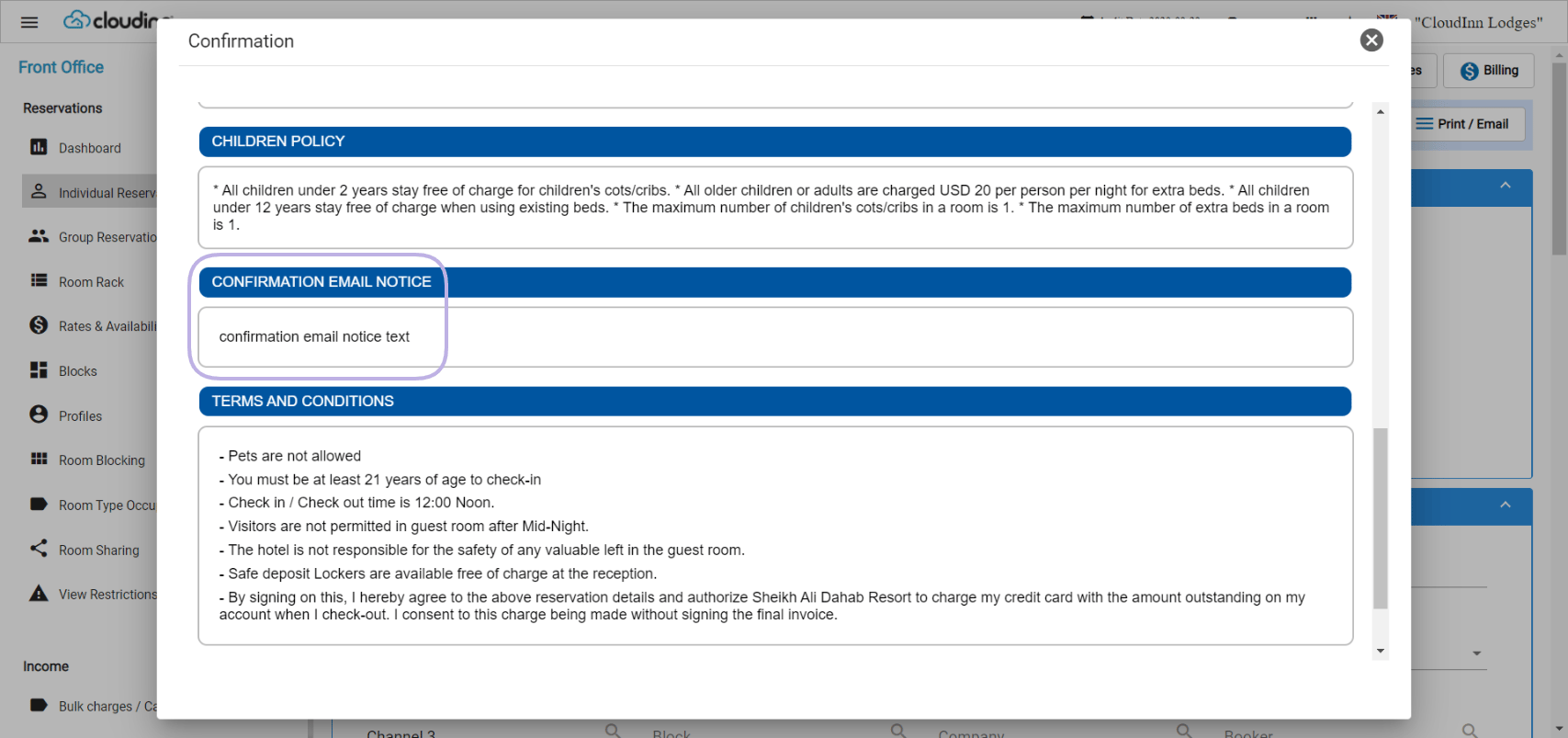
- Confirmation Email Notice
This reference link only reflects on the confirmation email sent to the guest, whether after booking from the website or when sent from Front Office.
Editing the label to what you need will reflect on the header, whatever is written in the body will be shown on the confirmation email.
This reference link reflects accorss your system, adding hotel internal policy affects the below areas:
- Pre-confirmation from Online Booking
- Confirmation email sent to the guest
- Guest Registration Card at time of check-in
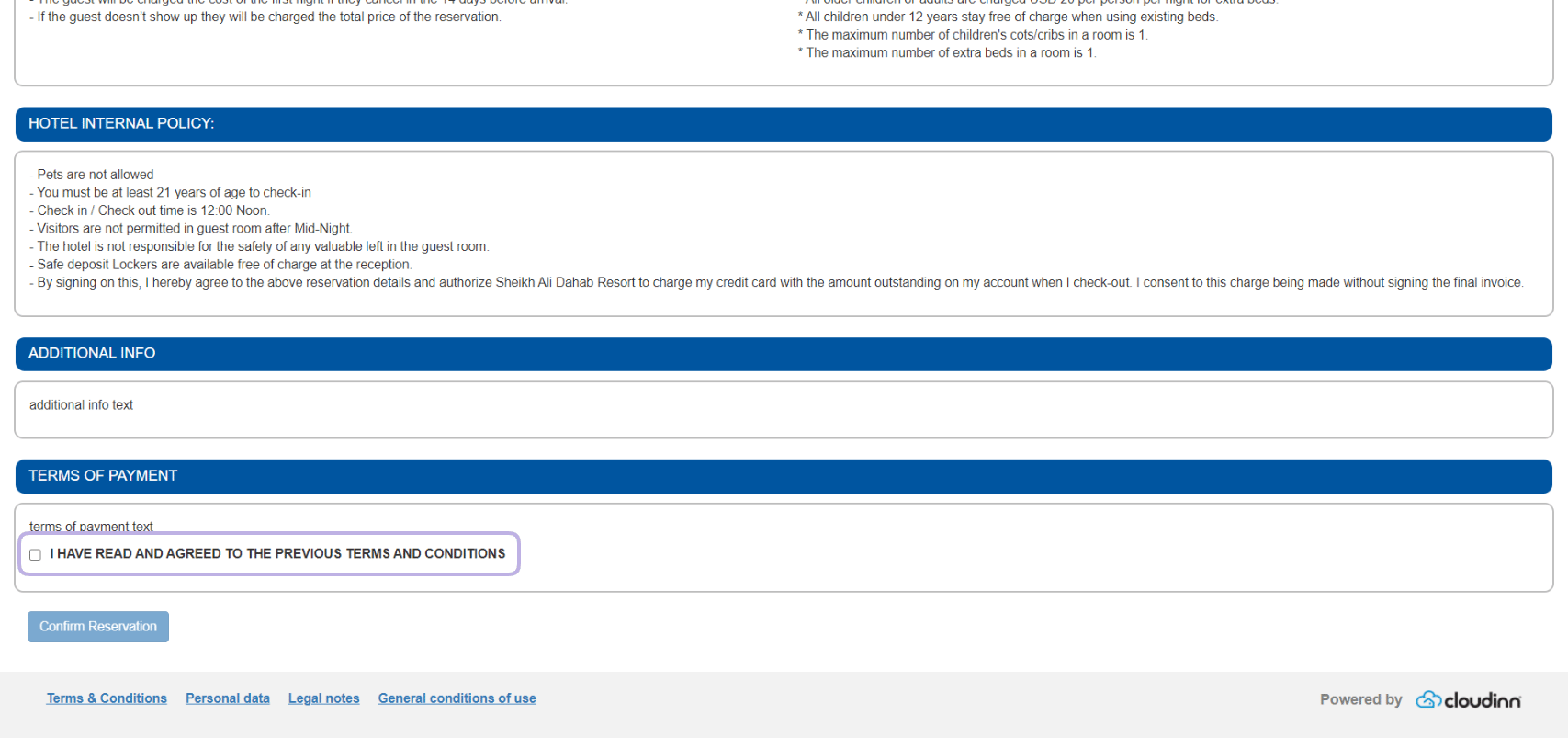
Adding a label to Hotel Internal Policy will only affect the Online booking and the confirmation, no labels will appear on the RC.
- Receipt page thank you message
This reference link affects the final confirmation screen your guest would see after finalizing their reservation from Online Booking, once they finalize the reservation they would see your thank you message on the top of their screen before the reservation details.
25th of October New Update:
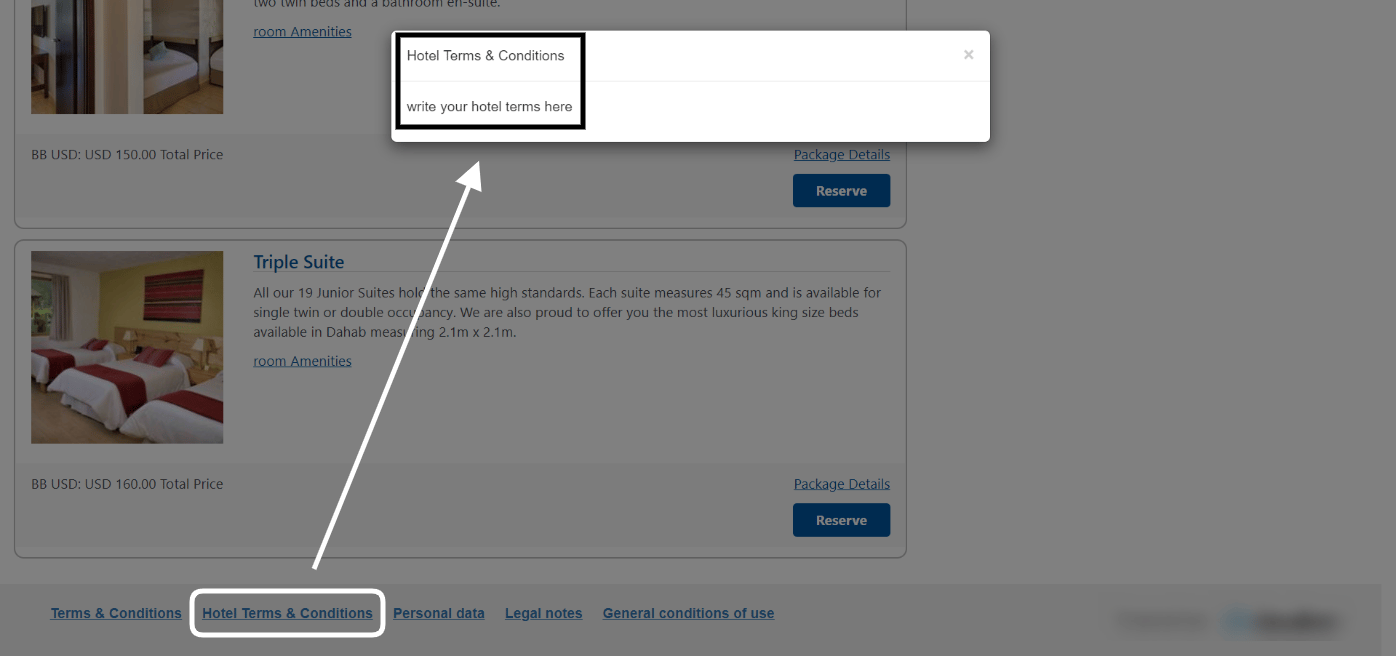
A new reference link Hotel Terms & Conditions has been added to the list which affects the Online Booking Widget Footer with a new hyperlink that contains the hotel internal terms and conditions.
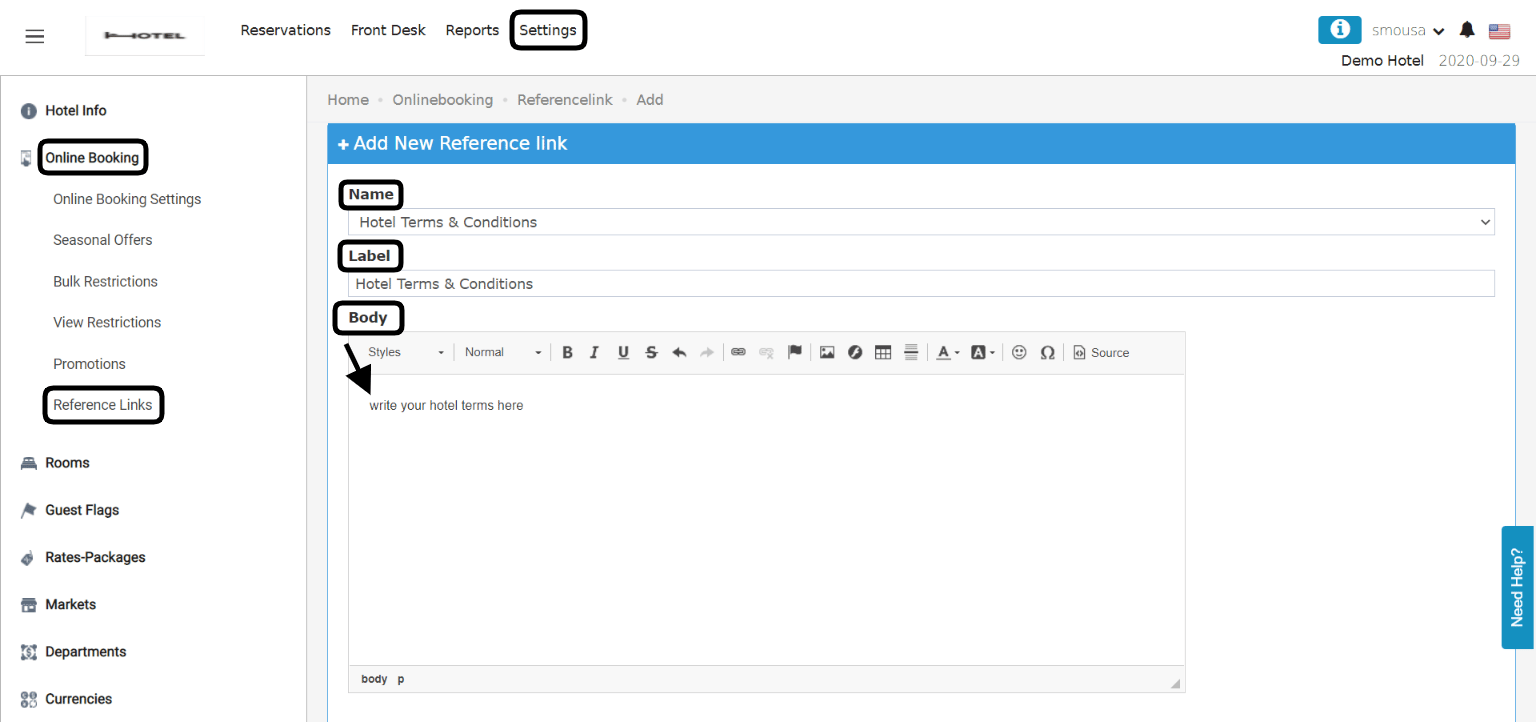
Online Booking → Settings → Online Booking → Reference Links → Add New
- Select the new reference link from the drop down menu Hotel Terms & Conditions.
- Insert a Label to appear on the widget.
- Write the text you would like to view when your guest clicks on the label.
- Click Save from the bottom of the screen to reflect on your widget.
Below is how it would appear on the online booking widget once added.