

SmartHotel – Automatic Close Out at 100% Occupancy
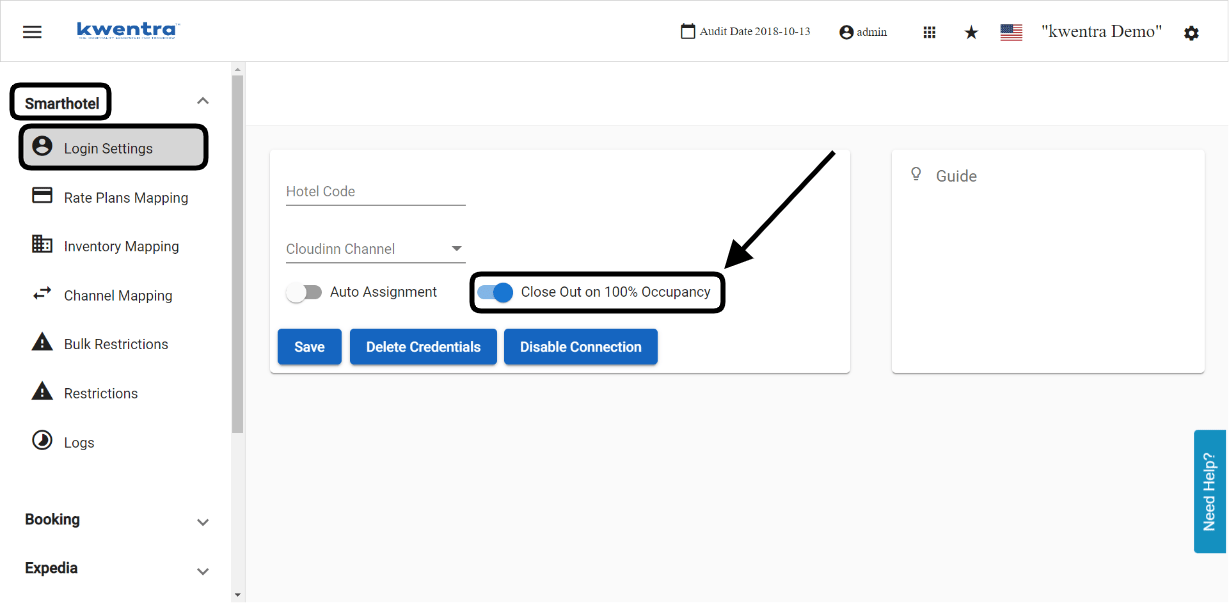
Set SmartHotel Channel Manager to apply a close out restriction by itself when your hotel is 100% full.
If you use SmartHotel Channel Manager, it can apply a close out restriction by itself. This happens when your hotel’s occupancy reaches 100%.
How?
Channel Manager → SmartHotel → Login Settings
Save your credentials when you finish. If you don’t, your settings are lost.
To learn what a close out restriction is, see How to Add Restrictions on Specific Channels.