Documentation Index

Fetch the complete documentation index at: https://help.kwentra.com/llms.txt

Use this file to discover all available pages before exploring further.

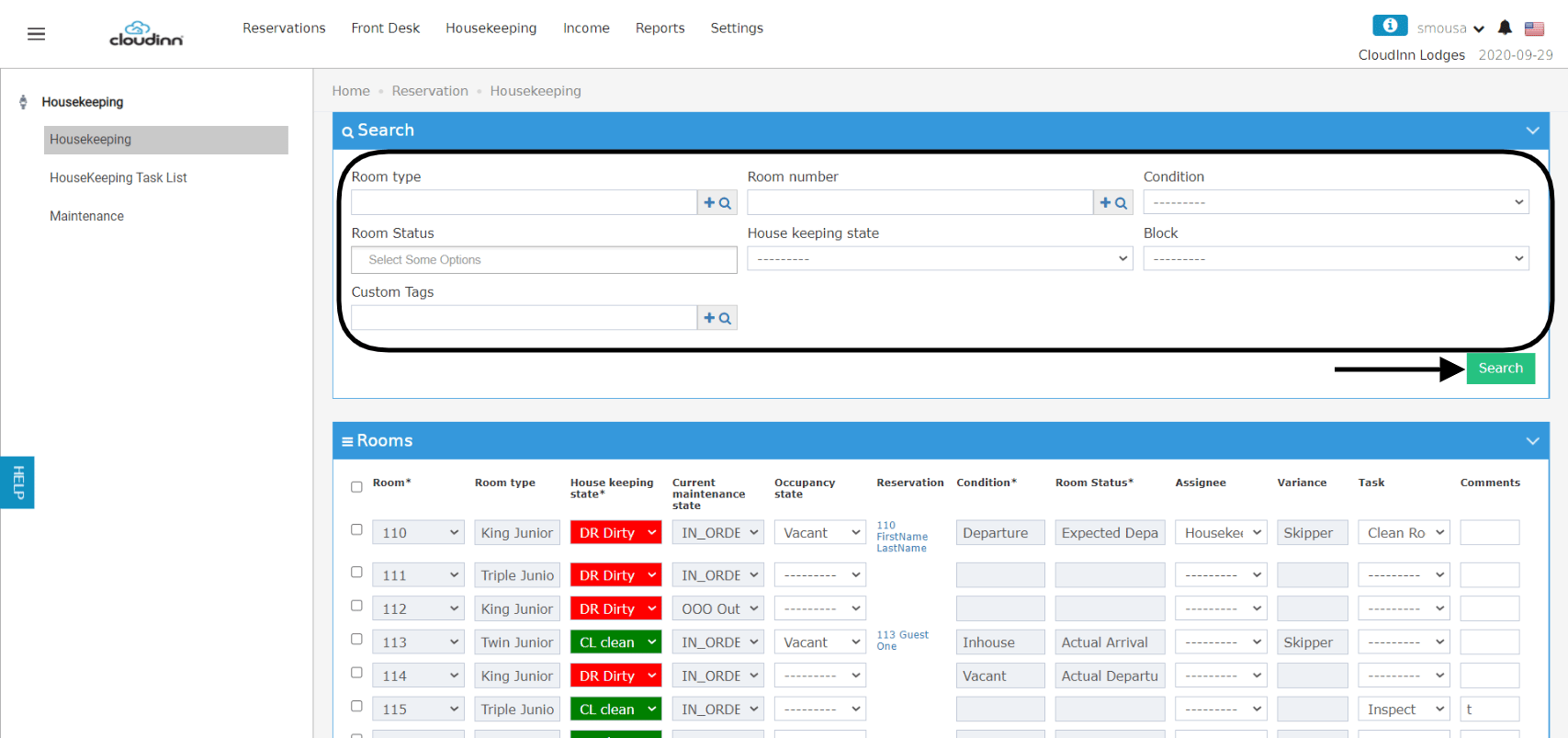
Housekeeping tasks help you in changing the rooms’ housekeeping state automatically once a given task is completed. Housekeeping tasks calculate the time difference between the moment of task assignment and its completion for better housekeeping management. How to assign a task to your room(s)? Front Office (beta) → Housekeeping Front Office → Housekeeping Using the housekeeping search forms you can search using the below inputs:
  • Specific Room Type(s)
  • Room Number(s)
  • Room Condition “Vacant, Inhouse”
  • Room Status “Expected Arrival/Departure, Actual Arrival/Departure”
  • Housekeeping State “Dirty, Clean etc”
  • Houskeeping Blocks
After you search for the group of rooms you desire, follow the below steps to apply housekeeping tasks individually. Individual Housekeeping Task Application: In the scenario where you have a lot of rooms that need housekeeping tasks and you want to do them all at once, follow the below steps: Bulk Housekeeping Task Application: How to finalize a Housekeeping Task? Front Office (beta) → Housekeeping Tasks List Front Office → Housekeeping → Housekeeping Task List You can search for the assigned tasks or the rooms that has tasks applied to it using the below inputs:
  • Room number
  • Date
  • Housekeeping Block
  • Task assigned
  • Comments
  • Username which represents the housekeeping staff
Once a task is completed for a room, you can notice the housekeeping state change happening automatically as below: