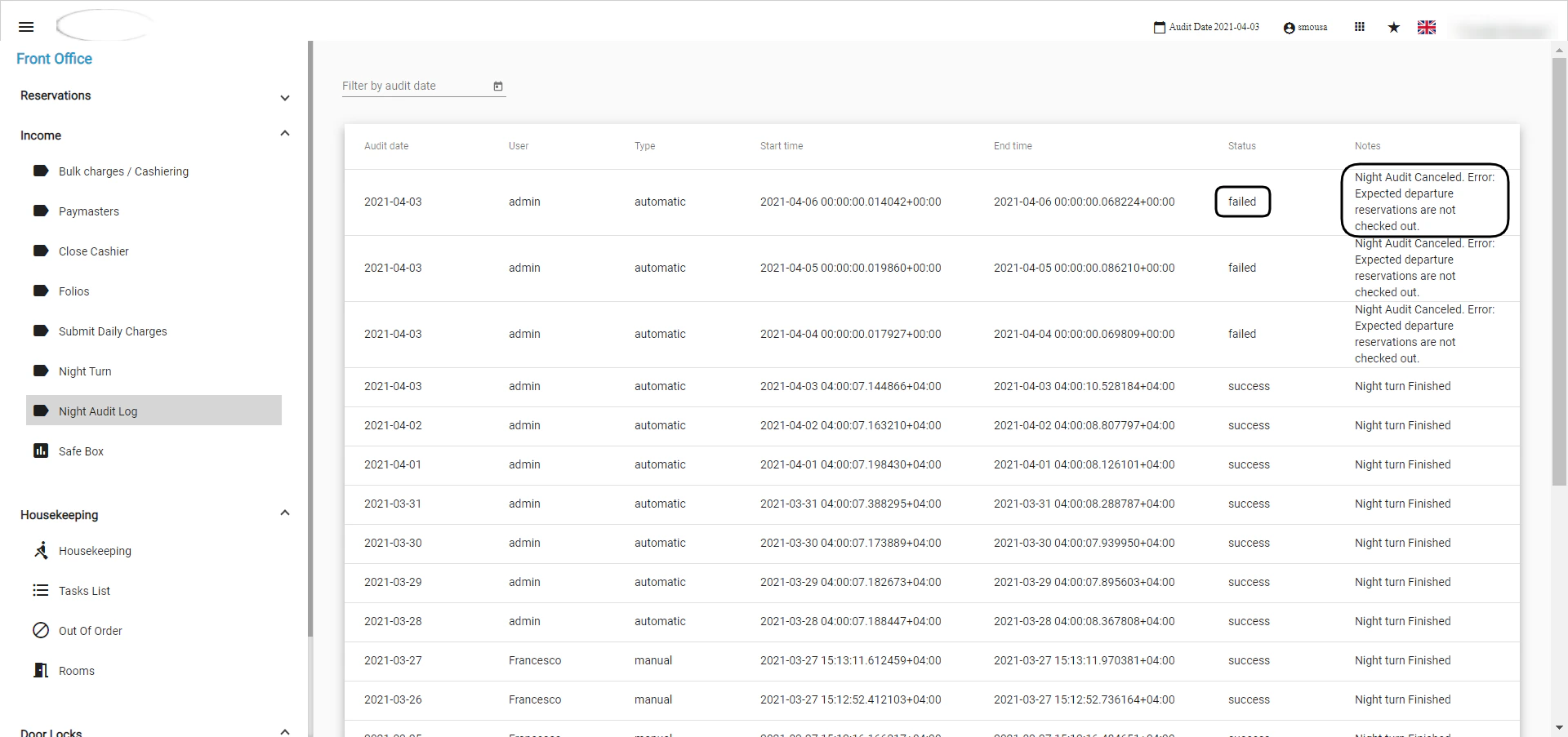
The common causes of a failed automatic night turn, and how to check the Night Audit Log and clear the issue before running the night turn manually.
Whenever you open your system and find it stuck on previous day or saw the error Automatic Night Turn Failed, please check Night Audit Log.Before checking the logs you need to know the fatal mistakes that causes night turn to fail:
Expected Departure reservations are not checked-out.
Opened POS invoice in your restaurant/bar.
To check your Night Audit Log, follow the below instructions:Front Office → Income → Night Audit LogThe failed night turn will give the reason behind its failure, please clear the issue before trying to attempt to manually do the night turn.If you don’t have any showstoppers, the audit log is not showing an apparent operational issue and you still can’t perform the night turn please contact support@kwentra.com to investigate further.