
Documentation Index

Fetch the complete documentation index at: https://help.kwentra.com/llms.txt

Use this file to discover all available pages before exploring further.

The new Alerts Screen helps you in viewing all the alerts added to all reservations by your staff for a certain day.
  • View all pending/done alerts per reservation.
  • View all the ended alerts.
  • View the alerts whether they are pop-up or normal alerts.
Front Office → Reservations → Alerts From the search form you can search for any alert using the inputs you desire:
  1. Search results are filtered by today’s date by default but you can search with a different.
  2. Search by the Reservation ID.
  3. Search with the alert’s state (pending / done / ended) or all alerts regardless of their state.
  4. Search for alerts that have pop-up enabled or disabled.
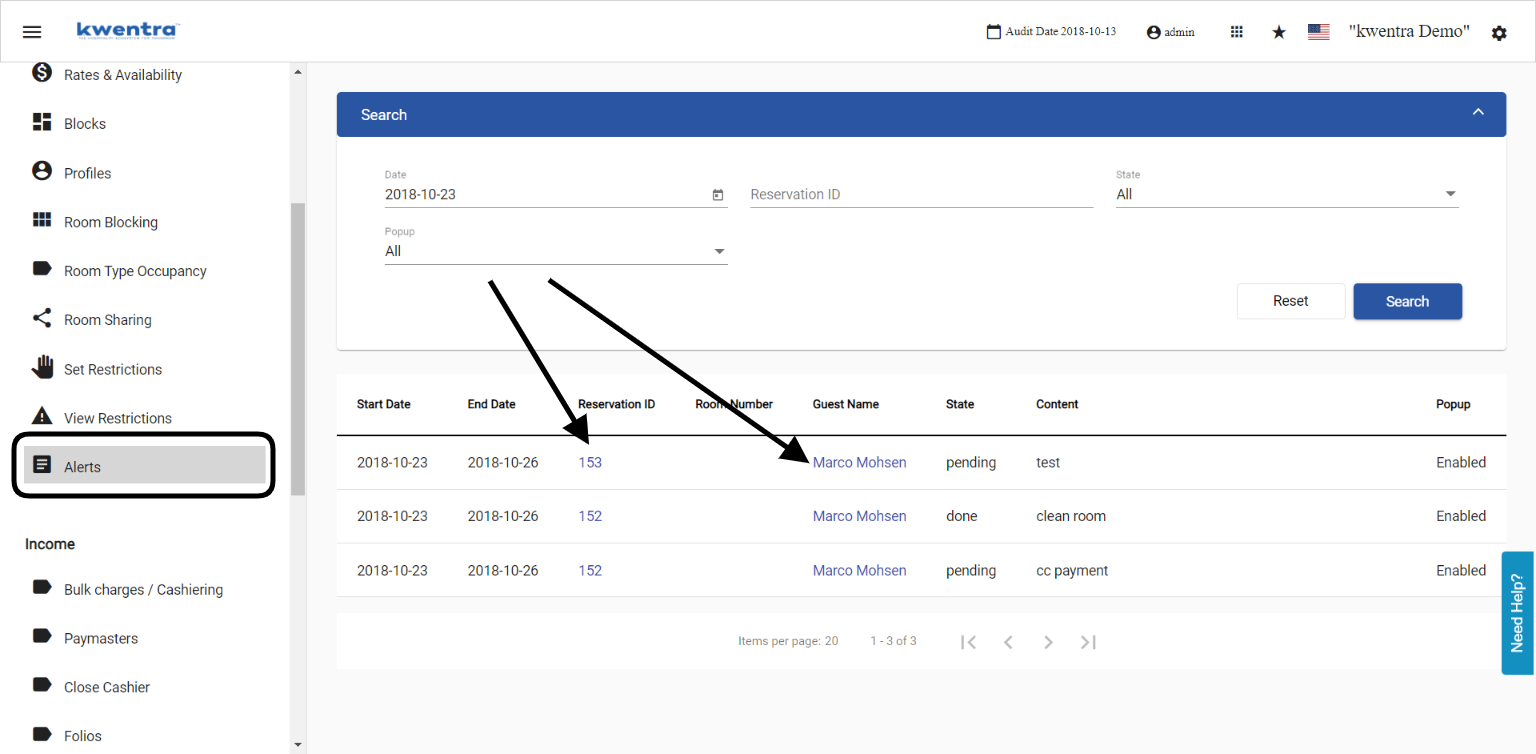
You can directly go to the reservation by clicking on the Reservation ID. You can directly go to the guest’s profile by clicking on the Guest Name.