Keeping a tab on your repeated guests is vital for relationship continuity with them, also to make a good impression on their following visit. not only it will help in building strong regular customers, it will help save you time whilst managing their reservation. ________________________________________________________________________________________________________________Documentation Index
Fetch the complete documentation index at: https://help.kwentra.com/llms.txt
Use this file to discover all available pages before exploring further.
How?
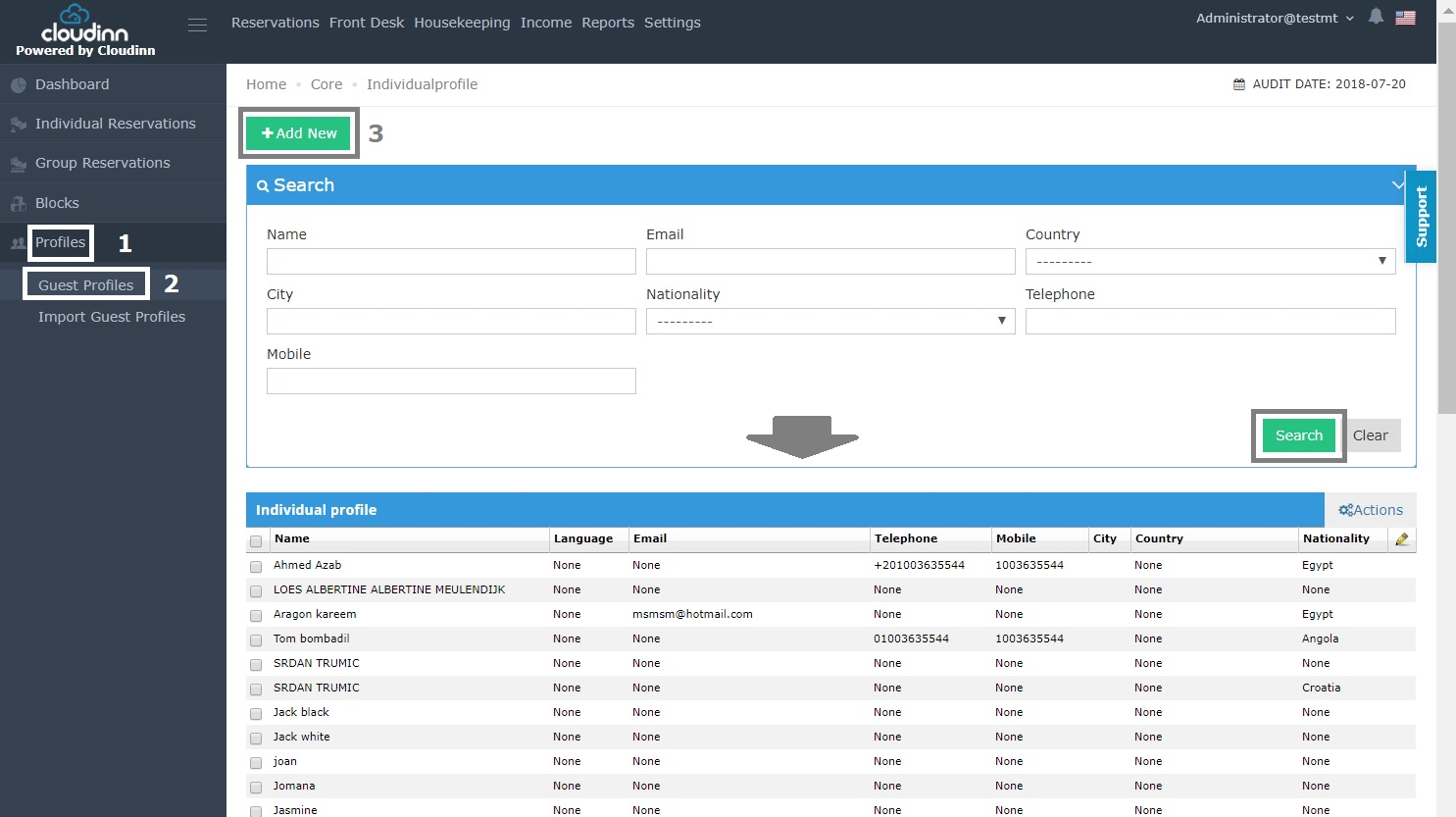
1- After clicking on Front Office from home page click on Profiles. 2- Choose Guest Profiles. 3- Click on Add New. you can see all the guests that are added to the directory alongside the option to Search.
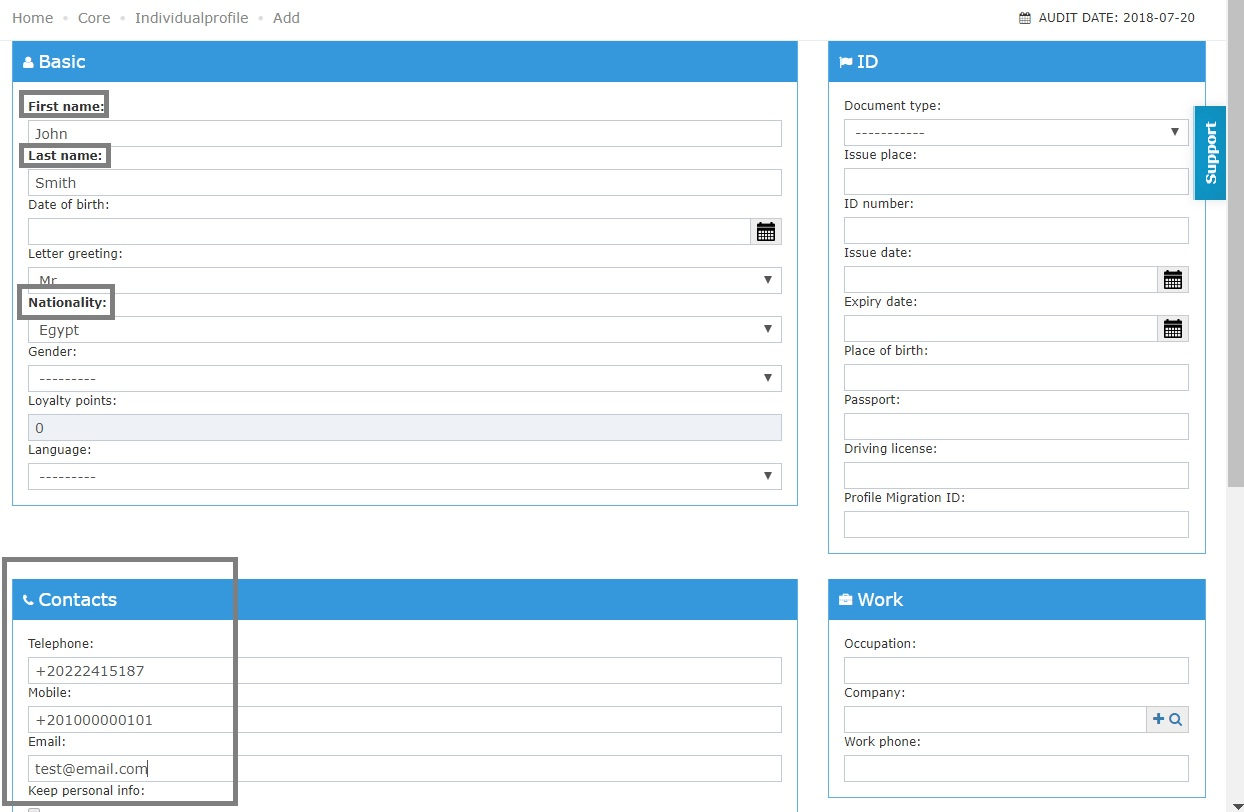
Now you can add your guests’ info, the mandatory fields would be written in bold font.
It is recommended to keep the contact information on file to help in communicating offers or promotions to your regular guests.
Don’t forget to click save from the end of the page to add the guest’s info to your directory.
_________________________________________________________________________________________________________________________________________________
How can Guest Profile help in the reservation process?
in the scenario where you’re making a reservation for a repeated guest that his personal info are saved in guest profile, filling the reservation’s info would be done in simple steps: When you get the option to Add New guest profile or Search for one as below.
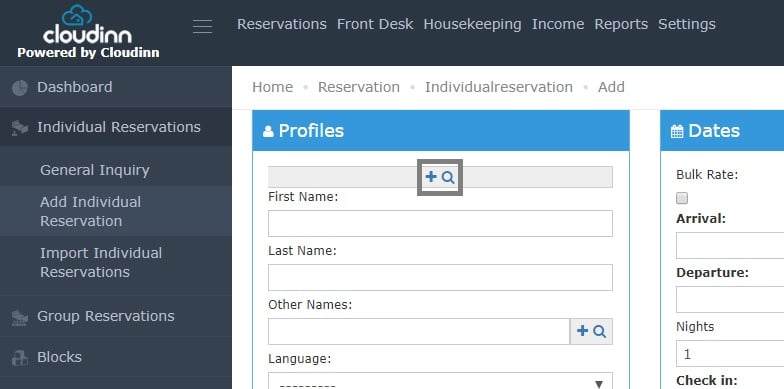
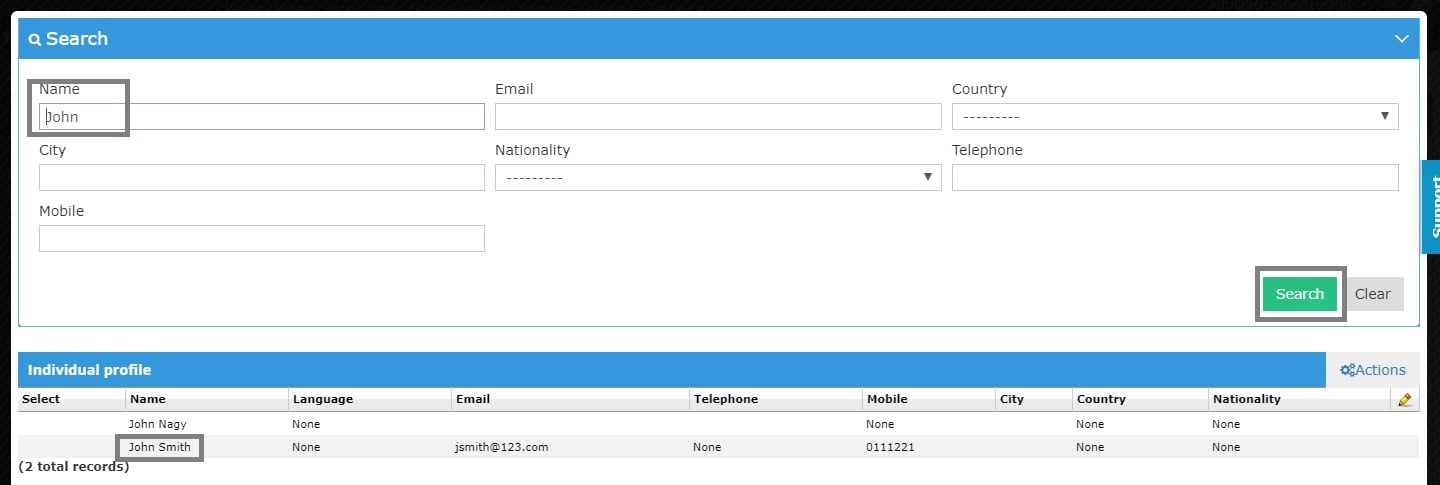
1- Click on the Magnifying Glass.
2- Use and of the search criteria and click Search.
3- Double click on the guest’s name to add his info to the reservation screen.
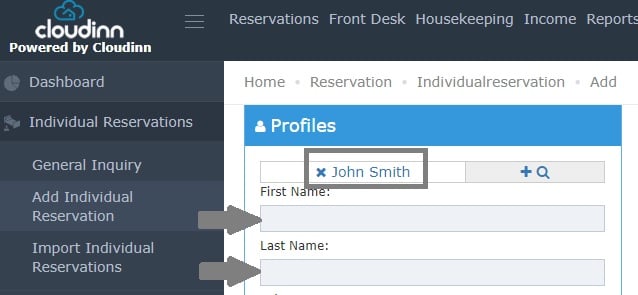
Now we can see the guest’s name on the reservation and the first & last name fields cannot be edited as this reservation is locked to the guest we selected from Guest Profile.
Read more about