Business Value
- Provides key insights into outlet/store performance by guest nationality.
- Helps tailor marketing, promotions, and services for top nationalities.
- Supports management with actionable data for optimizing operations and staffing.
- Enables better forecasting and business planning based on real guest segments.
Use Cases
- Hotel F&B Manager wants to see which outlets are most popular among certain nationalities.
- Sales/Marketing team targets offers to guests from countries with higher outlet spending.
- Operations adjusts menus or staff languages based on top guest demographics.
- Finance reviews outlet performance by nationality for annual planning.
How to Use the Report
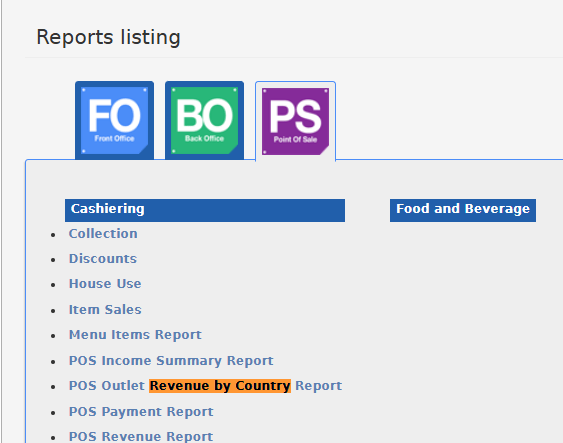
- Go to Reports → POS →Outlet’s Revenue by Country.
- Choose a date range (From Date and To Date) using the date pickers.
- (Optional) Select specific outlets/stores using the multi-select autocomplete filter. If no stores are selected, all outlets will appear.
- File type: Select your preferred export format:
- XLS
- XLSX
- ODS
- Click Download to export the report, Preview to view results in the system, or Print for a hard copy.

Report Output
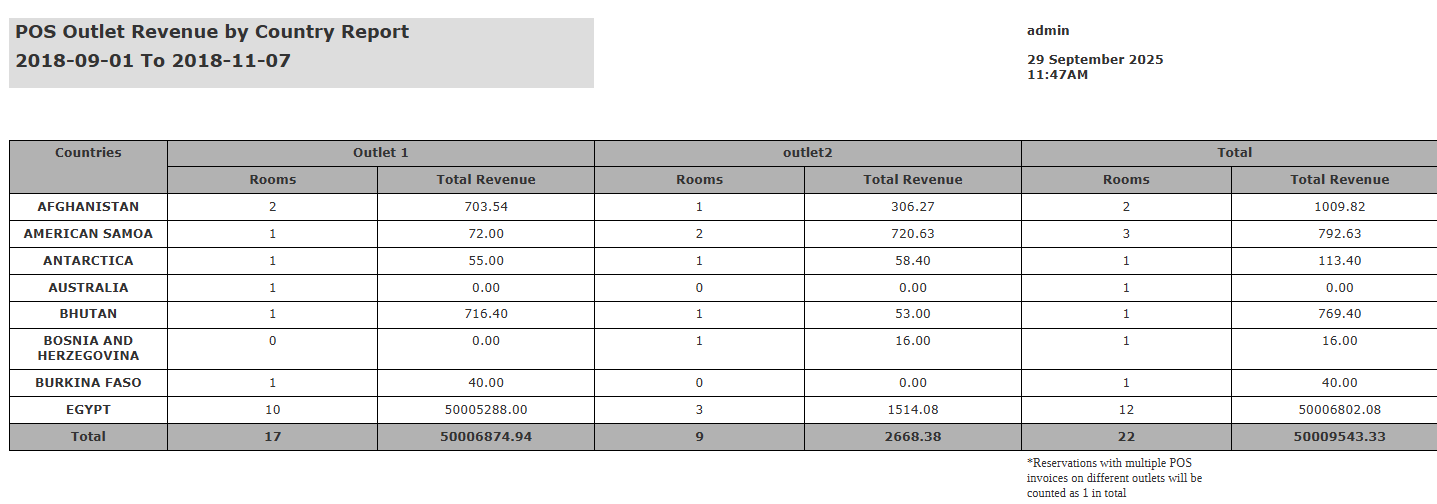
- Countries: Nationality from reservation
- Outlet N (Rooms): Number of unique reservations (by nationality, by outlet)
- Outlet N (Total Revenue): Gross POS revenue (by nationality, by outlet)
- Total (Rooms): Sum of unique reservations per nationality (across all outlets)
- Total (Total Revenue): Grand total revenue per nationality (across all outlets)